

Odoo 18 Multi-Currency Management
Managing a business that operates across borders involves numerous complexities, especially when dealing with different currencies. From invoicing clients in multiple currencies to managing foreign exchange rates, it’s a lot to keep track of. That’s where multi-currency in odoo 18 management comes into play, offering an efficient solution for businesses engaged in international trade.
With Odoo’s Odoo accounting multi-currency feature, you can easily manage transactions in different currencies, handle fluctuating exchange rates, and ensure accurate financial reporting across multiple regions. In this guide, we will delve into the key aspects of multi-currency setup in Odoo, how to enable it, and how to leverage Odoo 18 multi-currency invoicing to your international currency accounting.
What is Multi-currency Management?
Multi-currency management in Odoo 18 refers to the ability to handle transactions, invoicing, and financial reporting in multiple currencies. This feature is essential for businesses that operate globally and deal with international customers and suppliers.
- Transactions in Multiple Currencies: Enables businesses to conduct transactions in different currencies.
- Currency Conversion: Automatically converts amounts based on current exchange rates.
- Financial Reporting: Provides accurate financial reports in multiple currencies.
Why Multi-Currency Management Matters for Your Business
As businesses expand globally, the ability to handle multiple currencies is crucial. Without a robust system, tracking transactions, converting currencies, and keeping up with exchange rates can become a significant headache. Odoo 18 multi-currency management solves this by automating the conversion process and simplifying accounting tasks.
Whether dealing with clients or vendors in different countries or handling multiple currency accounts, Odoo 18 multi-currency configuration allows businesses to manage all their transactions seamlessly in one system. With Odoo international currency accounting, you can generate accurate financial reports that reflect your global operations, saving you time and ensuring compliance with international accounting standards.
Setting Up Multi-Currency in Odoo 18
Step 1: Enabling Multi-Currency in Odoo 18
The first step in managing multiple currencies is to enable the multi-currency feature in Odoo 18. This feature can be activated from the settings menu in the Accounting module. Here’s how to do it:
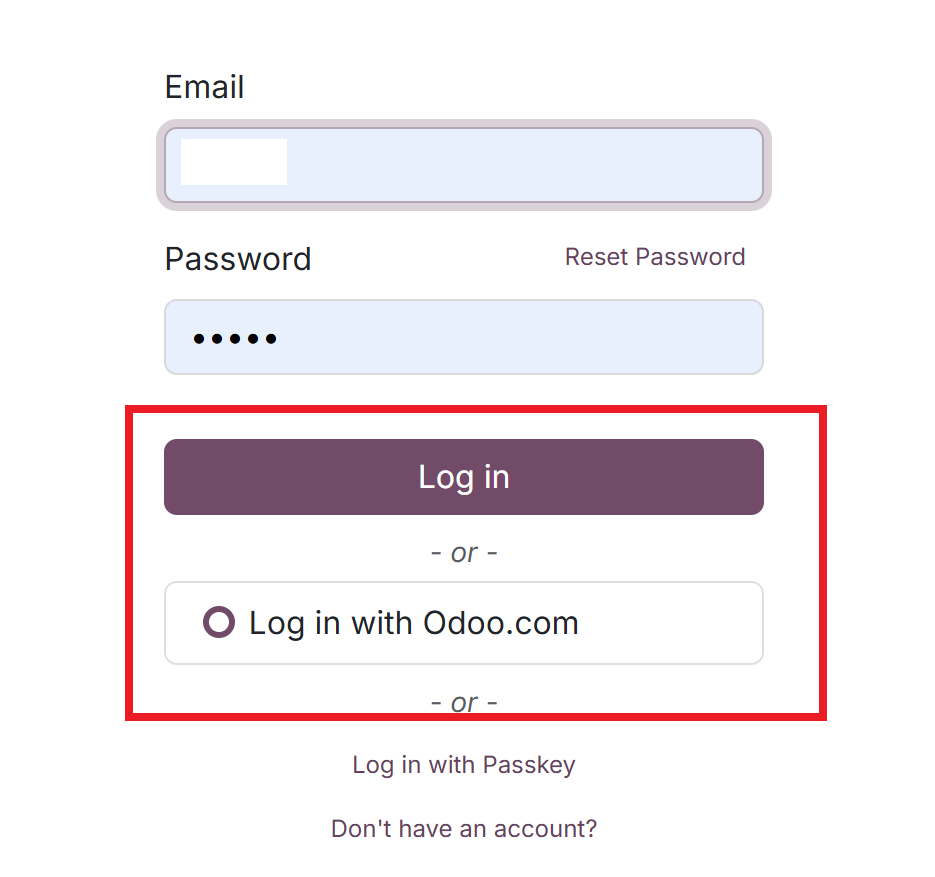
Login To your Odoo Account
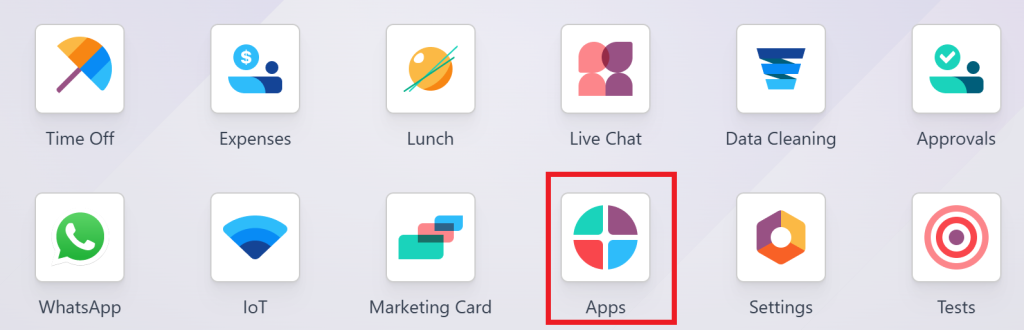
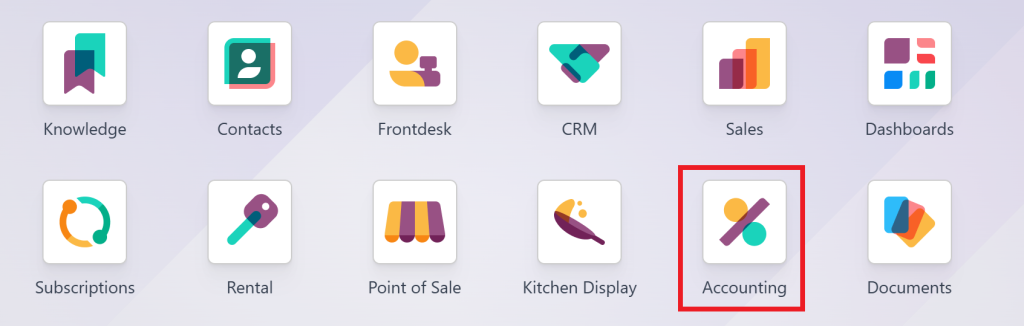
And Goto Odoo Apps
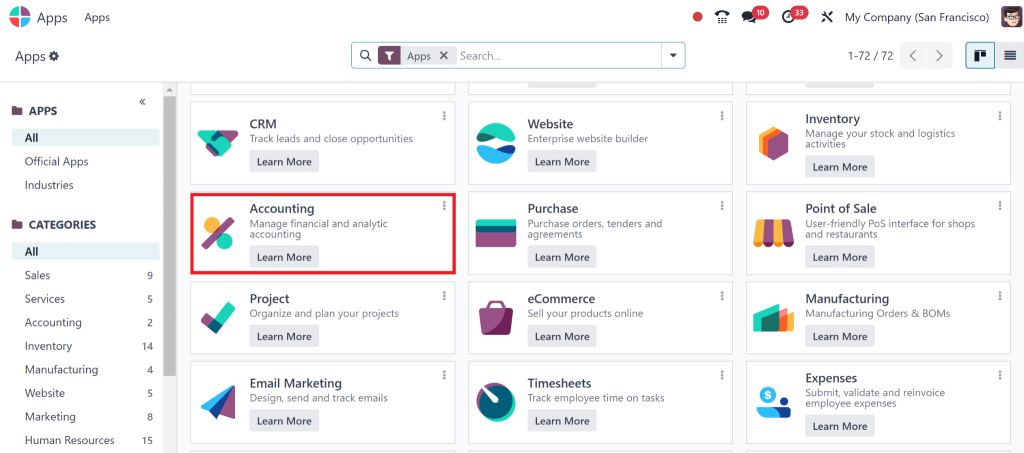
To Install the Accounting Module.
Go to Settings in the Accounting app.
Under the Currencies section, you’ll find the option to enable multi-currency functionality.

Once enabled, you can add and manage different currencies, including their exchange rates and symbols.
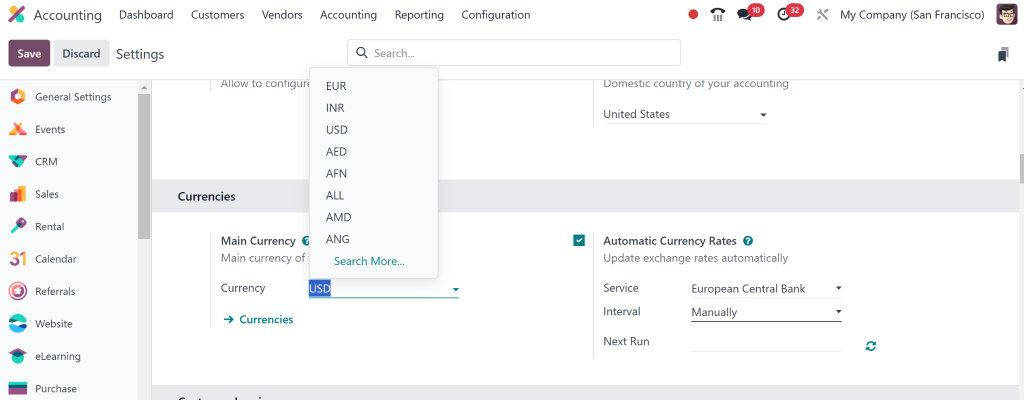
After this, you can configure the currencies your business uses regularly, from the U.S. Dollar to the Euro or regional currencies like the Indian Rupee or Chinese Yuan.
Step 2: Configuring Currencies for Your Business
Once you’ve enabled multi-currency management, you must configure your business’s currencies. This is where you define your company’s default currency and add other currencies that your business deals with.
To configure Odoo 18 multi-currency invoicing, follow these steps:
Go to the Currencies tab within the Accounting module.
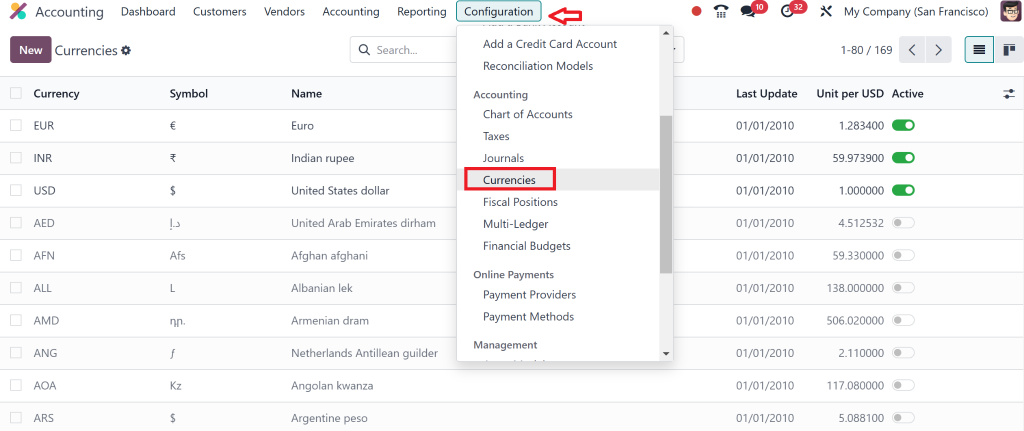
Add the currencies your business will work with. You can select from a list of pre-configured currencies or create a custom currency if needed.
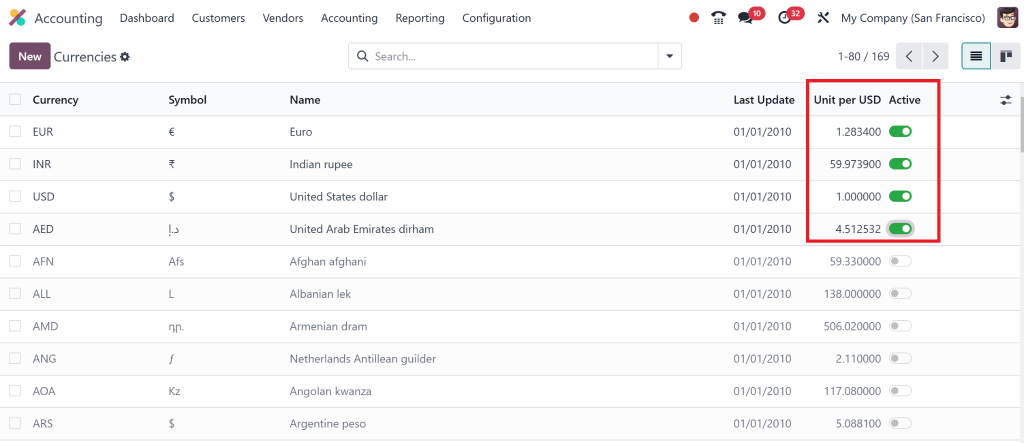
For each currency, set the exchange rate against your base currency.
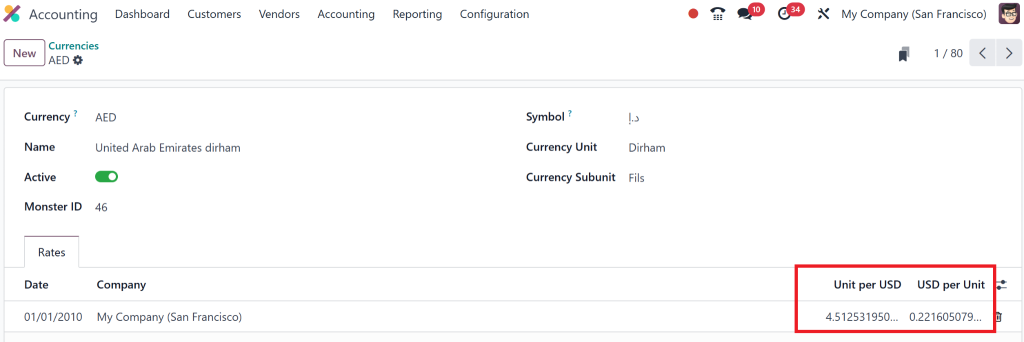
Step 3: Handling Exchange Rates in Odoo
Managing exchange rates is a part of Odoo 18 multi-currency invoicing. Odoo automatically retrieves exchange rates from trusted sources such as the European Central Bank (ECB) or the Open Exchange Rates API. However, you can also manually adjust rates, ensuring that they reflect the current market conditions.
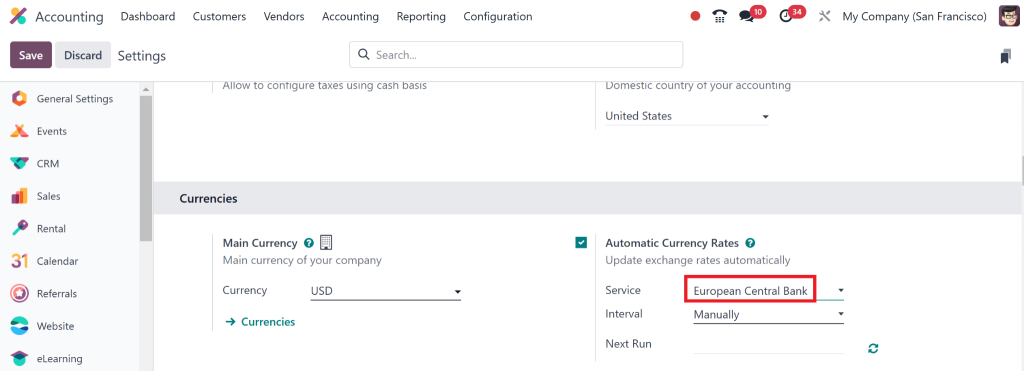
You can configure the exchange rates to update automatically or set them manually to ensure accurate financial calculations. Odoo international currency accounting makes dealing with exchange rate fluctuations easier and maintains consistency in your financial records.
Managing Multi-Currency Transactions
Odoo 18 Multi-Currency Invoicing
One of the most essential features of Odoo 18 multi-currency management is the ability to generate invoices in different currencies. When creating an invoice, you can select the appropriate currency for each customer, regardless of your company’s base currency.
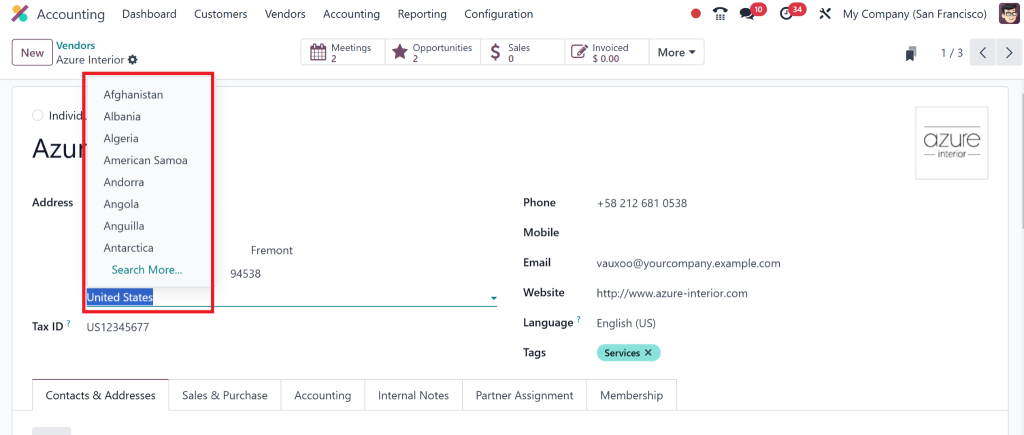
Once the invoice is created in a foreign currency, Odoo handles the currency conversion automatically based on the exchange rate set up in your system. This feature is essential for international businesses that deal with clients worldwide.
Managing Multi-Currency Payments
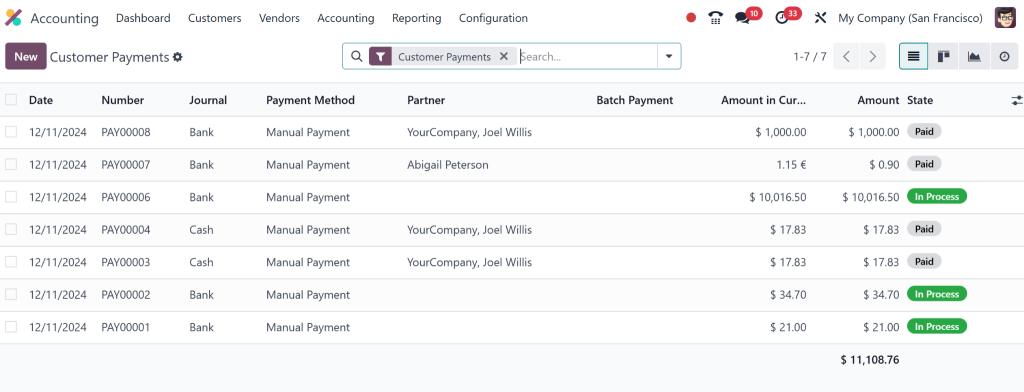
Payments can also be made in multiple currencies. When receiving a payment in a foreign currency, Odoo will automatically convert the amount to your company’s base currency based on the exchange rate at the time of the transaction.
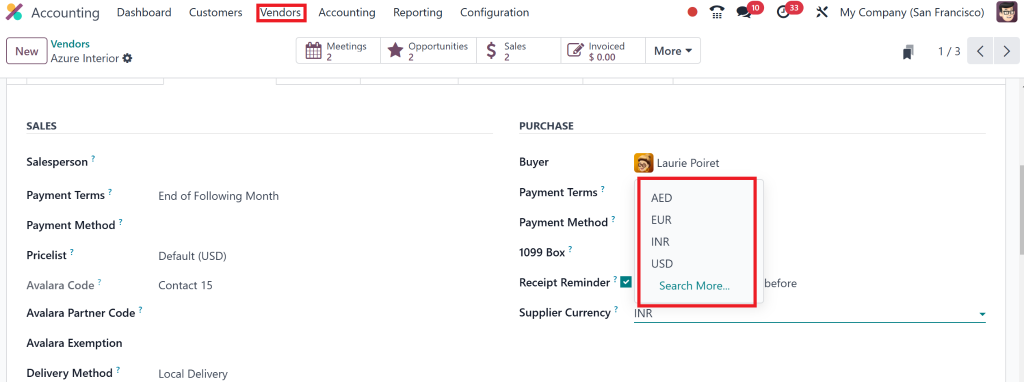
The Odoo accounting multi-currency feature ensures that multi-currency payments are correctly reflected in your general ledger. This functionality helps you keep accurate records of foreign transactions, making reconciliation faster and easier.
Multi-Currency Bank Accounts
It’s common for businesses operating in multiple countries to have multiple bank accounts in different currencies. Odoo 18’s multi-currency configuration allows you to track bank balances in various currencies. Odoo automatically converts the balances into your base currency for unified financial reporting.
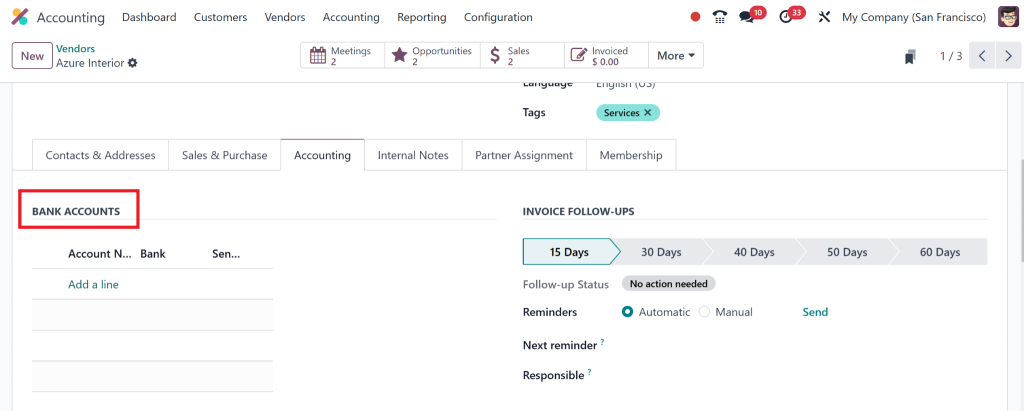
You can reconcile multi-currency bank accounts within Odoo, ensuring that all international transactions are accounted for correctly and accurately.
Best Practices for Multi-Currency Accounting in Odoo 18
Regularly Update Exchange Rates
Exchange rates fluctuate regularly, so updating them in Odoo is essential to maintaining accurate financial records. Odoo 18 multi-currency invoicing and payments depend on up-to-date exchange rates to calculate the correct amounts. Set up automatic updates to ensure your rates are always current.
Reconcile Foreign Transactions Effectively
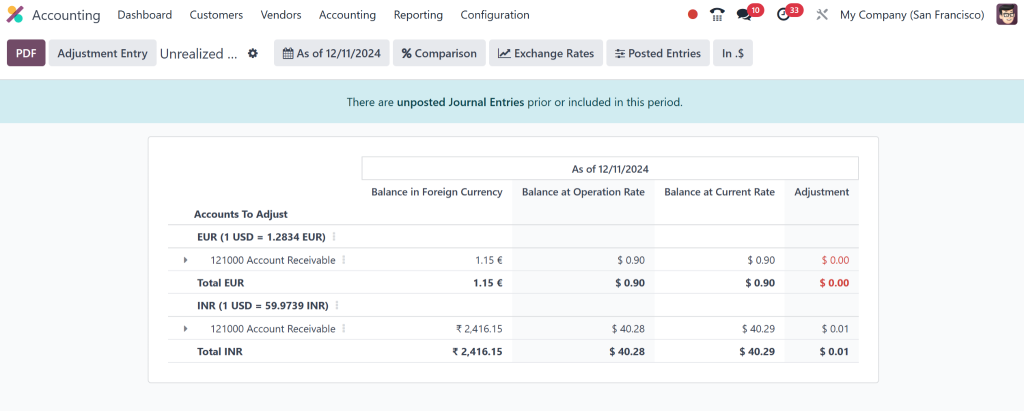
Reconciling foreign transactions can be tricky, especially with fluctuating exchange rates. Fortunately, Odoo international currency accounting automate this process by automatically adjusting for exchange rate differences when reconciling multi-currency transactions.
When you match payments and invoices, Odoo will create the necessary accounting entries to reflect the changes in the exchange rate between the time the transaction occurred and the payment was made. That ensures your financial records are always accurate.
Use Multi-Currency Reports for Better Insights
Use Odoo’s reporting features to get a comprehensive view of your financial performance across multiple currencies. Odoo 18 multi-currency management provides detailed reports that help you track the performance of your foreign transactions. You can generate reports that show how much you’ve earned in different currencies, giving you valuable insights into the profitability of your international operations.
Why Odoo 18 Multi-Currency Management is the Final Solution for International Businesses
Managing multiple currencies doesn’t have to be a hassle. With Odoo 18 multi-currency management, you can simplify your international accounting and streamline the entire process. Here’s why Odoo is the ultimate solution for your multi-currency needs:
Integration Across All Modules
Odoo integrates multi-currency management across all modules. The multi-currency setup works seamlessly throughout your business operations, from sales orders to inventory management. Whether invoicing clients or tracking expenses in multiple currencies, Odoo ensures everything is connected and up-to-date.
User-Friendly Interface
Despite its advanced functionality, Odoo 18 multi-currency configuration is intuitive and easy to use. You don’t need to be an accounting expert to set up and manage multi-currency transactions. The simple interface allows you to easily direct through currency settings, exchange rates, and multi-currency invoicing.
Cost-Effective
Managing multi-currency transactions manually can be time-consuming and error-prone. Odoo’s automated currency conversions and exchange rate updates save businesses time and money, making it a cost-effective solution for companies of all sizes.
With Odoo 18 Multi-Currency Management Make Yourself an Accounting Expert
Odoo 18 multi-currency management is for international businesses. By enabling multi-currency setup in Odoo, you can easily manage transactions, invoicing, payments, and financial reporting across multiple currencies. Whether dealing with Odoo international currency accounting or handling multi-currency invoicing, Odoo ensures everything is streamlined and accurate.
Ready to make things easier your with Odoo accounting processes? Start using Odoo 18 multi-currency management today and take control of your international operations like never before.




