


Understanding Margin from sales orders Analysis
Understanding your profit margins is paramount for sustainable growth in today’s competitive business landscape. Margin from sales orders analysis allows businesses to track and optimise their sales profitability effectively. This powerful ERP solution will enable users to calculate margins accurately, ensuring that every sales order contributes positively to the bottom line. This article will explore how to calculate margins in Odoo 18, delve into Odoo 18 sales order profitability tracking, and provide insights on margin tracking in Odoo 18 sales orders.
Why Margin Tracking is Essential
Understanding Profitability
Profitability is a crucial indicator of business health. Tracking margins helps businesses understand which products or services are generating profit and which are not. Odoo 18 ERP profit margin calculation features enable companies to analyze sales orders effectively, ensuring decision-makers have the information they need to make informed choices.
Enhancing Decision-Making
With accurate margin data, businesses can make strategic decisions regarding pricing, product offerings, and sales strategies. This analysis can lead to improved profitability and optimized resource allocation.
How to Calculate Margins in Odoo 18
Step-by-Step Process
To conduct Odoo 18 sales margin analysis, follow these steps:
Access the Sales Module: Log into your Odoo 18 account
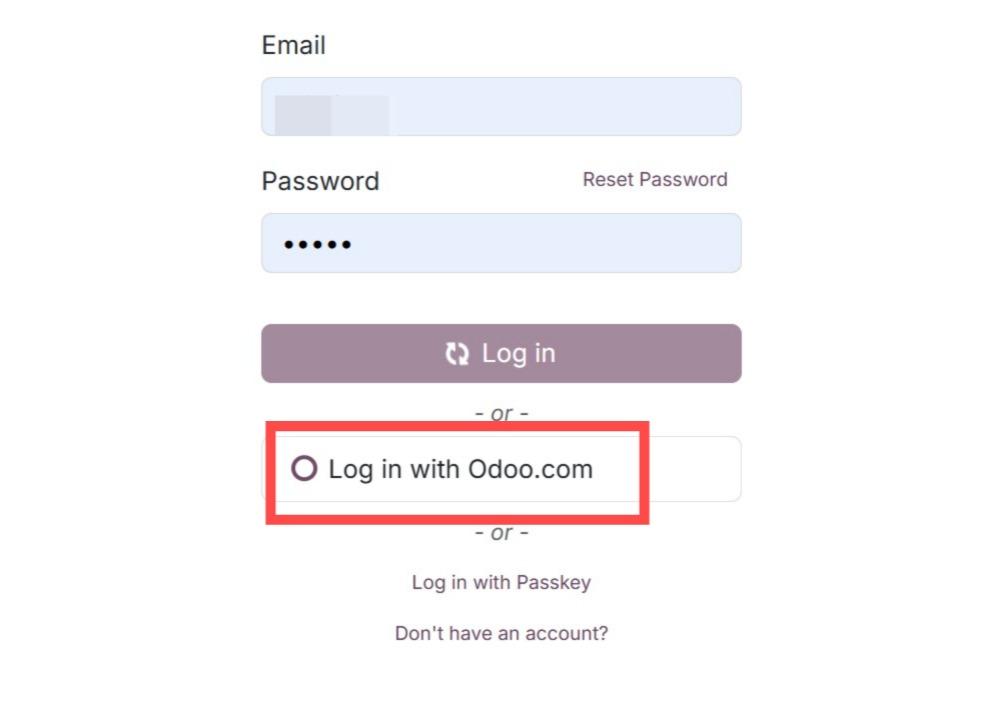
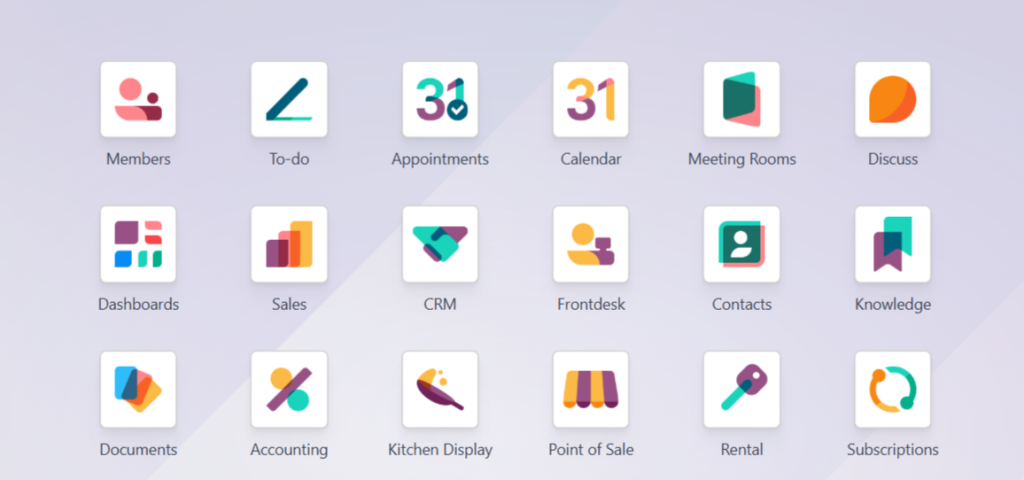
and Direct to the Sales module. This is where you will manage all sales orders and customer information.
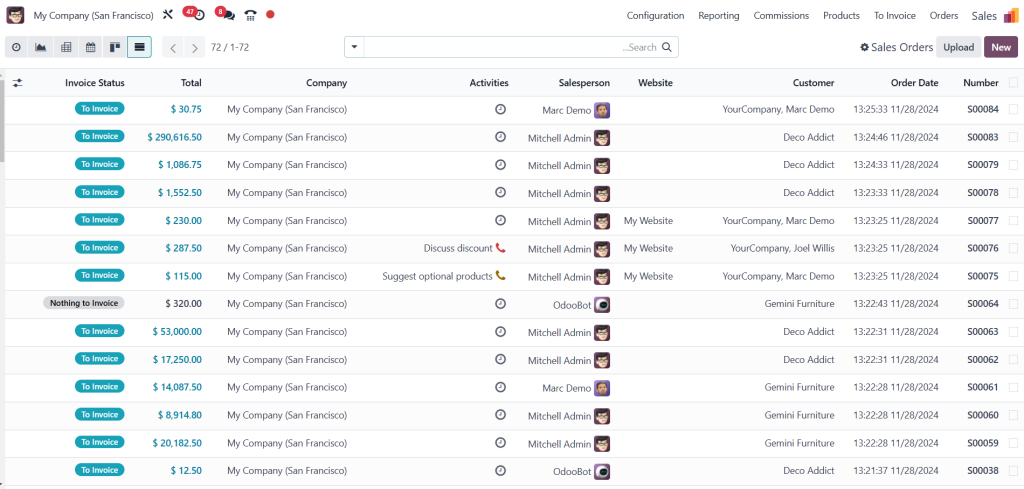
Create or Select a Sales Order: You can create or select a new or existing one. Ensure all relevant details, including product prices and quantities, are correctly entered.
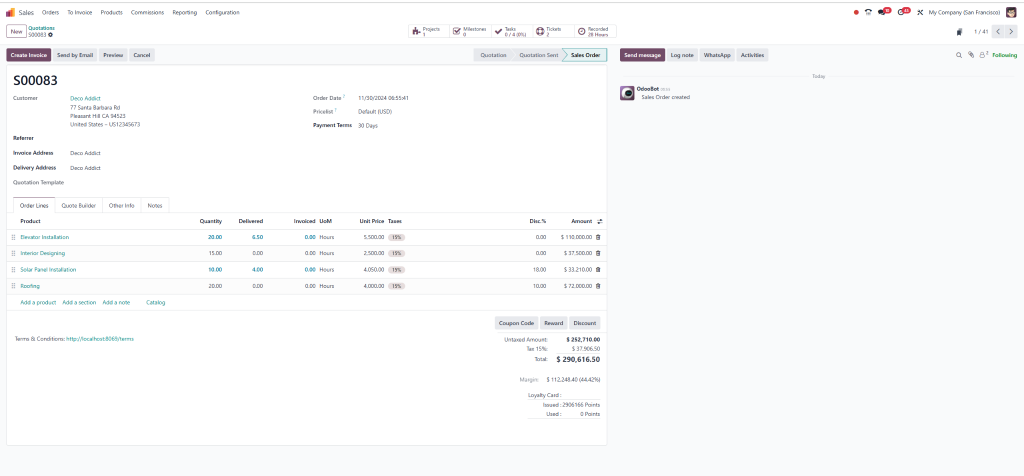
Input Cost Prices: For accurate margin calculation, it’s essential to input the cost prices of the products sold. This can be done by editing the product information in the Inventory module. Make sure that the cost price reflects the actual expense incurred.
Calculate the Margin: Once the sales order is complete, Odoo 18 will automatically calculate the margin based on the formula:
Margin= Selling Price−Cost Price Margin=Selling Price−Cost Price
This calculation provides insights into the profitability of each sale.
Review the Profitability Report: After calculating the margin, you can generate a profitability report. This report summarises the sales, costs, and margins, providing a comprehensive view of your sales performance.
Utilizing Odoo 18 Sales Management Features
Sales Tracking
Odoo 18 offers a range of sales management features that enhance margin tracking capabilities. These include:
Real-Time Data Analysis: Odoo provides real-time insights into sales performance, allowing businesses to respond quickly to market changes.
Customisable Reports: Users can create customised reports focusing on specific products, sales teams, or periods, making it easier to identify trends and opportunities.
Integration with Inventory Management: Integrating sales and inventory modules ensures that cost prices are always up-to-date, facilitating accurate margin calculations.
Monitoring Sales Order Profitability
Odoo 18 sales order profitability tracking is critical for businesses aiming to optimise their sales processes. By monitoring profitability on a per-order basis, companies can identify which products or services are underperforming and adjust their strategies accordingly.
Identifying Sales Margins in Odoo 18 ERP
Key Metrics to Monitor
To effectively analyse sales margins in Odoo 18, consider monitoring the following key metrics:
Gross Margin: This is the difference between sales revenue and the cost of goods sold (COGS). It provides a high-level view of profitability.
Net Margin: This metric accounts for all expenses, including operating costs, taxes, and interest. It offers a more comprehensive view of overall profitability.
Contribution Margin: This indicates how much revenue is available to cover fixed costs after deducting variable costs.
Using Dashboards for Visualization
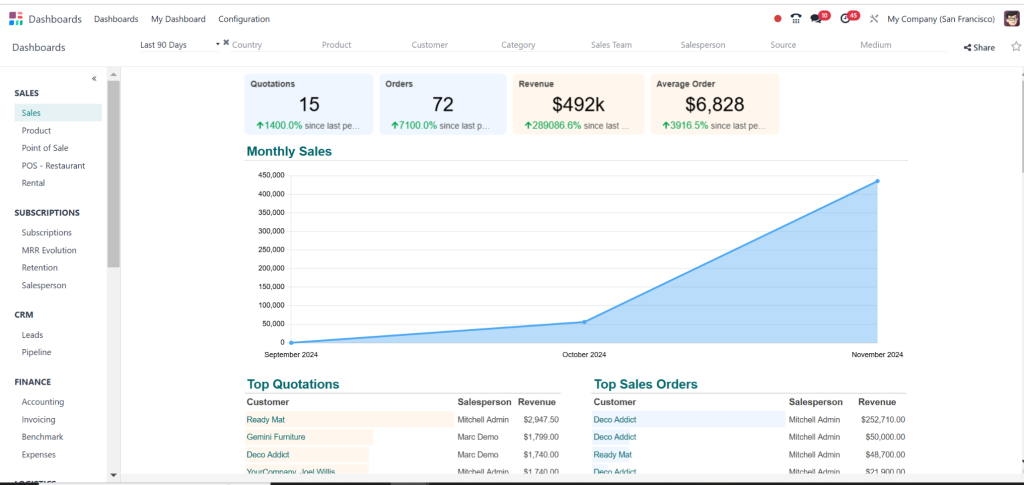
Odoo 18 allows users to create dashboards that visualize critical metrics related to sales margin analysis. Dashboards can be customized to display relevant data, making it easier to track performance at a glance.
Benefits of Odoo 18 Sales Margin Analysis
Improved Profitability
By using Odoo 18 for margin tracking, businesses can identify areas for improvement, leading to enhanced profitability. Understanding which products yield the highest margins allows for better inventory management and sales strategies.
Strategic Pricing Decisions
With detailed insights into margins, businesses can make informed pricing decisions. This ensures that products are priced competitively while still maintaining healthy profit margins.
Enhanced Financial Planning
Accurate margin calculations facilitate better financial planning. Businesses can forecast future revenues and expenses more effectively, leading to improved budgeting and resource allocation.
Tracking Margins Effectively with Odoo 18
Odoo 18 sales margin analysis is invaluable for businesses seeking to enhance their profitability and make data-driven decisions. Organisations can effectively track sales order profitability by understanding how to calculate margins in Odoo 18 and utilising its sales management features. This comprehensive approach to margin tracking in Odoo 18 sales orders empowers businesses to optimise their operations and achieve tremendous financial success.




