

The Odoo 18 Knowledge Module is an invaluable resource for organisations seeking to smooth their knowledge management processes. This tool not only facilitates the creation and sharing of knowledge but also enhances collaboration and efficiency within teams. In this article, we will explore how to use the Odoo 18 Knowledge app, get into its features, and provide a detailed tutorial on setting up your Odoo 18 knowledge base. Additionally, we will discuss the benefits of the Odoo 18 Knowledge app and its integration capabilities with other Odoo modules.

Understanding the Odoo 18 Knowledge Module
Overview of the Odoo Knowledge App Features
The Odoo 18 Knowledge Module is designed to help businesses create a centralized repository of information, making it easier for employees to access and share knowledge. Some of the key features of this module include:
– Article Creation and Management: Users can easily create, edit, and manage articles, ensuring that information is always up-to-date.
– Categorization and Tagging: Articles can be categorized and tagged for easier navigation and retrieval.
– Search Functionality: A powerful search engine lets users quickly find relevant information.
– User Permissions: Admins can set permissions to control who can view or edit specific content.
– Integration with Other Odoo Modules: The knowledge module seamlessly integrates with other Odoo applications, enhancing its functionality.
How to Use Odoo 18 Knowledge App
Step 1: Installing the Odoo Knowledge Module
To get started with the Odoo 18 Knowledge Module, you first need to install it. Follow these steps:
- Log in to your Odoo instance.
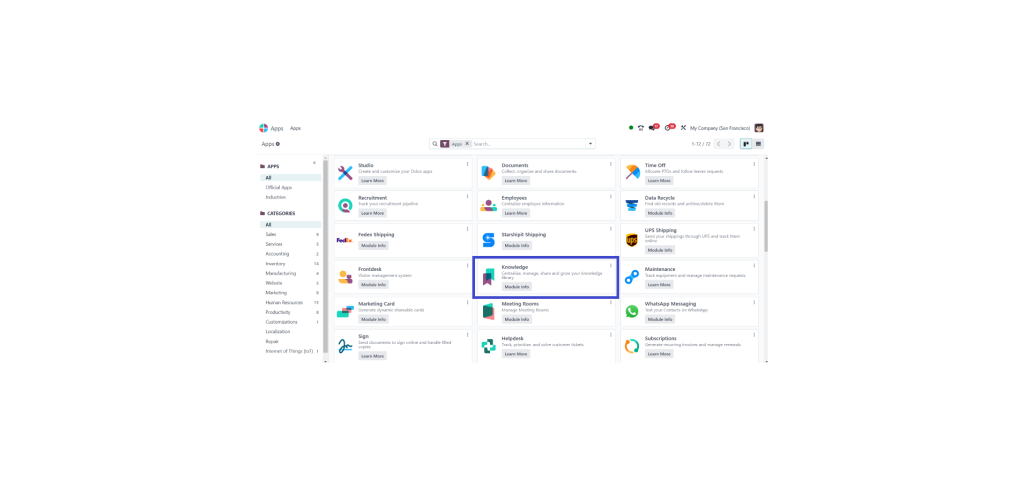
- Navigate to the Apps menu.
- Search for the Knowledge Module.
- Click on the “Install” button.
Step 2: Setting Up the Odoo 18 Knowledge Base
Once the module is installed, you can begin setting up your Odoo 18 knowledge base. Here’s how:
- Access the Knowledge Module: From the dashboard, click on the Knowledge app icon.
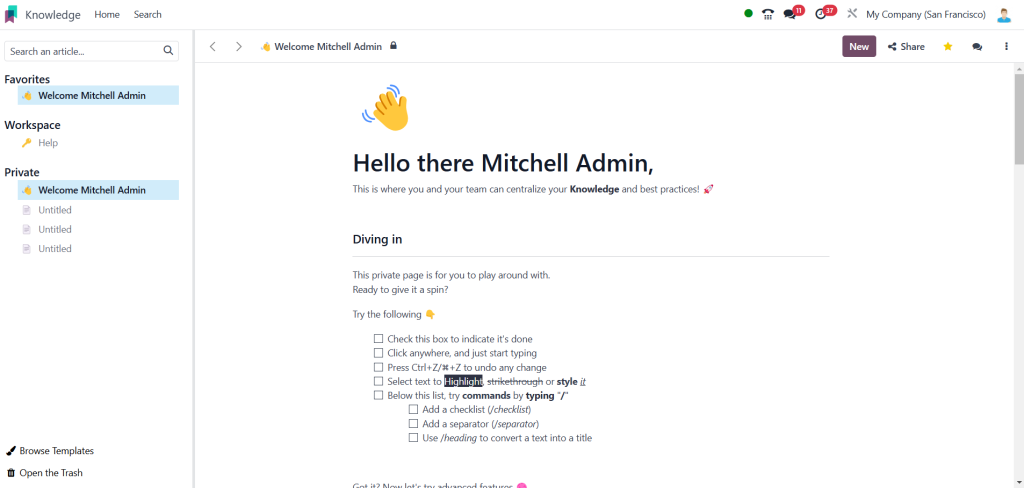
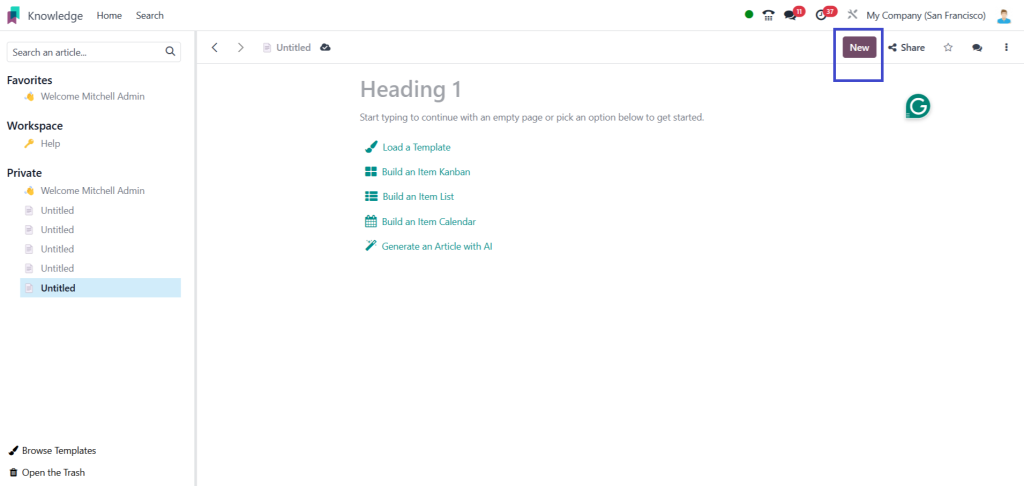
- Create Categories: Organize your knowledge base by creating categories. Click the “New” tab “to add new categories.
- Add Articles: Click the “Articles” tab and select “Create” to write your first article. Use the rich text editor to format your content and add images
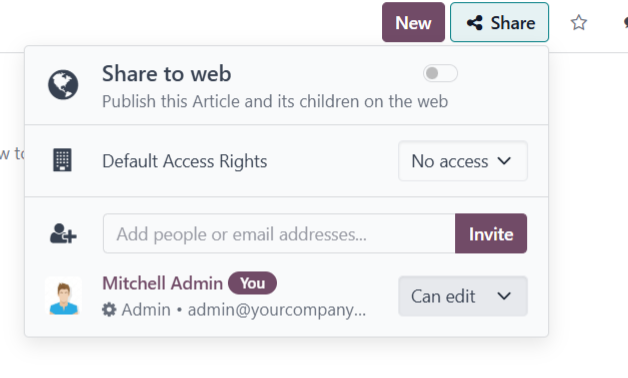
- Set Permissions: After creating articles, set user permissions to control access. This can be done in the article settings.
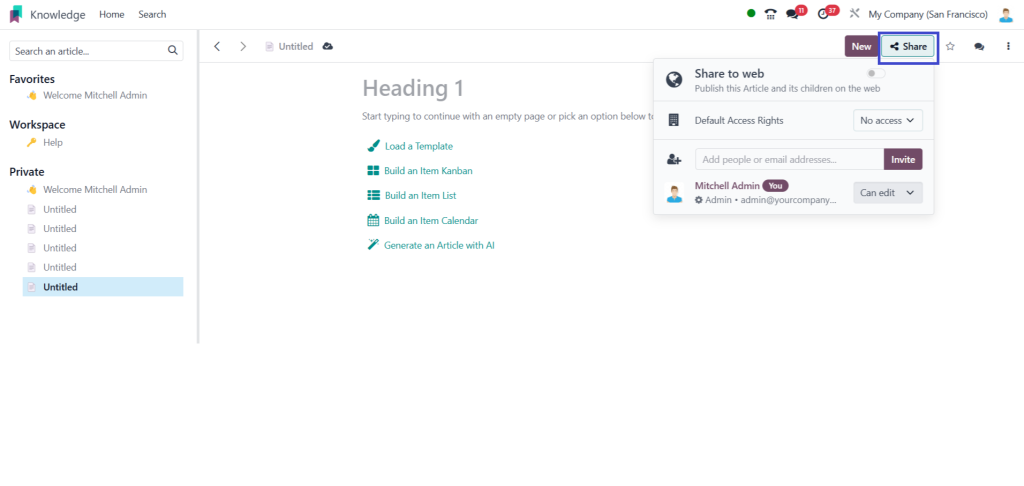
Step 3: Utilizing Odoo Knowledge App Features
Now that your knowledge base is set up, you can leverage its features:
– Search for Articles: Use the search bar to quickly find articles based on keywords.
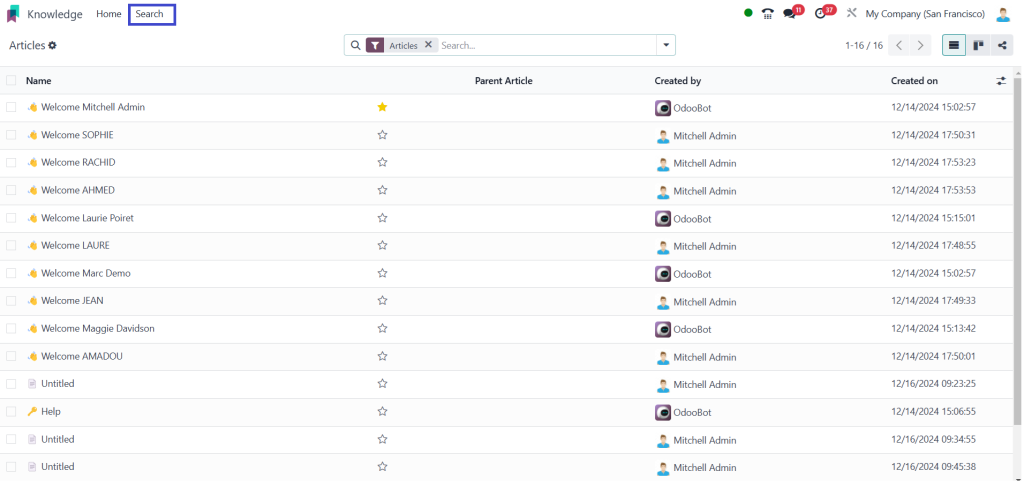
– Tagging Articles: Enhance discoverability by tagging articles with relevant keywords.
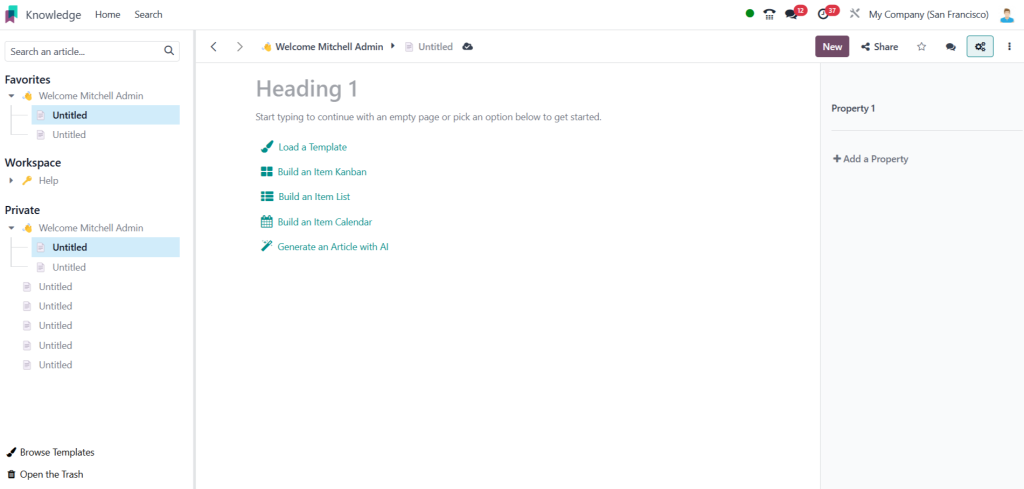
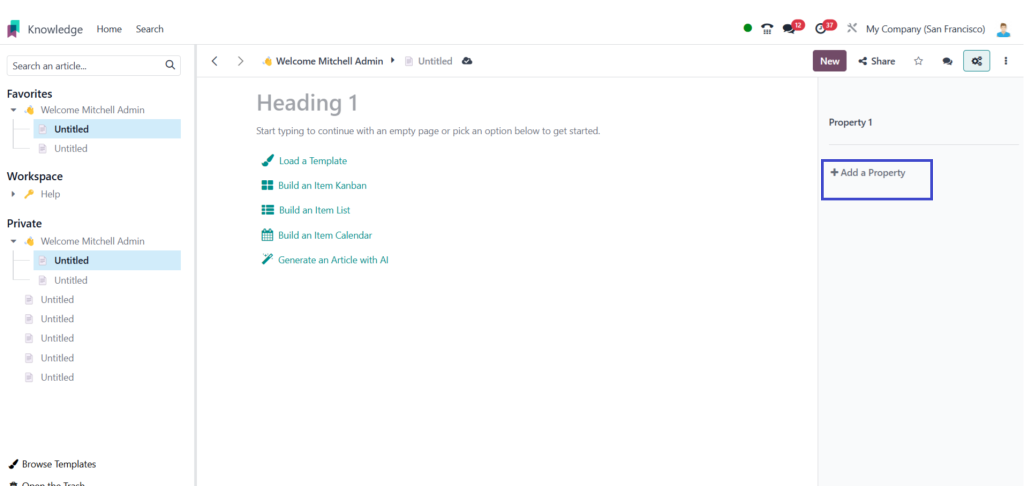
Go to any article, Open Show properties
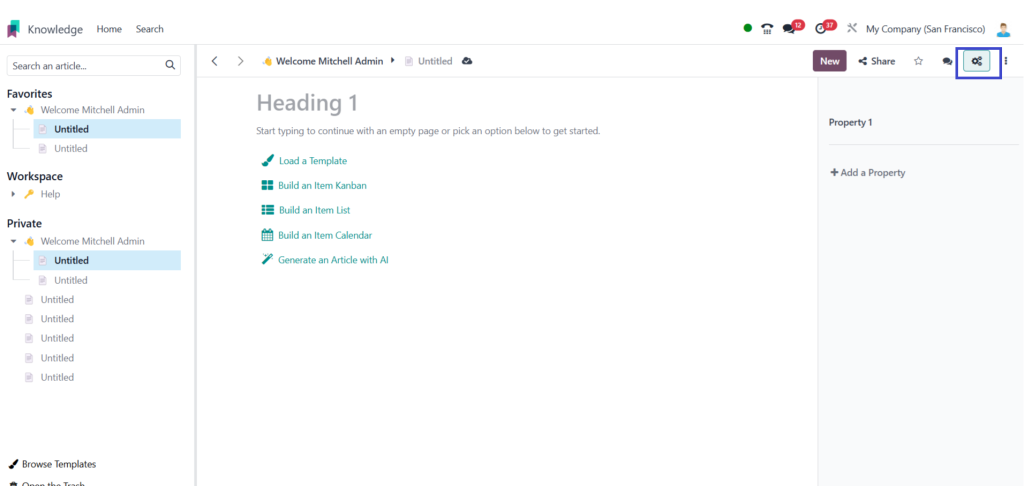
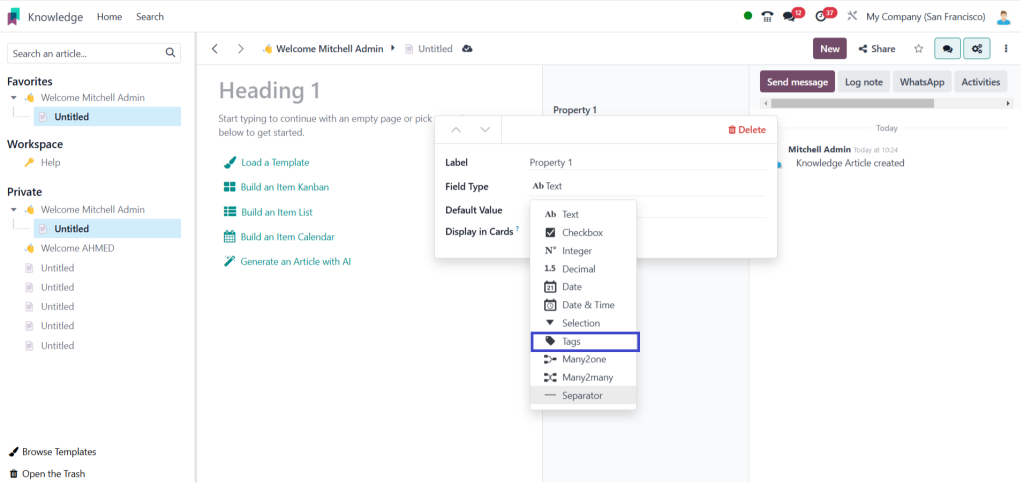
Drop down field type ,
Select field type,

Select tags,
– Collaborate with Teams: Encourage team members to contribute by allowing them to create and edit articles.
Benefits of the Odoo 18 Knowledge App
The Odoo 18 Knowledge Module offers numerous benefits that can significantly enhance your organization’s knowledge management efforts:
- Improved Efficiency: Centralizing information reduces the time spent searching for documents and answers.
- Enhanced Collaboration: Team members can easily share knowledge, fostering a collaborative environment.
- Better Decision-Making: Access to a wealth of information enables informed decision-making.
- Cost-Effective: By utilizing a single platform for knowledge management, organizations can save on costs associated with multiple tools.
- Scalability: The module can grow with your organization, accommodating an increasing amount of information and users.
Odoo Knowledge Module Integration
The Odoo Knowledge Module easily integrates with other Odoo applications, enhancing its functionality. For instance:
– Integration with Project Management: Link knowledge articles to specific projects for quick reference.
– Customer Support Integration: Use knowledge articles to assist in customer support, providing quick solutions to common issues.
Odoo 18 Knowledge Module is an essential tool for businesses
Looking to enhance their knowledge management capabilities and following the steps outlined in this guide, you can effectively set up and utilize the Odoo 18 Knowledge app to foster collaboration, improve efficiency, and sleek access to critical information. Embracing this powerful module can lead to significant benefits for your organization, making it a worthwhile investment in your operational strategy.




