You just lost a potential client, not because your product wasn’t good or your pricing was off, but because… You forgot to follow up.
Right?
What if we told you that there’s a straightforward way to prevent that from happening again? A way to automate every call, email, and reminder in your sales journey, without micromanaging a single thing?
Welcome to the Activity Plan in Odoo 18 CRM, your secret to transforming chaos into clarity, missed leads into signed deals, and confused sales teams into high-performing teams.
In this guide, we’re not just going to explain what an activity plan is. We’re going to show you how to create an Odoo CRM style, how to build powerful sequences that guide your team like a GPS, and how to use Odoo 18 CRM tasks scheduling to free your brain from remembering every little thing.
This is the smartest thing you do for your CRM this year.
Keep reading to discover:
The power of the Odoo 18 CRM activity plan and why your team needs it yesterday
Step-by-step instructions to set it up like a pro
Ready-to-use templates for Odoo CRM activity planner
Tips to schedule CRM activities, Odoo 18, the way high-performing sales teams do
How Odoo 18 customer activity planning can save your next deal
You’re just minutes away from transforming your sales flow.
Let’s crack it.
What Is an Activity Plan in Odoo 18 CRM?
An Activity Plan in Odoo 18 CRM is a pre-defined sequence of tasks or interactions that salespeople can follow when managing leads or opportunities. These activities could include:
Sending an email
Making a phone call
Scheduling a meeting
Following up after a demo
Sending quotations
Each activity is tagged with a deadline and priority, making it easy to manage and automate follow-ups using Odoo’s intelligent interface.
Think of it like a virtual to-do list, but smarter. It knows what needs to be done, when, and by whom.
Why Your Business Needs an Odoo 18 CRM Activity Plan
Creating a strong Odoo 18 CRM activity plan provides several business benefits:
1. No Missed Follow-Ups
Using the Odoo 18 CRM tasks scheduling feature, follow-ups are automated and assigned deadlines, reducing the risk of losing prospects due to neglect.
2. Standardized Sales Process
With the Odoo activity plan template CRM, you ensure every lead follows the same structured journey, resulting in a consistent customer experience.
3. Better Team Collaboration
Everyone in your sales team knows what’s next and who’s responsible. This transparency builds accountability and improves teamwork.
4. Improved Conversion Rates
A timely follow-up can be the difference between winning and losing a deal. With Odoo 18 customer activity planning, you’re always on top of your game.
Step-by-Step Guide to Create an Activity Plan in Odoo CRM
Ready to build your first Activity Plan in Odoo 18 CRM? Here’s a simple walkthrough:
Step 1: Enable Activity Planning Feature
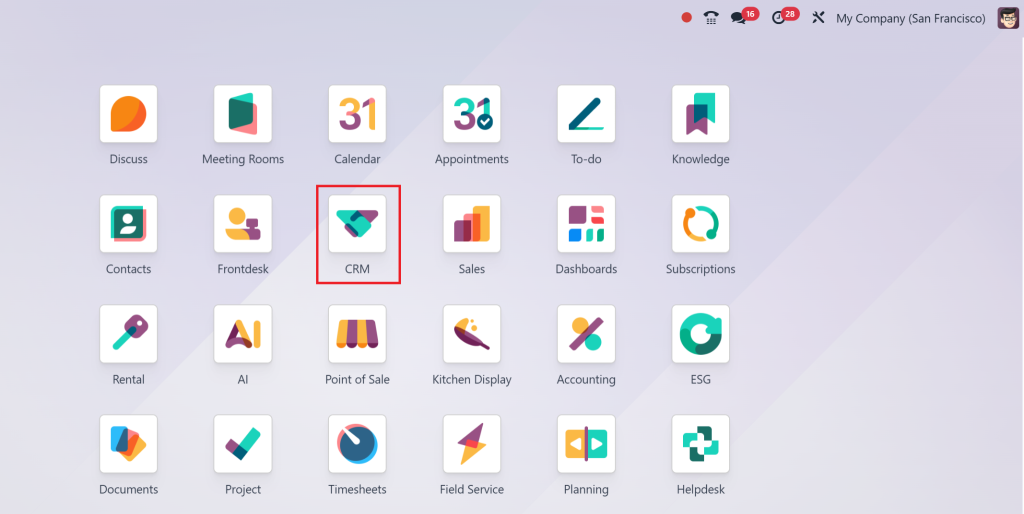
Go to the CRM module.
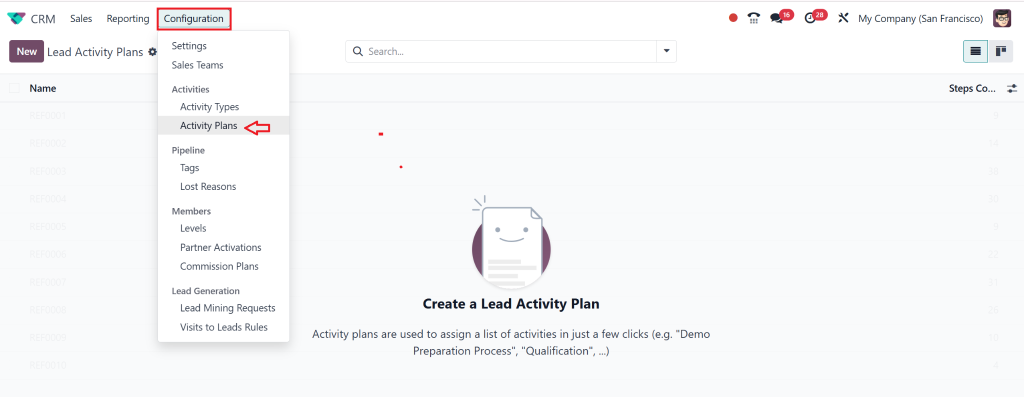
Click on the “Configuration” menu.
Make sure the Activity Planning feature is enabled.
Step 2: Define the Activity Types
Direct to:
CRM → Configuration → Activity Types
Click “Create” and define activities like Call, Email, and Meeting.
Set default deadlines, summary texts, and responsible teams
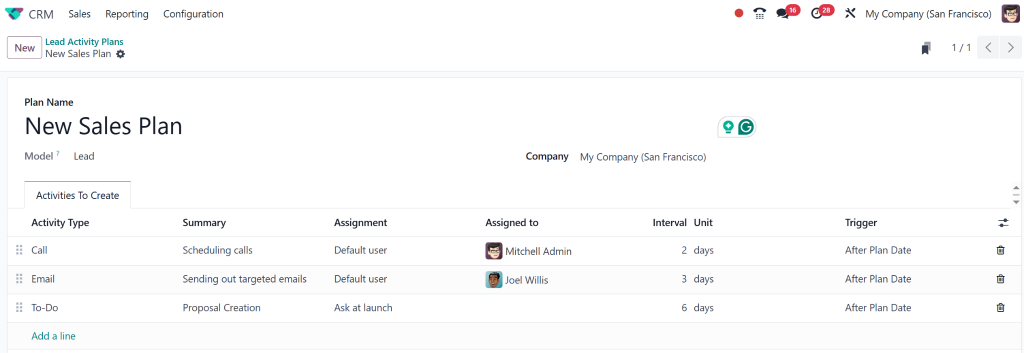
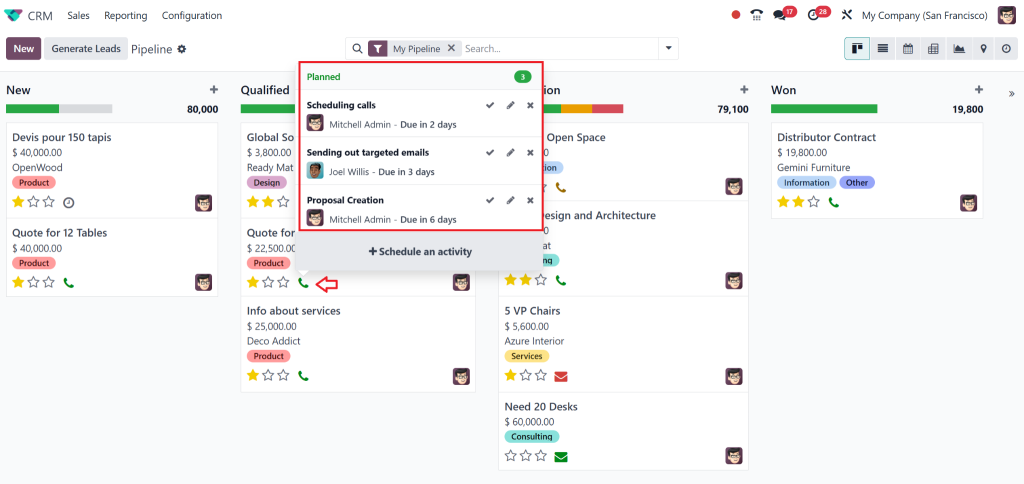
Step 3: Create a Sales Pipeline Stage Activity Plan
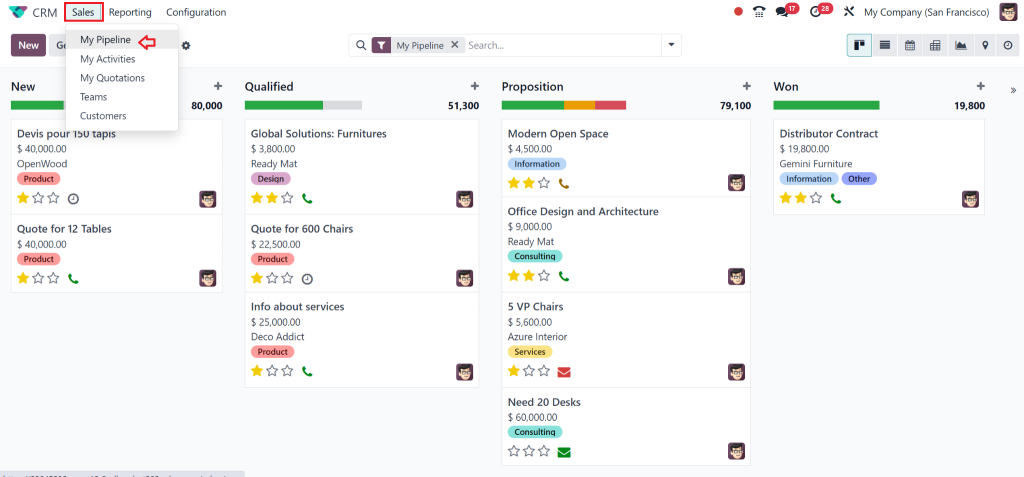
Go to your Sales Pipeline
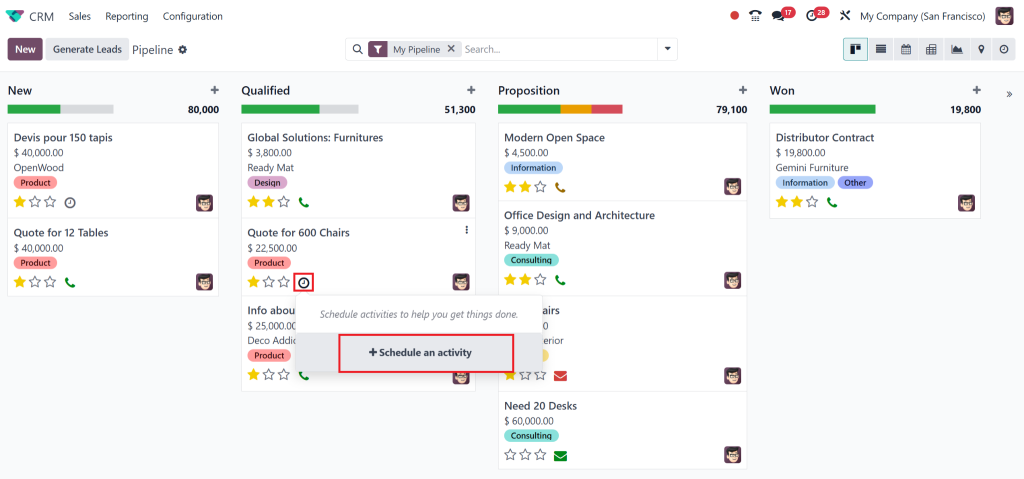
Select a stage (e.g., “Qualified” or “Demo Given”)
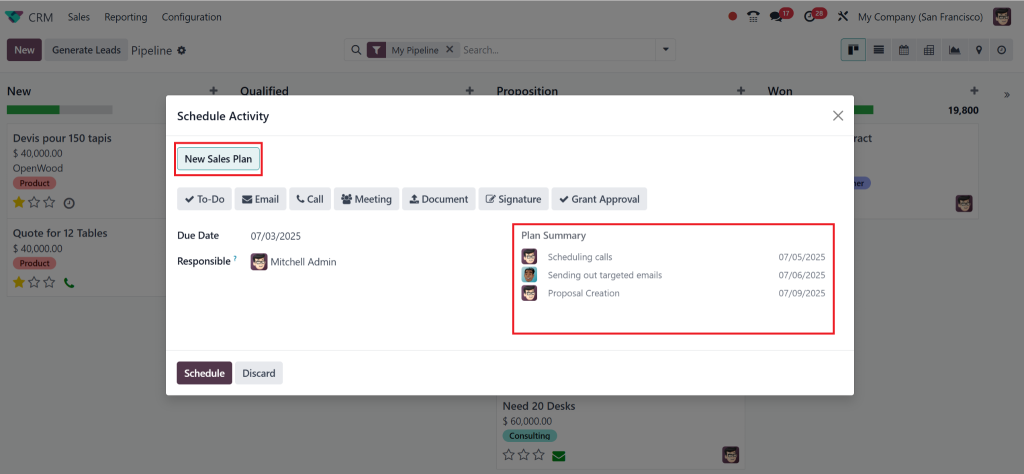
Click “Add a Suggested Activity”
Now, the activity has been scheduled.
Repeat this process for each stage in the pipeline.
Step 4: Use Odoo Activity Plan Template CRM
Want a shortcut? Use the Odoo activity plan template CRM from Odoo’s pre-built configurations or customize your own by duplicating existing plans.
Once a lead reaches a stage, the activities are scheduled automatically. No manual entry. Just pure productivity.
Best Practices for Odoo 18 Customer Activity Planning
Keep It Simple
Don’t overwhelm your team with too many activities. Start with 2-3 essential tasks per stage and grow from there.
Automate Smartly
Take advantage of Odoo’s automation rules to trigger activities based on lead scores, time delays, or actions completed.
Review and Optimise
Regularly audit your activity plans. See what’s working. Update task sequences to improve performance.
Train Your Team
Ensure your team knows how to access, follow, and complete the scheduled activities.
Real-Life Example: Using Odoo CRM Activity Planner at Netilligence
Let’s say a lead enters your CRM after filling out a contact form.
Here’s how a create activity plan Odoo CRM might look:
Day 0: Auto-send “Thank You” Email
Day 1: Schedule a call with a sales rep
Day 3: Send a product brochure
Day 5: Arrange a demo
Day 7: Follow-up call
Day 10: Send quotation
Day 12: Final follow-up
All of this is automated inside Odoo using the Odoo 18 CRM activity plan feature. Imagine the time your team saves, and the deals you win, when every lead is followed up on time, every time.
Why Choose Netilligence for Odoo CRM Implementation
At Netilligence, we’re more than just an Odoo Partner, we’re your strategic partner in digital transformation. Our Odoo experts help you design and deploy a custom Odoo 18 CRM activity plan that fits your exact business needs.
Fully customised CRM pipelines
Smart activity scheduling
Intuitive dashboards and reporting
Continuous support and staff training
Proven success in multiple industries
Let us turn your CRM from chaos to clarity. Start your journey with Odoo 18 customer activity planning today.
Learning the Art of CRM with Odoo 18 Activity Plans
In a world where every second counts, businesses can’t afford to lose leads due to poor follow-ups or messy CRM systems. The Activity Plan in Odoo 18 CRM empowers your team to automate, organise, and manage customer relationships effectively.
From setting reminders to customising complete pipelines, Odoo 18 CRM tasks scheduling offers the control and flexibility your business needs to thrive.
With Netilligence by your side, you’re not just installing software, you’re transforming your customer experience.
Ready to take the first step? Contact us now for a free consultation!
Hi, I'm Nabia, an Odoo ERP functional & technical content writer. I specialize in blogs, social media content, ad copy, landing pages, service pages, and email campaigns.
We use cookies to ensure that we give you the best experience on our website. If you continue to use this site we will assume that you are happy with it.