

If you are starting your accounting work in Odoo for the first time, your biggest concern is usually how to create opening balance without making any mistakes. Almost every business owner or accountant asks this first because if you don’t create opening balance in Odoo correctly, your reports will not match. When you switch from your old software or manual records, you must carefully set the opening balance in Odoo so your books start on the right note. Many people message me saying they tried to create an opening balance in Odoo, but something didn’t match, so they had to repeat everything.
That’s why I decided to explain how to set up an opening balance in Odoo as simply as possible. You want a smooth start, clean numbers, clarity, and someone to describe this process in a way that makes sense.
So today, let’s walk through this together and understand how to create an opening balance in Odoo step by step, in a way that feels comfortable and stress-free.
Understanding Odoo 19 Opening Balance Before You Start
Before you begin entering numbers, it’s essential to understand what an Odoo 19 opening balance actually represents. Your opening balance shows where your business stands when you start using Odoo 19. If you were using another software before, or if you maintained your books manually, then your Odoo setup must begin with an accurate picture of your accounts. This includes your bank balances, cash on hand, customer outstanding invoices, vendor bills, asset values, expenses paid in advance, liabilities, loans, and everything else.
When you know your exact Odoo 19 opening balance, you can start fresh inside the system. Every report, every statement, and every calculation will depend on how accurately you enter these values. If your opening numbers are incorrect, you will keep finding differences in reconciliation and reports, and eventually, you’ll get stuck. This is why understanding your Odoo 19 opening balance is not just a step; it is the foundation of your financial setup.
Why Odoo 19 Accounting Opening Balances Matter So Much
Whenever someone asks me why their reports do not match in Odoo, the first thing I check is their Odoo 19 accounting opening balances. Most issues occur because opening balances were either skipped, entered on the wrong date, or posted to the wrong account. If you want your accounts to look clean and clear, you need to start with correct numbers. Your Odoo reports, like the balance sheet, trial balance, and profit and loss statement, rely on these opening figures.
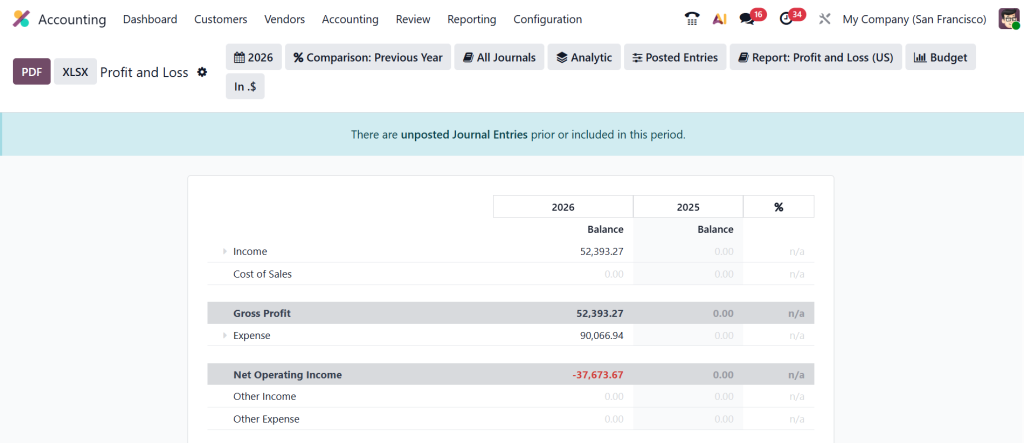
Even small mistakes can affect your reconciliation. When your Odoo 19 accounting opening balances are correct, moving forward becomes easier. You can focus on sales, purchases, payments, and daily accounting without worrying about mismatched numbers at the end of every month.
How to Set Opening Balance Odoo When Starting Fresh
Now, let’s talk about how to set the opening balance in Odoo as simply as possible. If this is your first time, don’t worry. You need to move step by step. First, make sure your chart of accounts is ready. This means all the accounts you need must already exist in your system, including assets, liabilities, income, expenses, bank accounts, and equity accounts.
Once your chart of accounts is prepared, you can start setting the opening balances in Odoo by identifying each closing number from your previous records. For example, your bank account might have a closing balance from your old software, your customer list may have some outstanding invoices, and your vendors may have pending bills. All these numbers will help you set your opening balance properly inside Odoo.
Using Odoo Chart of Accounts Opening Debit and Credit to Enter Balances
While working on your setup, you will notice that every account inside the chart of accounts has two essential fields: opening debit and opening credit. These fields are beneficial when entering your initial numbers. If you prefer entering each account’s balance one by one, then using Odoo’s chart of accounts opening debit fields can save a lot of time.
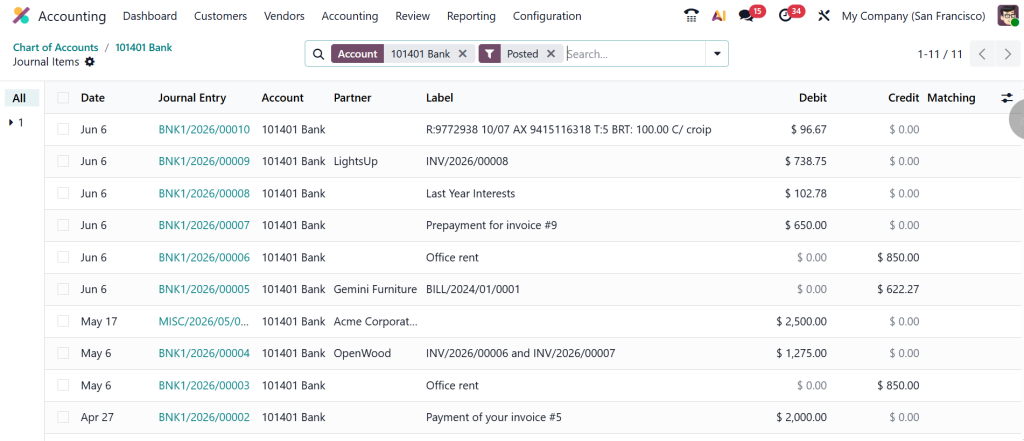
For example, if your bank account has a positive balance, you will add that amount in the opening debit field. If you have a loan or a payable amount, you will enter it in the opening credit field. This method works perfectly for small setups or when you want complete control over every account.
However, this method is usually used only once in the beginning. After your system goes live, you won’t use the opening debit or opening credit fields again. At that point, all new entries are handled through regular journal entries.
Why Odoo Opening Balance Journal Entry is the Most Common Method
When you want complete accuracy and transparency, the best approach is to add a clean Odoo opening balance journal entry. Most accountants prefer this method because everything is handled in one place. You create an opening balance journal, add all your accounts with their respective debit or credit amounts, and post the entry.
This method is beneficial when you are migrating from another software. If your previous balance sheet is ready, you can directly copy the numbers into your Odoo opening balance journal entry. This allows you to see every value clearly and verify that your entry is balanced. It also keeps everything in one journal, which makes your future audits much easier.
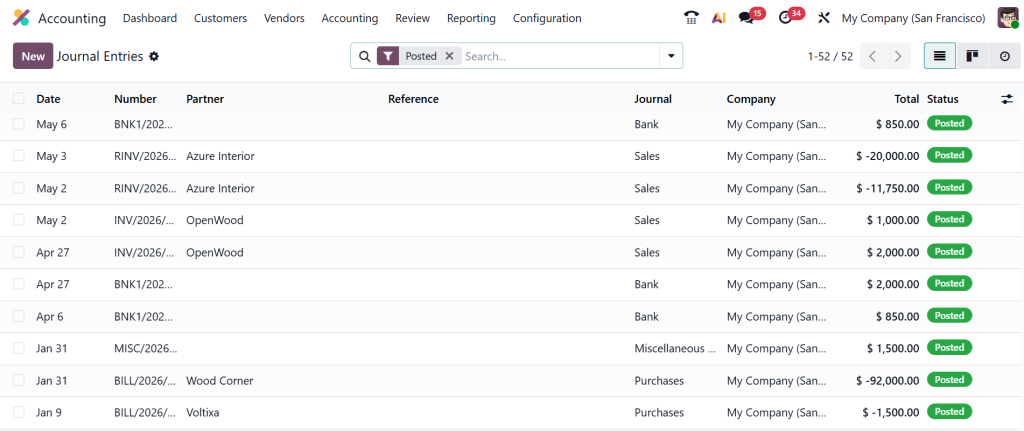
Whenever someone messages me saying they cannot figure out slight differences in their reports, I always ask them to review their opening balance journal. Most of the time, the mistake is a missing number or a wrong sign on a debit or credit amount. One quick review usually fixes everything.
The Right Way to Import Opening Balances Odoo When You Have a Lot of Data
Sometimes your business has hundreds of accounts, many open invoices, several pending bills, or bank balances across multiple accounts. In such cases, entering everything manually becomes time-consuming. This is where the option to import opening balances from Odoo becomes very useful.
You can prepare an Excel or CSV file with account code, account name, debit, credit, and opening date. After uploading this file, Odoo maps your data and posts the entries for you. If your company is large or you want to avoid manual entry errors, importing is definitely the most straightforward approach.
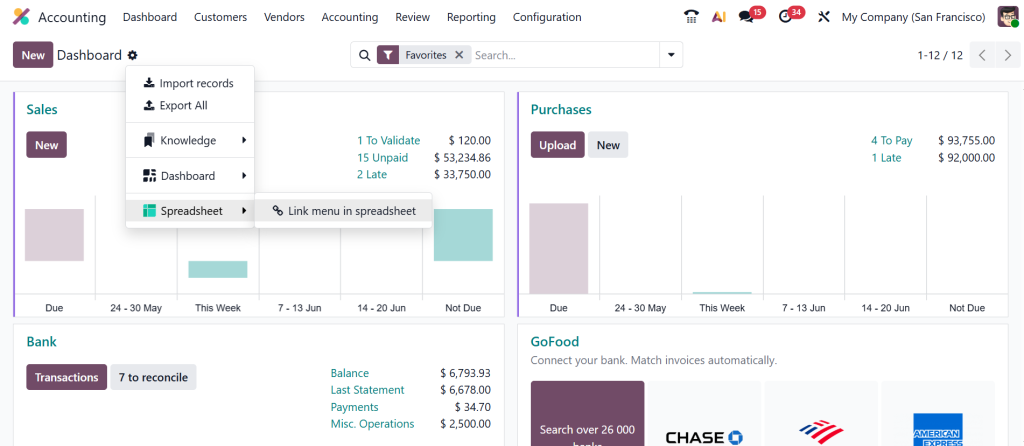
Many people feel nervous about using import features, but once you prepare your file correctly, Odoo imports your data very smoothly. You have to make sure your columns are correctly mapped. This method also helps you save time, especially when you need to bring in customer invoices or vendor bills from your previous system.
What Happens After You Create Opening Balance in Odoo 19?
Once you have entered all your numbers and posted your entries, you can check your trial balance and balance sheet. This is an essential step because it confirms whether your opening balance matches your previous system. If everything matches, you can continue your work without worries. But if you find a difference, don’t panic. Usually, the issue is related to an empty account or a reversed debit and credit.
After everything looks correct, your daily accounting becomes easy. All future transactions, like sales, purchases, bank reconciliations, vendor payments, and customer receipts, start building on top of your opening numbers. When you correctly create an opening balance in Odoo 19, you feel confident moving forward because your books are clean and ready.
Common Issues People Face When Entering Odoo 19 Opening Balance
Most people face the same issues when dealing with opening balances. They either forget to enter pending customer invoices or vendor bills, or they miss some small accounts like petty cash or small liabilities. Sometimes, users enter an opening balance on the wrong date, which causes problems during reporting.
Another common issue happens when people mix up debit and credit, especially in liability accounts. If this happens, your entry becomes unbalanced, or your trial balance doesn’t look correct. But the good thing is that all these issues can be fixed easily once you understand how each account works.
Before You Move Ahead A Quick Note for You
If you have reached this point, you now understand that entering your opening balance is not something to stress about. You need clear direction, accurate numbers from your old records, and a calm, step-by-step approach. Whether you use the chart of accounts method, a clean opening balance journal entry, or the option to import your data, the goal is the same. You want your Odoo accounting to begin with clarity and stability.
When you create an opening balance in Odoo with confidence, your system becomes easier to manage. Your reports match, your reconciliation runs more smoothly, and your financial year begins on the right note. This section is written in a friendly, straightforward way so you feel supported as you set up Odoo 19. I hope this gives you the comfort you were looking for.
Ready to Create Your Opening Balance in Odoo 19 CTA
If you want your Odoo accounting to start clean and accurate from the first day, now is the time to act. And if you ever feel stuck or unsure about anything, Netilligence is here to guide you with setup, migration, or complete Odoo accounting support.
Contact us today and begin your Odoo journey with confidence and clarity.




