


In human resource management, salary slip creation is a fundamental aspect of payroll processing. The Odoo 18 Payroll Module offers a robust solution for organizations that utilize a timesheet-based salary structure. This post will lead you through the intricate process of generating a salary slip in Odoo 18, with a focus on Odoo 18 timesheet-based salary calculation. By the end of this tutorial, you will understand how to configure salary structures, generate payslips, and effectively manage payroll for hourly employees using the Odoo 18 payroll module.
What is the Odoo 18 Payroll Module?
The Odoo 18 Payroll Module is an integrated solution sketched to manage all aspects of employee compensation. This module simplifies the complexities of payroll processing, allowing businesses to handle salary calculations, deductions, and payslip generation efficiently. With its user-friendly interface and powerful features, Odoo 18 is particularly beneficial for organizations employing hourly workers, as it seamlessly integrates Odoo 18 timesheet integration with payroll.
Configuring Salary Structure in Odoo 18
Understanding Salary Structures
Before delving into the salary slip creation process, it is essential to configure a salary structure that aligns with your company’s payroll policies. A salary structure defines how employee salaries are calculated, including basic pay, allowances, deductions, and bonuses.
Steps to Configure Salary Structure
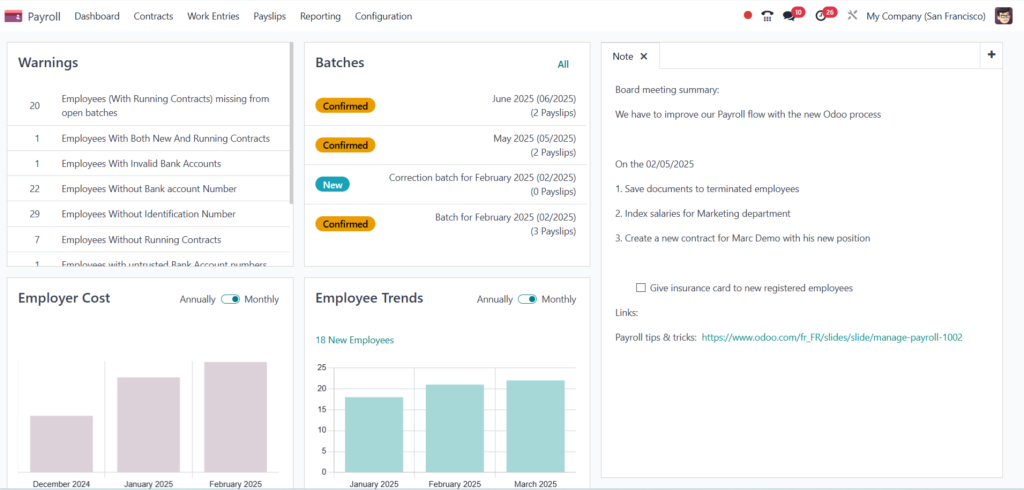
- Navigate to Payroll Module: Access the Payroll Module in your Odoo 18 dashboard.
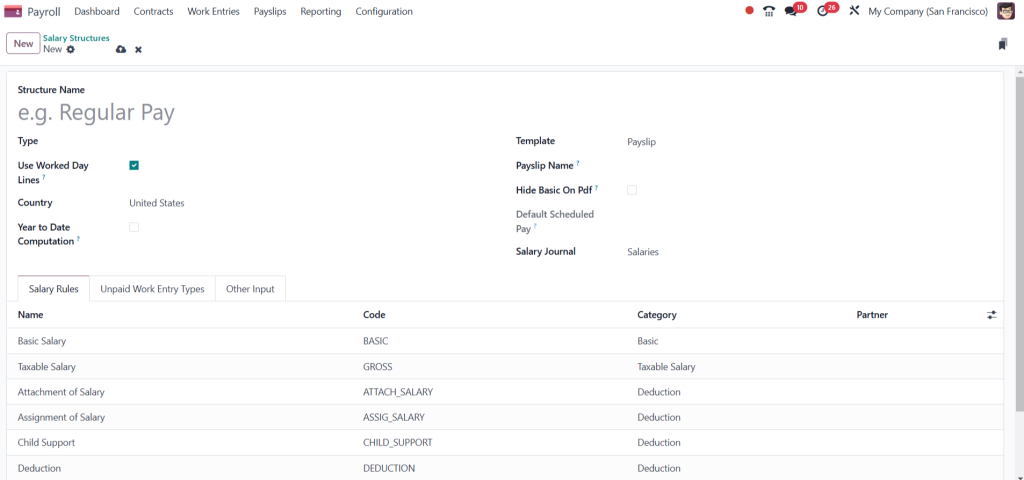
- Create a New Salary Structure: Click on the “Salary Structures” menu and select “Create.” Here, you will define the various components of the salary structure.
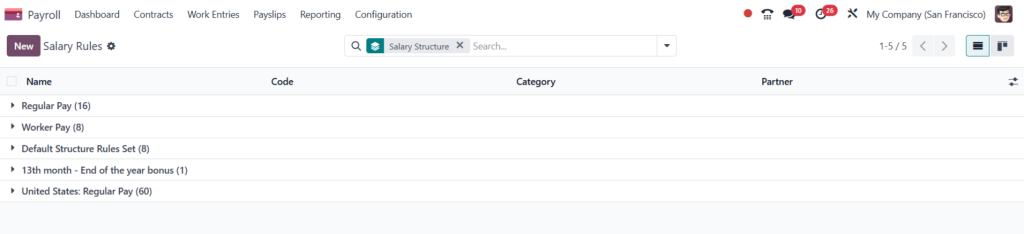
- Define Salary Rules: Include salary rules in the salary structure form. These rules dictate how different components of the salary are calculated. For example, you can create rules for basic salary, overtime pay, and deductions for taxes or benefits.
- Assign Salary Structure to Employees: Assign the salary structure to the relevant employee contracts once it is configured. This ensures that the correct salary calculations are applied during payroll processing.
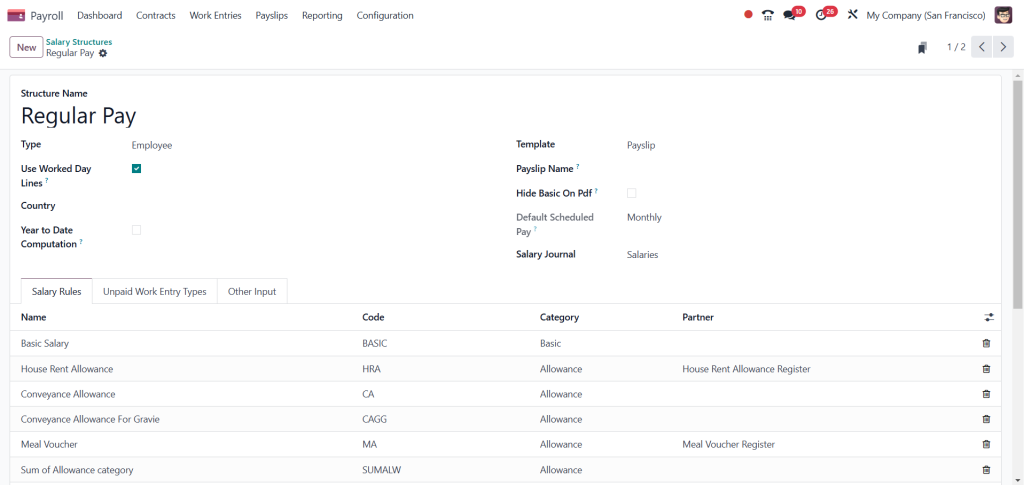
5. Save Changes: After configuring the salary structure, save your changes to implement the new settings.
How to Generate Payslip in Odoo 18
Step-by-Step Guide to Payslip Generation
Generating payslips in Odoo 18 is straightforward, especially when configuring your salary structure correctly. Here is a step-by-step guide on how to create payslips:
- Access the Payslip Menu: In the Payroll Module, navigate to the “Payslips” menu and select “Create.”
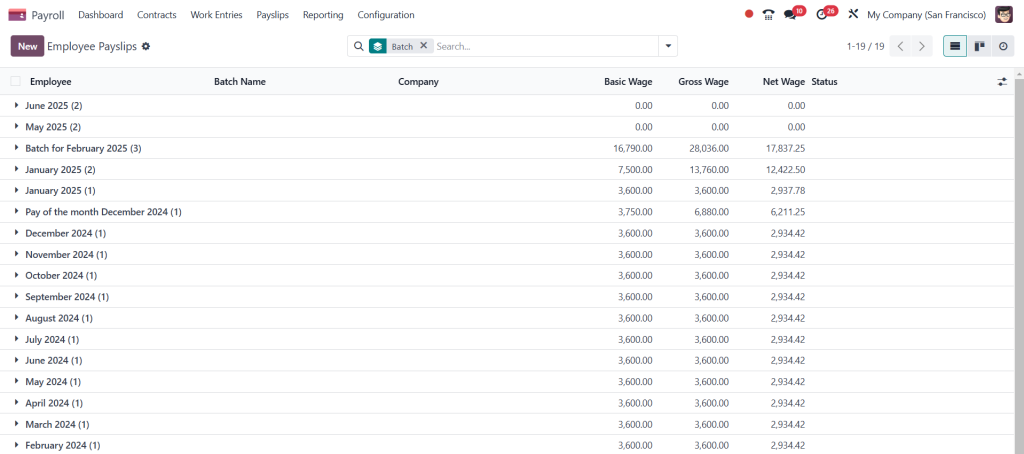
2. Select Employee: Select the employee for whom you wish to generate the payslip. Odoo 18 allows you to filter employees based on various criteria, making it easier to locate the desired employee.
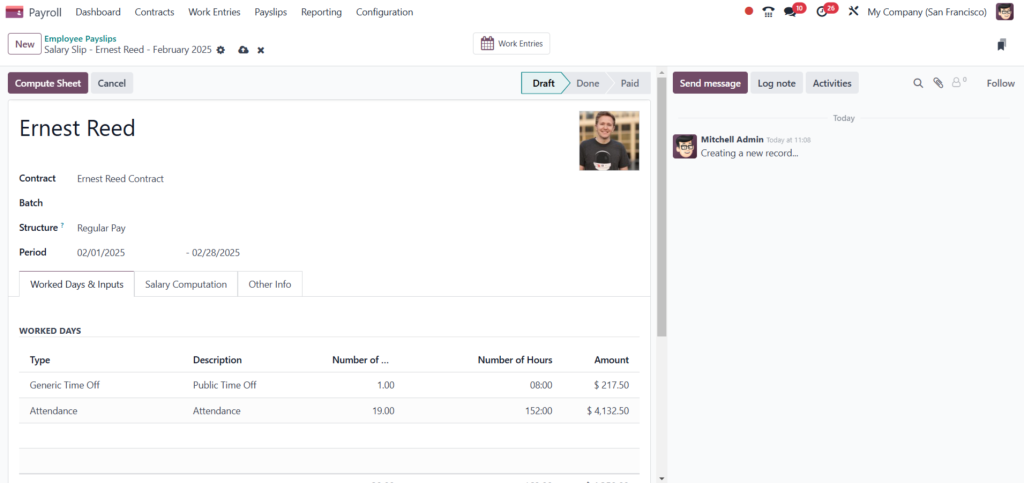
- Choose Payslip Period: Specify the payslip period. This is crucial for accurately reflecting the hours worked, especially for hourly employees.
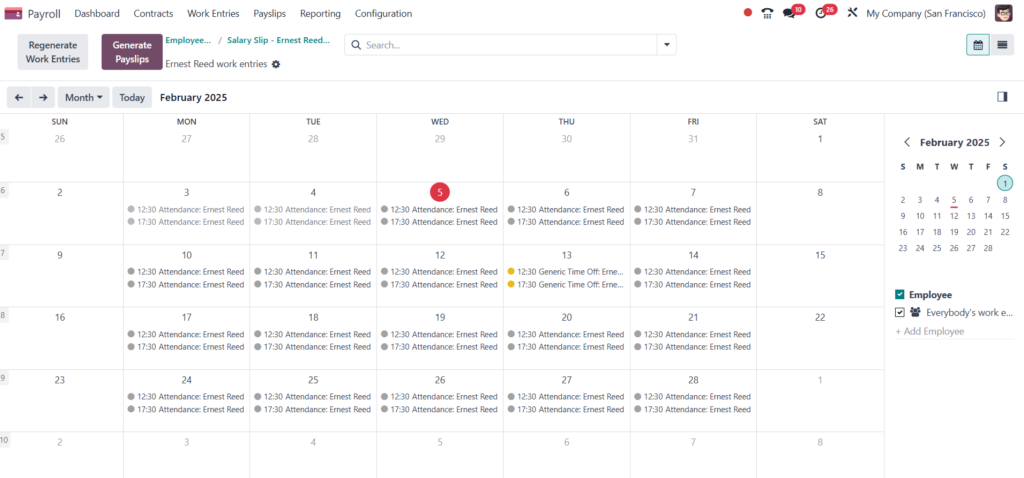
- Add Timesheet Entries: You must enter the relevant timesheet data if the employee is paid based on timesheets. Odoo 18 supports easy integration with timesheets, allowing you to pull in hours worked directly.
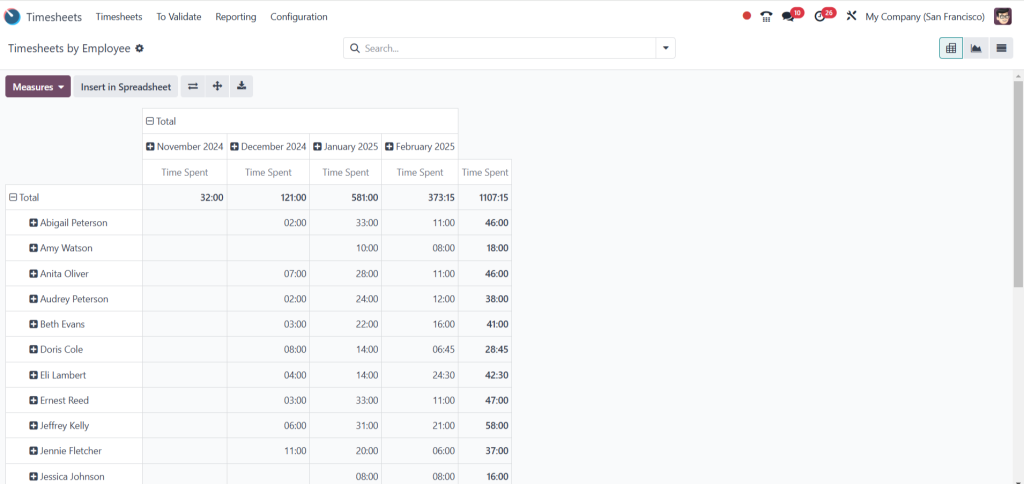
- Validate Payslip: After entering all necessary information, validate the payslip. This step ensures that all calculations are accurate and adhere to the configured salary structure.
6. Print or Send Payslip: Once validated, you can print the payslip or email it directly to the employee.
Odoo 18 Payroll for Hourly Employees
Unique Considerations for Hourly Employees
Managing payroll for hourly employees requires specific attention to detail, particularly regarding timesheet entries. Odoo 18 provides a comprehensive solution for Odoo 18 payroll for hourly employees, ensuring that their compensation accurately reflects the hours worked.
Best Practices for Managing Hourly Payroll
- Regular Timesheet Updates: Ensure employees submit their timesheets regularly and accurately. Odoo 18 allows for easy tracking and management of timesheet submissions.
- Automated Calculations: Use Odoo 18’s automated calculation features to minimize errors in payroll processing. The system can automatically calculate overtime, deductions, and bonuses based on the configured salary structure.
- Review and Approval: Implement a review process for timesheet entries to ensure accuracy before generating payslips. This step can help prevent payroll discrepancies.
Odoo 18 Timesheet Integration with Payroll
Importance of Timesheet Integration
Integrating timesheets with the payroll module in Odoo 18 is vital for accurate salary calculations. This integration allows organizations to streamline their payroll processes and enhance efficiency.
How to Integrate Timesheets with Payroll
- Enable Timesheet Feature: In the Odoo 18 settings, ensure that the timesheet feature is activated. This step is crucial for integrating timesheet data with the payroll module.
- Link Timesheets to Employee Contracts: When configuring employee contracts, link the timesheet feature to ensure that hours worked are automatically reflected in payroll calculations.
- Monitor Timesheet Submissions: Regularly monitor timesheet submissions to ensure they are up-to-date. Odoo 18 provides reporting tools that allow you to track submissions and identify any discrepancies.
Mastering Salary Slip Creation in Odoo 18
Mastering salary slip creation in the Odoo 18 Payroll Module is essential for organizations that rely on a timesheet-based salary structure. Following the steps outlined in this guide, you can effectively configure salary structures, generate payslips, and manage payroll for hourly employees. The seamless integration of timesheets with the payroll module further enhances the efficiency of payroll processing, ensuring that employees are compensated accurately and on time.
With Odoo 18, organizations can streamline payroll processes, reduce errors, and improve efficiency. By implementing the best practices discussed in this blog post, you will be well-equipped to navigate the complexities of payroll management and ensure a smooth payroll process for your organization.




