How to Handle Multi-Currency Payments in Odoo 18 POS?
When your business grows globally, it’s not just about local payments. You need to handle multi-currency payments, and that’s where Odoo 18 PoS shines. Whether selling products in Europe, North America, or Asia, Odoo helps you easily manage currency transactions.
Let’s explore how you can set up Odoo 18 PoS multi-currency payments, manage exchange rates, and even accept foreign currency payments.
By the end of this guide, you’ll be ready to optimise your Odoo Point of Sale system and make your international transactions smoother than ever!
Setting the Stage for Odoo 18 POS Multi-Currency Payments
Let’s discuss why Odoo 18 PoS multi-currency payments are so important for businesses with international customers. If you’re still stuck in the old way of handling transactions, it’s time to switch gears. With Odoo PoS foreign currency payment options, businesses can accept payments in any currency without sweat. Imagine processing US dollars, euros, or yen sales while keeping everything synced and super easy.
But the key part is to get your Odoo PoS currency configuration right. You don’t want to miss essential features like Odoo PoS exchange rate management, which keeps your transactions accurate and smooth. We’ll walk you through the setup process, and I’ll show you how to offer international payments in just a few steps.
Ready to level up? Let’s go!
Step 1: Odoo PoS Multi-Currency Setup
Okay, the first step is to activate the multi-currency feature. Once you do that, you can handle payments in different currencies on your PoS system – how cool is that?
Here’s what you need to do:
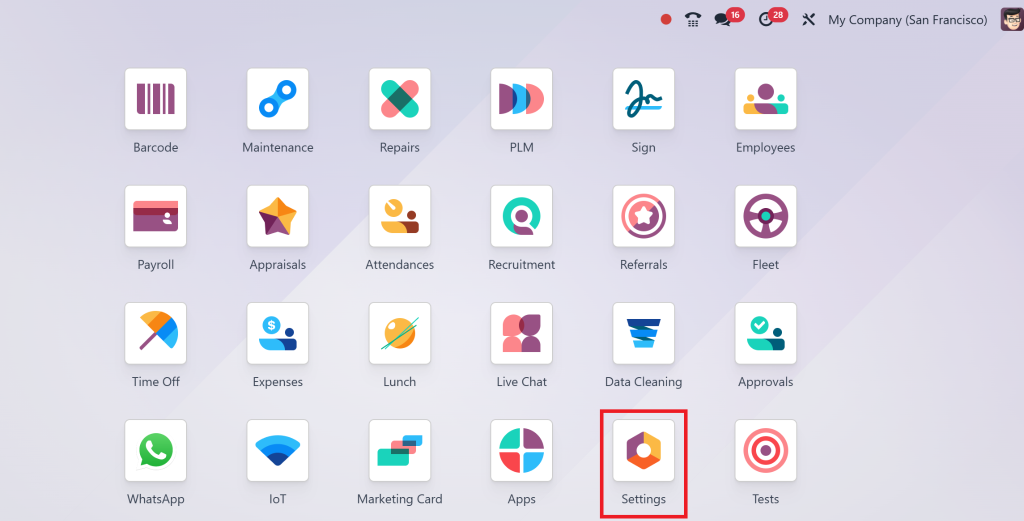
Head to Settings: On your Odoo dashboard, click “Settings.”
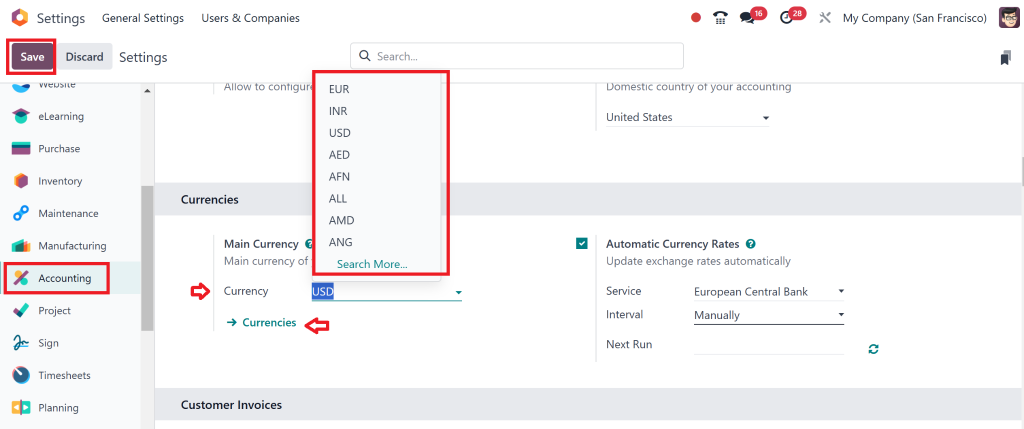
Activate Multi-Currency: Under the “Accounting” section, you’ll see an option called “Multi-Currency.” Could you turn it on? Simple, right?
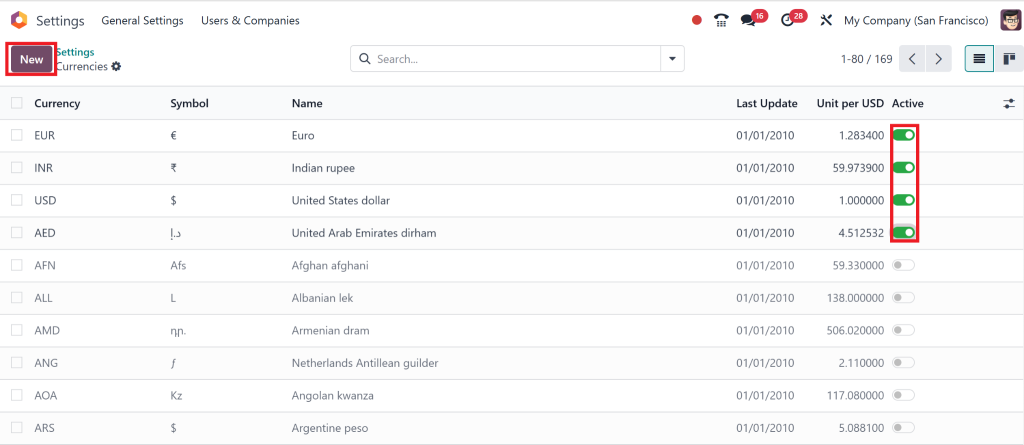
ChooseYourCurrencies: Go to the “Currencies” tab after enabling multi-currency. You can add the currencies you want to accept, such as USD, EUR, GBP, and more.
It’s a few clicks to start making Odoo PoS multi-currency payments, and this is where you begin to see the power of Odoo.
Step 2: Odoo POS Currency Configuration
Now that the multi-currency feature is on, let’s discuss configuring these currencies in your PoS system.
Add Currencies: In the “Currencies” section, click “Create” and add your desired currencies. It could be USD, GBP, EUR, or any other.
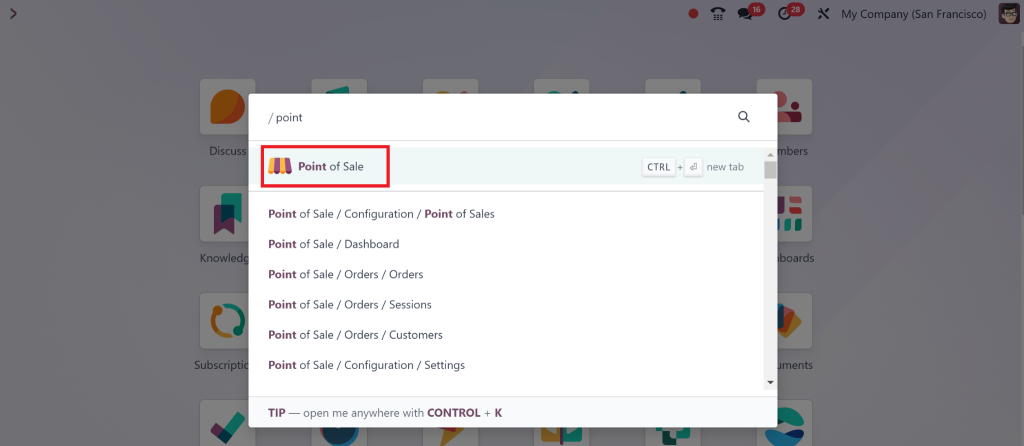
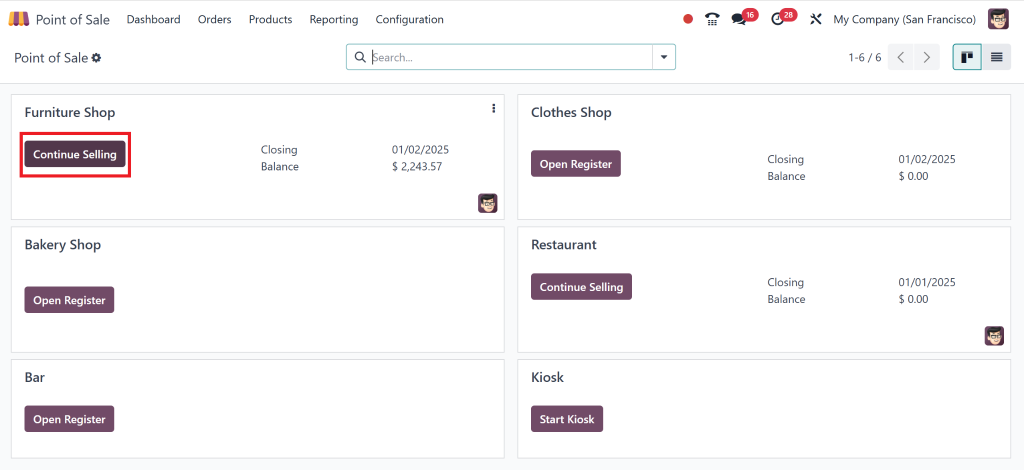
Go to Odoo Pos Module: Once you open the Odoo PoS module
Then, you can go to any store that is already set or set a new one.
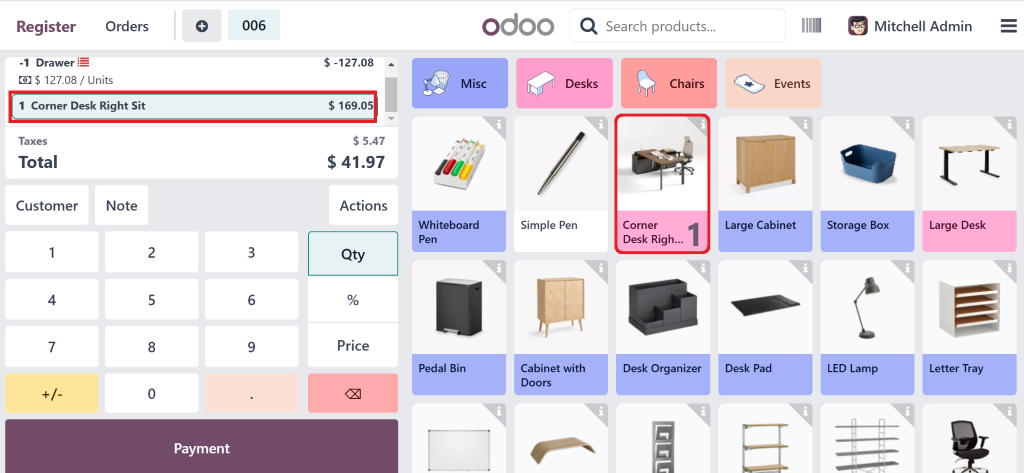
Select a product.
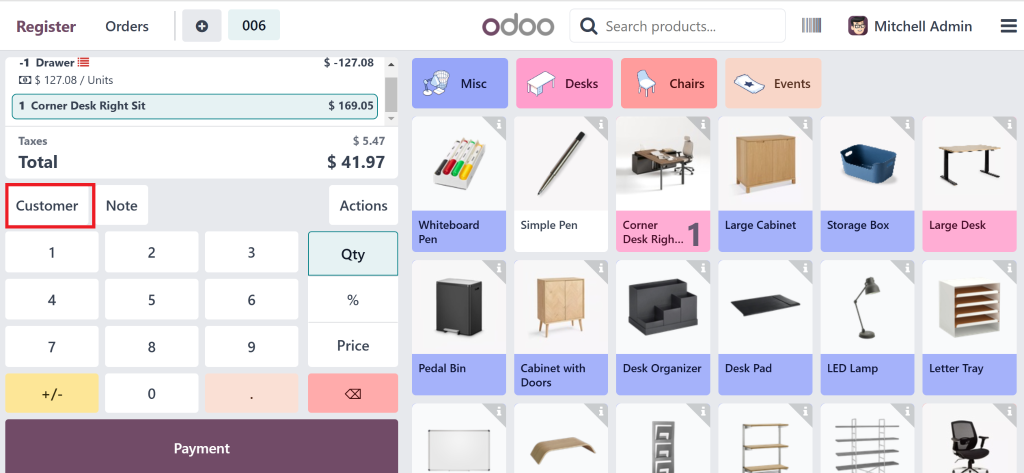
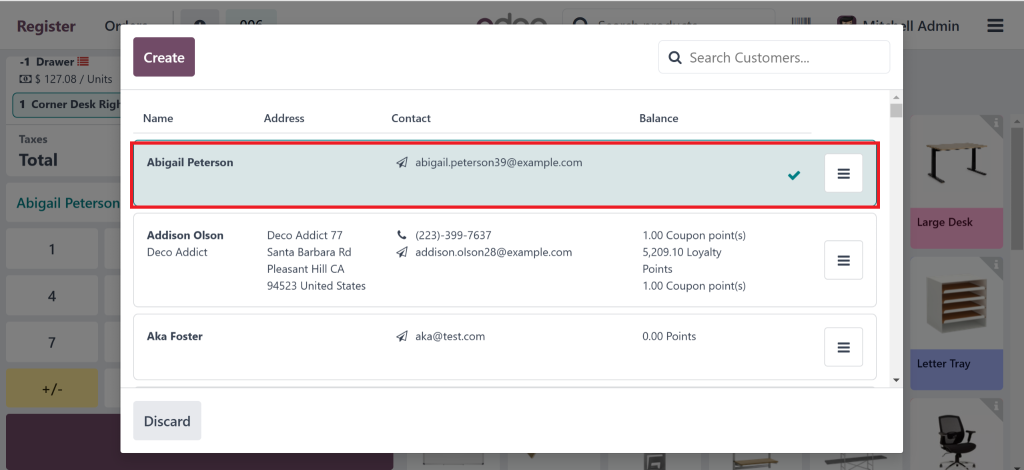
Select Customer.
Or we can also create a new one.
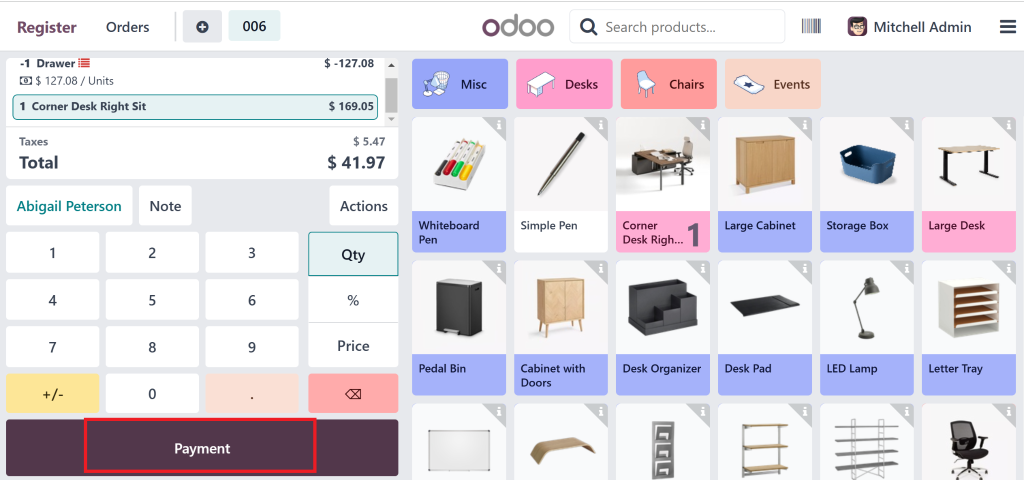
Then Click on payment from where the whole scenario starts.
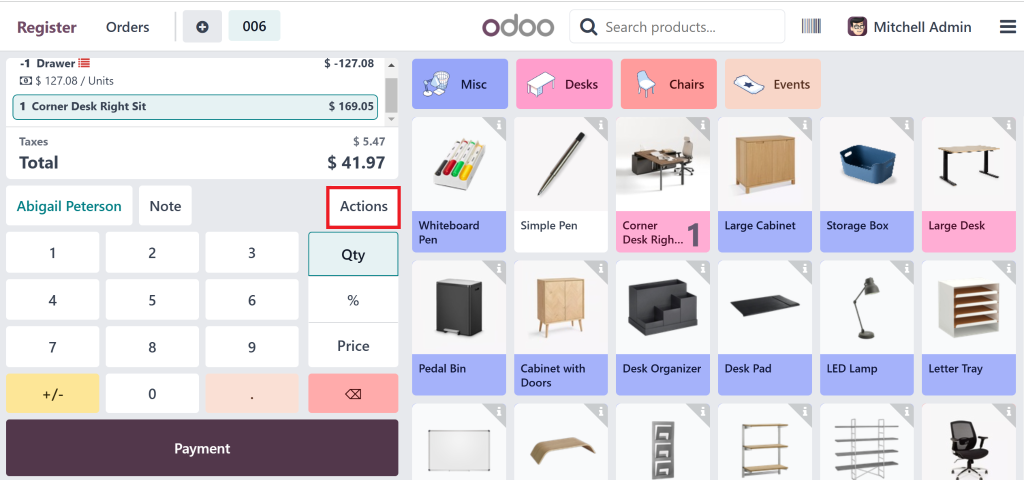
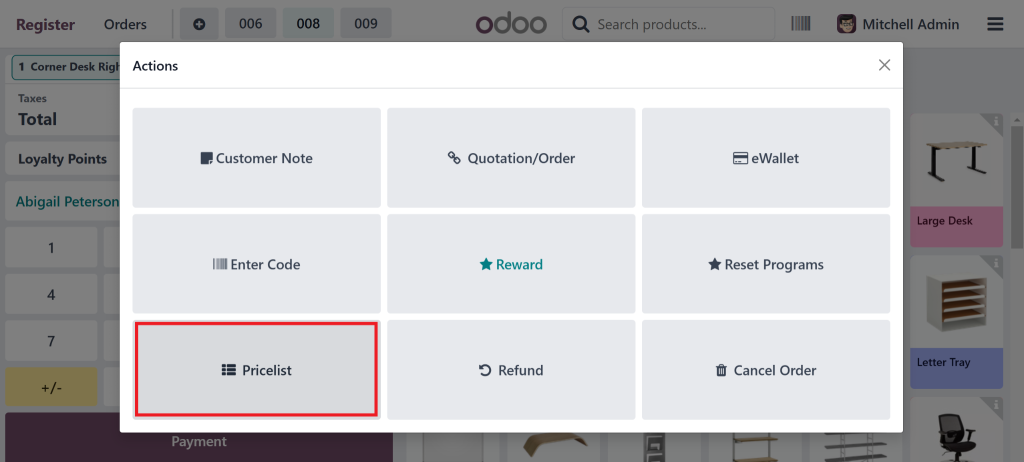
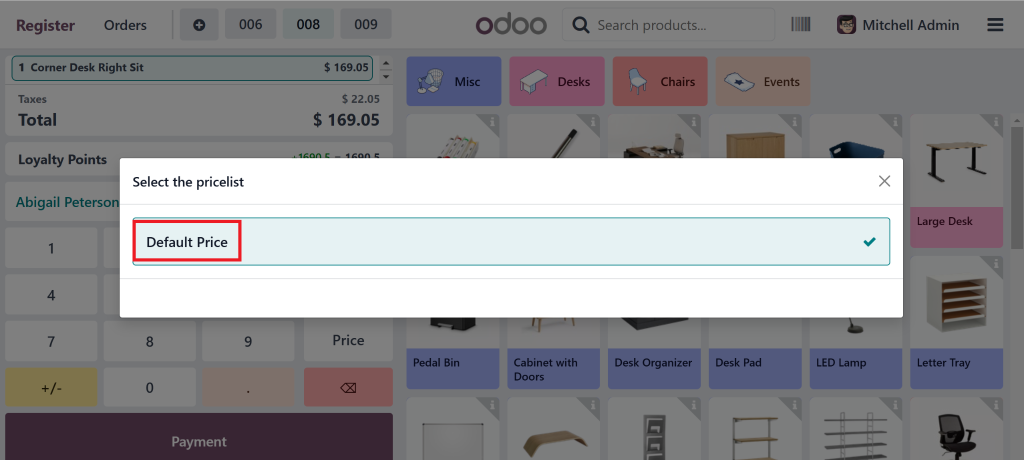
From actions, you can go to the price lists.
We can set it as the Default Price.
SetExchangeRates: You need to pay attention here. You can manually input exchange rates or let Odoo pull them in real-time from external sources. Real-time rates are fantastic because they keep everything up-to-date without you having to lift a finger.
Payment Methods: Link currencies once your payment methods are set. That ensures that the correct currency is selected when the customer checks out.
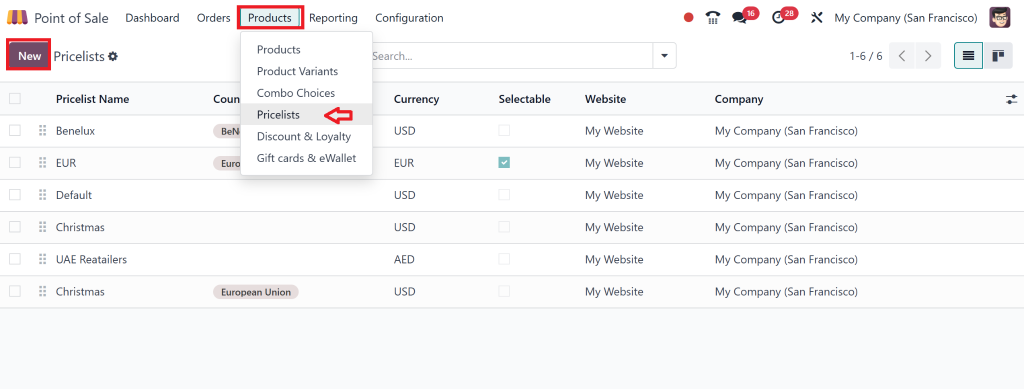
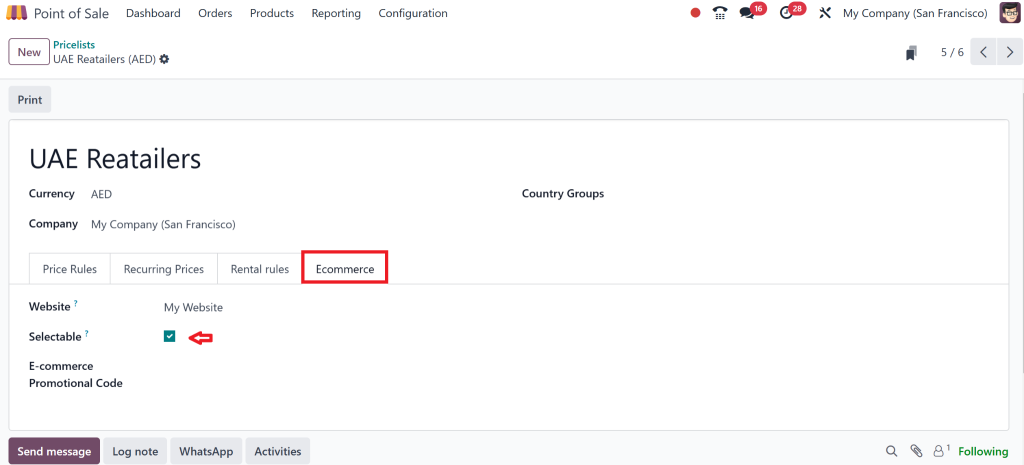
We can also add more Currencies to the pricelist.
In essence, this is the Odoo PoS multi-currency setup. By setting it up this way, you’re ready for anything, whether dealing with local or international customers.
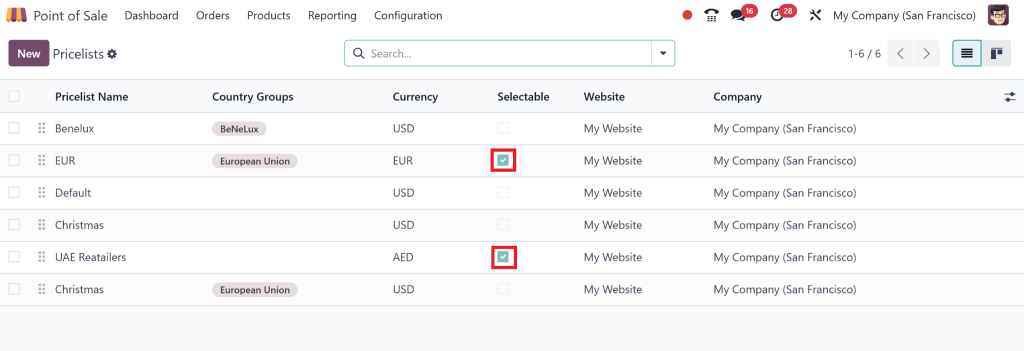
Now, here we have more than 1 currency as selectable.
Step 3: Odoo PoS Exchange Rate Management
Exchange rates are like the lifeblood of multi-currency payments. If you’re not careful about managing them, your transactions might not be accurate. Thankfully, Odoo makes PoS exchange rate management easy.
Here’s how you manage it:
Automatic Updates:
Odoo can automatically fetch the latest exchange rates from external providers, ensuring you’re always working with the most current rates.
Manual Input:
You can also manually set the rates if you prefer (maybe due to specific agreements with financial institutions).
RateAdjustments:
Rates fluctuate, so recording these changes is essential, especially when handling high-value transactions. You can even set Odoo to update exchange rates at specific intervals, such as daily, weekly, or monthly.
You’ve set up the currency’s configured exchange rates, and now it’s time to accept foreign currency payments. That is where things get interesting because you will make your business global.
Here’s how Odoo makes it easy to handle Odoo PoS foreign currency payments:
Customer Chooses Currency:
When customers come to pay, they select their preferred currency. Odoo will show them the amount in their currency and automatically calculate the conversion to your base currency using your set exchange rate.
PaymentProcessing:
Odoo will process the payment in the selected currency, whether it’s cash, credit card, or PayPal. If you accept Odoo PoS international payments, Odoo will handle everything in the background.
Invoices and Receipts:
After the payment, Odoo generates an invoice and receipt, showing the total amount in the customer’s currency, along with the exchange rate and converted amount.
Step 5: Offering Odoo PoS International Payments
Setting the Stage for Odoo 18 POS Multi-Currency Payments
You’ll likely want to offer more international payments as your business grows. Luckily, Odoo has you covered. By setting up Odoo PoS multi-currency setup, you can accept payments from customers worldwide. Whether USD, EUR, or any other currency, Odoo makes it smooth for you and your customers.
Payment Methods Integration:
Odoo integrates with various payment processors, making accepting international payments more manageable. Odoo can handle credit card payments, PayPal, and bank transfers.
TaxesandInvoicing:
Odoo automatically handles taxes and invoicing when accepting international payments, which can be tricky depending on the customer’s location. It ensures compliance, no matter where your customers are.
Using Odoo, offering international payments doesn’t need to be complicated. It’s smooth, fast, and straightforward.
Why Choose Odoo PoS Multi-Currency Payments?
Let’s take a step back and think about why this is important for your business:
GlobalReach:
You can sell anywhere with Odoo 18 PoS multi-currency payments. No more worrying about customers being unable to pay in their local currency.
Effortless Exchange Rate Management:
You can update rates automatically or manually, depending on your preference, ensuring accuracy every time.
Customer Satisfaction:
Offering international payments in their preferred currency makes your customers feel valued and improves their overall experience.
Real-Time Conversions:
Odoo’s real-time rate updates ensure accurate conversions.
Ready to Go Global with Odoo 18 PoS?
With Odoo 18 PoS multi-currency payments, managing international transactions has never been easier. From setting up currencies to handling exchange rates and offering seamless payment options, Odoo takes the hassle out of foreign currency payments. By following this blog guide, you can confidently take and accept payments in multiple currencies, expand your reach, and improve customer satisfaction.
Are you ready to start accepting global payments with Odoo? Contact us today to learn how we can help you implement Odoo PoS multi-currency setup and supercharge your business.
Hi, I'm Nabia, an Odoo ERP functional & technical content writer. I specialize in blogs, social media content, ad copy, landing pages, service pages, and email campaigns.
We use cookies to ensure that we give you the best experience on our website. If you continue to use this site we will assume that you are happy with it.