How to Import and Export Contact Data Safely in Odoo 18?
Why Safe Import and Export Matters in Odoo 18
When working with Odoo 18 contact data management, maintaining accuracy and security during Odoo 18 import contacts and Odoo 18 export contacts is critical. Whether your goal is to transfer contact lists, update existing records, or back up data, the process can feel complex. This guide will explore how to safely import and export contact data in Odoo 18, offering step-by-step instructions and essential tips. By mastering the Odoo 18 data import-export process, your organization can ensure unified, efficient, and secure operations. Read on to learn about Odoo contact data import, Odoo contact data export, and Odoo import export contacts.
Understanding Contact Data Management in Odoo 18
Efficient management of contact data is essential for businesses using Odoo 18. Whether you’re importing new contacts from a third-party source or exporting existing ones for marketing or analysis, Odoo 18 provides robust tools for handling this data securely. Here’s why Odoo 18 contact data management is a game-changer:
Centralized storage for all contact details.
Easy integration with other modules like Odoo CRM, Sales, and Marketing.
Tools for unified Odoo 18 ERP import contacts and Odoo 18 export contacts.
Preparing for Contact Data Import in Odoo 18
Proper preparation is key to ensuring accuracy and security before diving into the Odoo contact data import process.
Clean Your Data
Ensure your contact list is free of duplicates, errors, and unnecessary fields. Cleaning data helps prevent issues during the Odoo 18 ERP import contacts process.
Choose the Right Format
Odoo 18 supports file formats like CSV or Excel for data import. Ensure your file complies with Odoo’s required structure.
Backup Existing Data
Backing up your current contact database before starting any Odoo ERP contact data import process. This protects you against accidental data loss.
How Odoo 18 Import Contacts: A Step-by-Step Guide
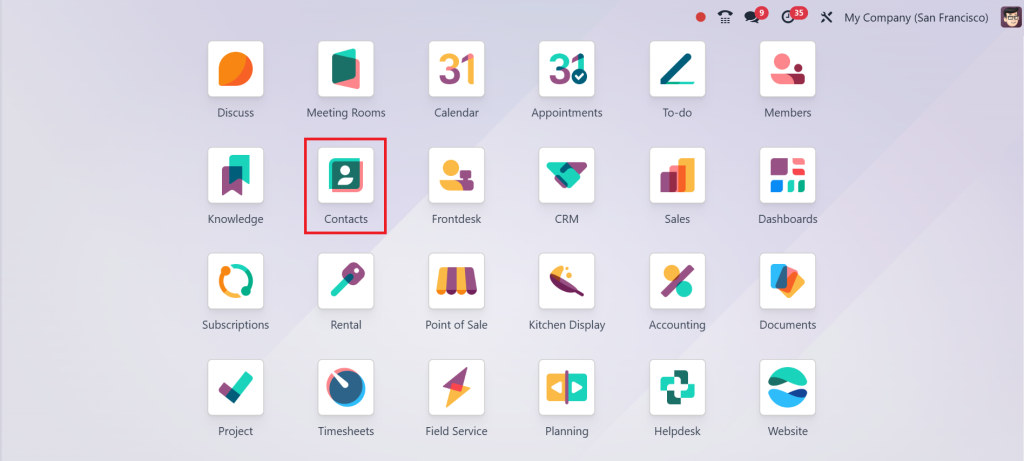
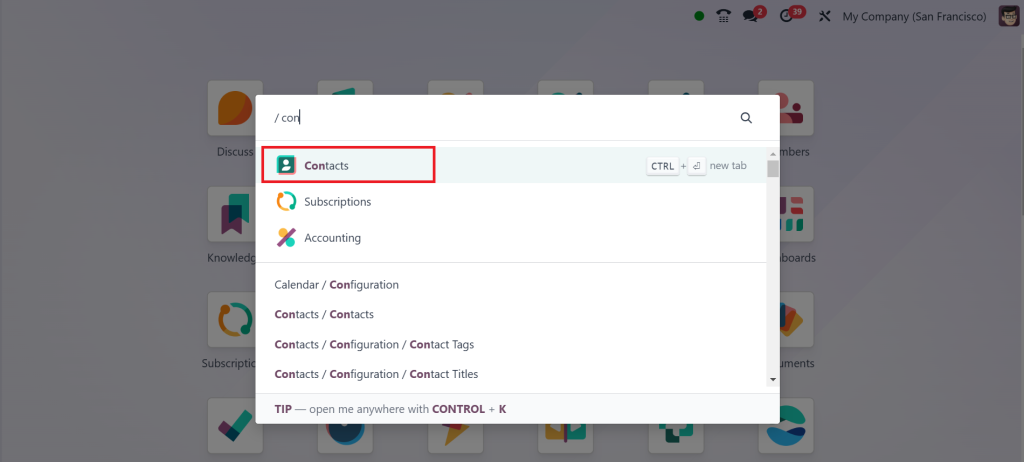
Direct to the Contacts Module
Log in to your Odoo 18 system and go to the Contacts module. This is where you’ll initiate the Odoo 18 data import export process.
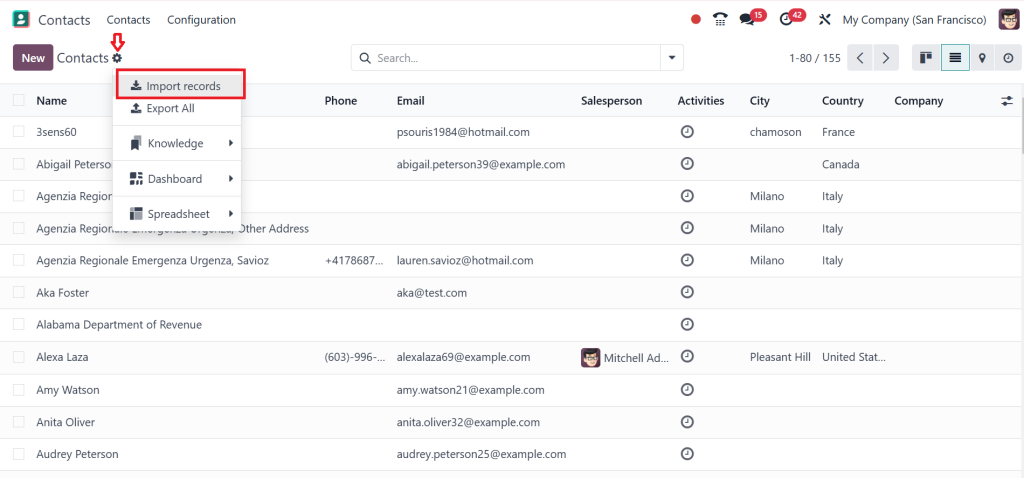
Select the Import Option
Click on Settings, then the “Import Records” button. This will open a window for uploading your file.
Map Fields Correctly
Mapping fields accurately is crucial. Match the fields in your CSV file to the corresponding fields in Odoo 18 to ensure smooth data transfer.
Validate and Import
Once mapping is complete, validate the data to check for errors. After successful validation, click “Import” to finalize the Odoo ERP contact data import.
Exporting Contacts Safely in Odoo 18
The ability to export contact data is just as important as importing it. Whether you need the data for analysis, reporting, or external use, Odoo 18 export contacts functionality makes it simple and secure.
Go to the Contacts Module
Open the Contacts module where your data resides.
Filter and Select Data
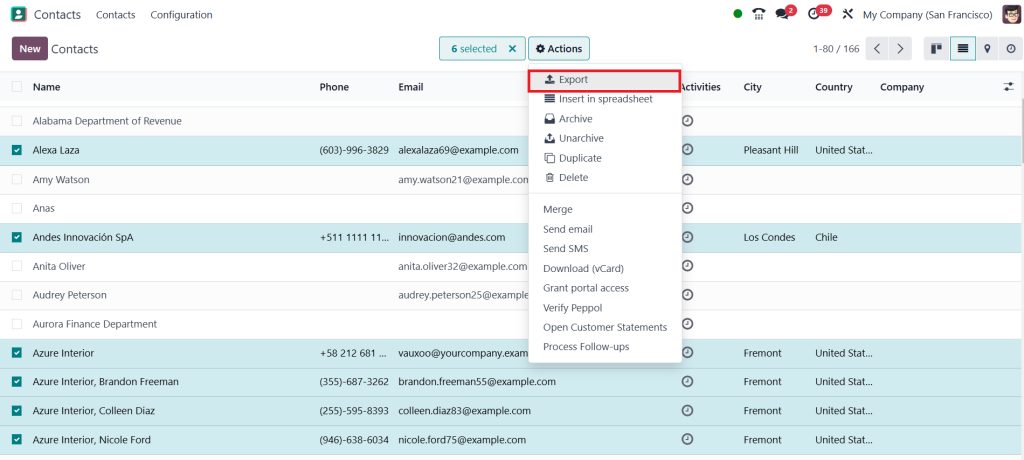
Apply filters to export specific contacts or the entire list. This ensures you only export the necessary data. After selecting the contacts, click on ‘‘Actions’’ and then the ‘‘Export’’ button.
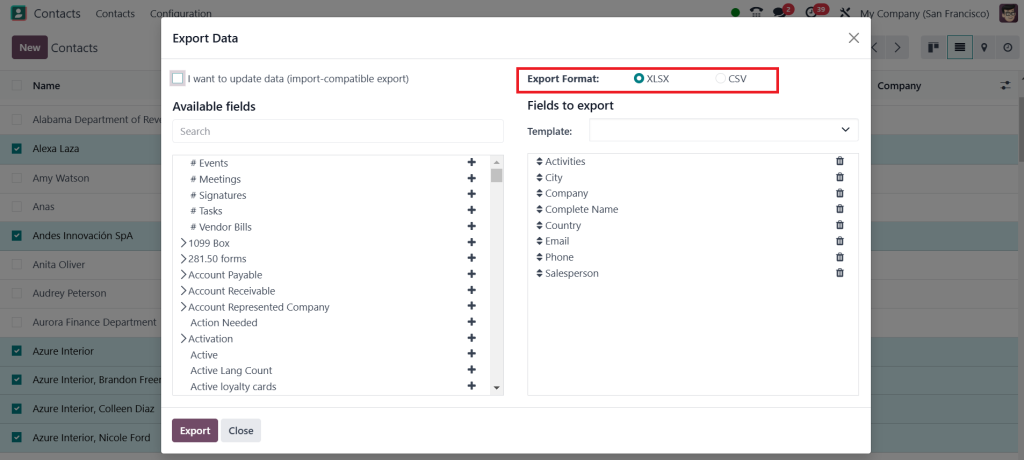
Choose Export Format
Click the “Export” button and select the desired format for the exported file, such as CSV or Excel.
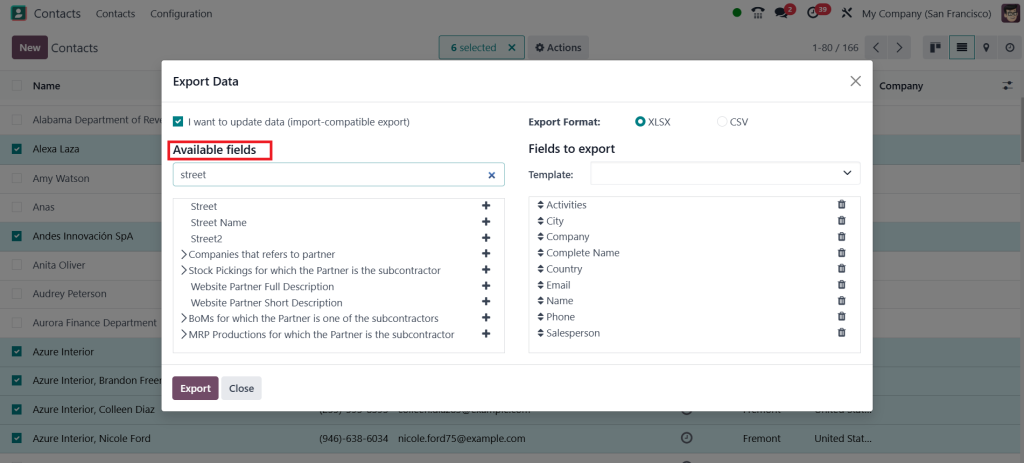
Define the Fields
Select the fields you want to include in the export, ensuring the file contains all the necessary details.
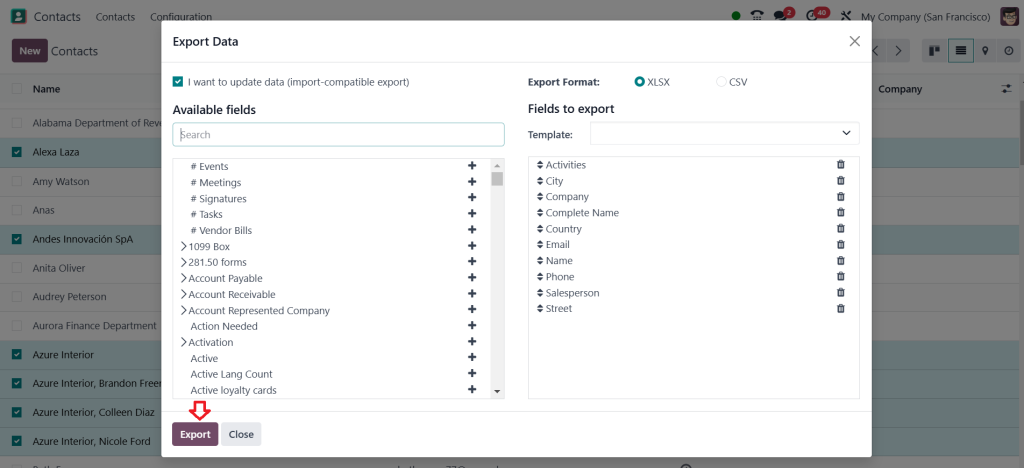
Complete the Export
Click “Export” to download your contact data securely.
Best Practices for Odoo 18 Data Import Export
Maintain Data Security
Always use secure channels to transfer files during the Odoo import-export contacts process to protect sensitive information.
Perform Regular Backups
Regular backups safeguard your database, ensuring you can recover data in case of errors during Odoo 18 ERP import contacts or export.
Leverage User Roles
Assign user roles to restrict access to the Odoo contact data import and export functions. This reduces the risk of unauthorized actions.
Troubleshooting Common Issues in Odoo 18 Contact Data Management
Import Errors
If you encounter errors during the Odoo contact data import, check for the following:
Formatting issues in your file.
Incorrect field mappings.
We need to include mandatory fields.
Export Discrepancies
When data is missing or incorrect in exported files, ensure that:
The correct fields were selected.
Filters were applied properly.
Advanced Features for Odoo 18 Contact Data Management
Odoo 18 offers advanced tools that enhance the Odoo 18 data import export experience, including:
Automated Imports and Exports
Schedule recurring imports and exports to keep data synchronized across systems.
API Integrations
Integrate third-party tools with Odoo 18 for unified data exchange.
Custom Data Templates
Create custom templates for frequent Odoo 18 ERP export contacts processes to save time.
Benefits of Using Odoo 18 for Contact Data Management
By leveraging Odoo 18 for contact data management, businesses can enjoy numerous advantages:
Simplified processes for Odoo 18 ERP import contacts and exports.
Reduced errors with validation and mapping tools.
Handle large datasets effortlessly.
Robust measures for safe Odoo 18 contact data management.
Mastering Safe Contact Data Import & Export in Odoo 18
Managing contact data efficiently is a cornerstone of business success. By following this guide, you can confidently direct the processes of Odoo 18 import and Odoo 18 ERP export contacts while ensuring data security and accuracy. From preparing your data to leveraging advanced features, Odoo 18 empowers businesses to rationalise their operations. Whether you’re new to Odoo 18 data import export or looking to refine your approach, these tips will set you on the path to success. Start mastering your Odoo import export contacts journey today!
Hi, I'm Ilsa Shabbir, an Odoo ERP content writer specializing in functional blogs on Odoo modules. I simplify complex Odoo features, creating clear and engaging content to help businesses understand and optimize their ERP solutions.
We use cookies to ensure that we give you the best experience on our website. If you continue to use this site we will assume that you are happy with it.