How to Manage Product Picking for a Sale with Odoo 18 POS?
Manage Product Picking for a Sale with Odoo 18 POS
How to manage product picking for a sale with Odoo 18 POS is paramount for businesses aiming to simplify operations and improve customer satisfaction. The Odoo 18 POS product picking process offers unparalleled efficiency from small retail shops to large enterprises. This robust solution ensures accurate inventory tracking, smoother sales order management, and a smooth product-picking workflow.
Leveraging its robust features is crucial for businesses wondering how to handle product picking in Odoo POS. Odoo’s advanced POS inventory picking tips help reduce errors and optimize order fulfilment. By implementing the right strategies, you can master the Odoo 18 POS sale order management system, improving your entire retail process.
This guide provides actionable insights, whether enhancing the product picking workflow in Odoo POS or mastering the Odoo 18 POS order fulfilment process. Let’s delve into the details of this innovative solution, ensuring you’re equipped to maximize its potential.
Table of Contents
What is Odoo 18 POS?
Why Product Picking Matters in POS Systems
Understanding Product Picking Workflow in Odoo 18 POS
Step-by-Step Guide to Manage Product Picking in Odoo 18 POS
Odoo 18 POS Sale Order Management Features
Tips for Efficient Product Picking in Odoo POS
Common Challenges and Solutions in Product Picking
Future of Product Picking with Odoo 18 POS
What is Odoo 18 POS?
Odoo 18 POS is an all-in-one point-of-sale solution designed to simplify business operations. It integrates flawlessly with inventory and sales modules, offering businesses an edge in managing their workflows. The system’s versatility ensures that managing product picking workflow in Odoo POS is efficient and customizable to suit various business models.
Why Product Picking Matters in POS Systems
Product picking is critical in fulfilling customer orders, ensuring the correct items are selected, packed, and delivered. An optimized product-picking process enhances customer satisfaction and reduces operational costs. With Odoo 18 POS, businesses can rationalise this process, ensuring accuracy and speed.
Key benefits include
Improved inventory tracking
Faster order fulfillment
Reduced errors in the Odoo 18 POS product-picking process
Understanding Product Picking Workflow in Odoo 18 POS
The product-picking workflow in Odoo POS involves several steps, each designed to ensure precision and efficiency. Here’s a simplified view:
A customer places an order through the POS system.
Odoo automatically checks stock levels to confirm availability.
The system generates a picking list for warehouse staff.
Items are picked and packed based on the list.
The order is delivered or handed over to the customer.
Odoo 18 POS ensures smooth workflow, enabling businesses to handle even high-volume sales efficiently.
Step-by-Step Guide to Manage Product Picking in Odoo 18 POS
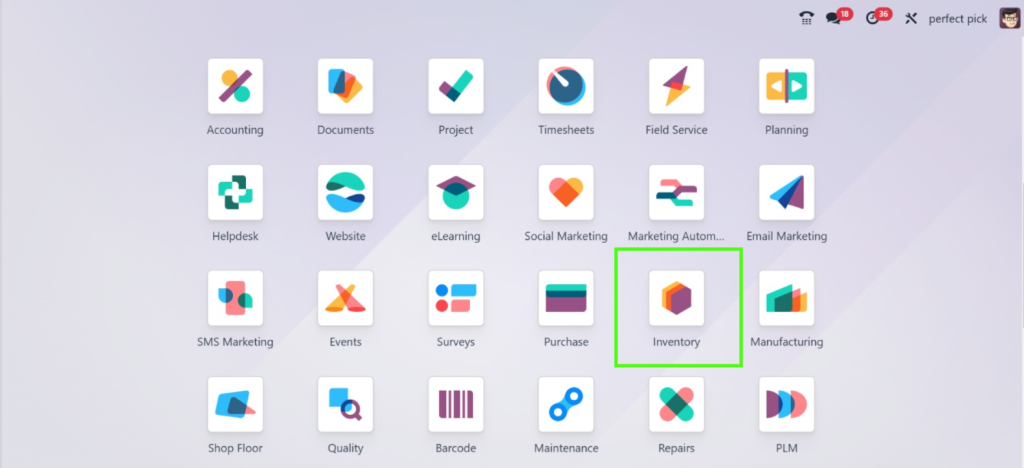
Step 1: Direct to the Inventory module
Go to the Inventory module.
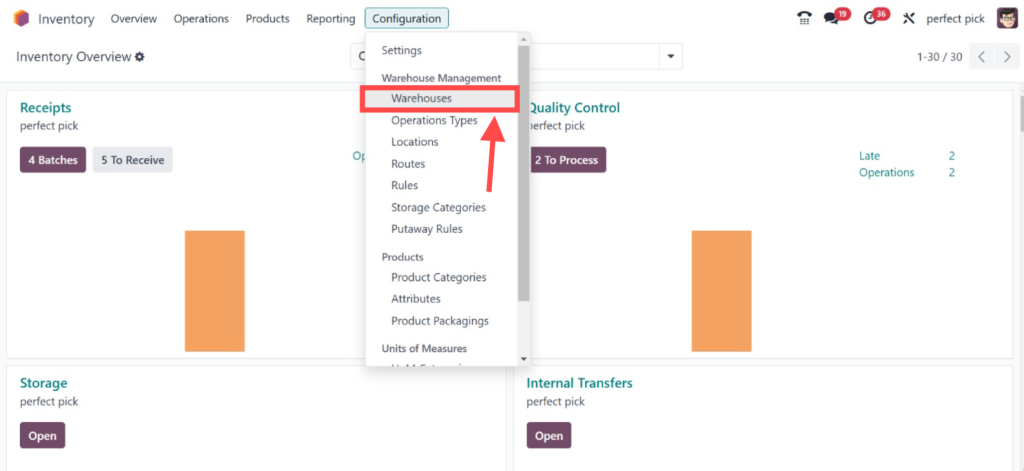
And access the Configuration > Warehouses.
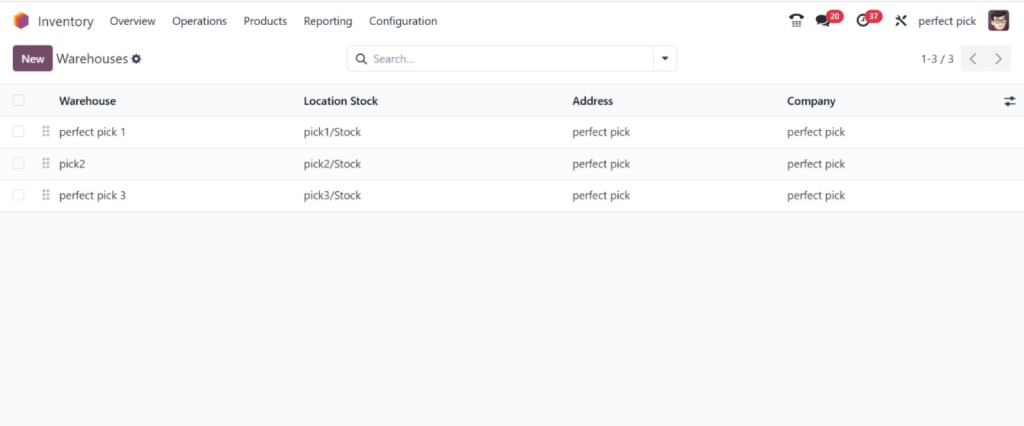
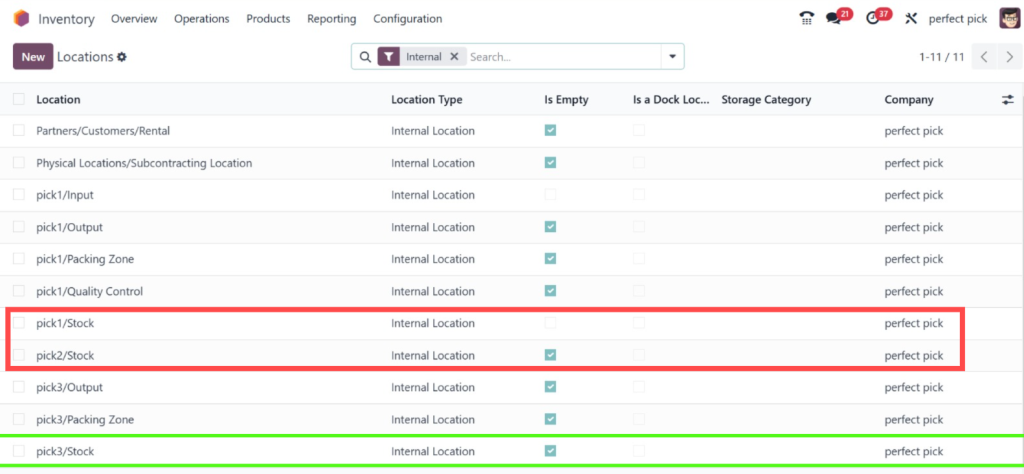
The “Perfect Pick 1”, “Pick 2”and the “Perfect Pick 3” are the three different types of warehouses.
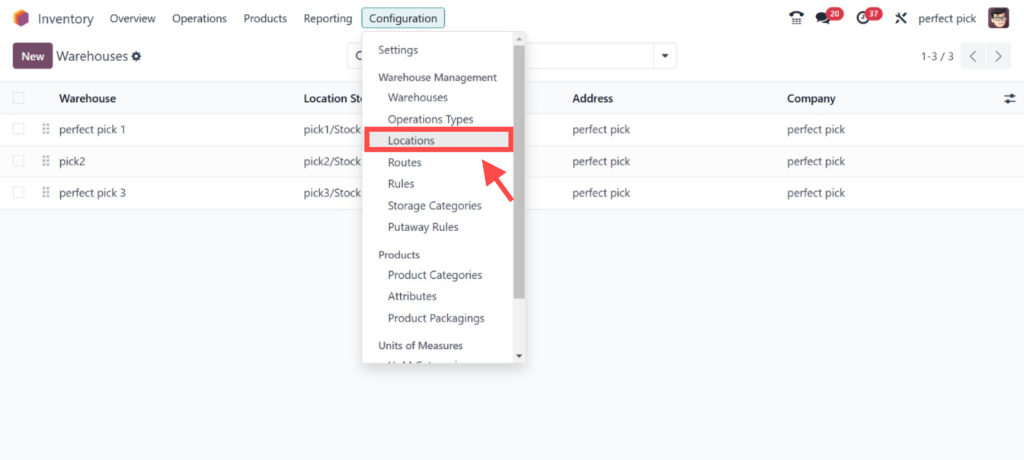
Step 2: Check Stock Locations
To find locations click on the Configuration > Locations.
Step 3: Check Stock and Stored Products
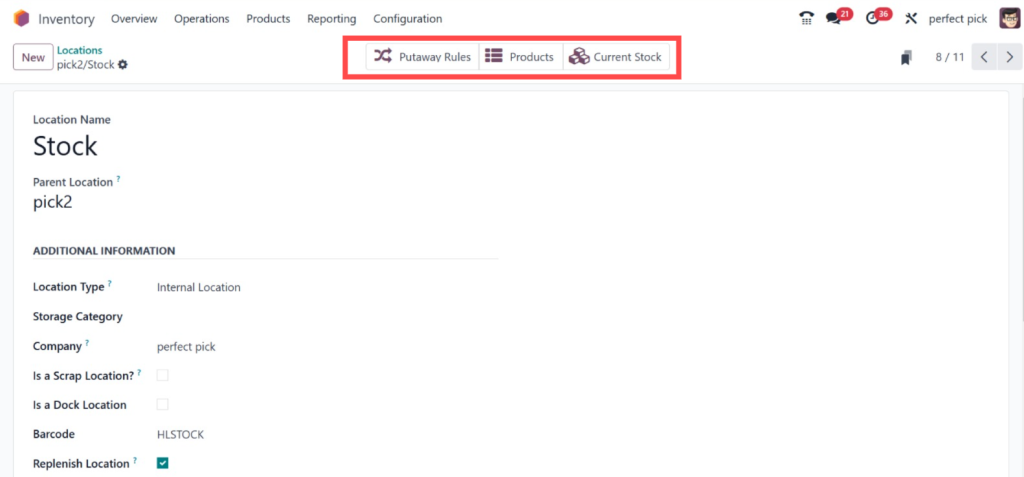
To check the stock you can open the locations.
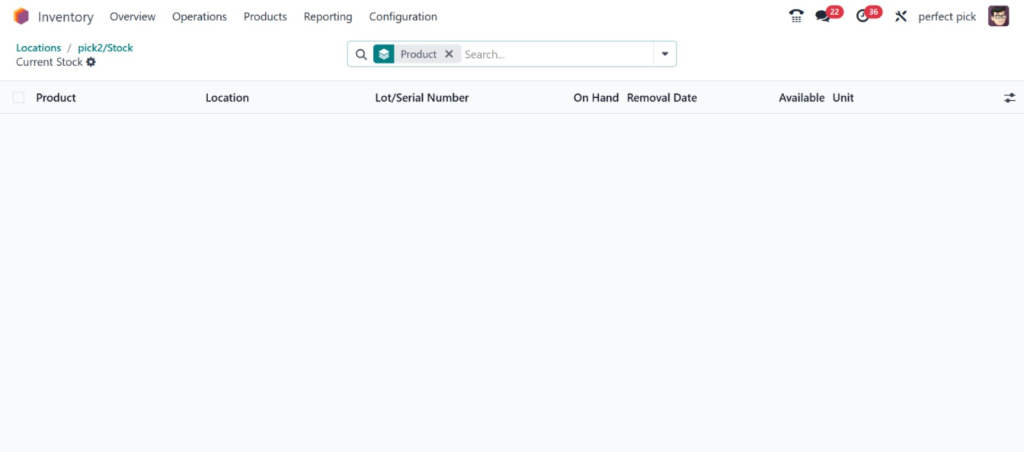
And here you can see the location of ‘‘Pick 2’’. And to check the stored products you can click on the ‘‘Current Stock’’.
Products stored at the location are shown in the ‘Current Stock’ smart tab, which will remain empty if no items are stored there. So, in our case, there are no items here.
Odoo 18 POS Sale Order Management Features
Odoo 18 POS offers robust tools for sales order management, ensuring a smooth transition from order placement to delivery. Key features include:
Real-Time Inventory Tracking
Automated Picking Lists
Customizable Workflows
Integrated Reporting
These features make it easier to manage large orders while maintaining high accuracy.
Tips for Efficient Product Picking in Odoo POS
Optimize Warehouse Layout
A well-organized warehouse reduces picking time. The group frequently sold items together to minimize travel time.
Use Batch Picking
For high-volume orders, batch picking can significantly increase efficiency. Odoo 18 POS supports this functionality, simplifying how to handle product picking in Odoo POS.
Regularly Update Product Data
Ensure product details in the POS system are accurate. This helps clarity during the Odoo 18 POS product-picking process.
Implement Quality Checks
Incorporate quality control steps before packing to reduce errors.
Common Challenges and Solutions in Product Picking
Challenges
Stock Discrepancies
Delayed Picking
Staff Errors
Solutions
Use real-time inventory tracking in Odoo to maintain accurate stock levels.
Optimize the product picking workflow in Odoo POS with automated picking lists and barcode scanning.
Provide training on the Odoo 18 POS sale order management system and picking processes.
Future of Product Picking with Odoo 18 POS
The future of product-picking workflow in Odoo POS lies in automation and AI integration. Odoo is continually evolving, introducing features like predictive analytics and advanced robotics. These innovations promise to make the Odoo 18 POS order fulfilment process faster and more reliable.
Transform Your Retail Operations with Odoo 18 POS Product Picking
Managing product picking in Odoo 18 POS is a game-changer for businesses aiming to enrich efficiency and accuracy. By understanding the Odoo 18 POS product picking process and implementing best practices, you can rationalise operations, reduce errors, and deliver exceptional customer experiences.
From mastering the product picking workflow in Odoo POS to leveraging advanced tools for Odoo 18 POS sale order management, this comprehensive guide equips you with the knowledge to succeed. Adopt these strategies today and transform your retail operations with Odoo 18 POS.
Hi, I'm Ilsa Shabbir, an Odoo ERP content writer specializing in functional blogs on Odoo modules. I simplify complex Odoo features, creating clear and engaging content to help businesses understand and optimize their ERP solutions.
We use cookies to ensure that we give you the best experience on our website. If you continue to use this site we will assume that you are happy with it.