How to Manage Projects and Tasks in Odoo 18 Community Edition?
Why You Should Learn to Manage Projects and Tasks in Odoo 18 Community
For small to medium-sized businesses looking for influential, open-source tools to update operations, learning to manage projects and tasks in Odoo 18 Community is an absolute. This version of Odoo offers intuitive, well-organized project and task management features without expensive licenses. If you’re seeking ways to optimize your team’s productivity and stay in control of timelines, managing projects and tasks in Odoo Community is your ideal solution.
The Odoo 18 project management app gives users a modern interface for organizing workloads, assigning responsibilities, and tracking timelines. It’s especially valuable for businesses that want visibility into progress without excessive admin work. Additionally, with Odoo’s task management, every task flows through stages, and you can set dependencies to avoid bottlenecks.
Whether you’re a project manager, developer, or consultant, knowing how to manage projects and tasks in Odoo 18 Community means gaining access to smart tools like project dashboards, task dependencies, and profitability reports.
Getting Started with Odoo 18 Project Management Module
The first step in project success is setting up the Odoo 18 project management module in your Community Edition.
Module Installation
To begin managing your projects in Odoo Community:
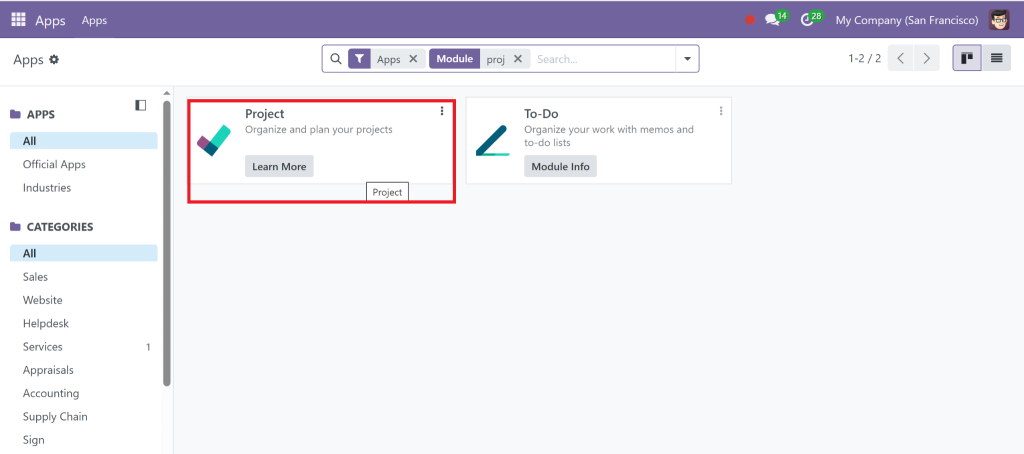
Go to the Apps menu
Search for “Project”
Install the Project module (available by default in the community edition)
Once installed, you’ll gain access to features like:
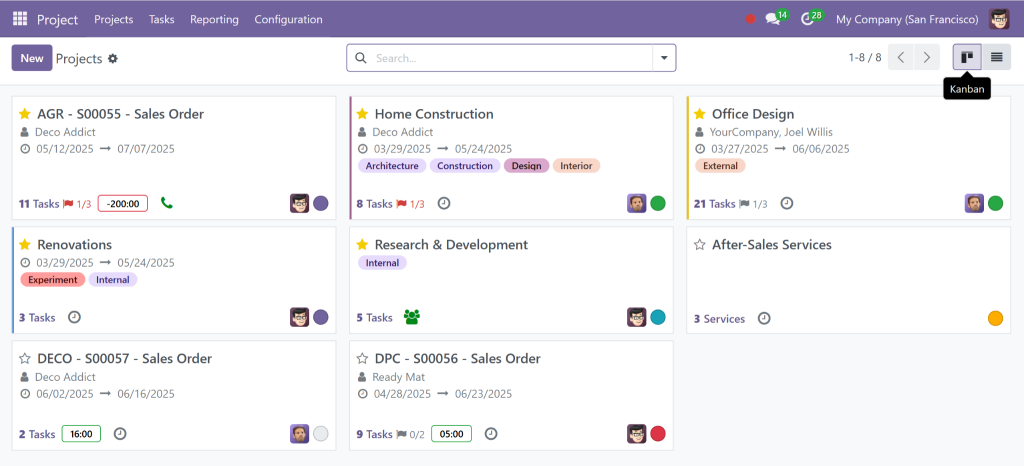
Multiple project views (Kanban, List, Calendar)
Task creation and assignment
Stages and workflow customization
Setting Up Your Projects and Task Structures
Structure is essential to manage projects and tasks in Odoo 18 Community efficiently.
Create a New Project
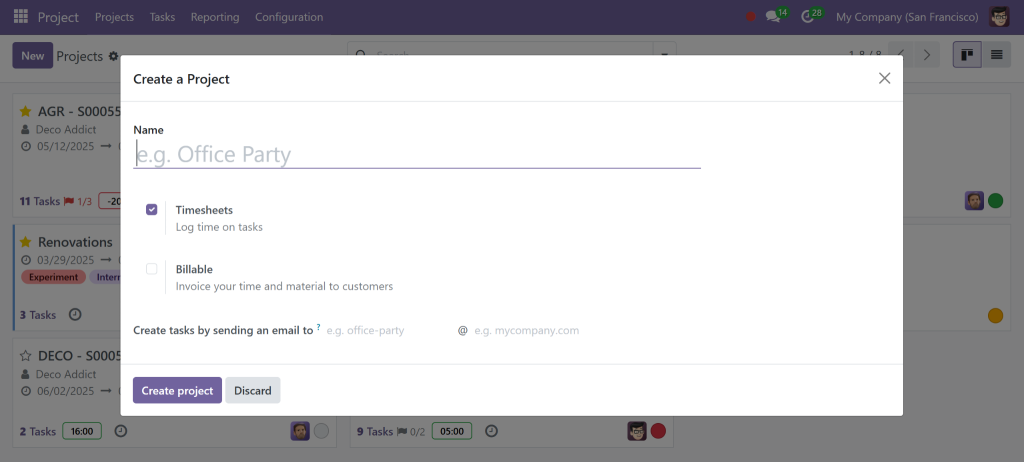
Go to the Project app and click “Create” to launch a new project.
Please name it, assign team members, and configure privacy settings. You can also define billable hours to track Odoo project profitability.
Task Creation and Assignment
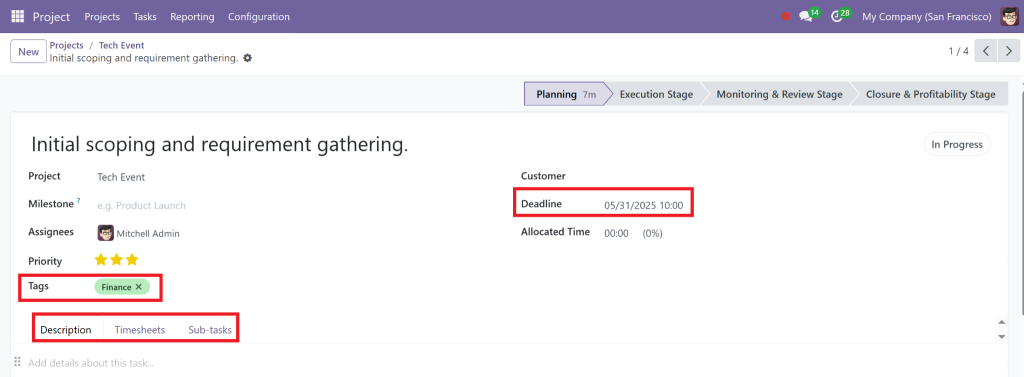
Under each project, tasks can be created and assigned to team members. Tasks support:
Due dates
Sub-tasks
Tags for categorization
File attachments
These features ensure that your team remains aligned and each task is clearly defined.
Task Stages and Statuses for Better Workflow
A major benefit of Odoo is the ease with which visual workflows can be built using Odoo 18 task stages and statuses.
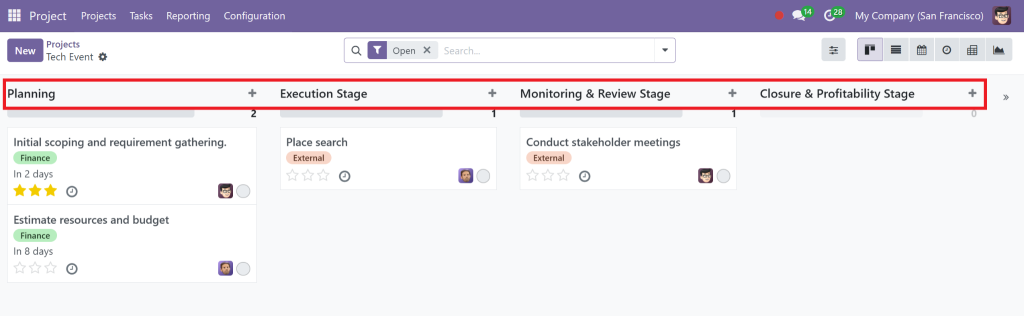
Customizing Stages
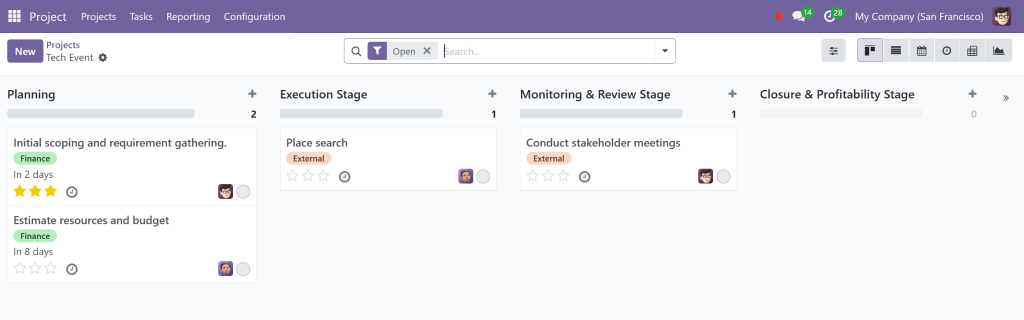
Each project has customizable task stages. Common stage names include:
To Do
In Progress
Under Review
Done
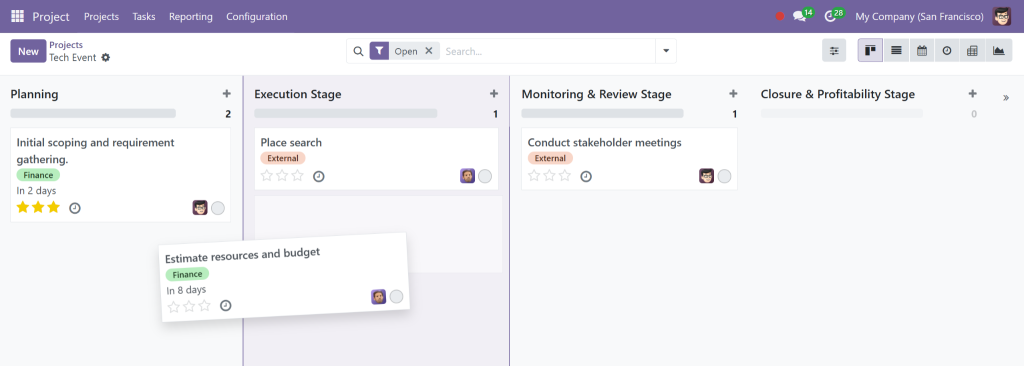
Drag-and-drop functionality makes it easier to update the status of tasks in real-time.
Using Statuses to Drive Action
Every stage can be configured with specific rules or automation. You can add followers, deadlines, and colour tags for visual priority.
This helps efficiently manage projects and tasks in Odoo 18 Community, especially in fast-paced environments.
Visualizing Projects with the Odoo 18 Project Dashboard
Keeping an eye on everything is simple with the built-in Odoo 18 project dashboard. This dashboard displays:
Ongoing tasks per project
Tasks grouped by deadlines or priority
Time tracked per task
Filters and Reporting
Use filters to generate quick reports or views like:
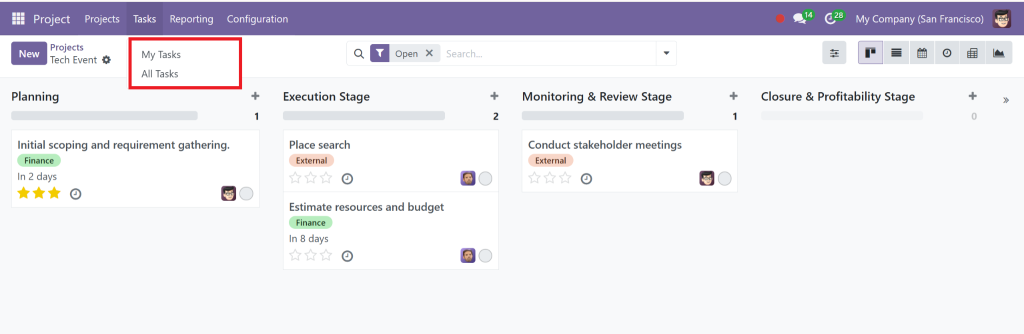
My Tasks
Tasks by Project
Late Tasks
The project dashboard is essential for teams with multiple clients or departments to effectively manage projects and tasks in Odoo 18 Community.
Handling Dependencies Between Tasks
Efficient scheduling means knowing what needs to be done and when. The Odoo 18 task dependencies feature lets you link tasks and define sequences.
Creating Dependencies
When editing a task, you can define:
Parent tasks (tasks that must be completed first)
Child tasks (dependent on others)
This creates a logical flow and helps avoid delays. If one task is delayed, it automatically highlights the impact on related tasks.
Tracking Profitability with Odoo 18 Project Management
Want to ensure your projects are cost-effective? With Odoo 18 project profitability tracking, you can!
Cost and Revenue Visibility
You can track:
Time spent (via Timesheets module)
Billable vs. non-billable hours
Project budgets and margins
Integrating with Odoo Invoicing lets you bill clients based on actual work, closing the loop between operations and finance.
Profitability Reports
Odoo offers built-in profitability reports per project, so you can:
Monitor cost overruns
Adjust timelines
Reallocate resources
This is another reason why businesses choose to manage projects and tasks in Odoo 18 Community for complete operational control.
Why Netilligence Is Your Trusted Odoo Partner
At Netilligence, an official Odoo Partner, we help businesses configure, customize, and optimize their systems. Our experts ensure you fully leverage features like:
Odoo 18 task management workflows
Real-time project dashboards
Task dependencies and billing automation
Choosing to manage projects and tasks in Odoo 18 Community with our help means:
Smooth onboarding
Custom automation tailored to your workflows
Ongoing support and enhancements
Whether upgrading or starting from scratch, Netilligence ensures your system works exactly how you need it.
Manage Projects And Tasks in Odoo 18 Community
If you’re ready to simplify your workflows, track progress more effectively, and improve project delivery, it’s time to manage projects and tasks confidently in the Odoo 18 Community.
With features like:
Task stages and dependencies
Smart dashboards
Profitability tracking
You get the tools needed to deliver projects on time, every time.
Let Netilligence help you transform the way you manage your operations.
Contact us today to implement or improve your Odoo 18 project management setup.
Hi, I'm Nabia, an Odoo ERP functional & technical content writer. I specialize in blogs, social media content, ad copy, landing pages, service pages, and email campaigns.
We use cookies to ensure that we give you the best experience on our website. If you continue to use this site we will assume that you are happy with it.