

Managing multiple clients within a single accounting system can quickly become confusing when data, invoices, and taxes are not properly separated. That is exactly where understanding how to manage your accounting firm using the firms mode in Odoo 19 becomes important. This feature is designed to help accounting firms organize their client companies in a structured, non-mixed manner.
In this guide, I will clearly explain how to manage your accounting firm using firms mode in Odoo 19, and we will also go through Odoo 19 accounting firms mode explained in practical terms. You will see how this setup supports invoice control, tax accuracy, and overall operational clarity. Once you understand the logic for managing your accounting firm using the firm’s mode in Odoo 19, handling multiple companies within a single system becomes more organized and controlled.
If you have been searching for a clear way to manage your accounting firm using the firm’s mode in Odoo 19, this guide is for you.
Odoo 19 Accounting Firms Mode Explained – What Is It and Why Should You Care?
Let me explain the Odoo 19 accounting firms mode in simple terms. Firms mode is specially created for accounting firms that manage multiple client companies. Instead of treating your accounting firm like a single company, Odoo allows you to operate as a service provider managing many businesses.
In simple terms, Odoo 19 accounting firms’ mode explained means:
- Your firm becomes the main controller
- Your clients are added as separate companies
- You can switch between them easily
- Their financial data stays separate
You do not have to log in and out repeatedly. You do not need different software for each client. Everything stays under one system, but properly organized. For any growing accounting firm, this structure is not optional. It is necessary.
How to Manage Your Accounting Firm Using Firms Mode in Odoo 19 – A Step-by-Step Guide
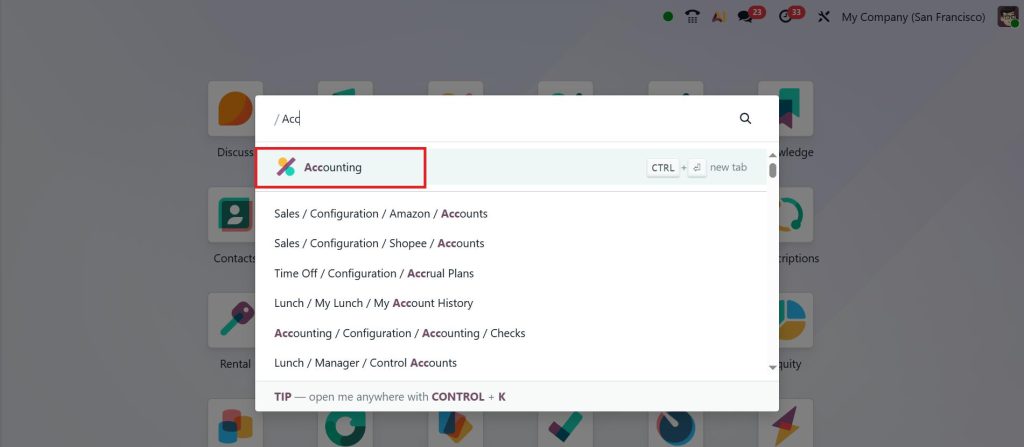
Now let’s focus practically on how to manage your accounting firm using the firm’s mode in Odoo 19. Open the Accounting module from your Odoo 19 dashboard.
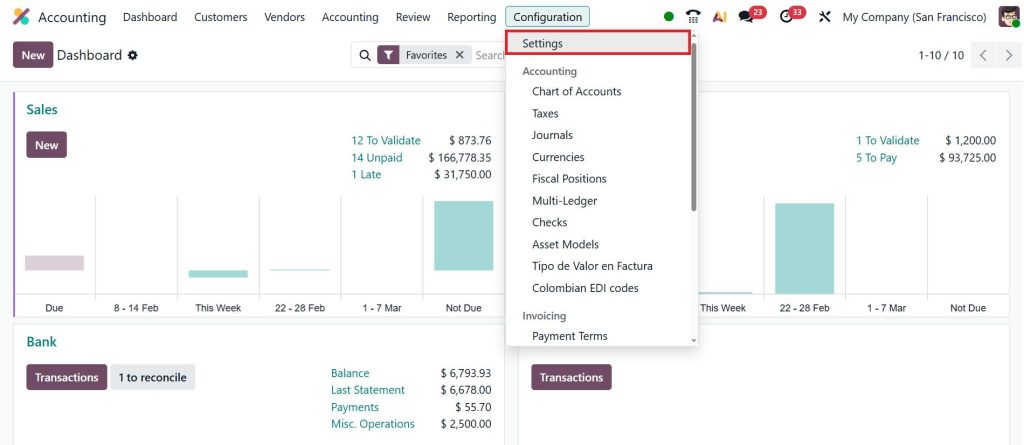
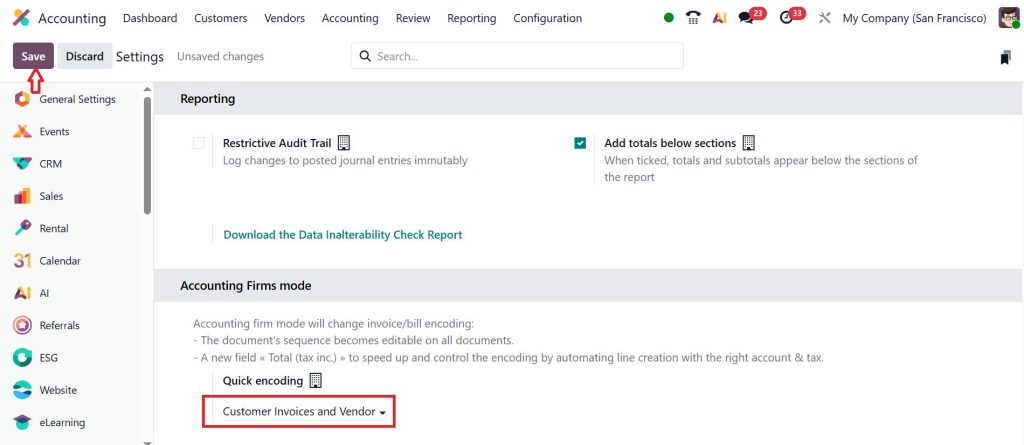
Go to the Configuration > Settings.
Scroll down and activate the firm’s mode in settings. By clicking on the particular side, you will see three options. Which is customer invoices, vendor bills, & customer invoices and vendor bills.
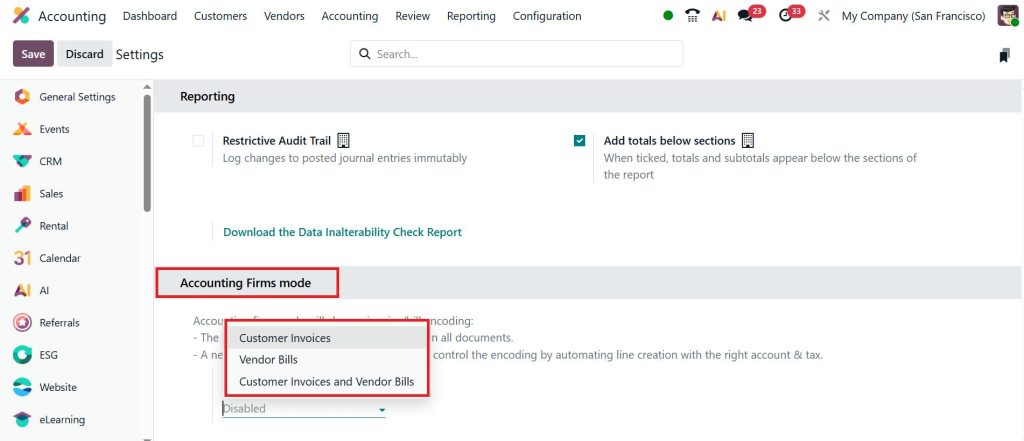
If you are an accounting firm handling both sales and purchase entries for clients, you can simply select customer invoices and vendor bills and click Save. This is where managing accounting firm operations in Odoo 19 truly begins. You are no longer managing one company; you are managing a structured portfolio of clients.
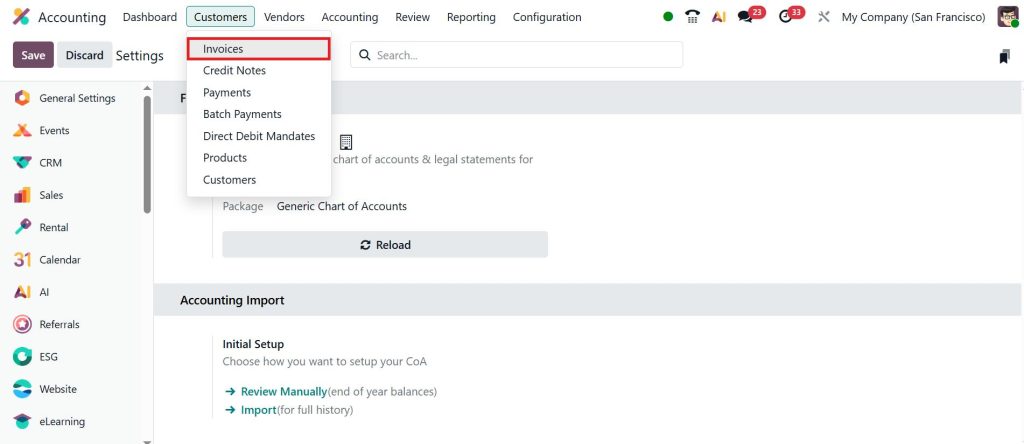
Let’s move to the Customers > Invoices.
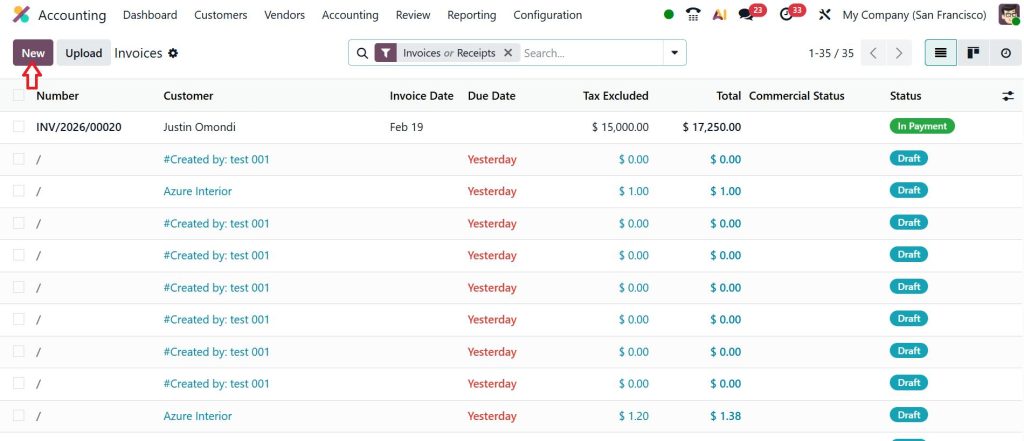
Once you enable that option when you create an invoice or a vendor bill inside the Odoo 19 accounting module, it will help you to simplify the invoicing process very easily. Instead of manually configuring every line, you can simply let Odoo set it up by default. So, let’s create a new invoice by clicking on New.
I only want to provide the customer’s name here. You can now see that the invoice date is auto-populated, the accounting date and due date are present, and you can also enter the total product amount, which is tax-inclusive.
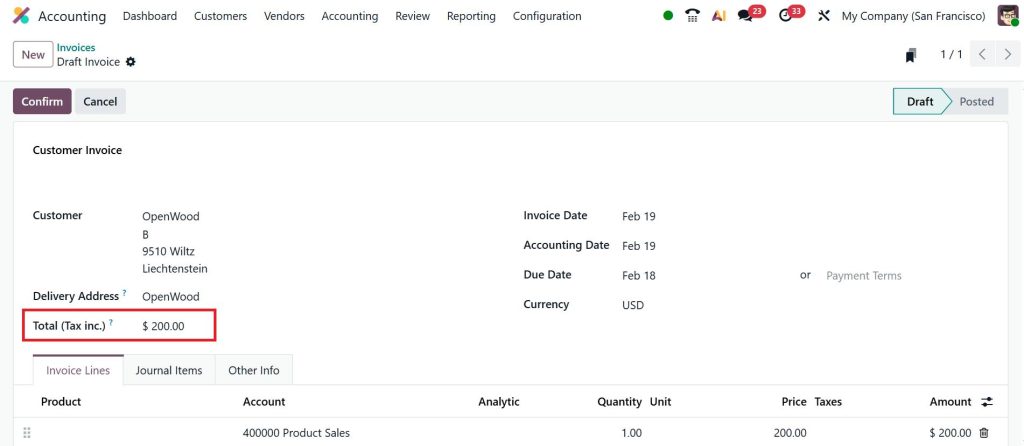
By scrolling down, you can simply see the total amount including tax.
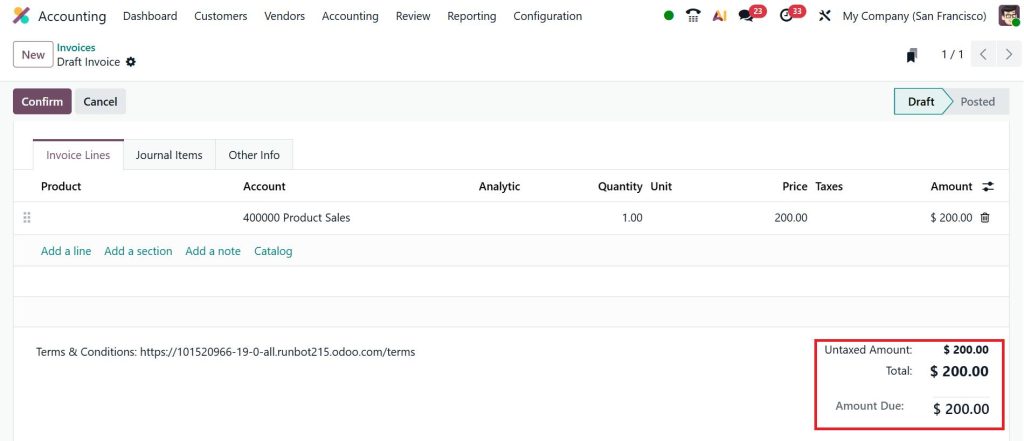
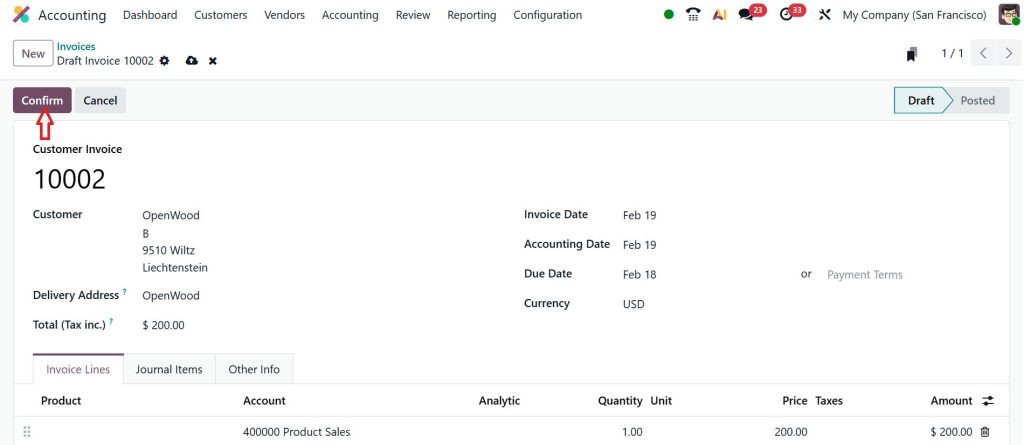
Now, you can also enter the reference ID; for example, if I want to provide 10002 and click Confirm.
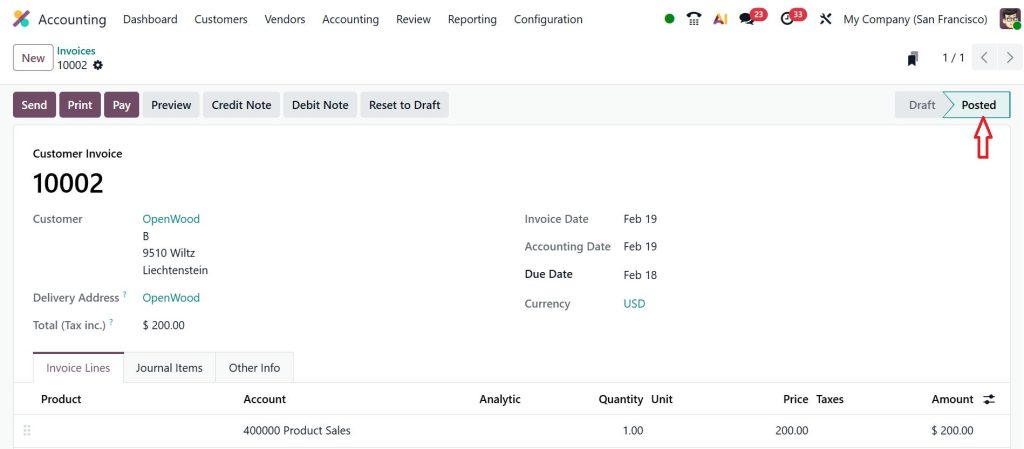
By confirming this, I have just posted a draft invoice as a posted invoice. Now, you can simply handle the customer invoice like this.
Now, go to the Vendors > Bills.
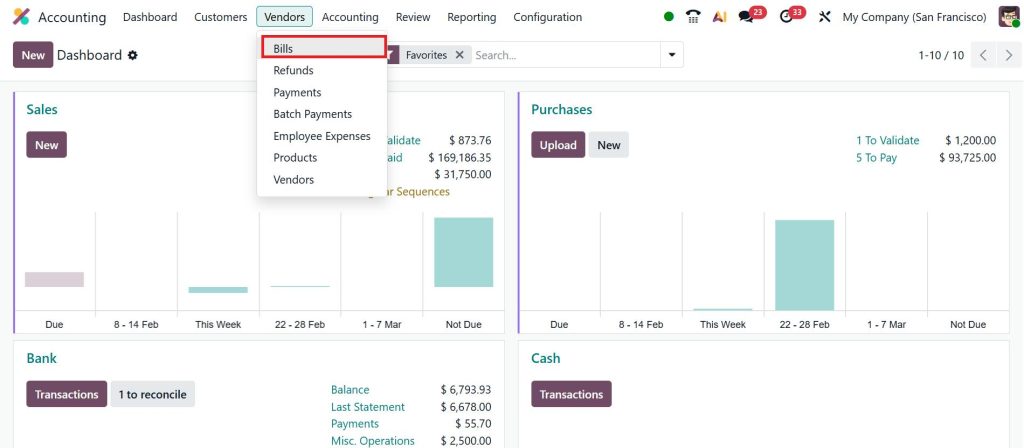
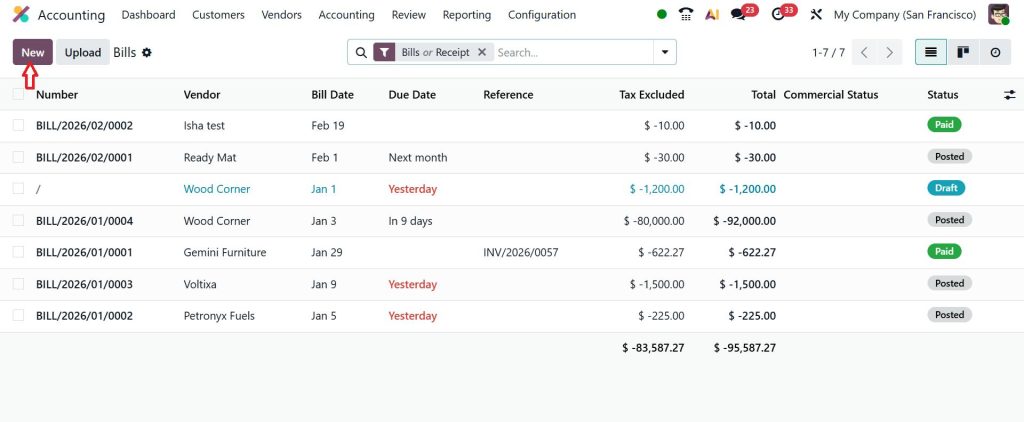
Click New.
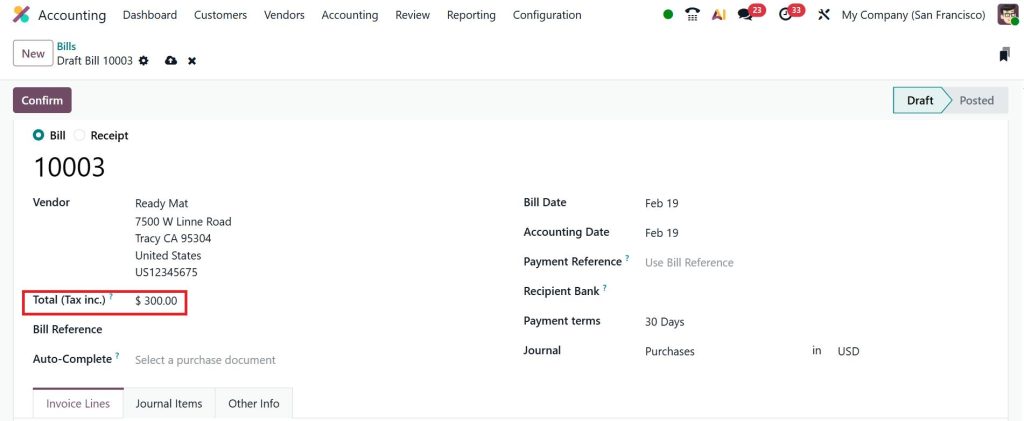
You can provide the reference number and vendor name, then enter the total amount, including tax.
If I set it to $300, you can scroll down to see the amount including tax.
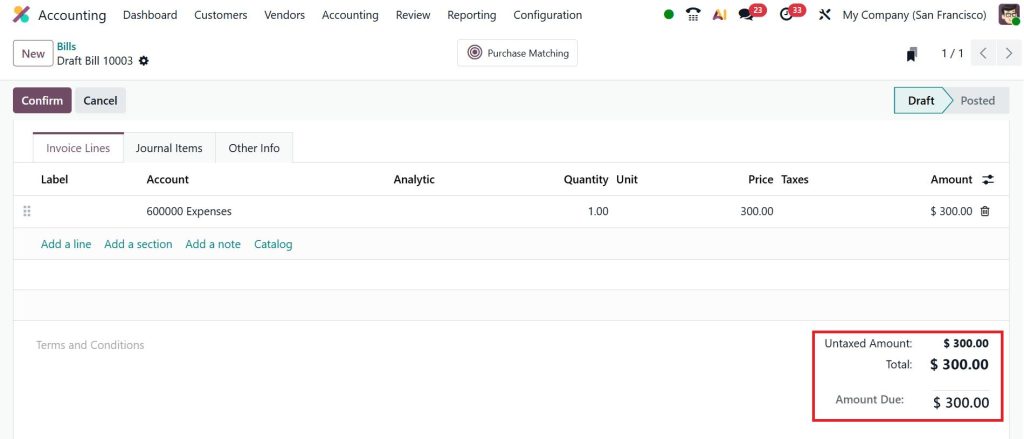
You don’t need to provide the bill date; Odoo will do that for you. So, that’s actually the help of the Accounting Firm’s Mode if you are enabling them. Accounting Firm’s Mode in Odoo 19 helps accounting firms simplify invoices and bills, maintain consistency across clients, and reduce repetitive manual work.
Odoo 19 Multi-Company Setup for Accounting Firms – The Foundation of Control
Before you can properly understand how to manage your accounting firm using the firm’s mode in Odoo 19, you must understand the Odoo 19 multi-company setup for accounting firms. A multi-company setup allows you to create multiple companies within a single Odoo database. For accounting firms, this means:
- Each client is created as a separate company
- Each client has their own chart of accounts
- Reports are generated per company
- Users can be restricted to specific companies
The Odoo 19 multi-company setup for accounting firms is very important because it prevents data mixing. Imagine generating a financial report and seeing numbers from another client. That would be a serious issue. With proper setup:
- Client A cannot see Client B’s data
- Reports remain accurate
- Tax calculations stay clean
- Audits become easier
This is the foundation for managing accounting firm operations in Odoo 19.
Odoo 19 Accounting Firm Mode for Invoices and Bills – Handling Daily Transactions with Clarity
Now let’s talk about daily work. Most of your time is spent on invoices and bills. That is why understanding the Odoo 19 accounting firm mode for invoices and bills is very important. When you activate firm mode, you can switch to any client company and:
- Create customer invoices
- Record vendor bills
- Approve draft entries
- Track payment status
- Send reminders
The benefit of Odoo 19 accounting firm mode for invoices and bills is that you are working inside the client’s financial environment while still controlling everything from your firm’s dashboard. You do not need spreadsheets. You do not need separate systems. Everything is properly recorded in Odoo 19. When you learn to manage your accounting firm using the firm mode in Odoo 19, invoice and bill handling become much more structured.
Odoo 19 Accounting Firm Mode Total Tax Inclusive Field – Why This Small Detail Matters So Much
Now I want to discuss something many firms overlook: the Odoo 19 accounting firm mode total tax-inclusive field. This field shows the total amount, including tax, directly on invoices and bills. You can see:
- Base amount
- Tax amount
- Total including tax
Why is this important?
Because clients often ask, “What is the final amount including tax?” If you calculate manually, you risk mistakes. If you forget to include tax correctly, your reports will be incorrect. The Odoo 19 accounting firm mode total tax inclusive field ensures transparency. You and your client both see the exact payable amount without confusion. For accounting firms handling VAT or sales tax, this field helps maintain accuracy and reduces the need for later corrections.
Customize Invoice Sequencing with Firms Mode in Odoo 19 – Stay Compliant and Organized
Now, let’s discuss something very sensitive in accounting, which is invoice numbering. Different clients may have different requirements. Some need year-based numbering. Some need branch-based codes. Some must follow strict legal sequences. That is why you need to know how to customize invoice sequencing with the firm’s mode in Odoo 19.
When you customize invoice sequencing with the firm’s mode in Odoo 19, you can:
- Create separate sequences for each client
- Use different prefixes
- Reset numbering annually if required
- Maintain legal compliance
If invoice sequencing is not managed properly, audits become stressful. Missing numbers or duplicate numbers create unnecessary questions. By learning how to customize invoice sequencing with the firm’s mode in Odoo 19, you protect your firm’s credibility.
How to Manage Accounting Firm Operations in Odoo 19
Now let’s connect everything. When you understand:
- Odoo 19 accounting firms mode explained
- Odoo 19 multi-company setup for accounting firms
- Odoo 19 accounting firm mode for invoices and bills
- Odoo 19 accounting firm mode total tax inclusive field
- How to customize invoice sequencing with the firm’s mode in Odoo 19
You are finally ready to truly manage accounting firm operations in Odoo 19
Managing operations means:
- Monitoring unpaid invoices
- Reviewing pending bills
- Checking tax reports
- Reconciling bank statements
- Generating financial statements
- Managing user access
You can open your dashboard and quickly see which client needs attention. Instead of searching through files, you see everything clearly inside the system. This is exactly what we mean when we talk about managing your accounting firm using the firm’s mode in Odoo 19 in practice.
A Real-Life Situation – Suppose Your Daily Workflow in the Firms Mode
Let’s imagine your day. You log in to Odoo 19. From the top menu, you switch to Client A company. You review their overdue invoices. You check totals using the Odoo 19 accounting firm mode total tax inclusive field. You approve vendor bills.
Then you switch to Client B. You generate their monthly profit-and-loss statement. You verify their invoice sequence because you already learned how to customize invoice sequencing with the firms mode in Odoo 19. Then you move to Client C and review their tax report. Everything happens in one system. This is how you practically apply how to manage your accounting firm using the firm’s mode in Odoo 19 without confusion.
Common Problems Accounting Firms Face Without the Firm's Mode
If you are not using firm mode, you may be facing:
- Data mixing between clients
- Manual tax calculations
- Confusing invoice numbering
- Difficulty switching between companies
- Limited visibility over operations
Once you implement the Odoo 19 multi-company setup for accounting firms and understand how to manage accounting firm operations in Odoo 19, these problems will be reduced significantly.
Why Every Growing Accounting Firm Should Use Firms Mode in Odoo 19
If your firm is growing, complexity also grows. More clients mean more transactions. More transactions mean more chances of errors. That is why learning how to manage your accounting firm using the firm’s mode in Odoo 19 is not just a technical decision. It is a strategic decision.
When your system is organized:
- Reports are generated faster
- Clients trust you more
- Compliance becomes easier
- Internal control improves
And most importantly, you feel more confident about your firm’s operations.
Take Control of Your Accounting Firm with Odoo 19 Firms Mode
If you have read this far, you are serious about improving your firm’s operations. Now you clearly understand everything. And most importantly, you now have a clear picture of how to manage your accounting firm using the firm’s mode in Odoo 19 in a structured and practical way. If you want your accounting firm to operate with clarity, proper control, and reduced errors, firms mode in Odoo 19 is not just another feature. It is a complete system designed for firms like yours.
At Netilligence, we help accounting firms configure Odoo 19 in a structured way so that your system supports your workflow instead of creating extra work for you. From complete configuration to team training, we guide you step by step.
If you want your accounting firm to work with more clarity and control, connect with us today, and let’s set up your Odoo 19 Firms Mode the right way.




