Managing your business operations efficiently starts with qualifying the tools you use daily. Odoo 18 dashboard management is the ultimate solution for centralising and simplifying workflows. From real-time insights to custom configurations, the Odoo dashboard app has everything you need to stay on top of your business processes.
This guide explores Odoo 18 dashboard customisation, features, widgets, and step-by-step tutorials to help you create and manage custom dashboards effectively. With powerful features and intuitive design, mastering the Odoo dashboard app empowers you to make data-driven decisions effortlessly.
Why You Need Odoo Dashboard Management
In today’s times, having a dynamic dashboard isn’t just a luxury – it’s a necessity. Odoo dashboard management provides businesses with the following:
Centralised Data Access:
Monitor all your KPIs in one place.
At the Spot Updates:
Stay informed with live data feeds.
Custom Dashboards:
Fit your dashboard to meet specific business needs.
Enhanced Collaboration:
Share insights across teams easily.
Investing in the Odoo dashboard app saves time, improves decision-making, and optimises operations.
Odoo 18 Dashboard App Features
The Odoo dashboard app features are designed to cater to diverse business requirements. Here are the standout features:
1. Customizable Interface
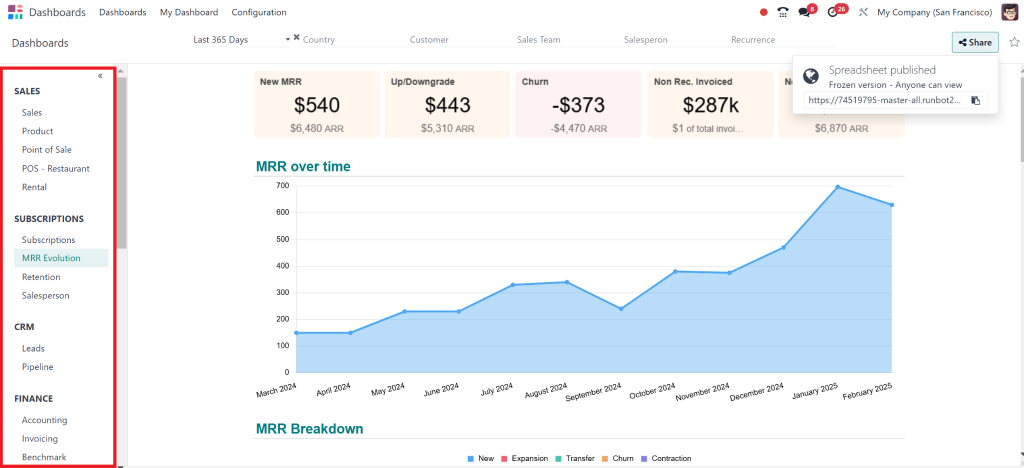
Modify your dashboard layout to prioritise the information that matters most to you.
2. Advanced Widgets
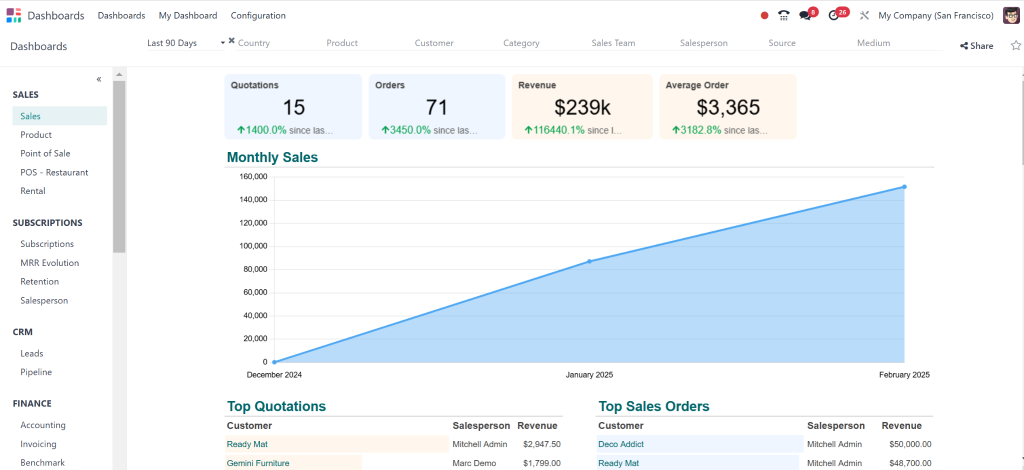
Utilise specialised widgets, including sales graphs, task progress indicators, and inventory updates.
3. Real-Time Data Insights
Gain actionable insights with up-to-the-minute data visualisations.
4. Sharing and Collaboration
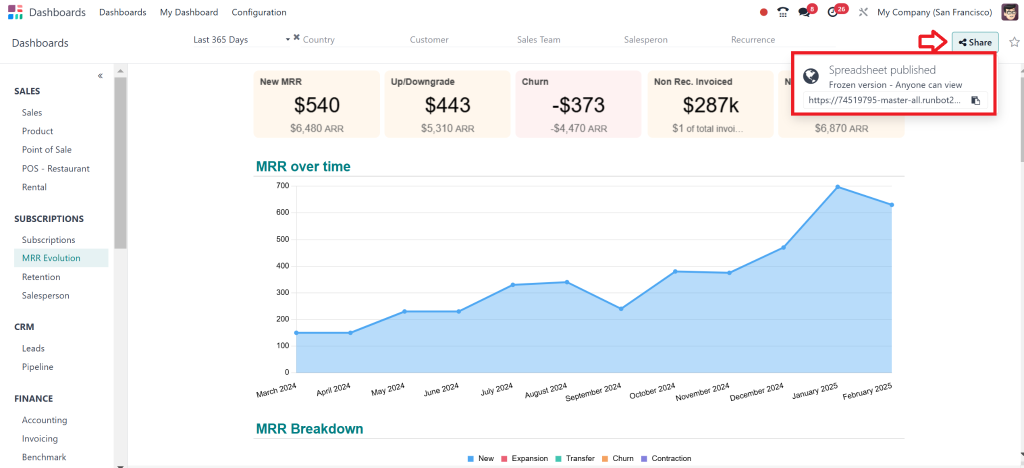
Collaboration is key in any business environment. The Odoo 18 dashboard management system allows users to share their dashboards with team members, promoting transparency and teamwork.
5. Integration with Other Odoo Apps
The Odoo dashboard app Smoothly integrates with other Odoo applications, allowing users to pull data from various sources. This integration enhances the overall functionality of the dashboard, providing a comprehensive view of business performance.
These features make Odoo 18 dashboard management a versatile and indispensable tool for Companies or enterprises of all sizes.
Step-by-Step Guide to Odoo 18 Dashboard Customisation
Create a custom-made dashboard for your specific needs. Here’s how to use Odoo dashboard customisation to its full potential:
Access Your Dashboard App:
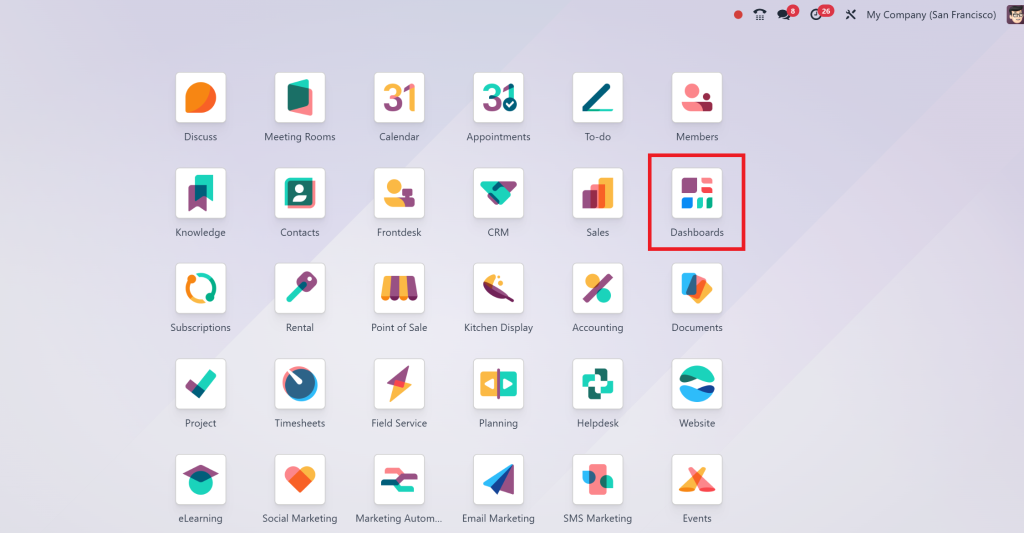
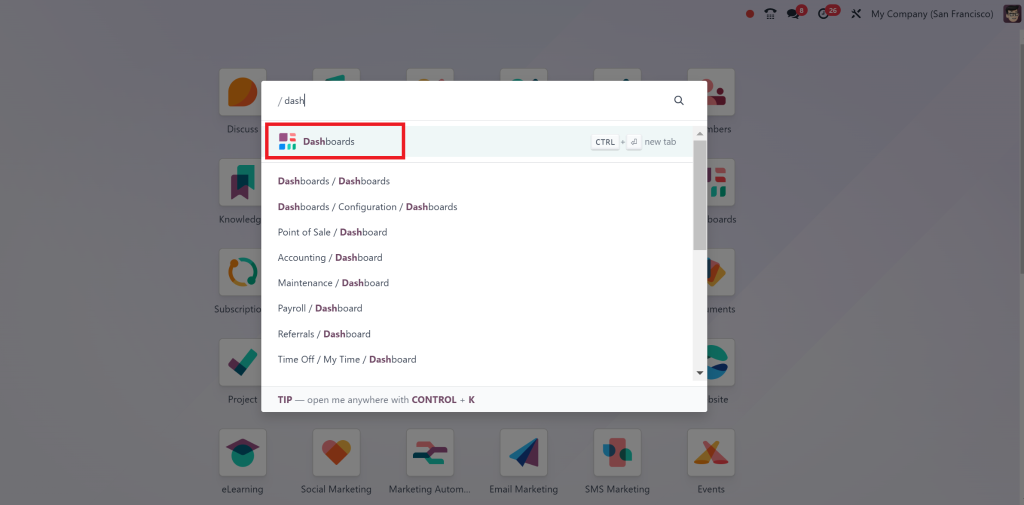
Open the Odoo dashboard app from your menu.
Add Relevant Widgets:
Click “Add Widget” to choose metrics that align with your goals.
Organise Your Layout:
Drag and drop widgets to prioritise key data.
Configure Widgets:
Customize each widget’s settings for a more detailed view.
Save Your Dashboard:
Once satisfied, save and share your new dashboard.
Update Regularly:
To keep your dashboard relevant, update it with new widgets or data sources as your business needs evolve.
Widgets are the backbone of the Odoo dashboard app. They allow users to visualise data meaningfully and generate actionable insights.
1. Graphs and Charts
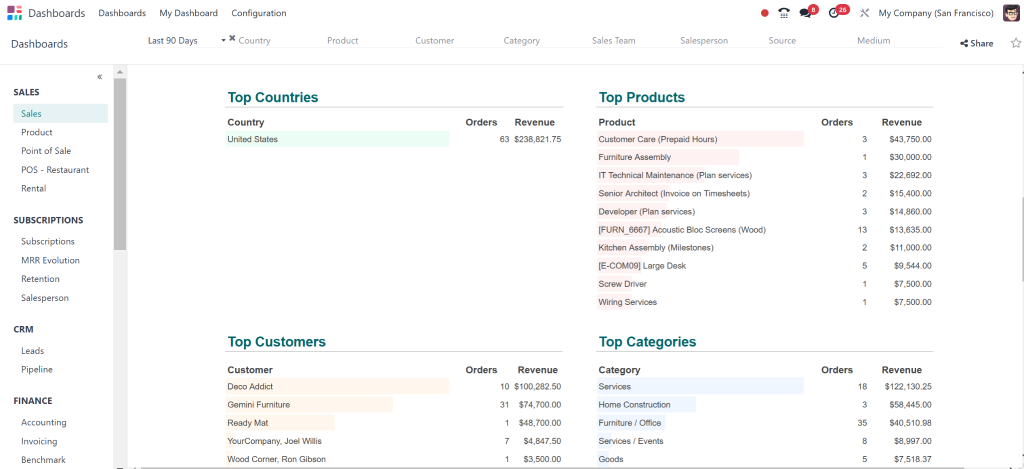
Graphs and charts are excellent for visualising trends over time. Line graphs are used for sales data; bar charts are used to compare department performance, and pie charts are used to analyse market share.
2. KPI Indicators
KPI indicators provide quick insights into your business performance. You can set up indicators for sales targets, customer satisfaction ratings, and inventory levels.
3. Calendar Widgets
Calendar widgets allow you to keep track of important dates, such as project deadlines and meetings. This feature helps ensure that you never miss a crucial appointment.
4. List Views
List views can display detailed information about various aspects of your business, such as recent sales orders or customer inquiries. This widget is perfect for monitoring ongoing activities.
5. Custom HTML Widgets
For advanced users, custom HTML widgets allow you to embed external content or scripts into your dashboard. This feature can integrate third-party tools or display additional data sources.
Popular Odoo 18 dashboard widgets also include:
Sales Overview: Track revenue trends and sales performance.
Task Management: Monitor project progress with ease.
Inventory Updates: Keep tabs on stock levels in real time.
Customer Feedback: Analyze ratings and reviews to improve services.
Revenue Graphs: Visualize financial health at a glance.
By strategically using these widgets, you can solve the true potential of Odoo dashboard management.
Comprehensive Odoo 18 Dashboard App Tutorial
For beginners and seasoned users alike, this tutorial simplifies the process of managing your Odoo dashboard app:
Step 1: Login and Navigate
Access your Odoo account and click on the dashboard module.
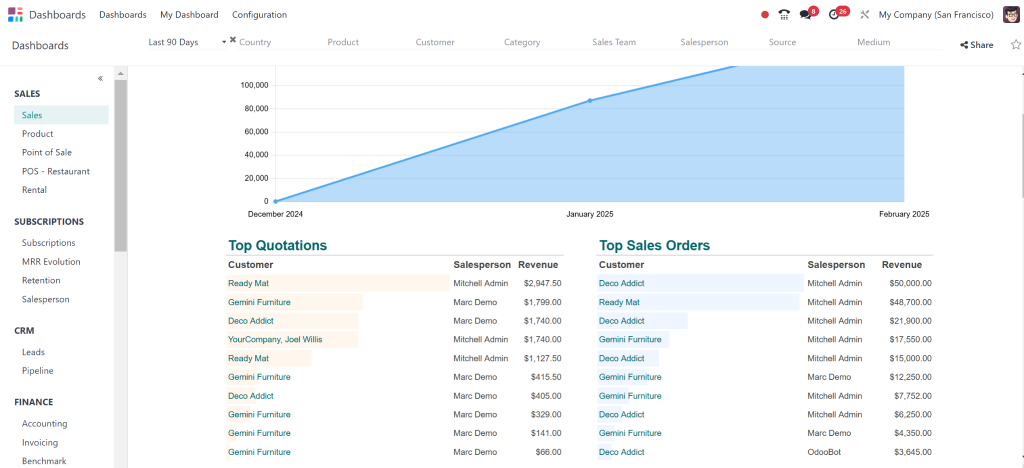
Step 2: Explore Pre-Built Dashboards
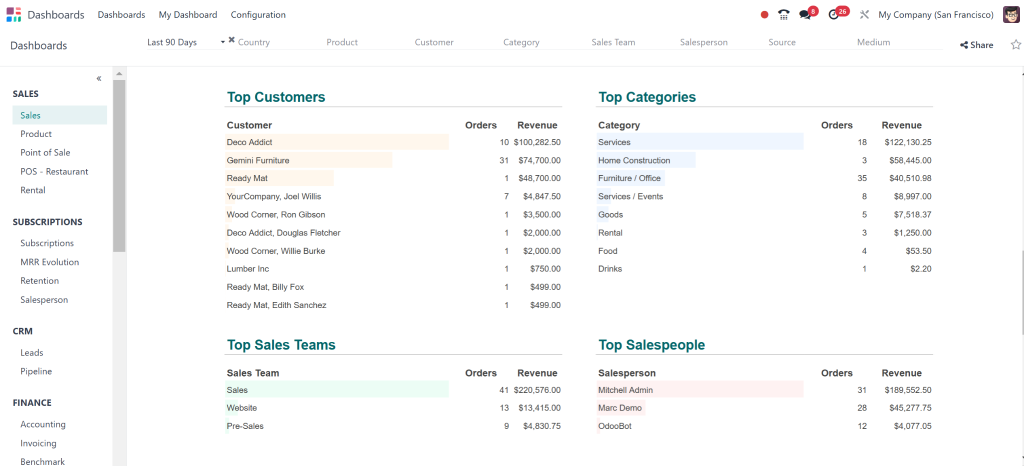
Start by reviewing the default dashboards provided by Odoo.
Step 3: Add Custom Widgets
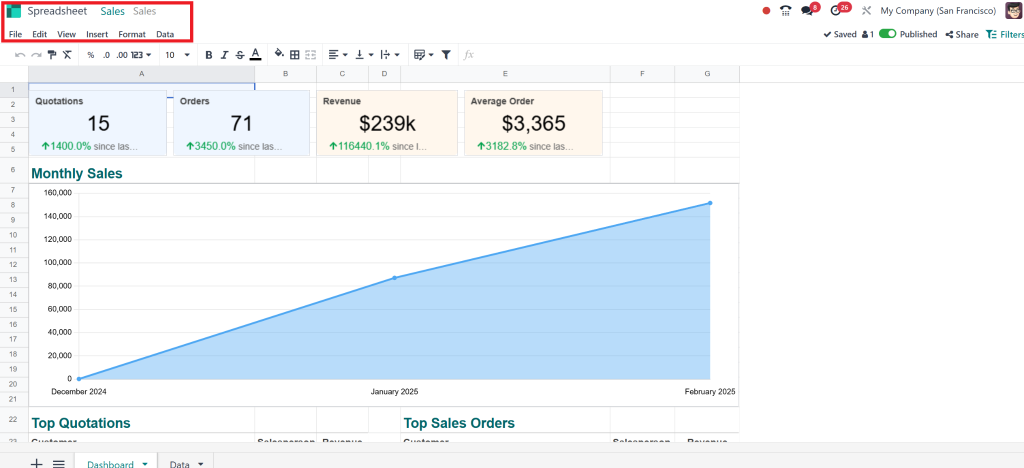
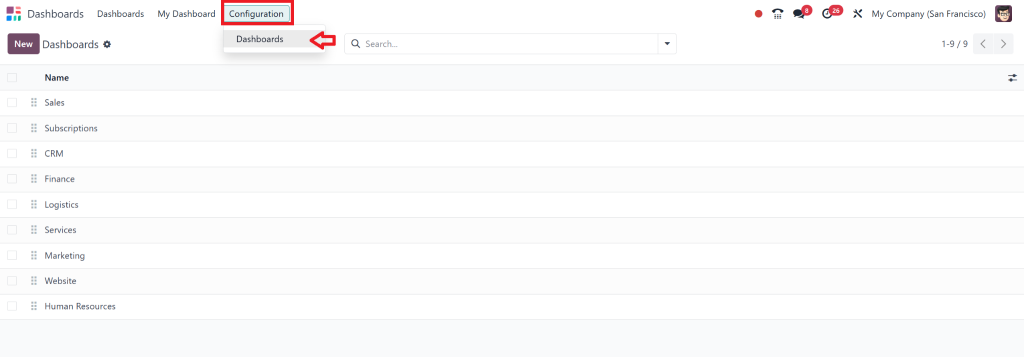
Click on the “Configuration” option to include essential metrics.
Step 4: Arrange and Customize
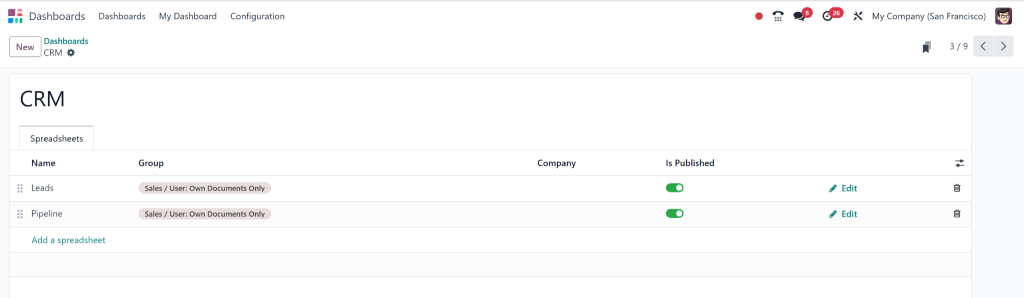
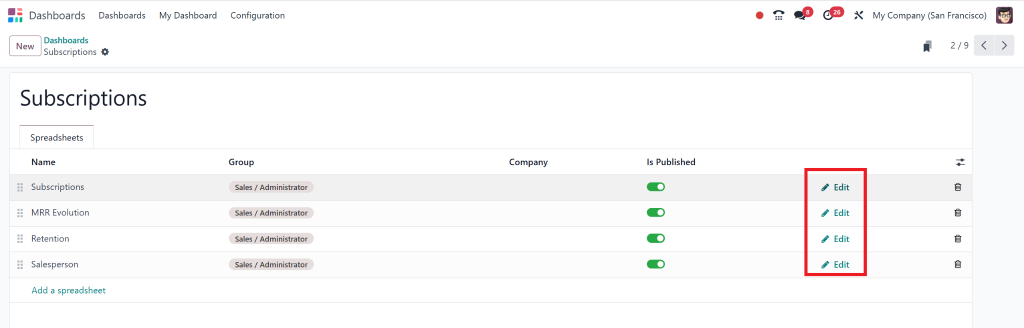
Click on Edit to Customize according to your needs.
Step 5: Test and Refine
Review your dashboard to ensure all data displays correctly.
This Odoo 18 dashboard app tutorial empowers users to create tailored dashboards that enhance operational efficiency.
Best Practices for Odoo 18 Dashboard App Configuration
An efficient dashboard requires meticulous configuration. Follow these tips for seamless Odoo dashboard app configuration:
1. Prioritize Key Metrics
Focus on the most relevant widgets to avoid overwhelming your dashboard.
2. Influence Filters
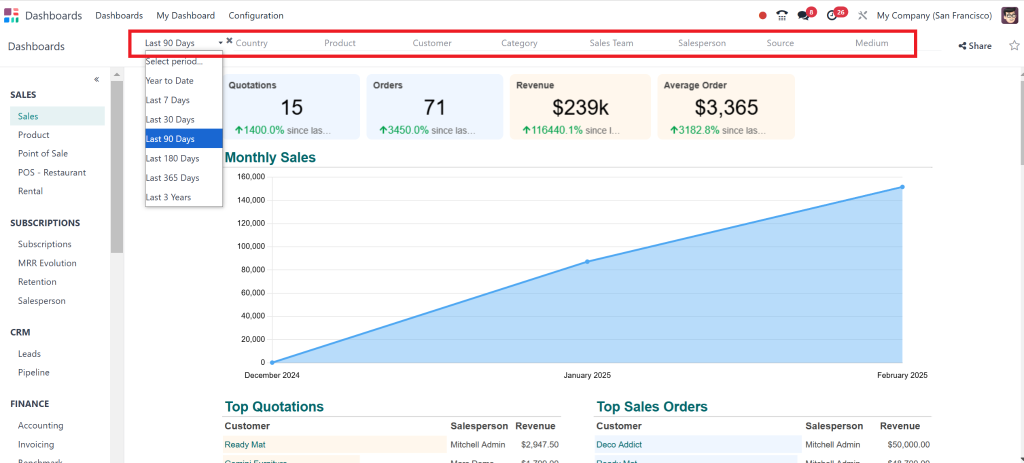
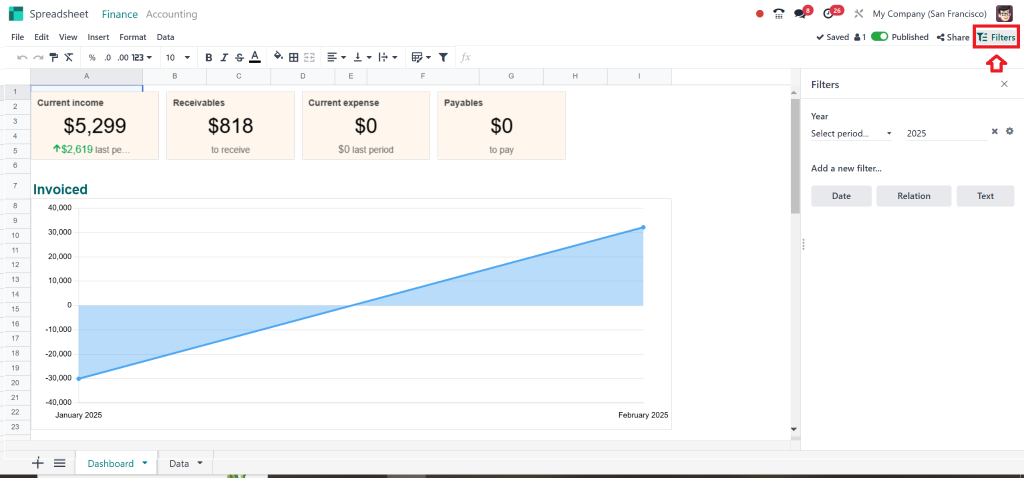
Apply filters to display specific data points relevant to your goals.
3. Optimize for Teams
Configure dashboards based on team requirements for better collaboration.
4. Regular Updates
Review and update your dashboard periodically to reflect changing business priorities.
5. Enable Notifications
Set alerts for critical updates to stay informed on significant developments.
By implementing these best practices, your Odoo 18 dashboard management will become a key driver of productivity.
Odoo 18 Create Custom Dashboards Advanced Tips
Once you’ve mastered the basics, it’s time to take your dashboard management to the next level:
Use Dynamic Views:
Switch between grid, chart, and list views for deeper insights.
Incorporate External Data Sources:
Pull data from third-party tools for comprehensive analytics.
Set Role-Based Permissions:
Adapt dashboard access to specific team members for security and efficiency.
Track Performance Over Time:
Add historical data widgets to monitor trends.
Experiment with Color Coding:
Highlight critical data points using colour schemes.
These advanced strategies will help you unlock more value from your Odoo dashboard management efforts.
Change Your Workflow with Odoo 18 Dashboard Management
Learning Odoo dashboard management is essential for any business aiming to update its operations. From customisation and widgets to tutorials and configuration tips, this guide has covered everything you need to know to get started.
By Utilizing the full potential of the Odoo 18 dashboard app, you can:
Save time with centralised data access.
Make informed decisions using real-time insights.
Customise dashboards to align with your specific needs.
Boost team productivity through seamless collaboration.
Don’t wait – take control of your dashboard today and elevate your business operations with Odoo dashboard management.
Hi, I'm Nabia, an Odoo ERP functional & technical content writer. I specialize in blogs, social media content, ad copy, landing pages, service pages, and email campaigns.
We use cookies to ensure that we give you the best experience on our website. If you continue to use this site we will assume that you are happy with it.