Why Return and Refund in Odoo 18 Sales Matters More Than You Think
If you’ve been in business long enough, you know this: returns happen.
Sometimes, a customer receives the wrong product. Sometimes, they change their mind. Sometimes, the product arrives damaged. Whatever the reason, how you process returns and Refund in Odoo 18 Sales can make or break your customers’ trust.
Here’s the thing: most businesses treat returns like a headache. But the smart ones? They treat it like an opportunity. A chance to:
Impress customers with fast Odoo 18 sales return handling
Build loyalty with a transparent Odoo 18 refund process
Keep inventory and accounts perfectly synced with Odoo 18 credit note generation
Offer smooth Odoo 18 return for exchange instead of losing the sale entirely
In this guide, I’ll walk you through not just how to do it, but how to do it so well that customers will trust you more after a return than they did before the sale.
And we’ll do it all in plain English, no complicated jargon, no boring manual-style writing. Just a clear, practical guide to mastering Return and Refund in Odoo 18 Sales.
The Power of a Smooth Return and Refund in Odoo 18 Sales
Before we jump into steps and buttons, let’s talk about why this matters.
A smooth Odoo-18 sales Restore management system:
Turns Problems into Loyalty – A good Restore process can transform an unhappy customer into a raving fan.
Keep Your Brand Professional – Mistakes happen, but disorganised Restores make your business look untrustworthy.
Saves Time for Your Team – The Odoo-18 refund process automates steps that would otherwise take hours.
Keeps Stock Accurate – Restored items automatically update in your inventory.
Protects Your Profits – Clear Odoo-18 Restore policy configuration means fewer disputes and less lost revenue.
Step-by-Step Guide to Processing Return and Refund in Odoo 18 Sales
Here’s the step-by-step journey of turning a customer Restore into a smooth, documented process using Restore and Refund in Odoo 18 Sales.
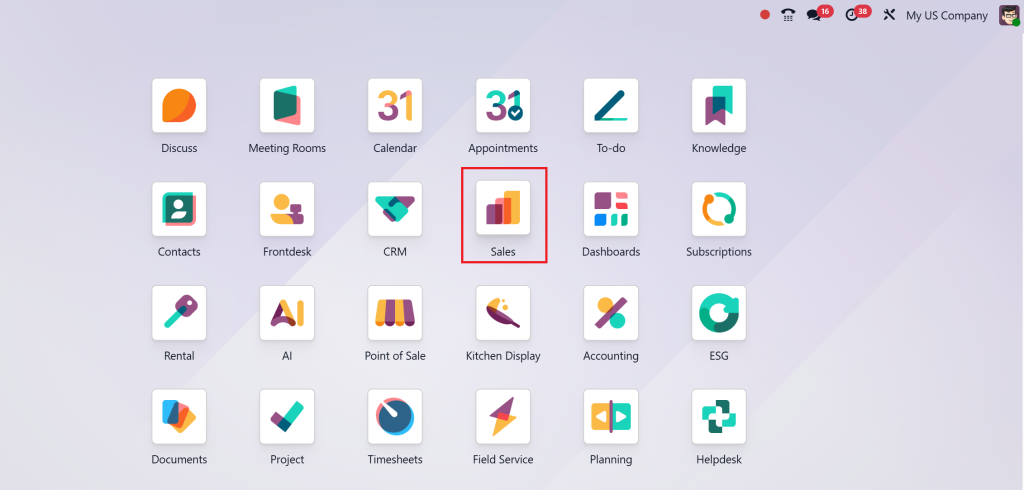
Step 1 – Accessing the Sales Module in Odoo 18
Log in to Odoo and open the Sales module. This is your command centre for orders, invoices, and Odoo-18 sales Restore tasks.
Step 2 – Locating the Order for Return
Search for the specific order by:
Order reference number
Customer name
Date range
The more organised your search, the faster your Odoo-18 refund process will be.
Or add a new sales order by Clicking on New then add customer and product along with its quantity then confirm the order and payment.
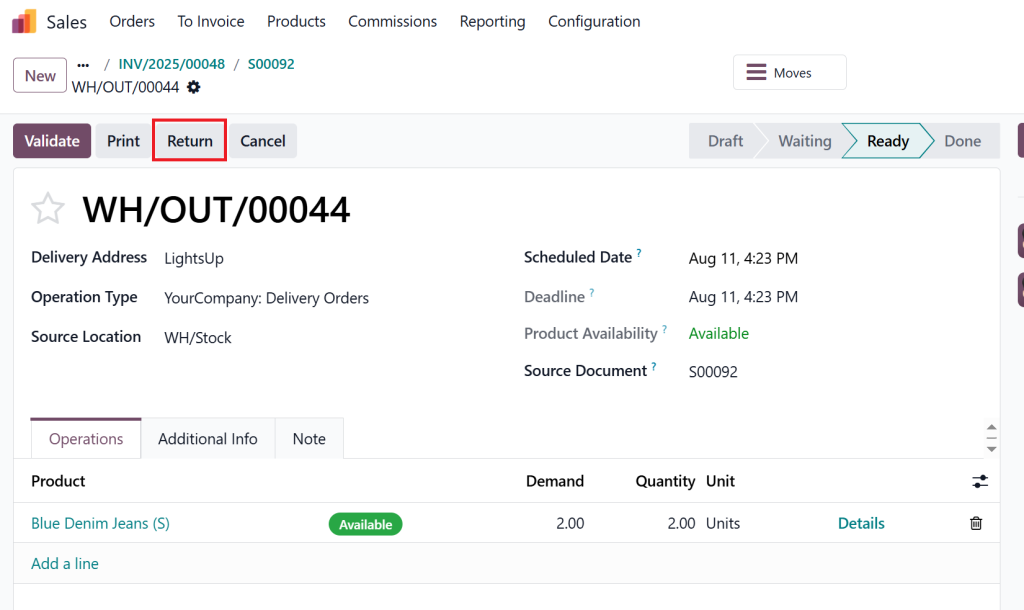
Step 3 – Creating the Return in Odoo 18
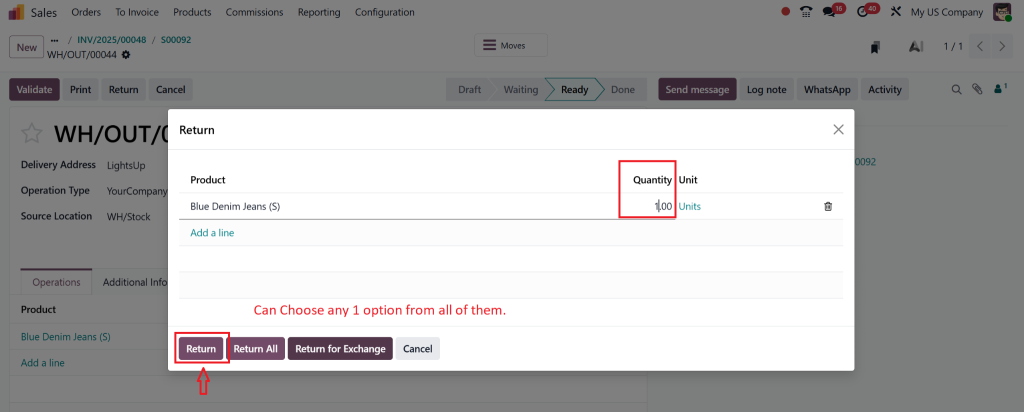
On the order screen from the delivery quick button, click Restore. You’ll be asked to fill in:
Quantity being returned
Restore type: refund or Odoo-18 Restore for exchange
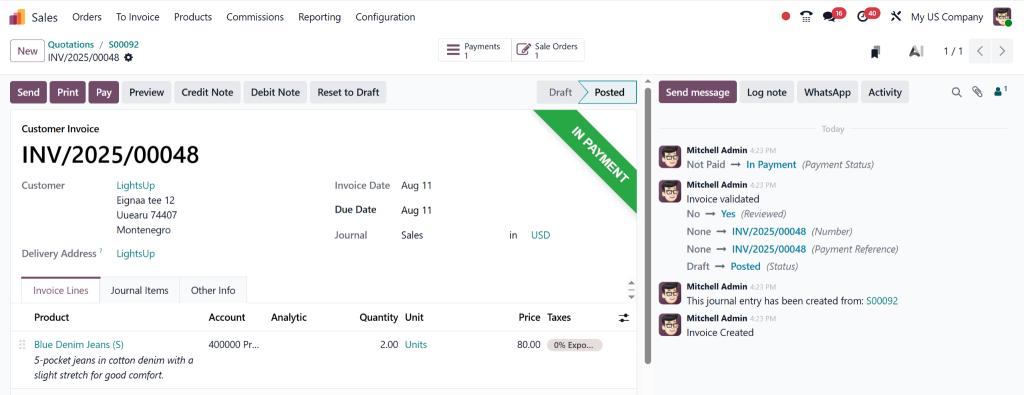
Step 4 – Processing the Odoo 18 Refund Process
If the customer requests a refund:
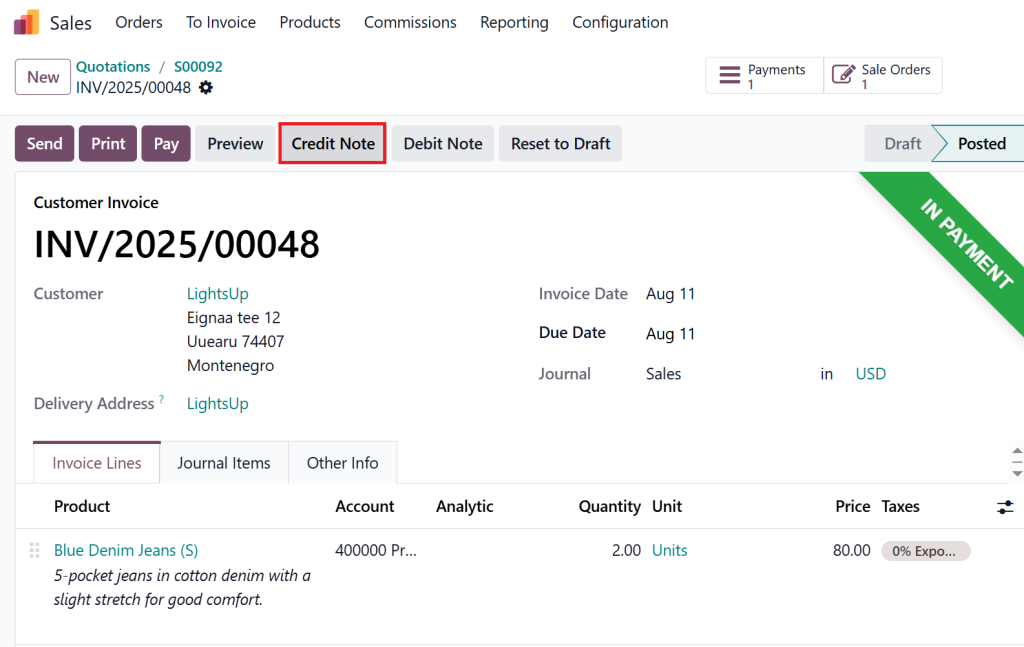
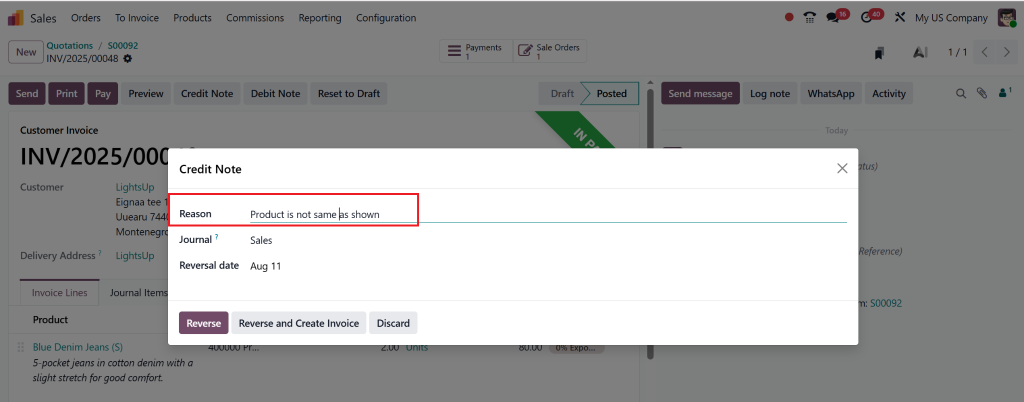
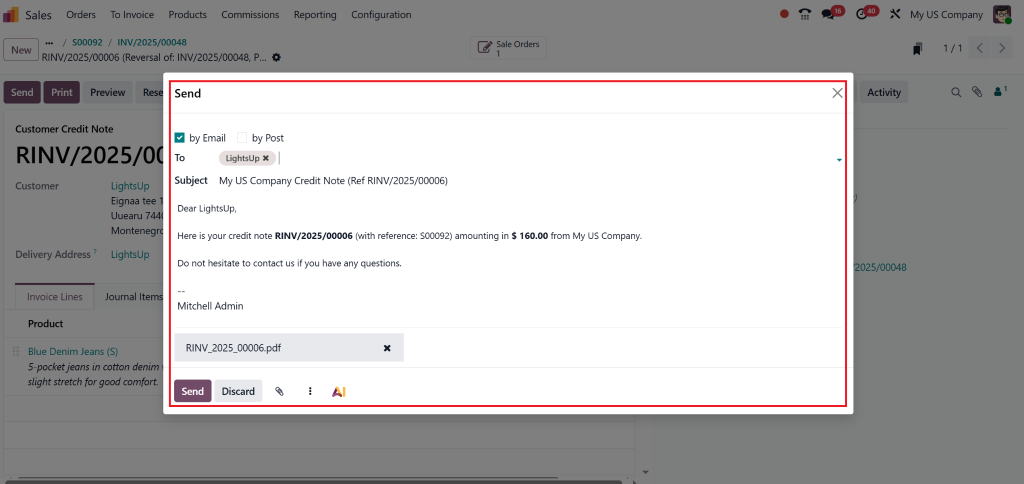
Create an Odoo-18 credit note from the original invoice.
Reason for the Restore (damaged, wrong item, etc.)
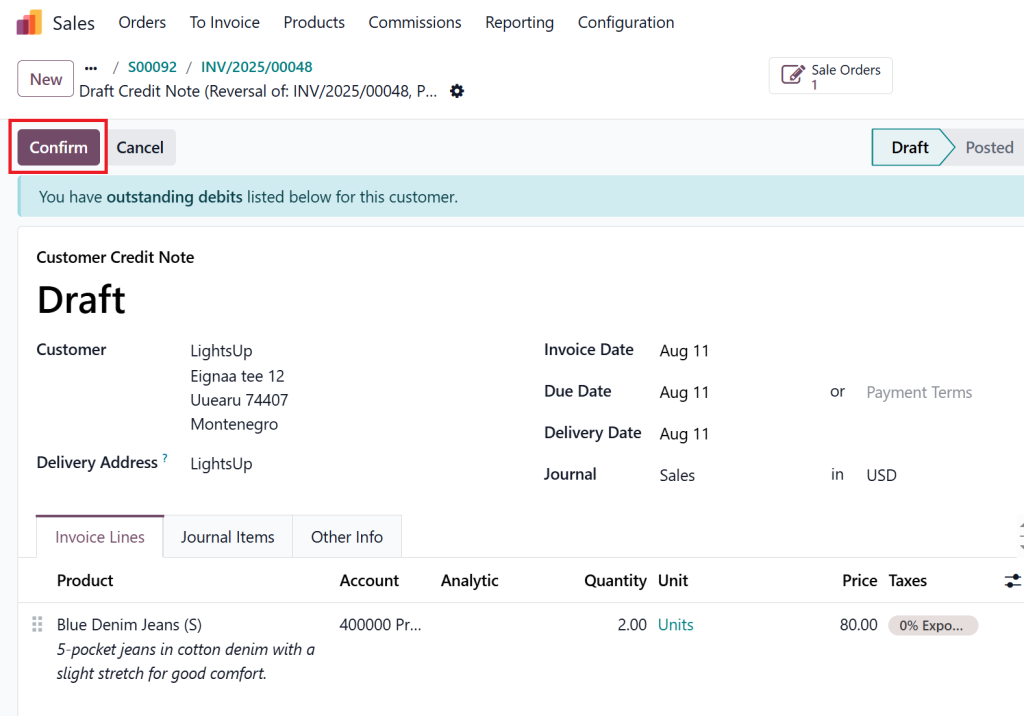
Validate and post it.
Process the payment back to the customer.
Pro tip: Always link the credit note to the original sale for clear Odoo-18 sales Restore management.
Step 5 – Handling Odoo 18 Return for Exchange
If the customer wants a replacement instead:
Select “Exchange” during the Restore creation.
Generate a new delivery order for the replacement product.
Please ship it to the customer.
Step 6 – Updating Records Automatically
Here’s the beauty of Restore and Refund in Odoo-18 Sales: your inventory, accounting, and sales reports update automatically after every Return.
Configuring Your Odoo 18 Return Policy for Success
Your Odoo-18 Restore policy configuration is the foundation of smooth returns. Here’s how to set it up:
Go to Sales → Settings → Return Policy
Define:
Time limit for returns (e.g., 14 days, 30 days)
Which products can be returned
Whether refunds are cash, store credit, or exchanges
Restocking fees, if applicable
Common Mistakes in Odoo 18 Sales Return Management (and How to Avoid Them)
Even with the best system, businesses make mistakes. Here’s what to watch out for:
Not linking the Odoo-18 credit note to the original sale
Forgetting to update stock levels manually when bypassing the Restore process
Poor communication with customers during the Odoo-18 refund process
Having no clear Odoo-18 Restore policy configuration
Best Practices for Return and Refund in Odoo 18 Sales
To truly master Odoo 18 sales return management, follow these golden rules:
Make Returns Easy – The harder it is, the less likely customers will come back.
Communicate Clearly – Keep customers updated through each step of the Odoo-18 refund process.
Track Return Reasons – Use Odoo’s reporting tools to spot trends.
Offer Exchanges First – Odoo-18 return for exchange keeps the sale while solving the customer’s issue.
Train Your Staff – A system is only as good as the people using it.
Why Choose Netilligence for Odoo 18 Return and Refund Setup
As an Odoo Partner, Netilligence has helped countless businesses simplify their Odoo-18 sales Restore management. We:
Configure your Odoo-18 Restore policy perfectly for your industry
Automate your Odoo-18 refund process
Integrate Restores with your accounting and inventory
Train your team for maximum efficiency
Turning Returns into Repeat Business
When done right, Return and Refund in Odoo-18 Sales isn’t just about giving money back; it’s about building trust. With the proper setup, every Odoo-18 sales Restore becomes a chance to strengthen customer loyalty.
If you want a flawless Odoo-18 refund process and sales Restore management system, Netilligence can help you implement it from start to finish.
Want to delight your customers even when they return a product? Contact Netilligence today for expert setup of Return and Refund in Odoo 18 Sales.
Hi, I'm Nabia, an Odoo ERP functional & technical content writer. I specialize in blogs, social media content, ad copy, landing pages, service pages, and email campaigns.
We use cookies to ensure that we give you the best experience on our website. If you continue to use this site we will assume that you are happy with it.