With Odoo 19’s improved subscription engine, companies can automate billing, enhance customer experiences, and easily manage long-term service offerings. In this detailed guide, we will walk you through everything you need to know about the Odoo 19 subscription, how to configure it, and how to maximise its benefits for your business.
At Netilligence, an Odoo Gold Partner, we have helped hundreds of companies update their subscription workflows. This tutorial will help you confidently create a subscription product in Odoo, manage recurring invoicing, and ensure smooth automation for your customers. Whether you want to know how to set up a subscription in Odoo 19, configure pricing tiers, or modernize billing cycles, this article has everything you need.
If you are ready to explore the full power of subscription management, let’s get into the complete step-by-step process for configuring and optimising a Subscription Product in Odoo 19.
Why the Subscription Product in Odoo 19 Is Important
Odoo 19 has taken subscription management to the next level. Earlier versions already offered solid recurring billing features, but Odoo 19 introduces improved automation, billing accuracy, and enhanced customer communication.
Businesses today rely heavily on subscription models, especially in industries like:
SaaS companies
Managed IT services
Gyms & fitness memberships
Digital content streaming platforms
Recurring maintenance services
Online education platforms
For all these industries, the Odoo subscription product provides an ideal solution to manage recurring invoices, customer renewals, and revenue forecasting.
Key benefits of using Odoo 19 Subscription:
Fully automated recurring invoicing
Smart customer reminders
Customizable subscription templates
Easy subscription lifecycle management
Seamless integration with CRM, Accounting & Sales
Enhanced customer portal for subscription management
Odoo 19 helps businesses save time, reduce manual errors, and build predictable recurring revenue. Whether you are new to Odoo or want to enhance your existing system, mastering the Subscription Product in Odoo 19 is essential for modern business growth.
Step-by-Step Guide: How to Set Up a Subscription in Odoo 19
This is the most crucial section of this guide. Follow the steps below carefully to configure a Subscription Product in Odoo 19 from scratch.
Step 1 – Activate the Subscription Module
To begin, ensure the Odoo 19 subscription module is installed.
How to activate the module:
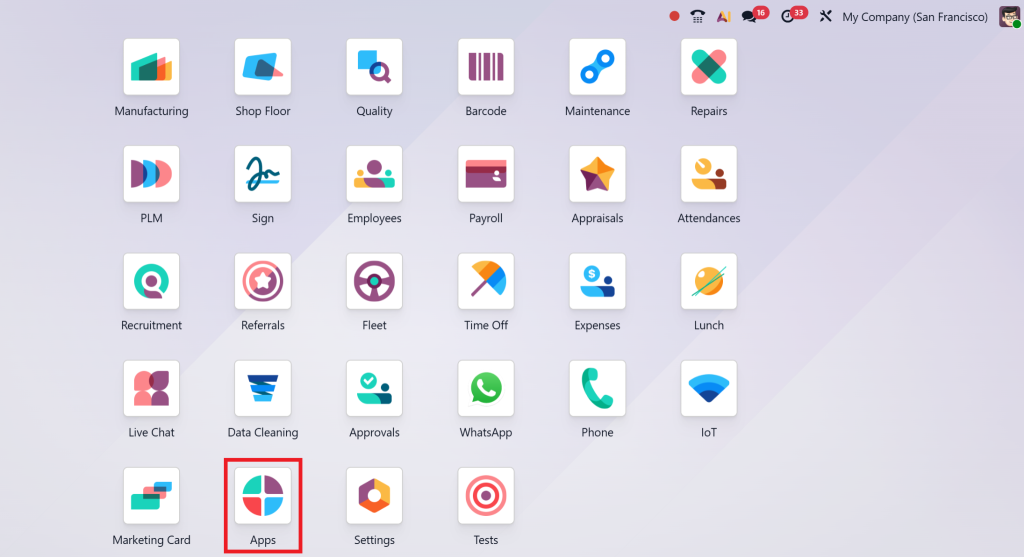
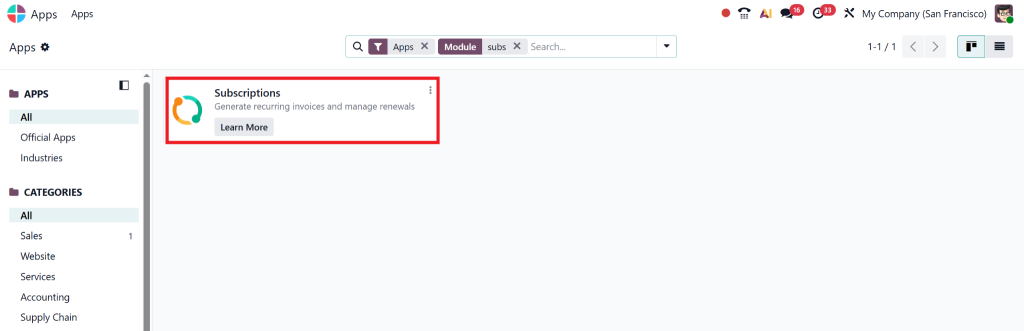
Go to Apps in Odoo 19
Search for “Subscription”
Click Install
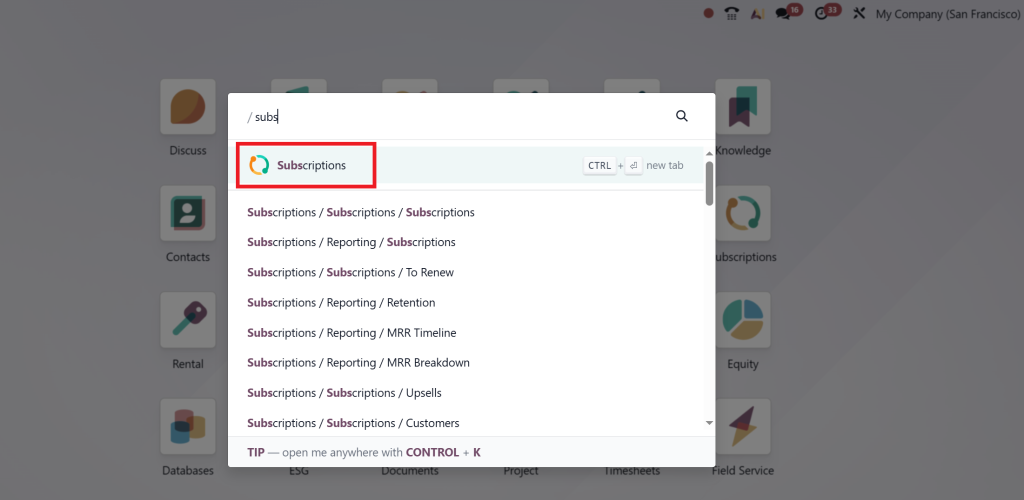
Once installed, you’ll see the “Subscription” icon added to your Odoo dashboard.
What this module enables:
Subscription templates
Automated billing
Recurring contracts
Subscription analytics
Renewal management
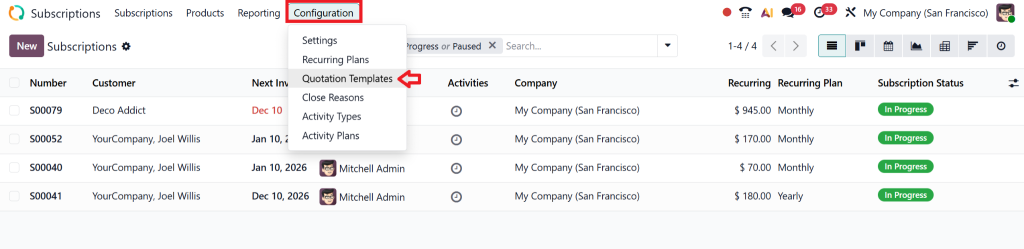
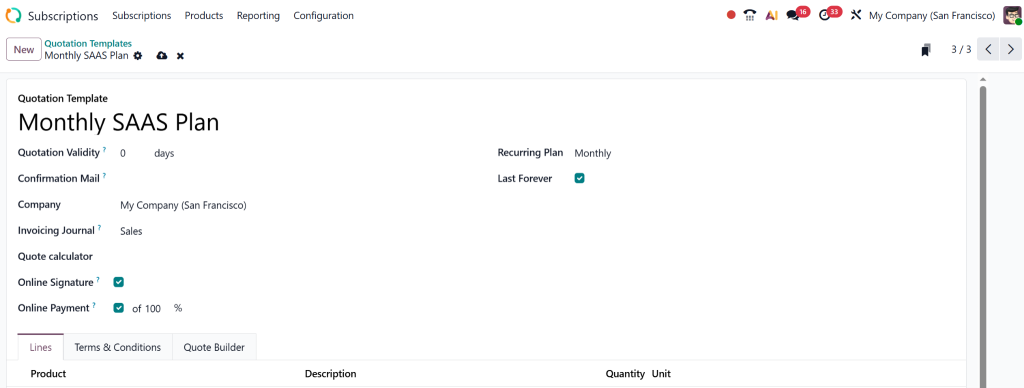
Step 2 – Create a Subscription Template
Before creating a product, you must configure a subscription template to define the product’s billing behaviour.
Templates allow consistent billing behaviour across multiple products.
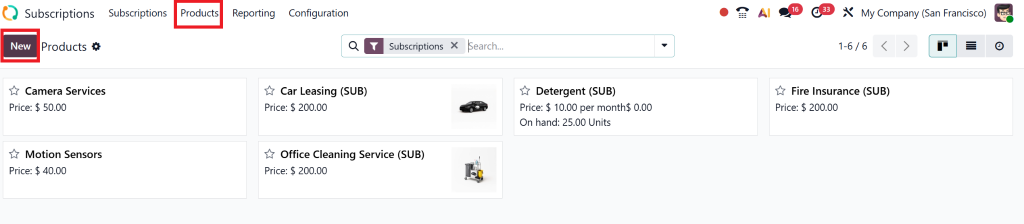
Step 3 – Configure a Subscription Product in Odoo 19
Now it’s time to create the actual Subscription Product in Odoo 19.
Steps:
Go to Sales → Products → Create or from the subscription itself, you can create a product.
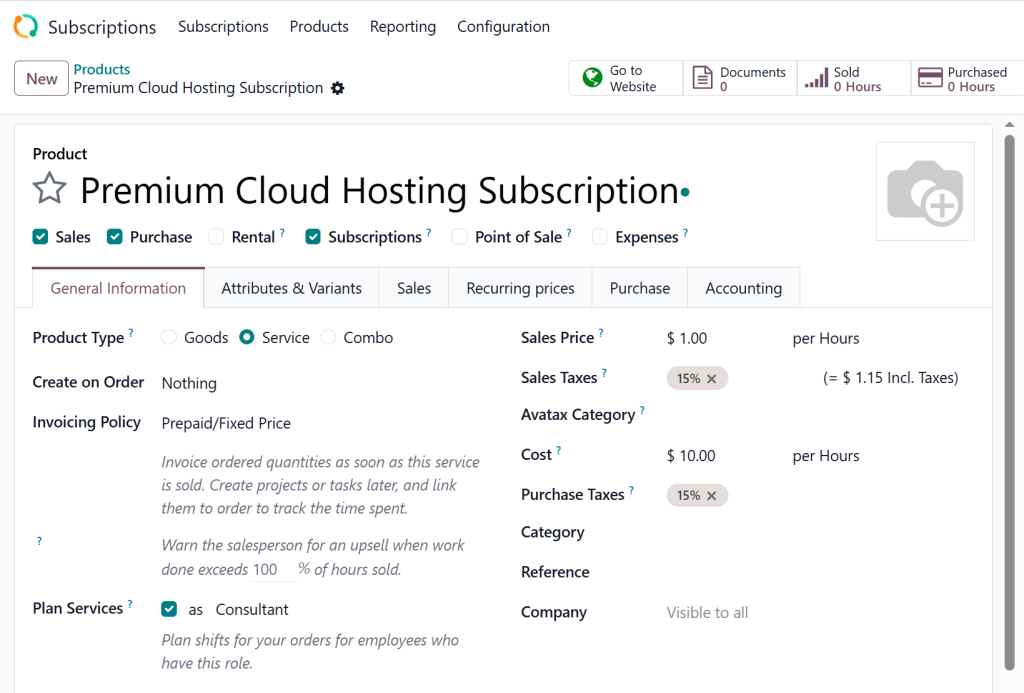
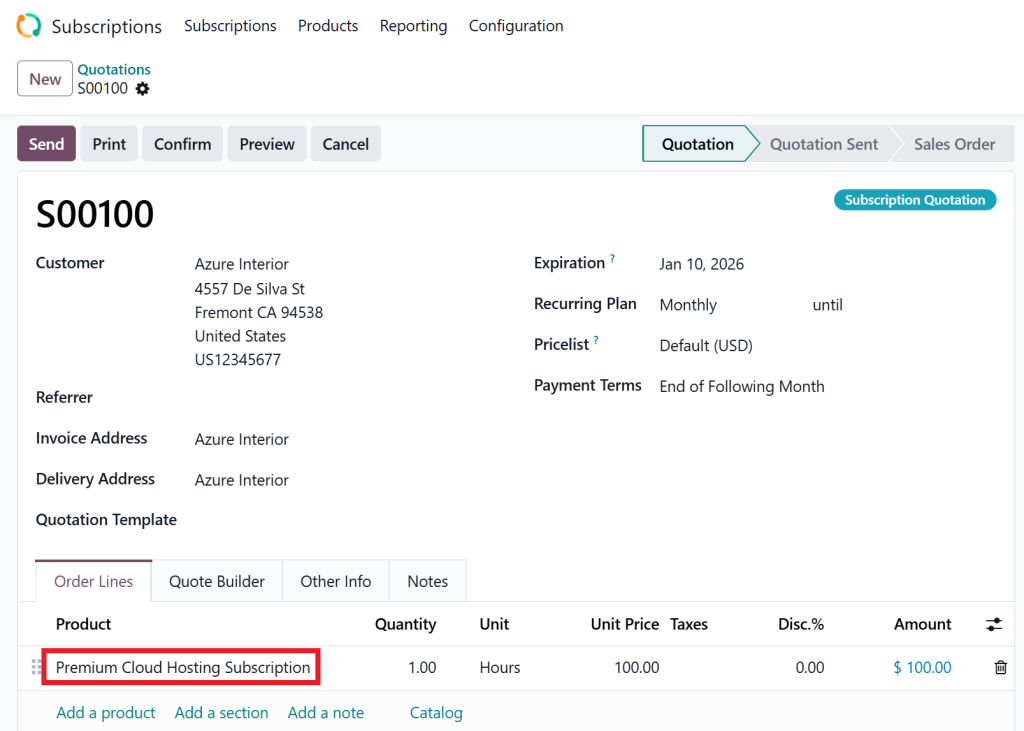
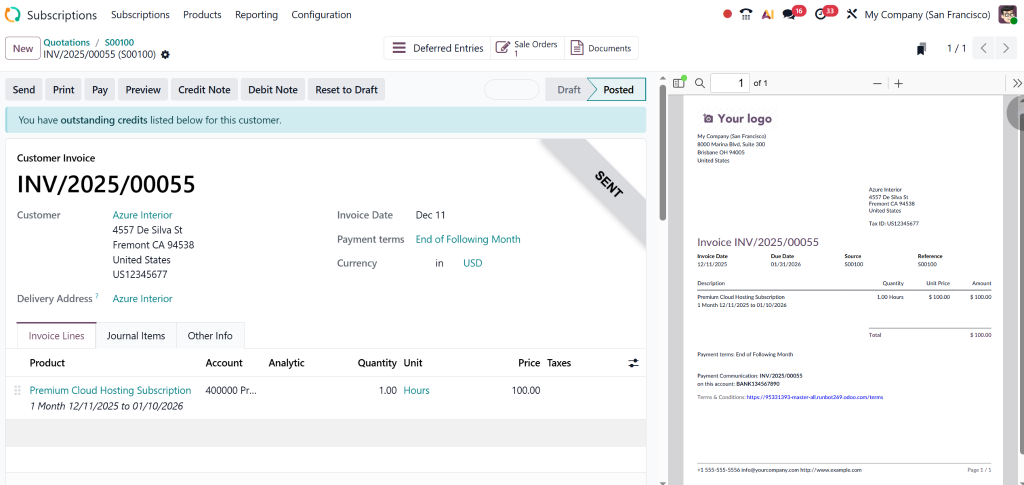
Enter product name (e.g., “Premium Cloud Hosting Subscription”)
Set Product Type → Service
Save the product
This is how you officially create a subscription product in Odoo.
Step 4 – Creating a Subscription Order
With your product ready, it’s time to create a subscription sale.
Steps:
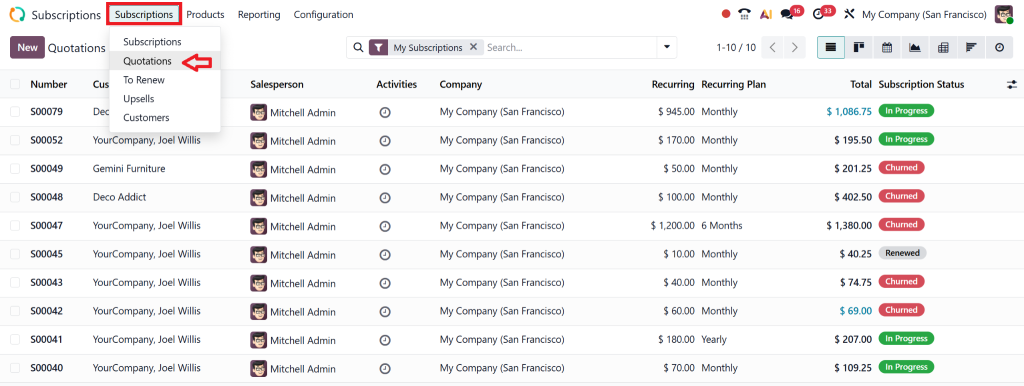
Go to Sales → Create Quotation or from within the subscription module, go to subscription → Quotation.
Add the Odoo subscription product.
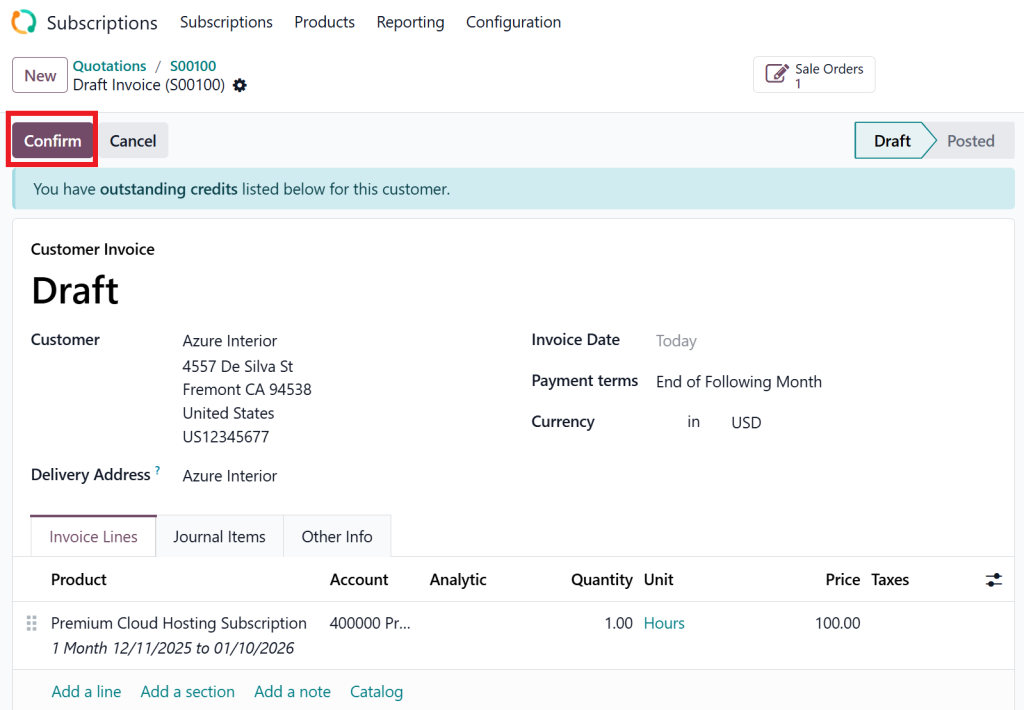
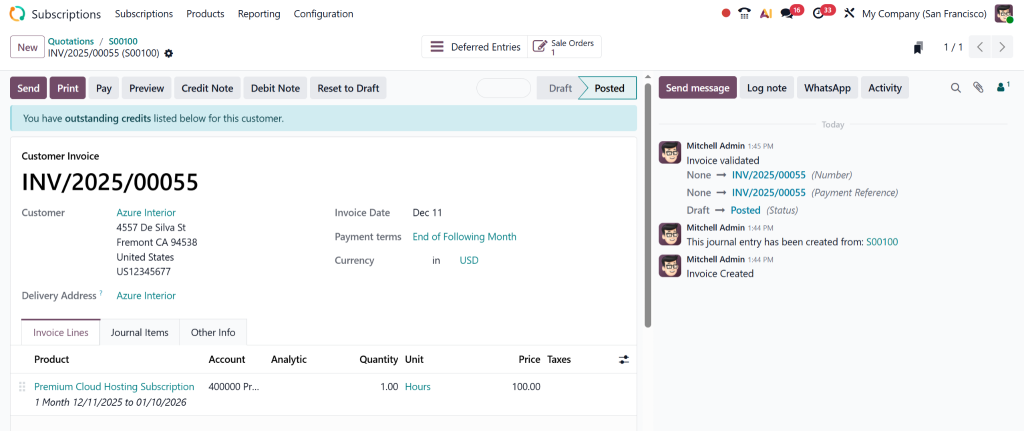
Create an Invoice and confirm the quotation.
The system automatically generates a Subscription Invoice.
This automation is what makes Odoo 19 a powerful subscription management tool.
Step 5 – Automated Odoo Recurring Billing Setup
Once the subscription is active, Odoo begins its recurring billing cycle.
Odoo automates:
Invoice generation
Payment collection (if payment gateway is active)
Customer reminders
Renewal or cancellation workflows
Payment follow-ups
Billing can be set to either:
Prepaid (invoice at start of cycle)
Postpaid (invoice after service period)
Odoo handles all billing cycles accurately, monthly, quarterly, or yearly.
Best Practices to Configure Subscription Product Odoo 19 Like a Pro
To get maximum value out of the Subscription Product in Odoo 19, follow these expert recommendations:
✔ Use Multiple Subscription Templates
Create plans for different user levels: Basic, Standard, Premium.
✔ Automate Renewal Emails
This increases renewal rates by 30–40%.
✔ Use Flexible Billing Cycles
Offer monthly, quarterly, and annual pricing to attract diverse customer segments.
✔ Activate Customer Portal
Customers appreciate transparency and easy access to payment history.
✔ Enable Payment Acquirers
Stripe, PayPal, and Razorpay enable automated payments for improved cash flow.
✔ Set Up Analytics Dashboard
Monitor:
Churn rate
MRR (Monthly Recurring Revenue)
New subscriptions
Cancellations
Common Challenges and How to Avoid Them
Even though Odoo 19 is powerful, you must avoid a few common mistakes:
Wrong Subscription Template Selection
Always double-check the template assigned to the product.
Forgetting to Set the Recurring Period
Without this, billing will not trigger.
Manual Renewal Management
Let Odoo automate renewal tasks to avoid human errors.
No Payment Gateway Integration
Automated payment collection avoids delays and failed renewals.
Following this guide ensures your subscription workflow runs smoothly and efficiently.
Why Choose Netilligence for Odoo 19 Subscription Setup?
Netilligence is an Odoo Gold Partner with years of experience implementing subscription-based solutions. We don’t just configure Odoo, we customise it to your business needs.
What you get with Netilligence:
Expert Odoo 19 subscription module setup
Fully automated recurring billing system
Custom subscription templates and pricing structures
Integration with Accounting, CRM, Website, and Payment Gateways
End-to-end onboarding, maintenance, and support
Affordable service packages for all business sizes
Our team ensures your subscription business runs on autopilot with accurate billing, happy customers, and predictable revenue.
Subscription Product in Odoo 19 Today
The Subscription Product in Odoo 19 is one of the most valuable tools for modern businesses. Whether you run SaaS, services, maintenance, or membership-based operations, Odoo 19’s subscription engine can transform your revenue model.
By following this guide, you can:
Create subscription templates
Configure recurring billing
Build automated revenue streams
Manage subscription lifecycles
Enhance customer satisfaction
If you want professional assistance or want to implement subscription features perfectly, Netilligence is here to help.
Hi, I'm Nabia, an Odoo ERP functional & technical content writer. I specialize in blogs, social media content, ad copy, landing pages, service pages, and email campaigns.
We use cookies to ensure that we give you the best experience on our website. If you continue to use this site we will assume that you are happy with it.