In today’s dynamic business environment, organizations often manage multiple companies under one umbrella. This necessitates a robust system that can streamline operations across various entities. Odoo 18 multi-company setup provides an efficient solution for businesses looking to manage multiple companies seamlessly. With Odoo 18 multi-company management, you can centralize your operations, enhance collaboration, and maintain better control over your financials. This comprehensive guide will walk you through the multi-company management in Odoo 18, Odoo 18 multi-company configuration, highlighting its essential features, benefits, and step-by-step instructions for a successful setup.
Understanding Multi-Company Management in Odoo 18
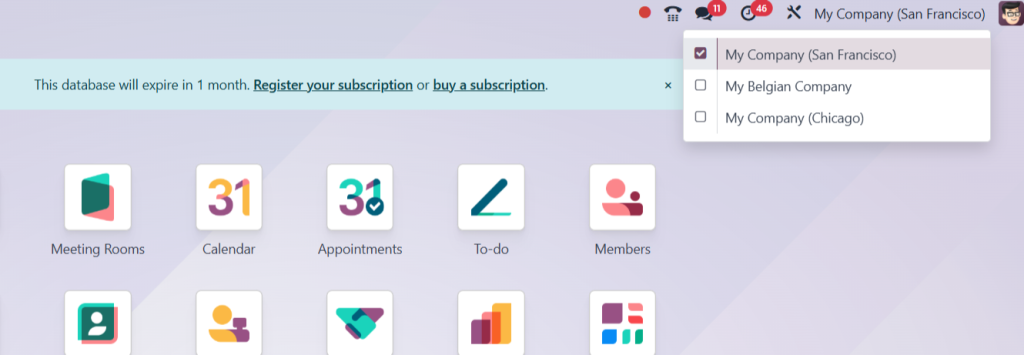
Odoo 18 multi-company management is designed to facilitate the administration of multiple businesses from a single Odoo instance. This feature allows users to manage different companies with distinct databases while sharing common resources. The benefits of Odoo 18 multi-company management include:
Centralized Control: Manage all companies from one dashboard, simplifying oversight and decision-making.
Shared Resources: Utilize shared resources such as products, customers, and suppliers across multiple companies.
Financial Management: Streamline financial reporting and analysis for all companies, allowing for better budget management and forecasting.
User Access Control: Set specific permissions for users based on their roles in different companies, enhancing security and operational efficiency.
Key Features of Odoo 18 Multi-Company Setup
Odoo 18 multi-company features are designed to enhance operational efficiency. Some notable features include:
Inter-Company Transactions
Odoo 18 allows for seamless inter-company transactions, enabling businesses to manage sales and purchases between their subsidiaries effortlessly.
Consolidated Reporting
Generate consolidated financial reports across all companies, providing a comprehensive view of your organization’s performance.
User Role Management
Assign users specific roles and permissions, ensuring they have access only to the relevant company data.
Inventory Management
Manage inventory across multiple companies, with the ability to track stock levels and movements in real time.
Customizable Workflows
Tailor workflows to meet each company’s unique needs while maintaining a unified platform.
Step-by-Step Guide to Odoo 18 Multi-Company Configuration
Setting up Odoo 18 multi-company management requires careful planning and execution. Follow these steps to ensure a successful configuration.
Step 1: Enable Multi-Company Feature
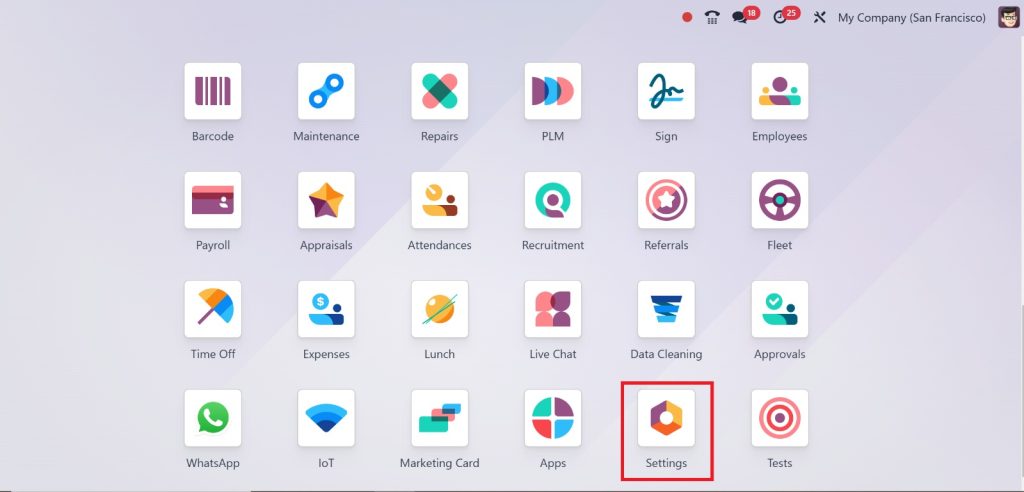
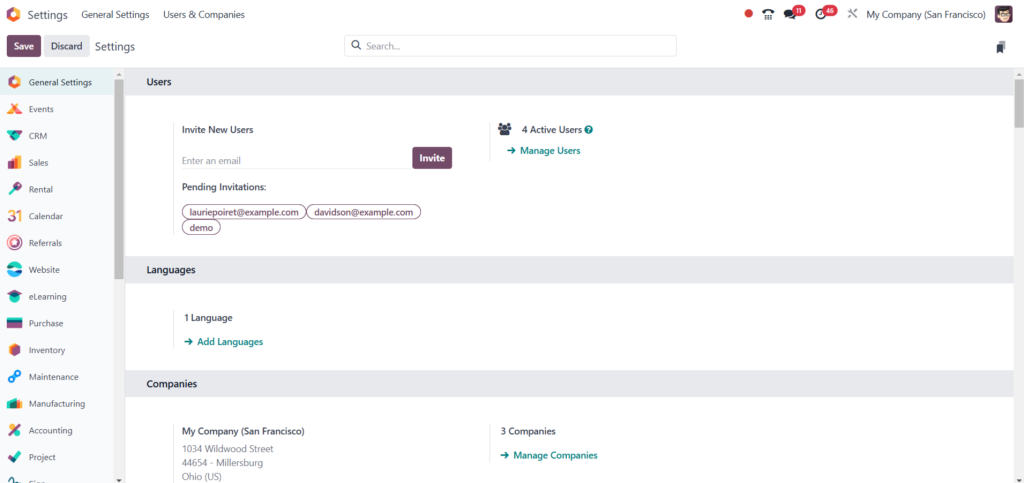
Access Settings: Log in to your Odoo instance and navigate to the Settings module.
Activate Multi-Company: Under the Users & Companies section, locate the Multi-Company option and enable it.
Step 2: Create Companies
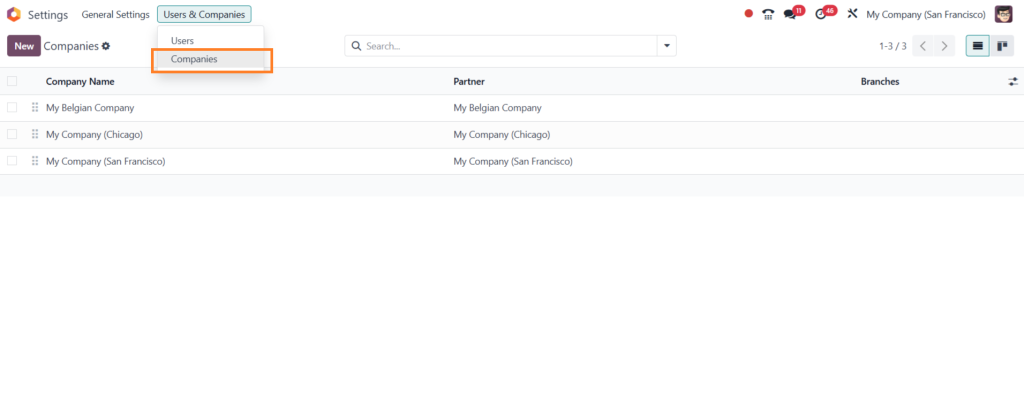
Navigate to Companies: In the Settings module, go to Users & Companies and select Companies.
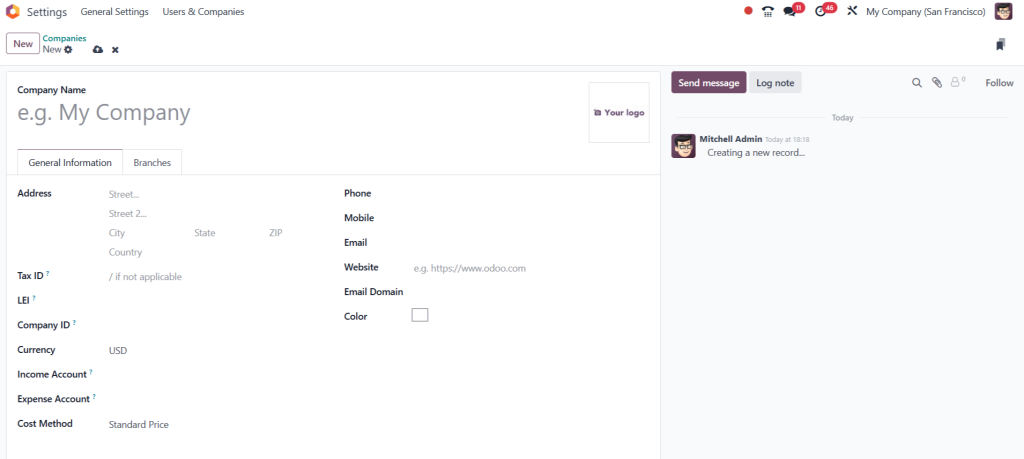
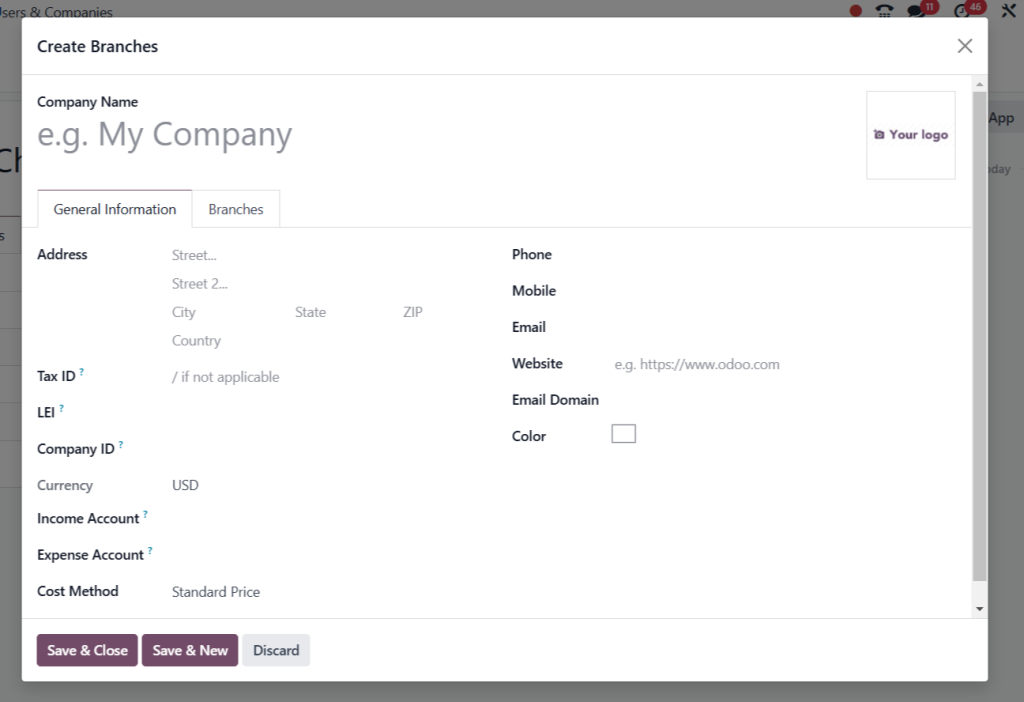
Add New Company: Click on the Create button to add a new company.
Fill in the necessary details, including the company name, address, and contact information.
Step 3: Configure Users
User Management: In the Users section, select the users you want to assign to specific companies.
Set Permissions: Define user access rights for each company, ensuring they have the appropriate permissions to perform their tasks.
Step 4: Set Up Inter-Company Transactions
Configure Products: Ensure products are set up to allow inter-company sales and purchases.
Create Invoicing Rules: Define invoicing rules for company transactions to streamline the billing process.
Step 5: Testing and Validation
Conduct Tests: Before going live, conduct tests to ensure all configurations work as intended.
Validate Reports: Check consolidated reports to confirm that data is accurately reflected across all companies.
Odoo 18 Multi-Company Support
Odoo 18’s robust multi-company support provides users with the resources to troubleshoot issues and optimize their configurations. The Odoo community and official documentation offer extensive guidance, including forums where users can share experiences and solutions. Additionally, Odoo partners provide professional support for businesses requiring tailored solutions.
Odoo 18 multi-company setup offers businesses a powerful tool
Managing multiple entities efficiently and following the steps outlined in this guide, organizations can leverage the robust features of Odoo 18 multi-company management to streamline operations, enhance collaboration, and maintain control over their financials. With the right configuration, businesses can unlock the full potential of their multi-company structure.
Hi, I'm Ilsa Shabbir, an Odoo ERP content writer specializing in functional blogs on Odoo modules. I simplify complex Odoo features, creating clear and engaging content to help businesses understand and optimize their ERP solutions.
We use cookies to ensure that we give you the best experience on our website. If you continue to use this site we will assume that you are happy with it.