How to Set Up Payment Terms and Schedules in Odoo 18 Accounting?
Making Payment Management Easy with Odoo 18
If you’re in business, you know how challenging managing payment terms and schedules can be. Whether ensuring timely payments from customers or organising your payments to vendors, a well-organized system can make or break your cash flow. That’s where payment terms & schedules in Odoo 18 Accounting came to help!
Odoo 18 is designed to simplify accounting processes, giving you the tools to handle customer and vendor payments smoothly. But if you’re new to Odoo, setting up payment terms and schedules might feel overwhelming. Don’t worry – Netilligence has got your back! In this blog, we’ll break down the process so you’ll know exactly how to configure Odoo 18 payment terms setup, schedule payments, and more.
Ready to make your payment management stressless? Let’s read!
What Are Payment Terms and Why Are They Important?
Before getting into the setup, let’s discuss why payment terms matter. Payment terms dictate the conditions under which a sale is made, including the time frame the customer must pay. For example, you might offer your customers “Net 40” terms, which means they have forty days to pay their invoice.
Having clear payment terms and schedules ensures:
Better Cash Flow Management:
You know exactly when to expect payments and when to pay vendors.
Improved Relationships:
Clear terms reduce confusion and disputes with customers or vendors.
Business Credibility:
Organized payment processes signal professionalism.
With Odoo Accounting, you can set up customised payment terms to match your business needs – whether for a one-time payment, instalment plan, or deferred revenue.
Odoo 18 payment terms setup: Step-by-Step Guide
Let’s set up payment terms & schedules in Odoo 18 Accounting
1. Accessing Payment Terms in Odoo 18
The first step is finding where to set up payment terms. Here’s how:
Log in to your Odoo account.
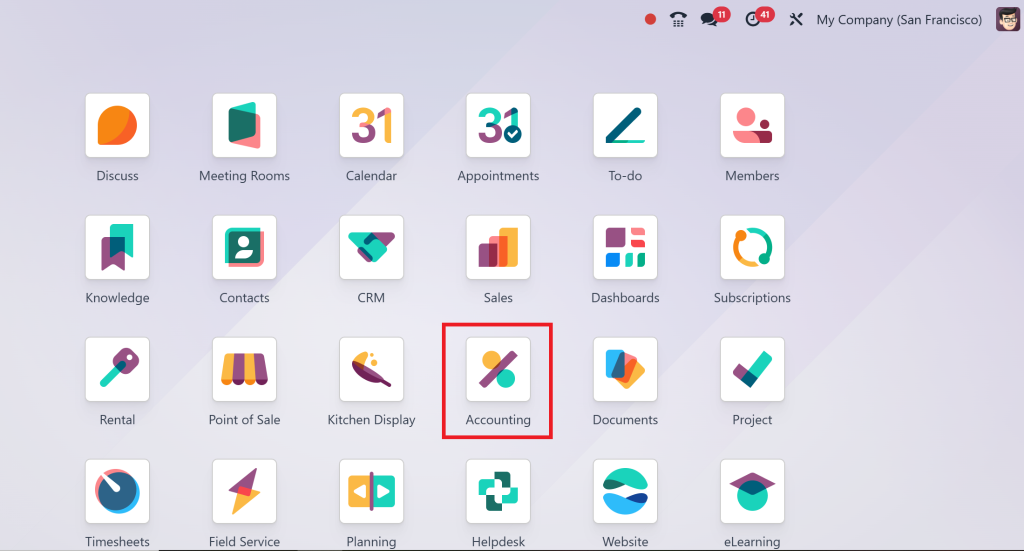
Go to the Accounting Module.
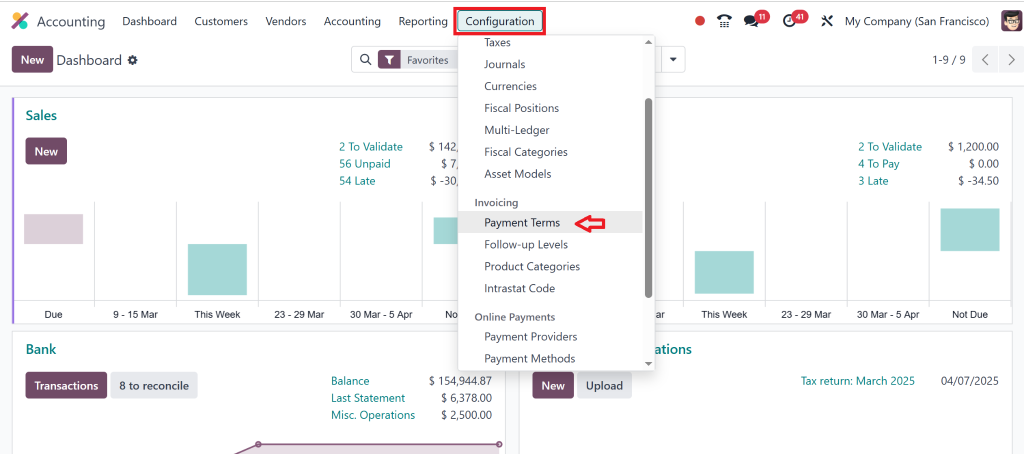
Under the Configuration menu, click ‘Payment Terms’.
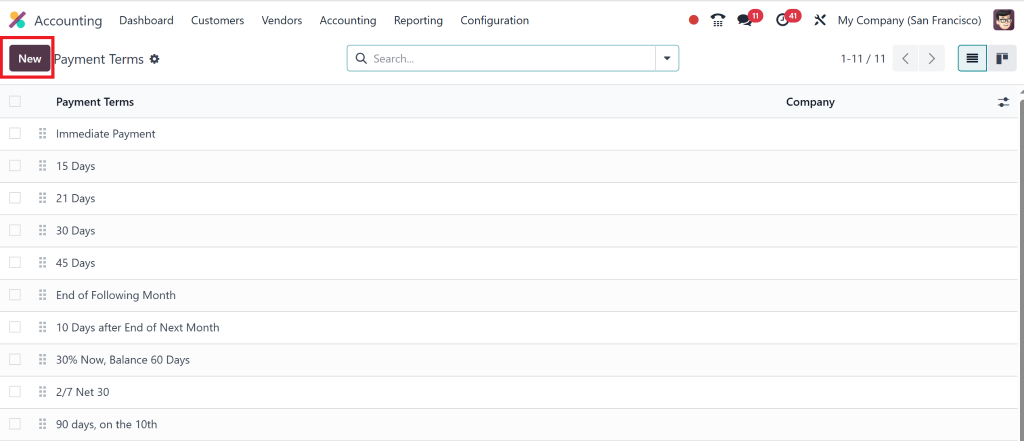
Here, you’ll see a row or a list of existing payment terms & conditions or an option to create new ones.
2. Create a New Payment Term
Click on “New” to define a new payment term.
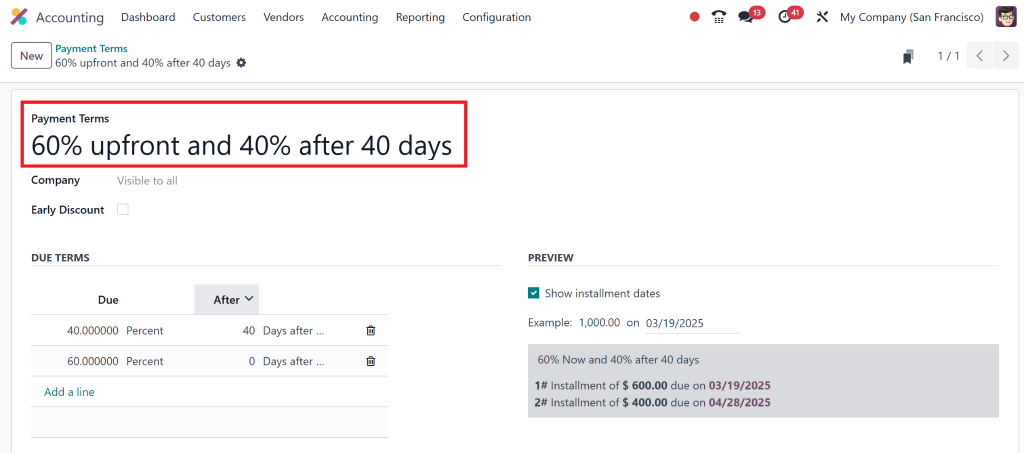
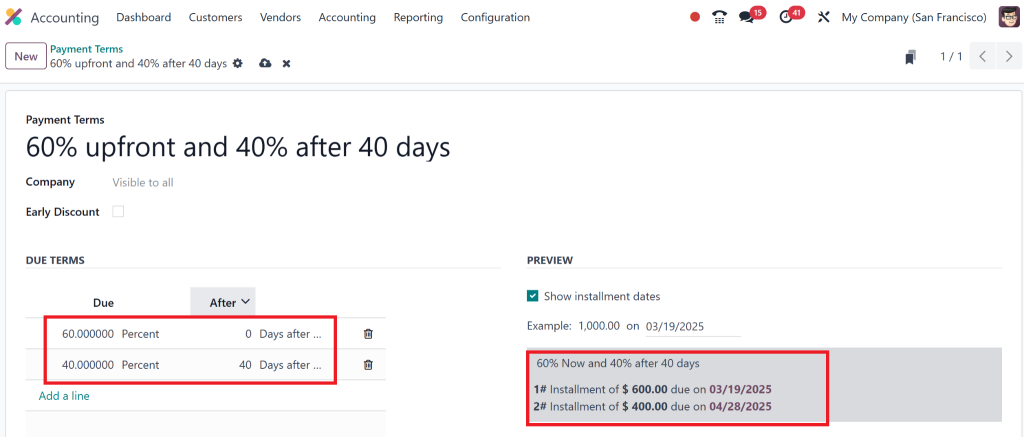
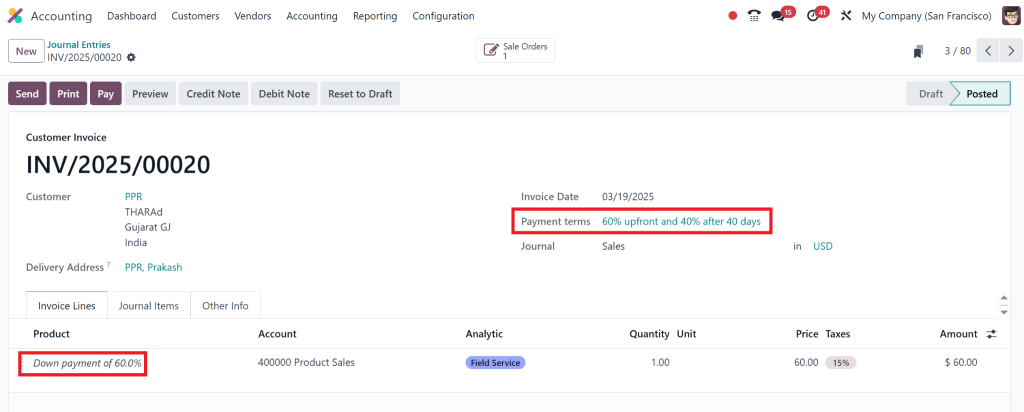
Here, you can customise the terms to suit your business needs. For example, you can easily set up “60% upfront and 40% after 40 days. “
Fill in the following fields:
Name: A clear, concise title for the payment term (e.g., “60-40 Payment Plan”).
Terms: Specify the percentage or amount due at each stage and the due dates.
Pro Tip:
Use Odoo Eighteen flexibility to create complex schedules like deferred payments or multi-installment.
Payment schedules are about timing – when payments are due and in what intervals. That is especially useful if you’re offering installment plans to customers.
Here’s how to configure Odoo 18 payment schedules:
Under the Payment Terms setup, break down the payment amounts and deadlines.
Add as many milestones as needed, like:
60% on order confirmation.
40% after 45 days.
Save the payment schedule.
With this setup, invoices will automatically reflect the payment stages, making it easy for customers and your accounting team to stay on track.
Managing Odoo 18 Customer Payment Terms
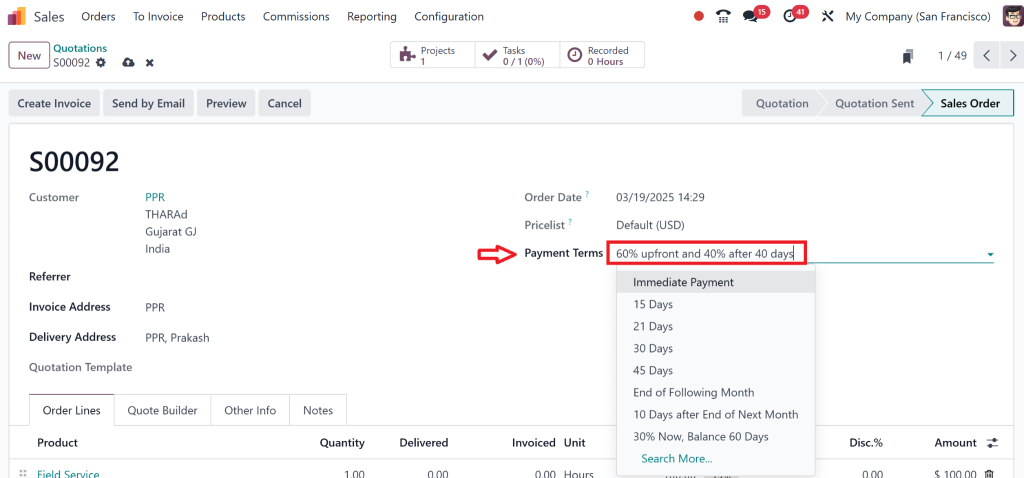
Customer payment terms are vital for managing incoming cash flow. To configure Odoo 18 customer payment terms, follow these steps:
Go to the Sales Module and open a customer profile.
Under the Invoicing tab, assign the desired payment term.
For instance, if you offer a deferred payment option to a specific client, you can customise their terms without affecting others.
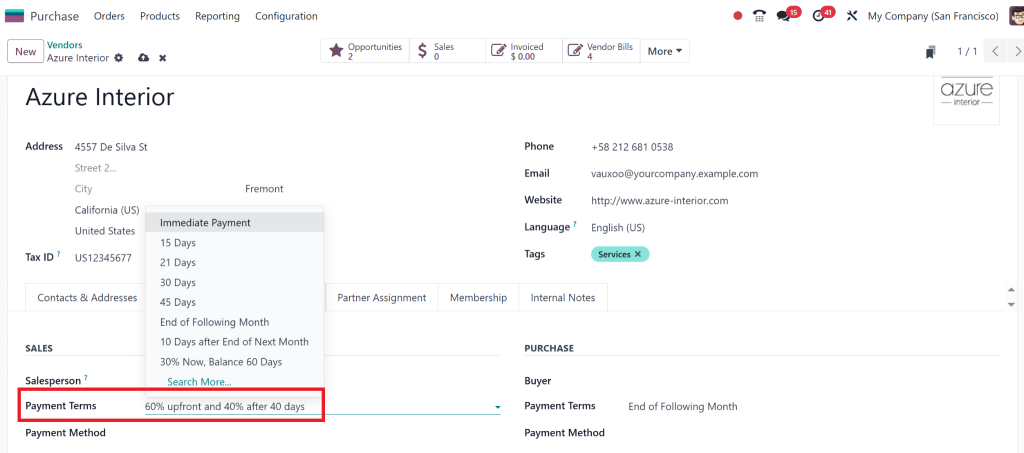
In Odoo 18, you can define vendor payment terms, such as managing customers. That ensures you meet your obligations while maintaining a healthy and accurate cash flow.
Here’s how:
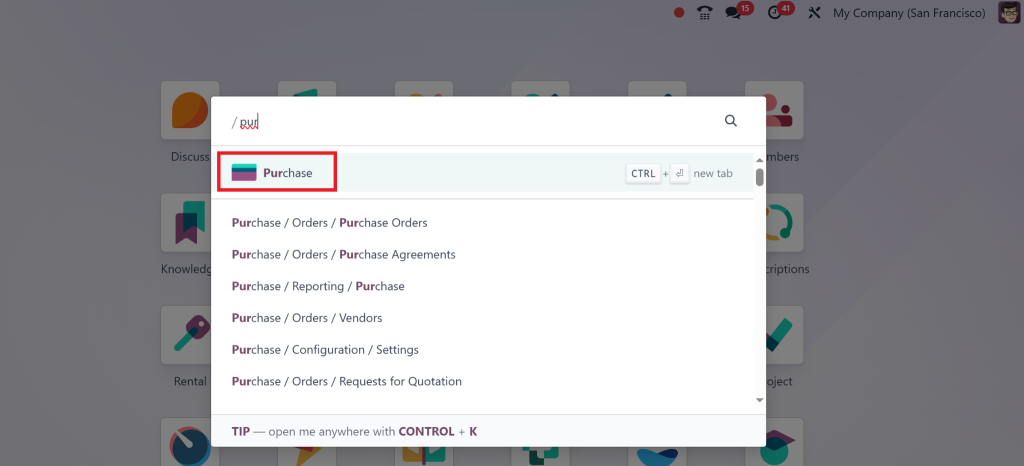
Open the Purchase Module from the dashboard.
Select a vendor and steer to their profile.
Under the payment terms, schedules for bills and invoices should be set up.
This feature is handy if you work with multiple vendors with different payment expectations.
Handling Odoo 18 Installment Payments
Installments are a fantastic way to attract customers while keeping your cash flow on track. In Odoo 18, setting up installment payments is as simple as customising the payment terms.
Use the “Terms” section to divide the total payment into equal or varied installments. For example:
First installment: 25% on purchase.
Second installment: 25% after 15 days of purchase.
Final installment: 50% after 30 days.
Once saved, these terms will automatically appear in the customer’s invoice, and reminders for due payments can be scheduled.
Odoo 18 deferred revenue setup
Managing deferred revenue setup may seem complex, but Odoo 18 is very easy and straightforward to manage. Deferred revenue is the money you receive in advance for the products or services that you will render at a later time. This could be subscriptions or prepaid services for example.
Here’s how to configure Odoo 18 deferred revenue setup:
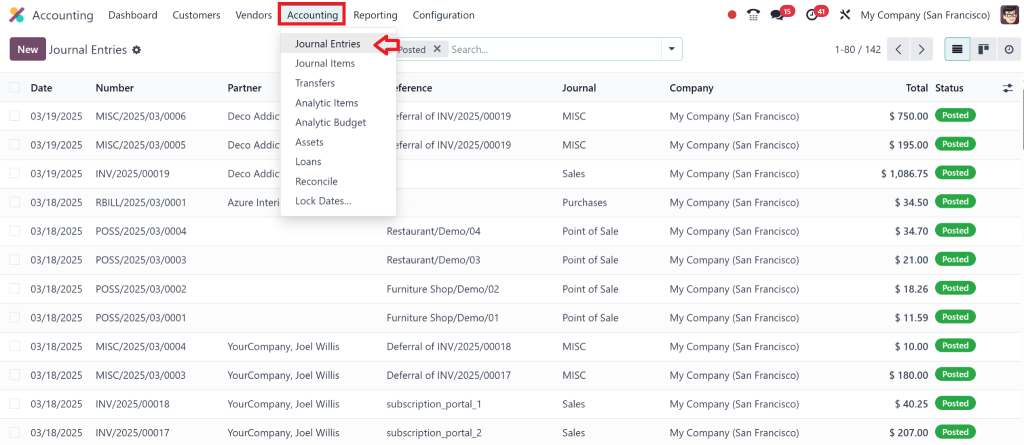
Move to the Accounting Module and open Journal Entries.
Choose the account of Deferred Revenue.
Set up revenue recognition rules to automate the process.
This feature ensures your books remain accurate and compliant with accounting standards.
Why Choose Odoo 18 for Payment Terms & Schedules?
At this stage, why Odoo? Here’s what makes it different:
Flexible: Customization options for customer and vendor terms.
Automation: Automated reminders and invoice updates save time.
Accuracy: Keeps your books clean from errors, complete and accurate.
Integration: Works smoothly with other Odoo modules like HR, Sales, Purchase, and Inventory.
When you set up payment terms and schedules in Odoo 18 Accounting, you facilitate processes and entrust your business with efficient scaling.
Take Control of Your Odoo 18 Accounting Payment Terms
Odoo 18 Accounting makes setting payment terms and schedules quick and simple, from installment payments to deferred revenue streams – everything you need for efficient cash management!
Are you ready to advance your accounting work? Netilligence, an Odoo Partner, offers expert implementation, customisation and support of Odoo. Our team can set up your payment terms and schedules so you can focus on growing your business without worry about finances.
Get in touch now, and let’s make payment management effortless!
Hi, I'm Nabia, an Odoo ERP functional & technical content writer. I specialize in blogs, social media content, ad copy, landing pages, service pages, and email campaigns.
We use cookies to ensure that we give you the best experience on our website. If you continue to use this site we will assume that you are happy with it.