

Why the Front Desk in Odoo 19 Feels Like a Relief for Busy Offices
If you manage an office, a clinic, a school, or even a growing company, you already know how stressful the front desk can be. Visitors arrive, phones ring, employees ask questions, and somehow everything lands on one desk. This is exactly where the front desk in Odoo 19 starts making sense.
The front-desk in Odoo 19 is designed for real office situations. Not theory, not complex setups, just a practical way to manage visitors without confusion. Many offices still depend on paper registers or Excel sheets, and honestly, that creates delays, mistakes, and awkward moments for visitors. With the frontdesk in Odoo 19, visitor handling becomes clear, organized, and easy to follow.
If your reception team struggles with visitor tracking, late notifications, or repeated questions like “Who are you here to meet?”, then this overview of the frontdesk in Odoo 19 is written for you. I’ll walk you through how this system actually helps, and how it quietly solves everyday front desk problems.
Understanding the Odoo 19 Front Desk Module in Daily Office Life
The Odoo 19 front desk module is built for offices that want structure without complications. It replaces messy registers with a digital system that accurately records every visitor entry. When someone enters your office, their details are captured once, correctly, and stored safely.
What I really like about the Odoo 19 front desk module is that it doesn’t force receptionists to learn something complex. The screen is clean, the steps are simple, and everything flows naturally. Whether you have five visitors a day or fifty, the system handles both without slowing anyone down.
This module runs quietly in the background, helping reception staff focus on welcoming visitors rather than fixing errors or chasing employees.
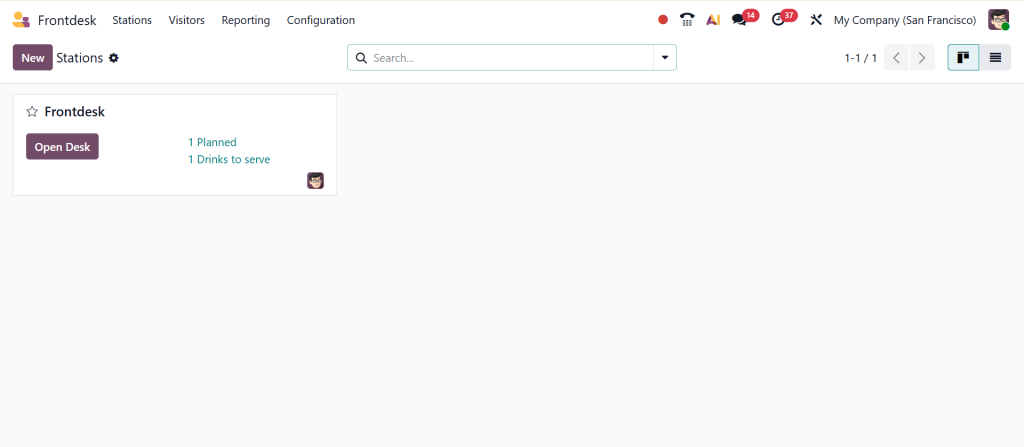
How Odoo Frontdesk Visitor Management Reduces Daily Confusion
With Odoo Frontdesk Visitor Management, visitor handling becomes more predictable. No more guessing who is inside the building or flipping pages to check visit history. Every visitor record is stored correctly, with time, purpose, and host details.
Suppose a visitor arrives and says, “I came yesterday as well.” Instead of searching old papers, reception staff can find the record in seconds. That’s what Odoo Frontdesk Visitor Management brings to daily operations. It reduces repeated questions, avoids misunderstandings, and helps offices stay organized even on busy days.
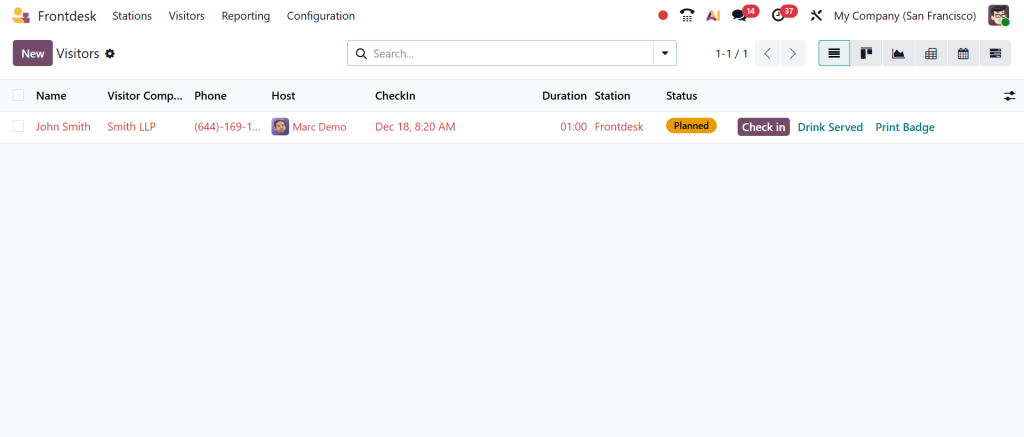
Visitor Check-In System Odoo and the End of Long Waiting Times
Waiting at reception makes visitors uncomfortable. The visitor check-in system Odoo reduces this waiting time by keeping the process short and precise. Visitors enter their details, select whom they’re meeting, and that’s it.
The Odoo visitor check-in system ensures the receptionist doesn’t need to manually call employees repeatedly. Once the visitor checks in, the system automatically notifies the right person. This keeps things moving and helps visitors feel acknowledged instead of ignored.
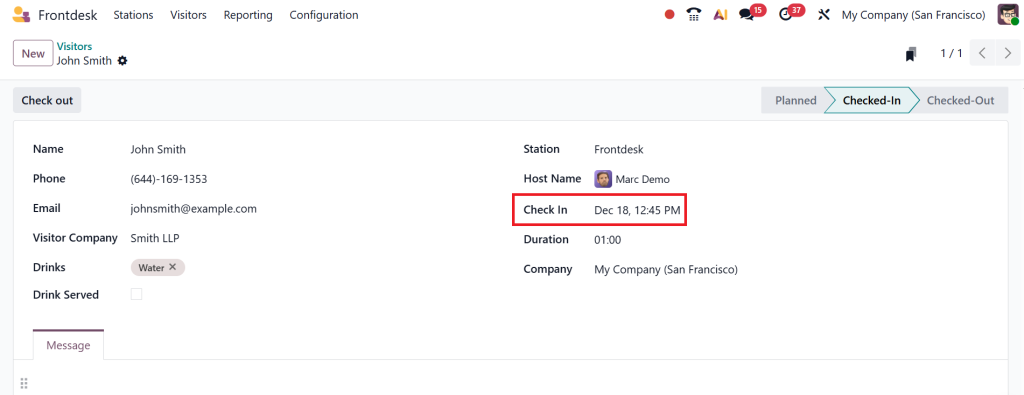
Odoo 19 Reception Management That Supports Reception Staff
Reception desks often carry more pressure than people realize. The Odoo 19 reception management setup provides reception staff with visibility and control. They can see who is inside, who is waiting, and who has already left.
With Odoo 19 reception management, there’s no panic during peak hours. Everything is visible on the screen, and the receptionist doesn’t feel rushed or lost. This leads to calmer interactions and a better visitor experience without extra effort.
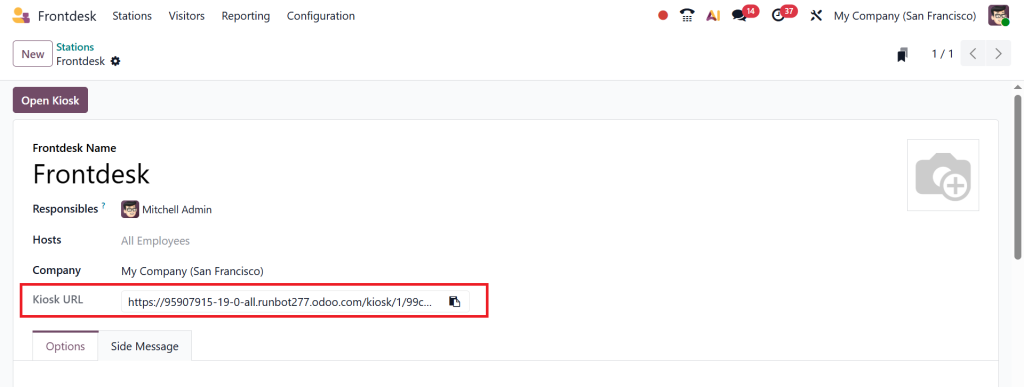
Odoo Front Desk Kiosk for Self Check-In Without Confusion
The Odoo front desk kiosk is helpful when reception desks get crowded. Visitors can walk in and check in at a screen at the entrance. They don’t need to ask where to go or whom to talk to.
The Odoo front desk kiosk keeps things simple. Visitors follow on-screen steps, enter their details, and wait comfortably. This reduces pressure on reception staff and avoids lines at the desk, especially during meetings or events.
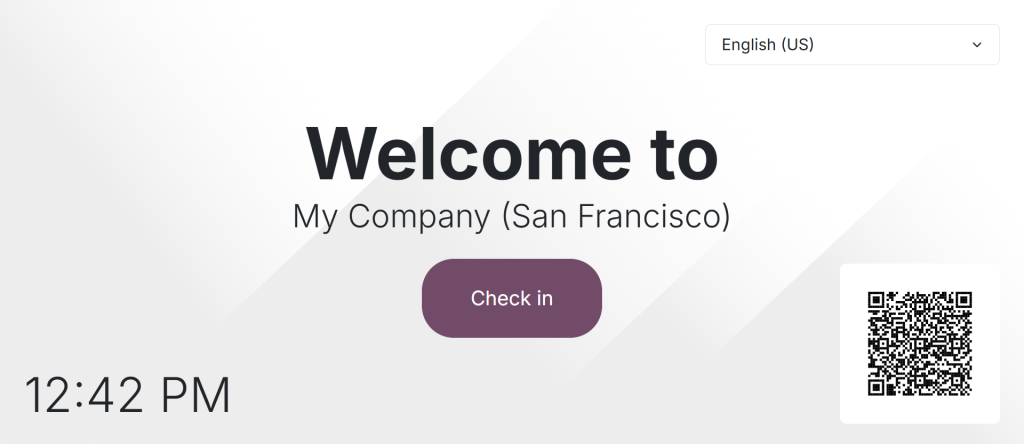
Odoo Visitor Self Check-In QR for Contactless Entry
Some visitors prefer using their own phones rather than shared screens. The Odoo visitor self-check-in QR option supports that habit. Visitors scan a QR code and complete their check-in without touching any device.
The Odoo visitor self-check-in QR feature works well for offices that handle regular guests or scheduled visits. It saves time, avoids crowding, and feels natural for visitors who are already used to scanning codes everywhere.
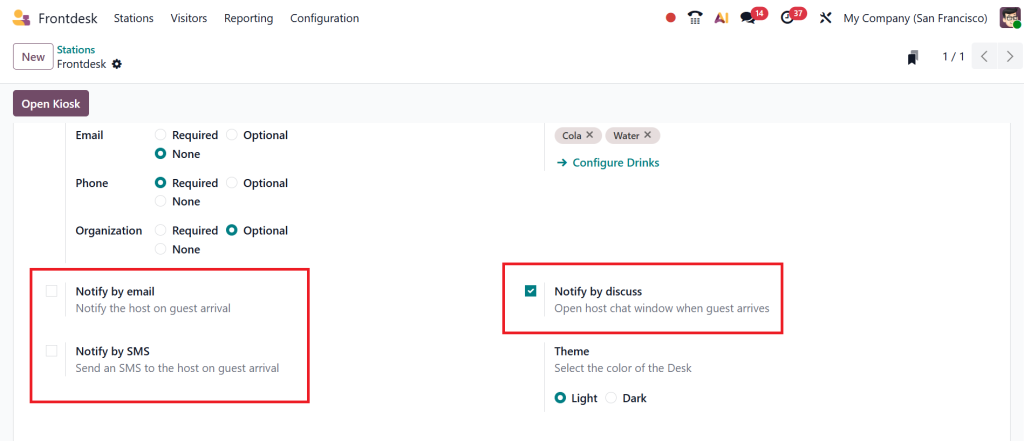
Odoo Front Desk Notifications That Keep Employees Informed
One of the biggest reception complaints is delayed communication. With Odoo front desk notifications, employees are informed as soon as their visitor arrives. No more repeated calls or awkward waiting.
The Odoo front desk notifications system sends alerts directly to the concerned person. This helps employees respond on time and shows visitors that their arrival matters. Small things like this leave a strong impression.
How Front Desk in Odoo 19 Improves Office Discipline
The front desk in Odoo 19 naturally brings discipline into visitor handling. Every entry is logged, every exit is recorded, and nothing is forgotten. Offices become more aware of who enters and leaves the premises.
This level of tracking through the frontdesk in Odoo 19 is helpful for safety, audits, and internal reviews. It removes guesswork and gives management clear records without extra effort.
Front Desk in Odoo 19 for Different Types of Businesses
The frontdesk in Odoo 19 works well for many industries. Corporate offices use it for meetings, clinics use it for patient visits, schools use it for parents and guests, and factories use it for vendor entry.
Because the Odoo 19 front desk module is flexible, it adjusts to different working styles without forcing significant changes. Businesses don’t need to change how they work; the system fits into their routine.
Why This Overview of Front Desk in Odoo 19 Matters for You
If you’ve ever felt that your reception area is disorganized, stressful, or outdated, this overview of the front-desk in Odoo 19 provides clear direction. It’s not about adding complexity. It’s about removing minor daily problems that slow everyone down.
The frontdesk in Odoo 19 quietly supports reception staff, respects visitors’ time, and keeps employees informed. It doesn’t demand extra effort; it reduces it.
Why Front Desk in Odoo 19 Makes Daily Office Visits Easier
The frontdesk in Odoo 19 fits into real office life where things move fast, and mistakes at reception create unnecessary stress. When visitor entries, employee notifications, and check-ins are adequately handled, everyone feels more relaxed, from the receptionist to the guest waiting in the lobby.
With the Odoo 19 front desk module in place, offices no longer depend on memory or manual notes. Odoo front desk visitor management keeps records clear; the visitor check-in system reduces waiting time; and Odoo front desk notifications ensure no visitor is ignored. Features such as the Odoo front desk kiosk and Odoo visitor self-check-in QR codes further reduce pressure during busy hours.
If your workplace still struggles with delayed notifications, crowded reception desks, or missing visitor records, now is the right time to rethink how your front desk works.
Connect with Netilligence today and see how the frontdesk in Odoo 19 can be set up to match your daily office needs without confusion or disruption.




