


Revealing the Secrets of Odoo Inventory Operations
Let’s get real; managing inventory can be a chaotic mess if you’re not armed with the right tools. Picture this: you’re running around your warehouse like a headless chicken, trying to figure out where that one missing box of products vanished. Sounds familiar? Or maybe you’re stuck wondering if your delivery guy sent the correct order to the right customer (spoiler: probably not).
But what if I told you there’s a tool out there that can make inventory management so smooth it’ll feel like magic? Yes, I’m talking about Odoo Inventory, the ultimate cheat code for taming the wild beast that is your stockroom!
Now, here’s the kicker: Odoo isn’t just about tracking products. Oh no, my friend. It’s about mastering the art of inventory operations. We’re diving into the types of operations available in Odoo Inventory, from transfers that feel like a walk in the park to mind-blowing advanced tricks like cross-docking and drop shipping.
Curious yet? Good, because this article is packed with juicy details on how Odoo handles everything from receipts to backorders like an absolute pro. Trust me, you’ll never look at inventory the same way again. Ready to crack the code and become the inventory operations ninja you were born to be? Let’s go!
Overview of Odoo Inventory Module
Managing inventory effectively is crucial for any business to thrive in today’s competitive landscape. One powerful tool designed to make this process seamless is the Odoo Inventory module. Known for its flexibility and automation capabilities, Odoo simplifies inventory management by offering a wide range of features and tools.
Among its key functionalities is managing different operations in Odoo Inventory, which cater to various aspects of supply chain and warehouse management. Whether you’re handling receipts, deliveries, internal transfers, or advanced processes like cross-docking, Odoo has you covered.
In this article, we will explore the types of operations available in Odoo Inventory and how these operations can streamline workflows and improve efficiency. From inventory transfer operations in Odoo to advanced functionalities like drop shipping, we will cover everything you need to know.
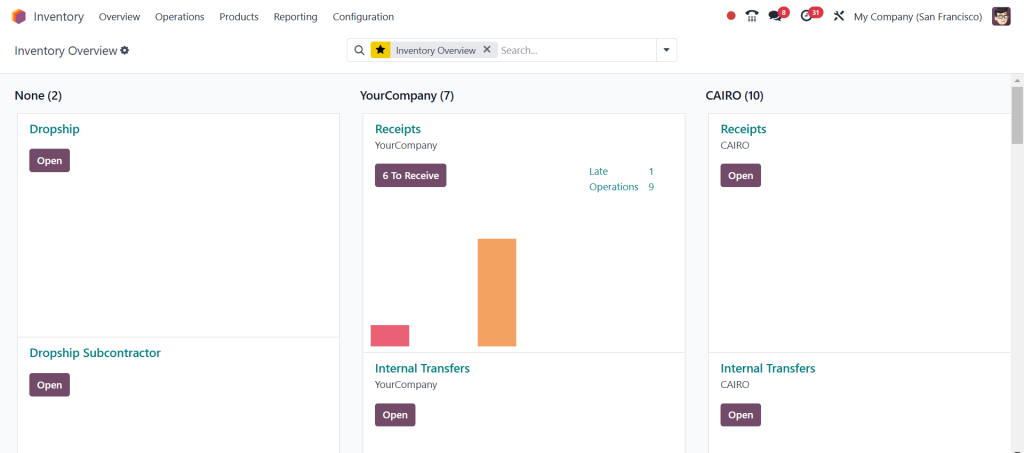
Types of Operations Available in Odoo Inventory
The Odoo Inventory module is like the Swiss Army knife of warehouse management; it’s versatile, powerful, and covers all the bases. At the heart of its functionality lies its operations, which make managing inventory efficient and downright enjoyable. Below, we’ll explore the types of operations available in Odoo Inventory and how they can supercharge your supply chain.
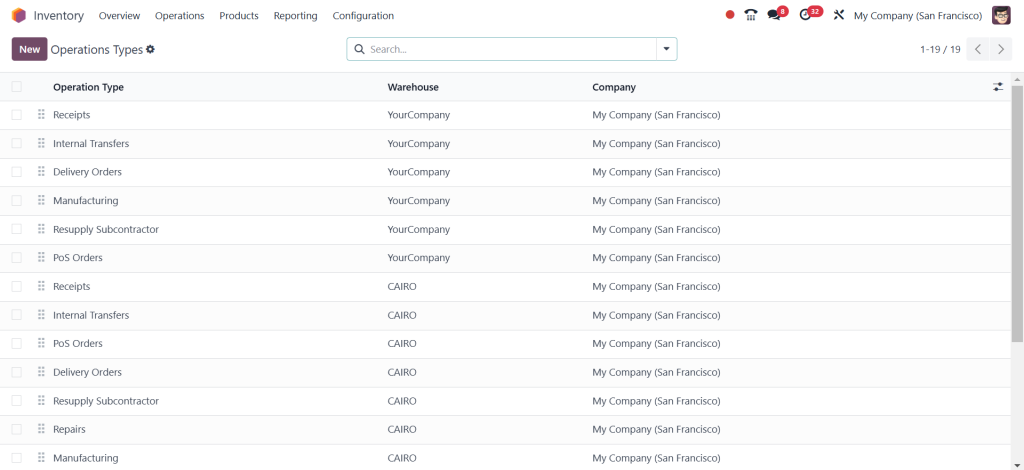
What Are Inventory Operations in Odoo?
Inventory operations in Odoo refer to the actions and processes to manage stock movement within a business. These include receiving goods from vendors, transferring items between warehouses, shipping products to customers, and more. Efficient operations ensure that your supply chain remains smooth and disruption-free.
Odoo organizes these operations, allowing businesses to focus on growth rather than logistical bottlenecks. The robust Odoo inventory management features empower companies to automate processes, reduce errors, and improve accuracy.
Inventory Transfer Operations in Odoo
One of the core functionalities of the Odoo Inventory module is its ability to handle inventory transfer operations. These operations allow businesses to move products flawlessly between warehouses, locations, or stockrooms.
Types of Transfers in Odoo
Internal Transfers: Moving stock between different warehouse locations.
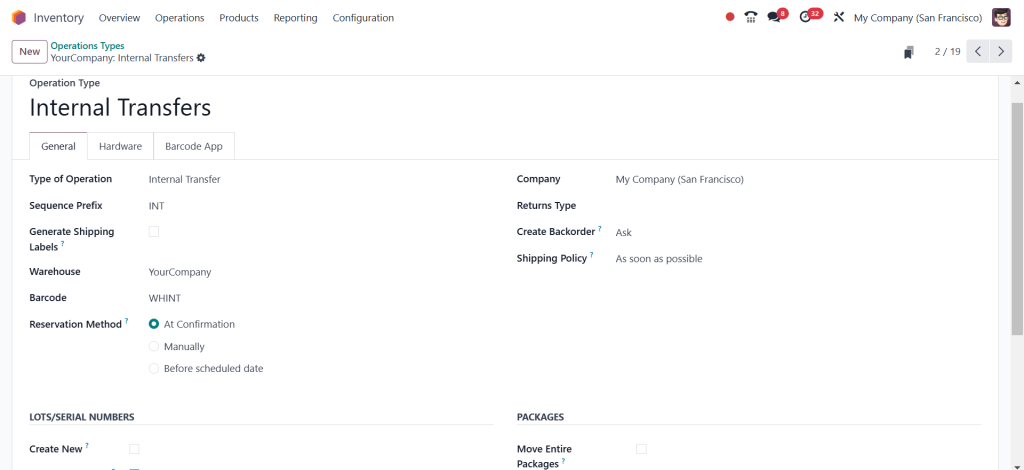
Incoming Transfers: Receiving stock from suppliers or vendors.
Outgoing Transfers: Shipping products to customers.
Odoo’s interface simplifies the transfer process, ensuring that all stock movements are accurately recorded and tracked.
Odoo Stock Picking and Operations
Stock picking is a critical aspect of managing warehouse operations. In Odoo, stock-picking operations involve selecting the right products for specific orders and ensuring they are delivered to the right place.
Features of Stock Picking Operations:
- Barcode-enabled picking for accuracy.
- Batch picking to handle multiple orders simultaneously.
- Real-time updates on stock availability and movement.
These features help businesses reduce errors and improve order fulfillment rates.
Receipts Management in Odoo Inventory
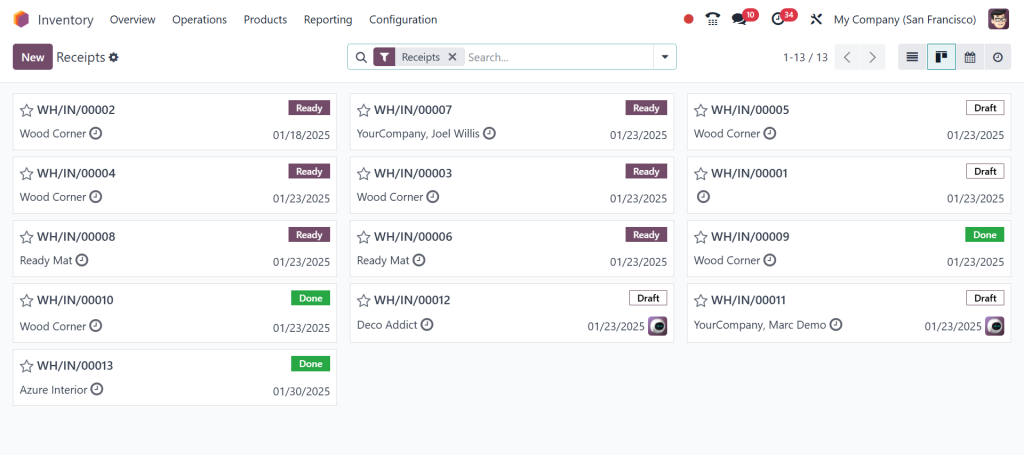
Efficiently managing incoming stock is essential to maintaining a well-organized inventory. Odoo provides tools to handle receipts effortlessly. Automated processes allow businesses to track vendor shipments, schedule deliveries, and update inventory levels in real-time.
Automating receipts ensures minimal manual intervention, reducing errors and saving valuable time.
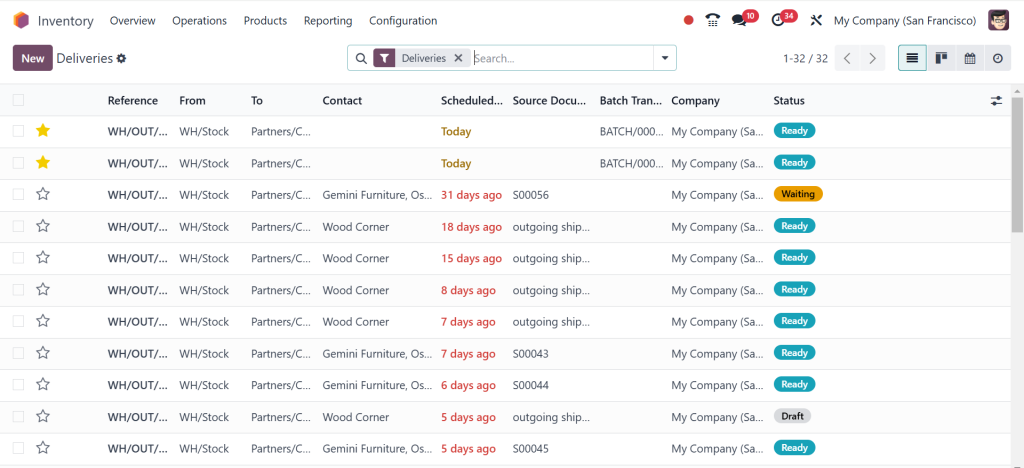
Delivery Orders Management
When shipping products to customers, Odoo excels in managing delivery orders. This operation involves picking, packing, and dispatching items to ensure timely deliveries.
Optimizing Delivery Operations in Odoo
- Integration with third-party shipping carriers.
- Automation of delivery schedules.
- Real-time tracking and status updates for customers.
By leveraging Odoo, businesses can create a smoother customer experience while optimizing their logistics processes.
Advanced Operations in Odoo Inventory
Internal Transfers Between Warehouses
Internal transfers are crucial for businesses with multiple warehouses or storage facilities. This operation allows the movement of products between different locations while maintaining an accurate record of stock levels.
Odoo simplifies this process by providing a straightforward interface for scheduling, tracking, and completing transfers.
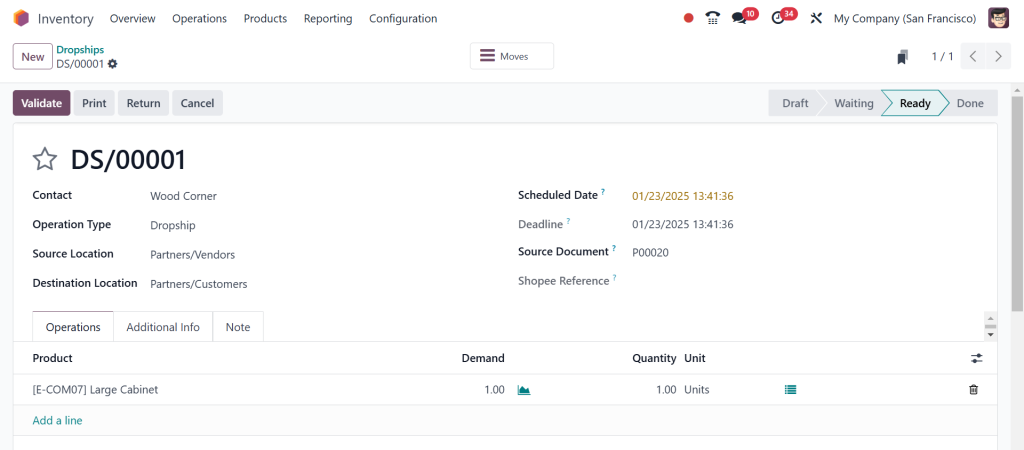
Dropshipping in Odoo
Drop shipping has become a popular fulfillment method for many businesses. In Odoo, this process involves routing customer orders directly to suppliers, who then ship products to the end customer.
The benefits of drop shipping in Odoo include reduced overhead costs, faster order processing, and streamlined supply chain management.
Cross-Docking Operations
Cross-docking is an advanced inventory operation that involves unloading incoming goods and directly loading them onto outbound vehicles with minimal storage time. This method is highly efficient and reduces storage costs.
Odoo supports cross-docking operations, ensuring businesses can manage inventory turnover efficiently while minimizing delays.
Backorders Management
Backorders occur when an order cannot be fulfilled due to insufficient stock. Odoo automates the handling of backorders, notifying businesses and customers about delays while ensuring that pending deliveries are prioritized as soon as stock becomes available.
Key Features Supporting Odoo Inventory Operations
Barcode Scanning and Automation
Odoo leverages barcode scanning technology to rationalize operations. Whether picking, packing, or receiving stock, barcodes reduce manual entry errors and speed up the process.
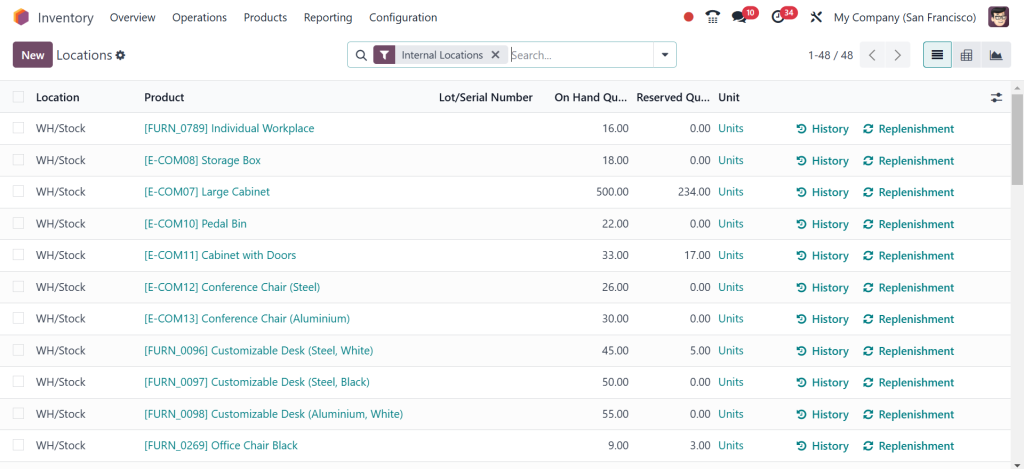
Batch Picking and Multi-Location Management
With Odoo, managing inventory across multiple locations is effortless. Features like batch picking further enhance efficiency by allowing businesses to handle several orders simultaneously.
Real-Time Reporting and Analytics
Real-time data is essential for making informed decisions. Odoo provides comprehensive reporting and analytics tools to monitor inventory levels, identify trends, and improve operational strategies.
How to Manage Operations in Odoo Inventory Effectively
Steps to Set Up Inventory Operations in Odoo
Configure warehouses and locations.
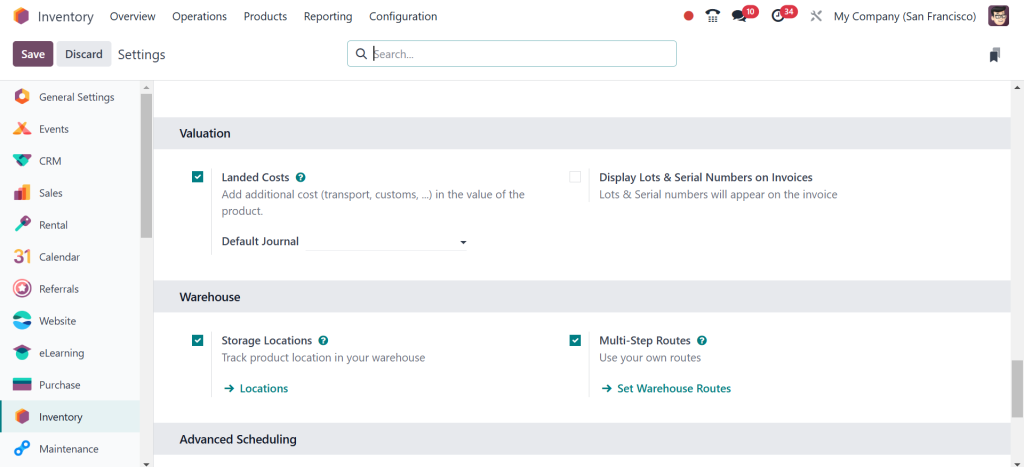
Set up product categories and stock rules.
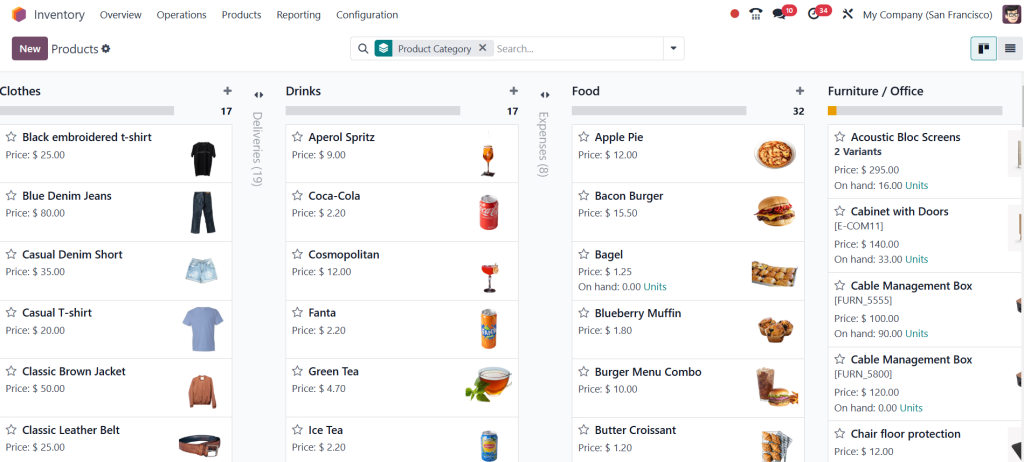
Customize product routes for specific operations.
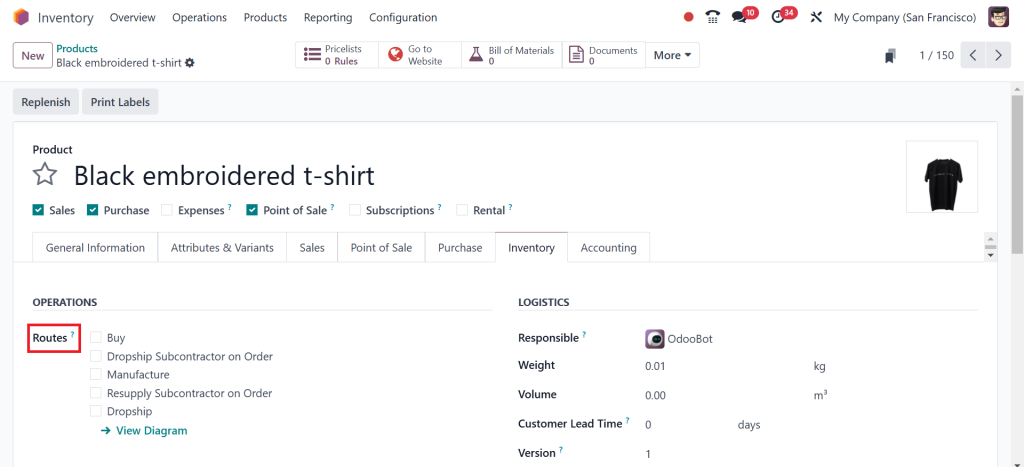
Best Practices for Inventory Operations
- Regularly audit stock levels to prevent discrepancies.
- Train employees on barcode scanning and automation tools.
- Leverage analytics to identify inefficiencies and improve workflows.
Why Businesses Should Use Odoo for Inventory Management
The different types of operations in Odoo Inventory make it an invaluable tool for businesses looking to rationalize their supply chain and warehouse management processes. From basic tasks like receiving and delivering stock to advanced functionalities like cross-docking and drop shipping, Odoo offers everything you need to manage your inventory efficiently.
Adopting Odoo Inventory ensures improved accuracy, reduced operational costs, and a smoother customer experience for businesses of all sizes. Ready to take your inventory operations to the next level? Odoo has your back!




