

Understanding the Difference Between Batch Payment and Group Payment in Odoo 19
If you work with Odoo 19 accounting, you might have noticed there are multiple ways to handle payments, and it can get confusing when you need to pay several invoices at once. One of the main questions people ask is the difference between batch payment and group payment in Odoo 19. Knowing this difference can save you significant time and prevent errors in your accounting records.
When you understand how Odoo 19 batch payment vs group payment works, you can decide whether you should combine multiple vendor bills into one journal entry or pay them all together through a single bank transaction. In this article, I will explain how to use batch payments in Odoo 19 accounting and how to use group payments in Odoo 19 accounting. I will also show how these features support capabilities such as Odoo 19 vendor bill group payments, Odoo 19 customer payment batch reconciliation, and batch payments for bank reconciliation.
By the time you finish reading, you will clearly know when to use batch payments and when to use group payments so you can keep your accounts accurate and organized.
How to Use Batch Payments in Odoo 19 Accounting
A batch payment in Odoo 19 is typically used to pay multiple invoices or bills at once. Imagine you have several vendor bills due on the same day, or multiple customers have paid you, and you need to reconcile these payments. Instead of handling each one separately, you can create a batch payment.
With batch payments, Odoo allows you to select all the invoices you want to pay and make a single transaction through your bank. This makes it easier to reconcile your bank statements later and reduces the risk of missed or duplicate payments.
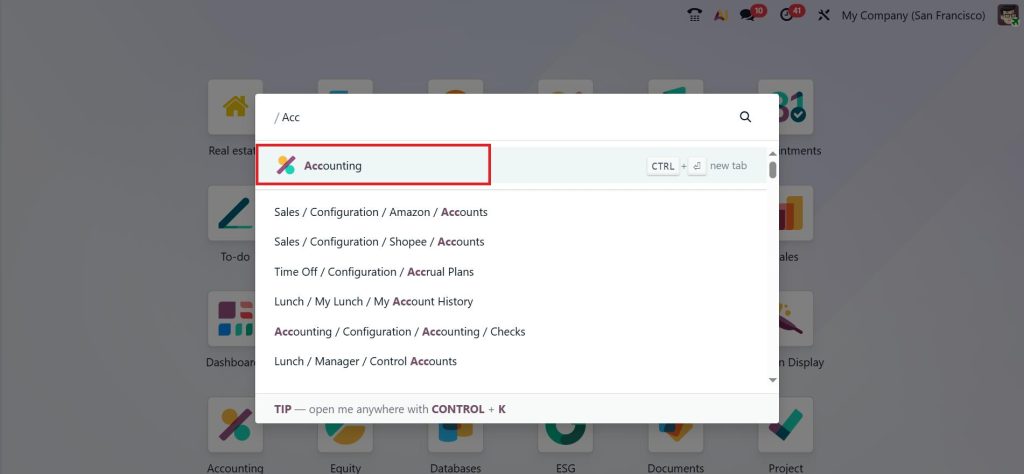
To use a batch payment, go to the Accounting module.
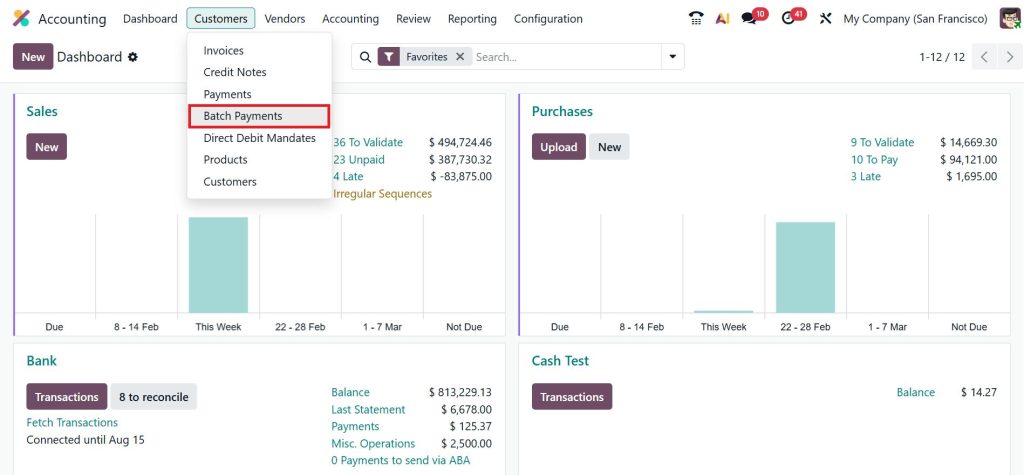
Select Customers > Batch Payment.
Pick the invoices or bills you want to pay together, validate the payment, and export it to your bank.
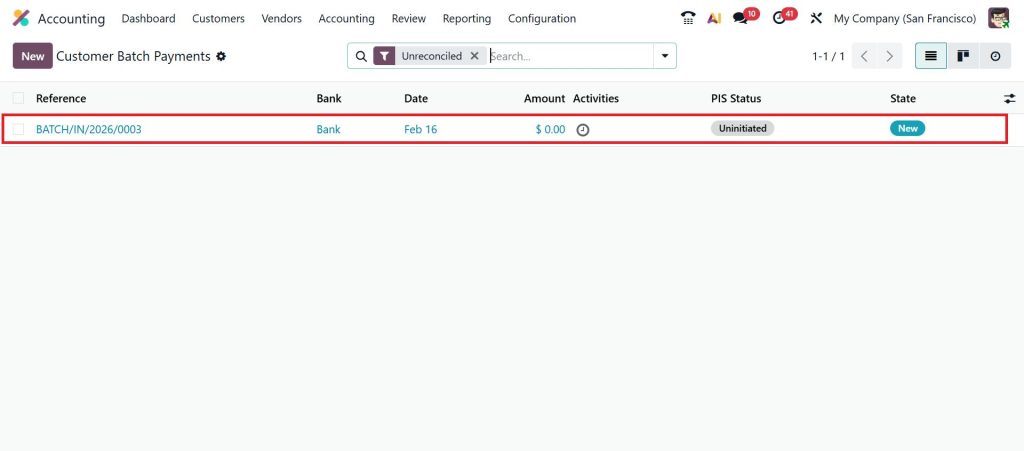
Once the bank confirms the transaction, you can complete Odoo 19 customer payment batch payment reconciliation quickly without checking each invoice manually. Batch payments save time, reduce errors, and simplify the bank reconciliation process. This is especially useful for businesses that process many invoices each month.
How to Use Group Payments in Odoo 19 Accounting
Group payments are slightly different. When you create a group payment, you are not combining bank transactions. Instead, you are grouping several invoices or bills into a single accounting entry. This makes your books easier to read and your reporting cleaner.
Group payments are mostly used for vendor bills. If your company receives multiple invoices from the same supplier and you want to record them together, you can select all these bills and create a group payment. This produces a single journal entry rather than multiple entries for each invoice.
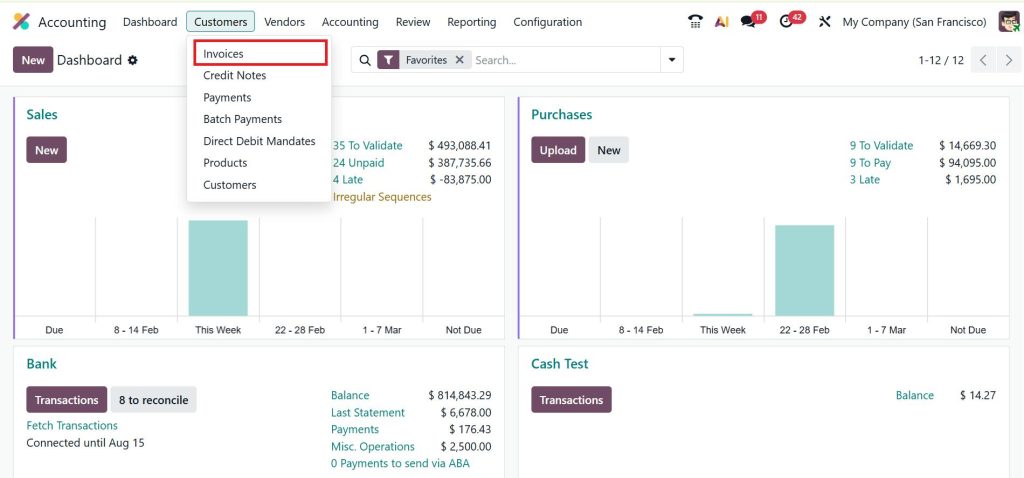
In Odoo 19, to use a group payment, go to Accounting > Customers > Invoices.
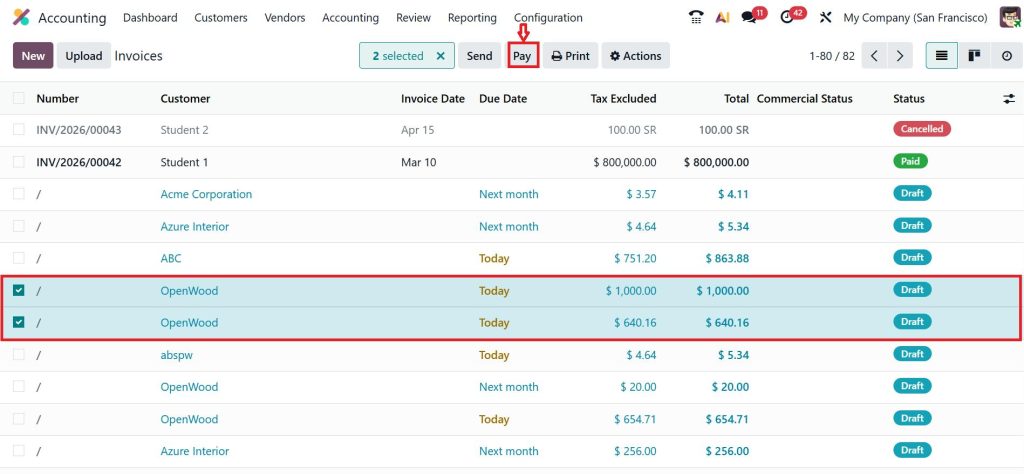
Select the invoices you want to combine, and click Pay.
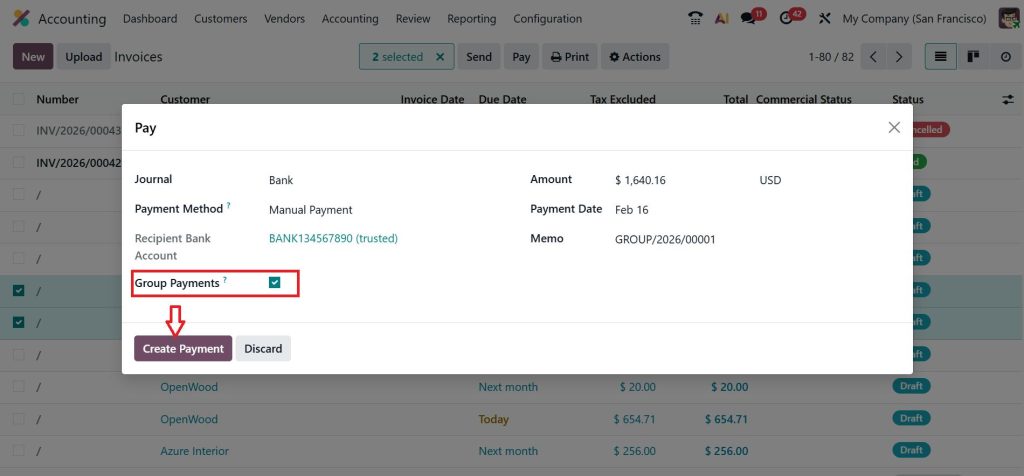
Enable the Group Payment option and then click Create Payment.
Validate the entry, and all the selected invoices will appear as a single entry in your accounting records.
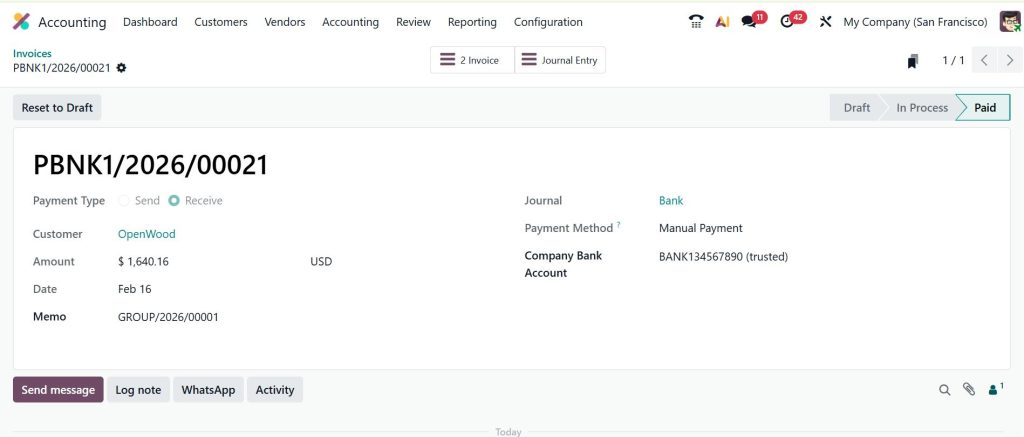
This is what Odoo 19 customer invoices group payment is all about. It keeps your books organized and simplifies reporting, even if you pay each invoice separately via your bank later.
Odoo 19 Batch Payment vs Group Payment: Key Differences
Understanding the difference between batch payments and group payments in Odoo 19 is vital to optimizing accounting workflows. Here are the main distinctions:
Feature | Batch Payment | Group Payment |
Purpose | Process multiple payments at once in a single bank transaction | Combine multiple invoices into one accounting entry |
Bank Transaction | Yes, creates one consolidated bank payment | No, does not directly affect bank transactions |
Time-Saving | Reduces time spent on multiple payments | Reduces journal entries and simplifies bookkeeping |
Use Case | Paying vendors or reconciling customer payments efficiently | Recording vendor bills or customer invoices together in accounting |
Reconciliation | Supports batch payment for bank reconciliation in Odoo 19 | Mainly useful for internal accounting clarity |
When to Use Batch Payment
- Paying multiple vendors on the same date.
- Processing several customer refunds simultaneously.
- Simplifying Odoo 19 customer payments batch payment reconciliation.
When to Use Group Payment
- Recording multiple vendor bills in a single accounting entry.
- Consolidating payments for internal bookkeeping purposes.
- Preparing financial reports without affecting the bank directly.
Batch Payment for Bank Reconciliation in Odoo 19
One of the most useful aspects of batch payments is their ability to simplify bank reconciliation. When you have a long list of customer payments or vendor bills, matching them to your bank statement can take hours. Using batch payment for bank reconciliation in Odoo 19, you can process multiple invoices as one transaction, then match it with the bank statement in a single step.
This reduces errors and makes your financial reporting much cleaner. For example, if five invoices from a vendor are paid together as a batch, your bank statement will show one payment instead of five. You can then reconcile that payment in Odoo with one click. This also helps prevent situations where invoices are accidentally left unpaid or reconciled incorrectly.
Using Odoo 19 Customer Payments Batch Payment Reconciliation
Handling customer payments is another area where batch payments save significant time. Imagine you receive payments from multiple customers on the same day. Instead of recording each payment one by one, you can create a batch payment for all customer invoices. Then, during reconciliation, you can match the batch payment to the bank statement in a single step.
This method, called Odoo 19 customer payments batch payment reconciliation, reduces mistakes and ensures that your accounts receivable is always up to date. Your customers’ payments get recorded quickly, and your bank statement always matches your accounting records.
Practical Example of Using Batch and Group Payments
Let’s say you have six vendor bills due this month. You could pay each bill separately, but it will take more time and increase the chance of mistakes. With a batch payment, you can select all six invoices, make one payment through your bank, and reconcile them together.
Now, if you want your accounting team to have cleaner records, you can use a group payment first to combine these six invoices into a single journal entry. Then, you can process the batch payment for the bank. This way, both your accounting records and bank reconciliation stay organized.
Using these features together helps businesses manage payments and accounts without wasting time or risking errors.
Tips to Use Batch Payments and Group Payments Effectively
- Check invoices carefully before creating a batch payment to avoid duplicates.
- Use group payments to keep accounting records clean and reporting easier.
- Regularly reconcile batch payments with bank statements to avoid discrepancies.
- Combine batch and group payments when handling many invoices for the same vendor or customer.
- Keep vendor and customer details up to date in Odoo to avoid payment errors.
By following these simple steps, you can save hours of work each month and make sure your accounting is always accurate.
Simplify Your Payments in Odoo 19 Accounting
Understanding the difference between batch payment and group payment in Odoo 19 helps you manage invoices and bank transactions more efficiently. Batch payments let you handle multiple invoices through a single bank transaction, while group payments combine invoices in your accounting records for clarity.
Start using these features today to save time, reduce errors, and keep your accounts accurate. Contact Netilligence to learn how Odoo 19 can make payment processing easier for your business.




