

What's New in Odoo 19 Website and Why Everyone Is Talking About It
If you create websites inside Odoo, then I’m sure you often think, “I wish the editor were a bit simpler,” “I wish my pages loaded faster,” or “I wish the SEO tools helped me more.” And honestly, these thoughts make sense: your website isn’t just a few pages; it’s your business identity. That’s precisely why people are so curious about what’s new in the Odoo 19 website, and believe me, this update brings a long list of changes that you will instantly feel as you start working.
I want to take you through everything new on the Odoo 19 website, not in a boring technical way, but in a way that feels like you and I are sitting together, exploring how these changes make your daily work easier. In this blog, I will mention the core topic clearly because you need to know what’s truly new in the Odoo 19 website, what the Odoo 19 website app’s latest features look like, how the Odoo 19 website builder update works, how the Odoo website SEO improvements help your ranking, how Odoo 19 ecommerce integrations support your store, how Odoo dynamic snippets open up new design freedom, how Odoo 19 website content editing changes your workflow, and even how the Odoo memberships app update brings new comfort for membership-based websites.
The reason I am repeating all these is that, together, they are precisely what make this update so important. And by the time you finish reading, you’ll clearly see how everything new on the Odoo 19 website connects to your real issues: slow editing, confusing structure, SEO struggles, limited ecommerce options, and the need for quicker content updates. Let’s discuss openly what’s new in Odoo 19, as this version is designed for users who want smoother workflows, greater control, and simpler website building without complications.
A Big Shift in the Way You Build and Manage Your Website
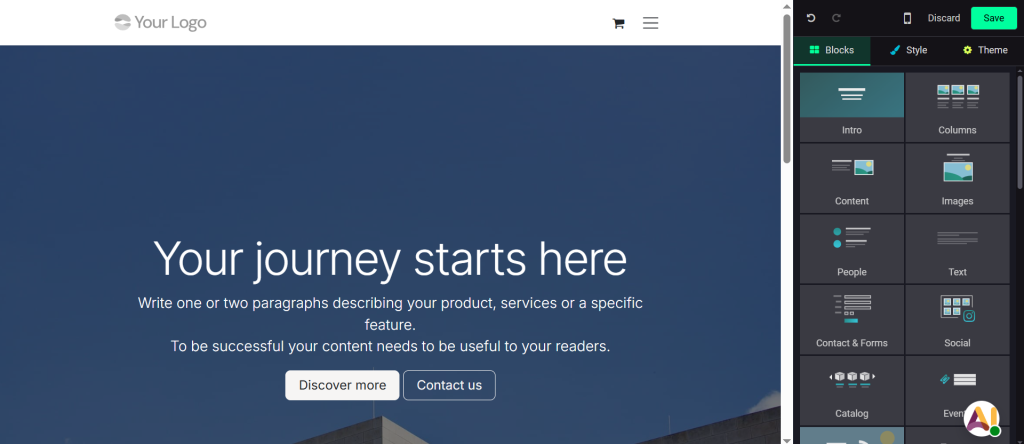
When you open the updated website app for the first time and start exploring what is genuinely new in Odoo 19 website, the first thing you notice is how calm and clean everything feels. You don’t feel lost. You don’t feel stuck. You don’t feel confused about where to click next. The entire redesign feels like Odoo has finally listened to all the small struggles people shared over the years. Instead of overwhelming you with options, it guides you gently.
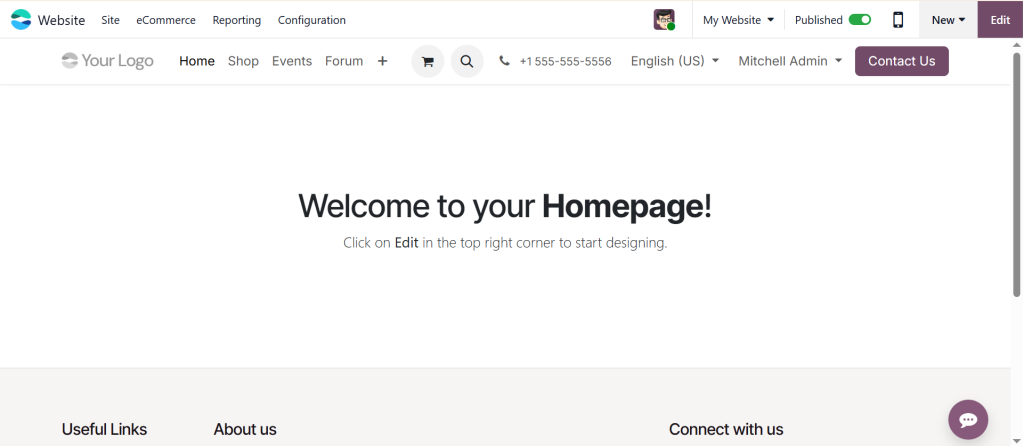
You now see your website exactly as your visitors do. You drag a block, and it fits naturally. You drop an image, and it flows smoothly with your content. You adjust spacing, and everything reacts instantly. This simple shift alone makes you feel more comfortable because the website you build finally behaves the way you want it to.
As you continue working, you start noticing how small details add up. The whole editing experience feels lighter. You open a page, switch to another, come back, and nothing slows you down. And these small touches are precisely what make this update feel “different” in a good way.
Odoo 19 Website App New Features: What You Feel the Moment You Start Editing
Whenever someone asks what the new features of the Odoo 19 website app actually do, the most straightforward answer is: they remove the usual frustration. Because earlier, even small actions like rearranging a block or aligning content sometimes felt tiring. But now, everything responds faster.
The new features make your website-building process feel more natural. You want to change colors? You get global settings. You want to adjust typography? You can do it in one place, and it applies everywhere. You want your images to load faster? The updated media handling takes care of it, so you don’t have to worry.
There’s also a more streamlined way of organising your content. Images sit nicely in structured folders. Files are easier to search. You no longer waste minutes trying to find something you uploaded earlier. And once you experience this comfort, you don’t want to go back to any older version.
Odoo 19 Website Builder Update: A Cleaner, More Relaxing Editing Experience
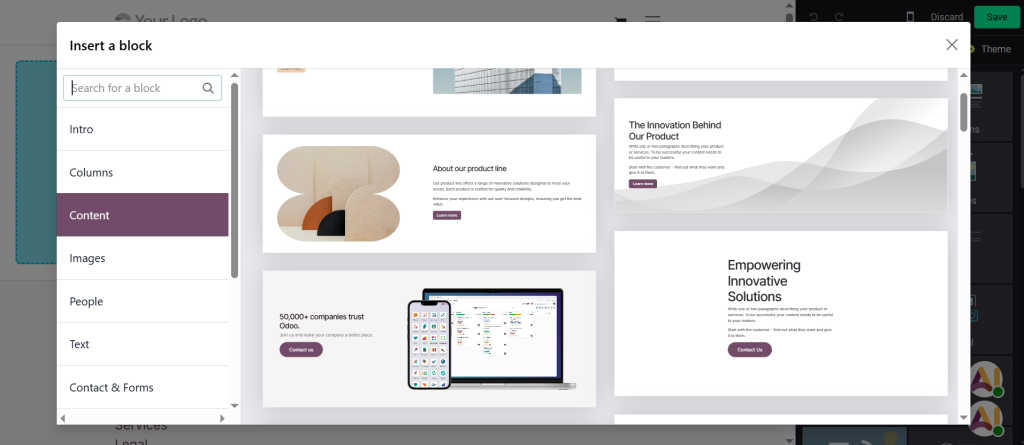
When discussing the Odoo 19 website builder update, the changes become even more noticeable. You can now see your layout clearly as you drag blocks around. The editor displays transparent guides, allowing you to place your content exactly where you envisioned it.
You know those moments when you’re unsure whether your section is aligned correctly? With this update, those moments disappear. You can see the alignment in real-time. You move your block slightly, and the editor guides you politely without forcing anything.
Switching pages during editing also feels lighter. You don’t feel the editor slowing you down when opening a new page. And because you can keep multiple pages open like tabs, your workflow becomes quicker. It feels like the builder finally respects your time.
Even the templates now feel different, more modern, cleaner, and more useful. Whether you build a homepage or a simple landing page, the updated templates provide a strong starting point without feeling restrictive.
Odoo Website SEO Improvements: Finally, You Know What Your Page Needs
Let’s talk about something everyone secretly wishes were easier: SEO. The Odoo website SEO improvements in version 19 are significantly more helpful.
Earlier, SEO in Odoo felt like a guessing game. But now the system guides you. You write a title, and it tells you if it’s too long. You add text, and it checks your keywords. You upload an image, and it reminds you of alt text. You don’t feel alone anymore while fixing SEO.
What’s even more comforting is how much quicker the website loads now. Faster pages improve your ranking and keep your visitors engaged longer. The code behind the scenes is trimmed, optimised, and cleaner, and you feel this improvement without needing to understand the technical part.
Even URL management feels easier. If you change your slug or update a page name, Odoo helps you maintain structure without breaking links. It’s a huge relief for anyone who frequently updates pages.
Odoo 19 Ecommerce Integrations: A Smoother Way to Sell Online
If you run an online shop, these updates will feel immediately helpful. The Odoo 19 ecommerce integrations provide you with greater clarity and control over your product pages, checkout experience, payment methods, and shipping settings.
Product pages feel more stable and easier to adjust. Inventory displays updates more straightforwardly. Adding variants no longer feels confusing. Even the checkout page looks cleaner, which helps customers finish their orders without hesitation.
More payment gateways make your life easier, since you no longer need extra plugins or complex workarounds. Everything stays inside Odoo. And when you check your ecommerce analytics, the new dashboard gives you a better sense of what your customers are doing, what they like, what they leave, and what slows them down. This makes running a store feel lighter, and that’s something every business owner wants.
Odoo Dynamic Snippets: More Freedom While Designing Every Section
One of the features people instantly get excited about is the Odoo dynamic snippets. These snippets adjust content automatically based on your live data.
For example, your latest products, events, blogs, or membership information can appear on the page without requiring any additional action from you. You set it once, and the snippet brings fresh content on its own.
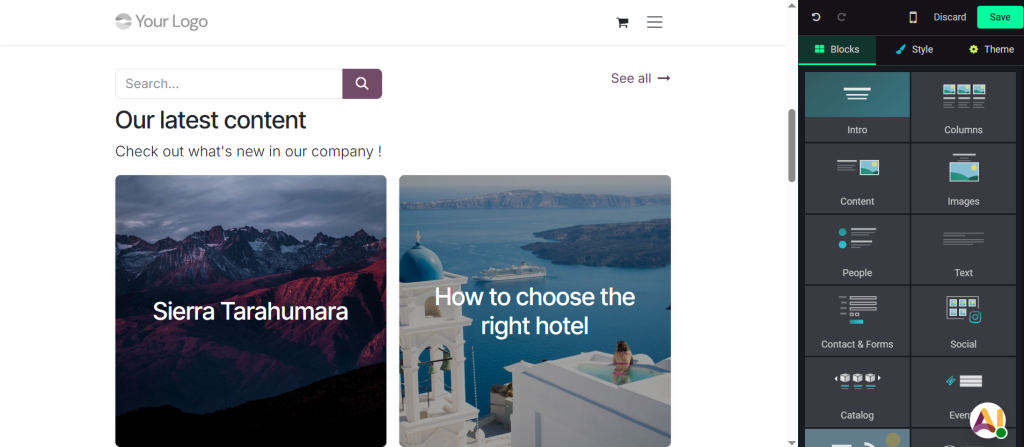
This means you don’t have to repeat the same work over and over. Instead, your pages stay up to date without your daily involvement. And if you like customising, you will enjoy the fact that every detail inside these snippets is adjustable, including images, text, and layout; everything responds smoothly. It provides you with creative space without making your design process cumbersome.
Odoo 19 Website Content Editing: A More Comfortable Way to Write and Adjust Content
Writers and editors will instantly notice the difference in how Odoo 19 website content editing feels. When you click to edit text, the typing feels steady. There’s no lag. There’s no weird spacing. You can write lengthy paragraphs comfortably.
Fonts load more efficiently, headings appear more stable, and resizing text responds more naturally. If you enjoy editing HTML, the updated code editor provides clear visibility with colour highlighting and improved structure.
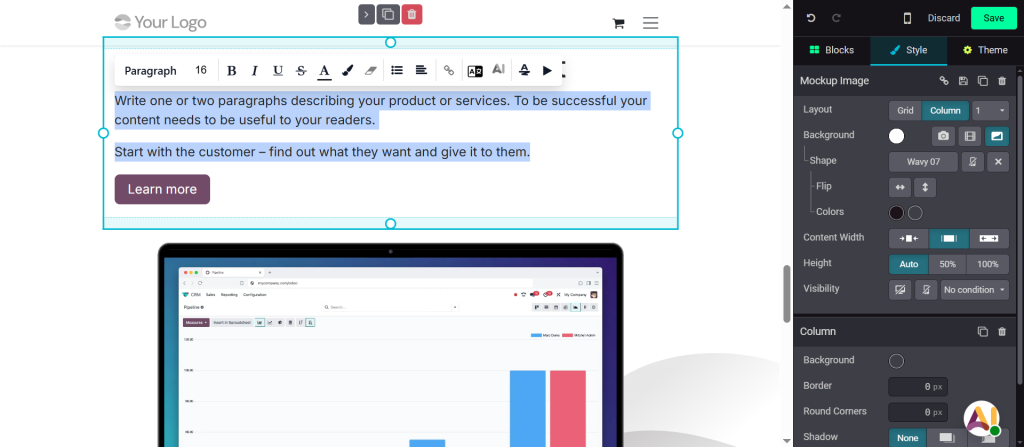
Autosave also feels faster, so you never worry about losing your work. And if you switch pages often while editing, the editor remembers your work and keeps everything stable.
Odoo Memberships App Update: Better Experience for Subscription-Based Websites
If your business uses memberships, subscriptions, or member-only content, then the Odoo memberships app update is something you will appreciate.
The member profile pages look cleaner and more organized. Users can easily view their subscription details, renewal dates, invoices, and a history of past activity. The updated renewal reminders also feel clearer and friendlier.
Membership plans now appear more appealing on the website, making it easier for users to understand your offerings. And restricting content for specific membership levels is easier; you no longer need to create complex rules. This update helps you manage your community more comfortably.
Why These Changes Matter in Your Daily Work
When we discuss everything new on the Odoo 19 website, it’s not just about features. It’s about how these changes make your daily work more efficient and smoother. You spend less time fixing issues and more time creating good content. Your website loads faster. Your SEO improves. Your ecommerce runs with fewer delays. Your membership areas feel more stable. Your design process becomes less stressful.
You take actions with confidence because the editor reacts the way you expect. And when your tools behave well, your creativity flows naturally.
Final Thoughts on What’s Truly New in Odoo 19 Website?
After reviewing all the updates, one thing becomes clear: Odoo 19 is designed for individuals who build websites daily and require a system that supports them without slowing them down.
Everything new in the Odoo 19 website feels focused on comfort, speed, clarity, and ease. It helps you stay productive without lifting extra weight. It brings you closer to the website you imagine, without long struggles.
If you’re already thinking about trying these Odoo 19 Website updates for your own business but don’t know where to start, you don’t have to figure it out alone. At Netilligence, we help you set up, customise, and manage everything inside Odoo without stress or confusion.
If you want a website that feels easy to edit, loads fast, supports your sales, and actually works the way you want, reach out. Please send us a message today, and let’s work together to build something better.




