How to Share Accounts Between Companies in Odoo 18 Accounting?
Why Share Accounts Between Companies in Odoo 18
Odoo 18 has brought several innovative features for businesses, especially those handling multiple companies and complex financial data. One of the most powerful features is the ability to share accounts between companies. Odoo 18 allows you to set up intercompany accounting systems that help you manage finances across different entities while ensuring accuracy, transparency, and compliance. In this guide, we will walk you through how to share accounts between companies in Odoo 18 accounting and explore the full potential of the multi-company account sharing feature. Whether dealing with multiple subsidiaries, branches, or entities, understanding how to set up Odoo 18 intercompany accounting can streamline your financial management like never before.
The tutorial will provide you with the necessary skills to implement Odoo 18 multi-company accounting, which enables your business to consolidate and manage financial data from multiple companies easily. Let’s begin our exploration of Odoo 18 accounting intercompany setup by following the Odoo intercompany ledger configuration process.
Odoo 18 provides advanced features for managing multiple companies under one roof, and one of the most useful is the ability to share accounts between companies. This functionality is perfect for businesses with various entities operating in different geographical regions or industries. Odoo 18 enables you to establish intercompany accounting systems that will allow financial transactions and data to move between companies automatically without manual handling.
Sharing accounts between companies in a multi-company setup reduces administrative work, improving efficiency and enabling accurate financial reporting. The Odoo multi-company account sharing feature allows you to:
Consolidate Financial Data: Access and consolidate financial data across various companies, ensuring that you have a clear overview of your business’s overall performance.
Restructure Intercompany Transactions: Record transactions between entities automatically, reducing errors and manual effort.
Manage Accounting Entries Efficiently: Share and manage accounts, journal entries, and ledgers between companies without duplication, enhancing data accuracy.
If you’re dealing with multiple companies, understanding how to share accounts between companies in Odoo 18 can simplify your accounting and ensure that your financial data is accurate, timely, and ready for reporting.
Setting Up Odoo 18 Intercompany Accounting
The first step in sharing accounts between companies is setting up intercompany accounting in Odoo 18. This process involves configuring Odoo to recognise the different entities as part of a multi-company setup and then defining how accounts should be shared across these entities. Let’s walk through the steps to configure Odoo 18’s intercompany accounting.
Step 1: Activate Multi-Company Mode
To get started, you need to activate the multi-company mode in Odoo. That allows you to manage multiple companies within the same Odoo instance. Here’s how you can do it:
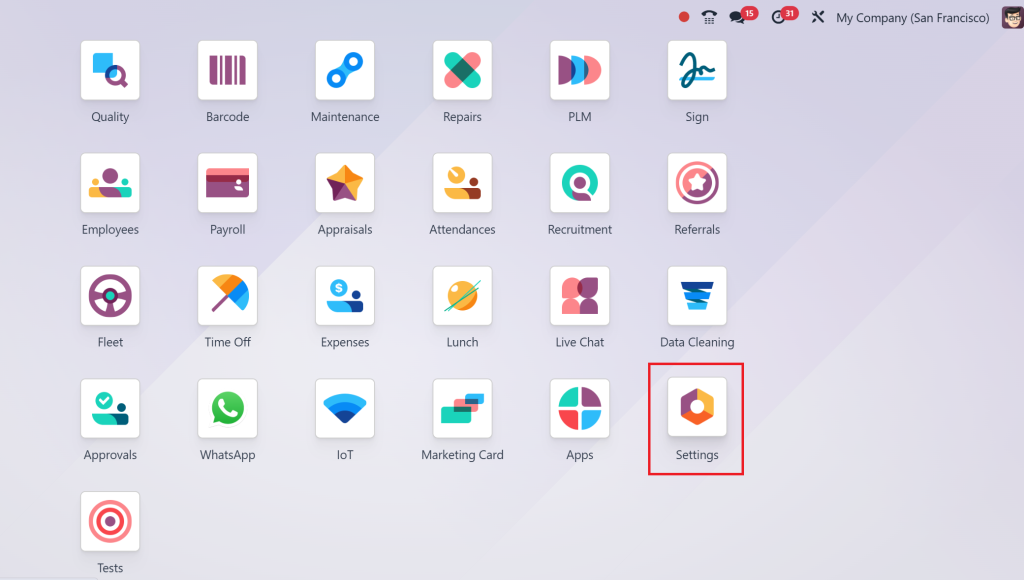
Go to Settings.
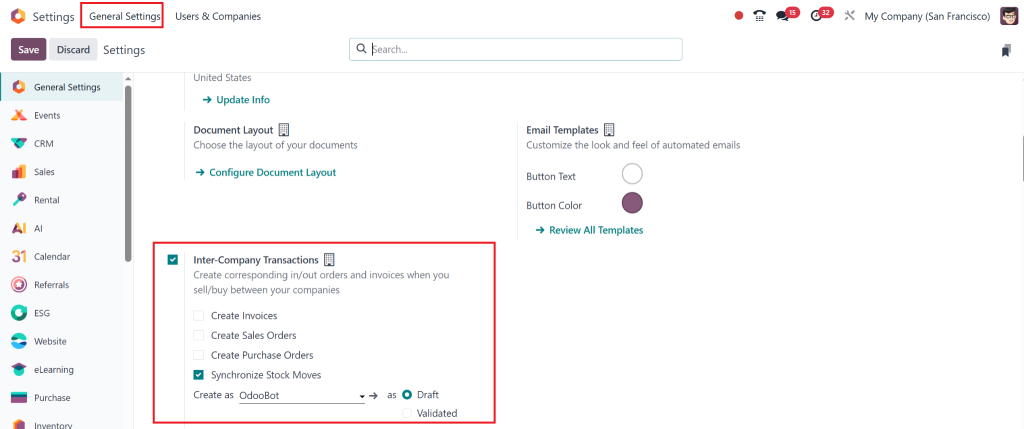
In the General Settings section, look for and enable the Multi-Company option.
Once activated, you can create different companies under the same Odoo account.
With multi-company mode activated, you can create new companies, each with its own set of financial records, journal entries, and accounting data.
Step 2: Create Multiple Companies in Odoo 18
Now that multi-company mode is active, the next step is to create the companies you wish to manage. You can do this by:
Going to Settings.
Under Users & Companies, select Companies.
Click on Create to add a new company.
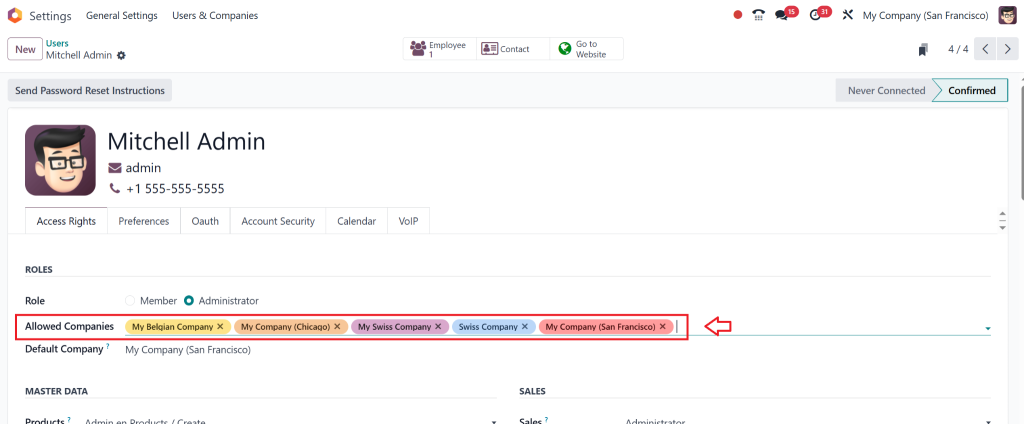
Once you’ve created your companies, you can assign them to specific users, manage access rights, and link the companies together for shared accounting purposes.
How to Share Accounts Between Companies Odoo 18 – Step-by-Step Guide
Now that you have set up your multi-company environment in Odoo, it’s time to configure account sharing between companies. Follow these simple steps to ensure smooth financial management across your different entities.
Step 3: Configure Intercompany Accounts
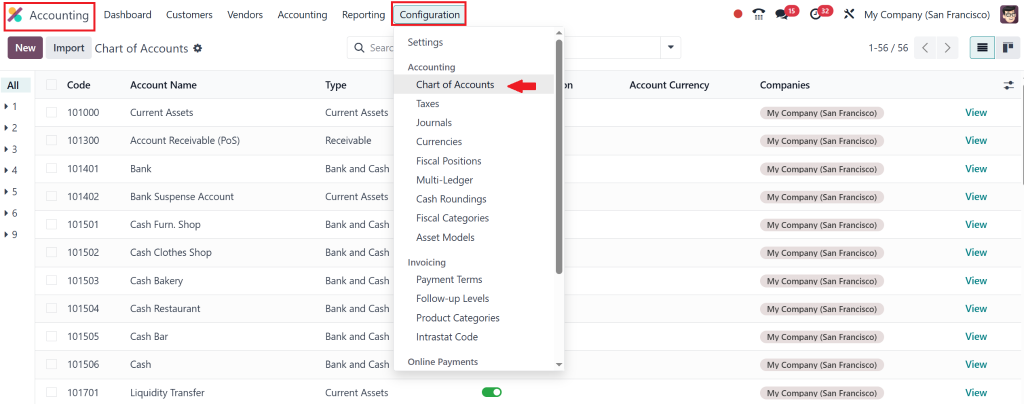
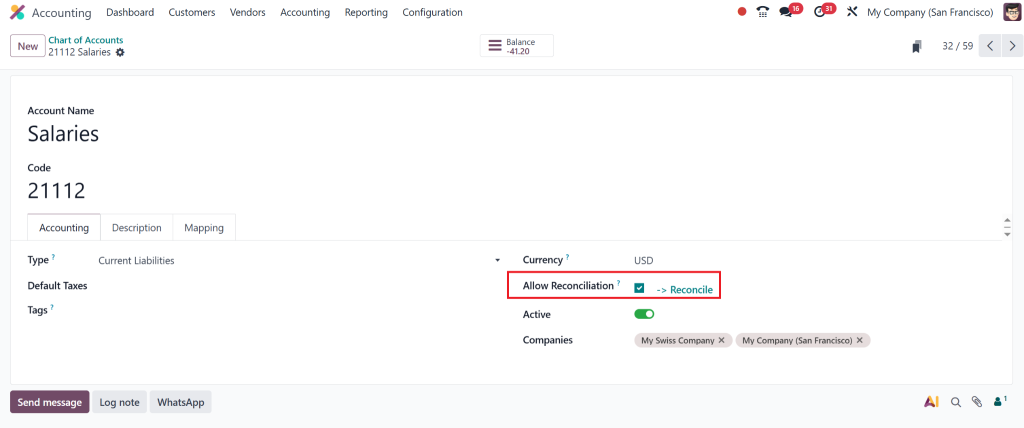
The next step is to define the accounts you want to share between companies. You can do that through the Chart of Accounts. For example, share your company’s bank, customer, or supplier accounts.
Go to Accounting and select Configuration.
Choose a Chart of Accounts.
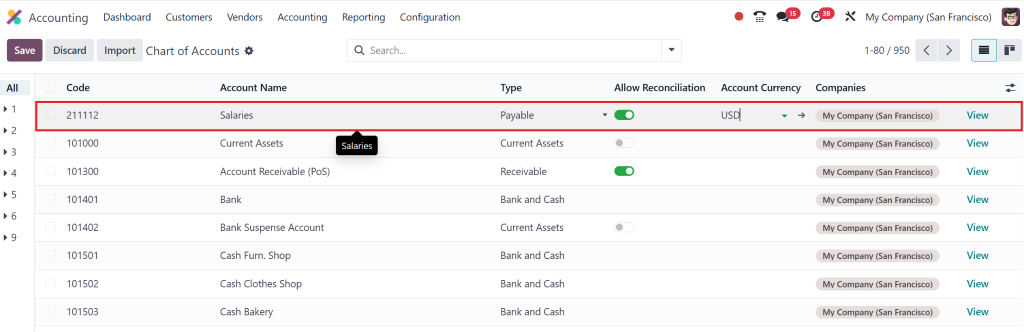
Create the accounts that you want to be shared across all companies. Ensure these accounts are created under the right financial categories, such as Revenue, Expenses, or Assets.
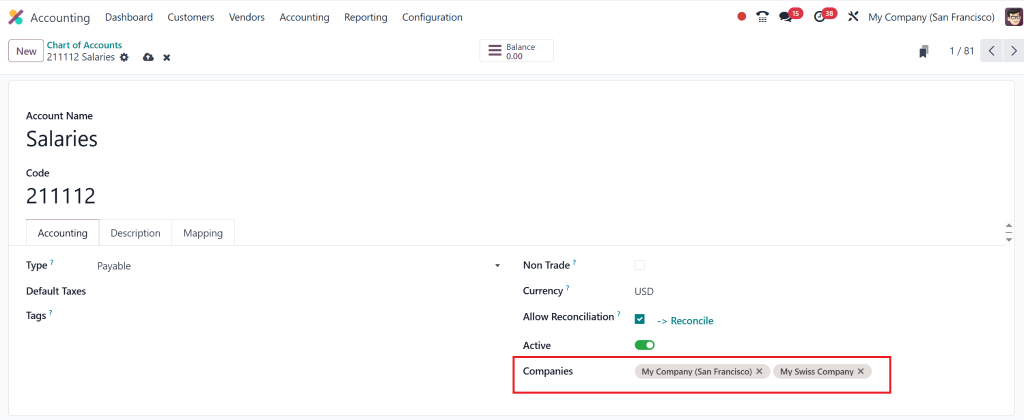
You must add the allowed companies by clicking the view button.
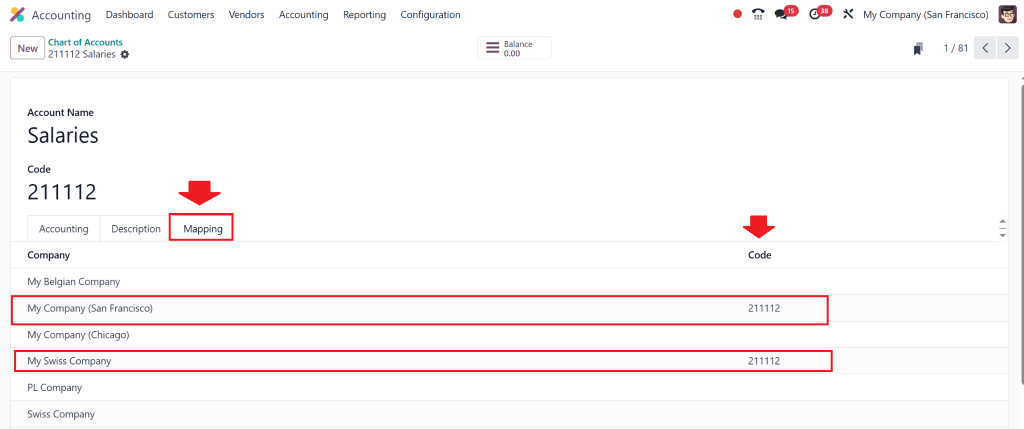
Also, when mapping, you must provide the other company with the same unique code for which you want to create a multi-company account.
Step 4: Define Intercompany Journals
Next, you need to create intercompany journals. These journals are used to record transactions between your companies. For example, the intercompany journal will log the transaction when one company sells to another.
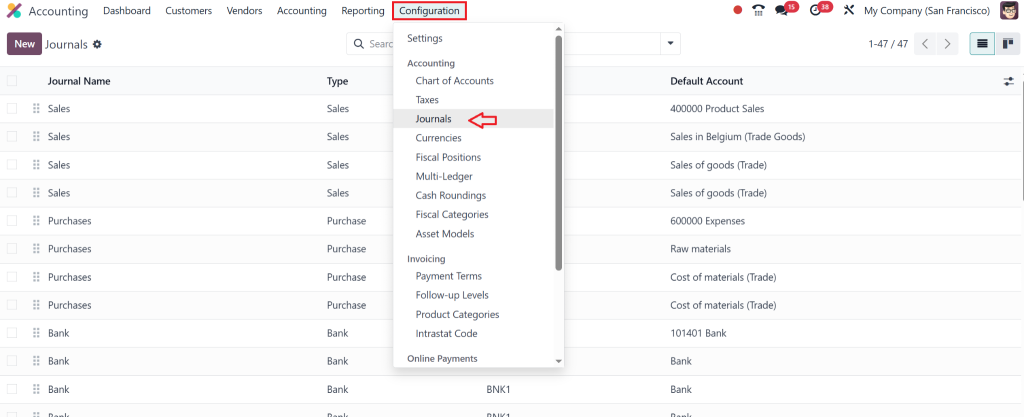
Go to Accounting > Configuration > Journals.
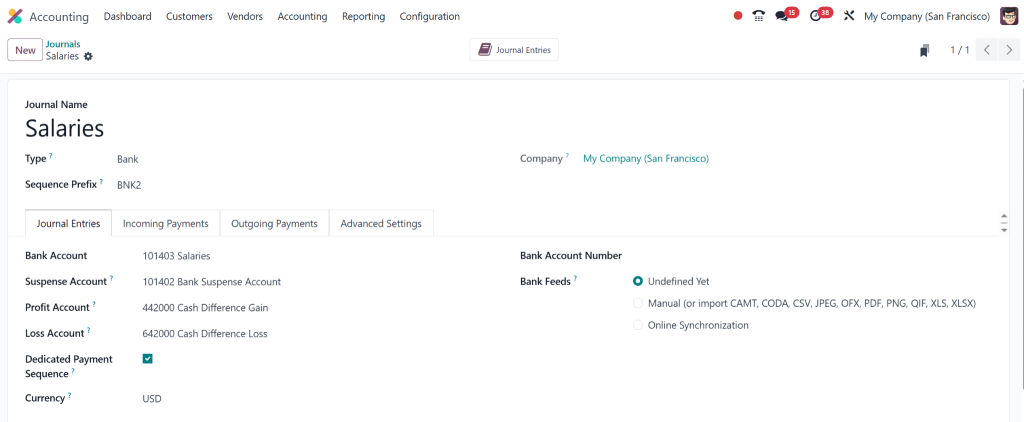
Create new journals that will handle intercompany transactions.
Specify the companies involved in the transaction for each journal and define how the entries should be posted.
Step 5: Set Up Intercompany Ledger Configuration
The intercompany ledger configuration ensures that financial transactions between companies are correctly reflected in their respective ledgers. This step is essential for accurate reporting and reconciliation.
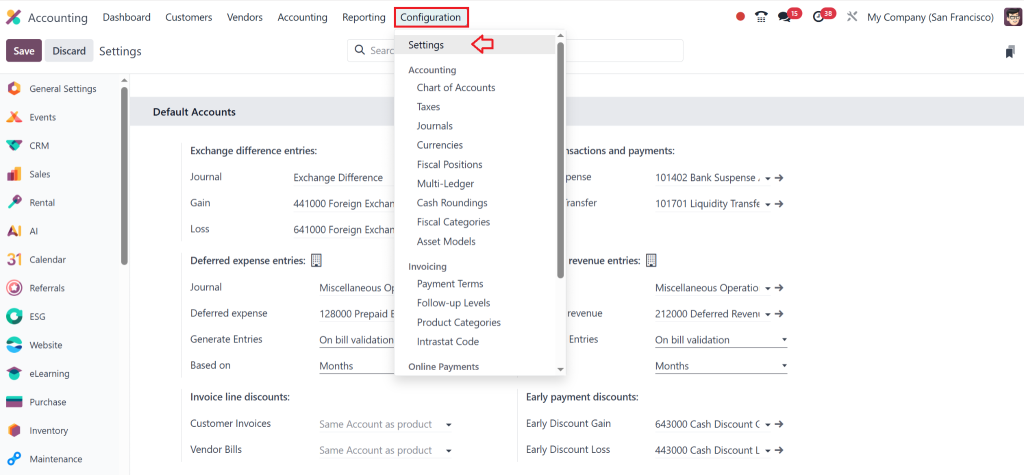
Go to Accounting > Configuration > Settings.
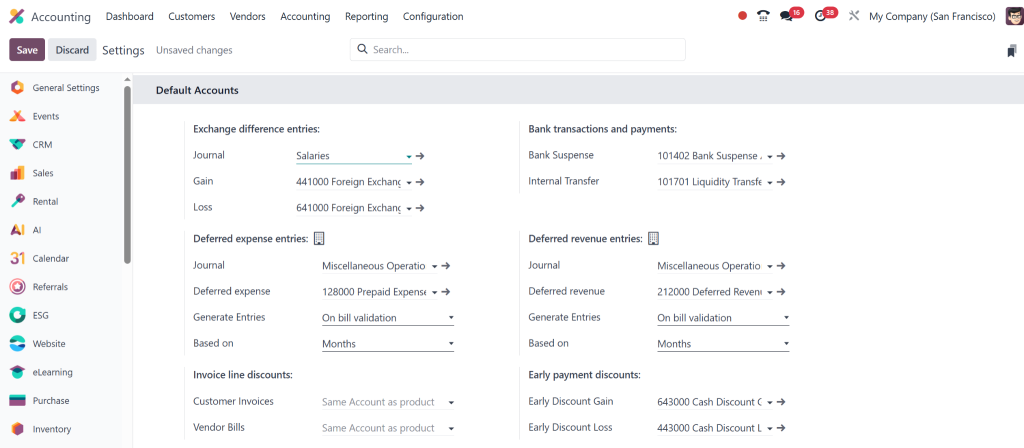
Enable the Intercompany Transactions option.
Choose the Default Intercompany Accounts for each company, such as Receivables and Payables.
Please select the appropriate accounts for intercompany transactions, ensuring they reflect accurate financial positions for both companies.
Odoo 18 Multi-Company Accounting Tutorial – Sharing Financial Data
Sharing financial data between companies becomes straightforward once your intercompany accounts and journals are configured. Odoo 18’s intercompany accounting system automatically logs all transactions, eliminating manual errors and discrepancies.
Step 6: Recording Intercompany Transactions
Now that everything is set up, you can start recording intercompany transactions between the companies. Here’s how you can do it:
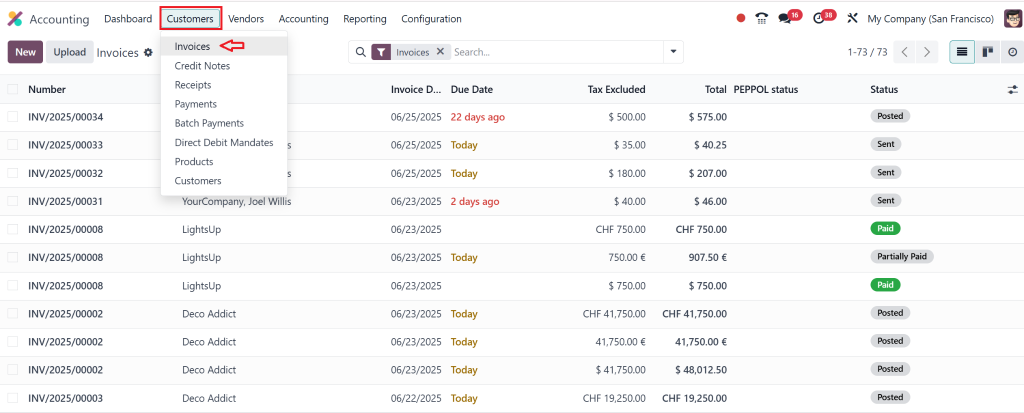
Go to Accounting > Customers > Invoices.
Select the customer or supplier involved in the transaction.
Select the account.
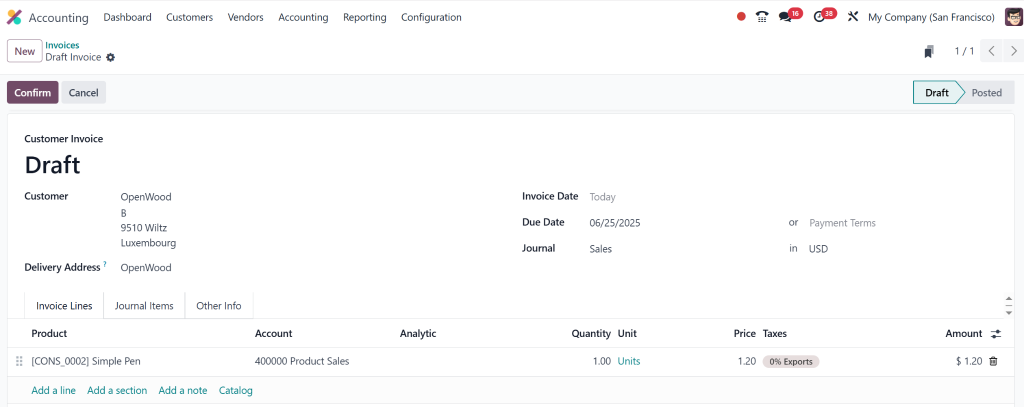
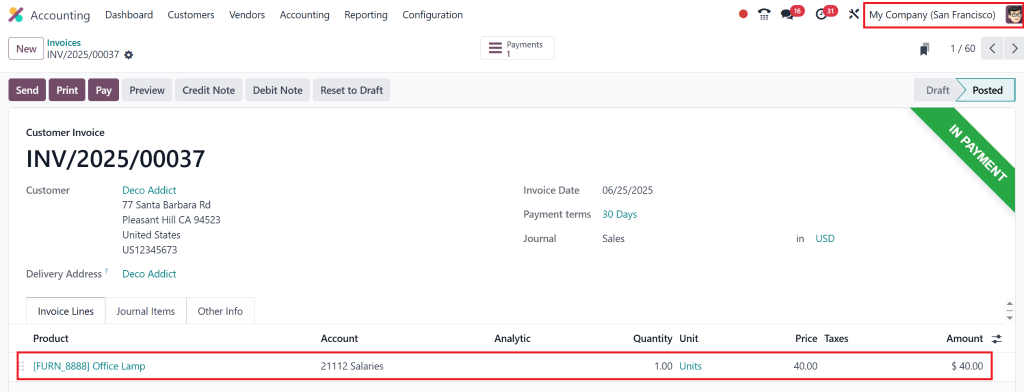
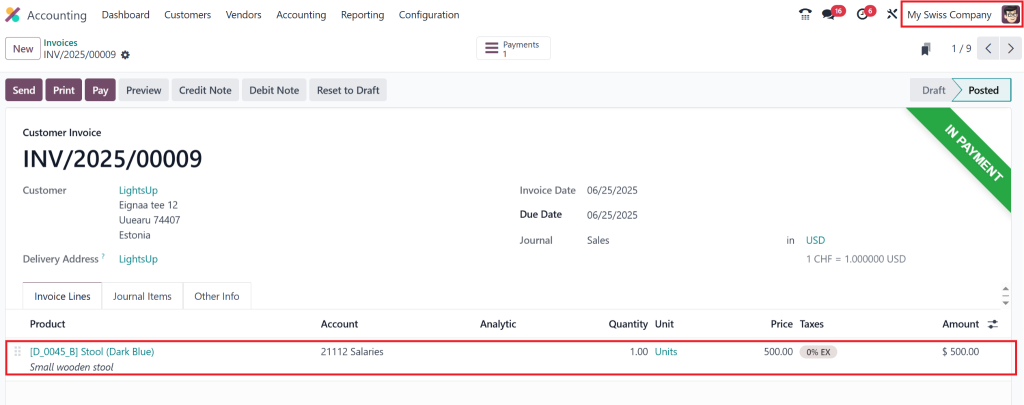
Create an invoice or bill for the transaction for both companies one by one.
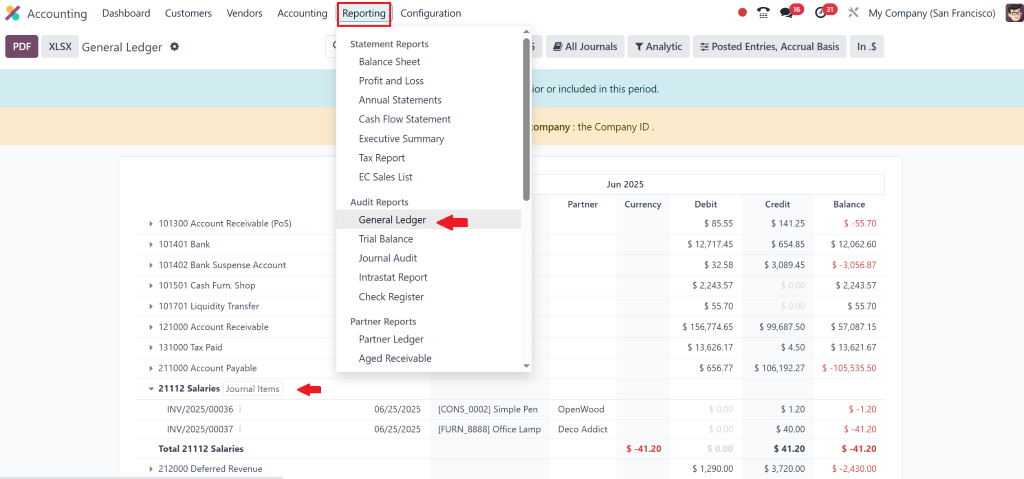
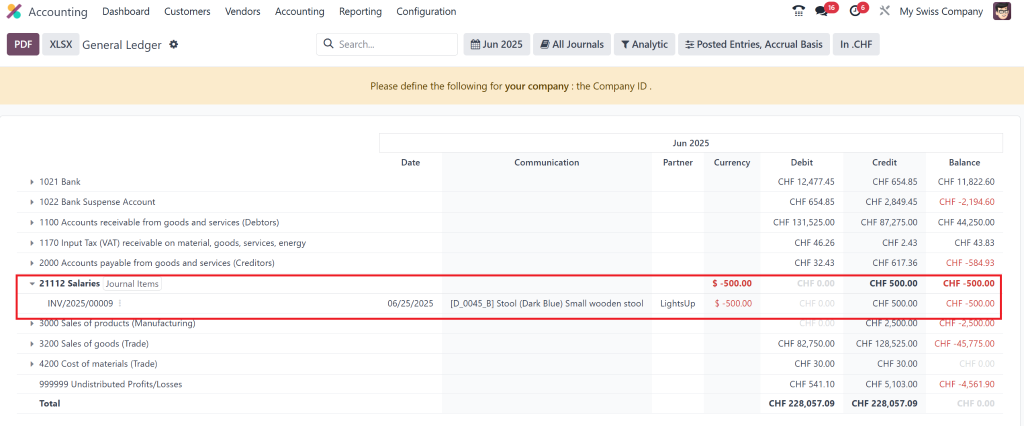
Then, confirm the payment and check the general ledger from the reporting option.
Odoo will automatically post the transaction to the correct accounts in both companies, updating the financial data accordingly.
Step 7: Reconcile Intercompany Balances
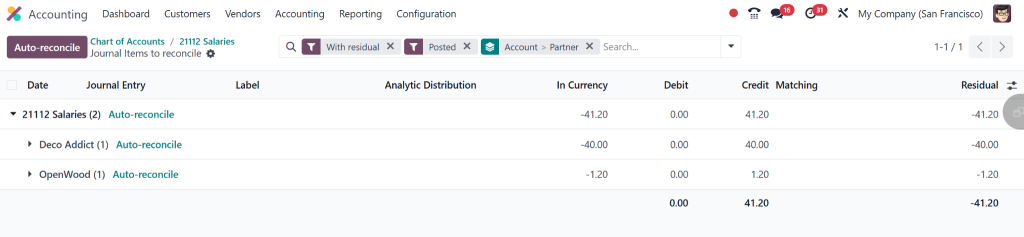
To ensure that your intercompany transactions are properly reconciled, you can use Odoo’s automatic reconciliation tools. These tools match payments and invoices across companies, provided the accounts are correctly balanced.
Direct to Accounting > Reconciliation.
Select the intercompany transactions you wish to reconcile.
Odoo will automatically match payments to the corresponding invoices and update the accounts.
Odoo Share Financial Data Between Companies – Benefits
There are several benefits to sharing financial data between companies in Odoo 18. Here are some of the key advantages:
1. Improved Efficiency
Odoo’s multi-company accounting setup allows you to share accounts between companies without repeatedly entering the same data. This automation reduces administrative time and minimises errors, allowing your finance crew to focus on more critical tasks.
2. Enhanced Accuracy
By sharing accounts and automating intercompany transactions, Odoo 18 ensures that your financial data is consistent across all companies. That leads to more accurate reporting and reduces the chances of mistakes.
3. Whole Reporting
When you share financial data between companies, you can generate consolidated financial reports that give you a complete picture of your business’s economic health. Odoo’s multi-company setup allows you to create these reports with ease.
4. Basic Compliance
Sharing accounts between companies in Odoo 18 helps simplify compliance with accounting standards and regulations. With accurate, real-time financial data, you can ensure that all companies comply with tax and financial reporting requirements.
Odoo Multi-Company Account Sharing
Odoo 18 offers robust multi-company account sharing features that allow businesses to manage finances across multiple entities efficiently. By following the steps outlined in this blog, you can set up Odoo 18 intercompany accounting, share accounts between companies, and streamline your financial management.
Whether a large enterprise with multiple subsidiaries or a growing business with several branches, Odoo 18’s multi-company accounting setup will help you consolidate financial data, record intercompany transactions, and generate accurate reports. With Odoo’s intuitive platform, you can manage all your companies under one roof, saving time and reducing errors in the accounting process.
With Odoo 18’s intercompany ledger configuration and accounting features, you can maintain accurate financial data across your businesses and focus on driving growth.
Hi, I'm Nabia, an Odoo ERP functional & technical content writer. I specialize in blogs, social media content, ad copy, landing pages, service pages, and email campaigns.
We use cookies to ensure that we give you the best experience on our website. If you continue to use this site we will assume that you are happy with it.