

Why Understanding the Opening Balance in Odoo Matters
One of the most critical tasks when transitioning to a new accounting system is correctly setting up the opening balance in Odoo. This process ensures that your previous financial records continue in the new system without discrepancies. Whether you’re an accountant, business owner, or ERP consultant, understanding how to perform the Odoo 18 opening balance import is crucial for maintaining data integrity.
The Odoo accounting opening balance represents your business’s financial position at the start of a new period. Without entering accurate opening balances, your financial reports may show incorrect values, making evaluating the company’s performance.
Many businesses migrate their financial records to Odoo because of its flexibility in handling transactions and reports. However, the Odoo 18 financial data migration process requires attention to detail. It includes setting up the Odoo 18 chart of accounts, preparing the correct import file, and ensuring that values match what was recorded in the previous system.
This guide will examine every vital step to import opening balances in Odoo 18, covering details such as account setup, journal configuration, and Odoo 18 general ledger import. Whether new to the platform or updating to the latest version, this Odoo 18 accounting tutorial will help you understand the complete process clearly. By the end of this guide, you’ll know how to carry out a proper opening balance import that forms a reliable foundation for your accounting workflow.
Odoo 18 Opening Balance Import: The Starting Point of Financial Clarity
Imagine launching a brand-new Odoo instance. The dashboards are clean, and the UI is intuitive, but one looming task is bringing your old financials into this new realm. This is where the Odoo 18 opening balance import becomes your bridge between the past and the present.
You must tell Odoo where your business financially stands as of your go-live date. Without the Odoo accounting opening balance, your general ledger means nothing; it’s like reading a novel from the middle. The opening balance holds the starting balances of all your ledger accounts: assets, liabilities, equity, income, and expenses. So, how do you do it in Odoo 18?
The beauty of Odoo 18 accounting lies in its flexible import tools, but the process is more nuanced than dragging and dropping an Excel file. It demands a proper understanding of journal entries, account codes, and currency configuration. To import opening balances in Odoo 18, you must prepare your data, create your COA (Chart of Accounts), and use the right templates because one misstep can ripple through your entire balance sheet.
Odoo 18 Chart of Accounts Setup
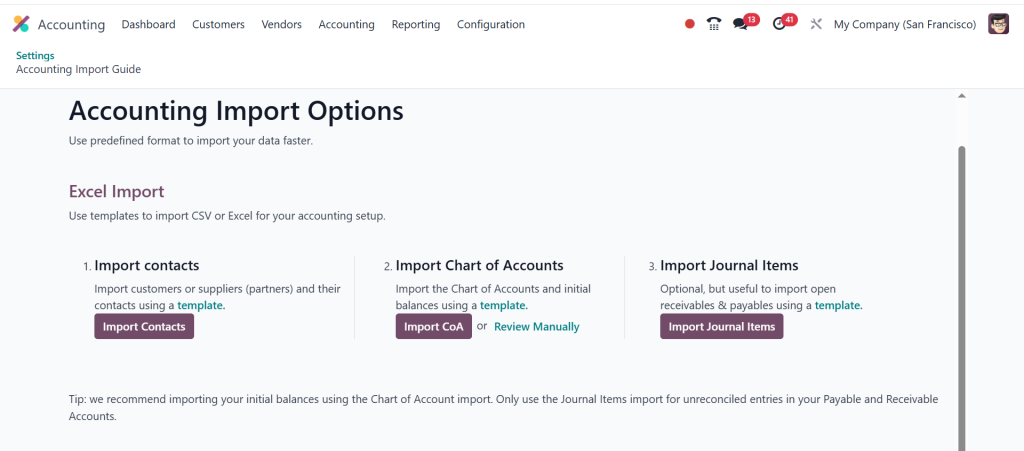
Before you think of importing, the first real step is setting up your Odoo 18 chart of accounts. Without this skeleton, you’ll have nowhere to map your balances. The Odoo 18 chart of accounts setup involves creating a structured list of every account you need: cash, receivables, payables, retained earnings, revenue, and more.
Here’s where it gets exciting: Odoo allows you to use a country-specific template or build your COA from scratch. You’ll feel the power and responsibility of customization. Each account must have a unique code, type, and reconciliation behaviour. This structure defines where your opening balances will land. Get it wrong, and your ledger will spiral into confusion. Get it right, and you’ll see the magic of Odoo 18’s real-time reporting.
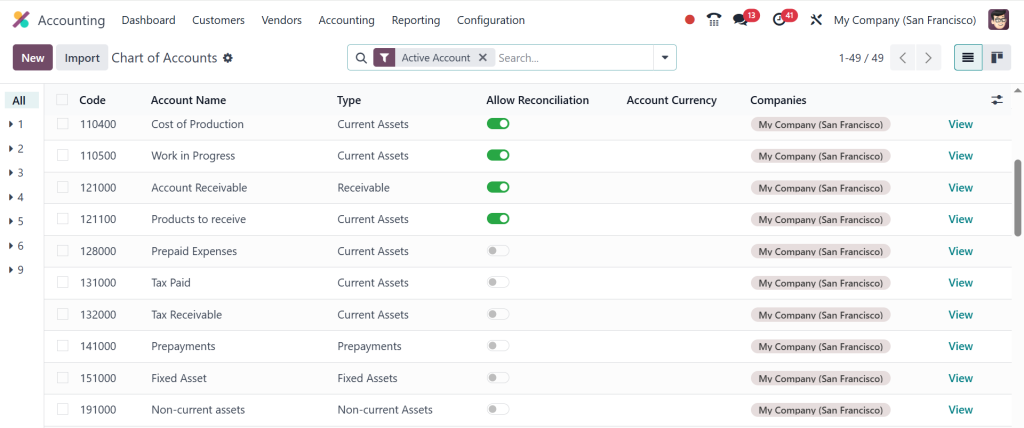
A pro tip: Always assign default taxes, enable multi-currency if required, and keep your COA clean, including only active accounts that will be used. The clearer your chart of accounts, the smoother your Odoo 18 general ledger import will be.
Importing Opening Balances Odoo 18: Preparing the Data That Powers the Future
Once your chart of accounts is solidified, it’s time to build your import file. This isn’t just a copy-paste job from your old system. To import opening balances in Odoo 18, you need a CSV or Excel file with specific columns: Account Code, Debit, Credit, Journal, Partner (if applicable), and Currency.
The challenge? Ensure that your debits equal credits. The import must balance. Always.
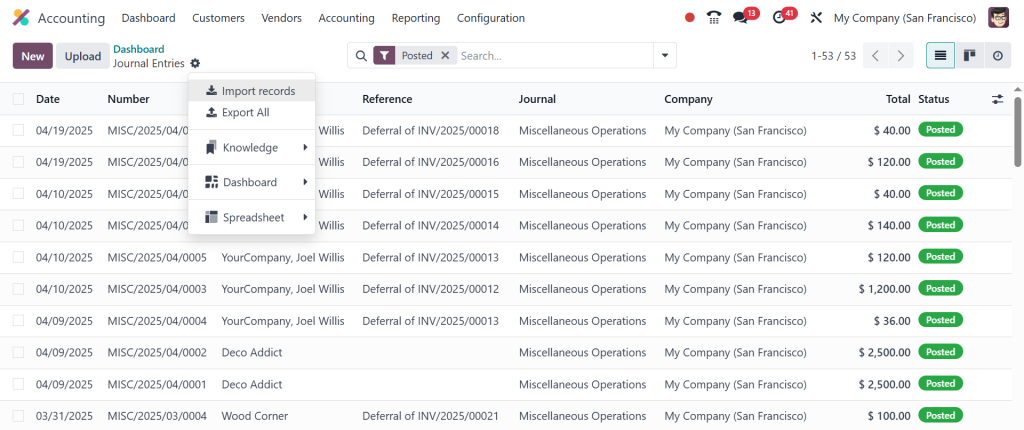
Here’s a moment that defines the depth of your understanding. Many new users import balances into default journals like “Miscellaneous Operations,” but creating a dedicated “Opening Balance” journal is a better practice. It keeps your audit trail clean and makes it easy to trace back your Odoo 18 accounting opening balance when reconciling transactions or answering auditor queries.
Another insight: If you’re dealing with partners (customers, vendors), remember to include them. Odoo’s power lies in its partner-led reporting. Associating opening balances with specific partners ensures that ageing reports and receivables/payables balances are accurate from day one.
Odoo 18 General Ledger Import: Seeing the Numbers Come to Life
After uploading your file, here’s where things get real. Odoo validates your data before importing and highlights errors like missing account codes, unbalanced entries, or mismatched journals. The feedback is precise and helpful. But even more valuable is the feeling of watching your Odoo 18 general ledger import populate with your historical data.
Your once-empty ledger now breathes with numbers, each tied to the chart of accounts you carefully curated. The income statement starts to reflect prior performance. The balance sheet aligns with external books. The journal entries form a clean, traceable thread through your accounting module.
And what makes it even better? Every imported line is auditable. You can click into journal entries, view the source, adjust if needed, and annotate for clarity. This transparency makes Odoo 18 a tool and a financial operating system.
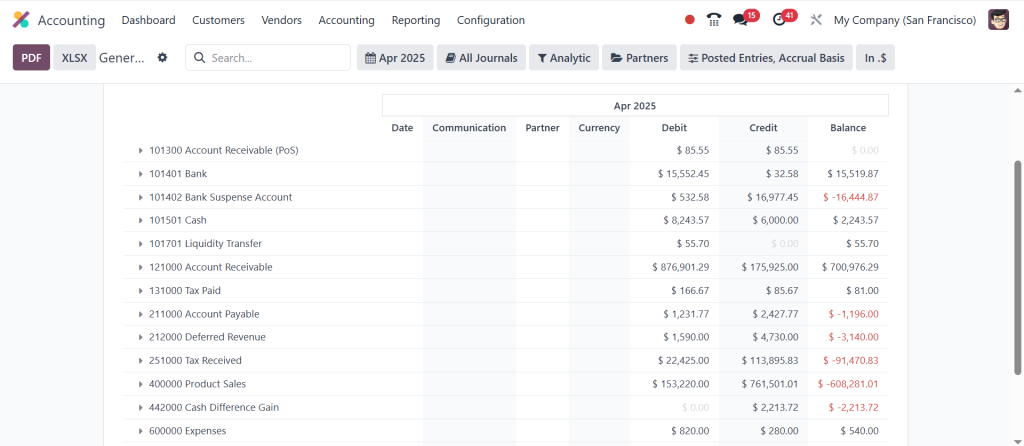
Odoo 18 Financial Data Migration: More Than Just an Import
Let’s zoom out for a moment. When discussing the Odoo 18 financial data migration, we’re not only discussing the import of balances. We’re discussing bringing a company’s financial DNA into a new system. It includes account balances, unpaid invoices, unreconciled payments, and open tax obligations.
Many organizations pair the Odoo 18 opening balance import with other import operations like open sales orders, vendor bills, and inventory valuation. Using Odoo with a clean slate that reflects real-world accuracy is the idea. This migration becomes your first real project inside Odoo. Get it right, and every subsequent process reconciliation, tax reporting, and profit tracking flows.
And here’s the hidden gem: once your Odoo accounting opening balance is in place, the dashboard widgets light up. You see KPIs, profit indicators, and cash forecasts based on real numbers. It’s an incredibly satisfying moment, especially for those who spent weeks poring over spreadsheets and trial balances.
Odoo 18 Accounting Tutorial: Best Practices from the Experts
This Odoo 18 accounting tutorial wouldn’t be complete without some of the expert moves that save time, reduce errors, and keep your CFO smiling.
Reconcile Immediately: Once balances are in, reconcile your bank and ledger accounts to ensure nothing is missing.
Lock Previous Periods: After import, lock the fiscal year or period to prevent backdated edits that break the audit trail.
Journal Naming Conventions: Use clear labels like “OB-2025” to indicate your opening balance journal for future filtering.
Cross-Module Mapping: If your opening balances involve stock or fixed assets, coordinate with the respective modules to align the valuation entries.
The goal is not to “just import”. It’s to launch your business into a system that supports smart decisions, transparent reporting, and confident forecasting.
The Curiosity Continues: What's Next After Importing Opening Balances in Odoo 18?
You’ve made it this far, and the question arises: what’s next?
Well, the import opening balances Odoo 18 process is only the start. Now, you can reveal automated reconciliation, AI-powered invoice scanning, multi-currency conversions, and powerful analytics, all of which are only possible when your data foundation is accurate.
Most users who master the Odoo 18 general ledger import soon move on to custom financial dashboards, automated tax submissions, and integrations with third-party CRMs or eCommerce platforms. Their system is now not just operational but optimized.
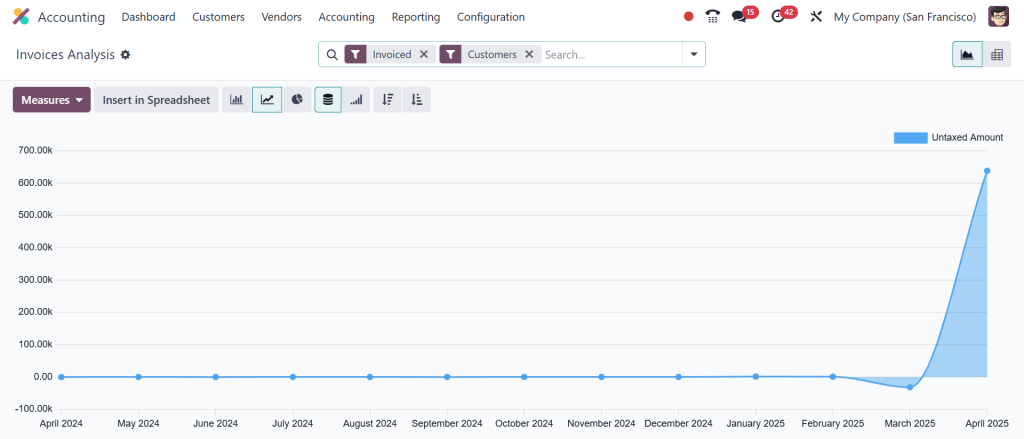
Your curiosity grows as you discover workflows, approvals, real-time cash flow reports, and predictive budgeting, all of which rest on that initial step: your Odoo 18 opening balance import.
Your Journey into Odoo 18 Accounting Starts Here
Knowing how to import an opening balance in Odoo isn’t just a one-time task. It’s a rite of passage into a more innovative, cleaner, and strategic accounting environment. The Odoo 18 accounting opening balance brings your historical financials into the future and gives you complete control of your general ledger from day one.
With every detail from the Odoo 18 chart of accounts setup to the Odoo 18 general ledger import, you’re building a platform that reflects financial truth and opens the door to automation, insight, and growth.
So take your numbers seriously, build curiosity into every click, and make your Odoo 18 financial data migration a model of clarity and precision. This isn’t just accounting; it’s transformation.




