Learn the Art to Manage Loans in Odoo 18 Accounting
If you’ve ever struggled with loan tracking or repayment schedules, it’s time to discover how to manage loans in Odoo 18 accounting confidently and efficiently. Odoo 18 doesn’t just record your numbers. It turns loan management into a stress-free, automated, and precise process. This is where financial chaos converts into clarity. Every business that adopts Odoo 18 quickly realizes that loan management doesn’t have to be overwhelming. Instead, it can be organized, simplified, and even authorizing. Whether you’re handling your first loan or juggling multiple liabilities, Odoo 18 gives you the control you’ve always wanted.
Discover Smooth Loan Control with Odoo 18 Loan Management
The real turning point is Odoo 18 loan management. It brings every aspect of loan handling, from disbursement to final repayment, into one clean system: no messier spreadsheets or manual tracking. Odoo 18 automates the heavy lifting while giving you complete financial visibility.
You’ll find yourself effortlessly managing loans with features that calculate payment schedules, track balances, and generate reports. It feels less like work and more like watching your financial strategy unfold beautifully on screen. This makes loan management modern, smooth, innovative, and scalable.
Manage Loans in Odoo 18 Accounting: Step-by-Step Guide
Odoo 18 makes it simple to track and manage loans directly within the Accounting module. Whether it’s a loan your company has taken or a loan given out, you can automate schedules, record interest, and keep your balance sheet updated in real time. Here’s how:
Step 1: Enable Accounting Features
To get started with Odoo 18 accounting loans, first, ensure that the necessary features are enabled in your system.
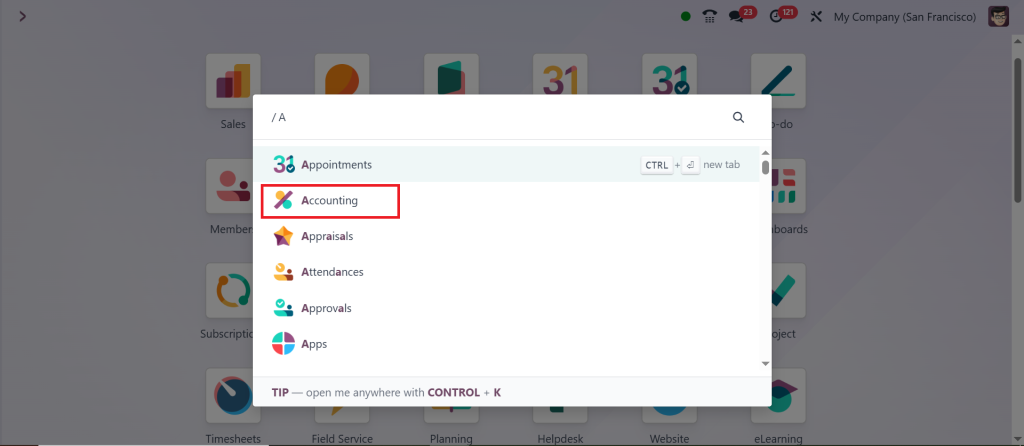
Go to Accounting App.
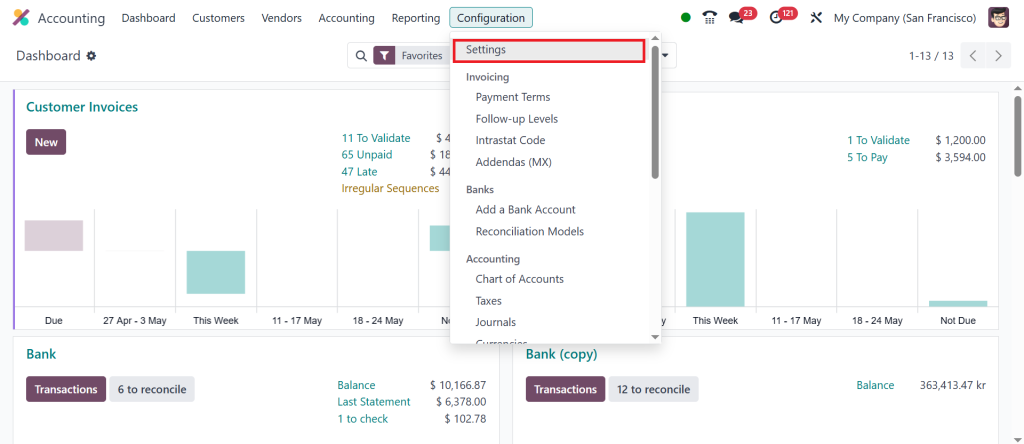
Configuration > Settings.
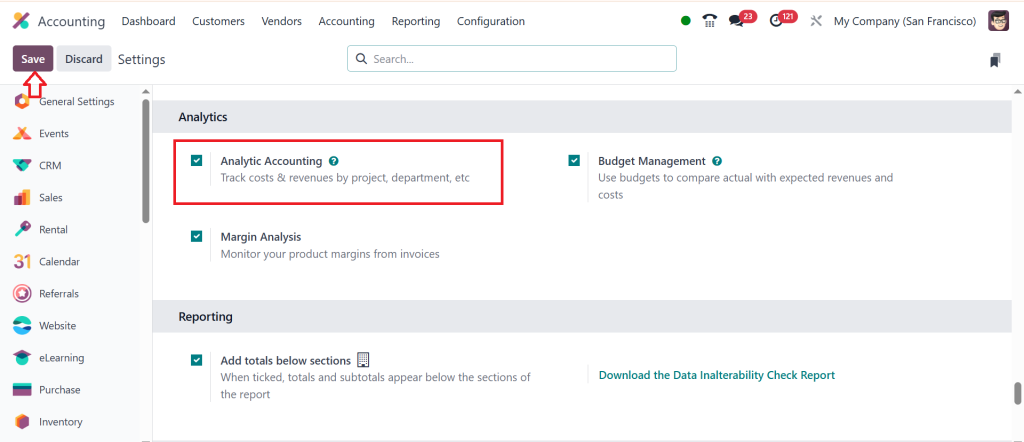
Under the Management section, enable; Analytic Accounting and click Save.
Step 2: Create Loan Journal
Next, you’ll need to set up a Loan Journal to record the transactions.
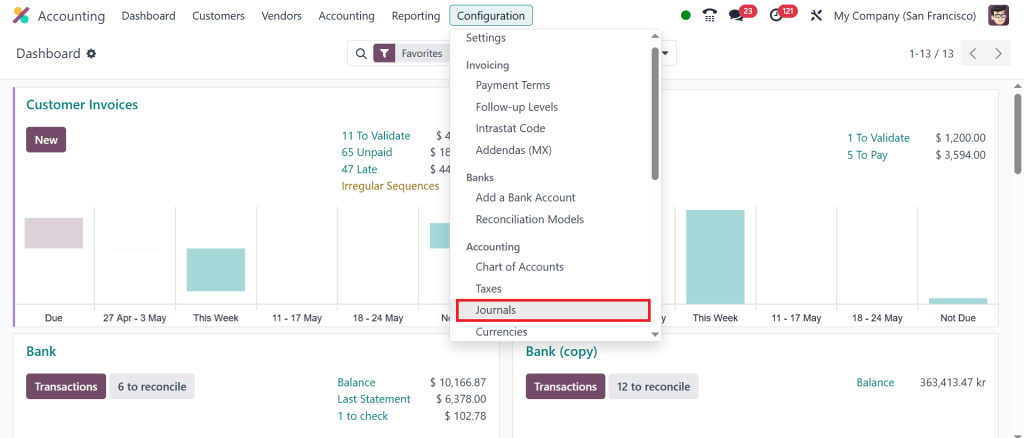
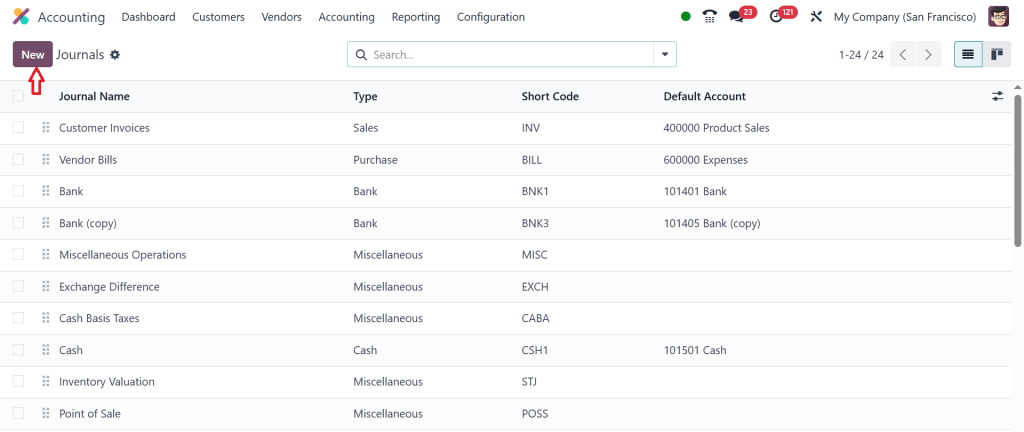
Go to Accounting > Configuration > Journals.
Click New.
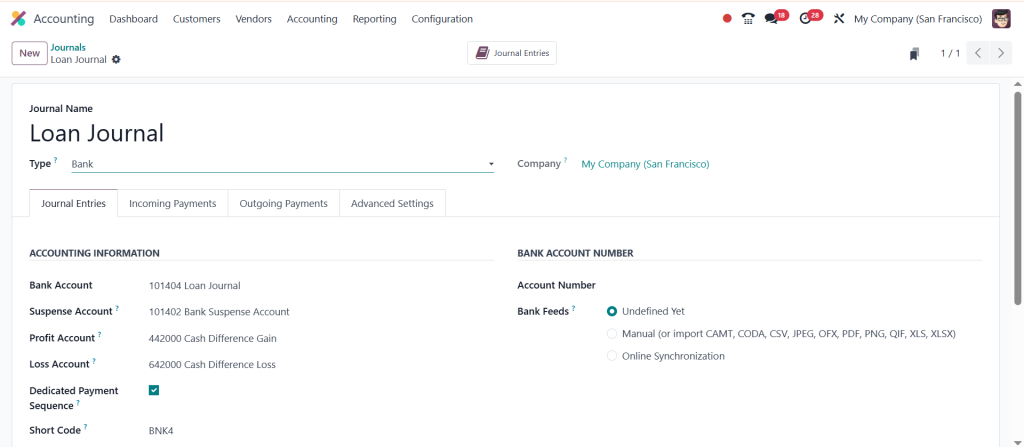
Fill in:
Journal Name: e.g., Loan Journal
Type: Bank or Cash
Short Code: e.g., BNK4
Save the journal.
Step 3: Set Up a Loan Account
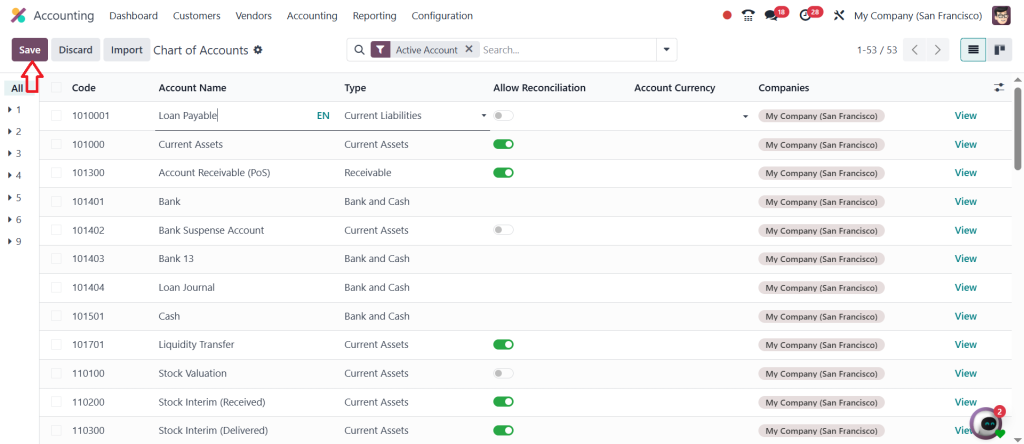
Create a dedicated loan account to track the loan balance accurately.
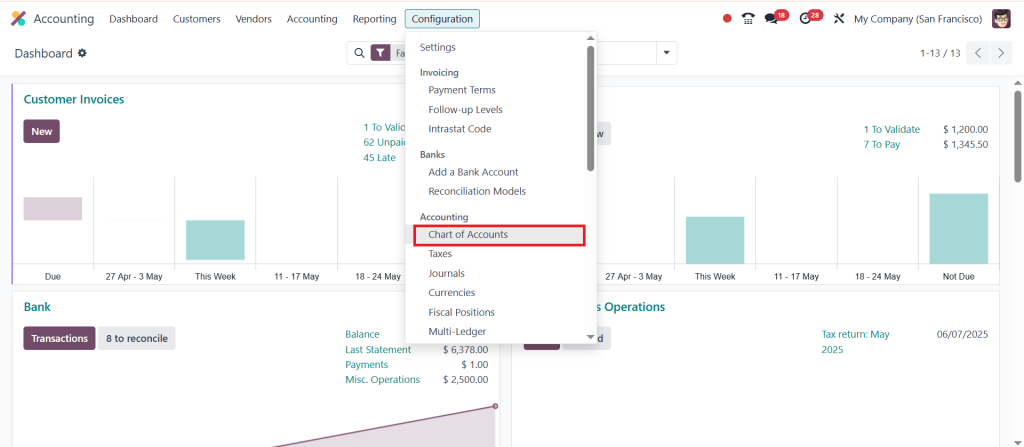
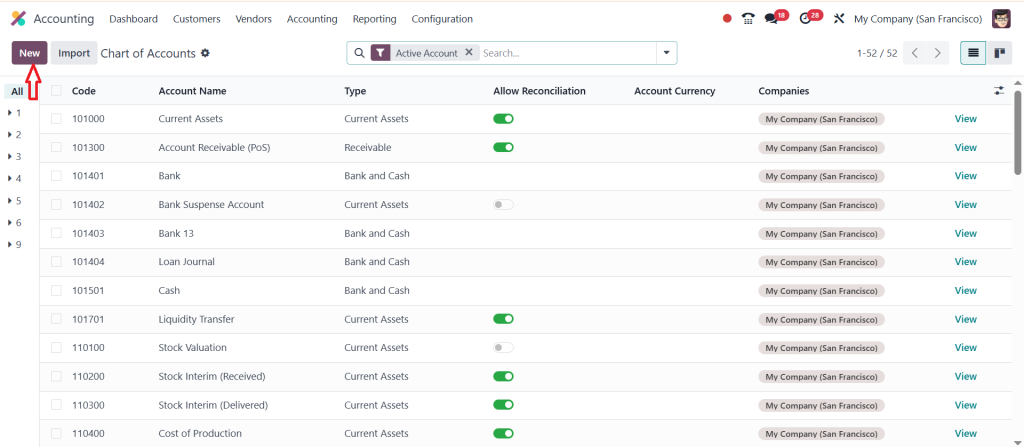
Go to Accounting > Configuration > Chart of Accounts.
To calculate the loan amortization schedule, follow these steps:
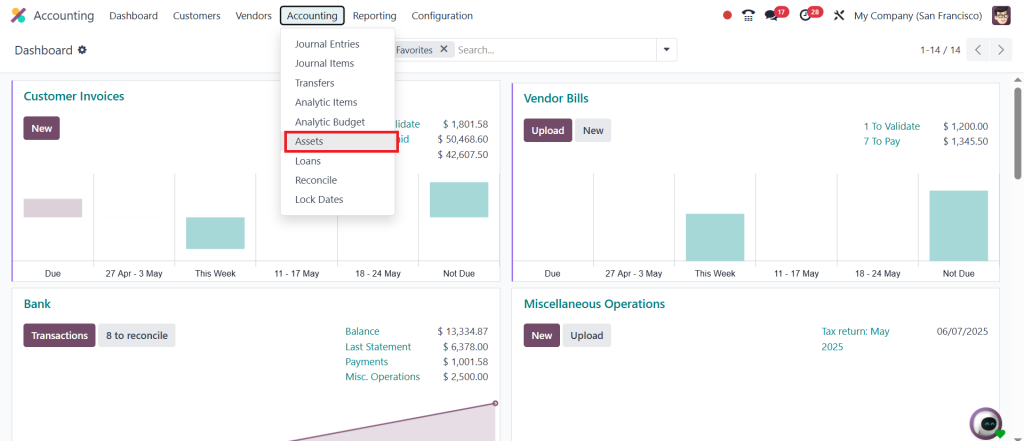
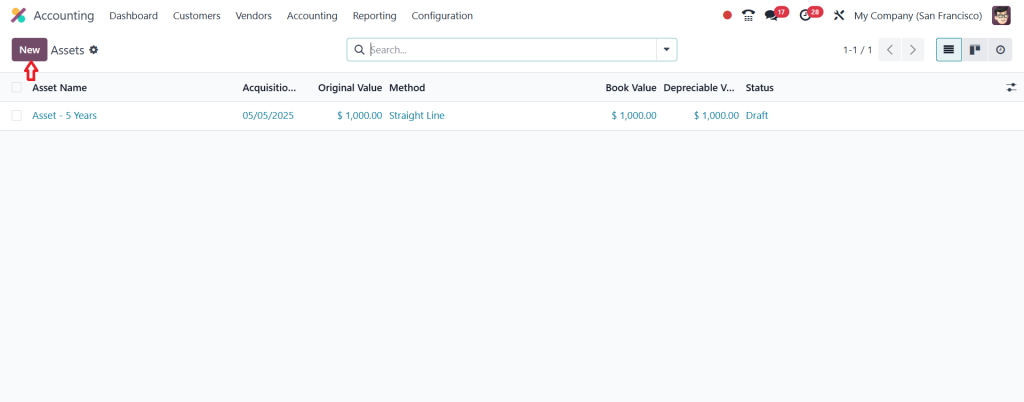
Go to Accounting > Accounting > Assets.
Click New.
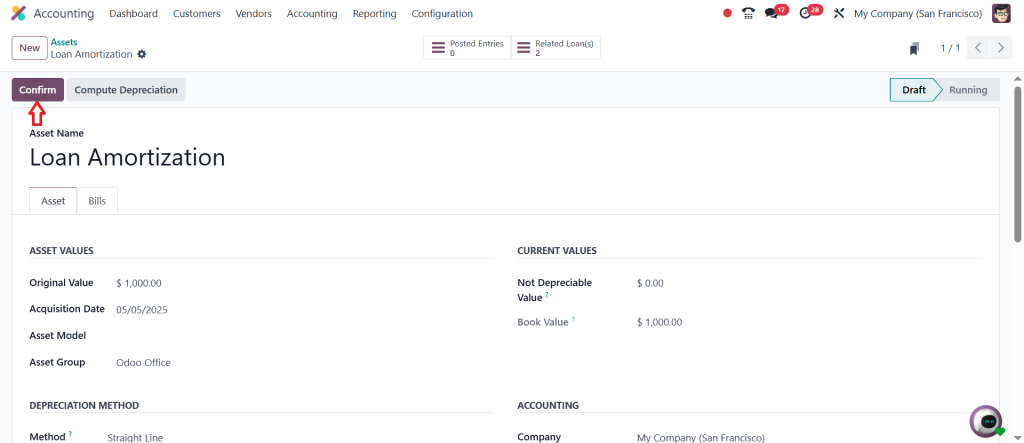
Fill in:
Asset Name: Loan Amortization for [Loan Name]
Original Value: Total loan amount
Acquisition Date: Loan date
Duration: Number of months/years
Method: Linear or Declining
Click Compute Depreciation to generate the schedule.
Click Confirm to activate the schedule.
Step 6: Record Monthly Loan Payments
As repayments begin, follow these steps:
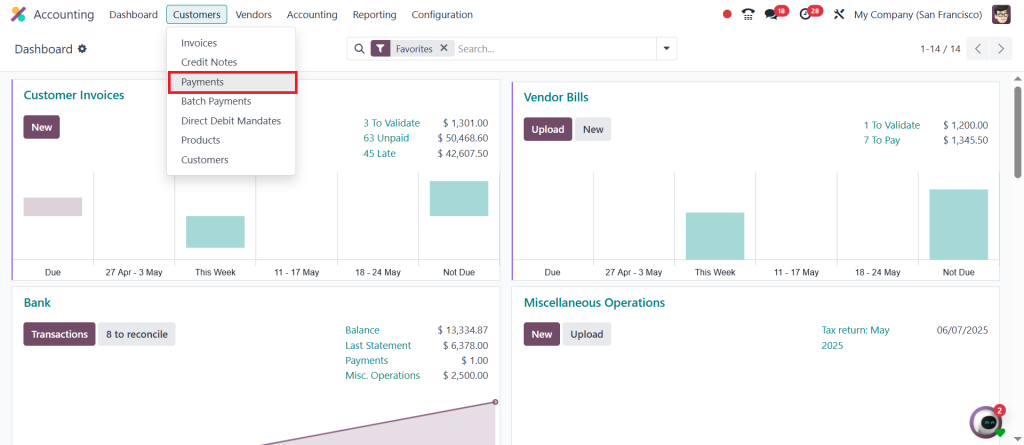
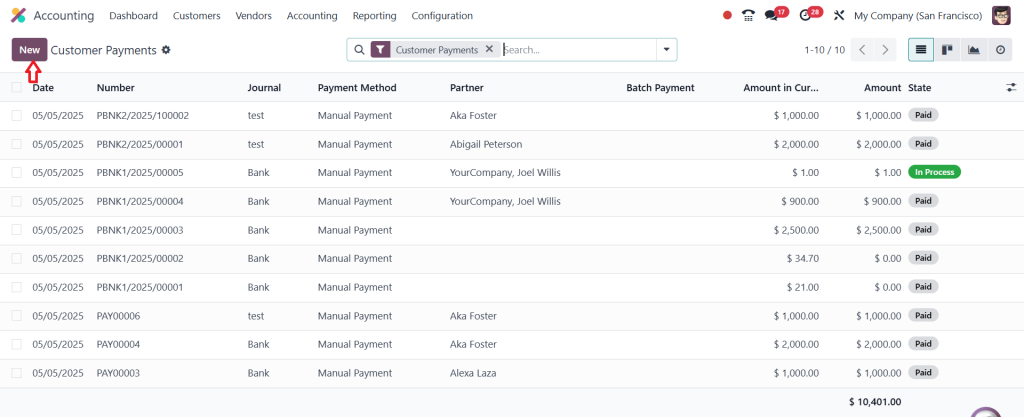
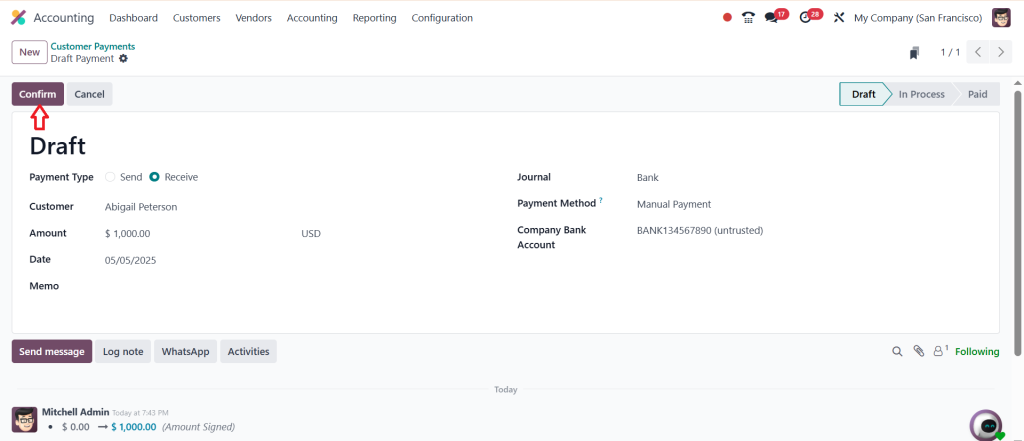
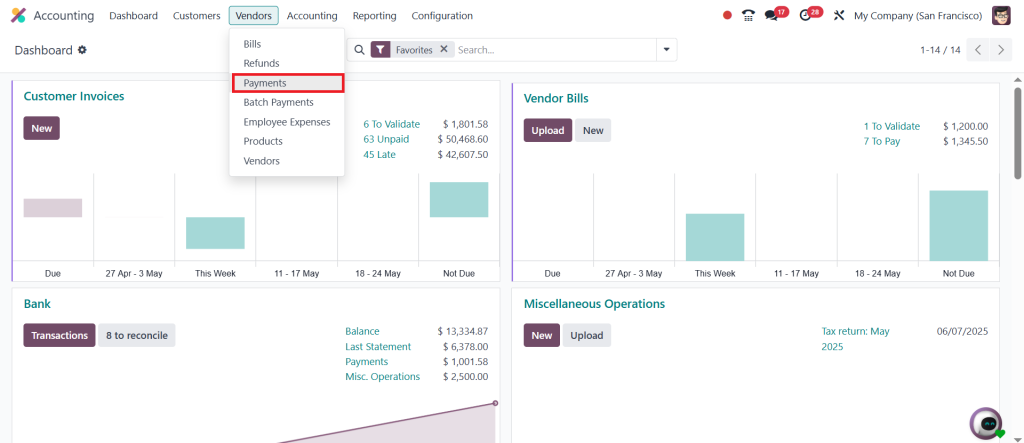
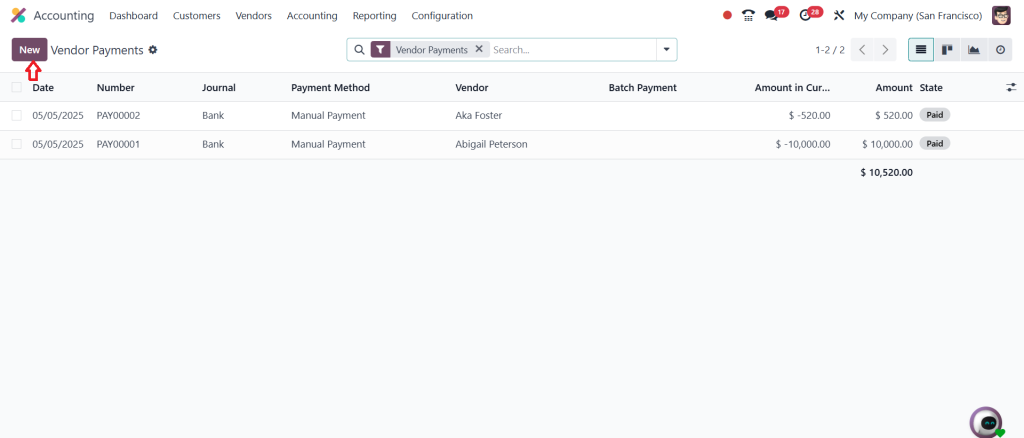
Go to Accounting > Vendors > Payments.
Click New.
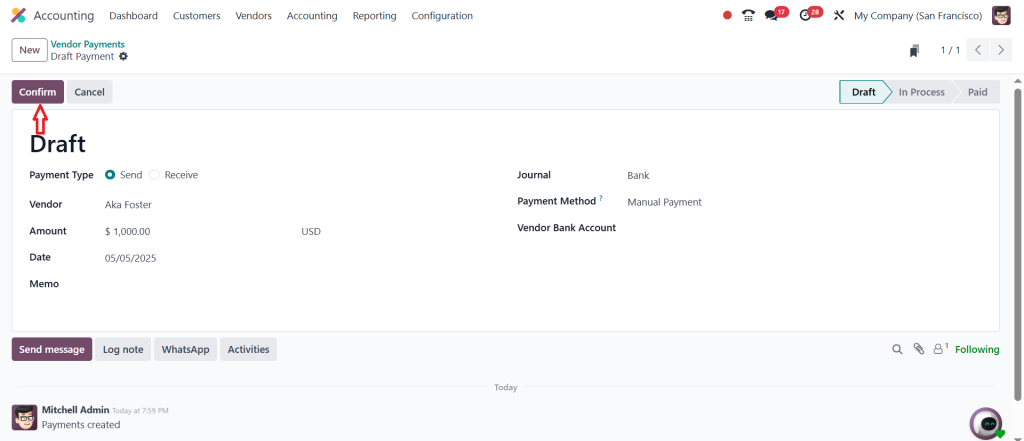
Fill in the details and Confirm.
Step 7: Post Interest and Loan Expenses
Interest payments need to be recorded too. Follow this to stay on top of all loan-related expenses.
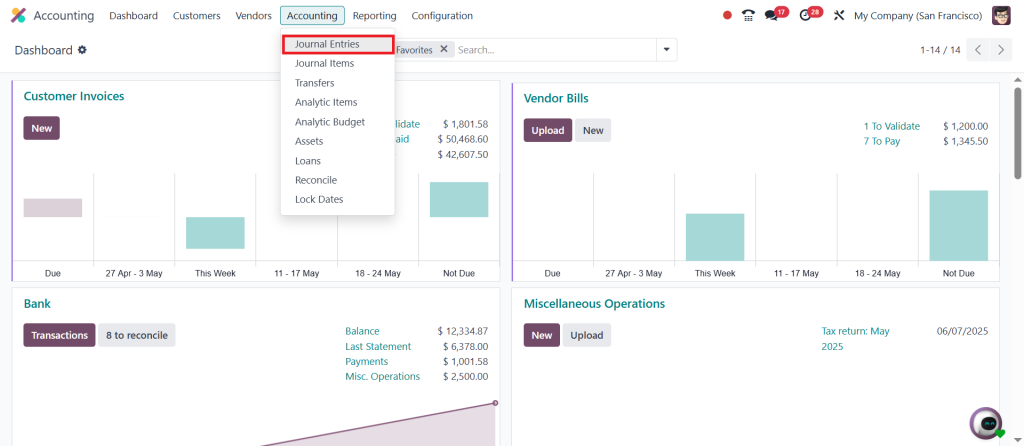
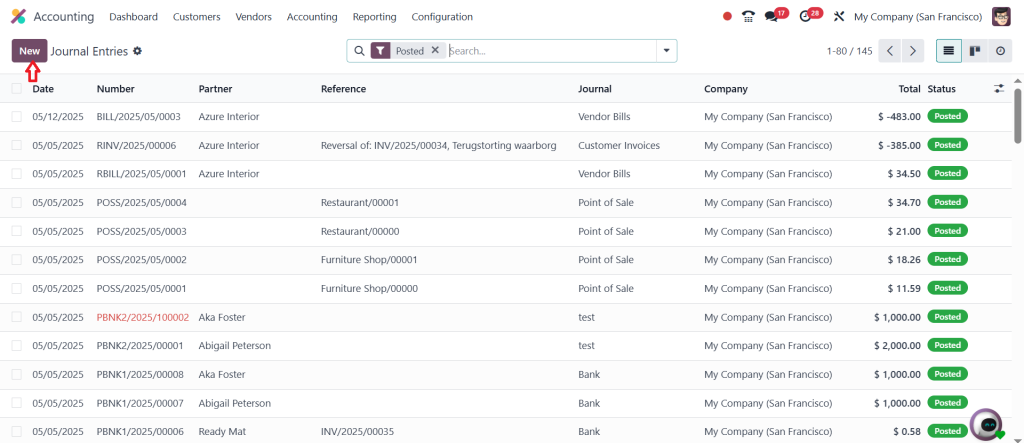
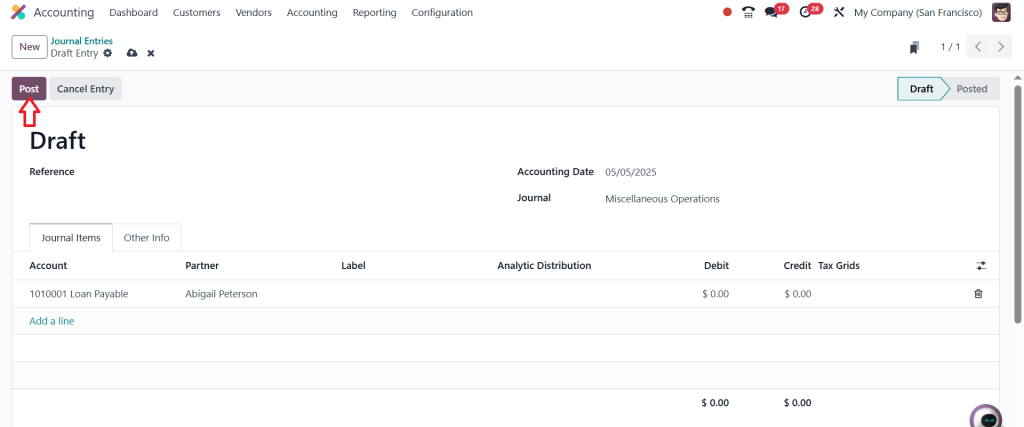
Go to Accounting > Journal Entries.
Click New.
Add details as per the loan schedule and post the entry.
Step 8: Track Loan Balances
Finally, track the status of your loan:
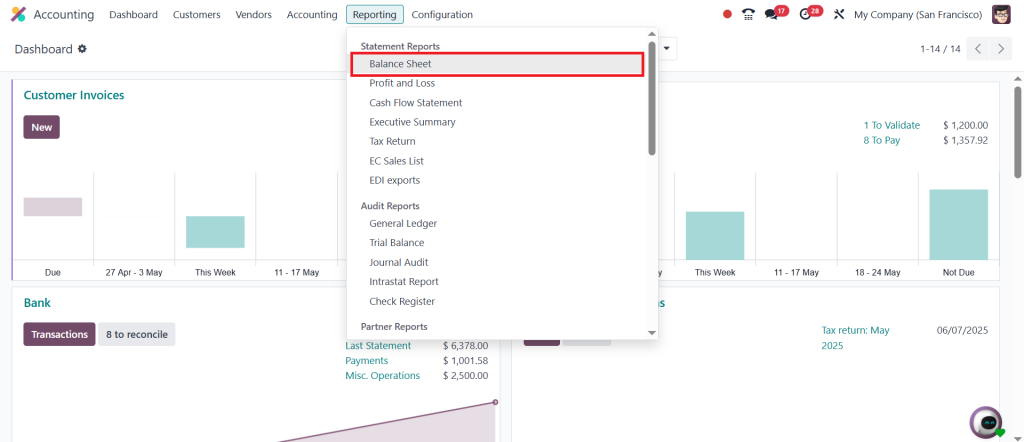
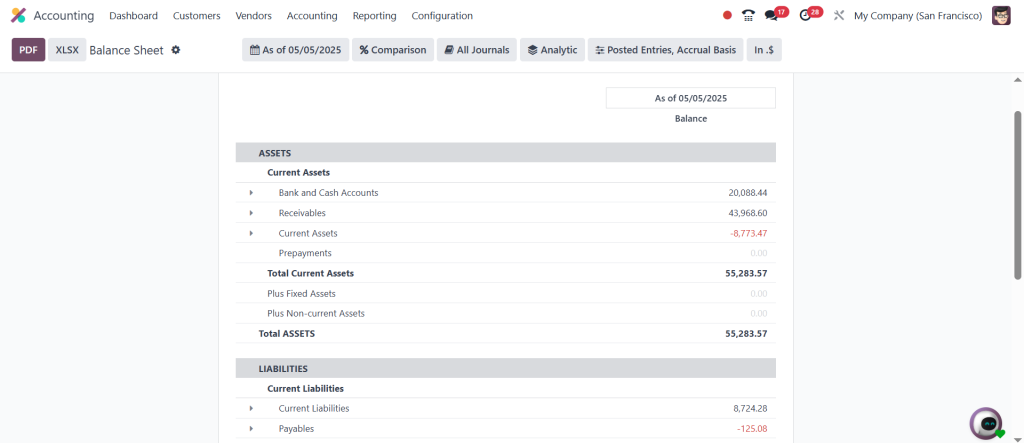
Go to Accounting > Reporting > Balance Sheet.
Here, you will see the updated loan liability or asset.
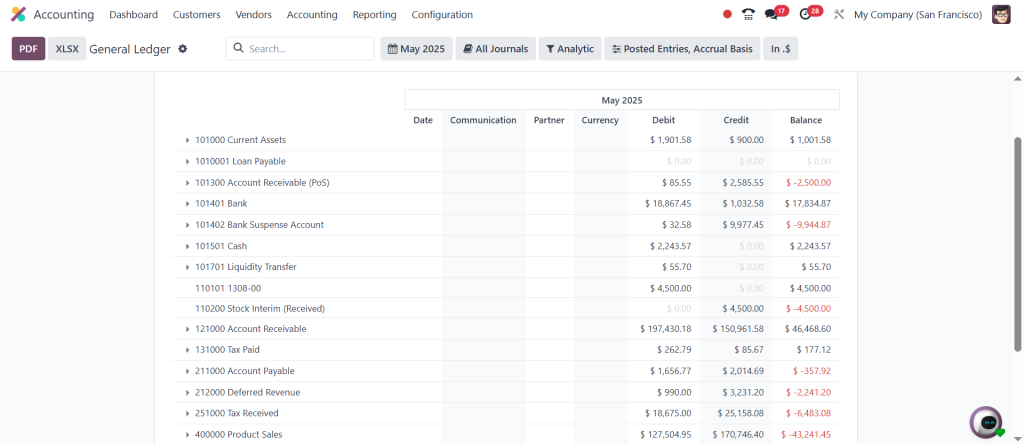
Use General Ledger to track individual loan account movements.
Pro Tip: Use Reconciliation Models in Odoo 18 to automate loan interest and installment matching. Set up Reminders to never miss a loan payment!
Additional Considerations:
If the loan involves tax, ensure that the tax rates are correctly configured in the journal entries.
Odoo can help automate interest calculations if your loan terms are complex, but you may need to use customizations or third-party modules to fully automate this.
By following these steps, you’ll be able to efficiently manage loans in Odoo 18’s Accounting module!
Advance Your Tracking with Odoo 18 Accounting Loans Features
When you dive into Odoo 18 accounting loans, you’ll notice how every tool is crafted to make your life easier. Every time you take a loan or pay, the system updates your finances instantly. It knows when to record interest, when to reduce your principal, and how to reflect this in your balance sheet without manual entries. Imagine the peace of mind of knowing your books are always accurate and current. That’s the power of Odoo 18: your accounting stays as dynamic and responsive as your business moves.
Automate Payments with Odoo Loan Amortization Schedule
Nothing feels better than seeing your loan shrink over time, and Odoo’s magic lies in its Odoo loan amortization schedule. This automated schedule maps out every future payment, showing exactly how much your principal is reduced and how much cover interest. Each line on the schedule tells a clear story, making loan repayment feel predictable and manageable. Whether you’re planning for a large lump-sum repayment or simply monitoring your monthly dues, Odoo 18 lays out the details with precision. And if your loan terms change mid-way? The system recalculates in real-time, keeping your roadmap always up to date.
Record Every Step with Odoo 18 Loan Journal Entries
Gone are the days of manual ledger entries and the anxiety of human error. With Odoo 18 loan journal entries, your accounting books automatically record every loan transaction from disbursement to repayment. This means no missed payments, incorrect balances, or end-of-year headaches during audits. Whether you’re handling fixed loans or dynamic lines of credit, the journal entries are generated and posted accurately. Even complex financial structures like balloon payments or partial prepayments are handled smoothly by the system, giving you complete confidence in your reports.
Stay Informed with Real-Time Odoo Loan Tracking
A particular thrill comes from seeing your loan numbers shrink live, and that’s precisely what Odoo loan tracking delivers. You get real-time insights into your total outstanding, upcoming payments, and interest costs at a glance. No more waiting for monthly reports or digging through files. This tracking system keeps you connected to your finances every minute, helping you stay proactive. Need to know your payoff balance before making a financial decision? Odoo 18 shows it instantly. This instant clarity allows you to manage your loans like a seasoned CFO.
Simplify Debt Handling with Odoo 18 Loan Repayment Process
The beauty of Odoo 18 shines brightest in its Odoo 18 loan repayment process. Repayments no longer feel like a chore but rather an elegant, automated sequence. You can schedule payments, adjust them mid-way, and split amounts between principal and interest without sweat. And for those looking to cut down debt faster? Odoo’s system recalculates your amortization schedule on the spot. Every repayment automatically updates your loan balance, accounting records, and cash flow reports. This smooth flow transforms repayment from a financial burden into a strategic advantage.
Why Managing Loans in Odoo 18 Is a Turning Point for Modern Businesses
When you manage loans in Odoo 18, you’re not just recording numbers but building a robust financial strategy. With integrated features like Odoo 18 loan management, automated Odoo 18 accounting loan tracking, clear Odoo loan amortization schedules, precise Odoo 18 loan journal entries, live Odoo loan tracking, and a foolproof Odoo 18 loan repayment process; the entire system works in perfect harmony. Every payment brings you nearer to financial freedom, every journal entry strengthens your accounting integrity, and every tracked balance allows you to make sharper, more intelligent decisions.
Once you experience the ease of loan management in Odoo 18, you’ll wonder how you ever managed without it. This is not just software; it’s your silent financial partner working behind the scenes to ensure your loans are always controlled, your books are balanced, and your future is bright.
Hi, I'm Ilsa Shabbir, an Odoo ERP content writer specializing in functional blogs on Odoo modules. I simplify complex Odoo features, creating clear and engaging content to help businesses understand and optimize their ERP solutions.
We use cookies to ensure that we give you the best experience on our website. If you continue to use this site we will assume that you are happy with it.