

Let me ask you something. Have you ever tried adding a product in Odoo and suddenly it asks you for a product category, and you think, “Wait, do I really need this right now?” This happens to almost everyone who starts with Odoo. The good news is, you don’t always need to add one. Yes, you can actually create a product without a product category in Odoo 19.
This is where Odoo shows its real flexibility. It doesn’t force you into a box. You don’t have to slow down just because you’re not yet ready to finalize categories. You can skip the product category and proceed. Imagine how much faster it is when you can add a product to Odoo 19 without wasting time figuring out where it belongs.
In this blog, I’ll guide you through the benefits of the Odoo product category optional feature, its impact on your Odoo inventory setup, and its implications for product management in Odoo. By the end, you’ll see how skipping categories can be a turning point when you’re trying to accomplish tasks quickly.
Odoo 19 Create Product Without Categories
Let’s discuss the practical aspect, which is how you actually do this. When you create a product in Odoo 19, you’ll see the usual form. You fill in the product name, type, and possibly a price, and then there’s a field for product category. Most people stop here and start wondering which category to select. But here’s the trick: you don’t have to. You can leave it empty.
And that’s how you create a product without a product category in Odoo 19. It’s that simple, no errors, no warnings, no roadblocks. You save the product, and it’s ready to use. That’s why I call it a simple yet effective step. It gives you the control to decide when you want to organize, not when the system forces you to.
Step-by-Step Guide: How to Create a Product Without a Product Category in Odoo 19
To create a product without a product category in Odoo 19, follow these steps:
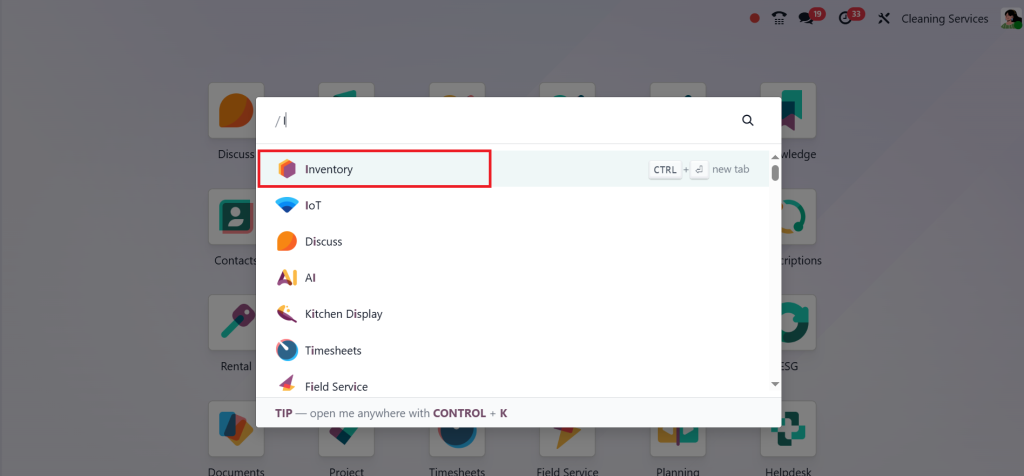
Direct to the Inventory module.
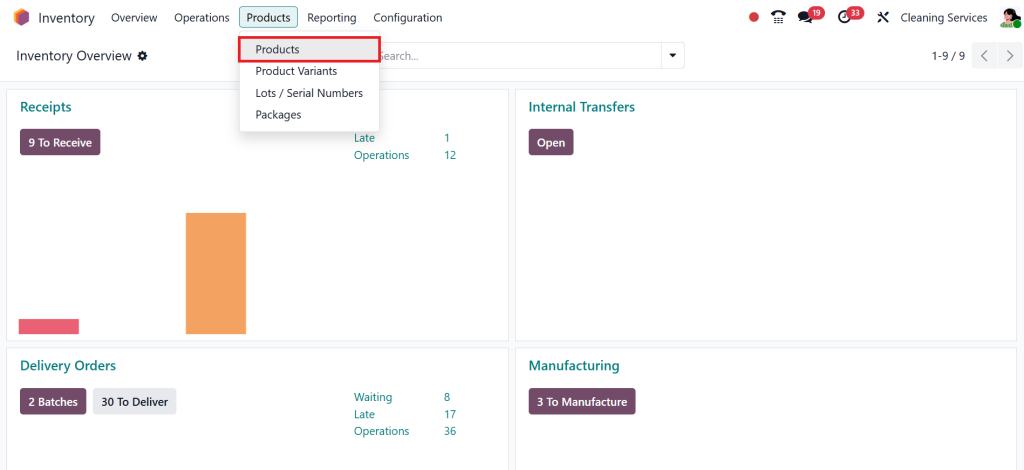
Go to Products → Products.
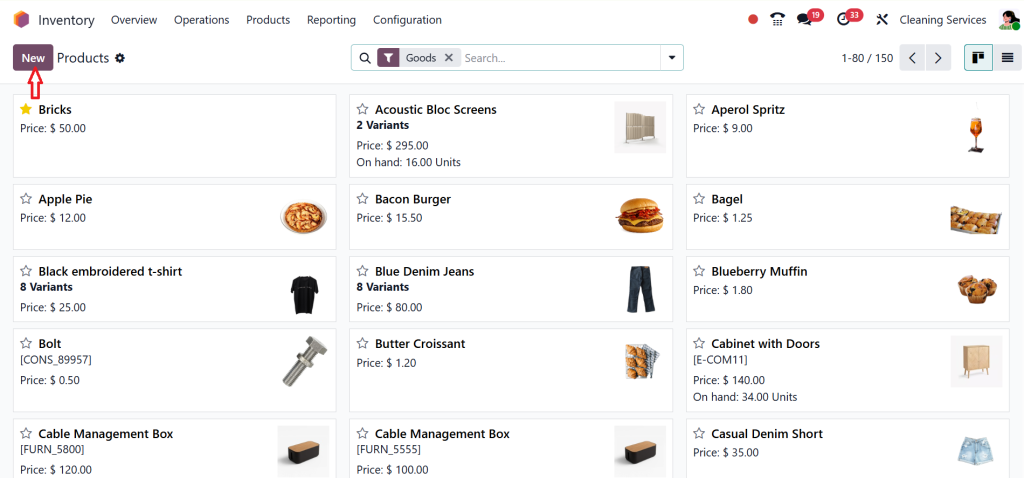
Click New. At this stage, you’re ready to add the product Odoo 19 to the system.
When the new product form opens, you’ll see a field for “Product Category.” Typically, this field is used to associate the product with a specific category for reporting and accounting purposes. But since our goal is to create a product without a product category in Odoo 19, you can leave this field empty.
Odoo 19 allows you to skip it because the Odoo product category optional setting means the system won’t block product creation if you don’t specify one. After filling in other required details such as product name, type, and pricing, click Save.
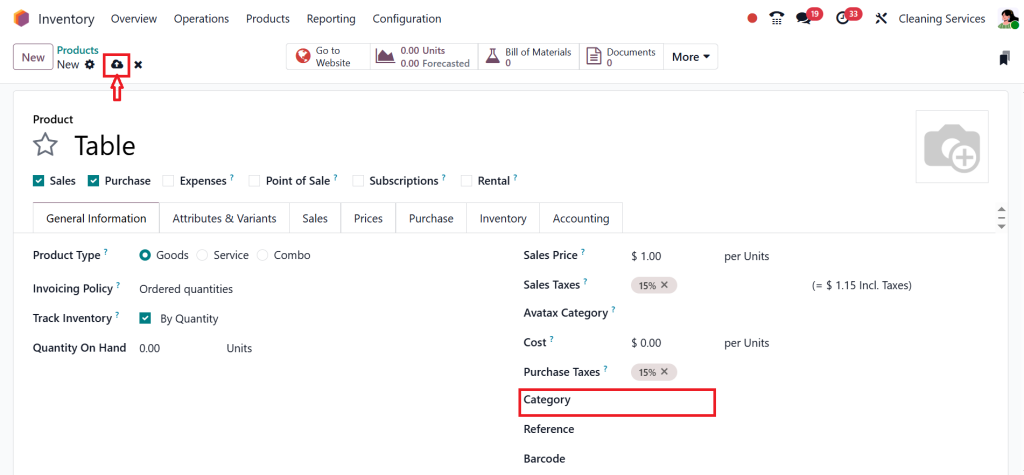
Your product will be created without being tied to any category. This is the simplest way to skip a product category while maintaining a fully functional product.
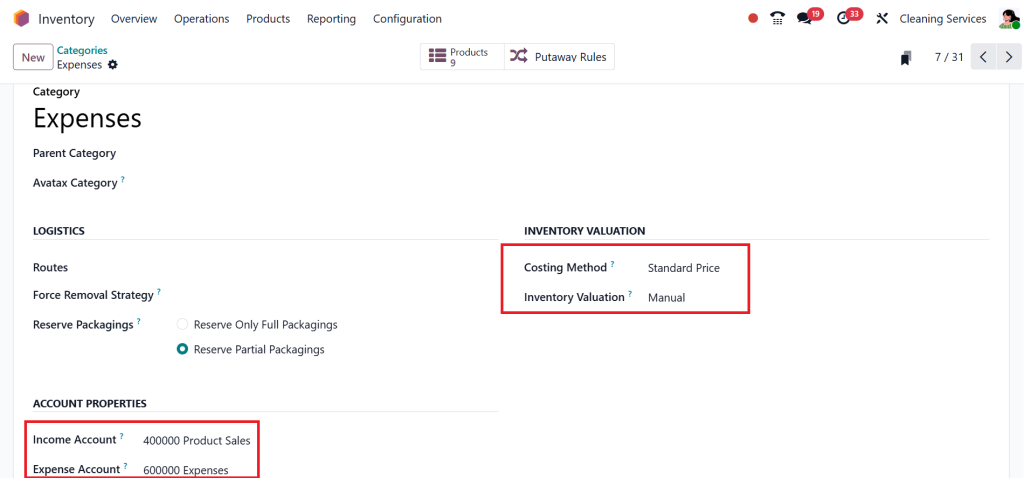
In previous versions of Odoo, it’s mandatory to set the product category because inside the category option, we have an income account, expense account, etc, so if you click on Configuration → Categories.
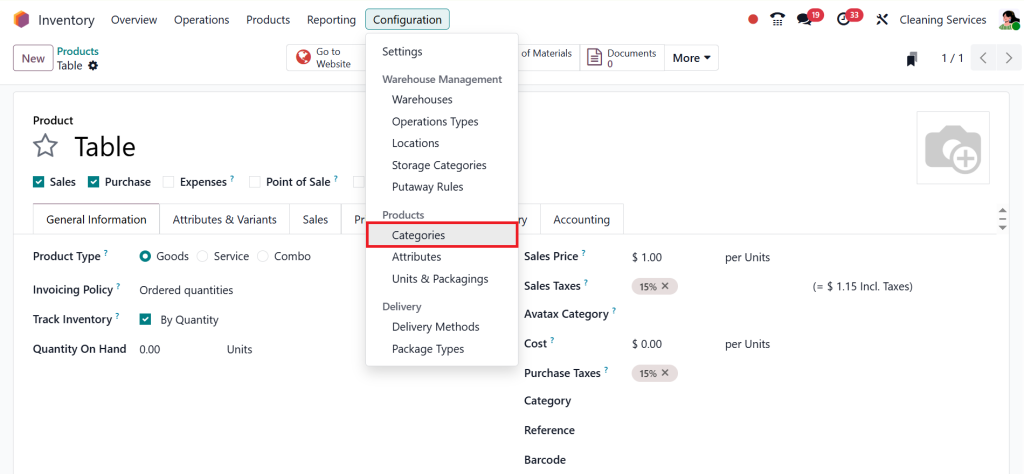
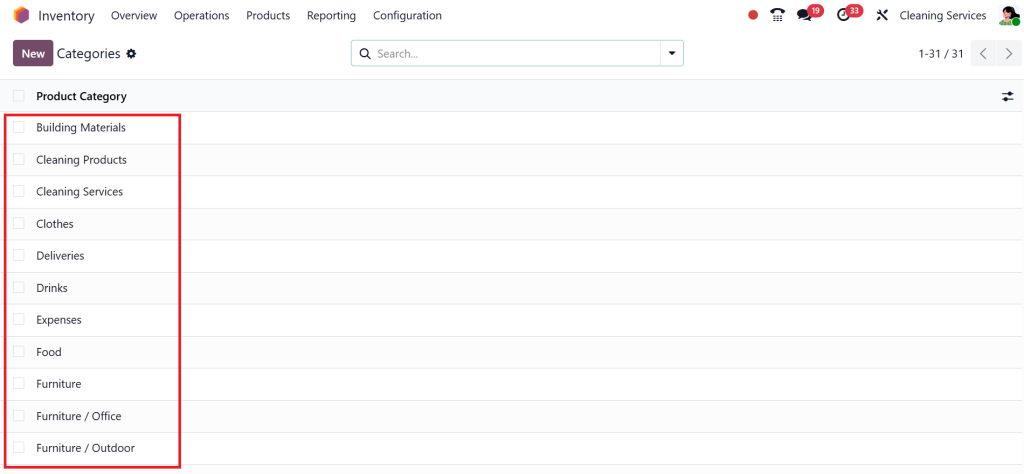
Then, click on any category from here.
Now, in the screenshot below, you can see the income account, expense account, costing method, and all of the other configurations we are setting up in the product categories, and these configurations are used by the product that we have created above.
This simplicity is what makes Odoo stand out. Many ERP systems would throw an error or force you to select from a predefined list. Odoo, on the other hand, gives you the option to skip. It respects the fact that every business works differently and doesn’t force unnecessary rules on you. This makes the platform not just influential but also incredibly user-friendly.
Odoo Product Category Optional – A Real-Time Saver
The fact that the Odoo product category optional feature even exists tells you something about how Odoo is built. It’s not like other rigid systems that don’t let you move forward without filling every little box. Odoo understands that businesses don’t always start fully organized. Sometimes, you need to keep things moving.
Think of it like moving into a new house. You don’t label every cupboard and drawer on the first day. You just put things where they fit, and later, when you’re settled, you arrange everything neatly. That’s precisely what Odoo lets you do with your products.
Odoo Inventory Setup Without Categories
When discussing Odoo inventory setup, categories typically play a significant role in accounting, stock valuation, and reporting. Here’s the interesting part: you don’t need them to run your operations. You can add products, track inventory, process sales, and even manage purchases without assigning categories.
This gives you breathing space. If you’re still figuring out your accounting structure or testing the system, you don’t want to get stuck in the details. By choosing to skip the product category, you can move ahead now and worry about organizing later.
Add Product Odoo 19 Quickly
One of my favorite things about Odoo is how easy it is to add a product in Odoo 19. You open the product form, fill in the basics, and hit Save. And the best part? You don’t need to spend extra time on categories if you’re not ready for them.
This small thing saves you a significant amount of time, especially when adding multiple products at once. Suppose trying to load ten new products and having to pause for each one to think about categories. Skipping them makes the whole process faster and smoother.
Flexibility First with Product Management Odoo
Effective product management in Odoo is all about striking a balance. You need structure for reports and accounting, but you also need flexibility to move fast. That’s why being able to create a product without a product category in Odoo 19 is such a smart option.
Initially, you want to get your products into the system. Later, when you have more products and your business grows, you can add categories for better control. Odoo gives you both options. It’s like saying, “Don’t stress now, we’ll organize later.” And honestly, that’s the kind of system businesses love working with.
Odoo Skip Product Category – When It Makes Sense
There are many times when choosing to skip the product category makes sense. You may be starting out and only have a few products. You may be testing Odoo for the first time and don’t want to think about categories yet. Or maybe you need to move quickly because speed is more important than structure in that moment.
Later, once your catalog grows and your Odoo inventory setup becomes more advanced, you can always go back and add categories as needed. That’s the best part. Nothing gets lost, and nothing breaks. Odoo allows you to make changes at any time without any issues.
The Bigger Concept of Creating Products Without Categories
When you look at the bigger shot, the ability to create a product without a product category in Odoo 19 is more than just skipping a field on a form. It shows you how Odoo is designed with real businesses in mind. Every company works differently, and Odoo respects that.
This flexibility is what sets Odoo apart. It doesn’t force you to work a certain way. Instead, it adapts to how you want to work. Whether you’re a small business adding just one product or a large company with thousands of items, Odoo gives you the choice to decide when categories are essential and when they are not.
Final Thoughts on Creating a Product Without a Product Category in Odoo 19
Learning how to create a product without a product category in Odoo 19 is not just about skipping a step; it’s about understanding the underlying principles. It’s about making your work faster, more straightforward, and more flexible. The Odoo product category optional feature allows you to move forward without getting stuck. The Odoo inventory setup works smoothly, even without categories, and you can add a product in Odoo 19 in seconds without wasting time.
This option makes product management in Odoo easier because you decide how and when to organize your products. And with the ability to skip product category, you get the freedom to keep things simple today and add structure tomorrow.
That’s the real standout of Odoo 19; it grows with you. You don’t have to be perfect on day one. You need to start, and Odoo makes sure you can.
Now you know how easy it is to create a product without a product category in Odoo 19, and why that little bit of flexibility can make a substantial discrepancy in your Odoo inventory setup. You can add products in Odoo 19 quickly, skip categories when you need speed, and still bring in structure later when you’re ready. That’s what makes product management in Odoo so smooth and assertive.
Let me help you get started. If you’re ready to simplify your setup and see how Odoo adapts to your pace, reach out to us at Netilligence today, and let’s get your system up and running the right way.




