

Facilitate Your Sales with a Proforma Invoice in Odoo 19 Sales
If you’re running a business that relies on accurate billing and effective client communication, mastering how to create a Proforma Invoice in Odoo 19 Sales can significantly transform your workflow. Odoo 19 makes it easier than ever to send professional estimates, track approvals, and convert them into final invoices smoothly.
A Proforma Invoice in Odoo 19 Sales acts as a preliminary bill, helping businesses confirm order details before final invoicing. Whether you’re managing domestic or international clients, this feature ensures transparency, accuracy, and trust.
In this tutorial, we’ll guide you through creating a Proforma Invoice in Odoo, explaining its benefits, and exploring how it fits into your Odoo billing workflow for 2025.
By the end of this guide, you’ll not only know how to handle a sales proforma invoice process in Odoo but also why businesses around the world are switching to Odoo for smarter, faster, and more reliable sales management.
What is a Proforma Invoice in Odoo 19 Sales?
Before reading the steps, it’s essential to understand what a Proforma Invoice in Odoo 19 Sales actually is.
A Proforma Invoice is a preliminary bill shared with a customer before the actual sale is finalized. It serves as a commitment document that outlines the goods, services, prices, and terms, without recording it as revenue or triggering accounting entries.
In Odoo 19 Sales, the proforma invoice serves as an essential communication and validation tool. It helps your clients review, confirm, or modify order details before payment.
Why Businesses Use Proforma Invoices in Odoo 19
- Transparency: Provides customers with a clear understanding of what to expect.
- Efficiency: Avoids confusion before final invoicing.
- Trust: Establishes professional credibility through detailed and accurate information.
- Automation: Saves time by seamlessly converting quotes to invoices.
Whether you’re handling B2B or B2C clients, learning to create a Proforma Invoice in Odoo helps maintain a professional and efficient sales pipeline.
Advanced Settings for Sales Proforma Invoice Process Odoo
Odoo 19 has introduced several improvements that make managing proforma invoices easier and more flexible.
1. Enable Proforma Invoice Option
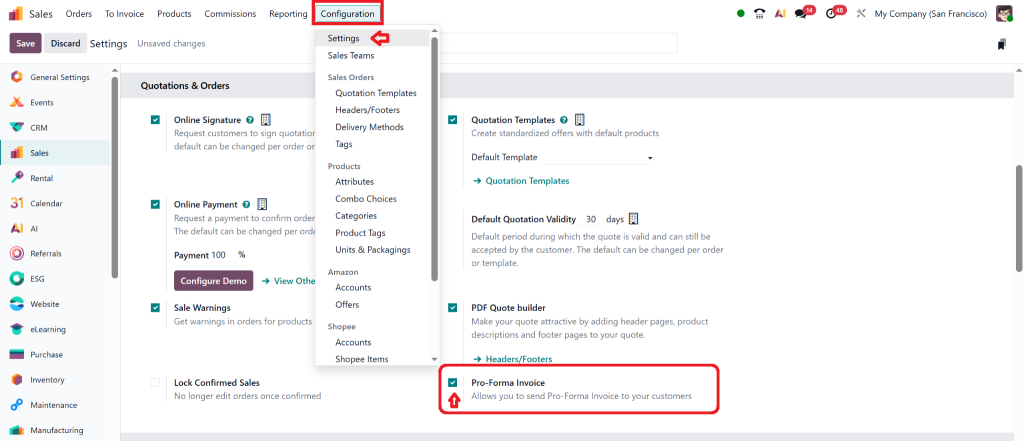
Navigate to Sales → Configuration → Settings.
Under Invoicing, enable the “Proforma Invoice” checkbox to make the feature visible.
2. Automate Notifications
Set automated email notifications for your clients whenever a new Proforma Invoice is generated or updated in Odoo 19 Sales.
3. Customise Template
Personalise your Odoo send proforma invoice template using Odoo Studio. Add your logo, terms, and digital signature for better branding.
4. Multi-Currency Support
For international transactions, Odoo automatically applies exchange rates when generating a pro forma invoice in Odoo 19.
5. Link with Other Modules
Integrate with Inventory, Accounting, and Purchase to keep your business operations connected and efficient.
How to Create a Proforma Invoice Odoo 19 Sales – Step-by-Step
This section provides a comprehensive tutorial on the Proforma Invoice process in Odoo 19, covering the entire workflow from sales quotation to invoice confirmation.
Step 1: Access the Sales Module
Go to the Sales application in your Odoo 19 dashboard.
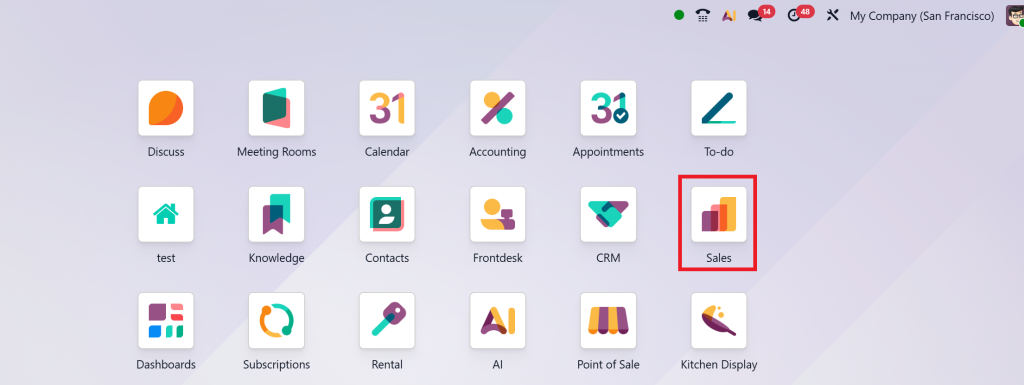
From here, you can manage quotations, orders, and invoices effortlessly.
Step 2: Create a New Quotation
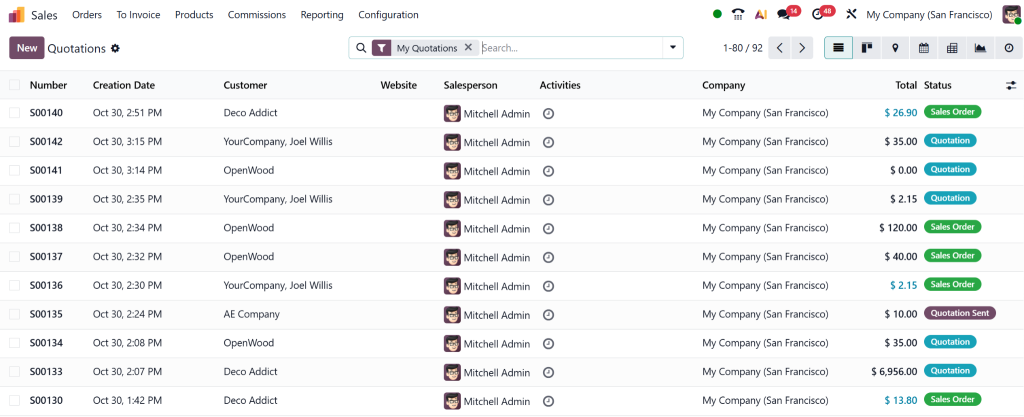
Click on Create → fill in customer details, product items, and prices.
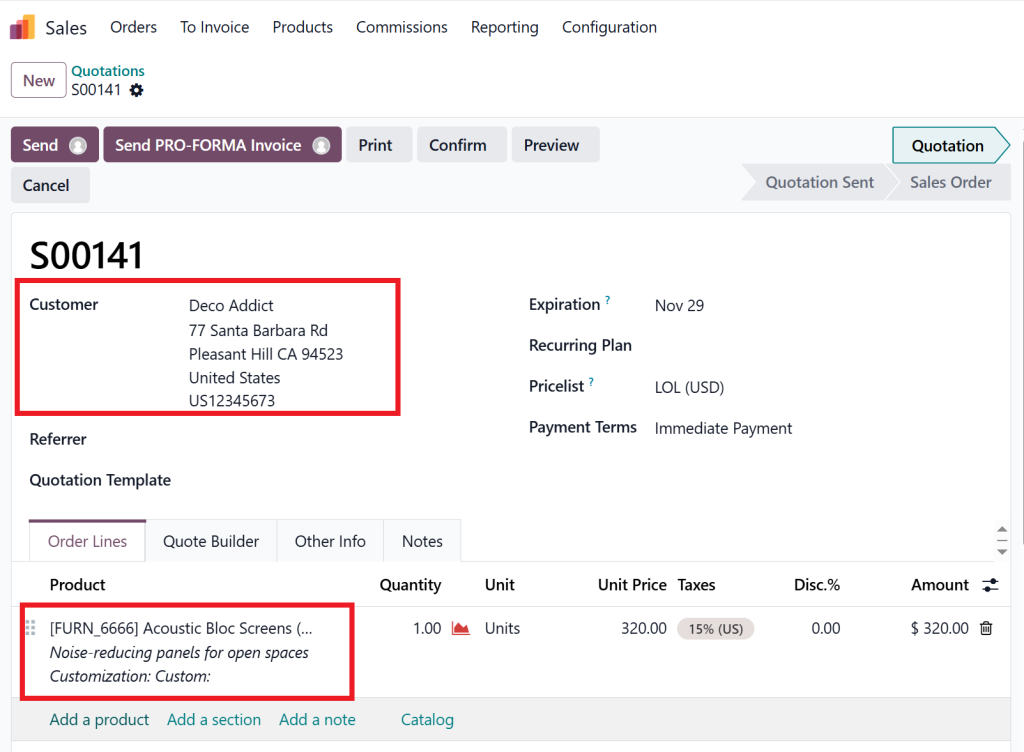
This quotation serves as the base document that you’ll later convert into a Proforma Invoice in Odoo 19 Sales.
Step 3: Add Payment and Delivery Terms
Specify terms and conditions, delivery schedules, and payment methods. These details are automatically reflected in your pro forma invoice.
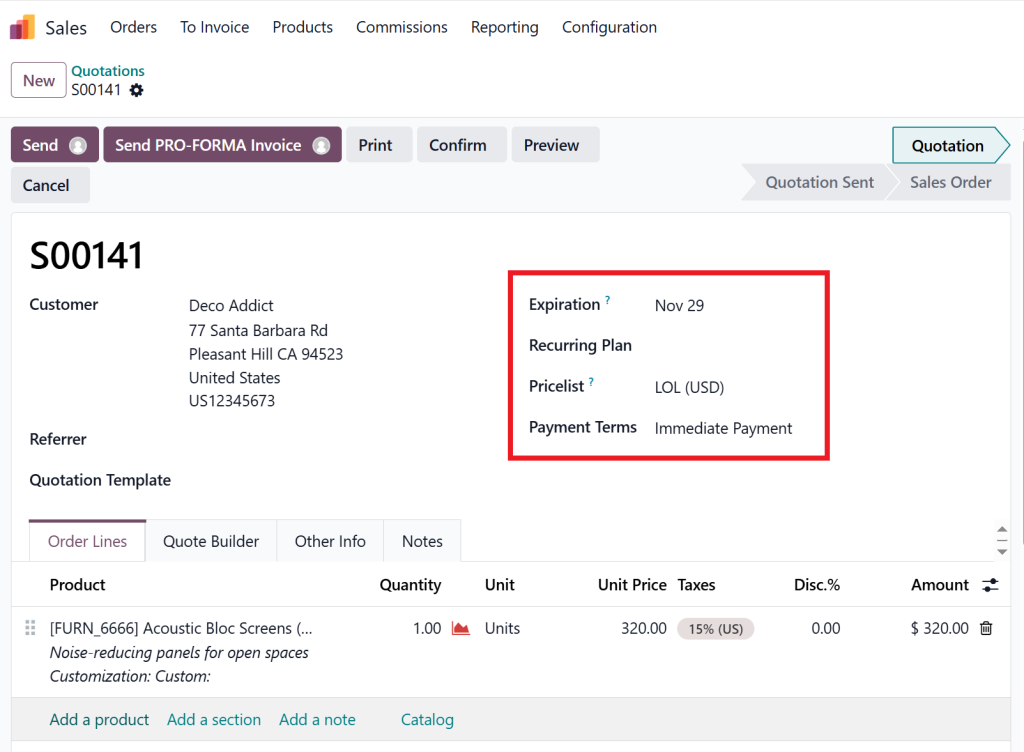
Step 4: Generate the Proforma Invoice
Once the quotation is ready, click Print → Proforma Invoice.
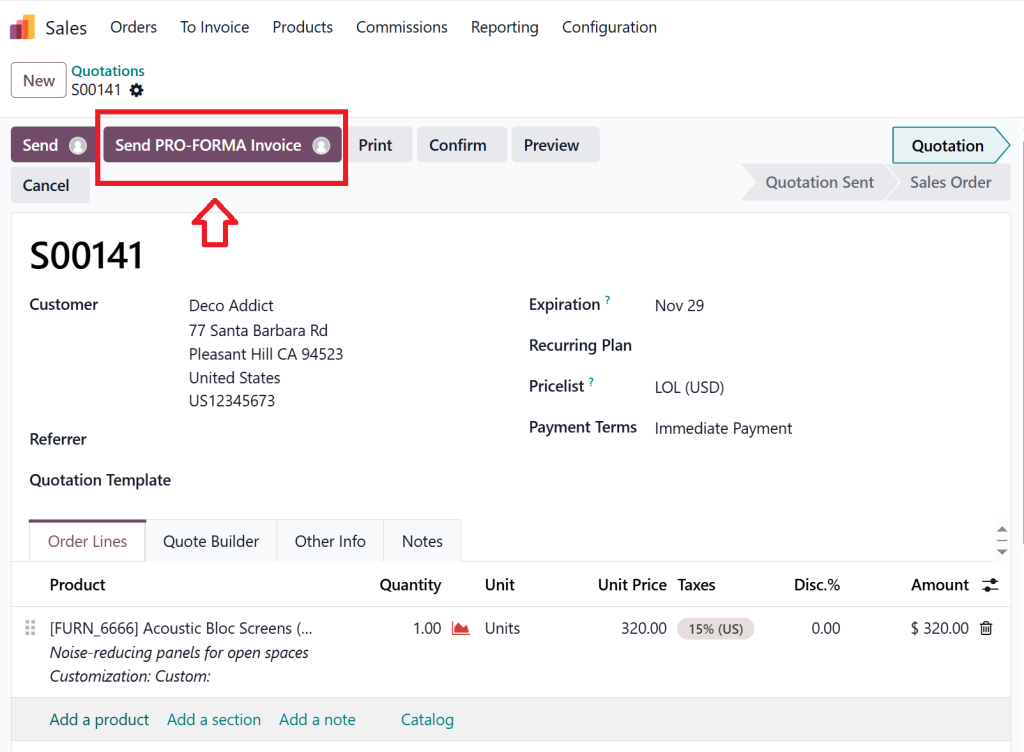
Odoo instantly generates a pro Forma Invoice PDF with your company’s branding, client details, and cost breakdown.
Step 5: Send Proforma Invoice to the Client
Use the “Send by Email” button to send your Odoo 19 proforma invoice directly to clients. You can also attach notes or customised messages for better communication.
Step 6: Convert to a Confirmed Invoice
When the client approves, click Confirm Sale, and Odoo automatically converts the pro forma invoice into a final invoice.
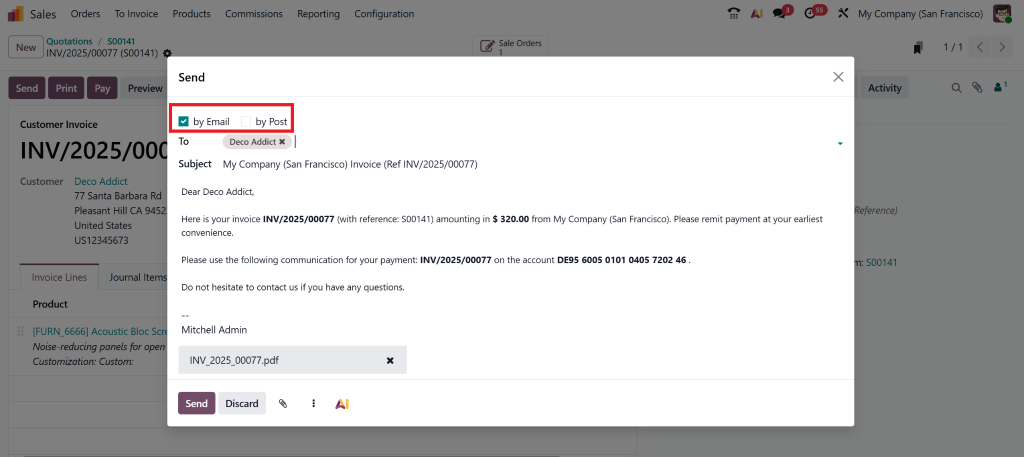
No data duplication, everything remains traceable within your Odoo billing workflow 2025.
Benefits of Using a Proforma Invoice Tutorial Odoo 19
Integrating the Proforma Invoice feature in Odoo 19 Sales provides numerous advantages for both small and large businesses.
1. Updated Sales Workflow
With Odoo, there’s no need for manual paperwork or redundant data entry. You can create a Proforma Invoice in Odoo in just a few seconds and share it instantly.
2. Faster Decision Making
Clients can review the invoice, request changes, and approve directly, reducing turnaround time.
3. Integrated Accounting
Once approved, your Odoo 19 Proforma Invoice can be easily converted into a tax-compliant final invoice, automatically syncing with the accounting modules.
4. Professional Presentation
Every Proforma Invoice in Odoo 19 Sales can be customised with your logo, colour scheme, and payment terms. It reflects your brand’s professionalism.
5. Real-Time Tracking
Track every document in your sales proforma invoice process in Odoo, from draft to payment, all in one dashboard.
These benefits make Odoo 19 one of the best ERP systems for modern business billing automation.
Understanding Invoice vs Proforma Odoo 19
It’s common for businesses to confuse invoices with proforma invoices. Let’s clear that up.
A Proforma Invoice in Odoo 19 Sales is a preview document. It does not affect your books until the invoice is converted to a final one.
Feature | Proforma Invoice | Final Invoice |
Purpose | Estimate or proposal | Official demand for payment |
Accounting Entry | Not recorded | Recorded in accounts |
Customer Confirmation | Required before final sale | Confirms completed sale |
Modifiable | Yes | No (once validated) |
Odoo Module | Generated from Sales | Generated from Accounting |
This clear distinction allows your finance team to maintain compliance and accuracy throughout the Odoo billing workflow 2025.
Why Odoo 19 Makes Proforma Invoicing Smarter in 2025
With every new release, Odoo continues to enhance its invoicing and sales management features.
Here’s why using a Proforma Invoice in Odoo 19 Sales gives you an edge in 2025:
- AI-Driven Automation: Reduce manual steps with automatic workflow transitions.
- Better User Interface: Modern, intuitive, and faster navigation.
- Global Compliance: Odoo 19 supports tax configurations across multiple countries.
- Smooth Integration: Syncs with CRM, Accounting, and Inventory instantly.
- Real-Time Reporting: Track pending invoices, payments, and customer responses.
For growing businesses, Odoo 19 offers a comprehensive billing ecosystem, spanning from quotation to cash flow, ensuring every sale runs smoothly and efficiently.
Ready to Automate Your Proforma Invoicing with Netilligence?
At Netilligence, we help businesses implement, customise, and optimise Odoo 19 for their specific needs.
As an Odoo Partner, our team ensures you get:
- A smooth Proforma Invoice setup in Odoo 19 Sales
- Customised templates with your brand identity
- Automated workflows for billing and follow-ups
- Ongoing support and training for your team
Our mission is to help you make your Odoo billing workflow 2025 faster, more innovative, and more reliable.
Whether you’re looking to create a Proforma Invoice in Odoo or want a full ERP integration, Netilligence is your trusted partner for digital transformation.




