

When I first started exploring the new features in the Odoo 19 Discuss, I realized how many people feel stuck with internal communication problems that never seem to end. Whether you are handling a small team or a multi-department company, you’ve probably felt the frustration of trying to keep everyone on the same page. Messages get lost, replies come late, and sometimes the most critical update gets buried under random chat lines. That’s precisely why the new features in Odoo 19 Discuss felt worth discussing in detail. They directly address issues we struggle with every single day.
As you read through this guide, you will see how the new features in Odoo 19 Discuss bring more clarity to your work, help you stay organized, and remove the silent stress that comes from scattered communication. I’m mentioning the new features in Odoo 19. Discuss multiple times here because everything in this blog is connected to them: your challenges, your team’s workflow, and the solutions you’ve been waiting for.
New Features in the Odoo 19 Discuss That Change How You Communicate
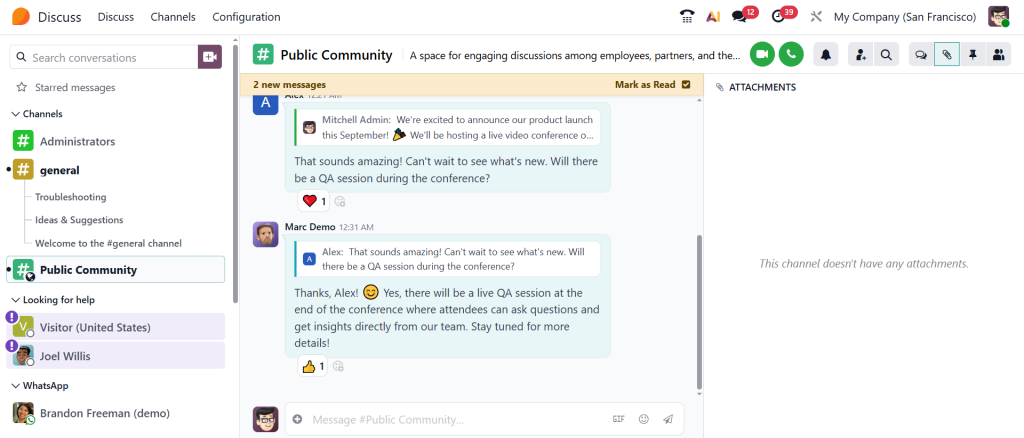
The first thing you notice when you open the updated Discuss app is how calm everything feels. The layout is cleaner, the colors feel lighter, and the entire environment looks designed to reduce mental load. In earlier versions, users often felt overwhelmed by cluttered chat sections or unnecessary distractions. With the new features in Odoo 19 Discuss, the overall experience now feels well thought out. You move from one conversation to another without feeling lost or tired.
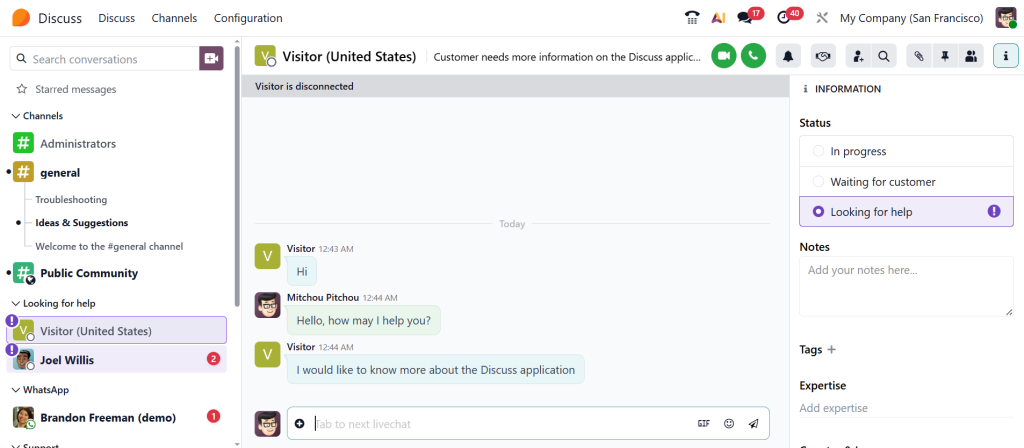
Each message stands out clearly, making it easier for your eyes to follow the flow of discussions. If your team manages multiple projects at once, this smoother experience makes a noticeable difference. You no longer waste precious minutes trying to understand who said what or which message needs your attention. This upgrade focuses on everyday comfort, and once you get used to it, you’ll probably wonder how you managed before.
Odoo 19 Discuss App New Features That Solve Real Workplace Problems
Every workplace has its own communication challenges. Some teams struggle with slow response times, others face confusion when discussing tasks, and almost every team has moments where messages reach the wrong people. This is where the new features of the Odoo 19 Discuss app step in. The improvements aren’t just “nice-to-have” updates; they feel practical and genuinely helpful. One problem many teams face is notifying the right people without having to type long messages or tag multiple individuals.
The new features remove that stress. You can now talk to whole groups or departments with a single mention, share updates that reach everyone who needs them, and avoid misunderstandings that slow down work. These small changes stack up and create a smoother daily workflow. The more your team talks inside Discuss, the more you’ll notice how the new features solve problems you didn’t even realize were costing you so much time.
Odoo Chat Role Mentions and Why They Matter in Daily Communication
One of the upgrades I appreciate most is the Odoo chat role-mention feature. Communication becomes easier when you don’t have to type long lists of names or worry about leaving someone out. With role-based mentions, you type @ followed by the role, and the message instantly reaches the right group of people. If you need the sales team to follow up on a lead, mention @SalesTeam to ensure everyone sees it. If support needs to step in, @Support brings the message to the correct group.
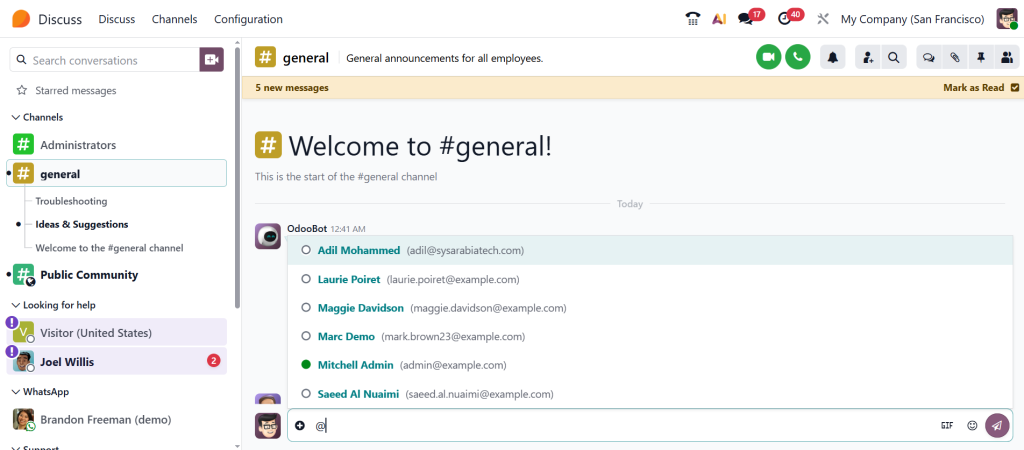
This kind of smart communication removes the guesswork from team conversations. It also prevents those awkward moments where someone says, “I didn’t know this message was for me.” With role mentions, the responsibility becomes clear, and people know when to respond. It’s a simple idea, but it brings consistency to daily communication.
Odoo Discuss Formatted Messages for Clear and Professional Chat Communication
We all know how messy long chat messages can get. When someone sends updates in a single long paragraph, they often get ignored, not because it’s unimportant, but because it’s hard to read. That’s why the ability to send Odoo Discuss formatted messages feels so helpful. It lets you present your thoughts in a clean, structured way. You can add spacing, headings, bold text, or highlights that guide the reader’s attention.
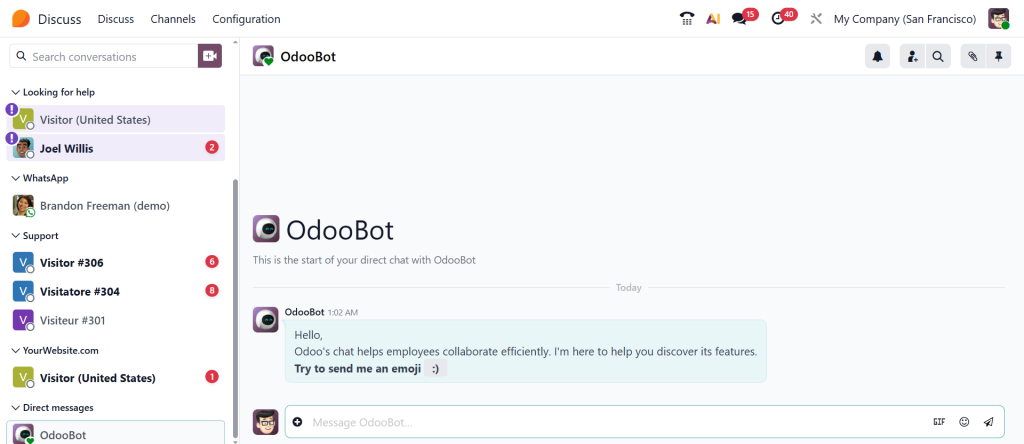
This makes conversations easier to follow, especially when you’re sharing instructions or multi-step processes. Team members read your message faster, understand it better, and make fewer mistakes. Whether you’re writing project notes, sharing customer updates, or explaining a workflow, formatted messages make the communication feel professional without needing email. It’s like being able to organize your thoughts visually, right inside the chat window.
Odoo 19 AI Chat Features That Support Faster Decisions
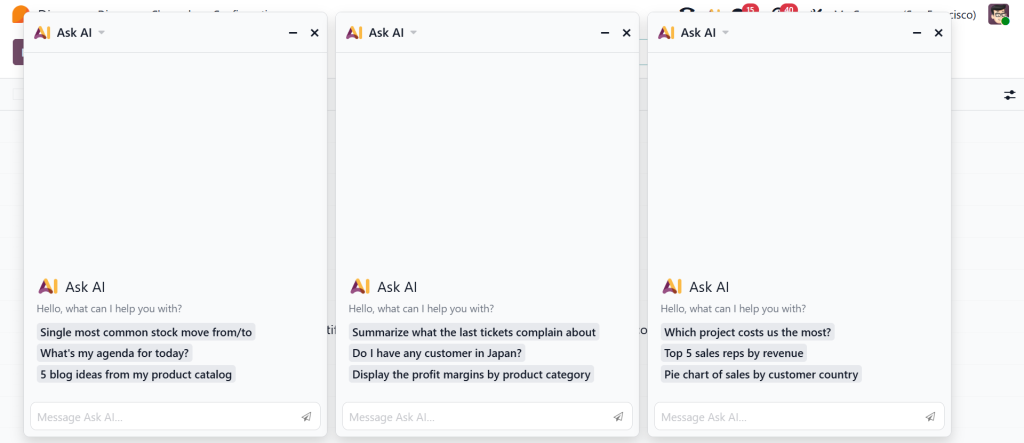
Many people don’t realize how much time they lose scrolling back through lengthy discussions to find one crucial line. The Odoo 19 AI chat features are designed to reduce this everyday struggle. AI can summarize long conversations, highlight important points, and even help draft replies when you’re unsure how to respond. It feels like having someone quietly organizing your chats in the background while you focus on your actual work.
When your team talks about plans or tasks, AI can extract clear summaries that you can review in seconds. If someone mentions a deadline or an action item, the app can alert you so you don’t forget it later. These innovative additions help you keep your head clear, especially during busy days when messages come in from every direction. Instead of trying to remember everything, you let the AI guide you gently.
Odoo Discuss Message Filtering That Helps You Find What Matters
Searching for a single file or short message in a long chat can be incredibly frustrating. Many teams waste time scrolling through conversations that never seem to end. That’s precisely why the improved Odoo discuss message filtering feels so essential. You can filter messages by mentions, users, attachments, or dates, whatever helps you find information quickly. It saves you from unnecessary stress and makes your communication more organized.
For example, if a colleague shared a document last week and you need it urgently, you don’t have to ask again or re-read the whole chat. You filter the messages, and the file appears in seconds. The filtering system respects your time, and once you start using it, you’ll rely on it every single day.
Odoo VoIP Integration 2025 and Its Role in Internal Communication
The Odoo VoIP integration 2025 update brings calling features right inside the Odoo Discuss app. This means you no longer have to switch between apps to talk to someone directly. You can start a call, receive one, check call logs, and listen to recordings without leaving the platform. This becomes especially useful for teams handling customers or projects that require regular phone communication.
Even if you’re discussing something inside the chat and realize it needs a quick call, you can switch to voice instantly. After the call, you can share the summary with your team to keep everyone updated. This level of integration helps teams communicate in real-time and stay connected throughout the day without losing track of conversations.
How Odoo Internal Communication Tools Create a More Connected Workplace
When you step back and look at all the updates together, you realize how well the Odoo internal communication tools now fit together. Messages, calls, tasks, files, updates, everything stays inside a single system. You no longer feel the pressure of jumping between apps or searching through different platforms to gather information. When communication stays in one place, people naturally stay aligned.
Teams don’t miss updates, conversations remain organized, and everyone knows what needs attention. These tools make daily collaboration feel more natural. Instead of forcing people to adapt to complex software, Odoo provides a space that fits how they already work.
Ready to Try the New Features in the Odoo 19 Discuss App?
After exploring all the new features in the Odoo 19 Discuss app, one thing becomes very clear: communication becomes easier when the right tools support your everyday routine. From role mentions to better formatting, from AI summaries to message filtering, these updates help teams work with more confidence and less confusion. If your workplace has ever struggled with scattered chats or missed messages, this version of Discuss can genuinely lighten your load.
If you’re ready to improve your team’s communication and want guidance on setting up or optimizing these features, reach out to us at Netilligence. We’re here to help you make your Odoo experience smoother, faster, and more enjoyable.




