Understanding Dropshipping in Odoo 19 Sales (Why It Matters Today)
Odoo 19 Sales is changing how modern businesses handle online selling, and dropshipping is one of the strongest drivers of this change. If you want to run an online business without managing warehouses, stock pressure, or heavy upfront investment, then dropshipping in Odoo 19 Sales is precisely what you need.
In simple words, dropshipping allows you to sell products without keeping them in stock. When a customer places an order, the supplier ships the product directly to the customer. Odoo 19 Sales automates this entire process beautifully, from order confirmation to supplier auto-purchase and delivery tracking.
This blog will clearly explain, step by step, how dropshipping actually works in Odoo 19 Sales. We’ll cover everything: Odoo 19 dropshipping setup, workflow, inventory behavior, supplier automation, and tangible business benefits.
Whether you’re a startup founder, an eCommerce entrepreneur, or an enterprise looking to scale faster, understanding dropship order fulfillment in Odoo 19 Sales can give you a substantial competitive advantage.
👉 And yes, by the end of this blog, you’ll know why businesses choose Netilligence for Odoo 19 Sales dropshipping implementation.
What Is Dropshipping in Odoo 19 Sales?
Dropshipping in Odoo 19 Sales is an innovative fulfillment method in which products are shipped directly from the supplier to the customer, bypassing your warehouse.
Key Characteristics of Dropshipping in Odoo 19 Sales
No inventory storage required
No warehouse handling
Automated supplier purchase orders
Direct supplier-to-customer delivery
Real-time order and status tracking
With Odoo-19 Trade, dropshipping is a streamlined, automated process. Instead, it is fully integrated with:
Sales
Purchase
Inventory
Accounting
Supplier management
This tight integration makes Odoo’s dropshipping workflow reliable, fast, and scalable.
How Dropshipping Actually Works in Odoo 19 Sales (Complete Workflow)
Let’s break down the Odoo dropshipping workflow for easy understanding.
Step 1: Configure Dropshipping in Odoo-19 Trade
Before anything else, you must correctly configure dropshipping Odoo Trade.
Required Modules
Sales
Purchase
Inventory
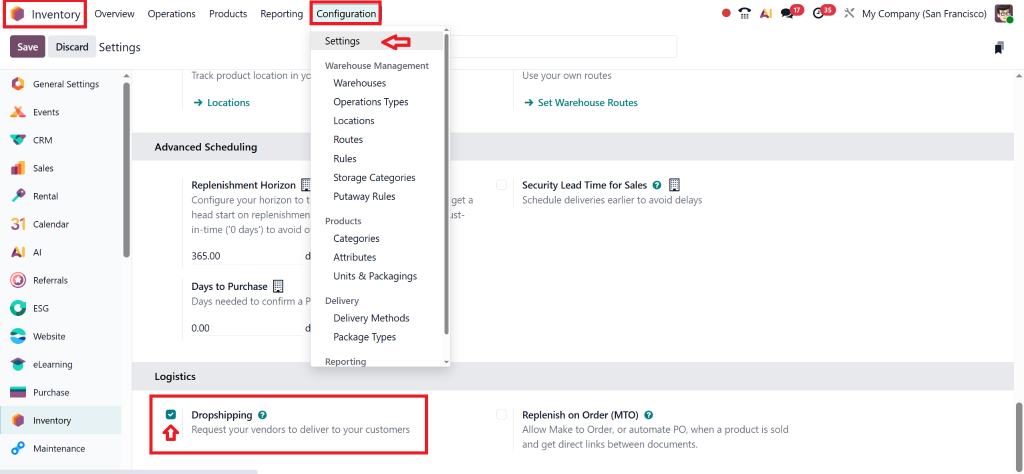
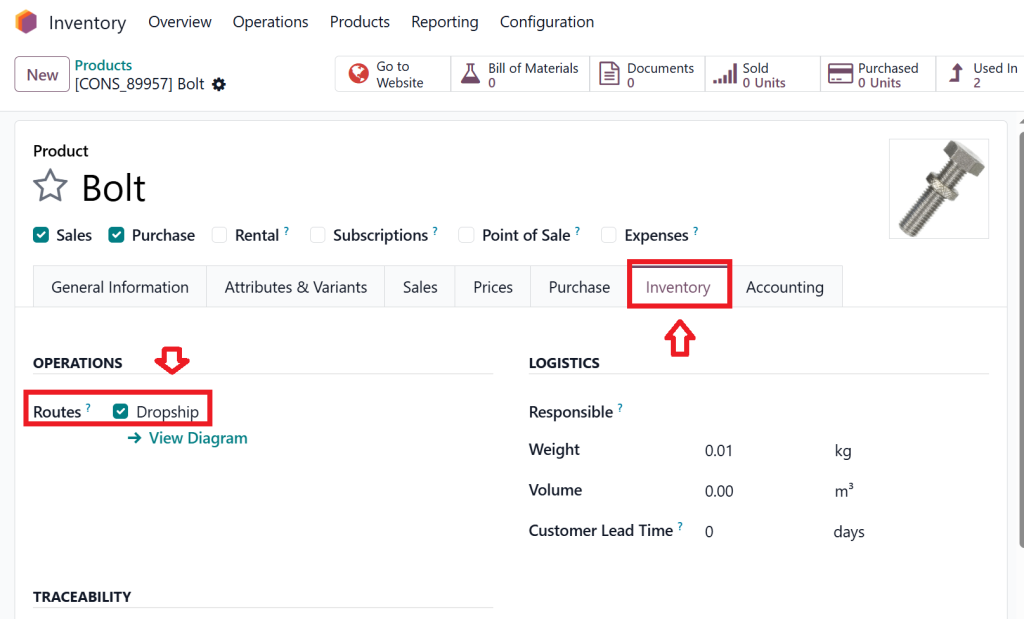
Once enabled, you activate the Dropshipping route inside Inventory settings.
Step 2: Set Products as Dropship Items
In Odoo-19 Trade, not all products need to be dropshipped. You can select specific items.
Product Configuration
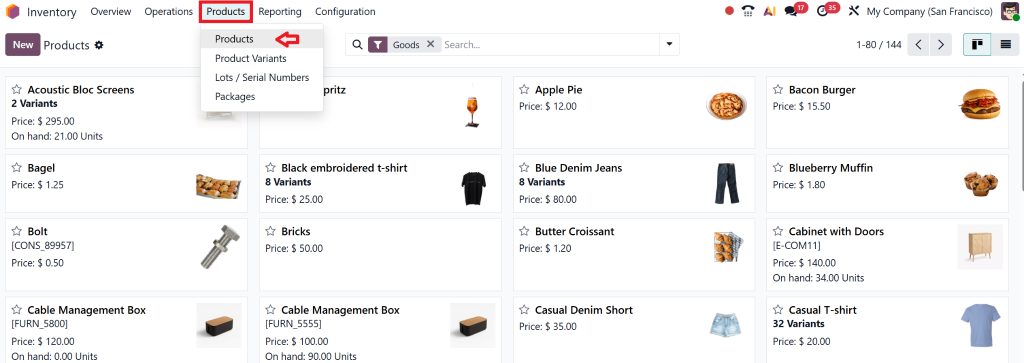
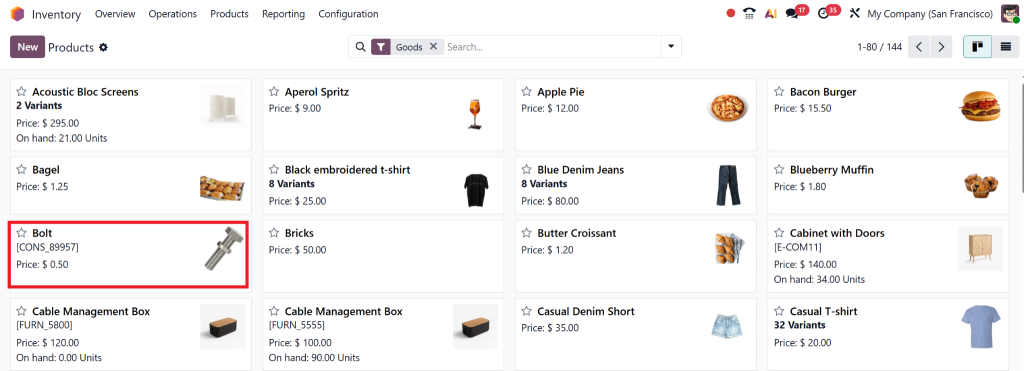
Go to Product → Inventory tab
Select specific items.
Select the Dropship route.
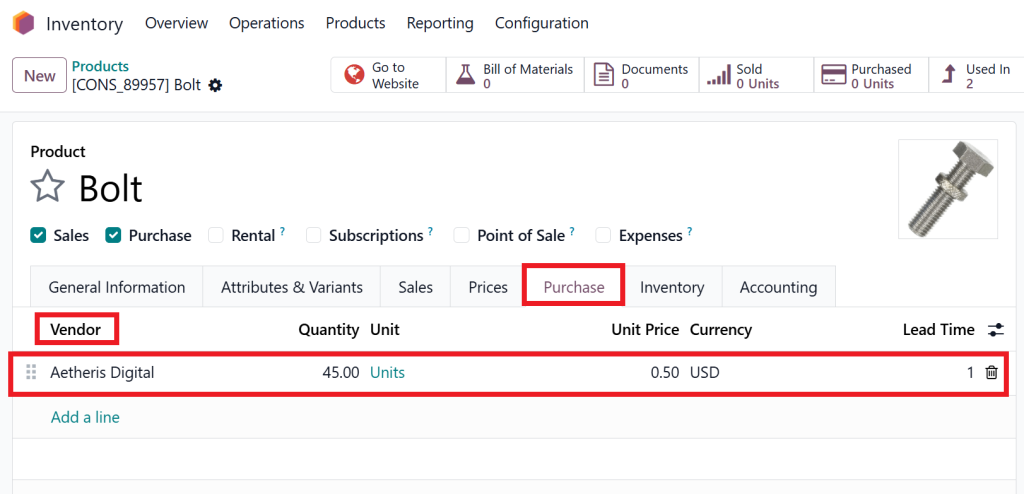
Assign preferred supplier
This tells Odoo that whenever this product is sold, it should not be picked from stock.
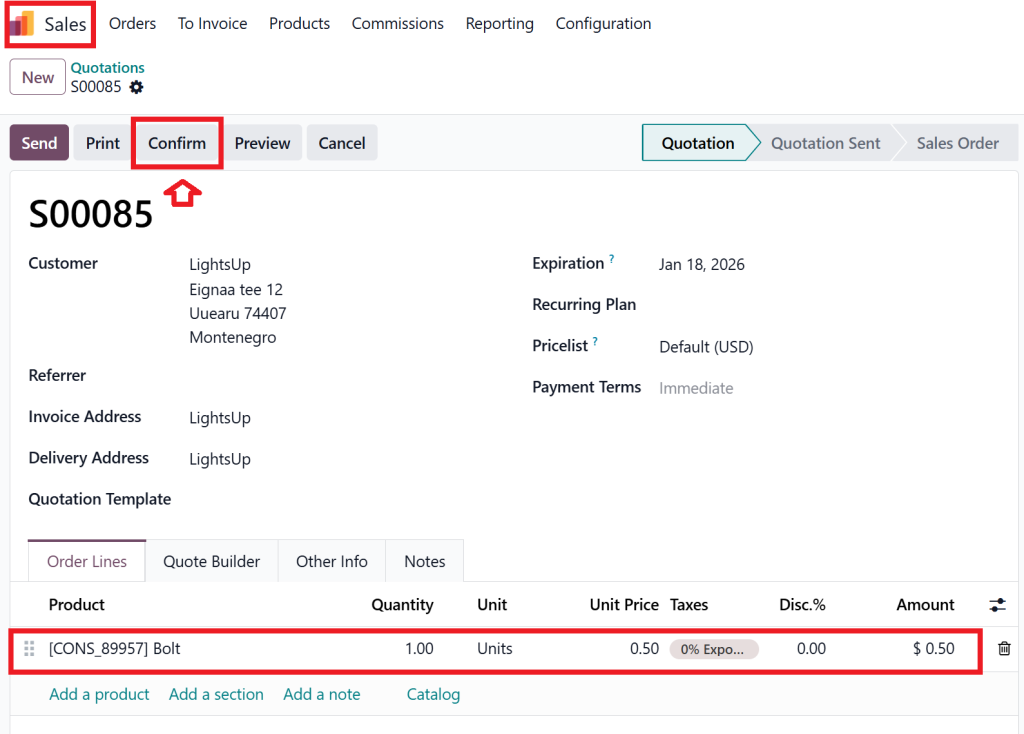
Step 3: Customer Places Order in Odoo-19 Trade
Here’s where Odoo-19 Trade shines.
Customer places an order.
Sales order is confirmed.
Odoo automatically identifies dropship products.
No manual checks. No delays.
This seamless automation makes dropshipping in Odoo-19 Trade extremely reliable.
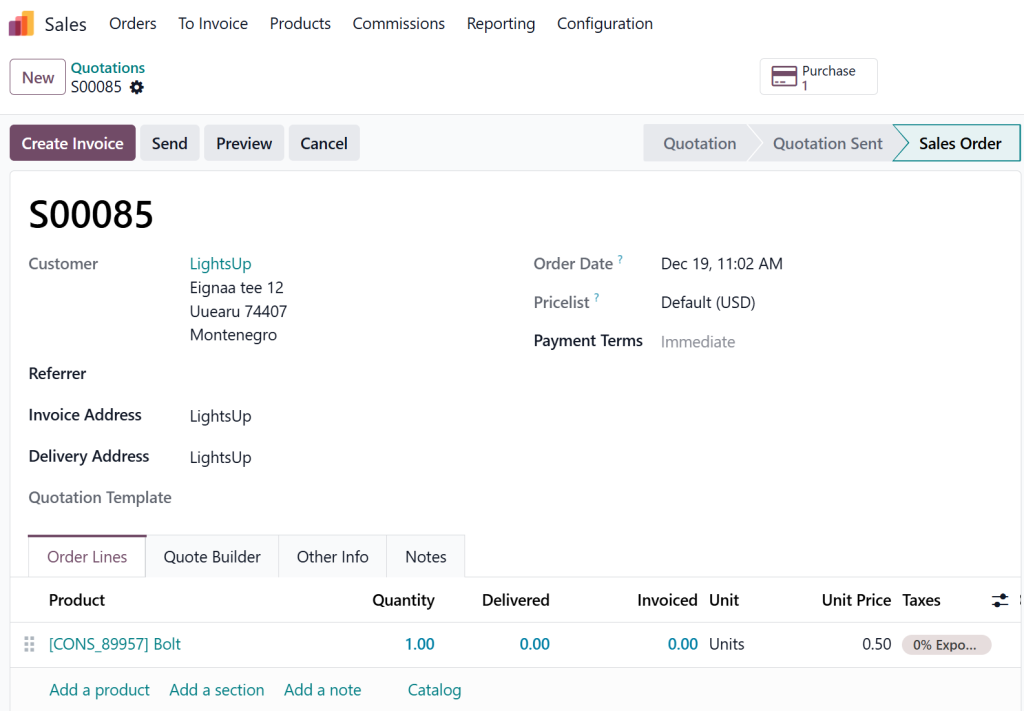
Step 4: Odoo-19 Supplier Auto Purchase
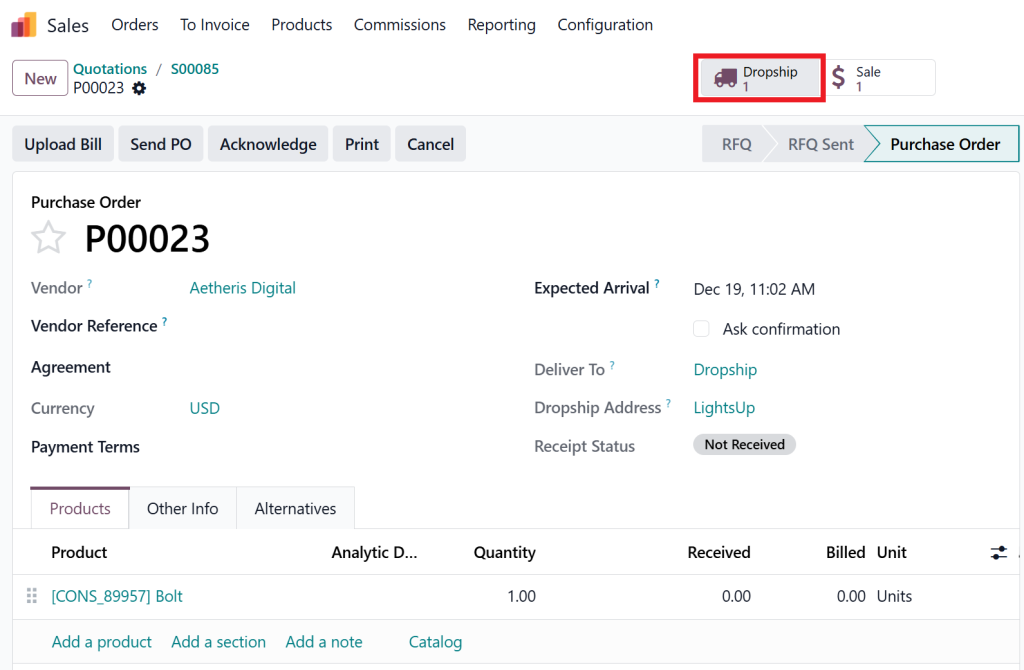
Once the sales order is confirmed, Odoo-19’s supplier auto-purchase kicks in.
What Happens Automatically
Purchase order is created
Supplier receives PO
The delivery address is the customer’s location
Purchase is linked to the Trade order
This is one of the most powerful features of Odoo-19 Trade: zero manual purchasing work.
Step 5: Supplier Ships Directly to Customer
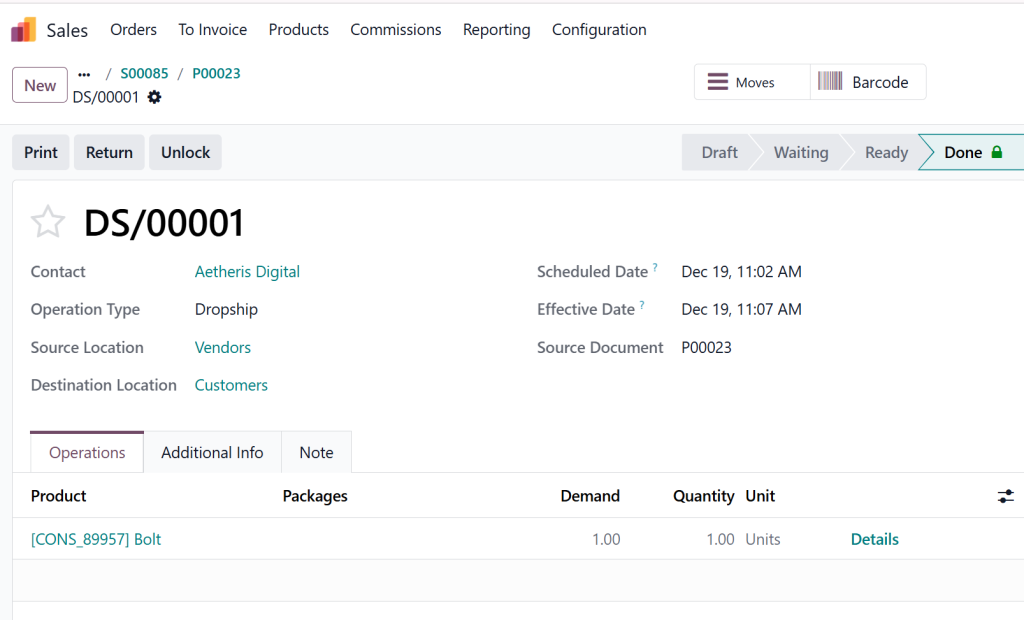
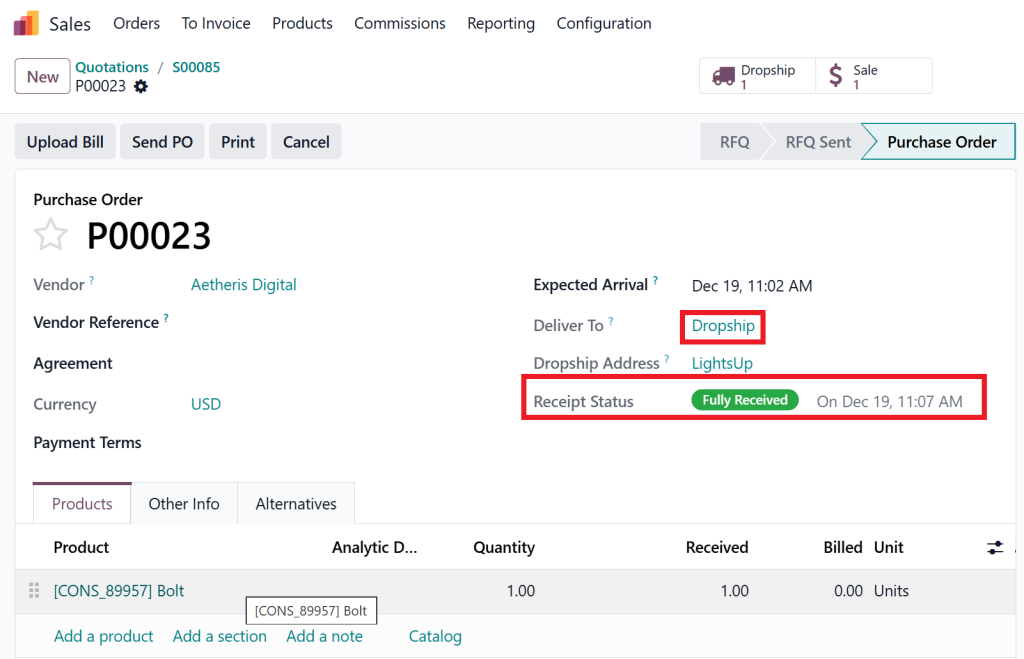
The supplier fulfills the order and ships the product directly to the customer.
In dropship order fulfillment, Odoo, your company never touches the product physically.
Odoo updates:
Delivery status
Order tracking
Customer notifications
Everything remains transparent and professional.
Step 6: Odoo-19 Dropshipping Inventory Handling
One common concern is inventory, but Odoo-19 dropshipping inventory handles it effectively.
Inventory Behavior
No stock moves to your warehouse
Virtual stock flow is recorded
Financial records remain accurate
You get full traceability without unnecessary complexity.
Accounting & Invoicing in Odoo 19 Sales Dropshipping
Anotsignificantajor advantage of dropshipping in Odoo-19 Trade is the built-in accounting automation.
What Odoo Handles Automatically
Customer invoices
Supplier bills
Profit margins
Tax calculations
This ensures your business remains compliant and financially transparent.
Common Business Use Cases for Odoo-19 Trade Dropshipping
Dropshipping using Odoo-19 Trade is ideal for:
1. eCommerce Businesses
Sell thousands of products without warehousing.
2. Startups & Entrepreneurs
Start with minimal investment.
3. B2B Distributors
Offer wide catalogs without stock risk.
4. International Sellers
Use global suppliers to reduce shipping time.
Advanced Features That Make Odoo-19 Trade Dropshipping Powerful
Multi-Supplier Management
Choose the best supplier per order
Compare pricing and delivery times
Automated Reordering Rules
Combine dropshipping with stocking strategy
Customer Portal
Customers track orders live
Common Mistakes Businesses Make (And How We Fix Them)
Many companies fail to utilize Odoo-19 Trade dropshipping due to: fully
Incorrect route setup
Supplier misconfiguration
Accounting mismatch
Poor workflow customization
At Netilligence, we ensure:
Correct Odoo-19 dropshipping setup
Optimized workflows
Custom automation
Long-term scalability
Is Dropshipping in Odoo 19 Sales Worth It?
Absolutely.
Odoo-19 Trade offers one of the most advanced, flexible, and scalable dropshipping solutions available today. From supplier auto purchase to inventory automation, everything works in harmony.
If you want:
Lower costs
Faster fulfillment
Happier customers
Higher profits
Then, dropshipping in Odoo-19 Trade is the right move.
Let Netilligence help you implement and scale your dropshipping business using Odoo-19 Trade, the smart way.
Hi, I'm Nabia, an Odoo ERP functional & technical content writer. I specialize in blogs, social media content, ad copy, landing pages, service pages, and email campaigns.
We use cookies to ensure that we give you the best experience on our website. If you continue to use this site we will assume that you are happy with it.