How to Manage Contra Voucher Entry or Internal Transfer in Odoo 19 Accounting
Internal Transfer in Odoo 19 Accounting - The Financial Control Every Business Needs
Internal Transfer in Odoo 19 Accounting is not just an accounting feature, it is the backbone of real financial control for modern businesses. Every company that handles cash, bank accounts, petty cash, branch accounts, or digital wallets must accurately record money movements. Yet most businesses in the UAE still use manual entries or Excel sheets, leading to serious accounting chaos.
When you ignore Internal Transfer in Odoo 19 Accounting, you face:
Mismatched bank balances
Wrong cash reports
Failed audits
VAT compliance risks
Loss of trust in management
With Odoo 19 contra voucher entry, you can move money safely between your internal accounts without affecting profit or expense. Whether it is cash to bank transfer, Odoo 19, bank-to-bank movement, or branch fund movement, everything is automated, clean, and fully traceable.
This detailed Odoo internal transfer management tutorial is written by Netilligence Odoo consultants who have implemented Odoo accounting for more than 300 UAE companies.
You will learn:
How Internal Transfer in Odoo 19 Accounting actually works
What is the Odoo 19 funds in transit account
How to post an Odoo 19 contra voucher entry
How to complete the contra entry reconciliation in Odoo 19
How to avoid common accounting disasters
How Netilligence can automate your finance department
What is a Contra Voucher Entry in Odoo 19?
A contra voucher entry is a special accounting entry that records movement between two internal accounts. It does not create income or expense. It simply transfers value from one place to another.
Examples of Contra Transactions
Cash
Bank
Daily cash deposit
Bank A
Bank B
Inter-bank transfer
Head Office
Branch
Fund movement
Wallet
Bank
Digital collection
This is the core of Internal Transfer in Odoo 19 Accounting.
Without contra entries:
Cash ledger becomes wrong
Bank ledger becomes inflated
Management reports become unreliable
That is why an internal transfer in Odoo 19 accounting in the UAE is mandatory for accurate accounting.
Step-by-Step - How to Create Internal Transfer in Odoo 19 Accounting (Fully Explained)
Step 1 – Open Accounting Module
Log in to Odoo
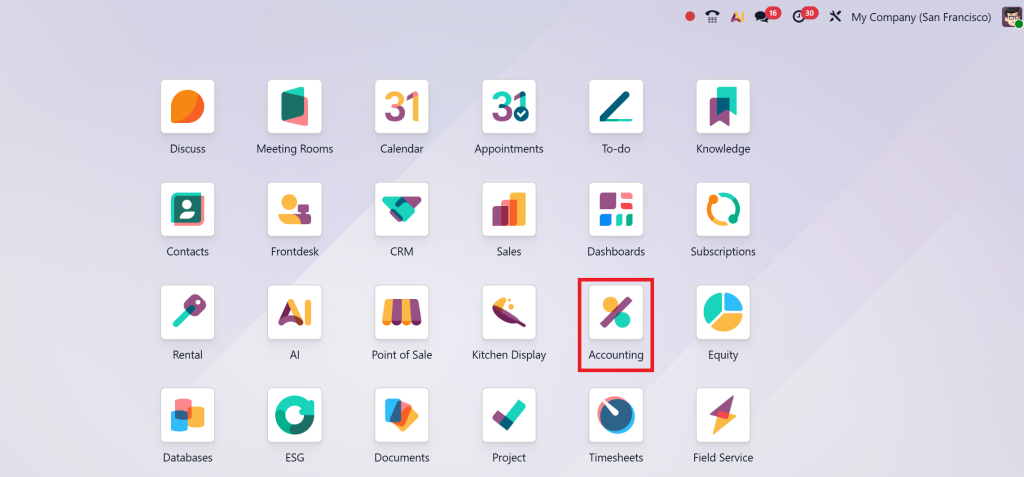
Click Accounting App
Step 2 – Choose Internal Transfer
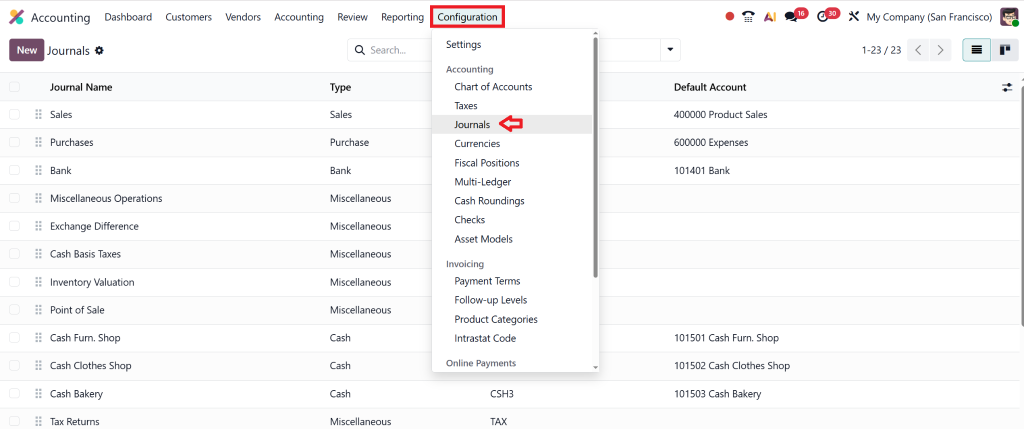
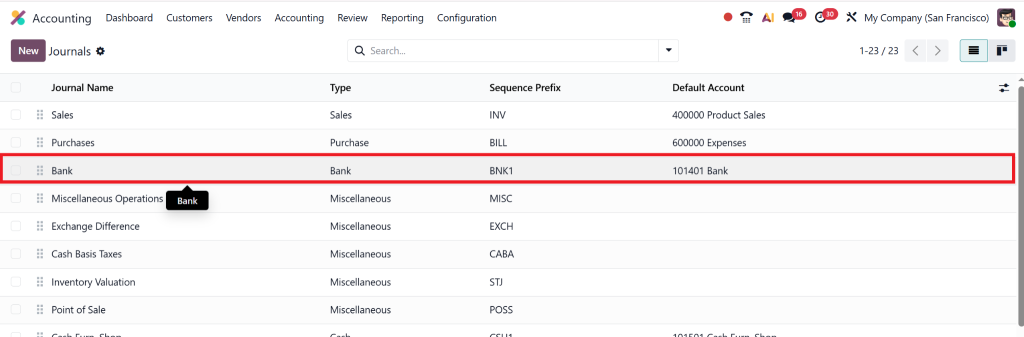
We need to consider two journals: bank and cash. Here we can go first, click on configuration, then journals:
Then go to the bank.
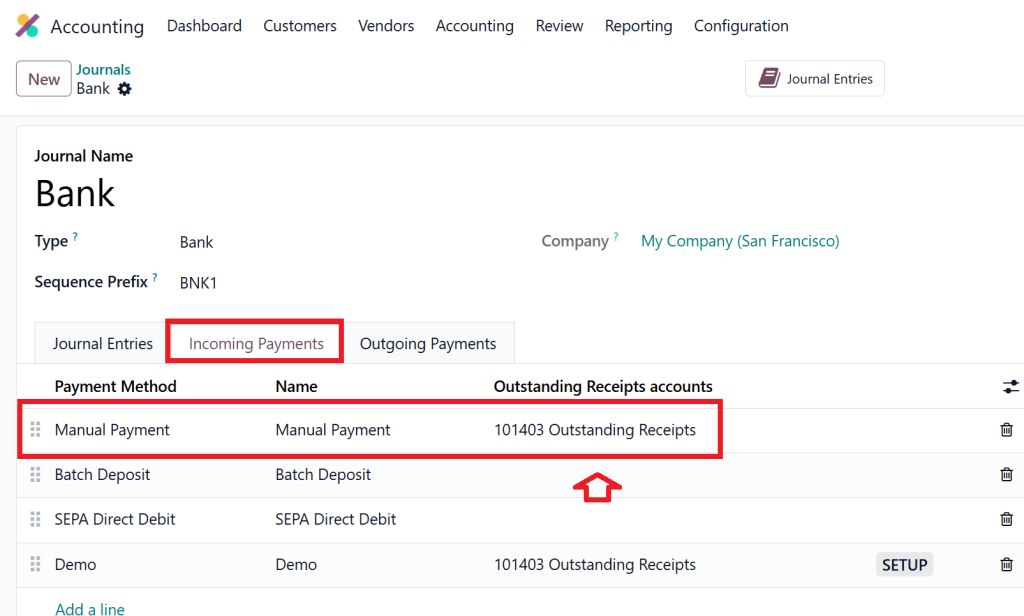
In the bank journal under incoming payments, we need to set up the outstanding receipts account.
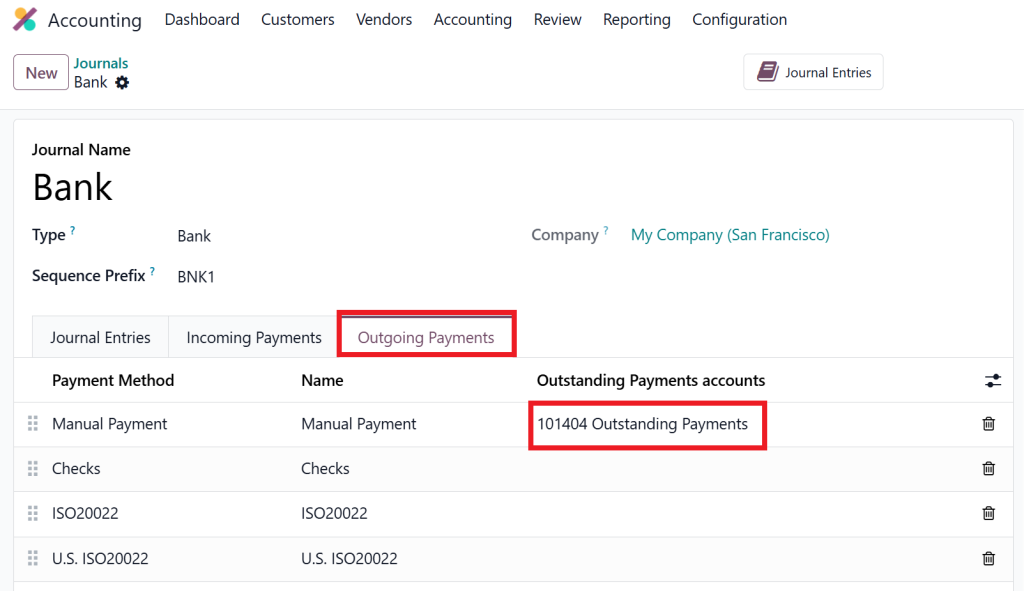
And for outgoing payments, we need to set the outstanding payments account.
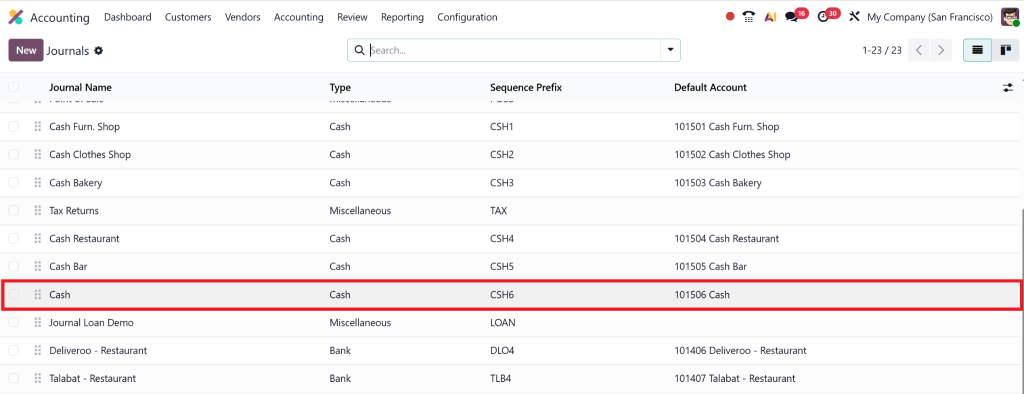
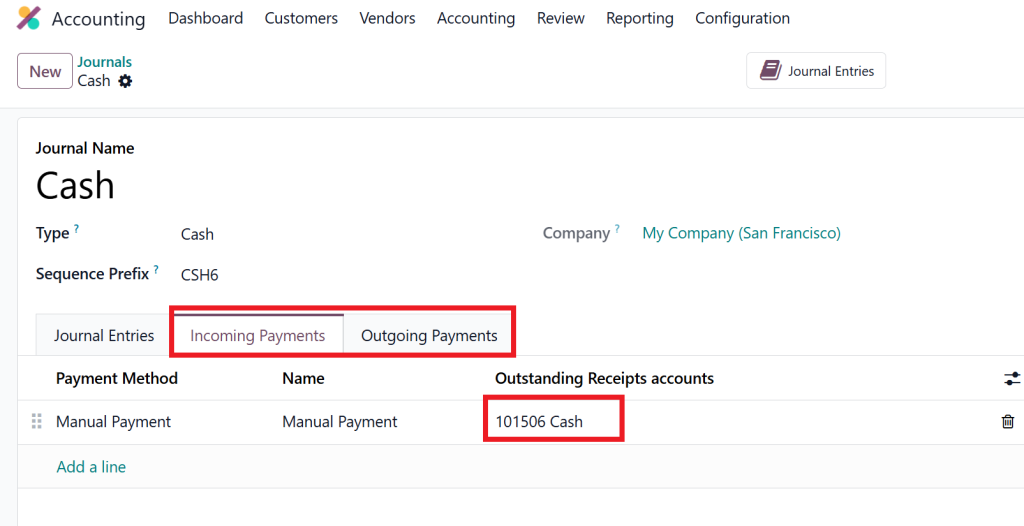
Now move on to the cash journal.
And set both incoming and outgoing payments as cash.
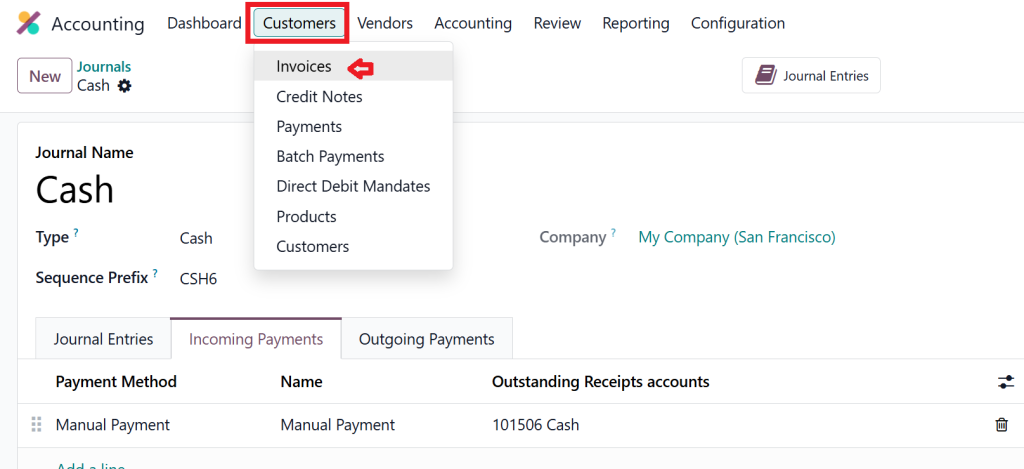
Once this setup gets complete, then move toward the Customers → Invoices
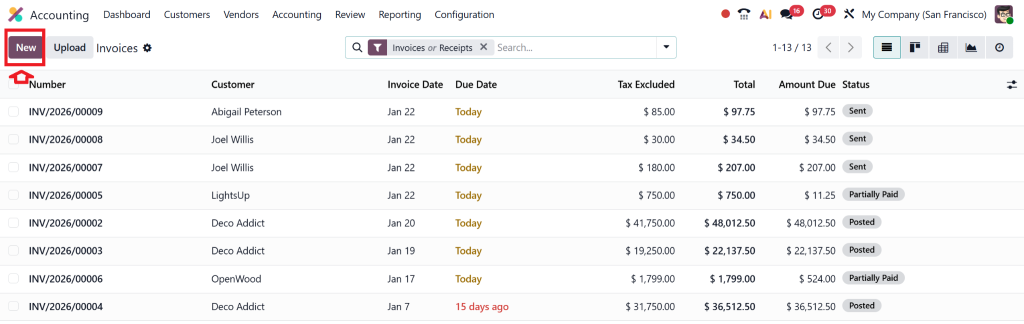
Click New
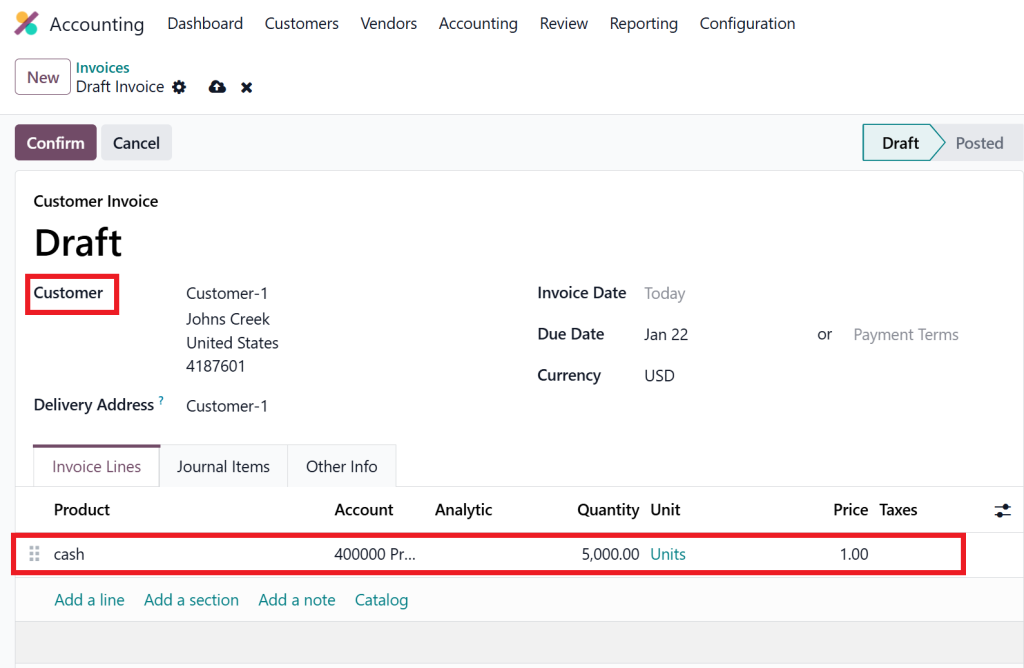
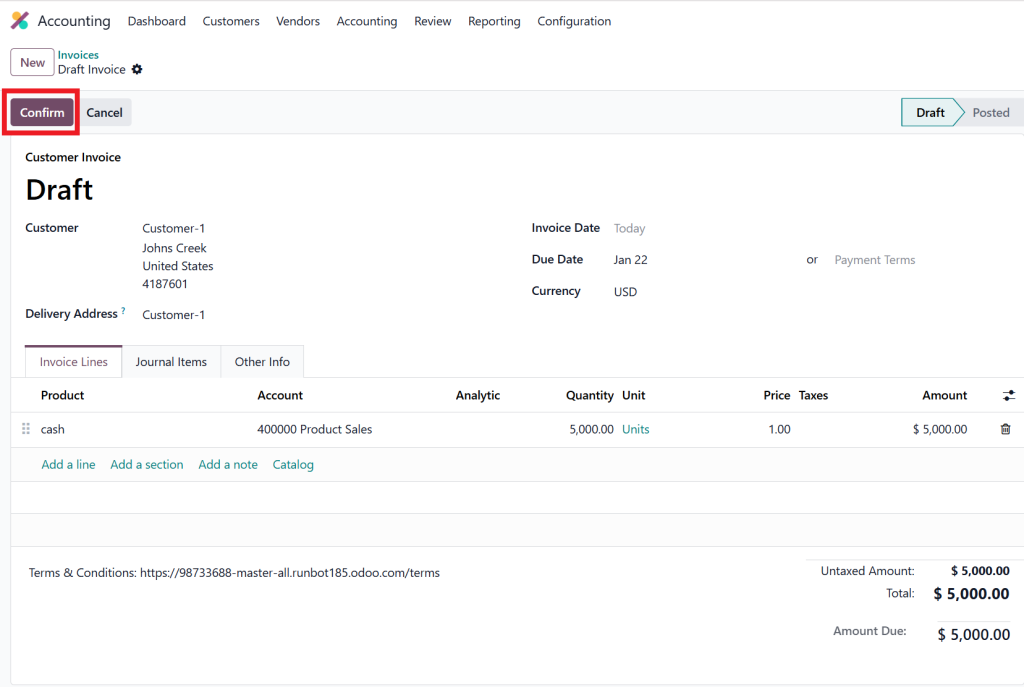
Choose Customer and product as “cash” and enter the required amount, and save it.
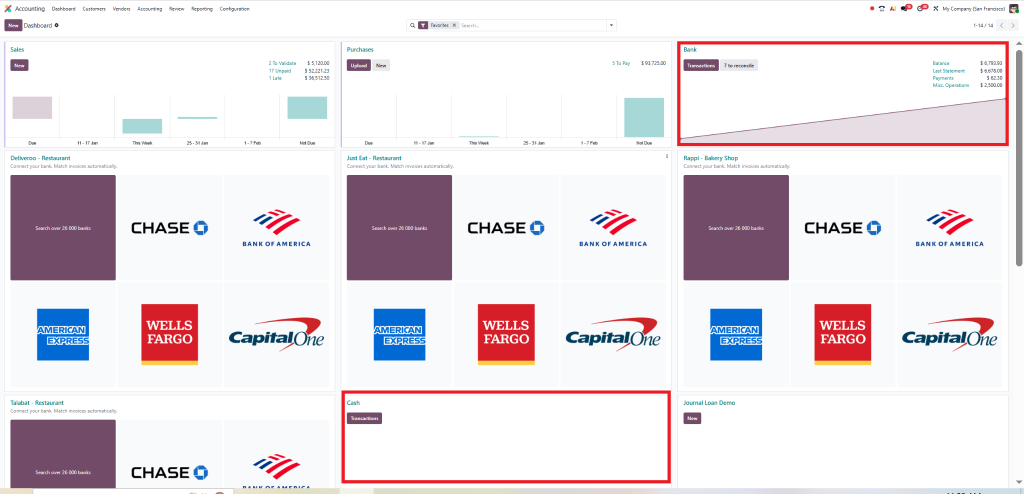
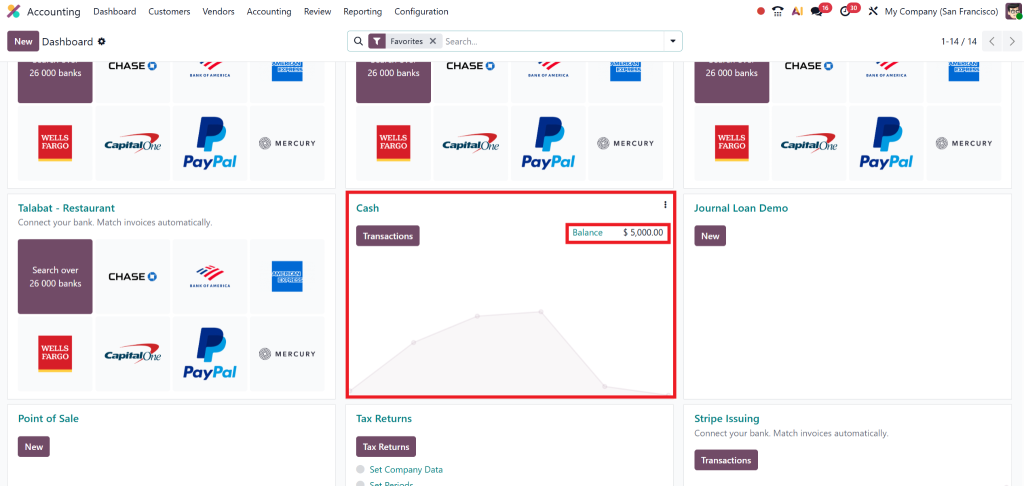
So, before confirming it, we move to the dashboard and check the cash and bank account balances.
Again, move on to the invoice and confirm it.
Step 3 – Select Source Account
Choose where money is coming from:
Cash
Bank
Wallet
Branch
This reduces that account’s balance.
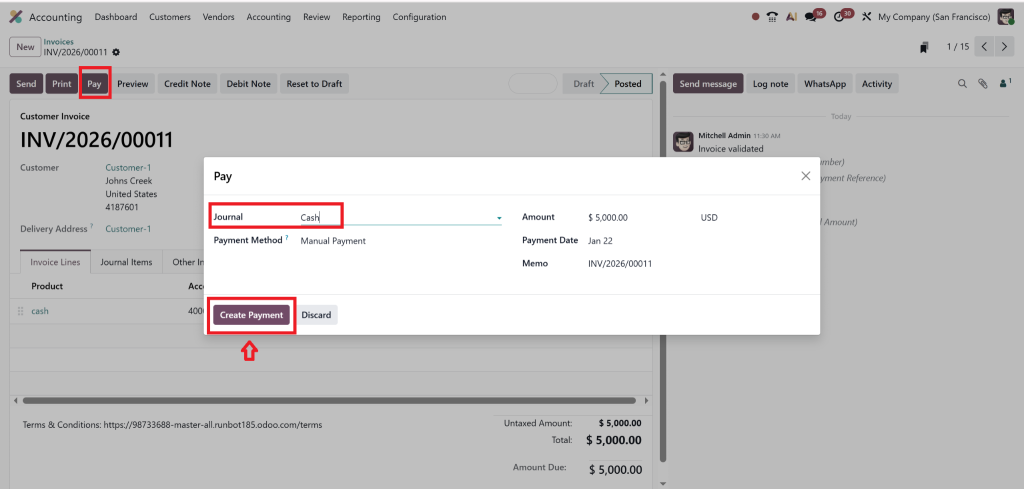
So we need to make the payments in cash and create a payment for each.
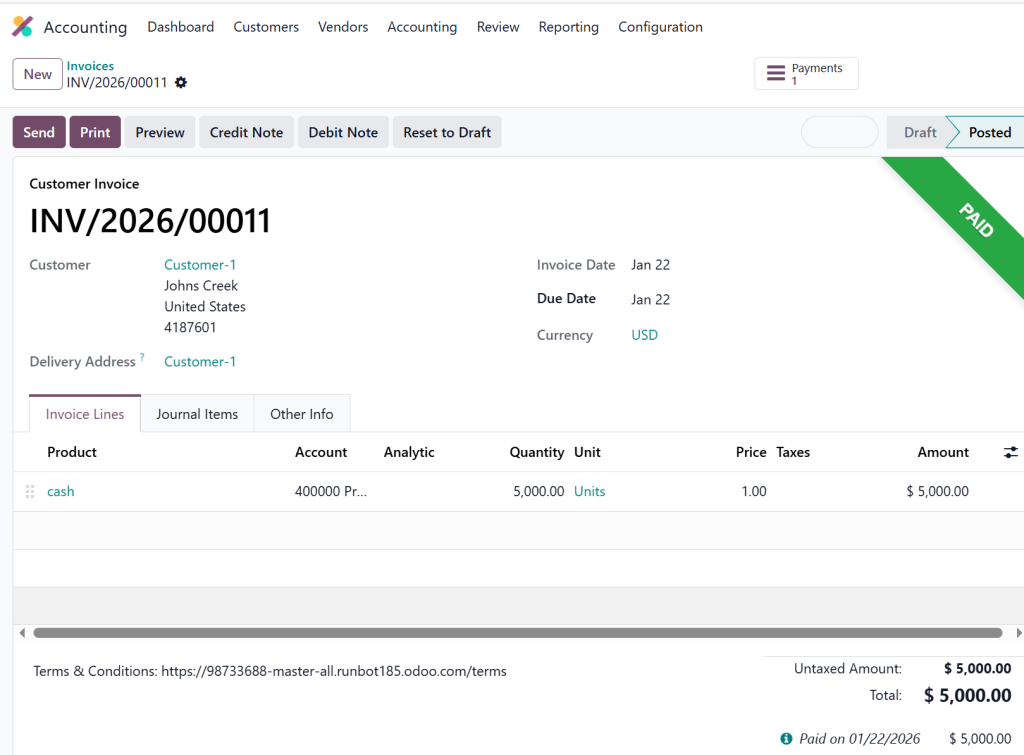
And the invoice will have the paid ribbon on the right above the corner.
Now, again, if we go to the dashboard and check the cash, we see the amount is displayed.
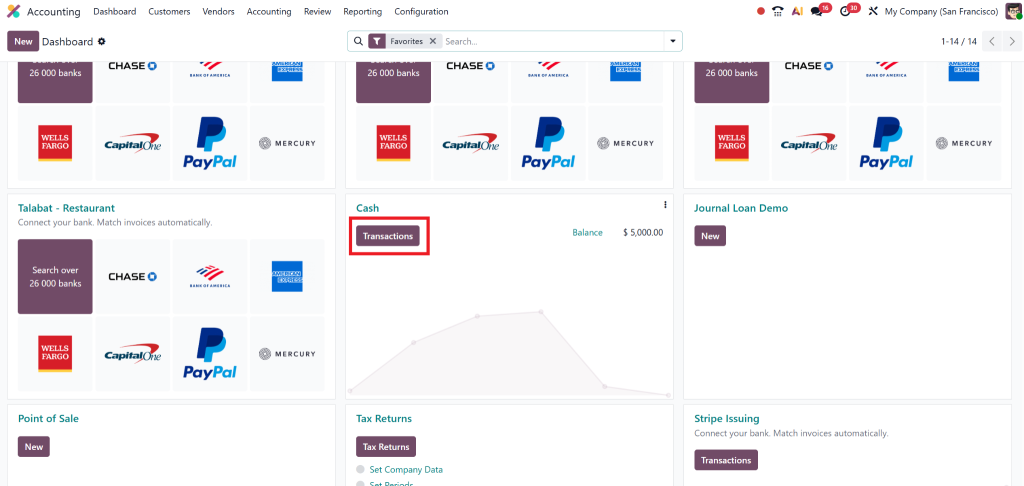
Click on transaction, and from here we will move to “internal transfers”.
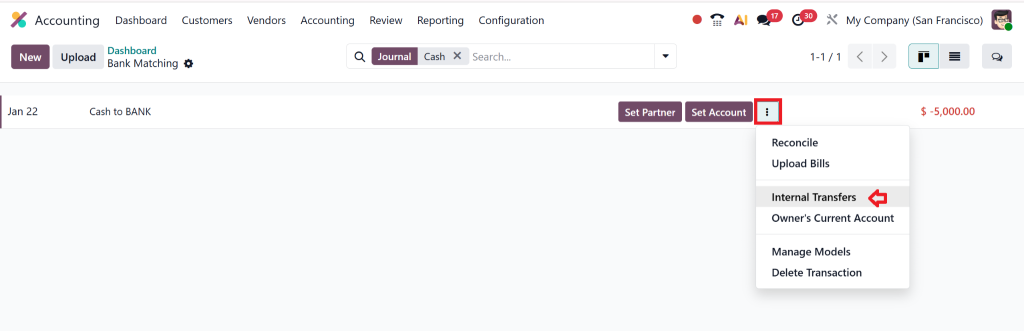
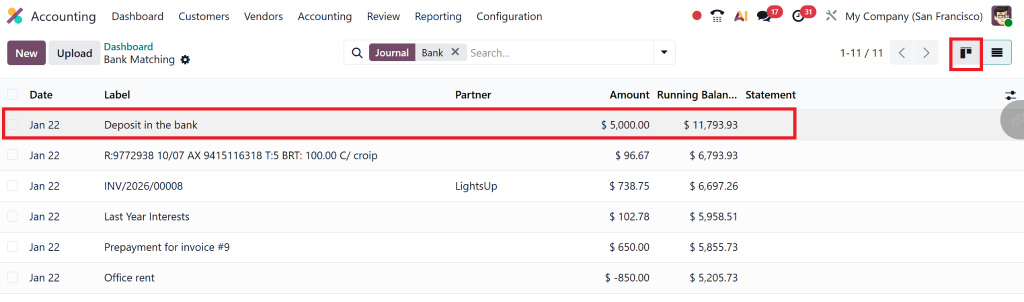
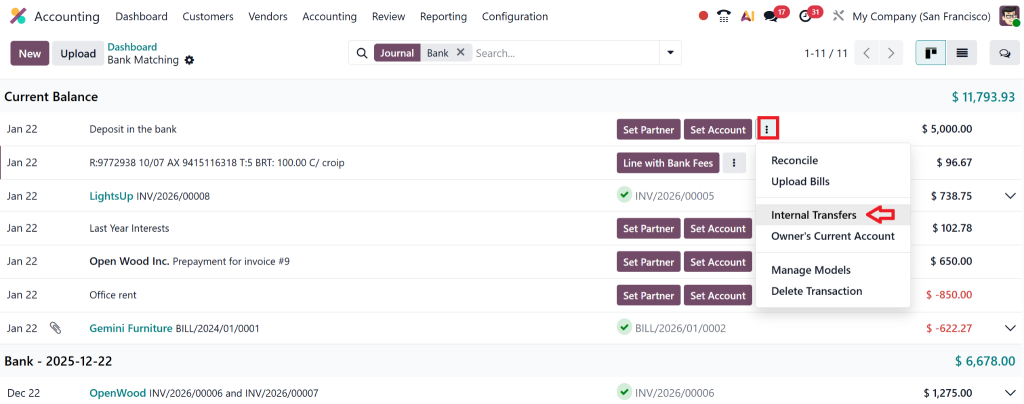
Then create the new transaction as cash to bank and write the amount as negative 5000, and once this is done, move on to the Kanban view.
In this view, by clicking on the three dots, we will see the option of “internal transfe.r”
It’s just been done.
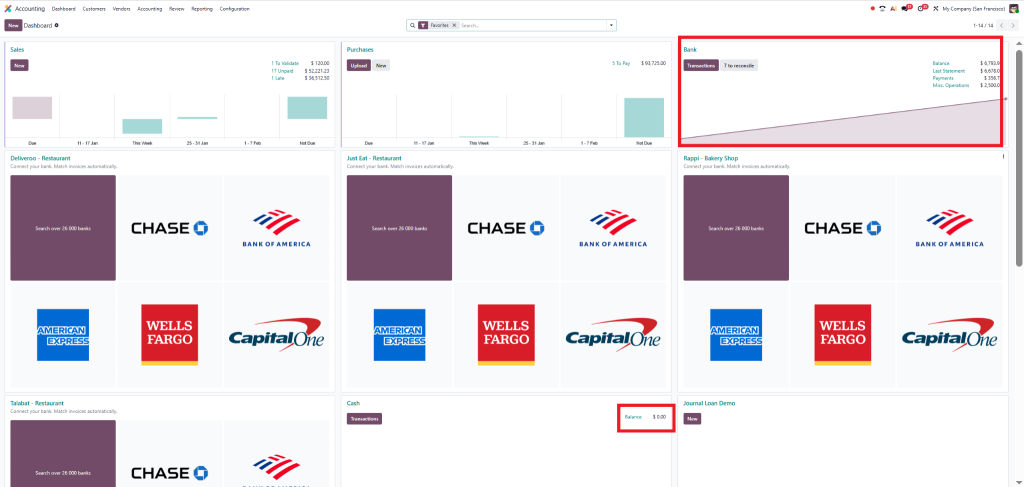
Once it’s done, we go back to the dashboard and check that cash is being moved but hasn’t yet been reflected in the bank.
To show this on the bank side, we click the transaction button in the bank, click new, enter the label as deposit, add the amount as 5000 (positive), and then, as above, go to the kanban view.
Then click the three dots and choose Internal Transfer, and it’s done.
Why Internal Transfer in Odoo 19 Accounting is Essential for UAE Businesses
UAE companies face strict compliance requirements:
VAT audits
Bank reconciliation
Internal controls
Financial transparency
If you record internal movements as expenses or income, your profit will be incorrect, and you risk penalties.
With Internal Transfer in Odoo 19 Accounting, you get:
Real-time balances
Clean audit trails
Error-free reconciliation
Management-ready financial reports
This is why Netilligence always implements internal transfers first when setting up Odoo Accounting.
Understanding Odoo 19 Funds in Transit Account (With Real Logic)
What is Funds in Transit?
The Odoo 19 funds in transit account is a temporary holding account used when money is moving but not yet been received.
Real-Life Example
You deposit cash today, but the bank posts it the next day.
Correct flow: Cash → Funds in Transit → Bank
This prevents balance mismatches and supports contra-entry reconciliation in Odoo 19.
Cash to Bank Transfer Odoo 19 - Daily Business Use Case
Retail stores deposit daily cash.
Using cash to bank transfer Odoo 19:
Cash reduces
Bank increases
Reports remain correct
Contra Entry Reconciliation in Odoo 19
Go to Accounting → Reconciliation
Select the bank statement
Match with internal transfer
Validate
This completes the Odoo 19 bank reconciliation internal transfer.
Common Mistakes Businesses Make
Manual journal
Wrong profit
No funds in transit
Mismatch
No reconciliation
Audit issues
Lorem ipsum dolor sit amet, consectetur adipiscing elit. Ut elit tellus, luctus nec ullamcorper mattis, pulvinar dapibus leo.
Helping You Understand Your Numbers and Grow with Confidence
Internal Transfer in Odoo 19 Accounting is more than a feature, it is a foundation for clean, transparent financial management. From cash to bank transfers to contra voucher reconciliation, Odoo 19 offers unmatched control when implemented correctly.
If you want error-free accounting, faster reconciliation, and full financial clarity, Netilligence is here to help. Our experts ensure your Internal Transfer in Odoo 19 Accounting works perfectly from day one.
Hi, I'm Nabia, an Odoo ERP functional & technical content writer. I specialize in blogs, social media content, ad copy, landing pages, service pages, and email campaigns.
We use cookies to ensure that we give you the best experience on our website. If you continue to use this site we will assume that you are happy with it.