Sending Payslips to Employees Using Odoo 19 is no longer just a feature, it has become a business necessity in the modern digital workplace. As organizations grow, managing payroll manually becomes increasingly complex, time-consuming, and risky. Employees expect fast, accurate, and secure access to their salary information, and HR teams need systems that eliminate repetitive work.
With Odoo 19, companies can digitally generate, manage, and distribute salary slips in just a few clicks. No more printing, no more manual emails, no more confusion. Everything is automated, centralized, and professionally managed inside Odoo.
The Odoo 19 payroll email payslip functionality ensures that employees receive their payslips instantly after payroll processing. This not only saves administrative time but also builds trust and transparency between employers and employees.
In this complete guide, you will learn:
How to send payslips to employees using Odoo 19 step by step
How to email payslips in Odoo payroll
Payslip sending options Odoo 19
How to configure payslip email template Odoo 19
How to automate payslip delivery Odoo 19
How Odoo 19 mass payslip send by email works
Why Netilligence is the best partner for Odoo payroll automation
If you want to modernize your HR operations, reduce costs, and improve employee satisfaction, learning how to send payslips to employees using Odoo 19 is the smartest move you can make.
Why Digital Payslips Are the Future of HR
In today’s competitive business environment, HR departments are under pressure to do more with less. Manual payroll processes are outdated and inefficient. They involve:
Printing hundreds of payslips
Distributing physical copies
Sending individual emails
Handling employee queries manually
All of this consumes time and increases the chances of errors.
When you send payslips to employees using Odoo 19, you instantly eliminate these challenges. Odoo brings automation, accuracy, and professionalism into payroll management.
Key Benefits of Digital Payslips
Saves administrative hours every month
Reduces paper and printing costs
Improves data security
Enhances employee experience
Ensures compliance with labor laws
With automated payslip delivery in Odoo 19, payroll becomes a smooth, error-free, and scalable process.
Understanding the Odoo 19 Payroll System
Odoo 19 Payroll is part of Odoo’s integrated HR ecosystem. It connects seamlessly with:
Employees
Contracts
Attendance
Leaves
Accounting
This means all salary calculations are automatically based on real-time employee data.
The biggest advantage of Odoo is that all data is stored in a single system. When you send payslips to employees in Odoo 19, you are sending verified, system-generated, and legally compliant documents.
Core Features of Odoo 19 Payroll
Salary structure configuration
Allowances and deductions
Tax and statutory rules
Payroll reports
Odoo 19 payroll email payslip automation
Employee self-service portal
This makes Odoo one of the most powerful payroll solutions in the market today.
Step-by-Step Guide: Send Payslips to Employees Using Odoo 19
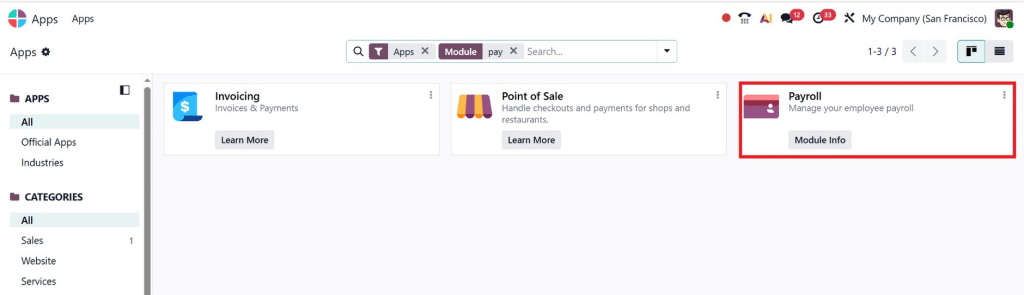
Step 1: Install Payroll Module
First, make sure the Payroll module is installed.
Go to: Apps → Search “Payroll” → Install
Without this module, you cannot use send payslips to employees using Odoo 19.
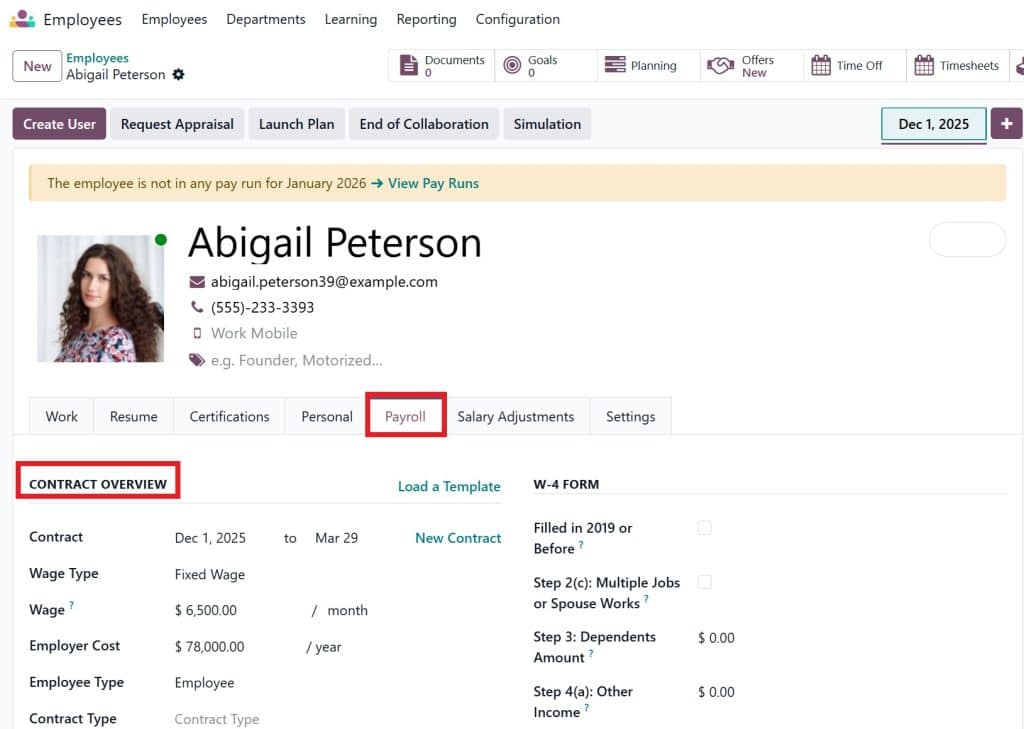
Step 2: Configure Employee Contracts
Each employee must have a contract.
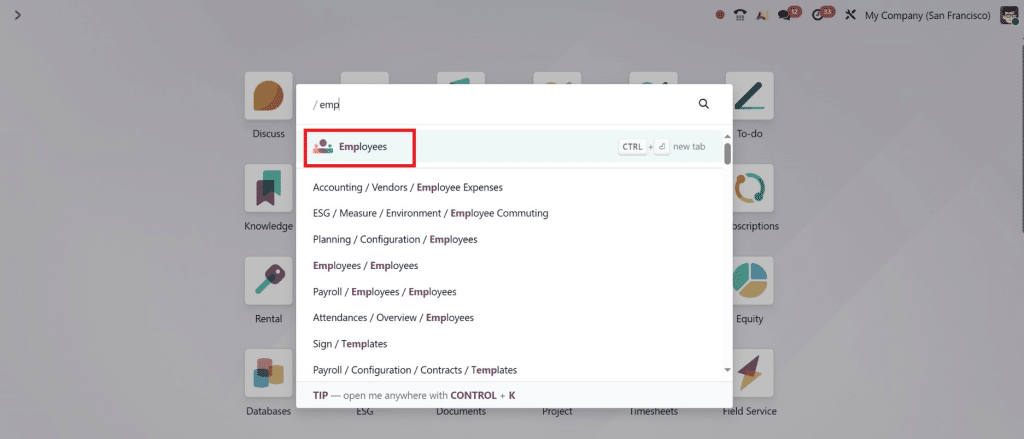
Go to: Employees →
Contracts → Create
Define:
Salary
Working hours
Benefits
Allowances
This ensures accurate payslip generation.
Step 3: Create and Generate Payslips
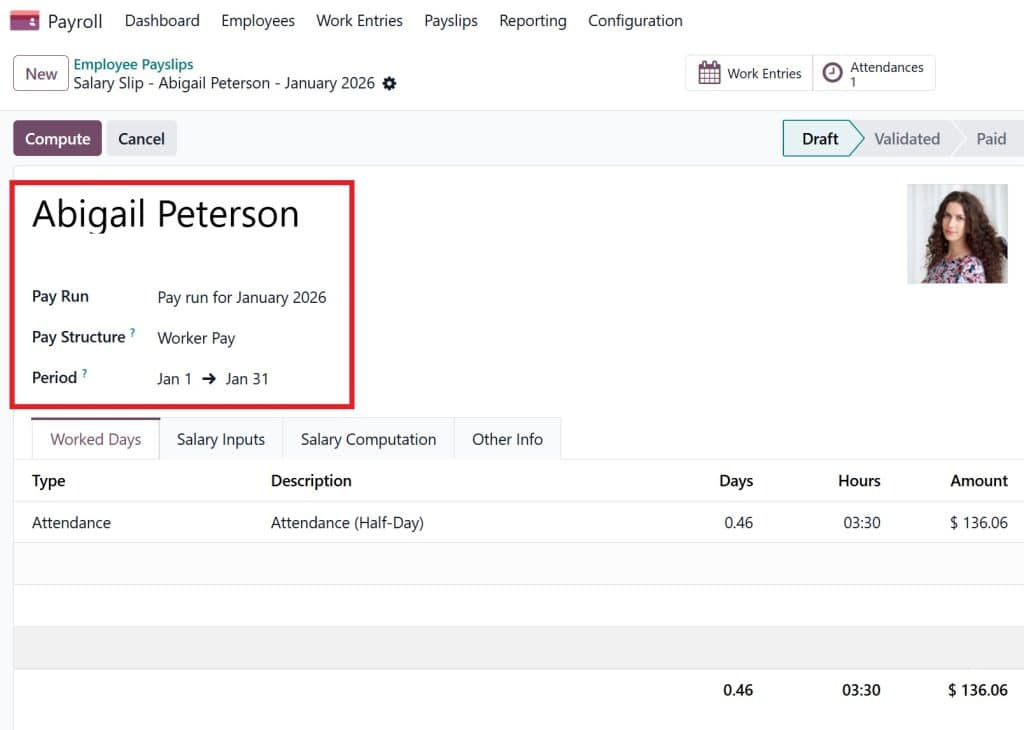
Navigate to: Payroll → Payslips → Create
Select:
Employee
Salary structure
Period
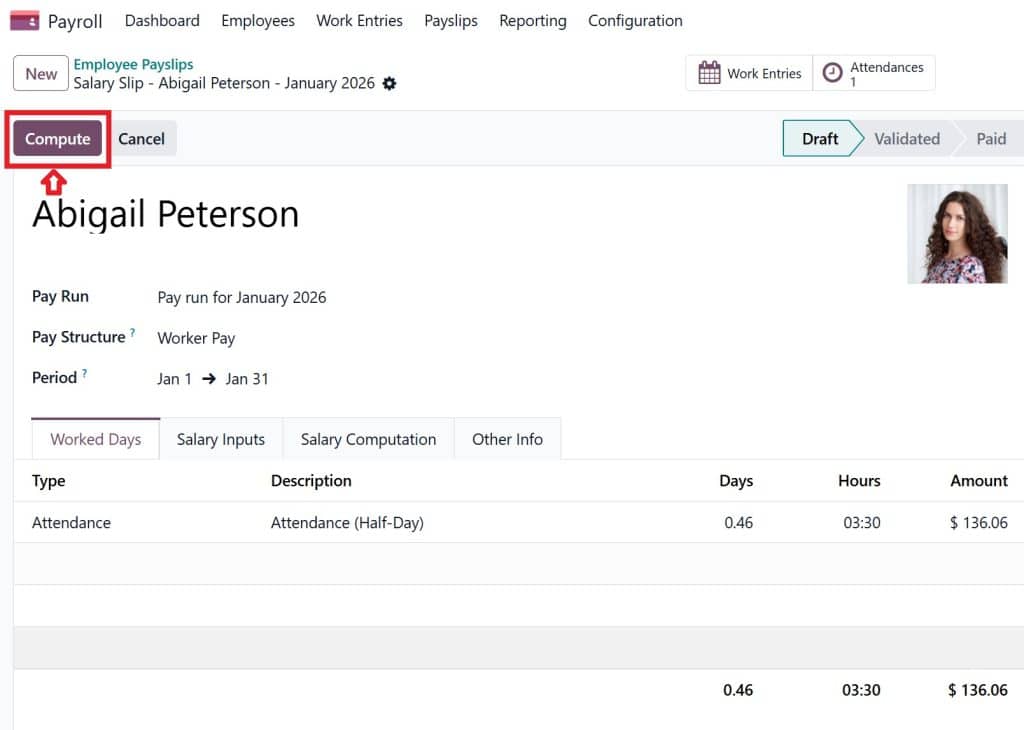
Click Compute Sheet.
Odoo automatically calculates:
Gross salary
Deductions
Net salary
The payslip is now ready to be sent.
How to Email Payslips in Odoo Payroll
This is one of the most commonly asked questions.
Steps:
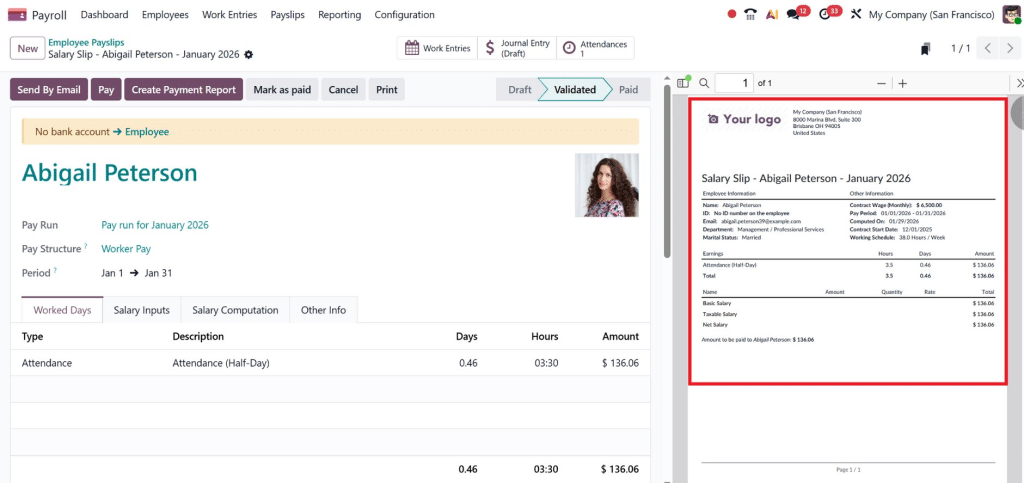
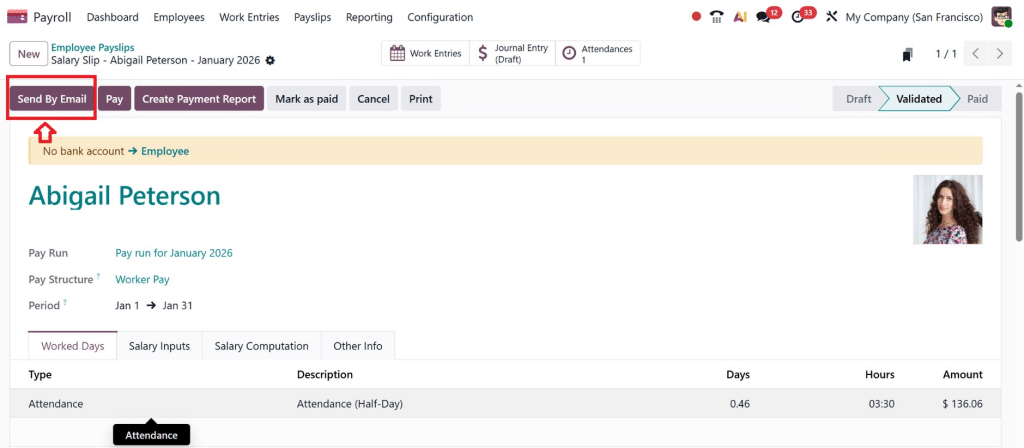
Open the payslip
Click Send by Email
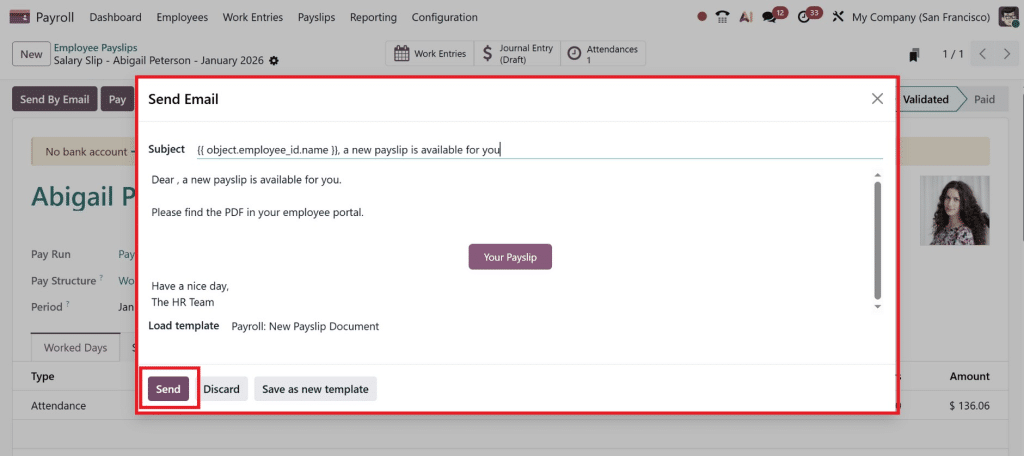
Select the email template
Click Send
That’s it. You’ve successfully learned how to email payslips in Odoo payroll.
The employee receives:
Professional email
PDF attachment
Secure document
This entire process takes less than 10 seconds.
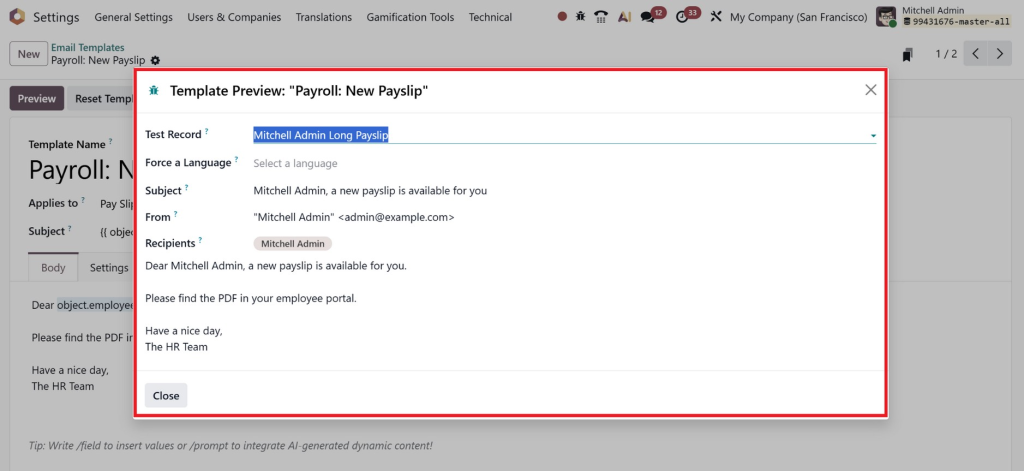
Configure Payslip Email Template Odoo 19
Email templates play a major role in branding and communication.
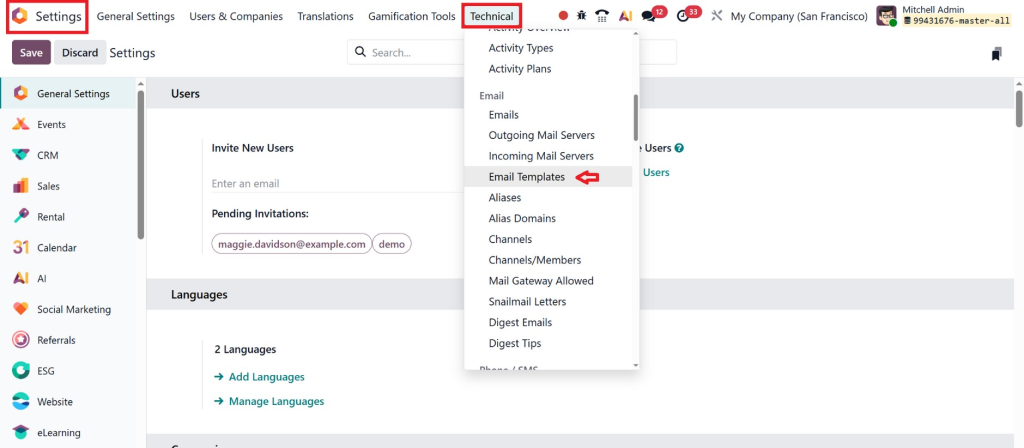
Go to: Settings → Technical → Email Templates
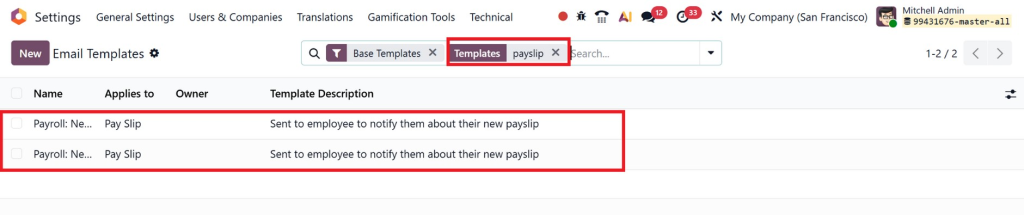
Search for: Payslip Email Template
You can customize:
Company logo
Subject line
Email message
Footer signature
This ensures that every payslip email looks professional and consistent.
Properly configure the payslip email template. Odoo 19 helps build trust and credibility with employees.
Odoo 19 Mass Payslip Send by Email
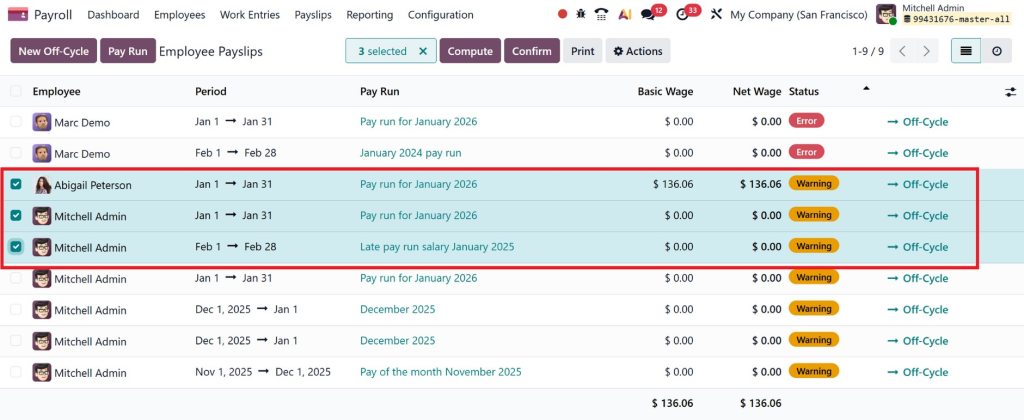
One of the most powerful features is bulk sending.
Instead of sending 100 individual emails, you can send them all at once.
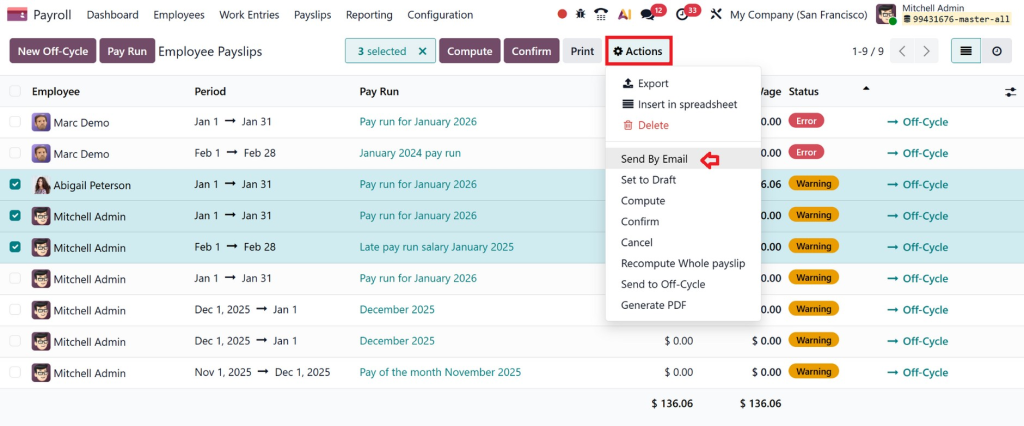
Steps:
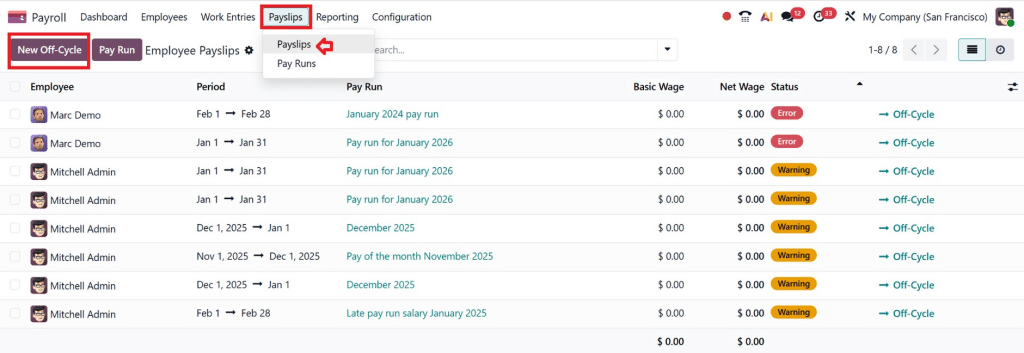
Go to Payroll → Payslips
Select multiple records
Click Action → Send by Email
All employees now receive their payslips instantly.
This is why Odoo 19’s mass payslip send-by-email feature is a lifesaver for HR teams.
Handle 1,000+ slips in seconds. Netilligence optimizes servers for zero downtime, even during peak months.
Feature
Individual Send
Mass Send
Best For
New hires, corrections
Month-end batches
Speed
Instant
Queued (under 5 mins)
Tracking
Per slip
Batch dashboard
Payslip Sending Options Odoo 19
Odoo offers multiple flexible options.
1. Manual Email
Send individually.
2. Bulk Email
Send in groups.
3. Automated Sending
Triggered by payroll confirmation.
4. Employee Portal
Employees download anytime.
These pay slip sending options in Odoo 19 make Odoo suitable for businesses of any size.
Employee Self-Service Portal
Empower your team:
Enable Employees > My Dashboard > Payslips.
Workers log in, view/download history.
No email clutter; eco-friendly too.
Netilligence integrates single sign-on for GCC firms, reducing IT tickets by 60%.
Hi, I'm Nabia, an Odoo ERP functional & technical content writer. I specialize in blogs, social media content, ad copy, landing pages, service pages, and email campaigns.
We use cookies to ensure that we give you the best experience on our website. If you continue to use this site we will assume that you are happy with it.