How Does Bill Splitting Work in Odoo Point of Sale?
Running a busy restaurant, café, or retail counter often means handling groups of customers who want to divide their bill. If your POS system cannot handle this smoothly, it slows down service and frustrates customers. That’s where Bill Splitting Work in Odoo becomes extremely valuable.
Businesses using Odoo POS can easily divide orders between multiple customers, split payments, or even separate items from a single order. Understanding how Bill Splitting Work in Odoo helps restaurants and retail stores speed up checkout, reduce mistakes, and improve the customer experience.
In this guide, we will explain Bill Splitting Work in Odoo, how it functions inside Odoo POS, and why businesses love this feature. If you run a restaurant, café, food truck, or retail shop, learning how Bill Splitting Work in Odoo can make your daily operations smoother.
Many modern restaurants struggle with large group orders. Some customers want to pay individually, while others prefer to divide items. This is exactly where Bill Splitting Work in Odoo becomes essential. With the built-in POS tools, staff can split orders by product, quantity, or payment method.
Businesses working with Netilligence often implement this feature to help restaurants manage peak hours more efficiently.
Let’s explore how Bill Splitting Work in Odoo actually functions and how you can enable and use it.
What is Bill Splitting in Odoo POS?
Bill splitting is a feature in the Odoo Point of Sale system that allows businesses to divide a single order into multiple payments. Instead of calculating everything manually, the POS automatically separates items or amounts.
This is especially useful for:
Restaurants
Cafés
Bars
Food courts
Group dining situations
For example:
A group of 5 friends orders food together. When it’s time to pay:
Two people want to pay for their own items
One person wants to pay half the bill
The remaining two want to split equally
With Odoo POS, staff can handle this in seconds.
This is why many businesses search for how to split bills in Odoo POS when setting up their systems.
Bill Splitting Work in Odoo - Step-by-Step Process
Understanding Bill Splitting Work in Odoo becomes easier when you see the actual process inside the POS system.
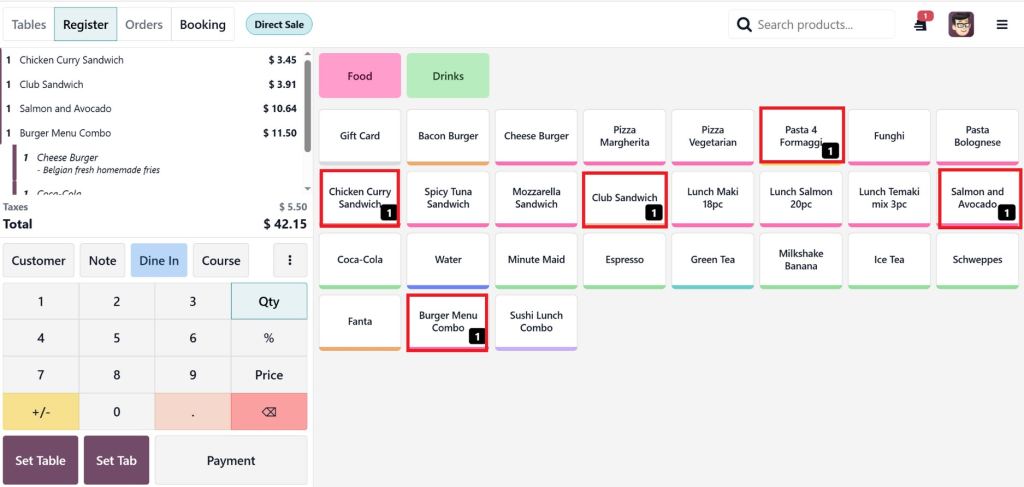
Step 1: Open the Order
When customers place an order, it appears in the POS interface.
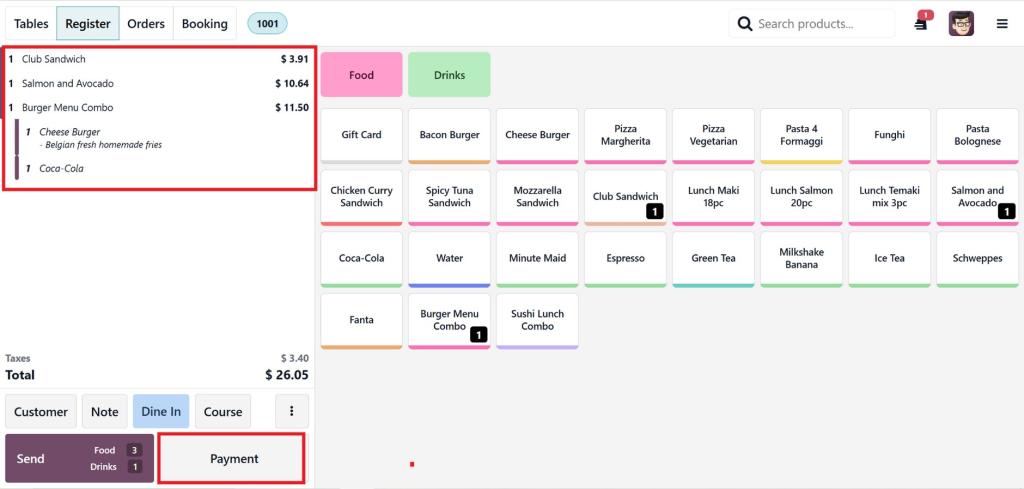
Example order:
Chicken Curry Sandwich – $3.45
Club Sandwich – $3.91
Salmon and Avocado – $10.64
Burger Menu Combo – $11.50
Cheese Burger – with Belgian fresh homemade fries
Coca-Cola
Once all items are added, Odoo automatically calculates:
Subtotal + Taxes = Total $42.15
This full order will appear as a single bill before applying the split option.
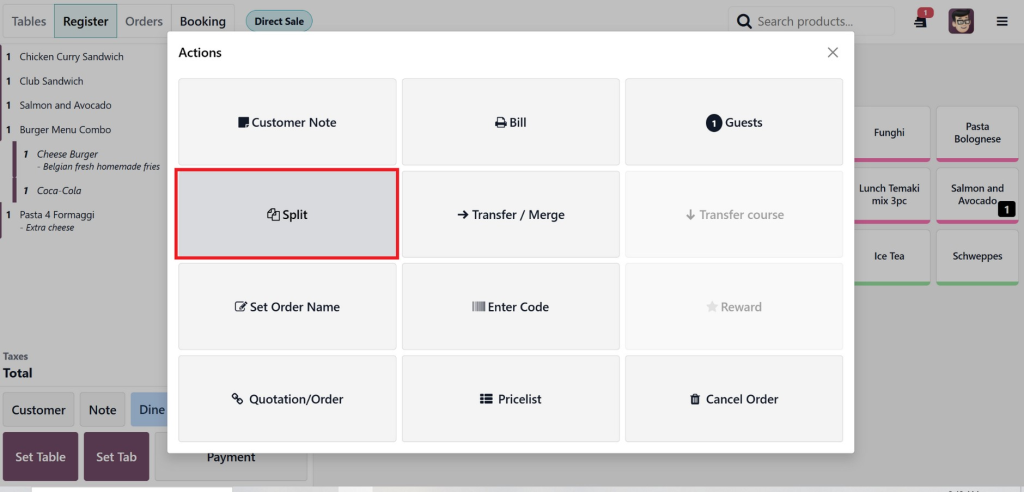
Step 2: Click on Split Option
Inside the payment screen, Odoo provides a Split Bill option by clicking on 3 vertical dots.
The cashier simply selects it.
This opens the bill-splitting interface.
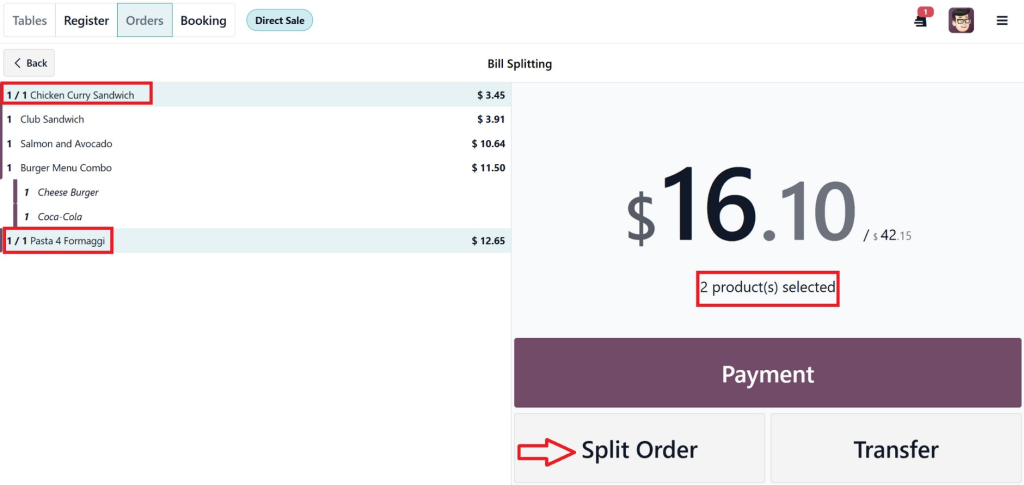
Step 3: Select Items to Split
The POS allows splitting in multiple ways:
By product
By quantity
By customer
For example:
Customer 1 → Chicken Curry Sandwich + Pasta
Then, click on the split order button
Once items are selected:
Odoo automatically creates separate bills.
Each bill can then be paid individually.
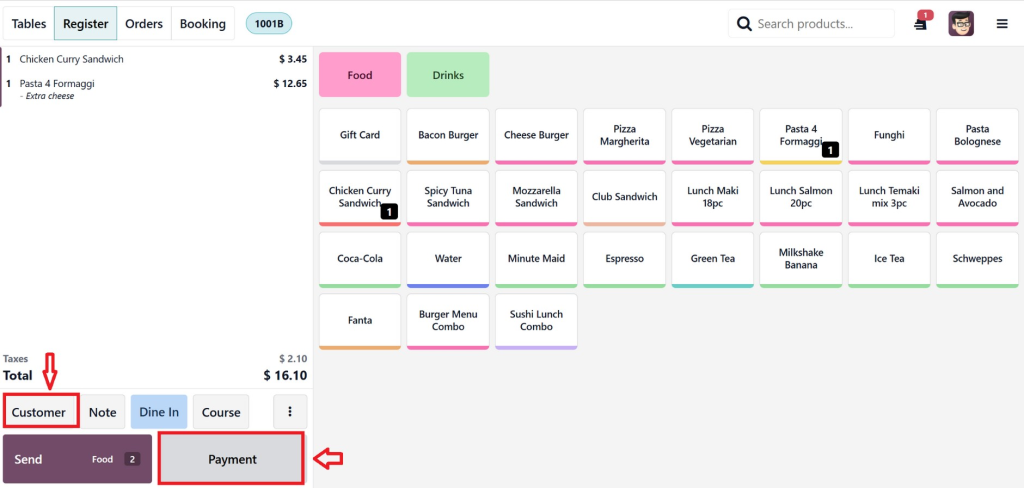
Then from the next window, we can see it is showing our customer one order and the bill amount. Here, we can also select the specific customer name.
Customers can pay using:
Cash
Card
Mobile wallet
Combined payments
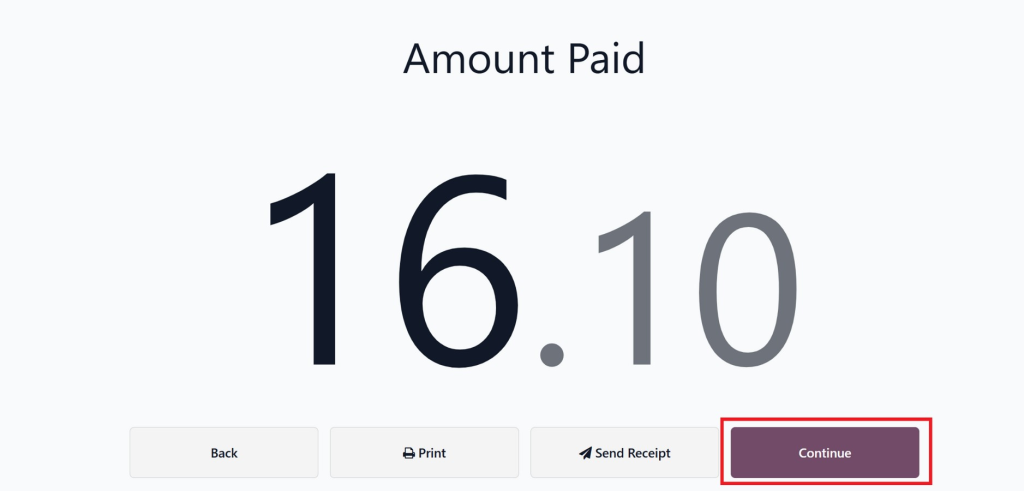
The customer made a payment through the card and then clicked on continue to process the rest aount for the 2nd customer.
This makes Odoo POS’s multiple customer payment split bill extremely convenient.
Customer 2 → Club Sandwich + Salmon and Avocado + Burger Menu Combo
It will automatically show the selected products for the 2nd customer, and here we can process the remaining payment by following the same steps that we have done above for customer 1.
This is part of the Odoo POS split order by products feature.
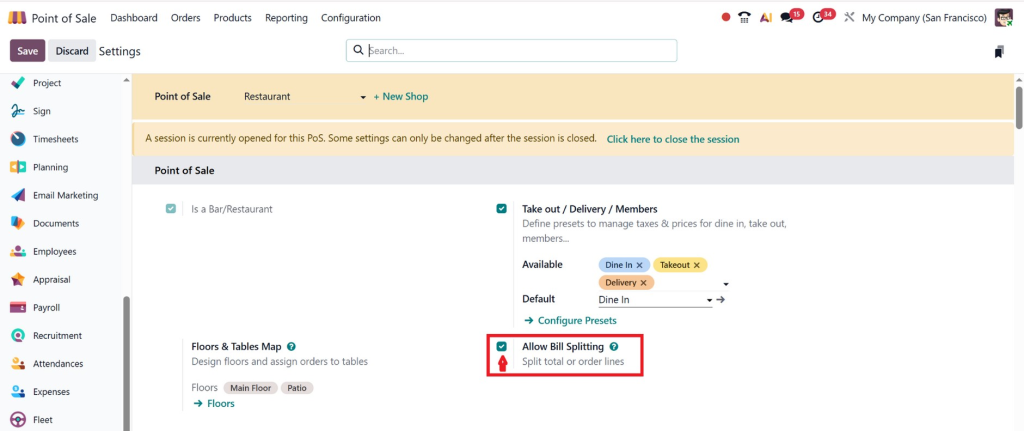
Enable Bill Splitting in Odoo POS
Before using the feature, it must be enabled in the POS settings.
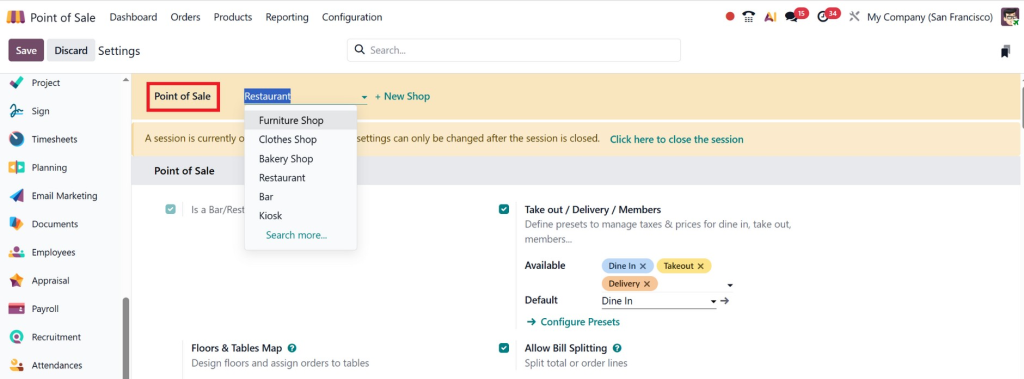
Steps to Enable Bill Splitting on Odoo POS
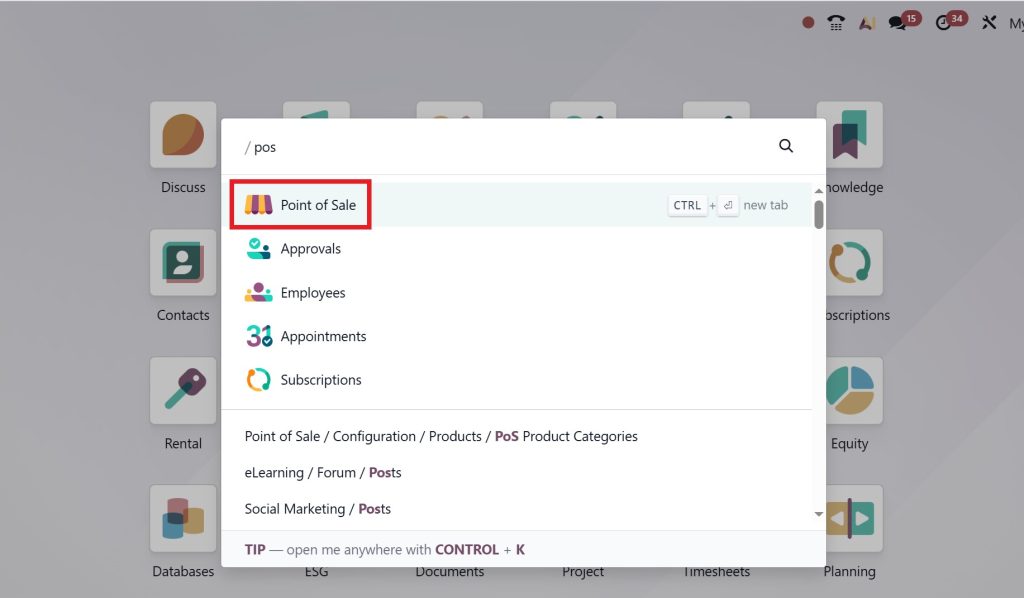
Go to Point of Sale
Open POS Configuration
Select your POS session
Enable restaurant or advanced order features
Also, enable the Bill splitting option.
Save settings
Once enabled, the split option appears during checkout.
This configuration is essential when businesses search for enable bill splitting Odoo POS.
Why Restaurants Need Bill Splitting
Handling payments quickly is essential in the hospitality industry. Without a smart POS system, staff often:
Recalculate bills manually
Create separate orders again
Cause long queues at the counter
Odoo solves these problems.
Key Benefits
1. Faster Checkout
Cashiers can split bills instantly without canceling orders.
2. Better Customer Experience
Customers can pay the way they prefer.
3. Reduced Errors
Automated calculations reduce mistakes.
4. Smooth Table Management
Servers can manage large groups easily.
5. Flexible Payments
Customers can combine cash, card, or digital payments.
This flexibility is why split restaurant bills Odoo point of sale is a popular feature among restaurants.
This is where Netilligence helps businesses transform their operations with tailored Odoo solutions.
Their experts configure POS systems to match the workflow of restaurants and retail businesses.
From installation to training, everything is handled smoothly.
Make Every Checkout Faster and Easier
Managing group payments used to be complicated for restaurants and retail businesses. But today, modern POS systems make it effortless.
Understanding Bill Splitting Work in Odoo helps businesses provide faster service, avoid billing confusion, and improve customer satisfaction.
With flexible payment options, product-based splitting, and easy POS controls, Odoo has become a preferred system for restaurants around the world.
If your business deals with shared bills regularly, implementing Odoo POS can dramatically improve efficiency and checkout speed.
Companies like Netilligence specialise in helping businesses implement these solutions effectively, ensuring that your POS system works exactly the way your business needs.
Hi, I'm Nabia, an Odoo ERP functional & technical content writer. I specialize in blogs, social media content, ad copy, landing pages, service pages, and email campaigns.
We use cookies to ensure that we give you the best experience on our website. If you continue to use this site we will assume that you are happy with it.