

The Odoo 18 Discuss Module is here, and it’s packed with exciting features designed to make business communication faster, more innovative, and more efficient. Whether a small startup or a large enterprise, staying connected with your team is essential to success. With the new features in Odoo 18, communication has always been challenging.
This version’s Odoo Discuss Module updates bring many improvements that will change how you work with your colleagues, clients, and suppliers. From enhanced chat functionalities to better file-sharing capabilities, Odoo 18 is now more powerful and user-friendly for business communication.
So, if you’re wondering how the Odoo 18 module enhancements will make your workday smoother and how you can customise it to fit your business needs, you’re in the right place. Let’s dive into the details of these updates and see how the Odoo 18 Discuss chat improvements can help you streamline your communication and boost productivity.
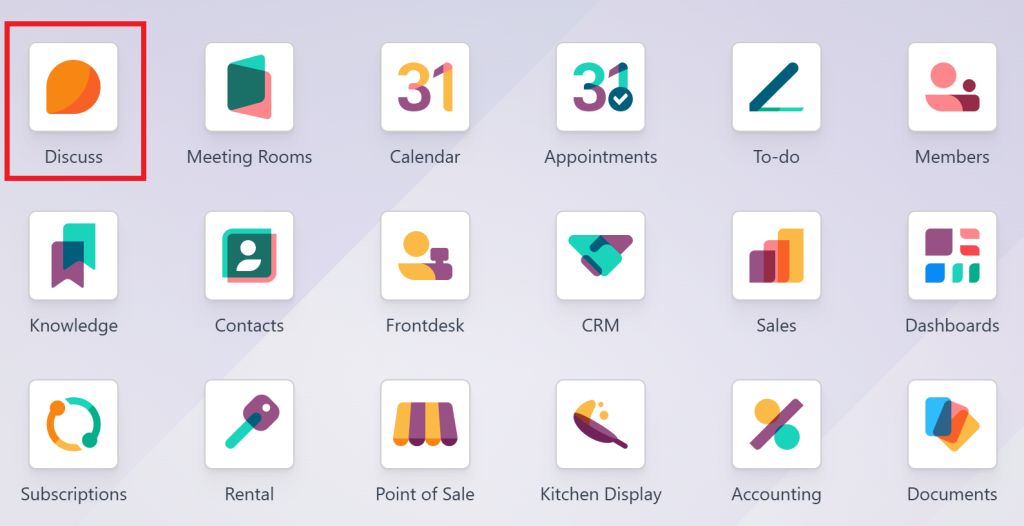
New Features in Odoo 18 Discuss Module
Odoo is always listening to user feedback and improving its modules. The Odoo 18 Discuss Module brings several significant changes and additions that make communicating with your team and clients easier. Let’s look at the most important ones.
Faster, Real-Time Chat Functionality
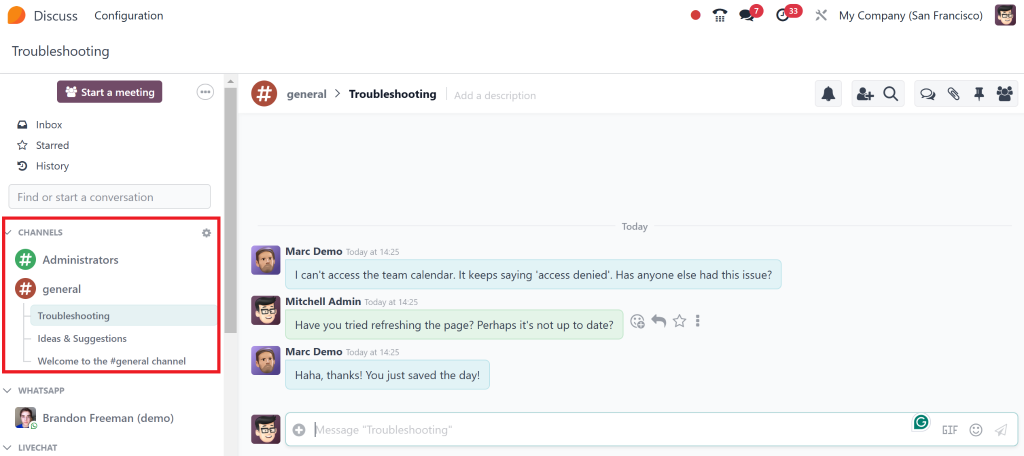
One of the most significant changes in the Odoo 18 Discuss Module is the improvement in the chat system. In previous versions, users sometimes faced lag or delays when sending or receiving messages, but Odoo 18 has dramatically improved the speed and responsiveness of the chat.
What’s New:
- Instant messaging: Send and receive messages instantly, making team communication more efficient.
- Fewer delays: Odoo 18 minimises the usual conversation lag, allowing you to stay on top of tasks.
- Integrated notifications: Get real-time alerts for essential messages, ensuring you never miss critical updates.
This update will make team chats more efficient, keeping everyone on the same page without the typical communication delays.
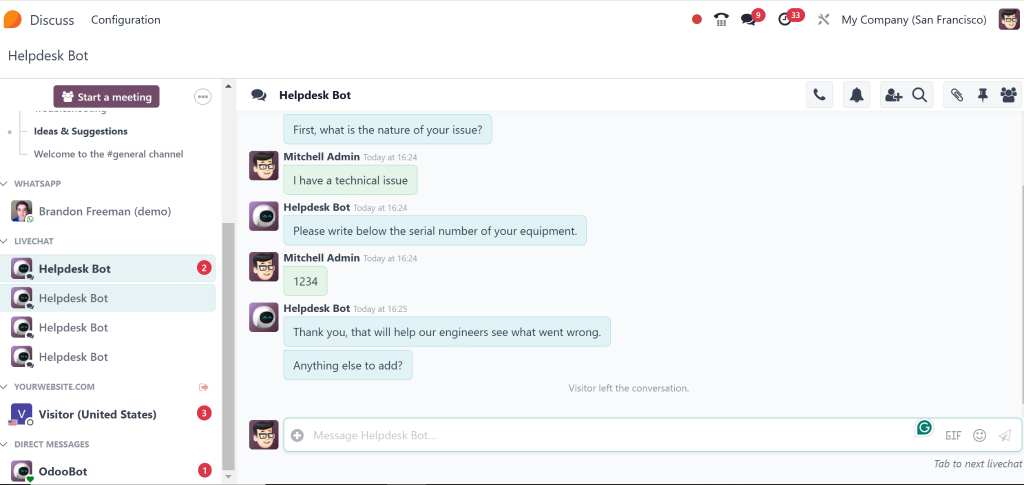
Create Custom Chat Channels for Teams and Projects
With Odoo 18, creating personalised chat channels for different teams, projects, or departments is now easier than ever. This feature helps you organise communication and ensure the right people are always in the loop.
Key Features:
- Custom channels: Create private or public channels for different teams or departments.
- Topic-based discussions: Discuss specific projects or tasks in dedicated channels to avoid unnecessary noise.
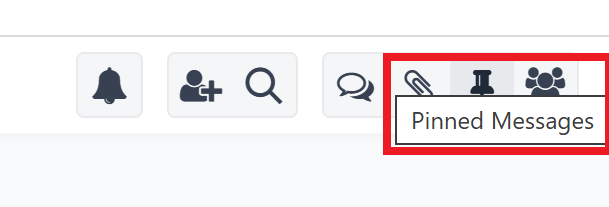
- Pin essential messages: Pin critical messages in the channel, ensuring everyone knows the key updates.
This feature will help you and your team avoid cluttered communication by effectively organising discussions.
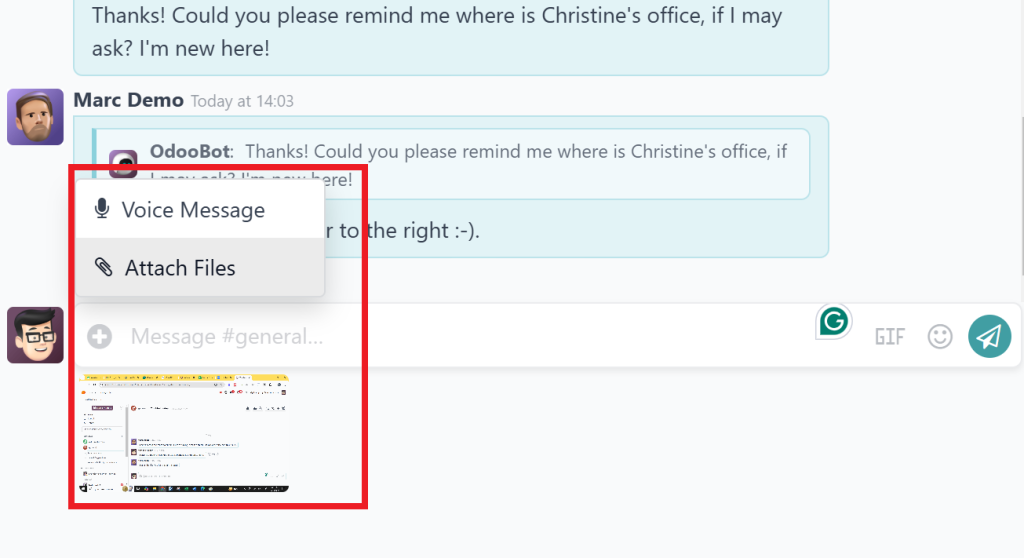
Easy File Sharing & Document Management
The Odoo 18 Discuss Part has made sharing files and documents through chats a breeze. No more hunting around for attachments in emails or external platforms. You can now share files directly within the chat interface, and it’s easy to keep track of them.
Highlights:
- Drag-and-drop file uploads: Drag and drop files into the chat to share quickly.
- Version control: Keep track of document revisions to ensure the latest version.
- Searchable file history: Find files shared in past conversations with the integrated search feature.
This update will save time when you need to access important documents or share new ones.
Include External Users in Conversations
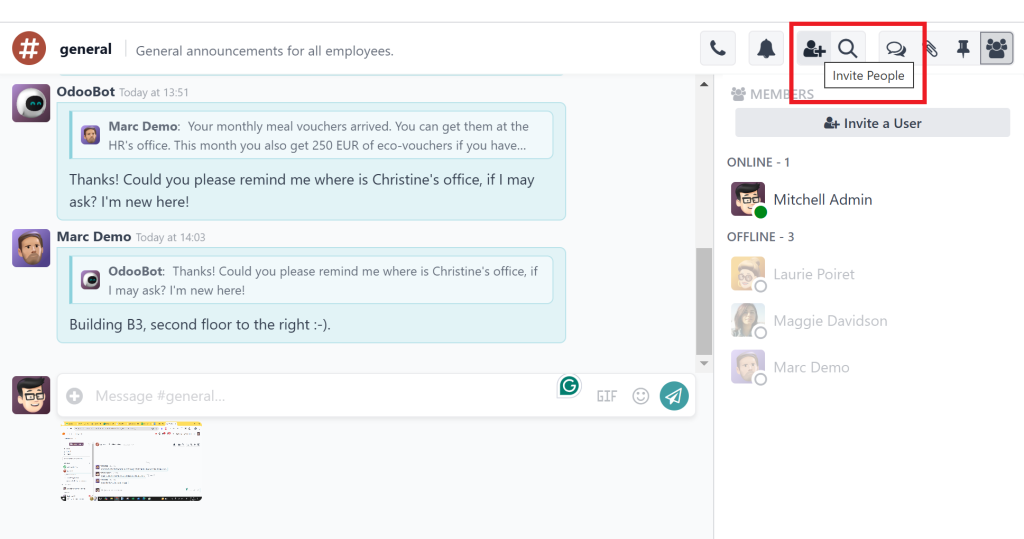
One of the most useful new features in the Othe doo 18 Discuss Module is the ability to include external users in your chats. This feature makes collaborating with clients, suppliers, or other business partners more straightforward without leaving the Odoo system.
How it Works:
- Invite via email: The Discuss module allows you to send invites to external users directly. They don’t need an Odoo account to join the conversation.
- Controlled access: External users can only access specific conversations, so sensitive information is protected.
- Real-time collaboration: They can participate in the discussion, ask questions, or share documents, just like internal users.
This feature will make client and vendor communication smoother, eliminating the need for separate communication tools.
Enhanced Notification & Alert System
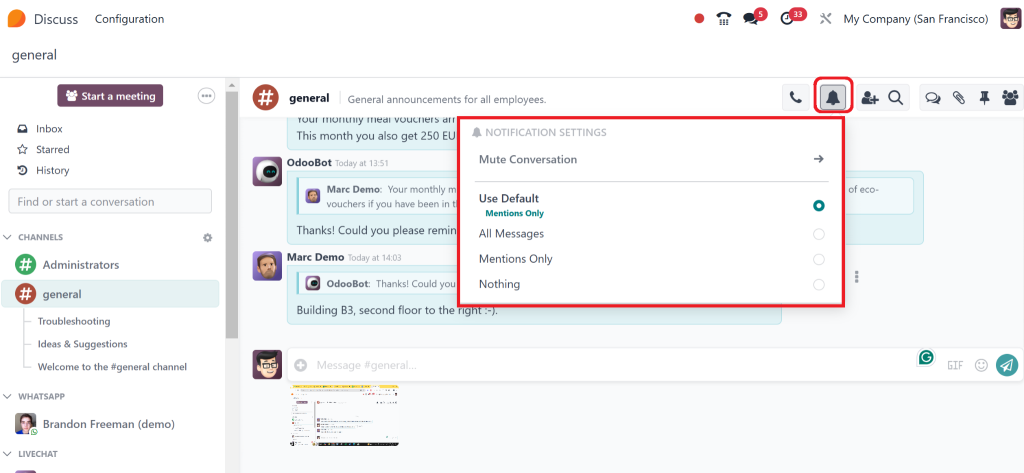
Keeping track of what’s happening in your business can be overwhelming, but Odoo 18 makes it easier with a more brilliant notification system. This update ensures that you only get alerted about the things that matter most.
What’s New:
- Customizable notifications: You can choose what type of notifications you want to receive, such as messages, file uploads, or specific project updates.
- Priority flags: Mark important messages or conversations with a priority flag to make them stand out.
OR
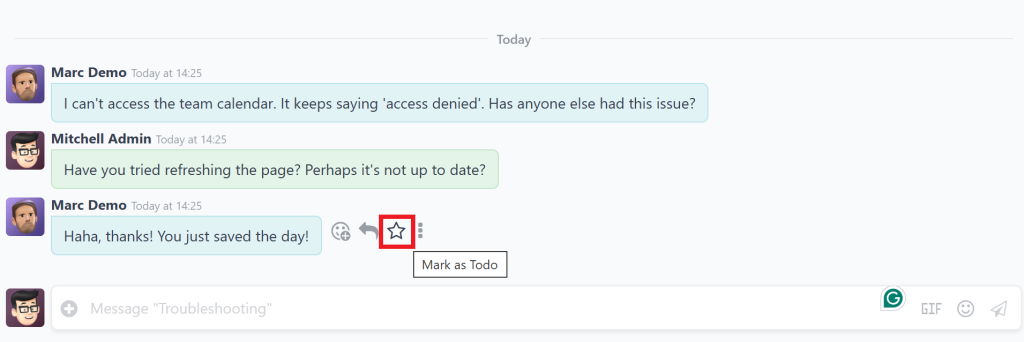
- Daily summaries: Get daily or weekly summaries of key conversations and updates, which will help you stay on top of things without feeling overwhelmed.
This improvement will help you manage notifications effectively so you don’t miss important updates while avoiding distractions.
How Odoo Discuss Module Updates Enhances Communication in Your Business
Effective communication is crucial to a company’s success. The Odoo 18 Discuss Application is designed to help businesses of all sizes improve their internal communication and work more efficiently. Here’s how it can benefit your business:
Better Team Collaboration
Real-time messaging, threaded discussions, and the ability to share files instantly make it easier for your team to stay on the same page. Whether in the same office or working remotely, you can count on Odoo 18 for business communication to keep things moving forward.
Cross-Departmental Communication
In larger companies, different departments often need help with communication. With Odoo 18, you can set up channels for cross-department collaboration, ensuring that everyone involved in a project is updated.
Client Interaction
The ability to invite external users into your discussions means you can collaborate directly with clients and suppliers within the Odoo platform without needing third-party communication tools. This makes providing updates, sharing documents, and answering questions in real time more manageable.
Odoo Discuss Module Customisation for Your Business Needs
Every business has different communication needs, so customisation is essential. Odoo 18 makes the Discuss Module easy to fit your unique requirements. Here’s how you can customise it:
Odoo 18 Discuss chat improvements
The Odoo 18 Discuss Module has a user-friendly interface, but you can better customise it to our team’s preferences. Whether you want to adjust the layout or tweak the colours, you can make it your own.
Odoo 18 for Business Communication Flow
Odoo allows you to create custom workflows that trigger notifications or actions based on specific communication events. For example, if a customer message requires urgent attention, you can automatically notify the right team member to respond immediately.
Advanced Permissions Control
With Odoo 18 Discuss Module customisation, you can control who can access which conversations. That ensures that sensitive company information stays protected while allowing teams to collaborate freely.
Why Odoo 18 Discuss Module Is So Important
The Odoo 18 Discuss Module is more than just a chat app; it’s a complete business communication tool designed to enhance collaboration, increase productivity, and simplify workflow. The new features in Odoo 18 make it easier to stay connected, share information, and collaborate with internal and external stakeholders.
With improvements like real-time chat, custom channels, file sharing, and external user collaboration, the Odoo 18 Discuss Module updates are perfect for businesses looking to modernise their communication systems. Additionally, the ability to customise the Odoo 18 Discuss chat ensures that it can fit your specific needs, making it a highly flexible tool for any company.
If you want to improve your team’s communication, streamline project collaboration, and integrate all your business communication in one place, the Odoo 18 Discuss Module is a powerful solution. Don’t wait; make the most of Odoo 18 and improve your business communication today!




