

If you have a website, one question always stays in your mind: Why do visitors come, look around, and leave without talking to us? You know they have questions, but they don’t ask. This is where the Live Chat Module in Odoo 19 quietly steps in and fills that gap.
The Live Chat app in Odoo 19 gives your visitors a simple way to talk to you while they are still on your website. No waiting for emails. No searching for phone numbers. Just a small chat window for honest conversations. When people feel heard at the right time, they stay longer, ask more, and trust your business more.
With the Live Chat app in Odoo 19, you are not just replying to messages; you are also engaging in conversations. You are guiding visitors, answering doubts, and helping them make decisions. The Live Chat app in Odoo 19 connects directly with your sales and CRM data, so nothing gets lost. Every conversation has a purpose, and every visitor gets attention when they need it most.
In this blog, I am walking you through the Live Chat app in Odoo 19, how it works, what problems it solves, and why it matters for your business today.
What Is the Live Chat Module in Odoo 19 ERP and How It Works
The Live Chat app in Odoo 19 ERP is a built-in communication tool that allows your team to chat with website visitors in real time. It works directly within Odoo, which means your chats are linked to customer records, leads, and internal teams.
When someone opens your website and sees the chat option, they can start a conversation instantly. On the backend, your team receives the message inside Odoo. From there, the chat can continue, be transferred, or even turned into a lead or opportunity. The Odoo 19 ERP live chat module removes the distance between your business and your customers.
This is especially helpful when visitors are confused, unsure, or just looking for quick clarity. Instead of leaving your site, they talk to you.
Why Businesses Are Choosing the Odoo 19 Live Chat Module
Most businesses lose visitors not because their service is bad, but because answers are slow. The Odoo 19 live chat app helps you stay present when visitors are actively browsing.
People don’t want long forms. They don’t wish to receive delayed replies. They want quick, clear responses. With live chat, you meet them exactly where they are. This small interaction often becomes the first step toward a long-term business relationship.
The Live Chat app in Odoo 19 also helps internal teams work better together. Sales, support, and marketing teams all see the same information, so communication stays clear and consistent.
Odoo Live Chat Features That Solve Real Business Problems
The strength of the Live Chat app in Odoo 19 lies in its rich and practical features. These features are designed to improve both the customer experience and the efficiency of the internal team.
Real-Time Website Chat Widget
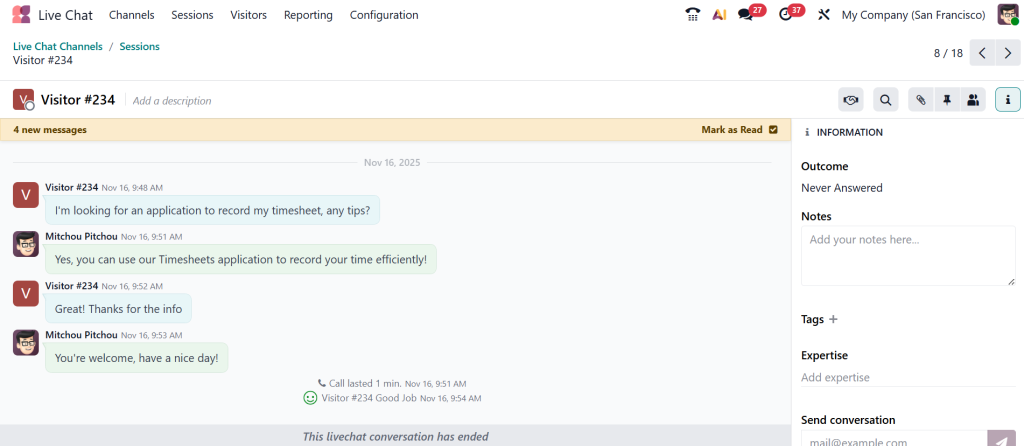
The Odoo 19 website chat widget allows businesses to add a chat button to their website with ease. Visitors can start a conversation without filling out long forms or leaving the page. This real-time interaction helps reduce friction and improve customer satisfaction.
Smart Odoo Live Chat Operator Assignment
One of the most prevailing Odoo live chat features is intelligent operator assignment. The Odoo live chat operator assignment ensures chats are routed to the right team member based on availability, role, or workload. This prevents missed messages and provides faster responses.
Integrated Odoo Live Chat Dashboard
The Odoo live chat dashboard gives managers a clear overview of chat performance. From active chats to response times and operator availability, everything is visible in one place. This makes it easier to track productivity and improve support quality.
Automatic Lead Creation
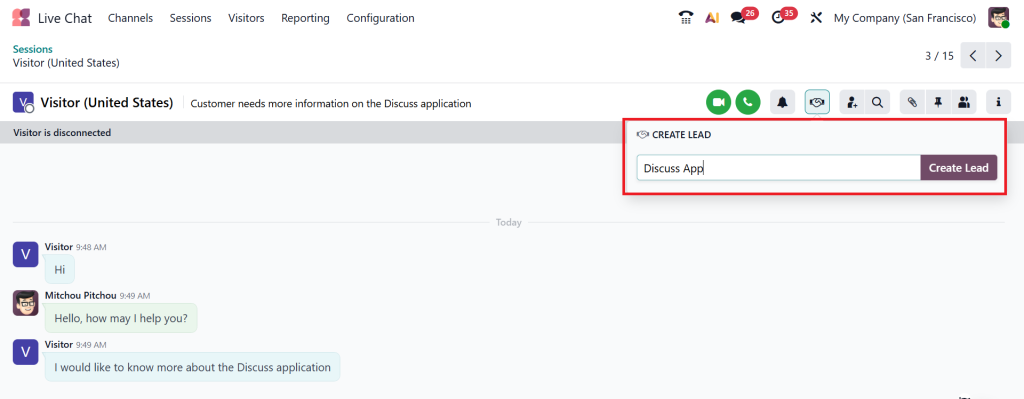
With Odoo live chat lead generation, every meaningful conversation can turn into a sales opportunity. The system can automatically create leads in Odoo CRM, saving time and preventing potential customers from being lost.
Odoo 19 Website Chat Widget and the First Impression It Creates
The Odoo 19 website chat widget is often the first human touchpoint on your website. It sits quietly on the page, ready when someone needs help.
Visitors don’t feel pressured. They open it only when they want to talk. This makes communication feel natural. The Odoo 19 website chat widget can be customized to match your brand and message, so it feels like part of your website rather than an add-on.
This small widget often answers simple questions that stop visitors from moving forward. And once those questions are answered, people feel confident to take the next step.
Odoo Live Chat Operator Assignment and Team Efficiency
One common problem businesses face is message overload. When too many chats come in, replies get delayed. This is where Odoo live chat operator assignment becomes essential.
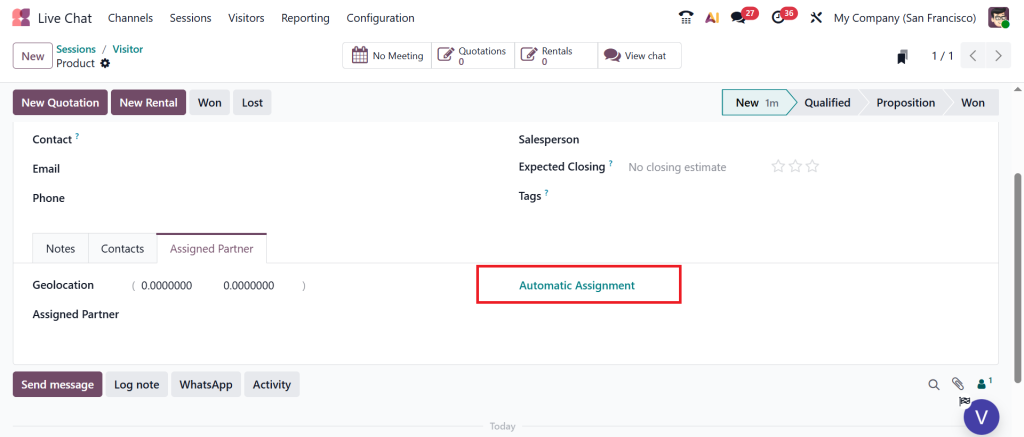
In Odoo, live chat operator assignment automatically routes chats to available team members. If someone is busy, the system assigns the chat to another operator. This keeps response time short and avoids missed conversations.
You can also assign operators based on roles. Sales questions go to sales teams. Support questions go to support teams. This structure helps teams stay focused, and customers get accurate answers.
Odoo Live Chat Dashboard for Daily Monitoring
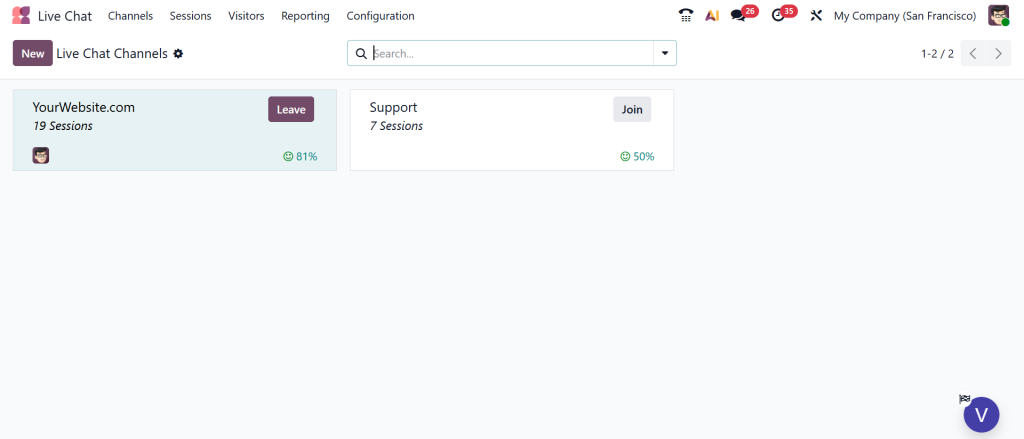
The Odoo live chat dashboard gives you a clear picture of what is happening with your chats. You can see how many chats are active, who is handling them, and how quickly responses are being sent.
This is helpful for managers who want to improve response quality and team performance. The Odoo live chat dashboard also helps identify busy hours, common questions, and areas where visitors need more guidance. Instead of guessing, you rely on actual data to improve communication.
Odoo Live Chat Lead Generation from Real Conversations
The most significant benefit of live chat in Odoo is its lead generation capabilities. When people chat, they naturally share information. They ask about pricing, services, or availability. These are clear buying signals.
With Odoo live chat lead generation, chats can be automatically converted into leads. Visitor details are saved, conversations are linked, and sales teams can follow up without having to start from scratch.
This makes lead generation feel natural instead of forced. People don’t feel like they are being sold to. They feel helped.
Odoo 19 Live Chat Integration Across Business Operations
The Odoo 19 live chat integration connects live chat with CRM, sales, and helpdesk modules. This means conversations don’t stay limited to chat windows.
Sales teams can see chat history before calling a lead. Support teams understand past issues. Marketing teams learn what customers are asking most. The Odoo 19 live chat integration keeps everyone on the same page. This connected approach reduces confusion and improves customer experience at every stage.
How the Live Chat Module in Odoo 19 Supports Sales Teams
Sales teams benefit directly from the Live Chat app in Odoo 19. They don’t have to wait for inquiries through email. They talk to interested visitors immediately.
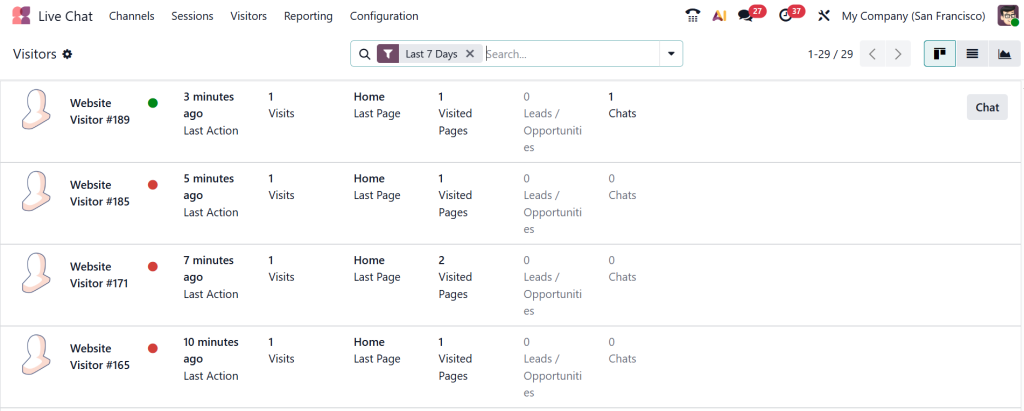
Questions about pricing, services, or delivery are answered in real time. Sales teams can guide visitors to the right products or services while interest is still high. This shortens the sales process and builds trust early.
How Support Teams Use the Odoo 19 Live Chat Module
Support teams use the Odoo 19 live chat app to solve problems quickly. Instead of long email threads, issues are discussed and resolved in one conversation.
Chats can be converted into support tickets if needed. This keeps records clear and helps teams track recurring issues. Customers feel heard, and support teams work more efficiently.
Daily Business Benefits of Using the Live Chat Module in Odoo 19
Using the Live Chat app in Odoo 19 brings steady improvements to daily operations. Visitors get answers faster. Teams communicate better. Leads are captured naturally.
Instead of handling communication across multiple tools, everything stays inside Odoo. This reduces confusion and saves time. Over time, these minor improvements lead to better customer relationships and higher engagement.
Why Businesses Trust Netilligence for Odoo Live Chat Setup
Setting up the Live Chat app in Odoo 19 properly matters. Configuration, operator rules, and integrations must align with your business goals.
Netilligence helps businesses set up the Odoo 19 ERP live chat module to fit their workflows. From operator assignment to CRM integration, every part is carefully planned so your team can focus on conversations, not on technical issues.
Why the Live Chat Module in Odoo 19 ERP Makes Daily Customer Communication Easier
The Live Chat app in Odoo 19 ERP helps businesses stay available when visitors actually need answers. Instead of guessing what customers are thinking, you get to hear it directly through honest conversations. From first-time visitors asking simple questions to serious prospects looking for clarity, live chat keeps communication clear and timely.
With tools like the Odoo 19 website chat widget, Odoo live chat operator assignment, Odoo live chat dashboard, and Odoo live chat lead generation, businesses can manage conversations without confusion. Everything stays connected inside Odoo, so teams don’t lose context, and customers don’t feel ignored.
If your business wants to respond faster, manage conversations better, and turn website visits into meaningful discussions, now is a good time to explore the Live Chat app in Odoo 19.
Reach out to Netilligence to discuss how this module can be set up to fit your daily workflow and support your business goals.




