How Cost of Goods Sold (COGS) Booked Using the Average Weighted Costing Method (AVCO) in Odoo 19?
Why the Cost of Goods Sold (CGS) Matters in Odoo 19 AVCO COGS Calculation
When businesses talk about the cost of goods sold (CGS), they refer to the cost of producing and selling a product. Every time you sell an item, the CGS changes. If this is not calculated correctly, your profit numbers become confusing, your reports look wrong, and your business decisions start to go in the wrong direction.
If you are running a trading, retail, or distribution business and using Odoo, then the CGS is not just a number in a report. It is the number that decides whether your business is making money or quietly losing it. Every time a product leaves your warehouse, your cost of goods sold should change. And if it does not change in the right way, your profit report starts lying to you. That is exactly why Odoo 19 AVCO COGS calculation, average cost method Odoo 19 inventory, and Odoo 19 weighted average costing AVCO matter so much.
In many companies I see, people sell items daily, but they still do not trust their CGS. They keep opening Excel files, checking old purchase prices, and guessing at their real margin. This problem becomes even worse when the purchase price changes repeatedly. One day you buy at one rate, the next shipment comes at a higher rate, and suddenly your cost of goods sold feels confusing. This is where perpetual inventory valuation, AVCO Odoo, starts to make sense.
When you use Odoo 19’s AVCO COGS calculation, the system keeps updating the average cost for each product. That average is then used to calculate your CGS every time you sell. You do not have to touch anything. You do not have to fix numbers.
In this blog, I am going to walk you through how the CGS, average cost method, Odoo 19 inventory, COGS journal entries Odoo 19 AVCO, and perpetual inventory valuation AVCO Odoo all work together so you can finally trust your reports.
What Cost of Goods Sold Means Inside Odoo 19 Weighted Average Costing AVCO
The cost of goods sold (CGS) is the cost of the products you have already sold. Not the ones still in stock. Not the ones coming next week. Only the ones that left your warehouse.
In Odoo 19, when you use Odoo 19 weighted average costing AVCO, Odoo does not wait for month end to calculate this. The moment a delivery is confirmed, Odoo calculates the average cost of that product and posts it as CGS. That is how perpetual inventory valuation works in AVCO Odoo.
This means your profit report is always moving with your sales. If you sell today, the CGS is updated today. If you sell tomorrow, it updates again. You are not working with old numbers.
How Average Cost Method Odoo 19 Inventory Decides Your Cost of Goods Sold
Now let’s talk about the average cost method of Odoo 19 inventory, because this is the heart of AVCO. Suppose you buy the same product many times at different prices. Odoo keeps adding all those purchase values together and divides them by the total quantity in stock. This gives an average number. That number serves as the basis for your CGS.
So, when you sell a product, Odoo does not care if that piece came from an old batch or a new batch. It uses the average. This keeps your CGS stable and fair.
That is why Odoo 19 AVCO COGS calculation works so well for companies where prices keep changing, which is very common in the UAE market.
Average Weighted Costing Method with Perpetual Accounting
In average costing (AVCO), Odoo recalculates the product cost every time you make a purchase. The cost will be based on the existing stock value, new purchases, and the total quantity available. Now, we need to know what perpetual accounting is. In perpetual accounting, accounting entries are created immediately when stock moves happen. That means whenever a purchase is made, the stock value increases in real time, and whenever sales occur, the CGS is recognized instantly, so we don’t need to wait until month-end.
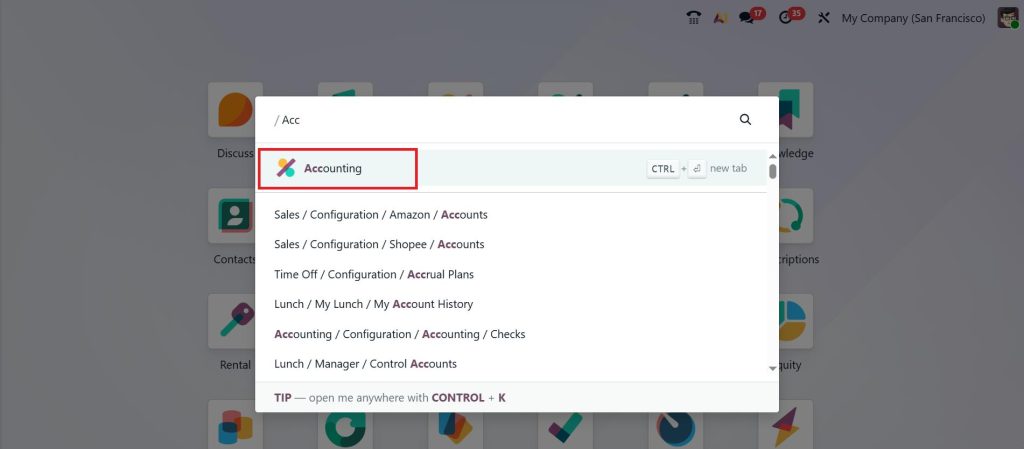
So, let’s see how the average costing method works with perpetual accounting in Odoo. First, open the Accounting module from your Odoo 19 dashboard.
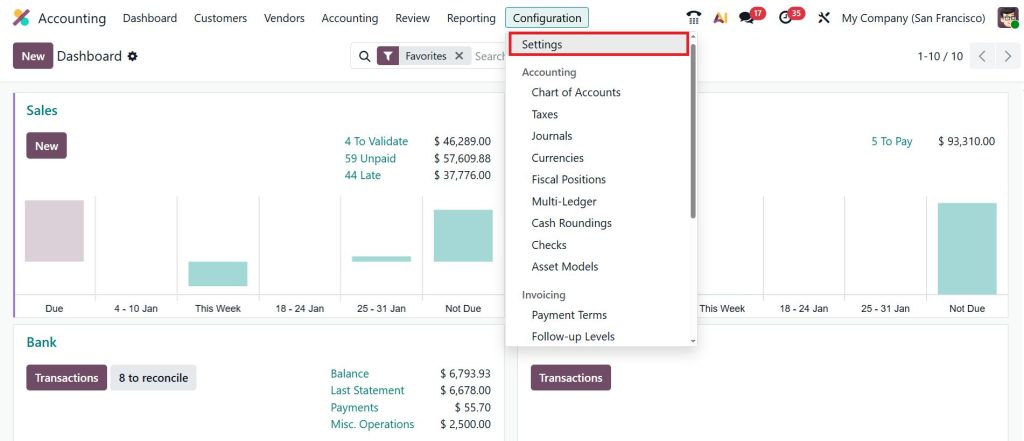
Go to Configuration > Settings.
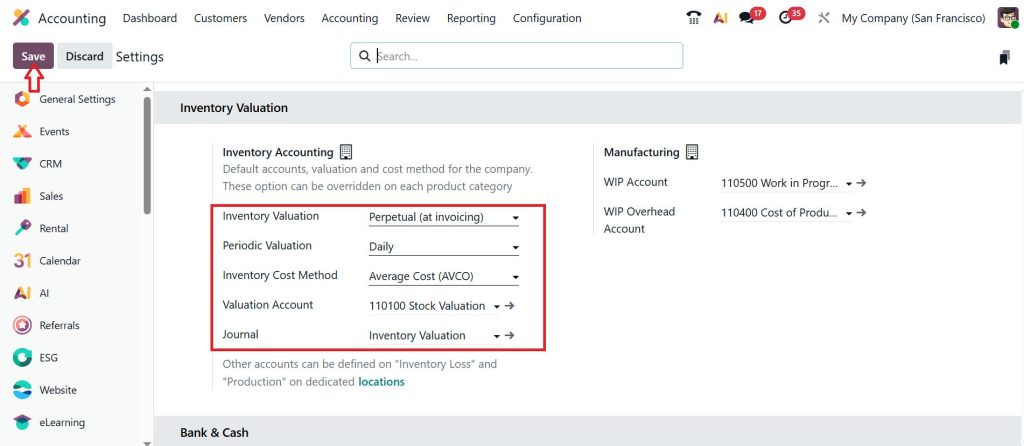
Under the Inventory Valuation section, select Perpetual (at invoicing) for the inventory valuation; for Periodic Valuation, select Daily; select the Inventory Cost Method as Average Cost (AVCO); then click Save.
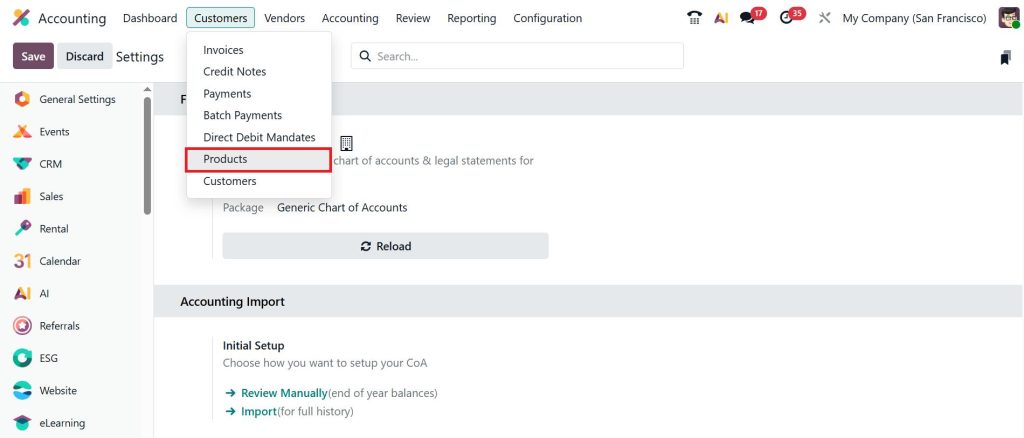
Let’s move to the Customers > Products.
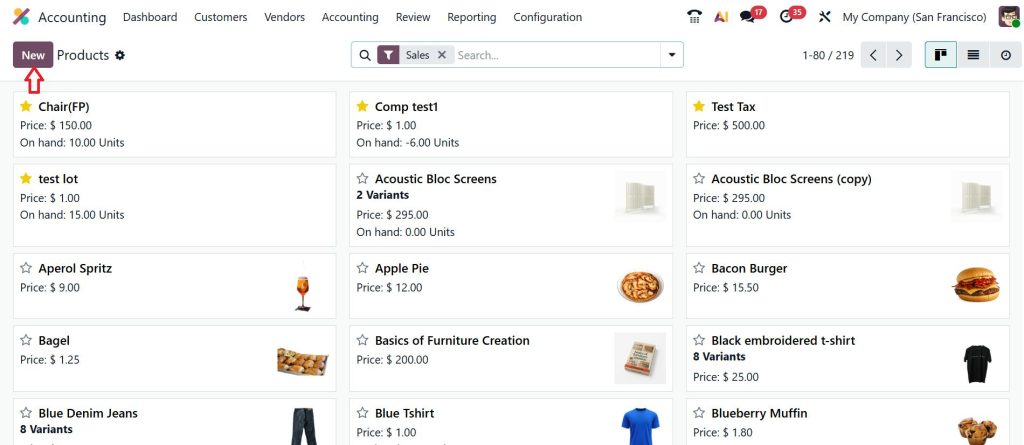
Click New to create a new product.
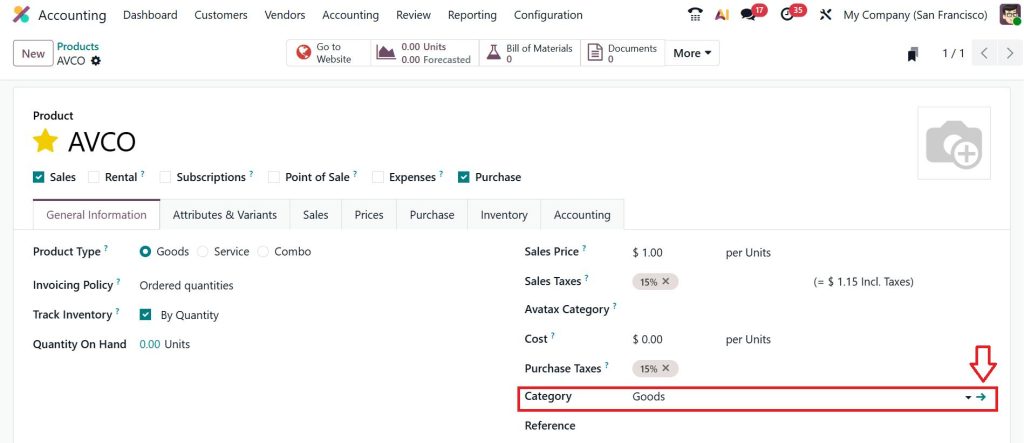
Enter the product name as AVCO, enable Track Inventory By Quantity, select the Category as Goods, and then click the internal link.
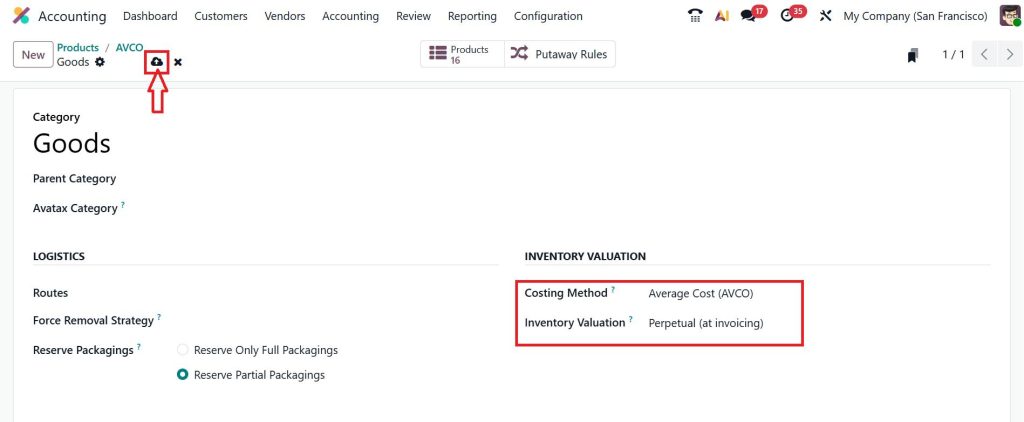
Here, you can select the Costing Method as Average Cost (AVCO), Inventory Valuation as Perpetual (at invoicing), and click Save.
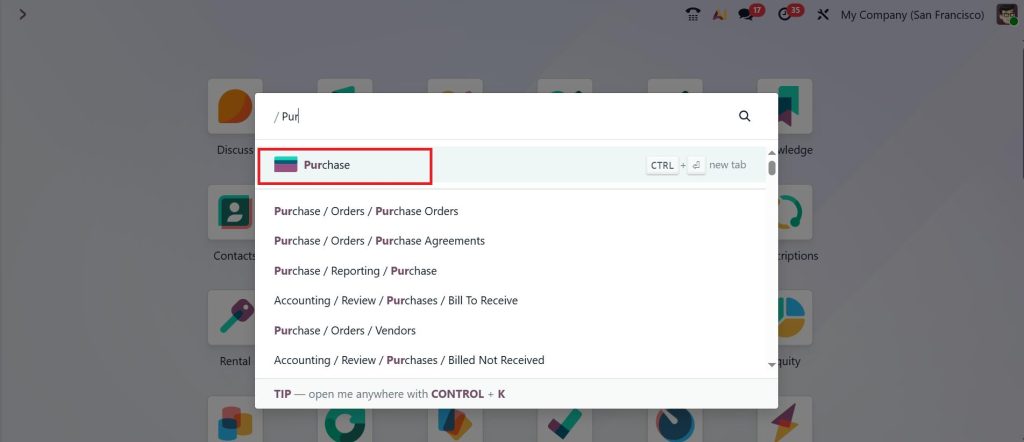
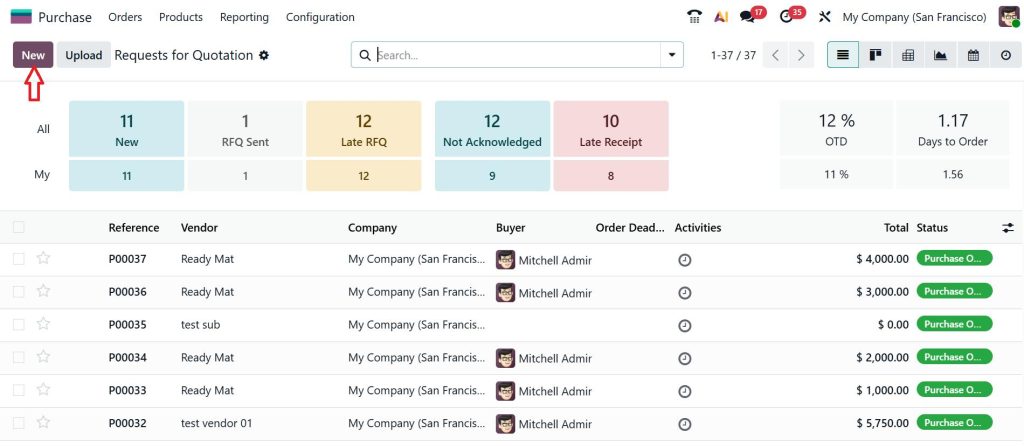
The next step is to make the purchase for that open the Purchase App.
Click New.
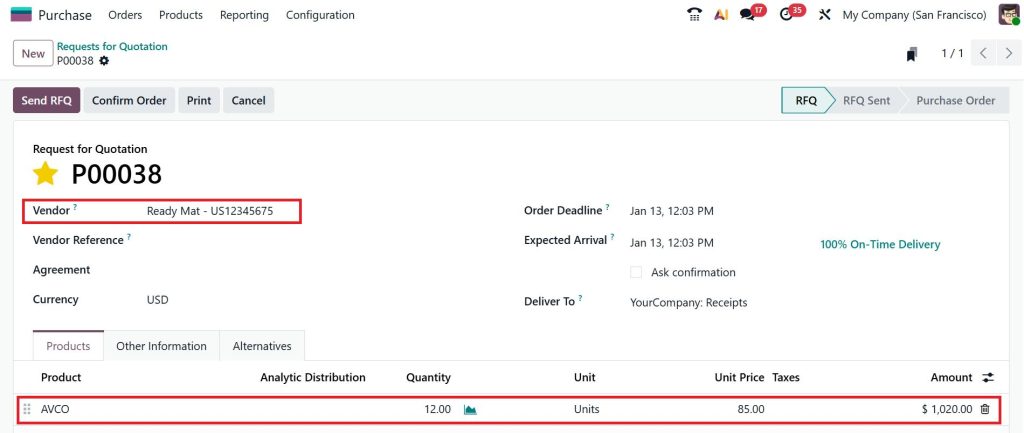
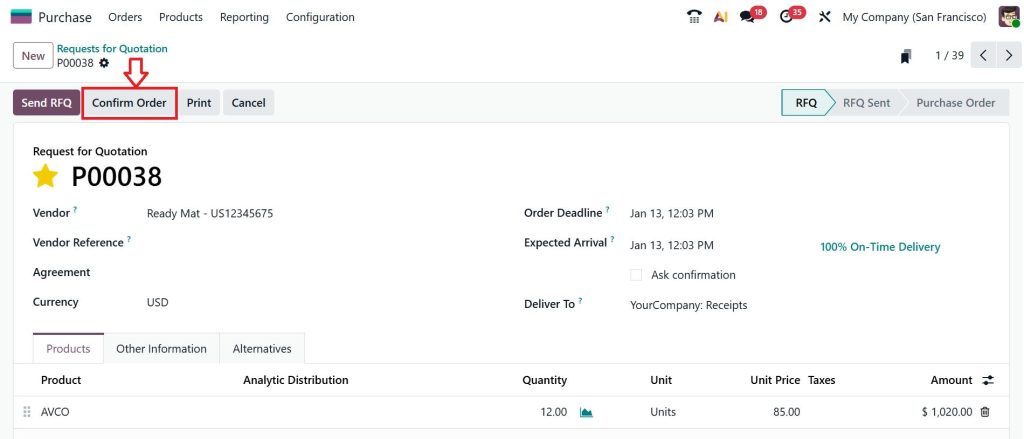
Choose the Vendor (Ready Mat), add the product (AVCO), enter 12 for quantity, and set the unit price to 85.
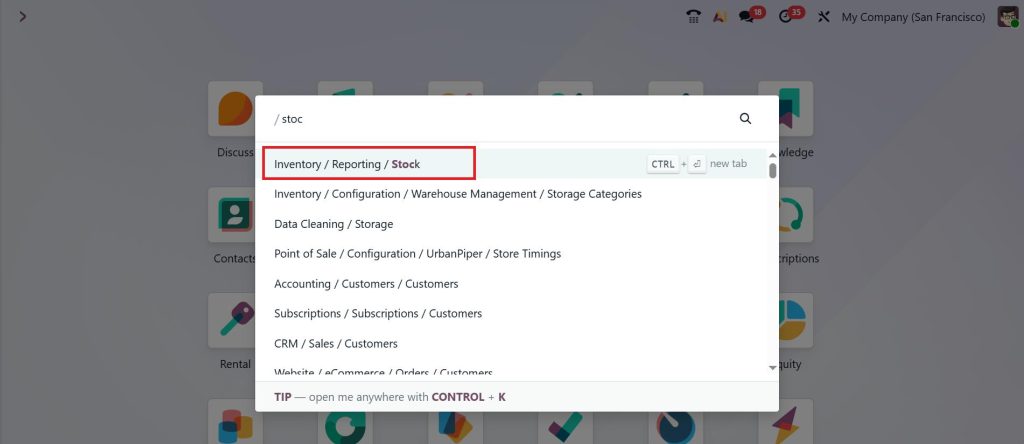
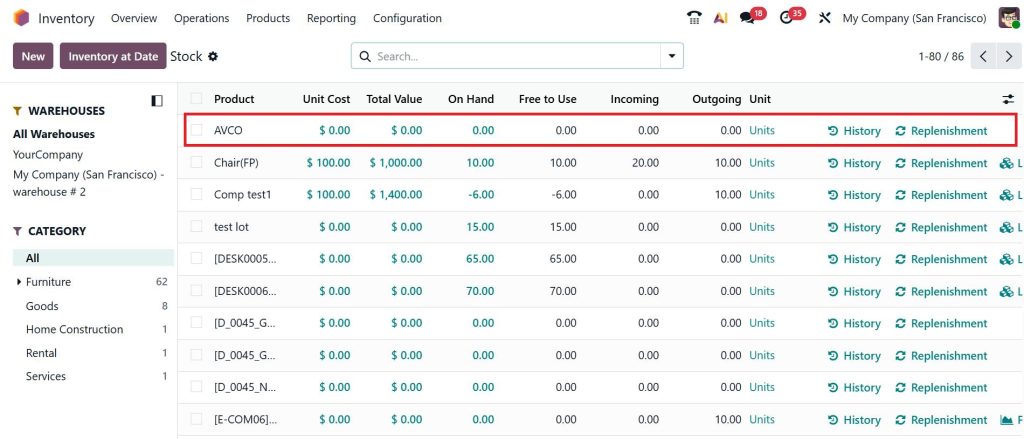
Now, go to the Inventory > Reporting >Stock.
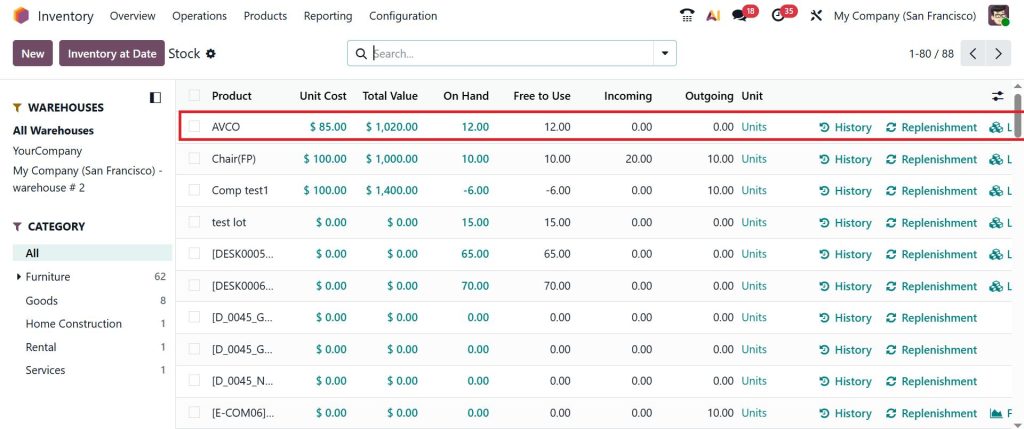
Here, you can find the product, unit cost, total value, and on-hand, which is currently 0 because we don’t have any quantity initially.
Now, go back and confirm the purchase order by clicking on the Confirm Order.
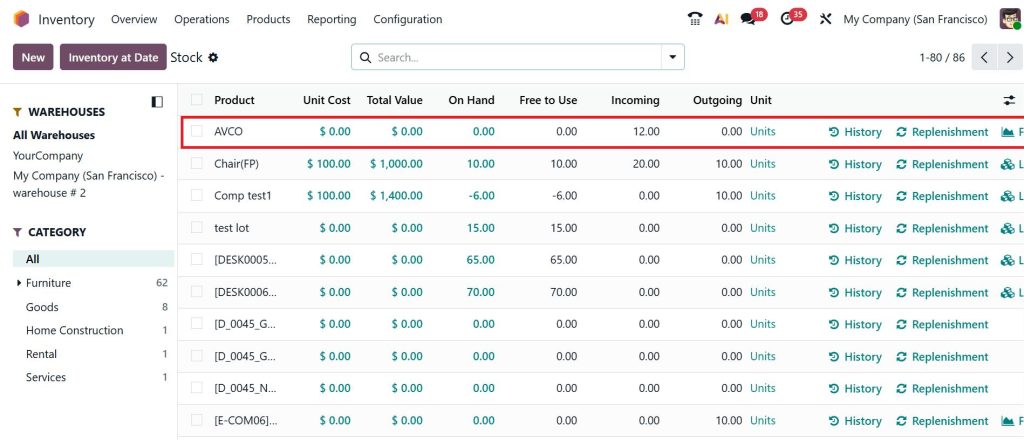
Again, go to the Inventory > Reporting >Stock. And now you can see that the quantity will be shown as 12 in the Incoming quantity field.
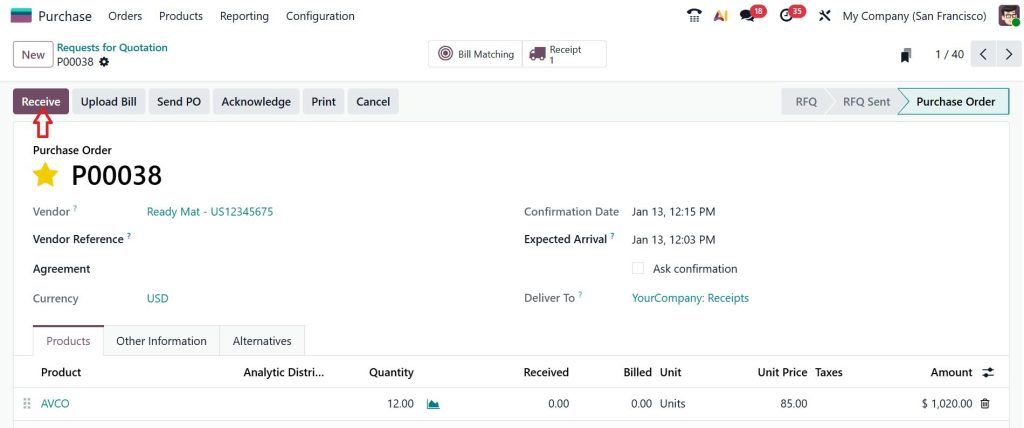
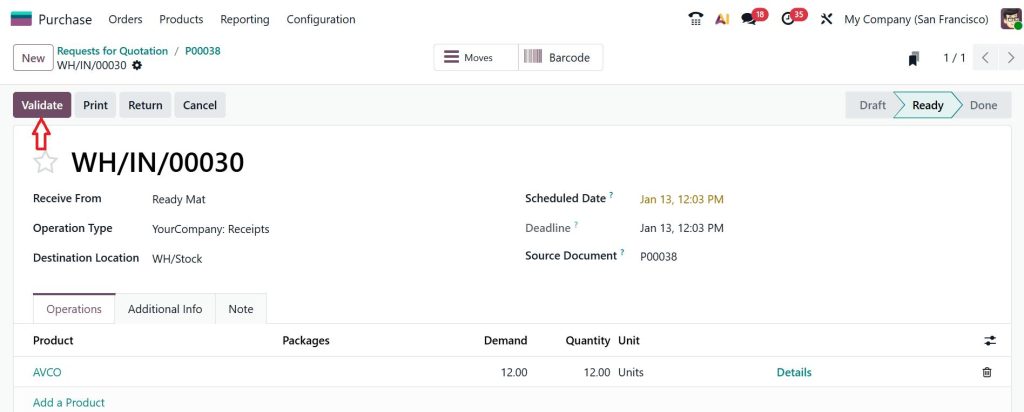
Let’s Receive the item.
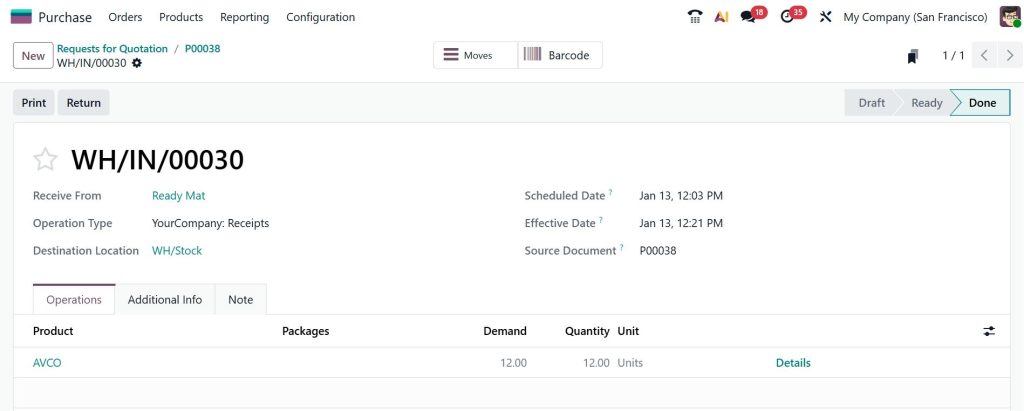
Click Validate.
Now, this is in the Done stage.
After that, you can find the on-hand quantity, and the product’s unit cost will be updated to 1020.
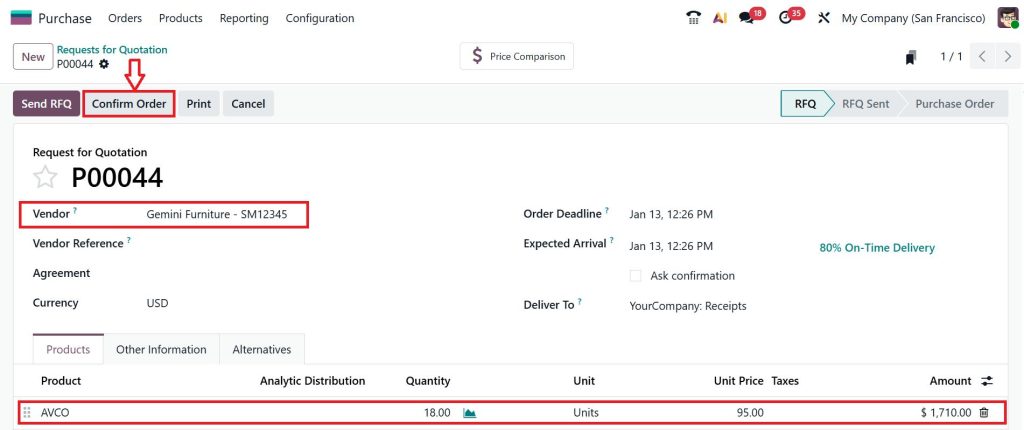
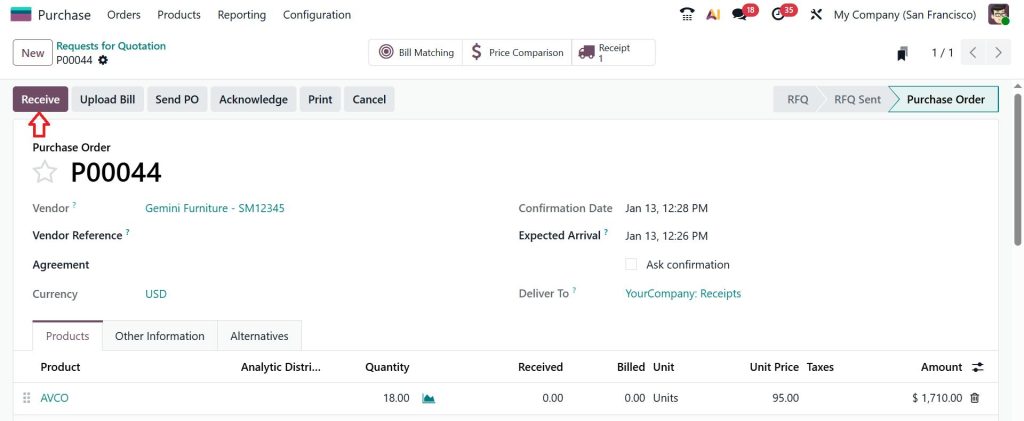
Again, go to the Purchase app > New and make a new purchase for the same product. Select the Vendor, add a product, set the quantity to 18, and the price to 95, then click Confirm Order.
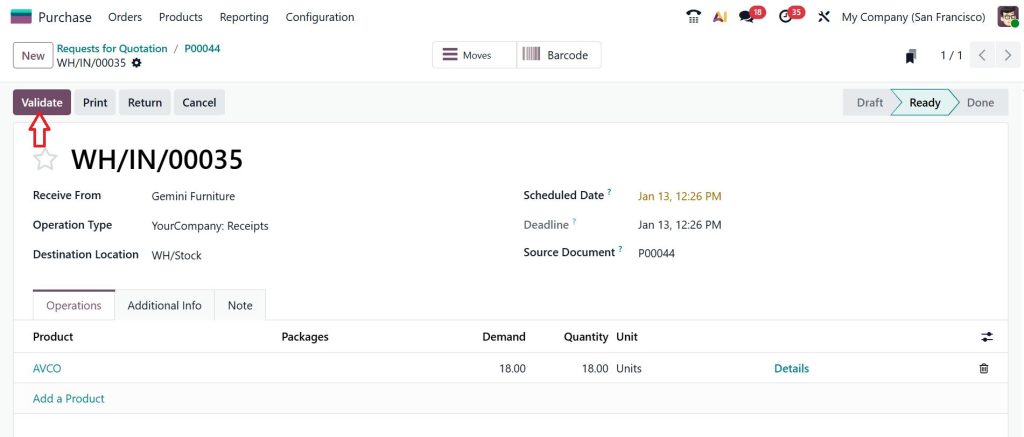
Receive the item.
Then click Validate.
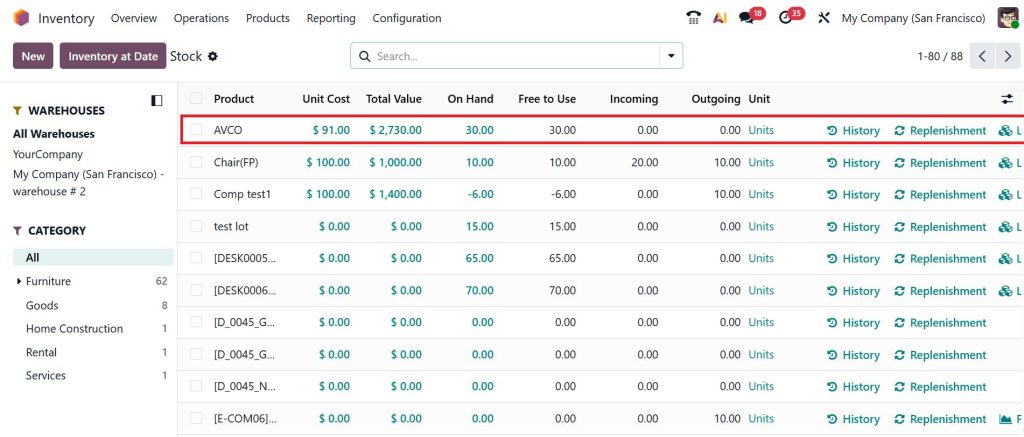
Now that you’ve moved to Inventory > Reporting > Stock, you can see that the unit cost has been changed to 91, and the total value has been updated accordingly. As we know, in the first purchase we purchased 12 items at a unit cost of 85, for a total of 1020, and in the second purchase we purchased 18 items at a unit cost of 95, for a total of 1710.
Upon purchasing 12 quantities plus 18 quantity we will have a total quantity of 30. When you add the totals from both purchases, you get 2730. To find the unit cost, divide the total value (2730) by the on-hand quantity (30) to get 91.
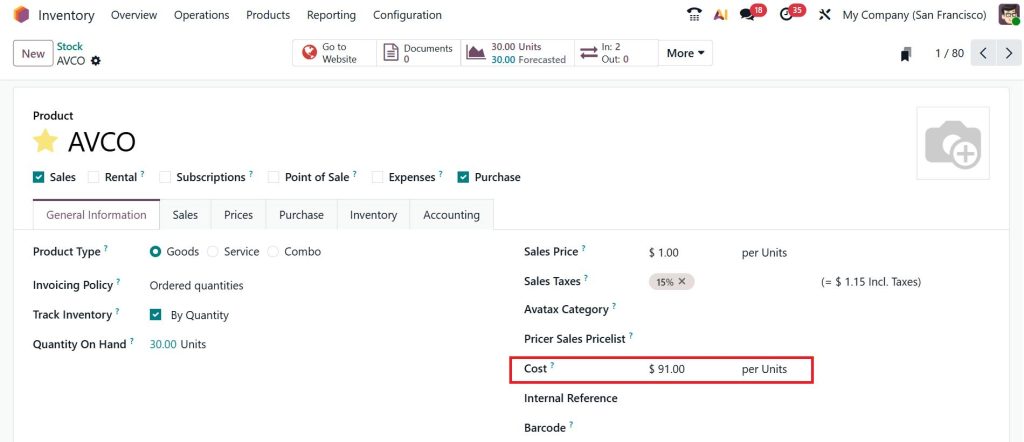
Now that you’ve moved on to the product AVCO, you can see that the cost has been updated to 91, which is consistent with perpetual accounting.
So, when we talk about perpetual accounting, we know everything will be done automatically, and we don’t need to manage it manually.
In the UAE, especially among importers and distributors, prices change frequently. Freight charges go up. Supplier prices move. Currency rates change. If you try to track the CGS manually in this situation, you will always be behind.
This is why people follow the Odoo AVCO COGS booking tutorial in the UAE. They want Odoo to do the math for them. When AVCO is active, Odoo quietly updates the product cost in the background. You only see one thing: your CGS is always in line with reality.
How Configure AVCO Odoo 19 Inventory UAE Makes Everything Click
To make this work, you must correctly configure AVCO Odoo 19 Inventory UAE. This means your product must be set to AVCO, and your inventory valuation must be automated. When this is done, perpetual inventory valuation AVCO Odoo becomes active.
Now Odoo is watching every stock move. When stock comes in, the average cost changes. When stock goes out, the cost of goods sold is posted. This is the setup that connects inventory and accounting in a very clean way.
How Odoo 19 AVCO COGS Calculation Works During a Sale
When you confirm a delivery in Odoo, several things happen simultaneously. Odoo checks the product’s current average cost. It multiplies that cost by the quantity you sold. That total becomes your CGS.
Then Odoo creates COGS journal entries Odoo 19 AVCO. One entry reduces inventory. One entry increases the CGS. This is how perpetual inventory valuation in AVCO Odoo keeps everything in sync. You do not see this on the screen, but it happens in the background for every sale.
How COGS Journal Entries Odoo 19 AVCO Keep Your Books Clean
Let me explain this part very simply. When you sell something, Odoo creates an accounting entry.
Inventory goes down.
The cost of goods sold (CGS) goes up.
These two numbers are always equal. This is what COGS journal entries in Odoo 19 AVCO do. They make sure your stock value and your expenses stay balanced.
If you ever open your accounting reports and feel that stock and profit do not match, it usually means AVCO was not set properly, or the perpetual inventory valuation AVCO Odoo was not active.
Why Odoo 19 Weighted Average Costing AVCO Feels Easier for Daily Work
One thing people love about Odoo 19 weighted average costing AVCO is that it removes stress. You do not have to worry about which batch was sold. You do not have to worry about old costs. You only see one cost. That is the average.
This makes your CGS easy to understand, and your profit reports easy to read.
How Netilligence Helps With Configure AVCO Odoo 19 Inventory UAE
At Netilligence, we see this problem every week. Businesses are using Odoo, but their CGS does not match their stock. Most of the time, it is because the average cost method in Odoo 19 inventory was not set correctly, or perpetual inventory valuation AVCO Odoo was turned off.
We help UAE companies configure Odoo 19 AVCO Inventory so the AVCO COGS calculation works as intended. Once this is done, the COGS journal entries in Odoo 19 AVCO start flowing correctly, and the numbers finally make sense.
Where Your Cost of Goods Sold Starts Making Sense with Odoo 19 AVCO
When you start using Odoo 19 weighted average costing AVCO, you stop guessing your numbers and start seeing what is really happening in your business. Your CGS moves with every sale, your inventory stays in line with your books, and your profit reports begin to tell a clear story. With the average cost method in Odoo 19 inventory and perpetual inventory valuation AVCO, you no longer have to spend time in spreadsheets fixing what the system should already be doing for you.
If you are in the UAE and your CGS still feels confusing, it usually means your AVCO setup needs a second look. The right Odoo 19 AVCO COGS calculation and correct COGS journal entries Odoo 19 AVCO can save you from wrong margins and wrong decisions.
Want your Odoo to show the real picture of your stock and profits?
Talk to Netilligence today and let us help you configure AVCO in Odoo 19 the right way so your numbers finally start making sense.
Hi, I'm Ilsa Shabbir, an Odoo ERP content writer specializing in functional blogs on Odoo modules. I simplify complex Odoo features, creating clear and engaging content to help businesses understand and optimize their ERP solutions.
We use cookies to ensure that we give you the best experience on our website. If you continue to use this site we will assume that you are happy with it.