


Why Odoo Planning Makes Service Scheduling Easier
Odoo Planning helps businesses organize their workforce without the confusion of manual scheduling. If your company provides installation, maintenance, consulting, field services, or any project-based service, planning employee availability at the right time is essential.
With the Odoo Planning module, you can create employee schedules directly from an Odoo sales order, reducing manual work and avoiding missed appointments. Instead of switching between different modules or spreadsheets, your sales and planning teams work together in one system. This makes how to plan services in Odoo much easier and more accurate.
One of the biggest improvements in Odoo Planning 19.4 tutorial workflows is the ability to create planning shifts from a sales order in Odoo with only a few clicks. Once a quotation is confirmed, planners can immediately assign employees, define working hours, and prepare upcoming services without entering the same information again.
Whether you manage a small service company or a growing enterprise, Odoo ERP planning helps you deliver services on time, improve employee utilization, and keep customers satisfied. In this guide, you’ll learn how Odoo Planning works with Sales, the steps to schedule services, and why businesses choose Netilligence to implement Odoo successfully.
What Is Odoo Planning?
The Odoo Planning module is designed to help businesses schedule employees, allocate resources, and organize work efficiently. Instead of relying on spreadsheets or manual calendars, managers can assign shifts based on employee availability, skills, and workload.
The module works closely with other Odoo applications, including:
- Sales
- Project
- Field Service
- Timesheets
- Employees
- Manufacturing
Because everything is connected, businesses spend less time on administration and more time delivering quality services.
Some key benefits include:
- Easy employee scheduling
- Better workload distribution
- Real-time planning updates
- Improved communication between departments
- Fewer scheduling conflicts
- Better resource utilization
When combined with Sales, Odoo Planning becomes even more powerful because service schedules can be created immediately after a customer confirms an order.
How Does Odoo Planning Work with Sales Orders?
Many businesses sell services instead of physical products. These services often require technicians, consultants, trainers, or project teams to perform work after the customer places an order.
Without automation, managers usually:
- Receive the sales order
- Contact the planning team
- Check employee availability
- Create schedules manually
- Inform employees separately
This process takes time and increases the risk of mistakes.
With Odoo Planning, everything becomes connected.
After an Odoo sales order is confirmed, the planner can instantly generate planning shifts for the required service. Since the customer information, service details, and expected hours already exist in the sales order, there is no need to enter the same data again.
This integration speeds up planning while reducing manual work.
How to Plan Services from a Sales Order in Odoo Planning 19.4
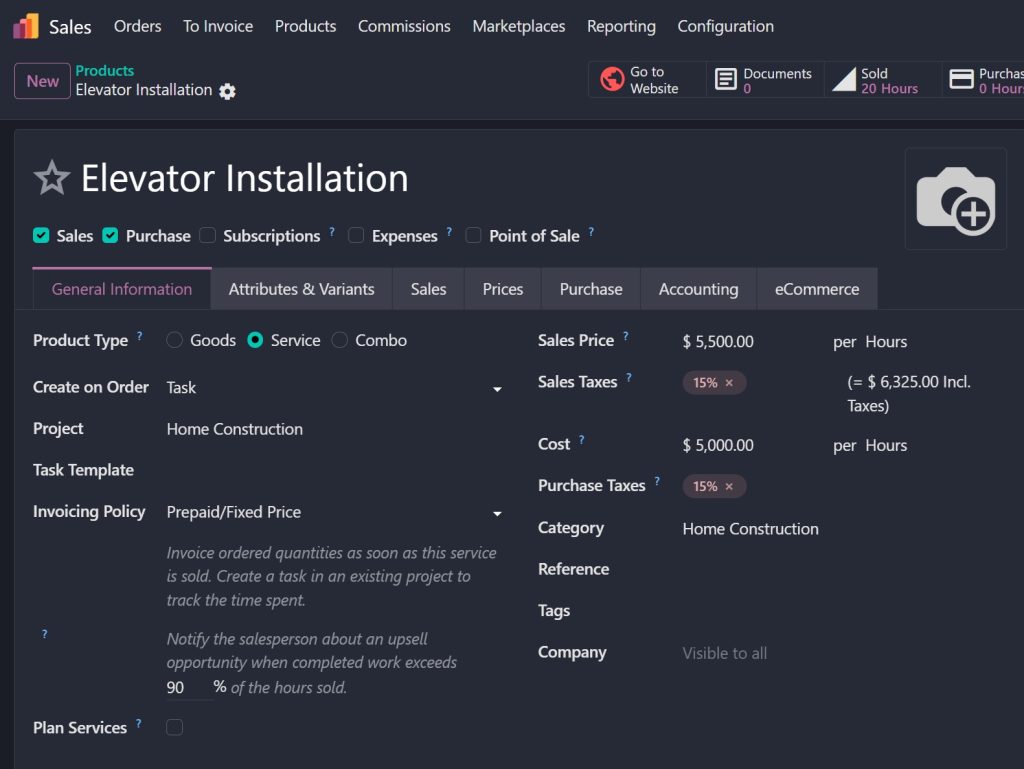
Step 1 – Create a Service Product
Start by creating a service product inside the Sales module.
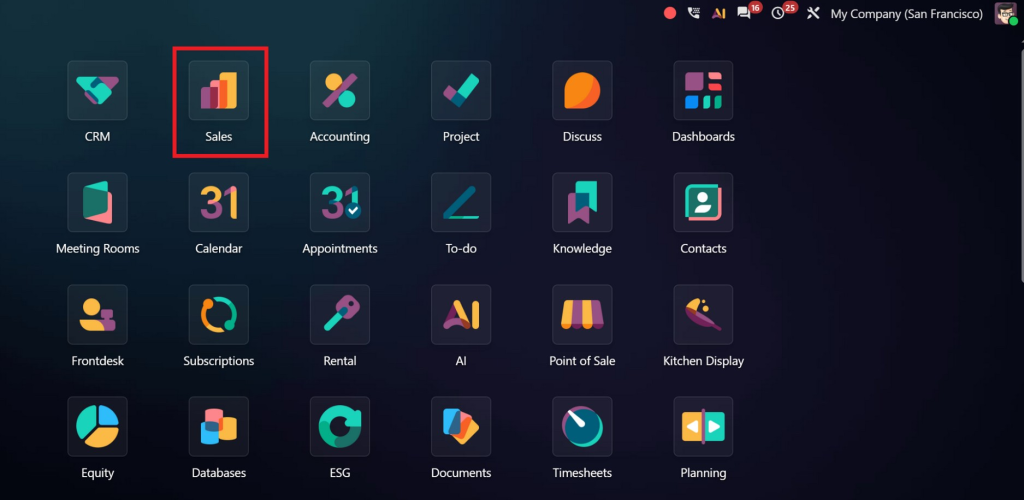
The service product may represent:
- Installation
- Equipment maintenance
- IT consultation
- Employee training
- Technical support
- On-site inspection
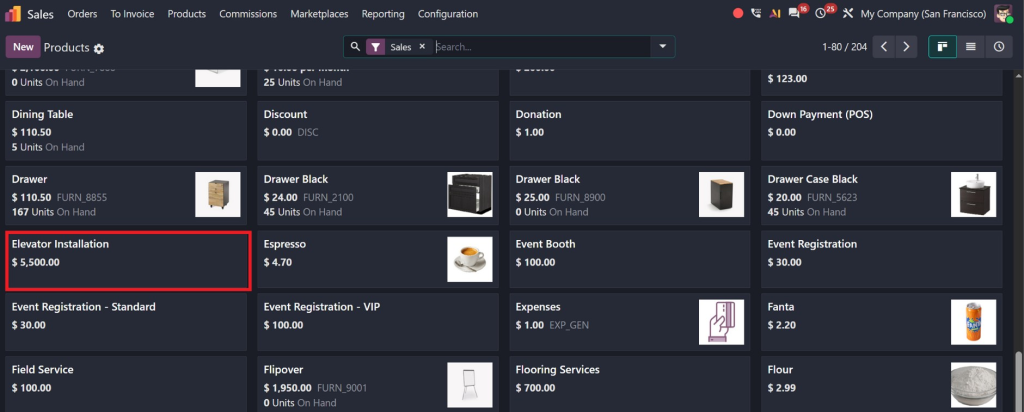
Each service can include planned working hours and other important information.
Step 2 – Create a Sales Quotation
Create a quotation for your customer and add the required service.
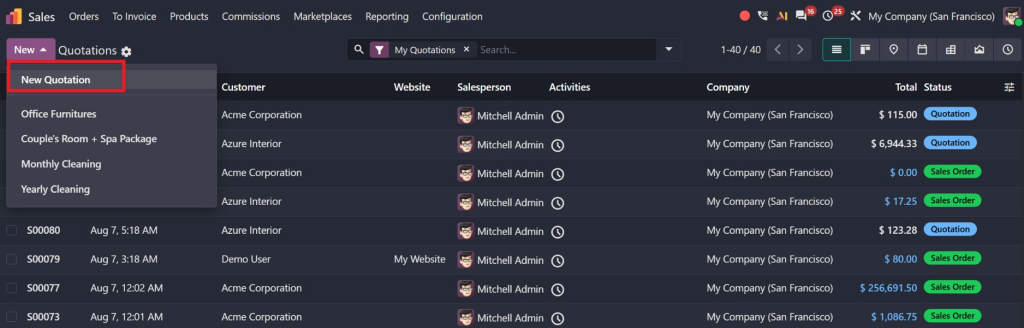
Include details such as:
- Customer information
- Service type
- Quantity
- Planned hours
- Pricing
- Delivery dates
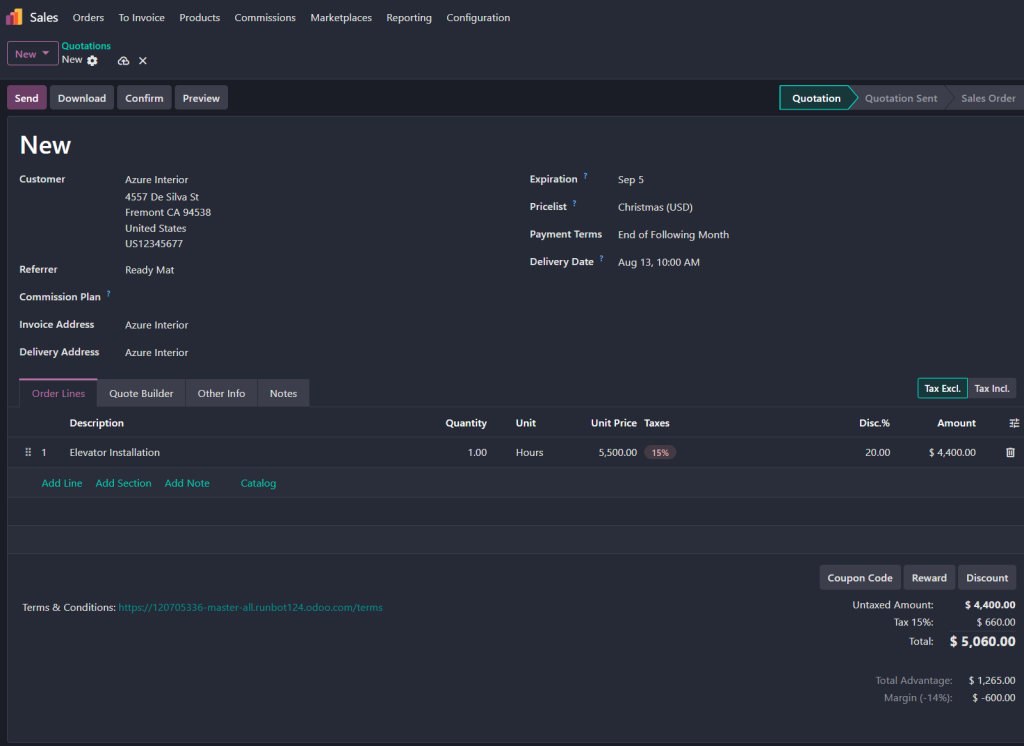
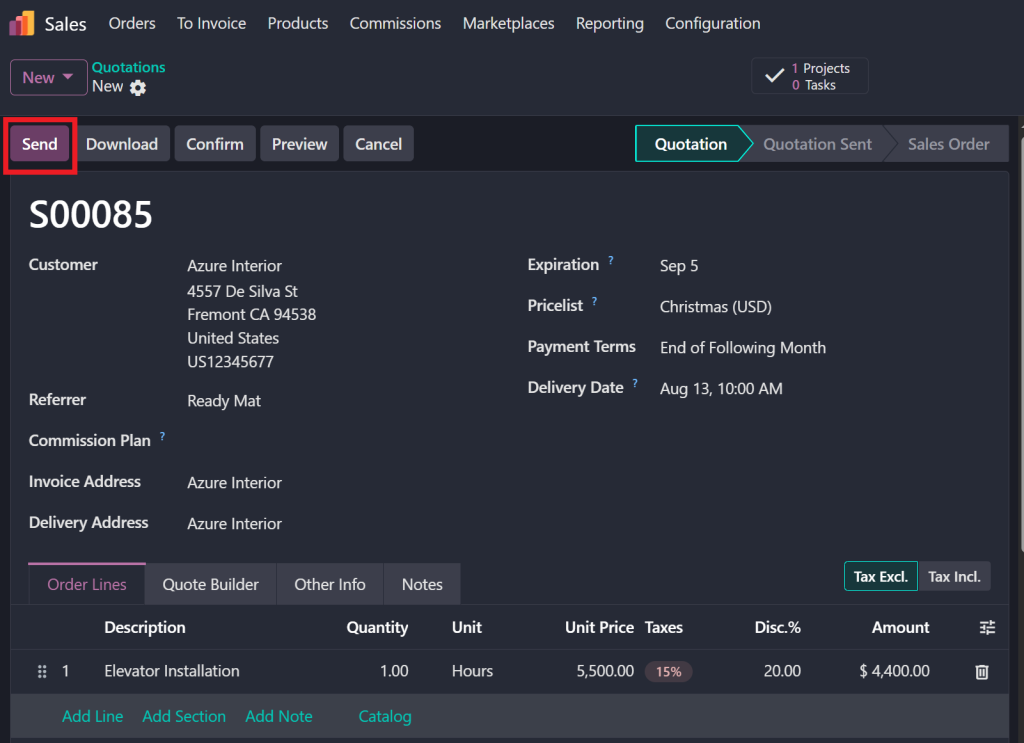
After reviewing everything, send the quotation to the customer.
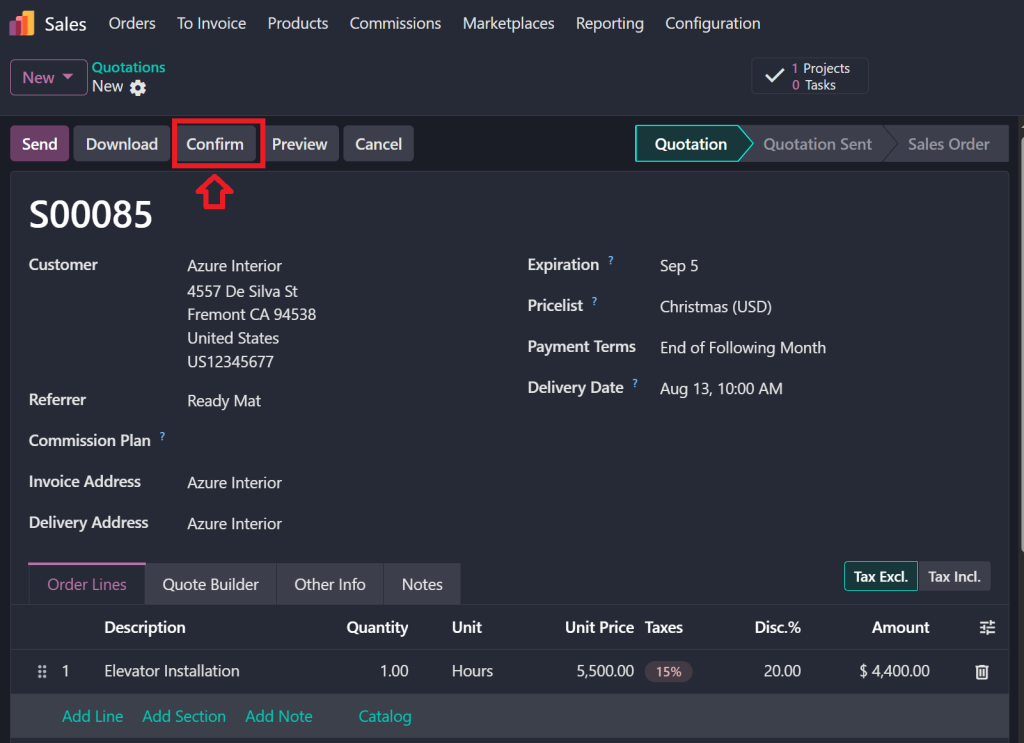
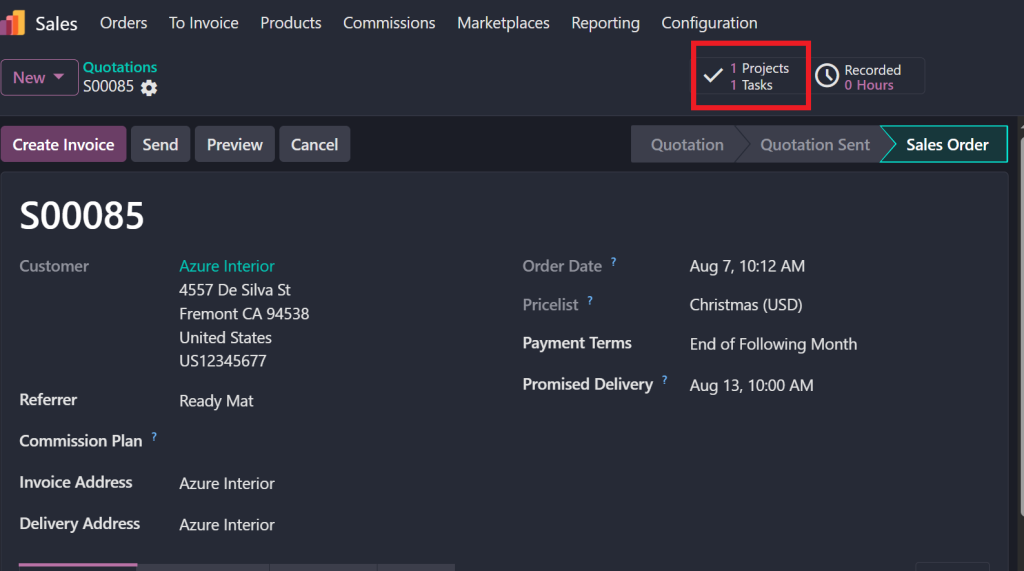
Step 3 – Confirm the Sales Order
Once the customer approves the quotation, it becomes an Odoo sales order.
At this stage, Odoo automatically prepares the service workflow depending on your configuration.
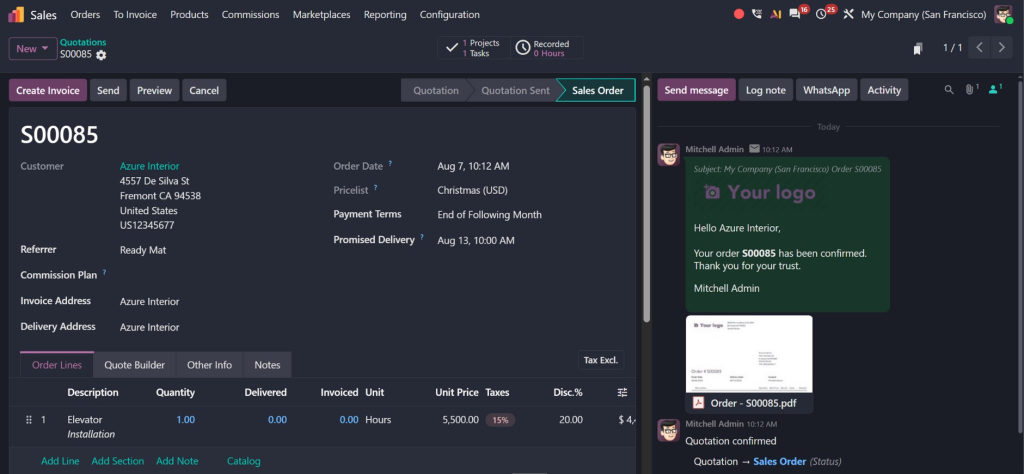
This is where the connection between Sales and Odoo ERP planning begins.
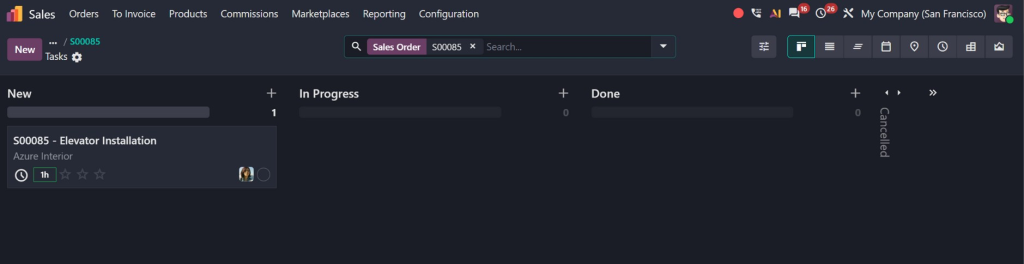
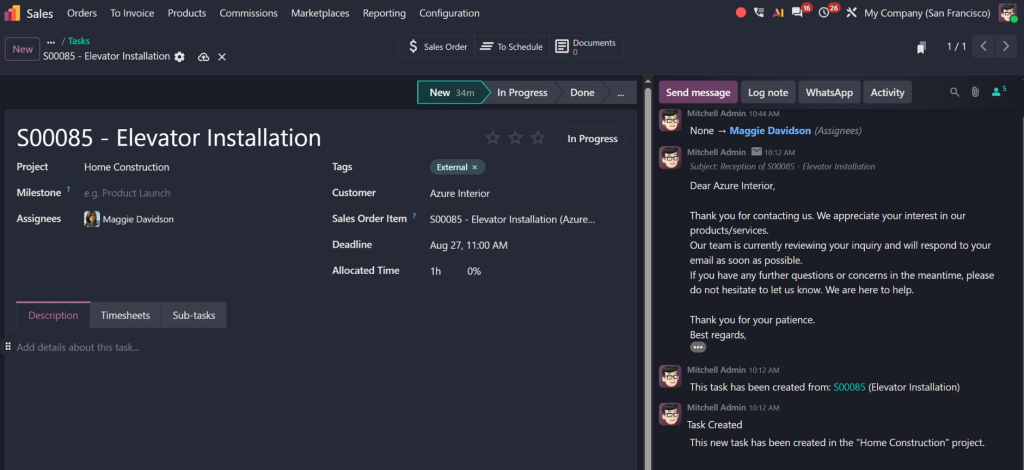
Step 4 – Create Planning Shifts from the Sales Order
The planner can now create planning shifts from sales order Odoo directly inside the Planning module.
During shift creation, managers can assign:
- Employees
- Teams
- Working hours
- Start date
- End date
- Project
- Service role
Instead of creating schedules from scratch, the system already knows which service needs to be delivered.
Step 5 – Assign the Right Employee
One of the biggest advantages of Odoo Planning is assigning work based on employee availability.
Managers can quickly see:
- Available employees
- Existing schedules
- Time off
- Working hours
- Conflicting shifts
This prevents double-booking and improves resource utilization.
Step 6 – Monitor and Update Planning
Business schedules often change.
Customers may postpone appointments, employees may become unavailable, or projects may require additional hours.
With Odoo Planning, managers can simply drag and drop planning shifts to another employee or another day.
Every update appears immediately throughout the system, helping teams stay informed.
Key Benefits of Planning Services from Sales Orders
Planning directly from sales orders offers several practical benefits.
Faster Scheduling
No duplicate data entry means planners can create schedules within minutes.
Better Team Coordination
Sales and operations always work with the same information.
Higher Employee Productivity
Employees receive clear schedules and know exactly where they need to be.
Improved Customer Satisfaction
Customers experience faster service delivery because planning starts immediately after order confirmation.
Reduced Errors
Automation minimizes manual mistakes that often happen when copying information between systems.
Better Business Visibility
Managers can monitor planned work, employee utilization, and upcoming services from one dashboard.
Best Practices for Using Odoo Planning Efficiently
To get the most value from Odoo Planning, businesses should follow a few simple best practices. These help improve scheduling accuracy, employee productivity, and customer satisfaction.
Keep Employee Calendars Updated
Before assigning planning shifts, make sure employee calendars are always up to date. Record vacations, public holidays, sick leave, and other absences in Odoo. This prevents scheduling conflicts and ensures work is assigned to available team members.
Use Roles and Skills for Better Assignments
Not every employee has the same expertise. Some may specialize in installation, while others handle maintenance or consulting. Assigning roles and skills in the Odoo Planning module makes it easier to allocate the right employee to the right task.
Plan Services as Soon as the Sales Order Is Confirmed
One of the biggest advantages of how to plan services in Odoo is that planning can begin immediately after a customer confirms an order. Creating schedules early gives employees enough preparation time and helps avoid last-minute changes.
Review Workloads Regularly
Managers should regularly review employee schedules to ensure work is distributed fairly. Overloading some employees while leaving others with little work can affect productivity and service quality. Odoo’s visual planning dashboard makes workload balancing simple.
Monitor Planning Performance
Track planned hours versus actual worked hours using Timesheets and Project reports. These insights help improve future planning decisions and increase operational efficiency.
Why Businesses Choose Odoo Planning 19.4
Service-based businesses need more than a simple calendar. They need a planning system that works together with sales, projects, employees, and timesheets.
That’s exactly what Odoo Planning 19.4 delivers.
When integrated with the Sales module, businesses can:
- Schedule services directly after confirming a sales order.
- Reduce manual administrative work.
- Improve communication between sales and operations.
- Assign employees based on availability and skills.
- Handle schedule changes quickly.
- Increase resource utilization.
- Deliver projects on time.
- Improve customer satisfaction.
- Gain complete visibility into employee workloads.
- Scale operations as the business grows.
Whether you run an IT company, consulting firm, maintenance business, healthcare service, or field service organization, Odoo ERP planning provides the flexibility needed to manage both small and large teams efficiently.
Why Choose Netilligence for Odoo Planning Implementation?
Implementing Odoo Planning successfully requires more than just installing the module. Every business has unique workflows, service processes, and scheduling requirements. A properly configured system ensures your teams work efficiently from day one.
At Netilligence, we help businesses make the most of Odoo by delivering solutions personalized to their operations. As an official Odoo Partner, our experienced consultants understand how different Odoo applications work together to create a smooth and connected workflow.
Our Odoo Planning services include:
- Odoo Planning implementation
- Sales and Planning integration
- Workflow analysis and customization
- Employee scheduling setup
- User training
- Data migration
- Ongoing technical support
- System optimization and upgrades
From configuring the Odoo Planning module to helping you create planning shifts from sales order Odoo, our team ensures every feature supports your business goals. We focus on building efficient processes that save time, reduce manual work, and improve service delivery.
Whether you’re implementing Odoo for the first time or upgrading to version 19.4, Netilligence is here to help you improve planning and strengthen business performance.




