When it comes to project-based businesses, consulting firms, or service providers, managing billable hours is always a challenge. Tracking employee Time, converting it into invoices, and ensuring accuracy can often become a nightmare without the right system. This is where Odoo 18 Handle Timesheet Billing comes in as a game-changer.
Odoo’s latest version, Odoo 18, has simplified the timesheet billing process by offering smooth integration between timesheets, projects, and invoicing. Odoo 18 provides businesses with a simple timesheet billing setup and automated invoice generation and error reduction capabilities. The ability to understand Odoo 18 timesheet billing operations brings time savings and productivity growth, and enhanced client satisfaction to project managers and finance officers, and business owners.
In this blog, we will walk you through everything you need to know about Odoo 18 timesheet billing, from configuration to setup, process flow, and practical examples. By the end, you’ll see why investing in Odoo Partner expertise like Netilligence is the most brilliant move for implementing Odoo 18 timesheet invoicing in your organization.
Why Timesheet Billing Matters More Than Ever
In today’s service-driven economy, time is money. Businesses that charge customers based on hours worked must ensure complete transparency and efficiency. Manual systems, spreadsheets, or disconnected tools often lead to:
Lost billable hours
Incorrect invoicing
Disputes with clients
Low employee accountability
With Odoo 18 timesheet invoicing, companies finally have a reliable solution that connects employees’ logged hours with accurate billing, ensuring every second of work is tracked, billed, and justified.
The Power of Odoo 18 Handle Timesheet Billing
Odoo 18 brings a polished, user-friendly interface with improved billing workflows. Here’s why businesses prefer Odoo’s 18 timesheet billing setup over traditional methods:
Integration – Connects with projects, tasks, and accounting automatically.
Flexibility – Supports multiple billing methods: per hour, per project, or milestones.
Automation – Reduces human effort by auto-generating invoices from approved timesheets.
Transparency – Ensures clear communication with clients about billed hours.
Scalability – Works for freelancers, SMBs, and large enterprises alike.
This makes Odoo 18 Handle Timesheet Billing one of the most powerful features for service-based businesses.
Step-by-Step – Odoo 18 Timesheet Invoice ConfigurationAdd Your Heading Text Here
Invoicing Policies for Timesheets in Odoo 18
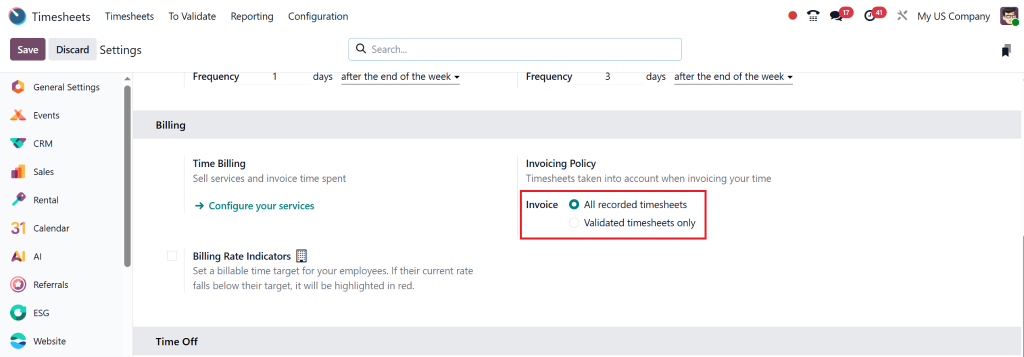
Odoo 18 provides businesses with flexibility in billing for timesheets by offering two distinct invoicing policies. Depending on the company’s workflow and service model, users can choose:
All Recorded Timesheets – Every hour logged is billable, even if not approved.
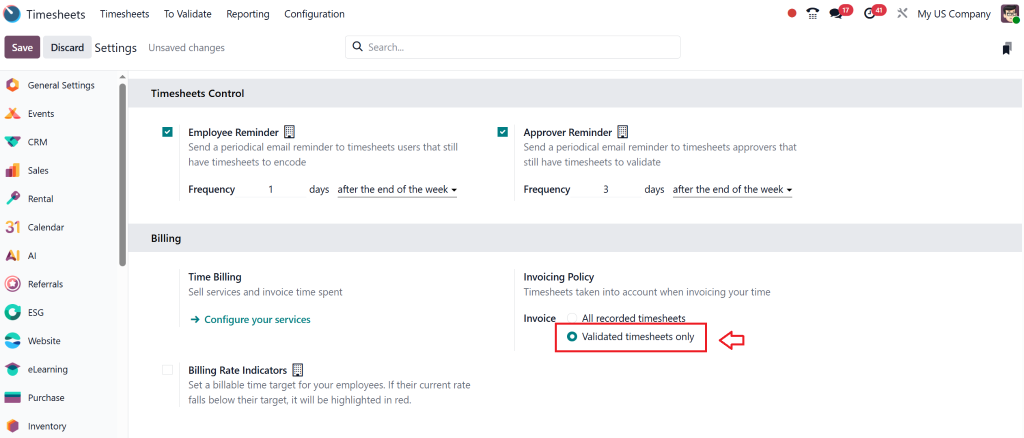
Validated Timesheets Only – Only manager-approved timesheets are billed.
Let’s go through both policies step by step.
All Recorded Timesheets
When this option is enabled, every hour logged by employees on a project can be invoiced without requiring managerial approval.
Steps to Configure and Use:
Enable the Policy
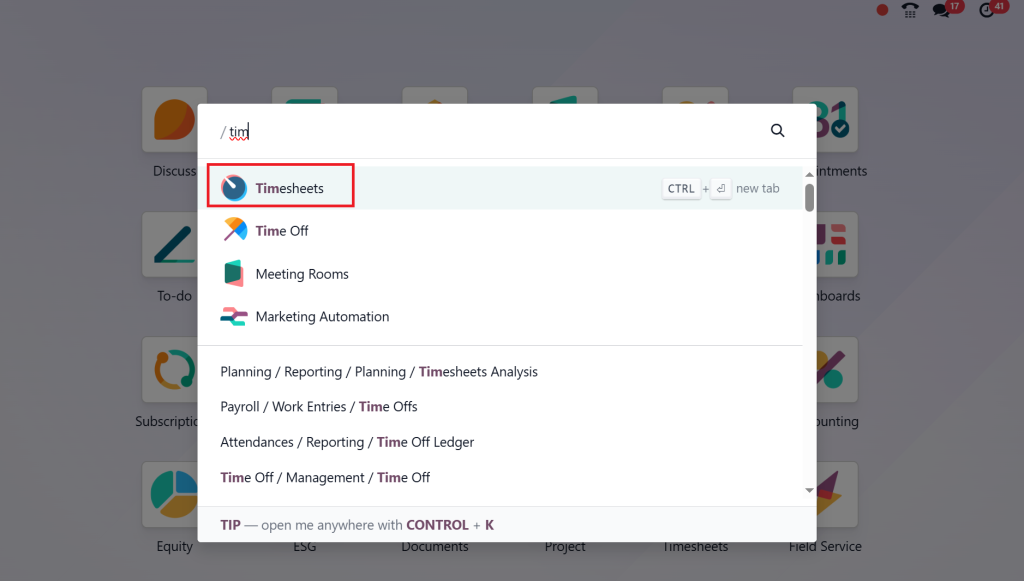
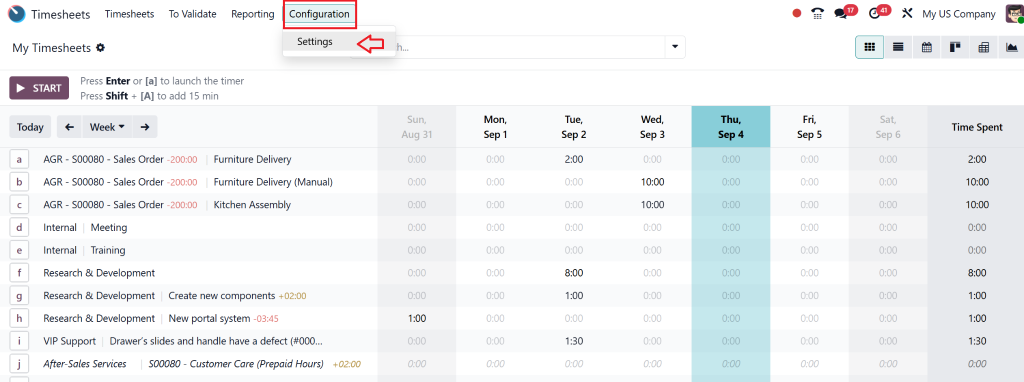
Navigate to Timesheets >
Configuration > Settings.
Under the Billing section, select All Recorded Timesheets as the invoicing policy.
Create a Service Product
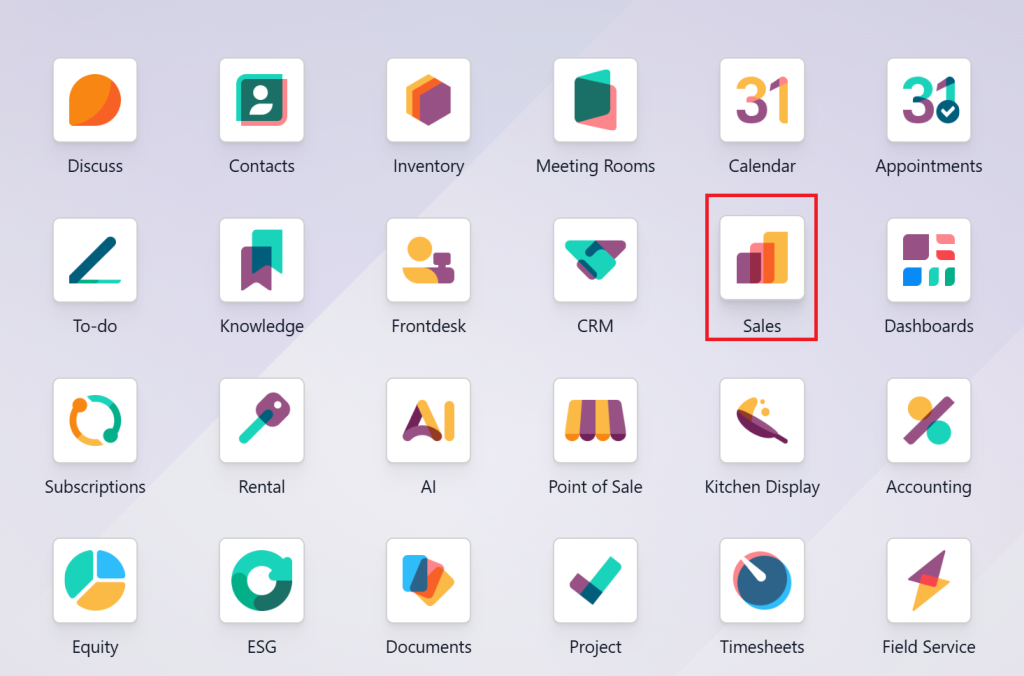
Go to the Sales app.
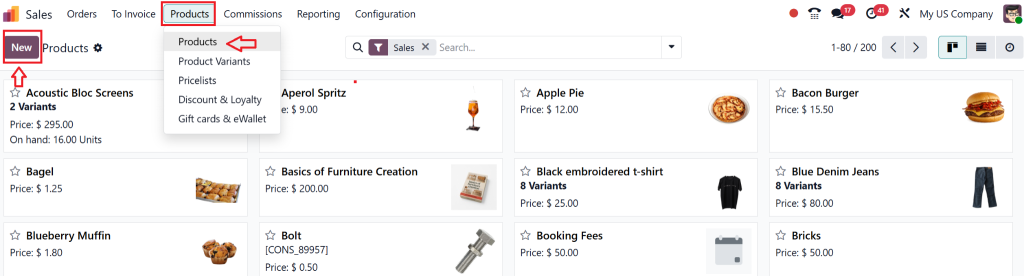
Open Products > Products > New.
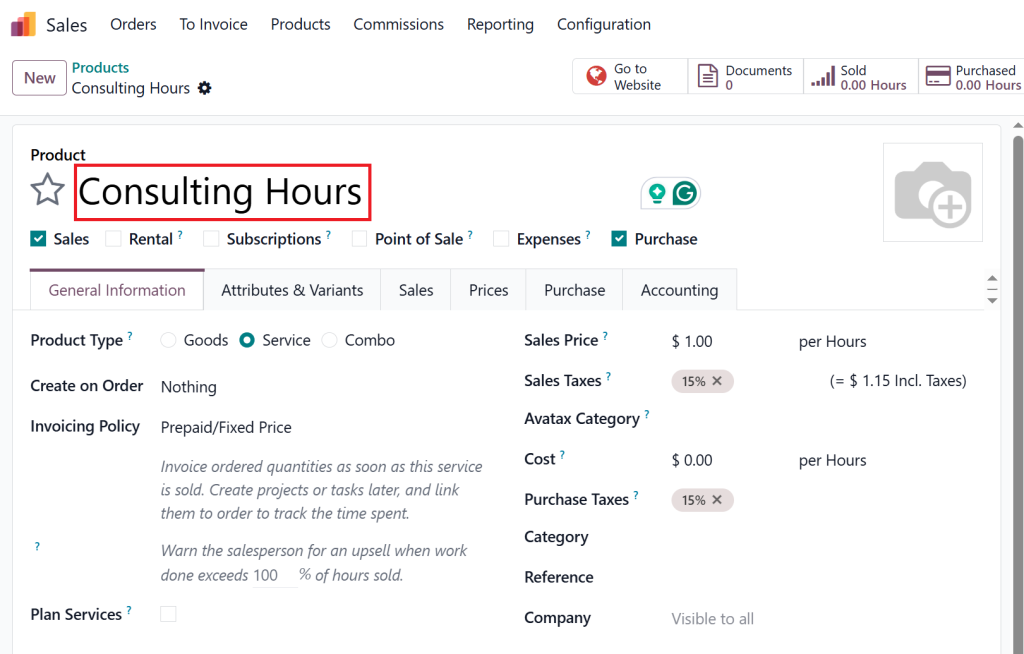
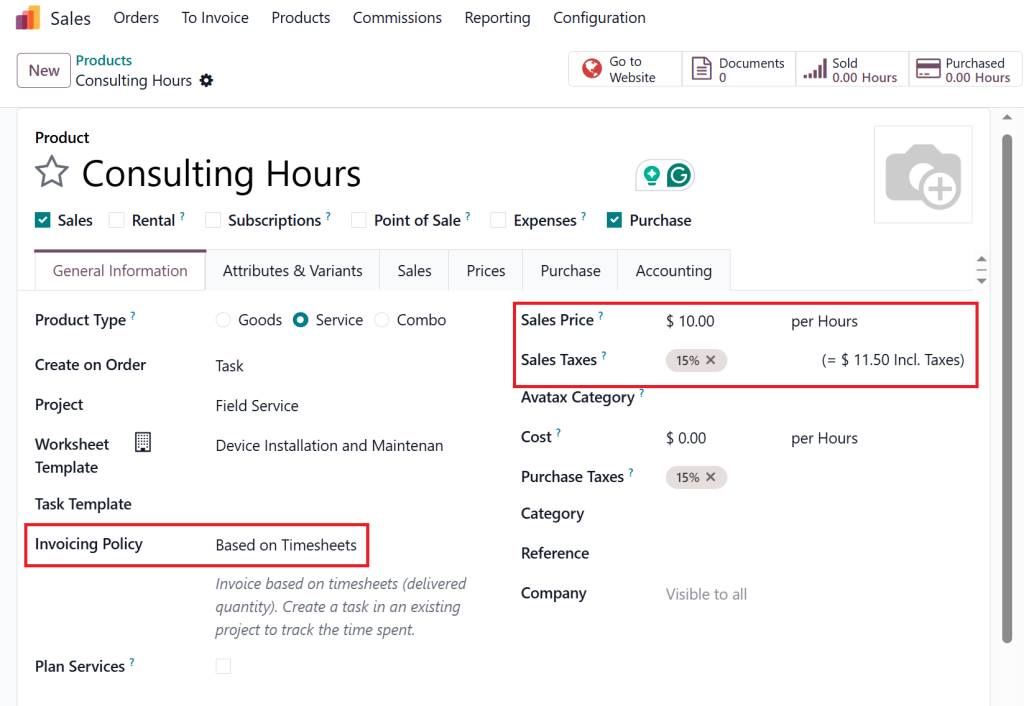
Enter product details (e.g., Consulting Hours).
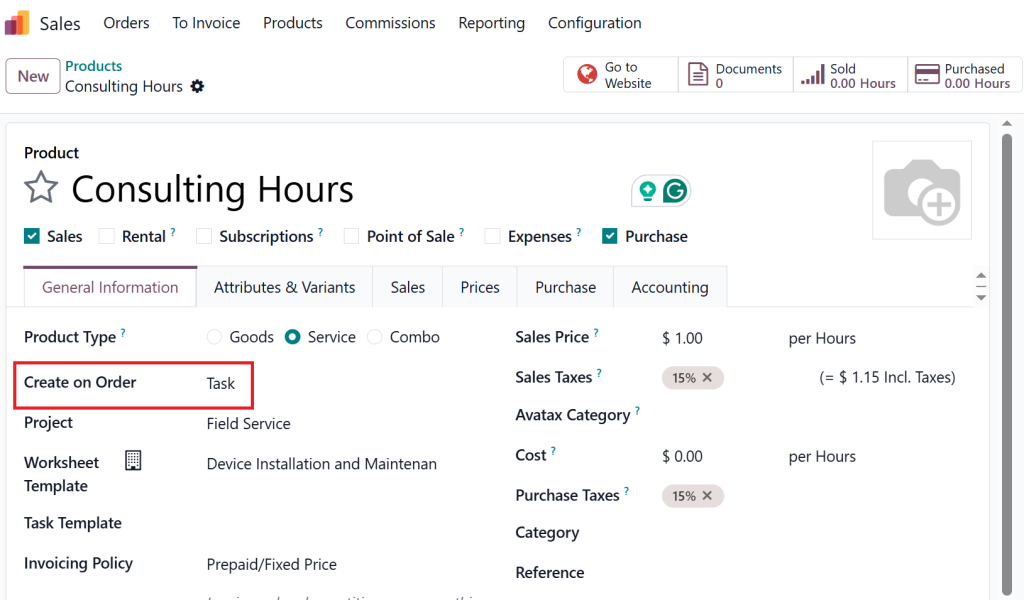
Set Create on Order to Task and link it to a project.
Choose Invoicing Policy: Based on Timesheets and define an hourly rate.
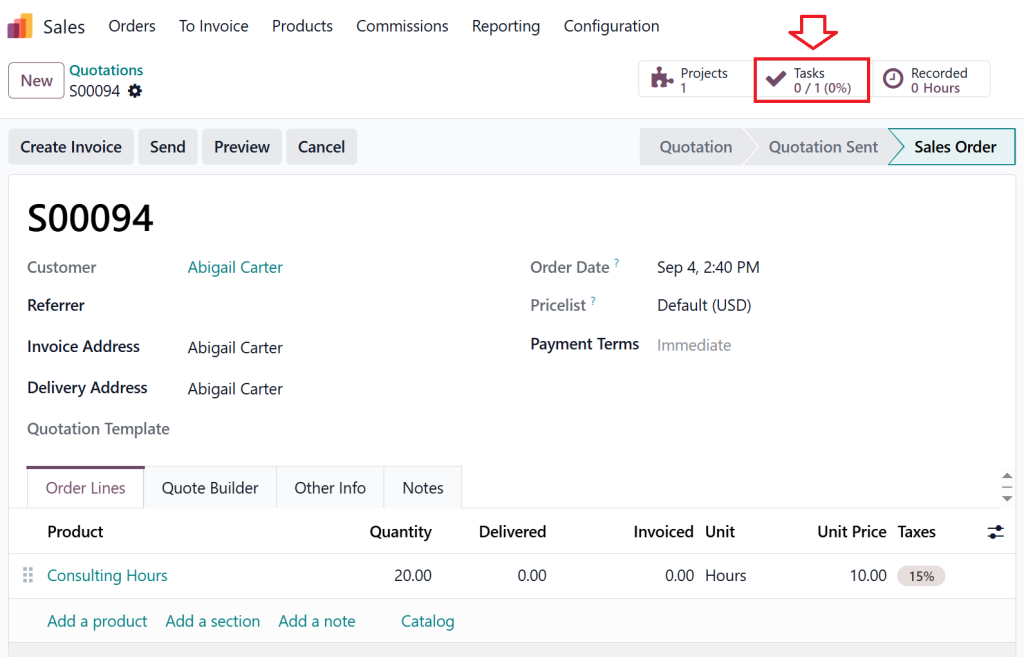
Create a Sales Order
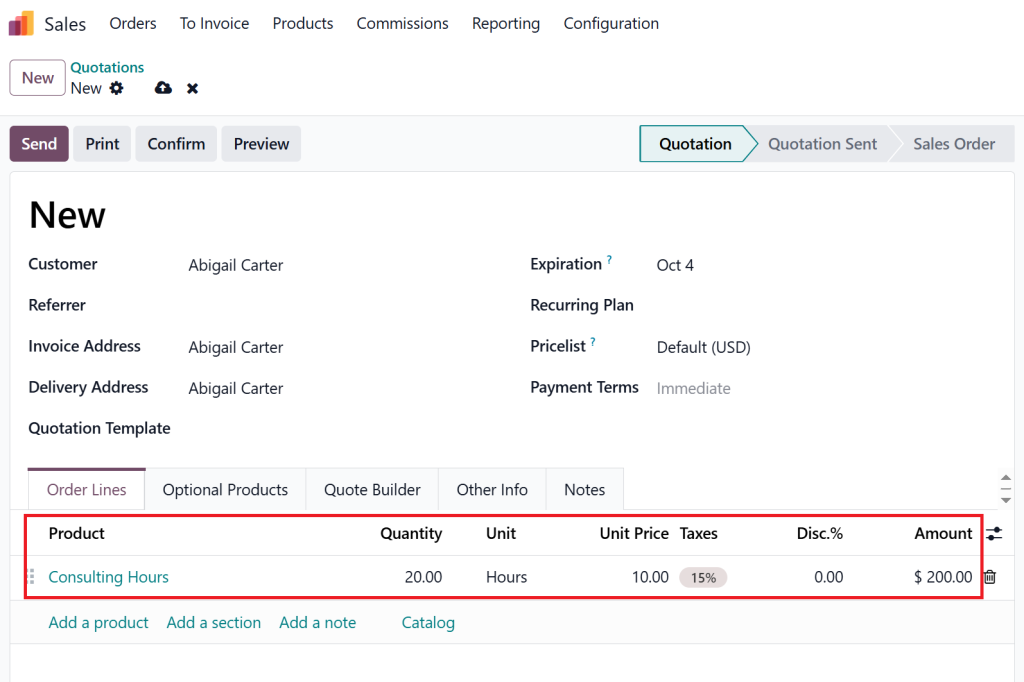
From Sales > Quotations, create a quotation for a customer.
Add the service product and specify the number of hours.
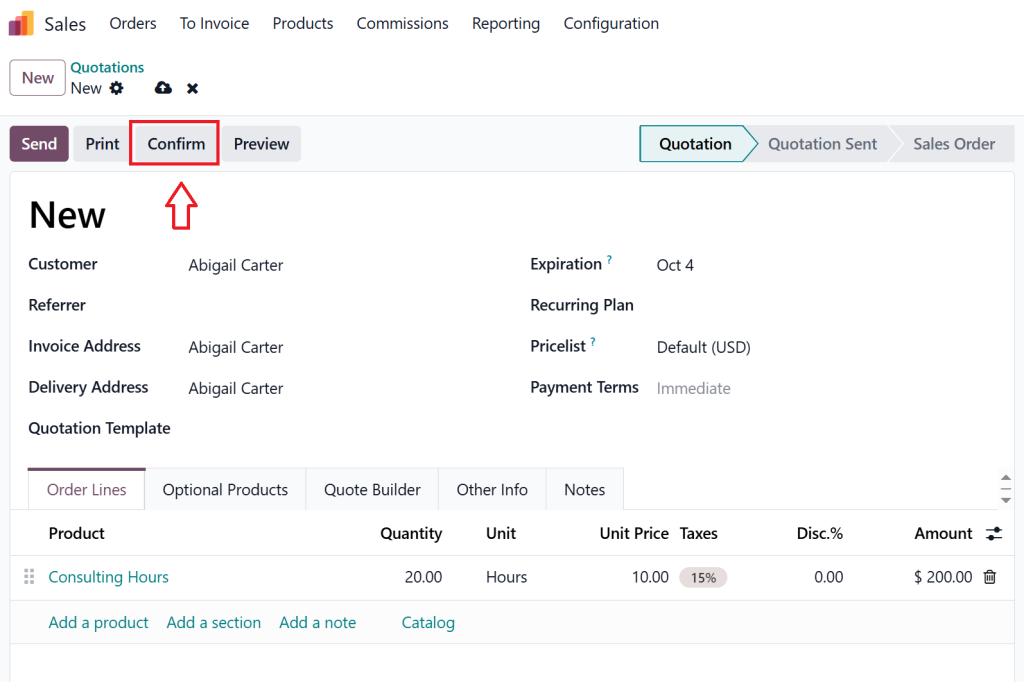
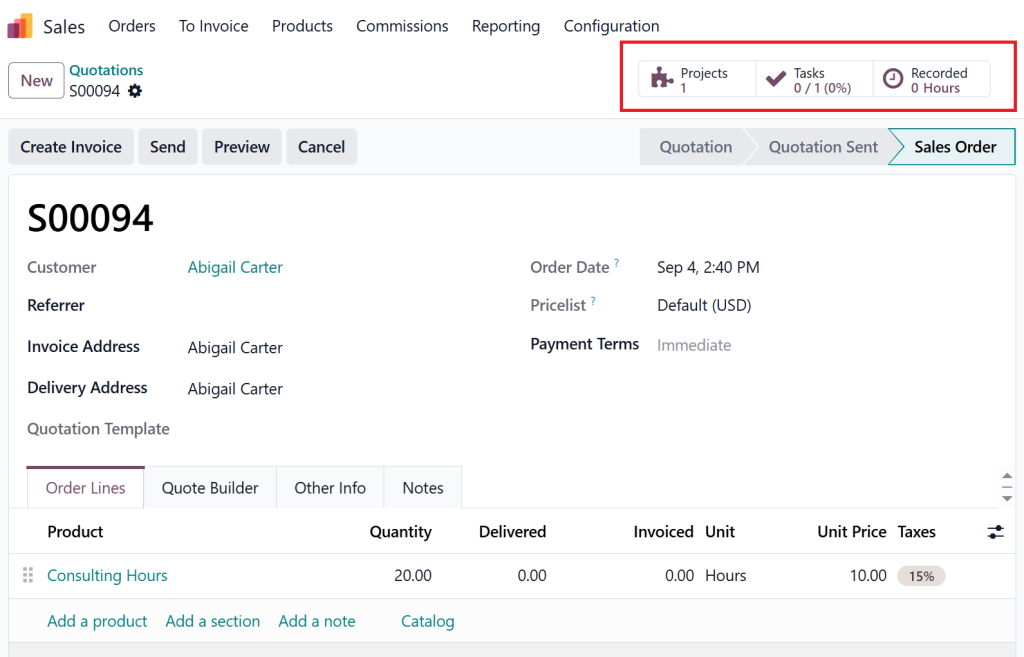
Confirm the order.
This automatically creates a related project task.
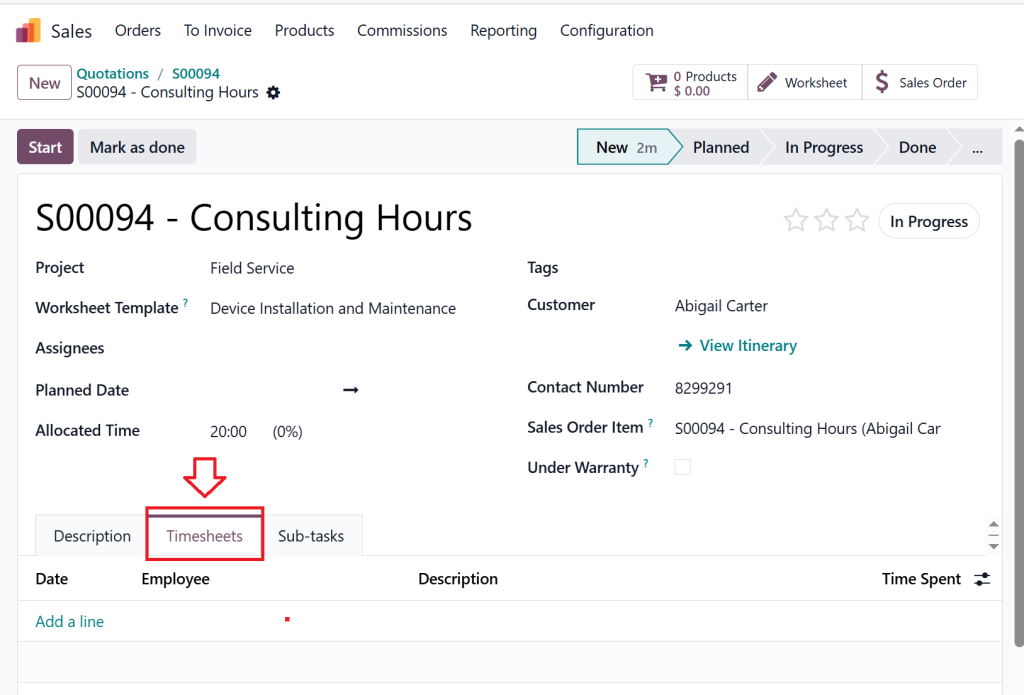
Log Time on the Task
Go to the task generated from the sales order.
Under the Timesheets tab, employees record their working hours.
Generate the Invoice
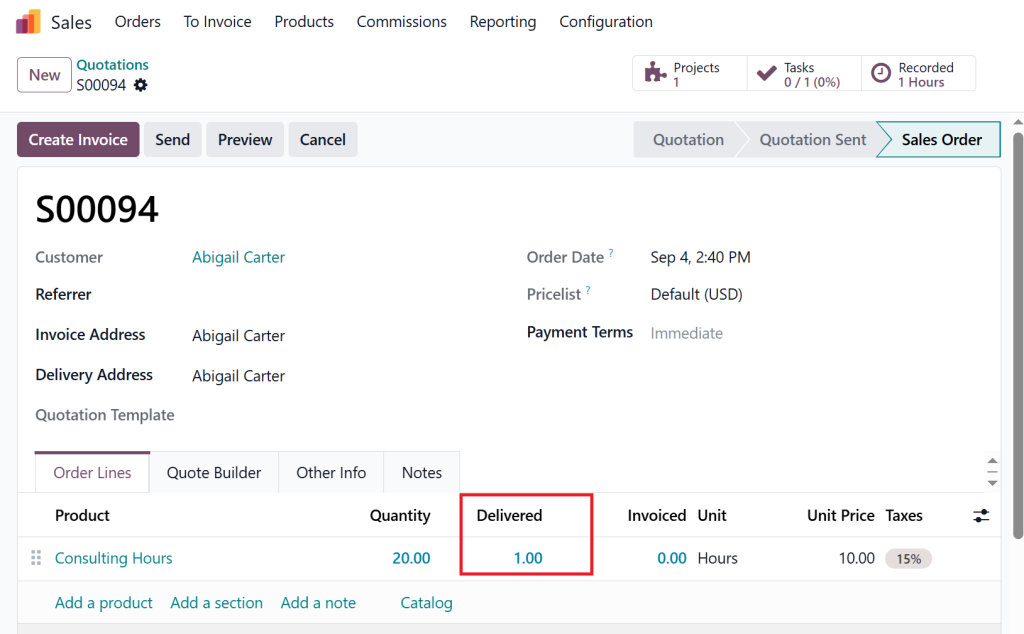
Return to the related sales order.
Since the policy is set to All Recorded Timesheets, all logged hours are considered as delivered.
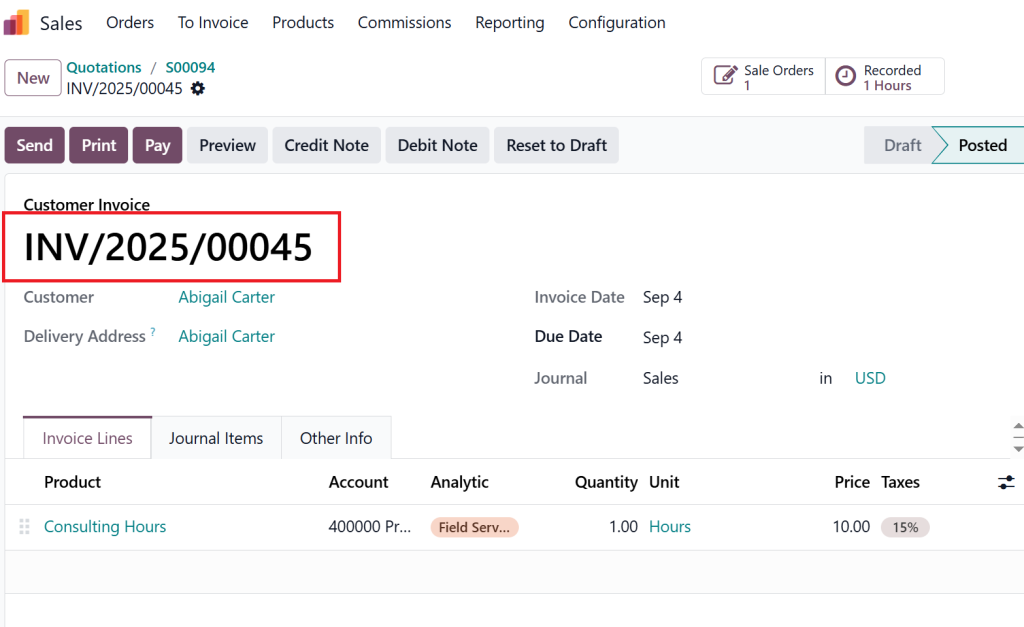
Click Create Invoice → Draft Invoice → Confirm to finalize.
Validated Timesheets Only
With this option, timesheets must be approved by a manager before invoicing. This is useful when some hours (e.g., internal support work) should not be charged to clients.
Steps to Configure and Use:
Enable the Policy
Go to Timesheets > Configuration > Settings.
Under Billing, select Validated Timesheets Only.
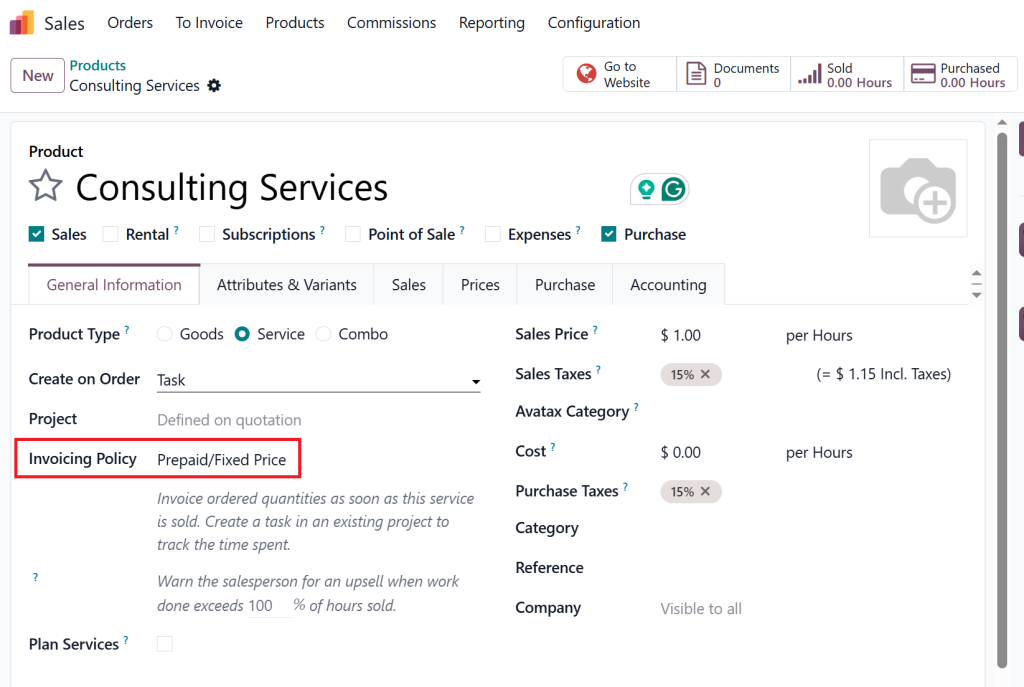
Create a Service Product
In the Sales app, create a new product.
Set Create on Order to Task and select the relevant project.
Choose Invoicing Policy: Prepaid/Fixed Price.
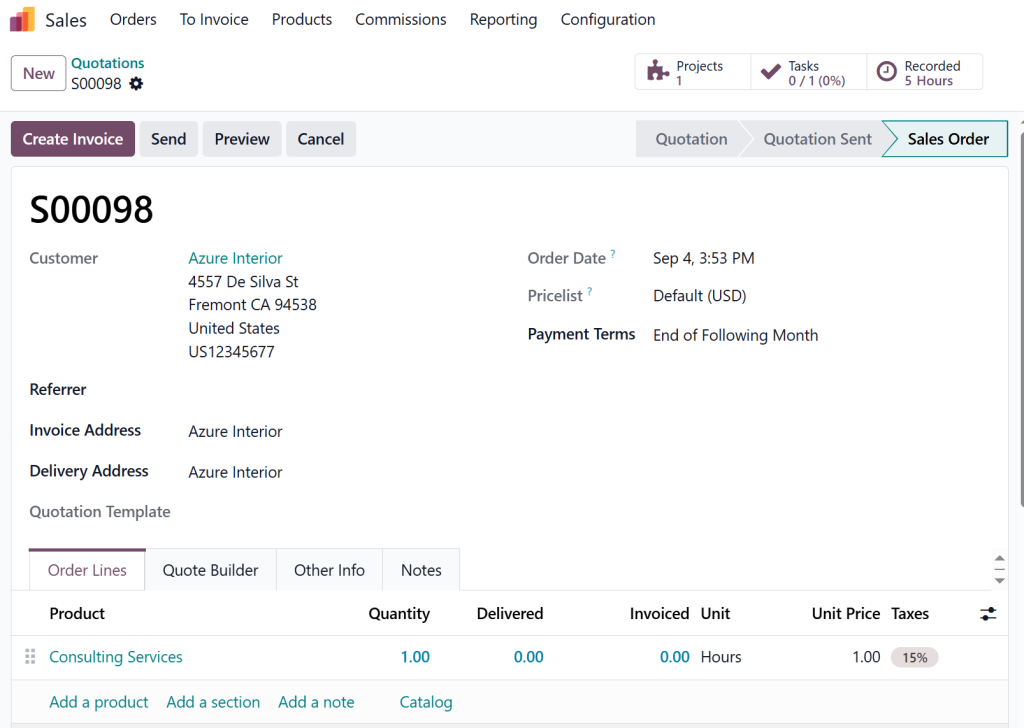
Confirm a Sales Order
From Sales > Quotations, prepare a new quotation with the service product.
Confirm the quotation. A task will automatically be created under the selected project.
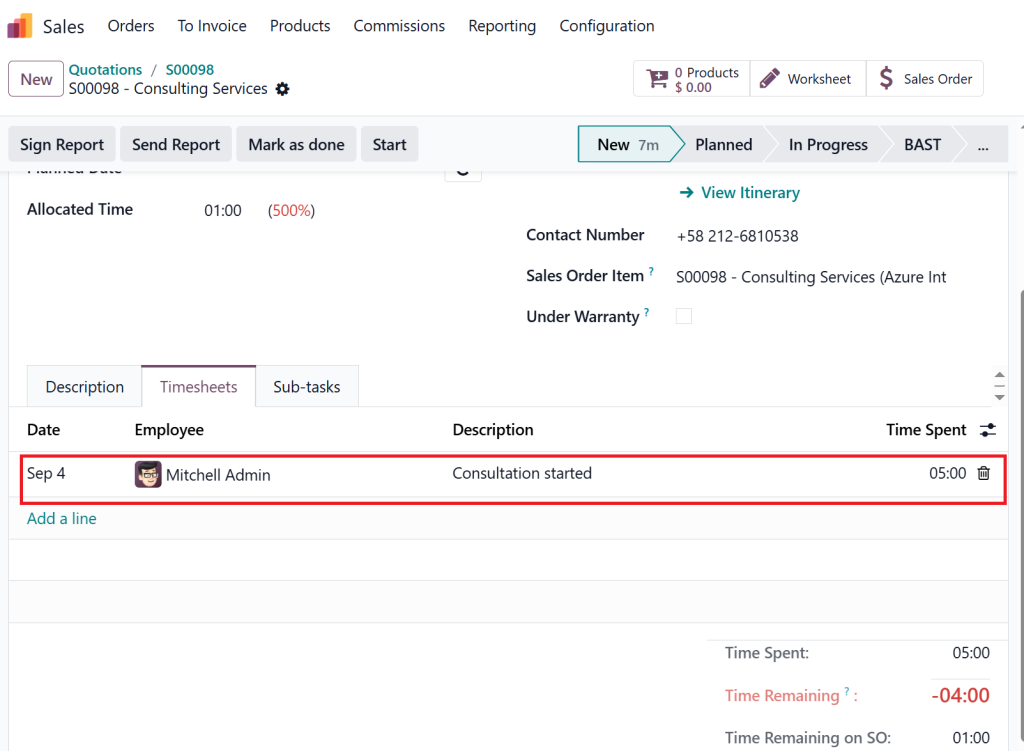
Add Timesheets for Employees
Open the generated task and log employee work hours in the Timesheets tab.
Hours are stored as “pending” until validated.
Manager Validation
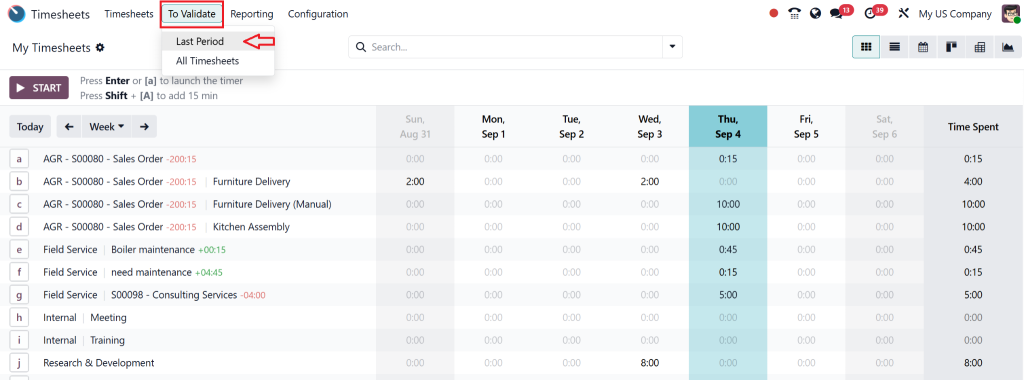
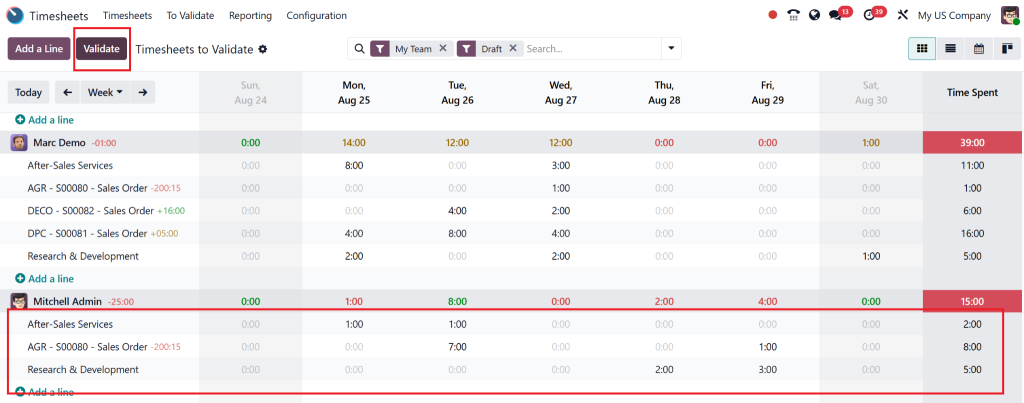
Go to Timesheets > To Validate.
Review employee timesheets for the last period (week, month, or custom).
Select the timesheets to be approved and use Action > Validate.
Invoice Only Approved Hours
Once validated, the approved hours are locked from editing.
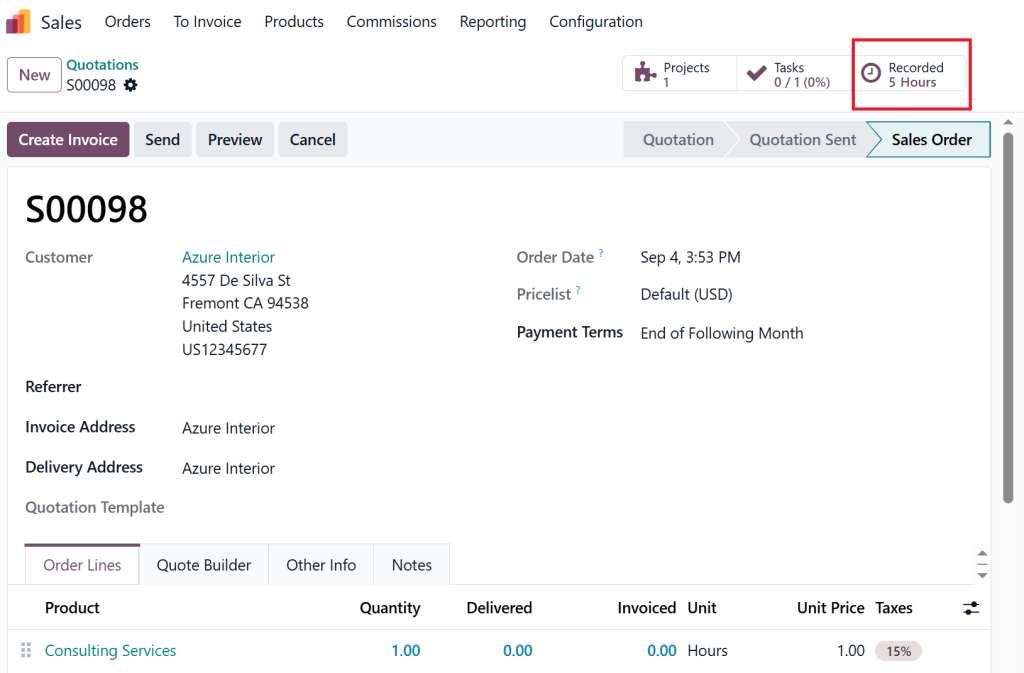
Go to the linked sales order → the delivered Time reflects only approved hours.
Click Create Invoice, confirm the draft, and post the invoice.
Odoo 18 Timesheet Billing Example (Practical Scenario)
Imagine a consulting firm with 10 employees working on different client projects. Without automation, the finance team spends hours reconciling Time logs with invoices. With Odoo 18 timesheet invoicing, here’s how it works:
Consultants log hours in real-time against tasks.
Managers validate hours weekly.
The system auto-calculates billable amounts based on hourly rates.
Invoices are generated instantly and sent to clients.
Result? Time saved, accurate billing, and happy clients.
Benefits of Odoo 18 Timesheet Billing Setup
The following list presents the main benefits Odoo’s 18 timesheet billing setup provides to businesses:
Error-Free Billing – Eliminates miscalculations.
The system enables clients to receive their invoices at a faster rate.
The system enhances employee responsibility because employees must take ownership of their recorded work hours.
The system enables businesses to detect projects that exceed budget targets at an early stage.
The system provides complete visibility to clients through detailed timesheet reports which enhances their trust in the process.
Best Practices for Odoo 18 Timesheet Billing Process
To get the most out of Odoo 18 Handle Timesheet Billing, follow these best practices:
Train Employees to log hours accurately.
Set Approval Rules to validate timesheets before invoicing.
Customize Reports for client-facing transparency.
Integrate with Payroll to simplify employee payments.
Use Odoo Partner Expertise to configure complex billing needs.
Lorem ipsum dolor sit amet, consectetur adipiscing elit. Ut elit tellus, luctus nec ullamcorper mattis, pulvinar dapibus leo.
Why Choose Netilligence for Odoo 18 Timesheet Invoicing?
Odoo provides straightforward timesheet billing functionality yet businesses need customized solutions for their specific requirements. The partnership with Netilligence as your Odoo Partner provides you with:
The team at Netilligence will expertly configure Odoo 18 timesheet invoice setup for your business needs.
The company designs customized workflows that match the requirements of your industry sector.
The system connects payroll functions with HRMS and accounting operations.
The company provides continuous support and AMC services to maintain smooth operations.
The company demonstrates expertise through its multiple Odoo implementation projects.
Through a partnership with Netilligence, you will obtain a scalable system that generates profitability while implementing Odoo 18 timesheet billing.
The Future of Odoo 18 Handle Timesheet Billing
Billing accuracy is not optional; it’s essential. With Odoo 18 Handle Timesheet Billing, businesses gain transparency, automation, and efficiency. From setup to configuration and real-world examples, we’ve seen how Odoo transforms Time tracking into revenue without complexity.
If you’re ready to unlock the full potential of Odoo 18 timesheet billing, trust Netilligence, your Odoo Partner, to make it happen.
Contact us today and see how we can simplify your timesheet invoicing process.
Hi, I'm Nabia, an Odoo ERP functional & technical content writer. I specialize in blogs, social media content, ad copy, landing pages, service pages, and email campaigns.
We use cookies to ensure that we give you the best experience on our website. If you continue to use this site we will assume that you are happy with it.