How to Configure Cluster Picking in Odoo 18 Inventory?
Cluster Picking in Odoo 18 Inventory
Warehouse management has always been challenging, especially when dealing with large orders. With Odoo ERP 18, businesses can facilitate and upgrade their warehouse operations with Cluster Picking in Odoo 18 Inventory. This feature allows warehouse workers to update the process, pick multiple orders simultaneously, and significantly reduce picking time.
This detailed guide will walk you through
The steps to configure Odoo cluster picking effectively.
Explore Odoo 18 inventory picking methods.
Odoo 18 batch picking setup.
Key features like Odoo warehouse management.
Odoo 18 multi-step routes work together to make your warehouse more efficient.
Understanding how to use Odoo 18 cluster picking configuration will entrust you to speed up order fulfillment, reduce errors, and optimize your warehouse operations.
Let’s read!
What Is Odoo 18 Inventory Picking Methods
At its core, Cluster Picking in Odoo 18 Inventory is a technique that allows you to pick products for multiple orders in a single task rather than picking one order at a time. This method is particularly useful when fulfilling multiple orders that contain the same items. It is the time workers spend moving around the warehouse, as they can pick everything up in one go.
Cluster Picking in Odoo Inventory enables the worker to select all the required quantities for those orders in one trip; for example, if multiple customers or orders require the same product, instead of walking back and forth to pick each item individually, you can pick them at once. This not only speeds up the picking process but also increases the efficiency of warehouse space utilization.
You set up your system to group orders together; configuring Cluster Picking in Odoo Inventory can also improve overall warehouse productivity and allow crew or employees to work more efficiently.
Benefits of Using Cluster Picking in Odoo 18 Inventory
Understanding the advantages of Cluster Picking in Odoo 18 Inventory is important to appreciate its role in warehouse management.
Below are some key benefits:
1. Improve the Efficiency of Warehouse
Cluster Picking in Odoo 18 Inventory can significantly enhance warehouse efficiency. By picking products simultaneously for multiple orders, warehouse staff can complete tasks faster, cutting picking times and improving workflow.
2. Reduce Errors
Warehouse workers picking items simultaneously reduces the chances of making mistakes by employing Odoo inventory-picking methods like cluster picking. Items are grouped and selected based on clear pre-defined instructions to minimize any chances of selecting incorrect items.
3. Enhanced Order Fulfilment Speed
Cluster picking speeds up order fulfilment as items can be packed together and shipped more rapidly, meeting customer expectations faster and ensuring orders arrive on time in today’s highly competitive e-commerce environment.
4. Cost Savings
Faster and more efficient picking processes directly translate into cost savings. Since Cluster Picking in Odoo Inventory reduces the time spent on each order, your warehouse staff can fulfill more orders in less time, allowing you to handle a higher volume without increasing your workforce.
How to Set Up Cluster Picking in Odoo 18 Inventory
Setting up Cluster Picking in Odoo Inventory requires careful planning and configuration. Let’s take a step-by-step approach.
Step 1: Odoo 18 Batch Picking Setu
Before configuring cluster picking, upgrade your Odoo storage locations configuration:
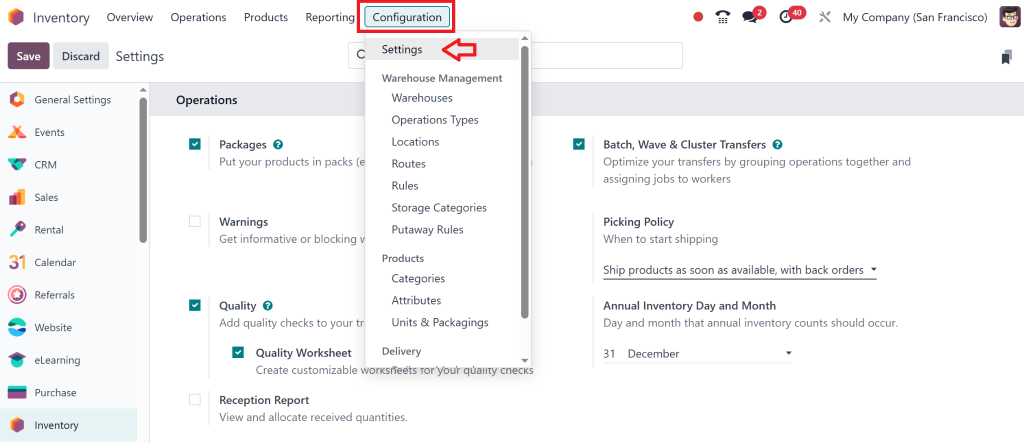
For this first go to Settings.
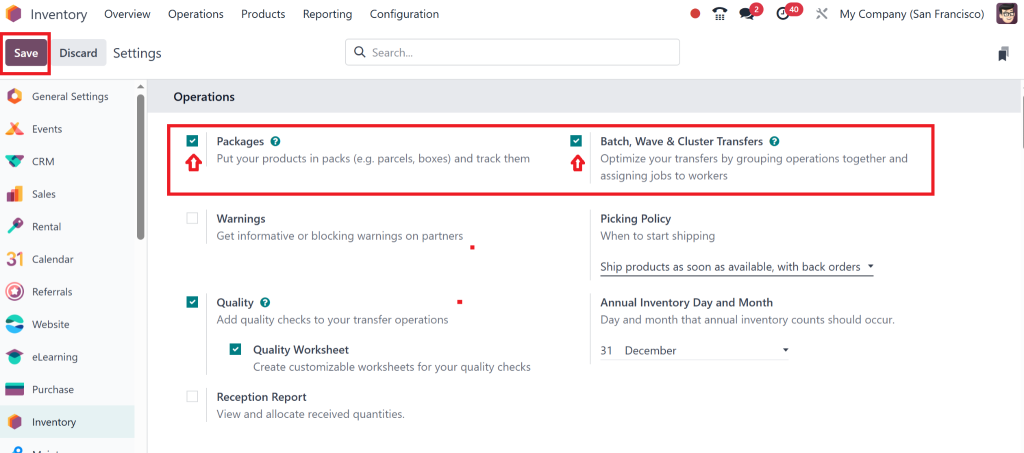
And, Enable “packages” and “ batch, waves & cluster transfers” then click on Save.
Enabling Odoo batch picking can further optimize the picking process, especially when combined with Cluster Picking in Odoo Inventory.
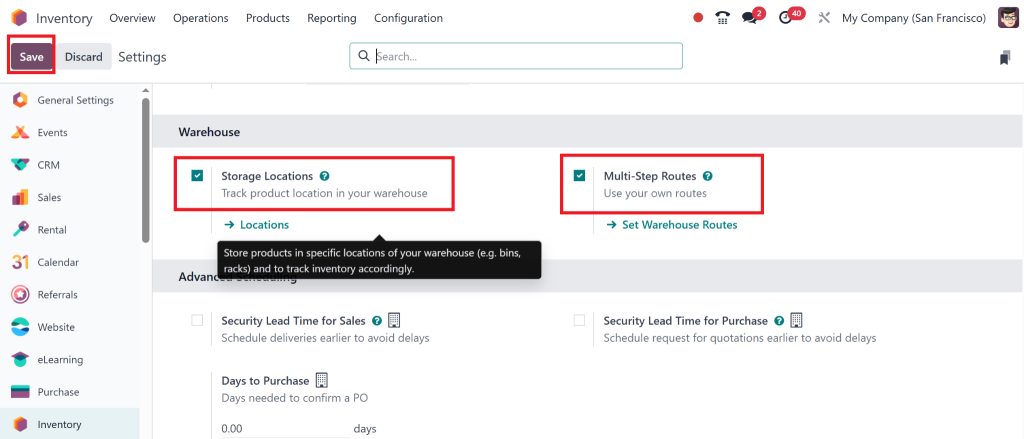
Also, Enable the storage locations and multi-step routes from settings and save.
Step 2: Enable Cluster Picking
Organize Storage Locations
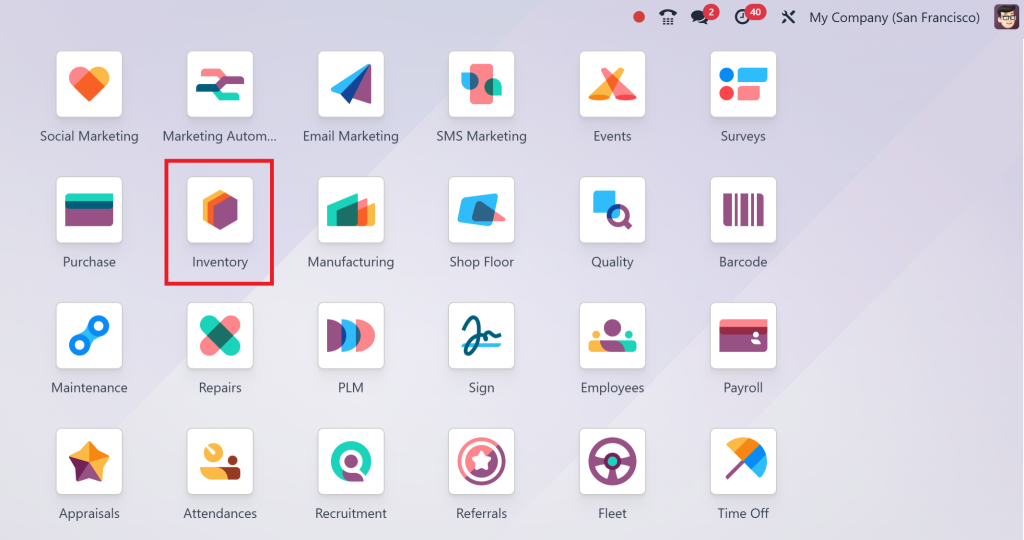
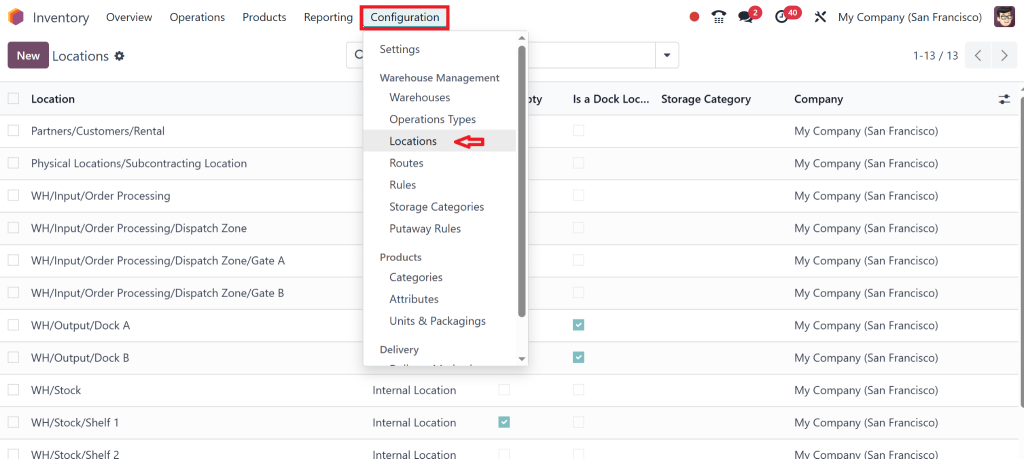
Go to Inventory >
Configuration > Locations.
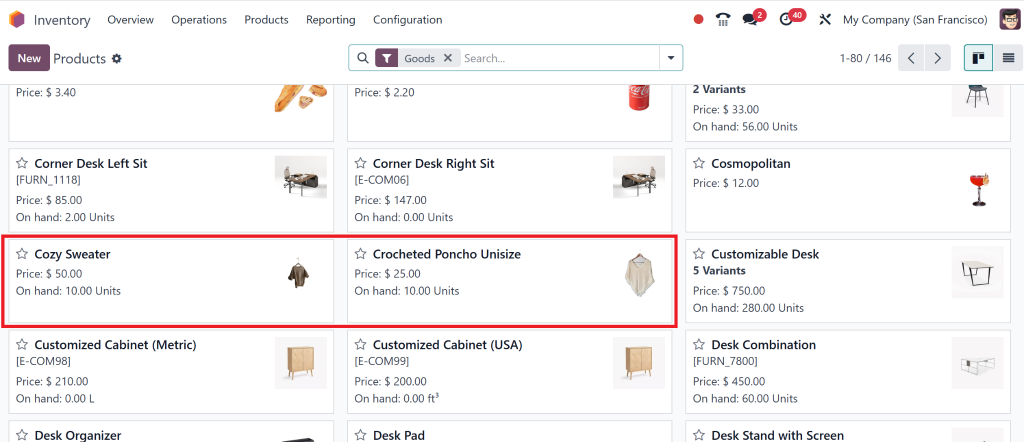
Create 2 or more products in different locations.
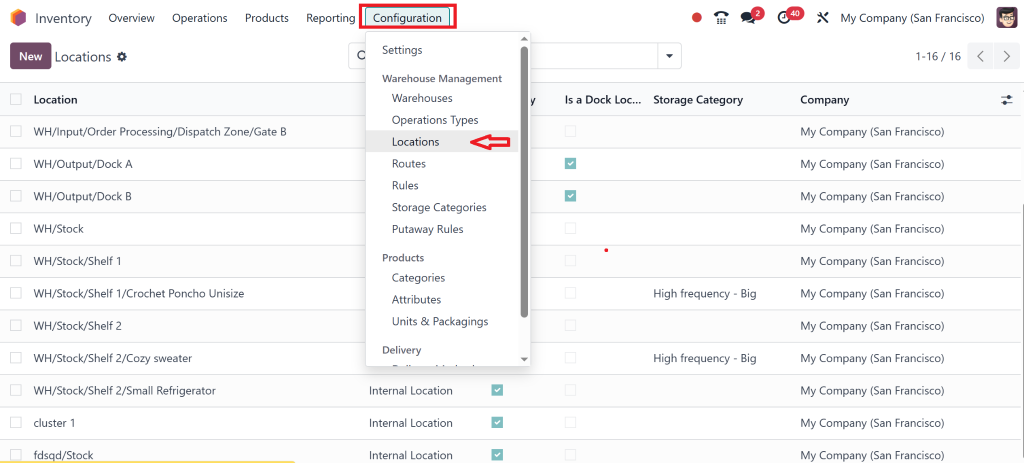
Go to Configuration > Locations.
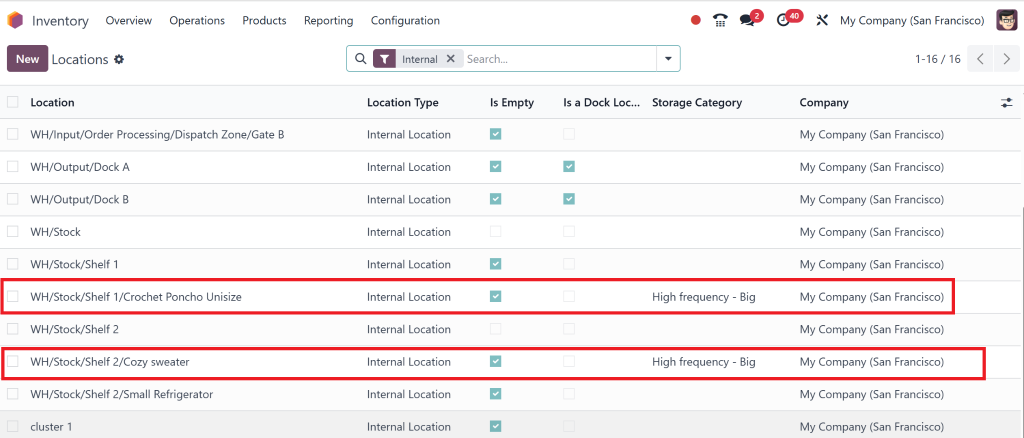
We assign each product a different shelf in the location.
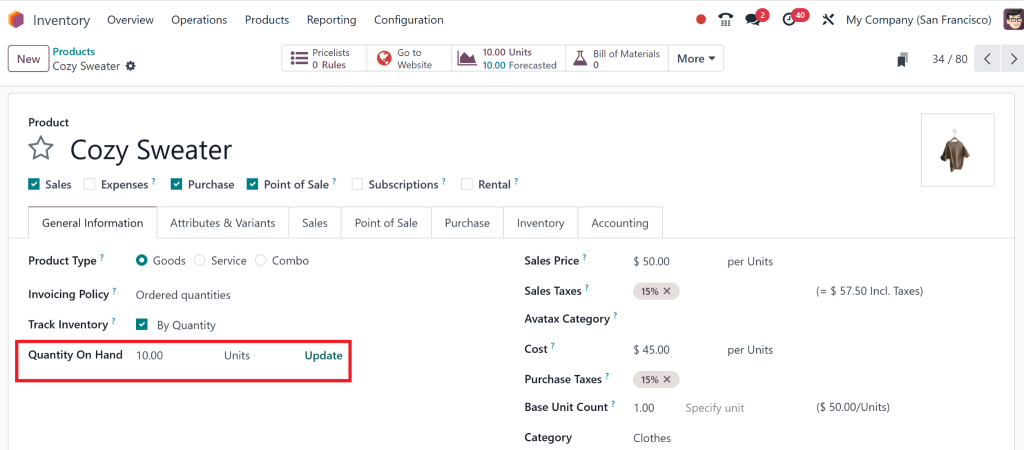
Then go to that specific product and click on “on hand” to check if the location has been assigned or not.
Step 3: Configure Your Warehouse Locations
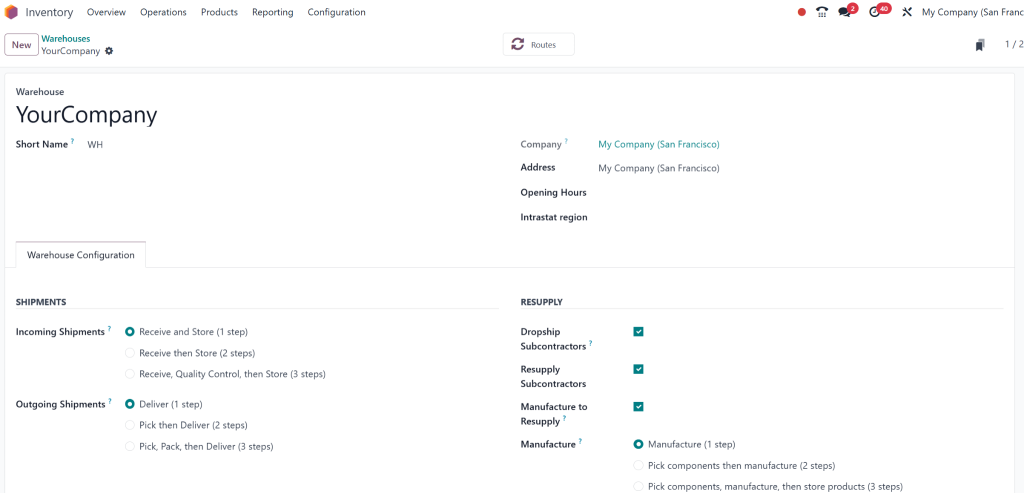
Organizing your warehouse effectively is essential to ensure that Cluster Picking in Odoo Inventory works greatly. Odoo warehouse management allows you to set up different locations within the warehouse. For example:
Incoming Shipments: A place or space where new stock arrives.
Picking Locations: Where items are picked from for orders.
Packing Locations: A place to pack the picked items.
Shipping Locations: Where orders are staged before being shipped.
To configure these, go to Inventory > Configuration > warehouses and create the necessary warehouse locations. This step is vital for making the picking process efficient.
Step 4: Odoo 18 multi-step routes
With Cluster Picking in Odoo Inventory, setting up Odoo 18 multi-step routes is important. Multi-step routes help define how products are moved through the warehouse, from picking to packing to shipping.
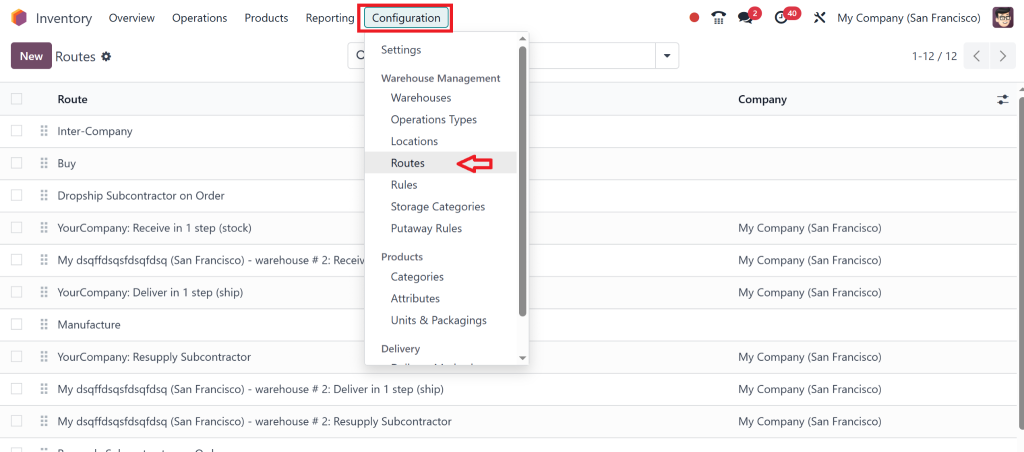
Go to the Inventory Module.
Configuration > Routes.
Create or edit a route that best suits your picking and delivery process.
Assign the route to your warehouse, ensuring that all products follow the optimal path from start to finish.
Using multi-step routes, combined with Cluster Picking in Odoo 18 Inventory, ensures a smooth flow of goods through your warehouse, reducing unnecessary delays.
Step 5: Use the Odoo 18 Packages Feature
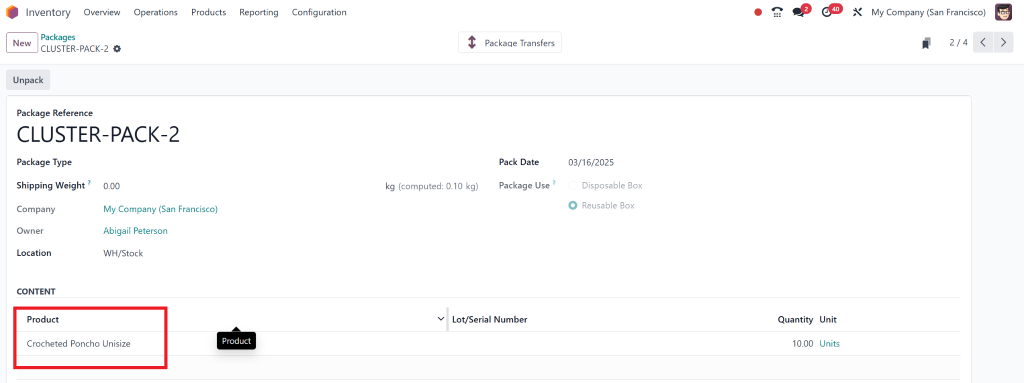
The Odoo packages feature allows you to group products into packages, which can help speed up the packing process. Once your items are picked using Cluster Picking in Odoo Inventory, you can pack them into packages, making shipping faster and more efficient.
Go to Inventory > Products > Packages.
Create and define different packages for your items.
Assign items to packages during the packing process.
This feature reduces packing errors and ensures all products are correctly grouped before shipment.
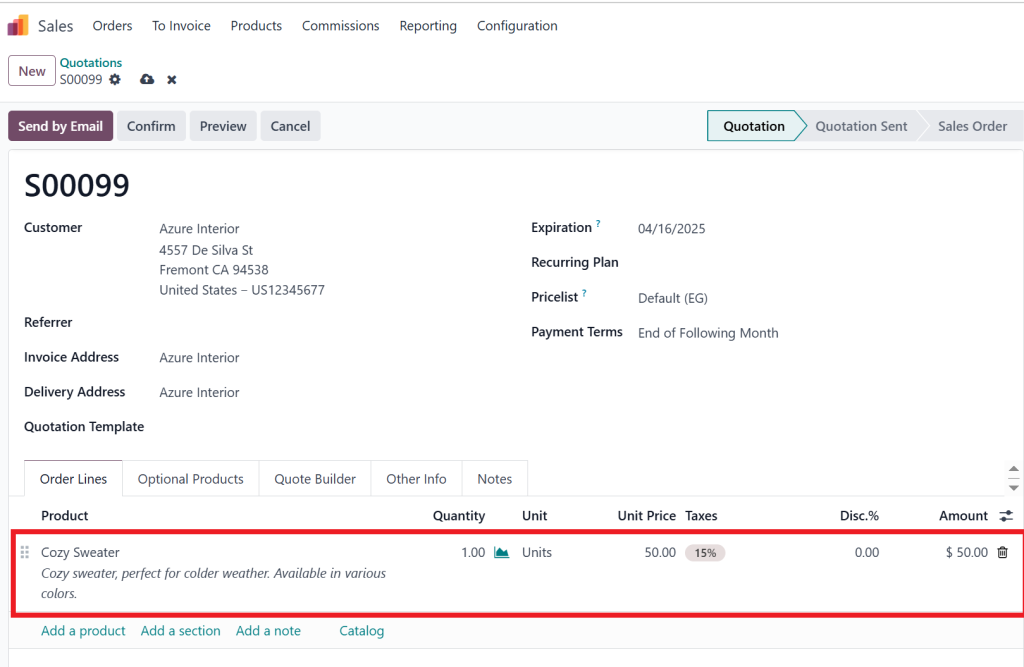
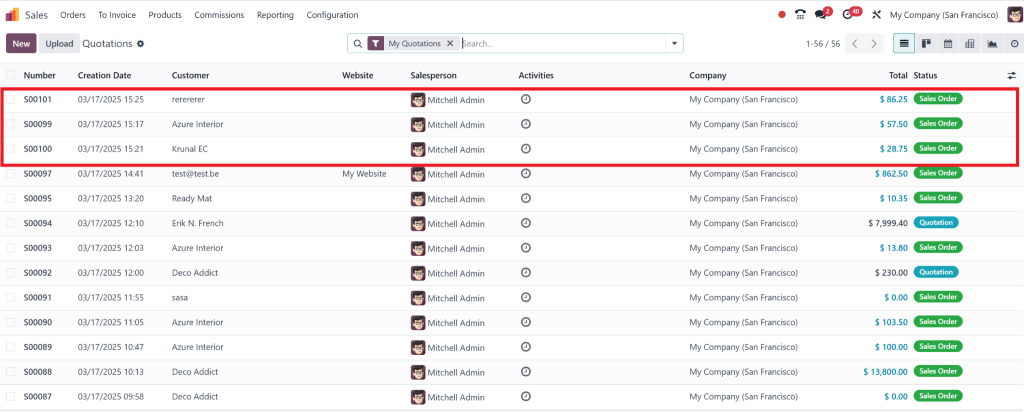
Then, Go to the Sales and create a New Quotation to test.
We have created three sales orders 2 for separate products and 1 with both products.
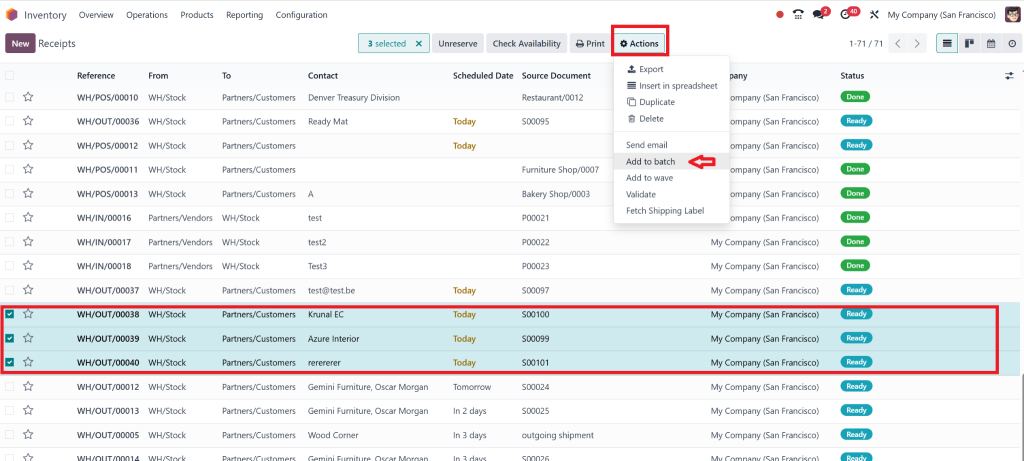
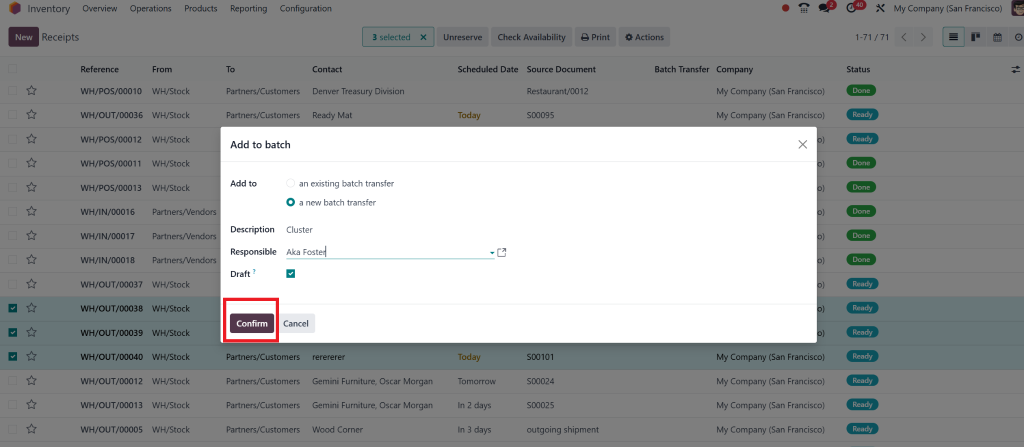
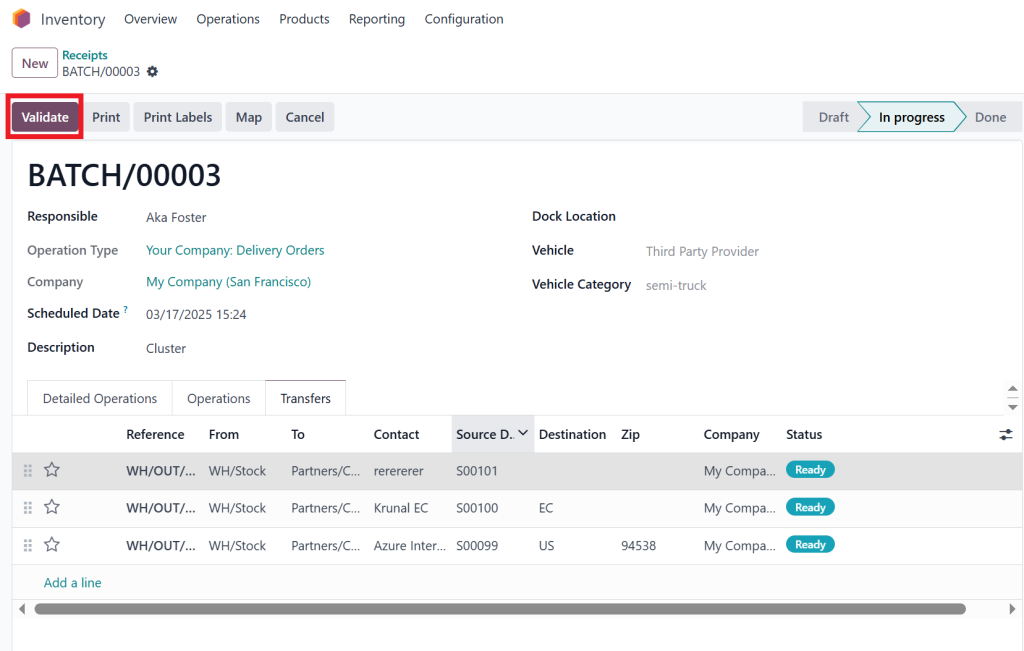
Then, Go to the inventor and create a batch of all 3 orders.
Add description, then responsible person if you want to add and Save.
Click on “Validate”.
Best Practices for Using Cluster Picking in Odoo 18 Inventory
Now that you know how to configure Cluster Picking in Odoo 18 Inventory, here are some best practices to make the most out of this feature:
1. Regularly Review Picking Routes
Since your warehouse will likely grow over time, reviewing and adjusting your picking routes regularly is important. Check for bottlenecks or areas that can be optimized for faster picking.
2. Train Your Staff
To maximize Cluster Picking efficiency with Odoo 18 Inventory, ensure your warehouse staff is well-trained in its use. This should include understanding multi-step routes, batch picking, and package features within Odoo.
3. Monitor Performance
Use Odoo’s reporting tools to monitor warehouse performance. Check metrics like picking speed, order fulfillment accuracy, and inventory levels to identify areas for improvement.
Why Cluster Picking in Odoo 18 Inventory is Essential for Your Warehouse
Configuring Cluster Picking in Odoo 18 Inventory can significantly facilitate your warehouse operations. By taking advantage of features like warehouse management, batch picking, multi-step routes, and order fulfillment speed improvements, you can increase picking efficiency while decreasing errors and speed. Integrating Odoo storage locations and packages further enhances this process for improved productivity within your warehouse.
By taking advantage of these features and best practices, you can significantly cut regular or operational costs, enhance customer satisfaction, and scale warehouse operations more easily.
Don’t wait – experience Cluster Picking now in Odoo Inventory and change how your warehouse works in today’s environment!
Hi, I'm Nabia, an Odoo ERP functional & technical content writer. I specialize in blogs, social media content, ad copy, landing pages, service pages, and email campaigns.
We use cookies to ensure that we give you the best experience on our website. If you continue to use this site we will assume that you are happy with it.