

The Secret to Financial Balance in Odoo 18 Accounting!
Imagine running your business without worrying about chaotic year-end reconciliations, misplaced financial records, or panic during the last-minute tax season. Sounds like a dream, right? Well, with Odoo 18, this dream becomes your new reality!
What if I told you there’s a way to turn your financial management into a game of precision and efficiency while saving countless hours of frustration? Whether an accounting pro or a number-crunching beginner, Odoo 18’s tools for managing financial periods and fiscal years will make you feel like a financial wizard!
In this blog, we’re diving into the hidden gems of Odoo’s 18 fiscal year management, from setting up custom financial periods to mastering the budgetary year closing process with the finesse of a pro. Trust us; you’re about to open the ultimate cheat code for financial clarity and control.
Still not convinced? Discover how Odoo 18 financial year configuration can transform your accounting game. Get ready to unearth tricks, tips, and strategies that will make you wonder, “Why wasn’t I doing this before?”
A Guide to Financial Periods and Fiscal Years in Odoo 18
Managing financial periods and fiscal years is critical to any business’s accounting operations. With Odoo 18 accounting, companies can efficiently handle these processes, ensuring smooth financial operations. At Netilligence, we will explore the essential steps for managing financial periods and fiscal years in Odoo 18. From fiscal year management to setting up accounting periods and configuring financial settings, Odoo 18 provides robust tools to rationalise these processes. Whether you’re focused on Odoo 18 fiscal year management or the fiscal year closing process, this guide will help you direct the intricacies of Odoo 18 accounting.
What are the Financial Periods and Fiscal Years in Odoo 18?
Understanding Financial Periods in Odoo 18
Financial periods in Odoo 18 refer to specific intervals, such as monthly or quarterly, used to report financial performance. These periods provide structured timelines to analyze and report financial activities effectively.
Significance of Fiscal Years in Odoo 18
A fiscal year in Odoo 18 represents a complete accounting cycle, usually spanning 12 months. Businesses use fiscal years to compile and report financial statements, adhering to regulatory and organizational requirements.
Why Manage Financial Periods and Fiscal Years in Odoo 18?
Accurate Financial Reporting: Structured periods ensure accurate reports.
Regulatory Compliance: Aligning with local regulations is simpler.
Operational Efficiency: Rationalises year-end closing and budgeting.
How to Set Up Financial Periods in Odoo 18 Accounting
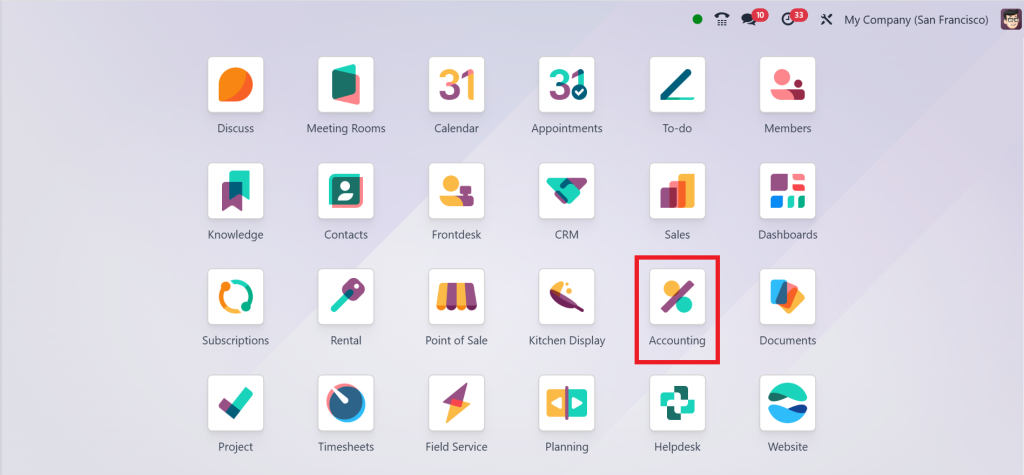
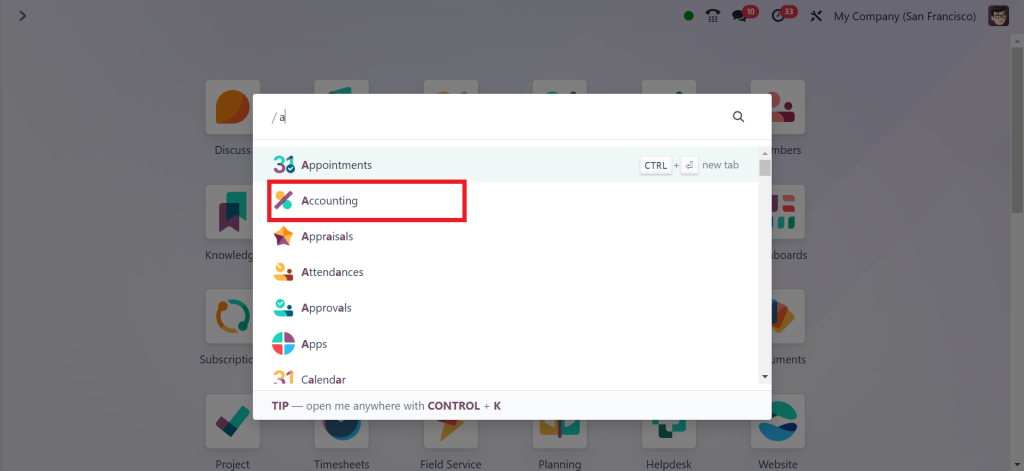
Step 1: Direct to Accounting Module
Access the Odoo 18 dashboard. And Go to the Accounting module.
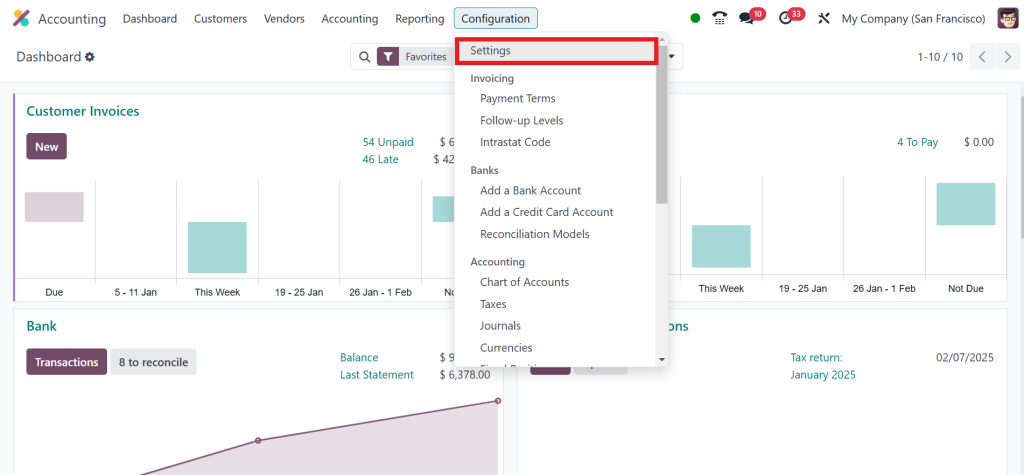
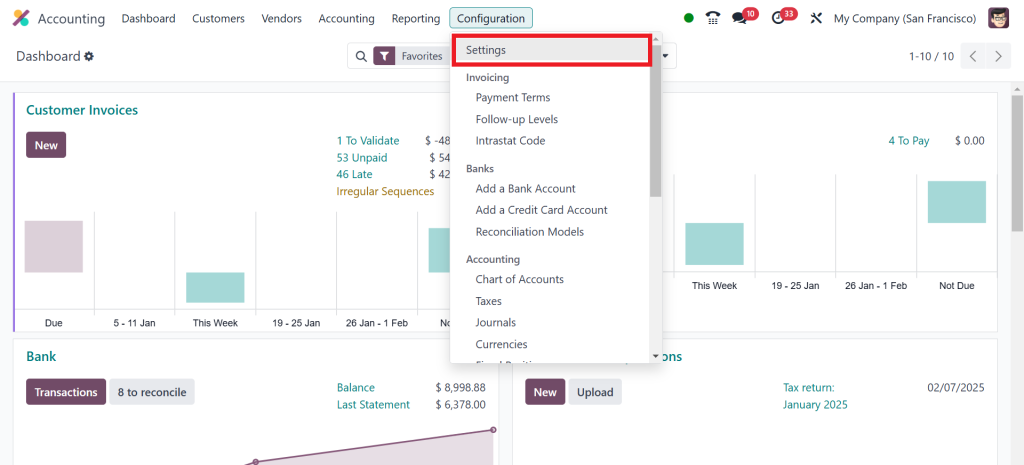
Click on Configuration > Settings.
Step 2: Define Fiscal Periods
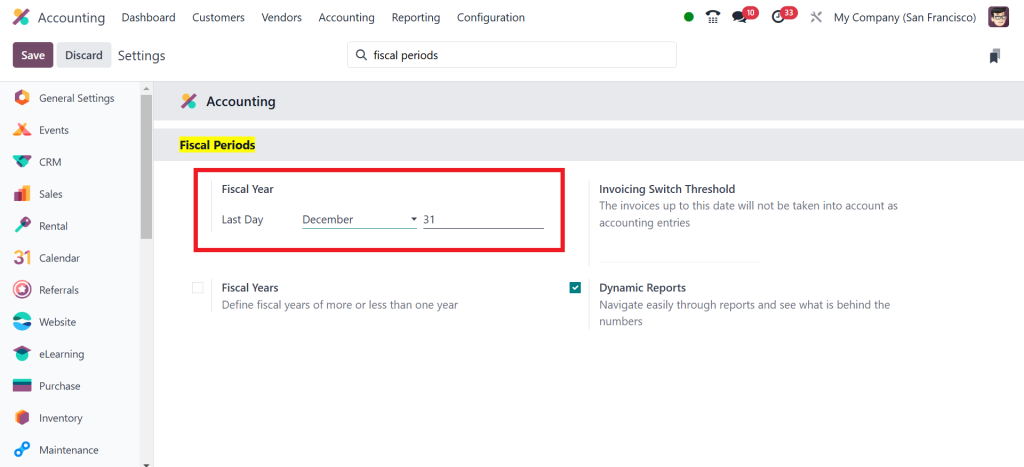
Search Fiscal Periods and create custom financial periods as per business needs.
Benefits of Odoo 18 Financial Periods Setup
- Simplifies periodic financial analysis.
- Enables detailed transaction tracking.
- Supports compliance with tax regulations.
How to Set up Fiscal Year in Odoo 18 Accounting
Fiscal years dictate the annual reporting structure. Configuring this feature ensures consistency and compliance.
Direct to Accounting Module.
Go to the Configuration and choose Settings.
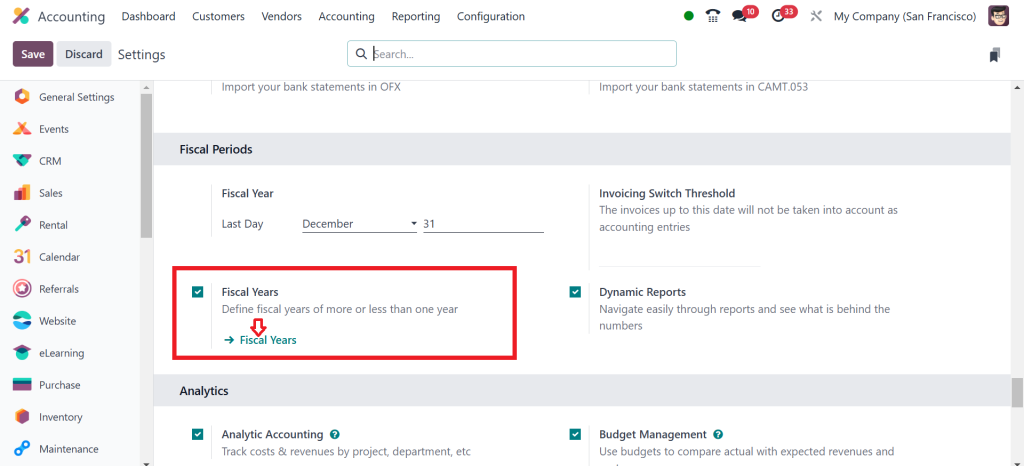
Scroll down and under the Fiscal Periods, check (✔) the Fiscal Years box and click ‘‘Fiscal Years’’.
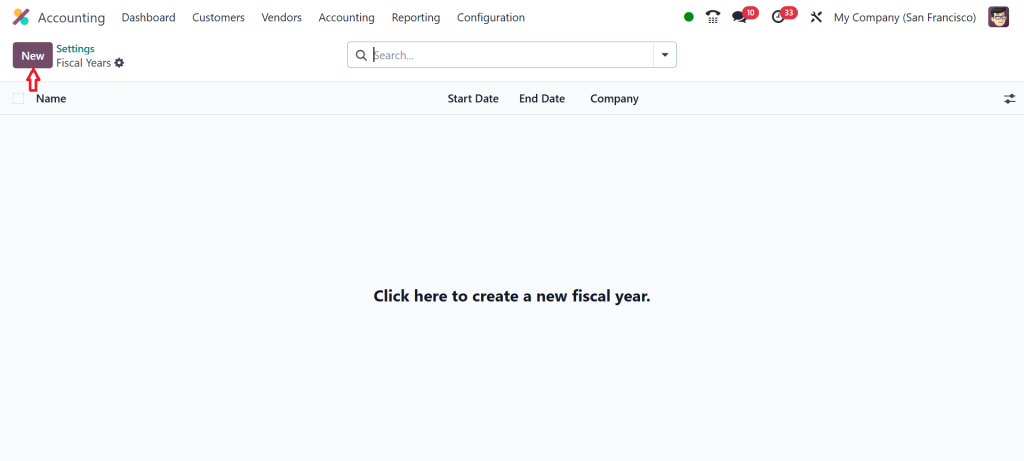
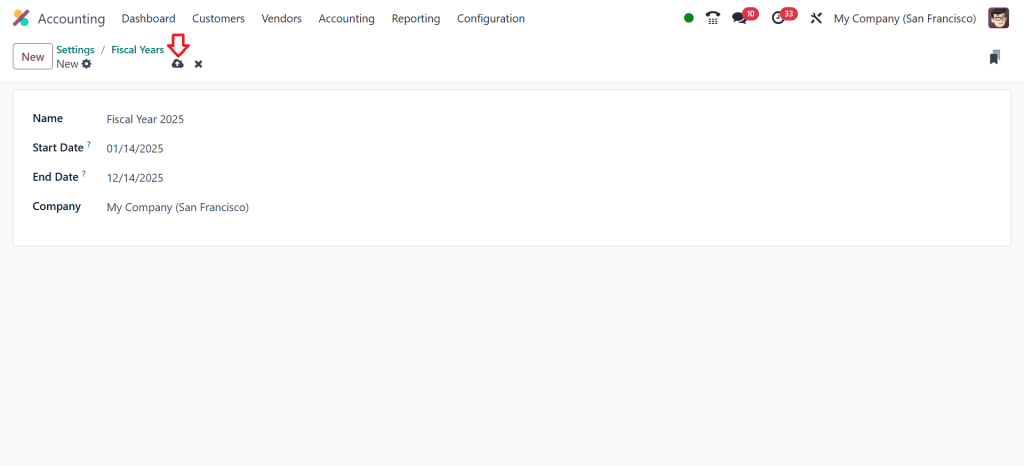
Click on ‘‘New’’.
Add the fiscal year name, start date, end date and company name, then click ‘‘Save’’.
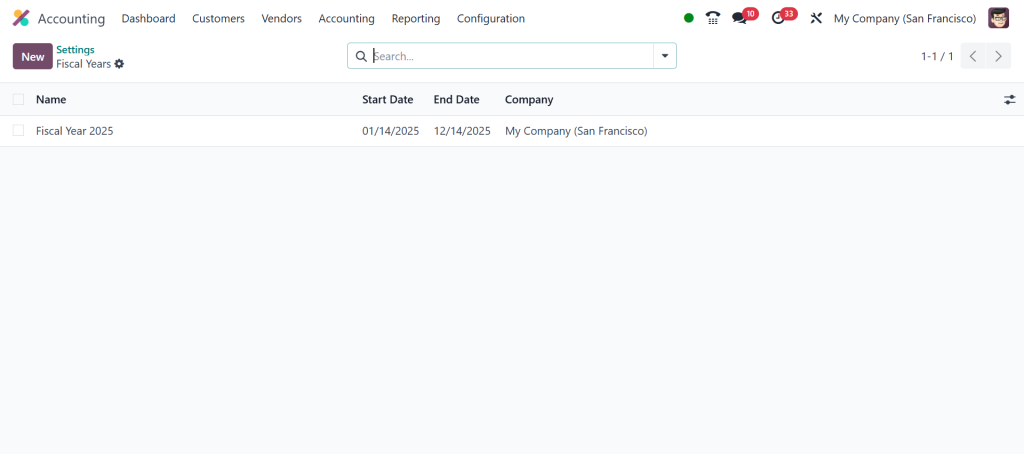
As you can see in the screenshot below, the fiscal year has been created. So, that’s how you can set up a fiscal year in the Odoo 18 accounting module.
Advantages of Odoo 18 Fiscal Year Configuration
- Facilitates year-end processes.
- Ensures structured annual reporting.
- Reduces manual errors in financial statements.
Odoo 18 Fiscal Periods Management
Fiscal periods represent subsets of fiscal years. Efficient management of these periods enhances financial clarity.
Key Benefits of Odoo 18 Fiscal Periods Management
Odoo 18 introduces robust fiscal period management, simplifying and simplifying accounting processes. Here are the key benefits of using Odoo 18 for fiscal period management:
Efficient Periodic Closures
- Odoo 18 allows businesses to close fiscal periods efficiently, ensuring accurate financial records and compliance with accounting standards.
- Automated processes reduce the risk of errors during period closures.
Customizable Fiscal Year Configurations
- Flexibility to define fiscal years and periods based on specific business needs or regulatory requirements.
- Supports non-standard fiscal year structures.
Rationalised Financial Reporting
- Real-time generation of financial statements for any fiscal period.
- Improved transparency and readiness for audits with clear period-based reporting.
Improved Compliance
- Simplified tax reporting and compliance with government regulations.
- Enhanced tracking of financial activities within each period for greater accountability.
Smooth Multi-Company Integration
- For businesses managing multiple entities, fiscal periods can be synchronized across companies.
- Unified management rationalises inter-company accounting processes.
Enhanced Automation
- Recurring entries, such as depreciation and accruals, are automated for each fiscal period.
- Reduces manual intervention, saving time and ensuring accuracy.
User-Friendly Interface
- Intuitive tools to manage fiscal periods, make adjustments, and track transactions.
- Easy for accountants and financial teams to adopt and utilize.
Error Reduction
- Automated validations and checks ensure data accuracy before period closures.
- Minimizes discrepancies in financial records.
Integrated Analytics
- Insightful dashboards and KPIs for monitoring financial performance across fiscal periods.
- Helps in strategic decision-making with detailed period-wise analytics.
Odoo 18 Fiscal Year Closing Process
Closing a fiscal year involves finalizing all transactions and preparing reports for the next accounting cycle.
Reconcile Accounts
Ensure all accounts are balanced and reconciled before proceeding.
Generate Year-End Reports
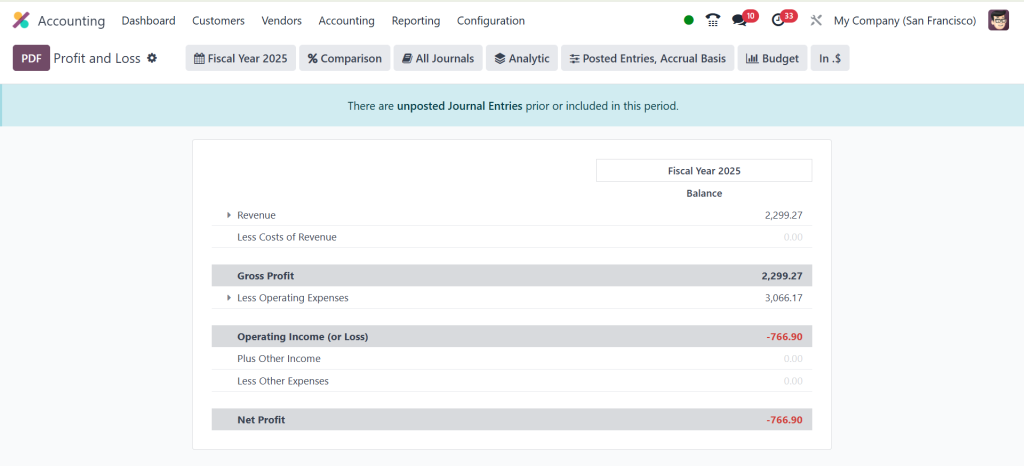
Use Odoo 18’s reporting tools to create balance sheets, profit & loss statements, and cash flow reports.
Lock the Fiscal Year
- Close the fiscal year to prevent further changes.
- Open a new budgetary year for upcoming transactions.
Tips for a Smooth Odoo 18 Fiscal Year Closing Process
- Regularly update financial records.
- Validate all transactions before closing.
- Schedule year-end tasks to avoid delays.
Advanced Features in Odoo 18 for Fiscal Management
Integrating Accounting Modules
Odoo 18 allows all-in-one integration of accounting with other modules, enhancing efficiency.
Key Integrations
Inventory Management: Links financial records with stock levels.
HR and Payroll: Human resources and payroll track employee expenses accurately.
Automated Processes in Odoo 18 Accounting Fiscal Settings
Odoo 18 offers automation for recurring tasks, such as period-end reconciliations and reporting.
Benefits
- Saves time and reduces errors.
- Provides real-time financial insights.
Best Practices for Managing Financial Periods and Fiscal Years in Odoo 18
Regular Audits and Reconciliations
Conduct periodic audits to ensure data accuracy and compliance.
Leverage Odoo 18 Financial Reports
Use built-in reporting tools to monitor financial health regularly.
Train Your Team on Odoo 18 Features
Ensure your accounting team is familiar with Odoo 18 accounting period setup and fiscal year management.
Simplifying Financial Management with Odoo 18
Odoo 18 accounting provides comprehensive tools for effectively managing financial periods and fiscal years. Businesses can ensure accurate reporting and efficient operations by following the outlined steps for Odoo 18 fiscal year management, accounting periods set up, and the fiscal year closing process. Use Odoo 18’s powerful features to enhance your financial management and drive business success.




