

Implementing the Odoo 18 Configure customer rating is crucial to providing top-notch service in any helpdesk system. This feature allows businesses to gather valuable feedback from customers, helping to enhance service quality and increase customer satisfaction. By enabling customer ratings, organizations can easily gauge the effectiveness of their support efforts and make necessary adjustments.
In this blog, we will explore the Odoo 18 customer rating configuration process, highlighting how to enable customer ratings, create effective email templates, and analyze customer feedback through reporting tools.
Importance of Customer Ratings in Helpdesk Systems
Implementing an Odoo 18 helpdesk customer feedback mechanism is not just about collecting data; it’s about improving customer experiences. Studies show that 80% of customers are willing to provide feedback if they feel their opinions will be valued. By capturing this feedback, businesses can identify strengths and weaknesses in their support systems.
Gathering customer ratings allows businesses to:
- Enhance Customer Experience: Direct feedback helps pinpoint areas for improvement.
- Boost Customer Loyalty: Satisfied customers are more likely to return and recommend your services.
- Drive Continuous Improvement: Regular feedback fosters an environment of constant growth.
Steps to Enable Customer Ratings in Odoo 18 Helpdesk
To start configuring customer ratings in Odoo 18, follow these straightforward steps:
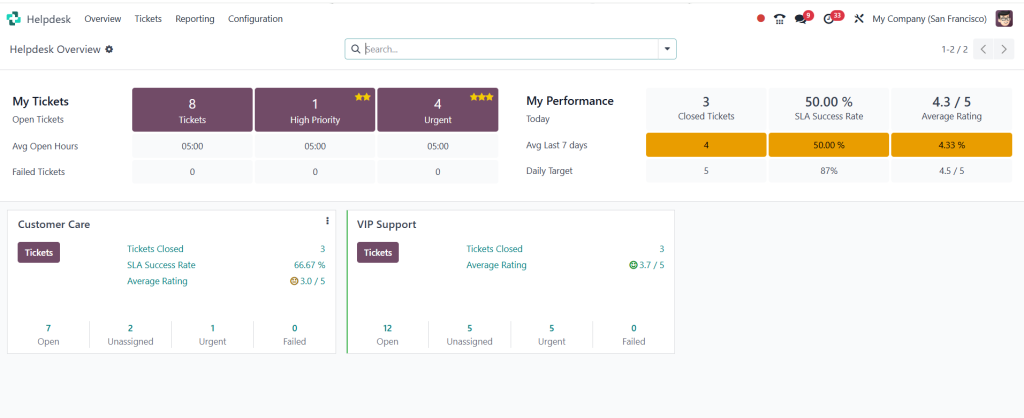
- Access Odoo Helpdesk Settings:
Navigate to the Helpdesk application within your Odoo 18 environment.
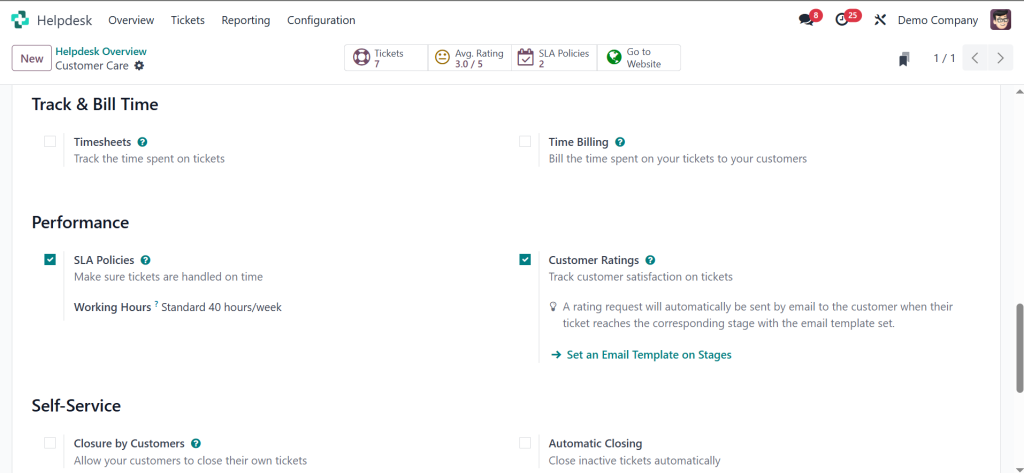
2. Enable Customer Ratings:
In the settings menu, locate the option for Odoo 18 to enable customer ratings. Toggle this feature to activate customer feedback options.
3. Create Feedback Templates:
Design effective Odoo 18 helpdesk email templates to solicit customer feedback after a support interaction. Keep the templates concise and engaging.
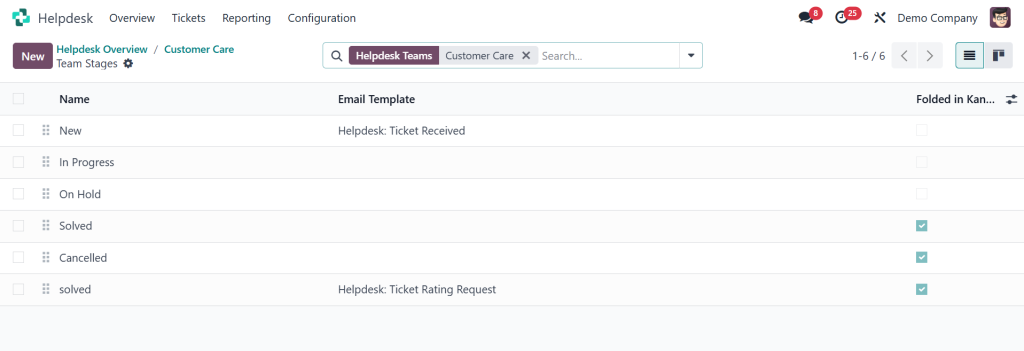
4. Automate Feedback Requests:
Set up Odoo 18 helpdesk automation to automatically send feedback requests after ticket closure.
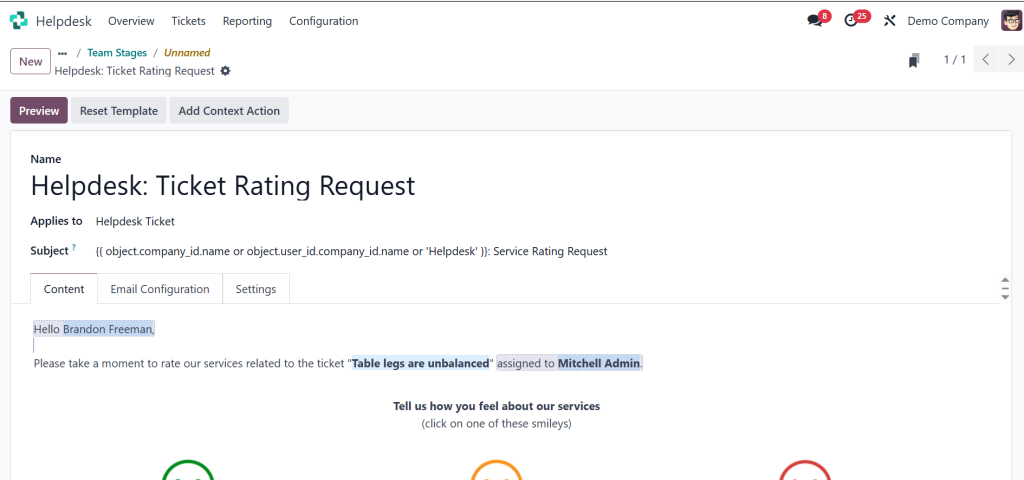
5. Analyze Customer Feedback:
Utilize Odoo 18 helpdesk reporting tools to review the feedback collected, identifying patterns and areas needing improvement.
Creating Effective Feedback Templates
Crafting an effective feedback email is essential for encouraging responses. Here are some tips for your Odoo 18 helpdesk email template:
- Personalize the Message: Use the customer’s name to create a friendly tone.
- Keep it Short: Respect your customer’s time by asking concise questions.
- Include a Clear Call to Action: Encourage customers to rate their experience with a simple link or button.
Example Template:
Subject: We Value Your Feedback!
Dear [Customer Name],
Thank you for using our helpdesk service. We strive to provide the best support possible, and your feedback is vital to our improvement.
Please take a moment to rate your experience: [Rating Link]
Thank you for your time!
Best regards,
[Your Company Name] Helpdesk Team
Analyzing Customer Feedback with Reporting Tools
Once you’ve gathered customer ratings, the next step is to analyze the data. Odoo 18 helpdesk reporting provides valuable insights into customer satisfaction levels.
- Access Reporting Dashboard:Navigate to the reporting section of the Helpdesk application.
- Generate Feedback Reports:Use the built-in tools to create reports on customer ratings and comments.
- Identify Trends:Look for common themes in the feedback. Are there specific issues frequently mentioned by customers?
- Act on Insights:Use the data collected to make informed decisions about service improvements. Implement necessary changes and communicate them back to your customers.
Best Practices for Using Customer Ratings
To maximize the benefits of Odoo 18 customer rating configuration, consider these best practices:
- Follow Up with Customers: If a customer leaves a low rating, reach out to understand their concerns.
- Incorporate Feedback into Training: Use insights gained to enhance the training provided to your support team.
- Regularly Update Feedback Mechanisms: Continuously evolve your feedback requests based on customer needs and preferences.
Odoo 18 Configure customer rating in your helpdesk is an excellent way
To enhance customer satisfaction and improve service quality, Enabling customer ratings, utilizing effective email templates, and analyzing feedback through reporting tools can help your organization create a responsive and customer-centric support environment.
Implement these strategies and watch your customer satisfaction ratings soar. If you need assistance with Odoo 18 or want to optimize your helpdesk system further, don’t hesitate to contact us at Netilligence.




