

Understanding Departments in Odoo 19 Employee App
When managing a growing business, organising your workforce is crucial. That’s where Departments in Odoo 19 Employee App play a key role. Odoo 19 introduces a modern, flexible, and robust HR structure, enabling companies to manage hierarchies efficiently, assign department managers, and visualise the organisation using an interactive chart.
With Departments in the Odoo 19 Employee App, you can:
- Create and customise department structures
- Assign employees and managers effortlessly
- View real-time Odoo employee organisational charts
- Update HR reporting and performance tracking
In this guide, we’ll explore how to add a department to Odoo HR, including the steps to create a department in Odoo 19, and how to configure the Odoo 19 department hierarchy view for smooth operations.
Whether you’re an HR manager or a system administrator, this article by Netilligence – your Odoo Partner- will show you exactly how to make the most of Departments in Odoo 19 Employee App.
Why Setting Up Departments in Odoo 19 Employee App Matters
Departments form the foundation of your organisation’s structure. Without proper departmental organisation, managing reporting lines, approvals, and internal communication becomes difficult.
Here’s why every business should focus on employee department setup in Odoo 19:
1. Better Hierarchical Clarity
With the Odoo 19 department hierarchy view, you can clearly visualise the reporting relationships within your company. Each employee knows who their manager is, and HR can easily trace organisational layers.
2. Improved Data Management
When departments are correctly configured, HR reports, attendance, and payroll can be filtered easily. This saves hours of administrative effort and ensures cleaner analytics.
3. Modernise Employee Assignments
The ability to assign employees to a department in Odoo 19 not only helps HR teams track work distribution but also ensures that every staff member is correctly placed under a supervisor.
4. Enhanced Manager Control
You can assign a department manager to set up Odoo and grant them the ability to approve leaves, timesheets, or recruitments for their team members.
By setting up Departments in the Odoo 19 Employee App, your company builds a clear, organised framework that supports business growth.
Step-by-Step Guide - Odoo 19 Create Department Setup
Now, let’s dive into the practical side: how to create departments in the Odoo 19 Employee App step by step.
Step 1 – Access the Employee App
Start by logging into your Odoo 19 dashboard.
Navigate to:
Apps → Employees
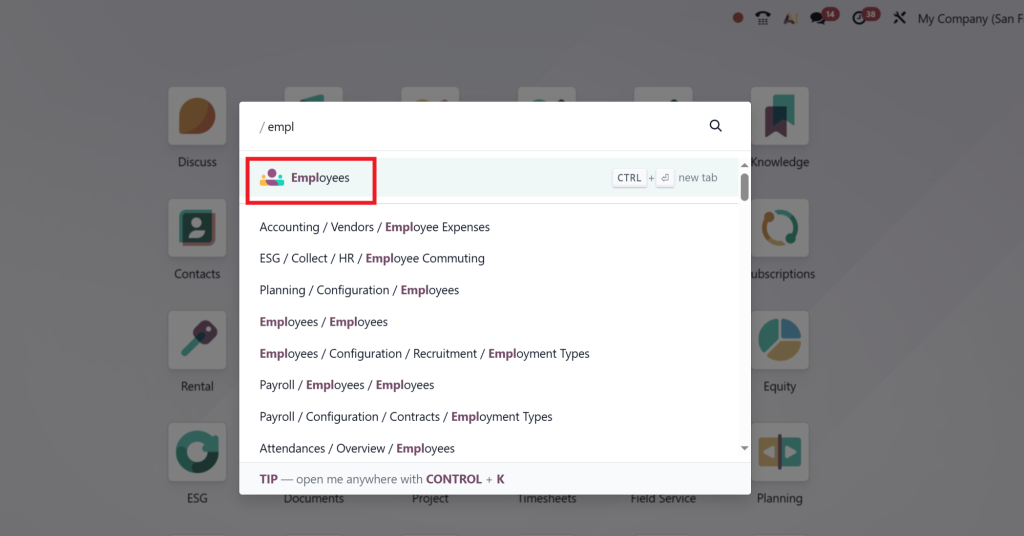
This is where all your employee-related configurations and structures are managed.
Step 2 – Open the Departments Menu
Inside the Employee app, locate and click on the Departments tab from the top menu.
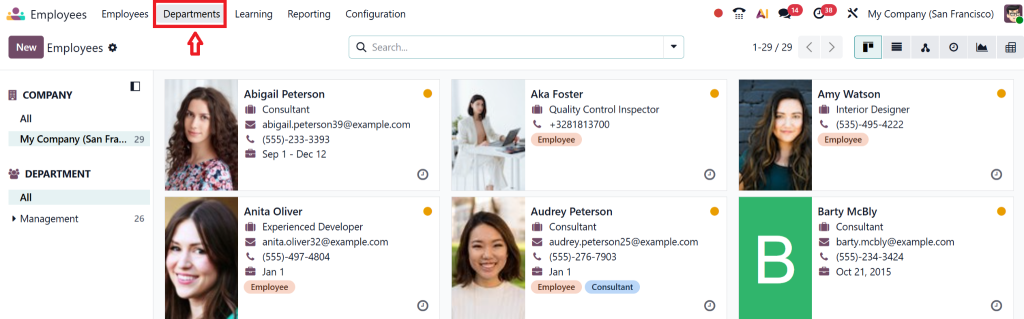
Here, you’ll see an overview of existing departments and a button labelled Create.
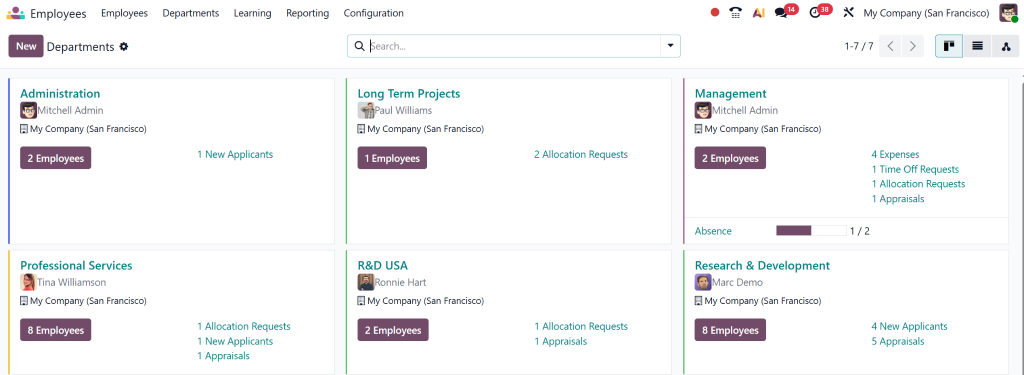
Step 3 – How to Add Department Odoo HR
Click Create, and you’ll open the department creation form.
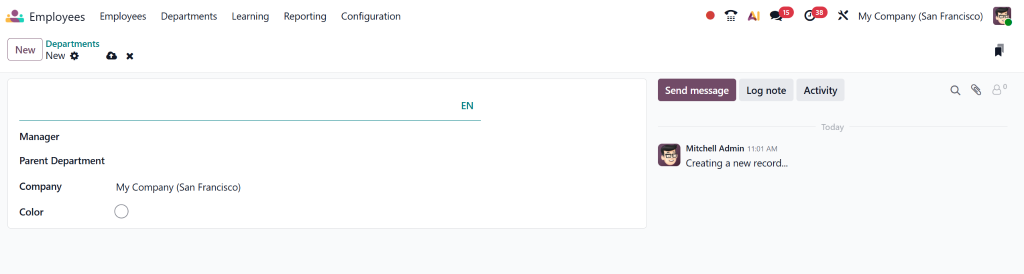
You’ll be asked to fill out a few key fields:
- Department Name – The official name (e.g., Sales, Marketing, IT).
- Parent Department – If it’s a sub-department, select its parent (for hierarchy view).
- Manager – Assign a manager (essential for department manager setup in Odoo).
- Company – If your Odoo manages multiple companies, specify the one for this department.
Save your changes once done.
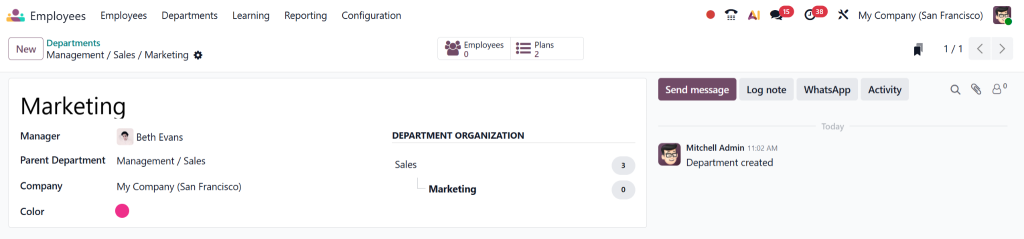
This simple process completes the Odoo 19 create department setup.
Step 4 – Assign Employees to Department Odoo 19
Now that your department is created, it’s time to populate it with employees.
- Open an employee record from the Employee App.
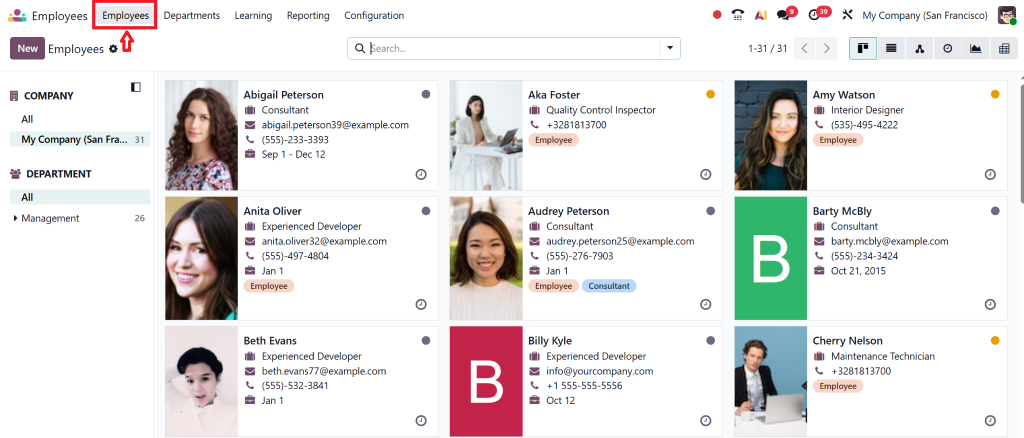
- Under the “Work Information” tab, find the Department field.
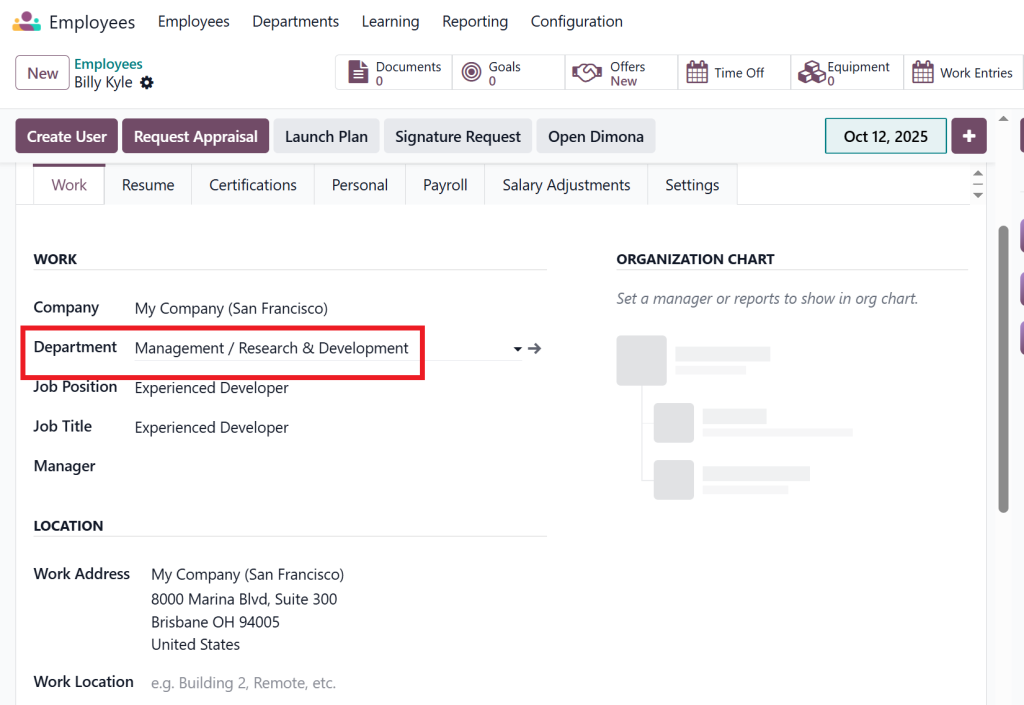
- Choose the department you just created.
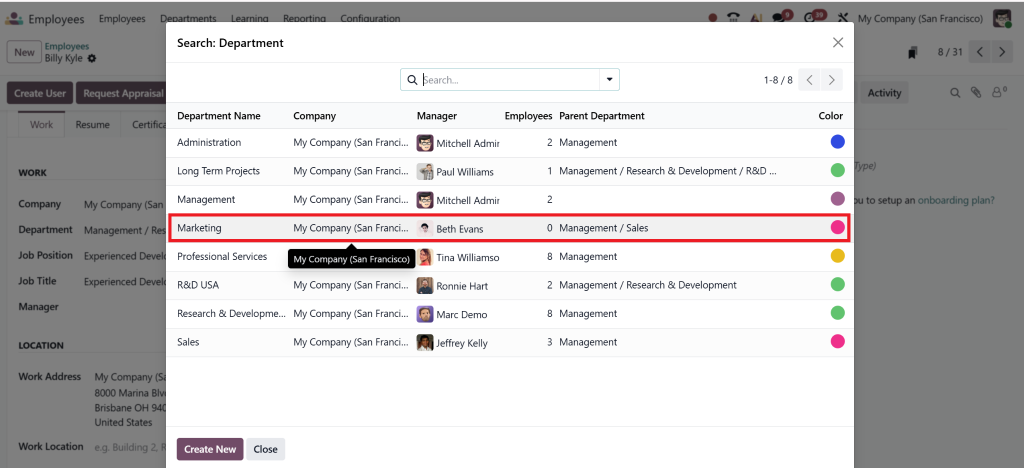
Repeat this process for all relevant employees.
This step ensures accurate employee department setup in Odoo 19.
Step 5 – Build the Odoo Employee Organisational Chart
Odoo 19 automatically generates a visual organisational chart based on the departments and assigned managers.
To access it:
Go to Employees → Departments → Hierarchy View
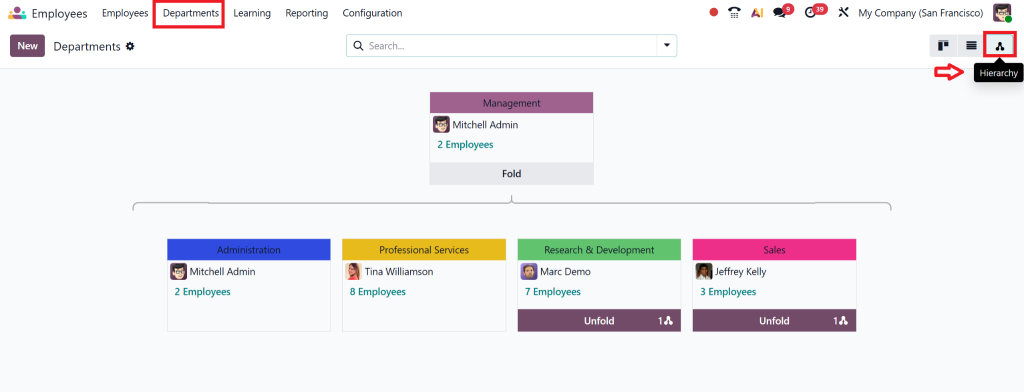
Here you’ll find a dynamic, real-time Odoo employee organisational chart, where each department appears as a node connected to its parent and manager.
This visualisation helps HR and management see the company structure at a glance.
Managing Department Hierarchy View in Odoo 19
Odoo 19 has enhanced the department hierarchy view with improved visuals and interactivity.
This feature is handy for medium and large-sized companies with multiple layers of reporting.
Key Advantages:
- Clear structure visualisation: Every department’s position and reporting line are visible.
- Drag-and-drop editing: Some versions allow reorganising departments directly from the chart.
- Quick access: Click any department node to instantly open its detailed record.
If you manage complex organisations, the Odoo 19 department hierarchy view offers a powerful way to track reporting chains and cross-departmental relationships.
Setting Up Department Managers in Odoo 19
Assigning managers correctly helps automate HR workflows like leave approvals, recruitment, and timesheet validation.
To perform the department manager setup in Odoo:
- Go to Employees → Departments
- Select a department
- In the “Manager” field, assign the responsible person
This person will now have automatic managerial rights over employees assigned to that department.
It’s that easy!
Proper department manager setup in Odoo ensures smoother internal workflows and better accountability.
Are you interested in learning more about how to create and manage a New Department in the Odoo 18 Employees App? Then you can read our blog on it.
Common Mistakes to Avoid When Creating Departments in Odoo 19
Although creating departments in the Odoo 19 Employee App is straightforward, even small mistakes can impact data consistency.
Here are some common pitfalls:
1. Not Setting Parent Departments
If you skip the “Parent Department” field, your organisational chart may look flat.
Always define parent-child relationships for a complete Odoo 19 department hierarchy view.
2. Forgetting to Assign a Manager
Without a manager, HR workflows, such as leave approvals, might not route correctly.
3. Mixing Multi-Company Records
If you use multiple companies, ensure that each department belongs to the right one.
4. Leaving Employees Unassigned
Always double-check that every employee is linked to a department. This ensures correct filtering in reports and dashboards.
Tips from Netilligence, Optimising Department Management in Odoo 19
As an official Odoo Partner, Netilligence has implemented Odoo HR systems for dozens of growing businesses.
Here are expert insights to make your employee department setup in Odoo 19 even more powerful:
Automate Onboarding
When you assign employees to departments, you can trigger automatic onboarding tasks via Odoo’s automation tools.
Integrate with Recruitment
Link your recruitment module to specific departments to directly add job applicants to their relevant department records.
Use Filters in Reporting
Filter payroll, attendance, or performance reports by department for cleaner insights.
Train Managers
Train department managers to update employee records regularly. This keeps your Odoo employee organisational chart accurate.
Why Choose Netilligence for Your Odoo Implementation?
When it comes to Departments in the Odoo 19 Employee App, the setup might seem easy, but optimising it for automation, multi-company structures, and advanced analytics requires professional expertise.
Netilligence, a certified Odoo Partner, specialises in:
- End-to-end Odoo Implementation & Customization
- Employee and HR module setup
- Odoo integration with payroll, timesheet, and attendance systems
- Data migration and AMC cost reduction
- Ongoing technical support and training
By choosing Netilligence, you’re not just getting configuration help; you’re partnering with experts who ensure your HR system scales seamlessly with your business.
Master Departments in Odoo 19 Employee App Today
Setting up Departments in Odoo 19 Employee App is more than just an administrative task; it’s the foundation for an organised, efficient, and scalable HR system.
In Odoo 19, create department steps to assign employees to their respective departments. This ensures every action contributes to a precise organisational flow.
And with Netilligence by your side, your Odoo HR setup becomes smarter, faster, and more reliable.
If you’re ready to optimise your HR structure, streamline your workflows, and visualise your organisation like never before
Contact Netilligence today for expert Odoo implementation and customisation.




