How to Create Invoice Sequence in Odoo 18 Accounting
Why Invoice Sequence in Odoo 18 Accounting Matters
When it comes to business operations, even a minor mistake in invoicing can lead to significant problems. That’s why Invoice Sequence in Odoo 18 Accounting plays a vital role in maintaining organised, error-free, and professional records. With the release of Odoo 18, setting up invoice numbering has become even more flexible and powerful.
Whether you’re a startup, a growing enterprise, or an established business, having a structured invoice sequence helps ensure compliance, clarity, and control over your financial documents. This blog will guide you through everything you need to know about setting up Odoo 18 invoice sequences, including step-by-step configuration, benefits, and expert tips.
We’ll also cover why choosing a trusted Odoo Partner, like Netilligence, can make all the difference when setting up complex features, such as invoice sequences, in your Odoo ERP.
What Is Invoice Sequence in Odoo 18 Accounting?
Invoice Sequence in Odoo 18 Accounting refers to the structured numbering system for sales and purchase invoices. Each invoice you generate must follow a unique and systematic numbering format, which helps in:
Tracking invoices easily
Avoiding duplicates
Ensuring legal compliance
Simplifying audits
In Odoo 18, you can create custom invoice sequences for different journals, companies, or invoice types (customer invoices, vendor bills, credit notes, etc.).
Benefits of Custom Invoice Numbering in Odoo 18
Legal Compliance and Audit Readiness
Regulatory bodies in many countries require invoices to be sequentially numbered to ensure transparency and traceability. Odoo 18 enables businesses to meet this requirement smoothly, reducing the risk of non-compliance penalties.
Organizational Efficiency
Custom invoice sequences enable businesses to sort and search invoices, thereby improving internal workflows quickly. For example, setting different prefixes for sales, purchases, and refunds makes navigation through large datasets more manageable.
Better Financial Reporting
Explicit and systematic invoice numbering supports more accurate financial reports. Businesses can quickly identify trends, filter specific periods, and detect anomalies by referencing invoice codes.
Scalability
As businesses grow, managing invoices across departments or branches becomes complex. With Odoo 18’s sequence configuration capabilities, organisations can define invoice logic that adapts to multi-company, multi-location setups.
Step-by-Step Guide to Create Invoice Sequence in Odoo 18 Accounting
Step 1: Activate Developer Mode
To configure invoice numbering in Odoo 18, you must first activate Developer Mode:
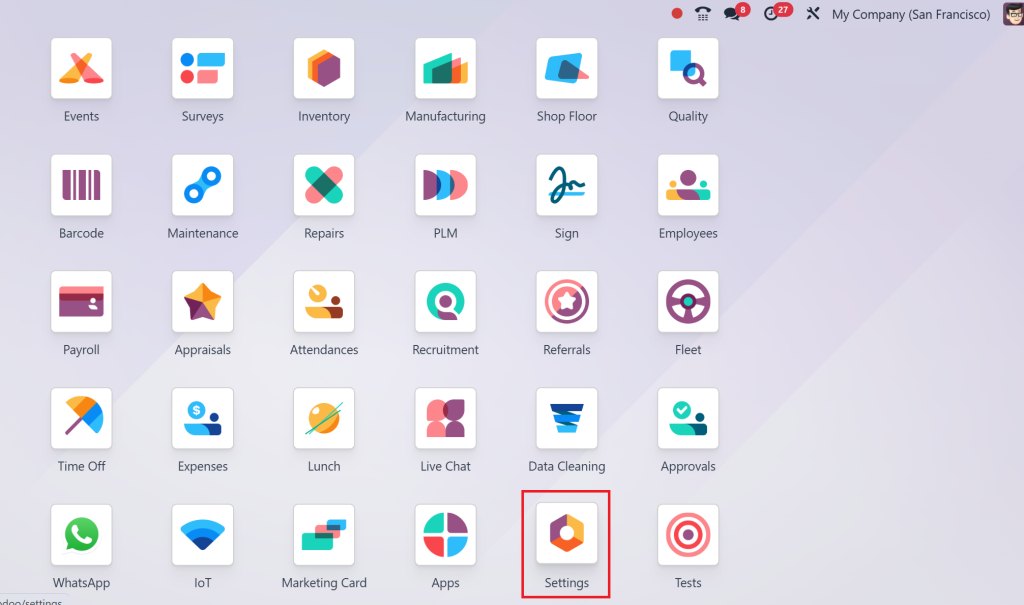
Go to the Settings menu
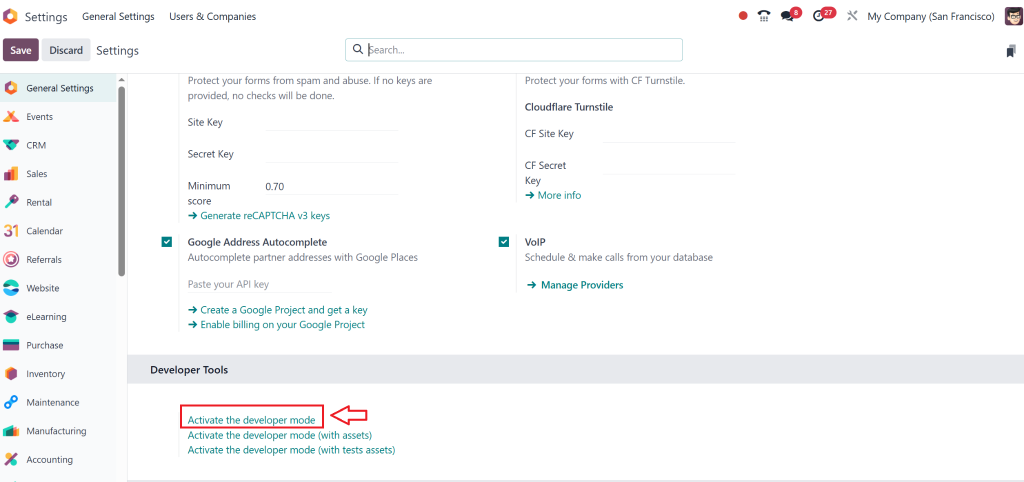
Click on “Activate Developer Mode” (usually found at the bottom or in the debug menu)
Step 2: Head to Sequence Configuration
After activating developer mode:
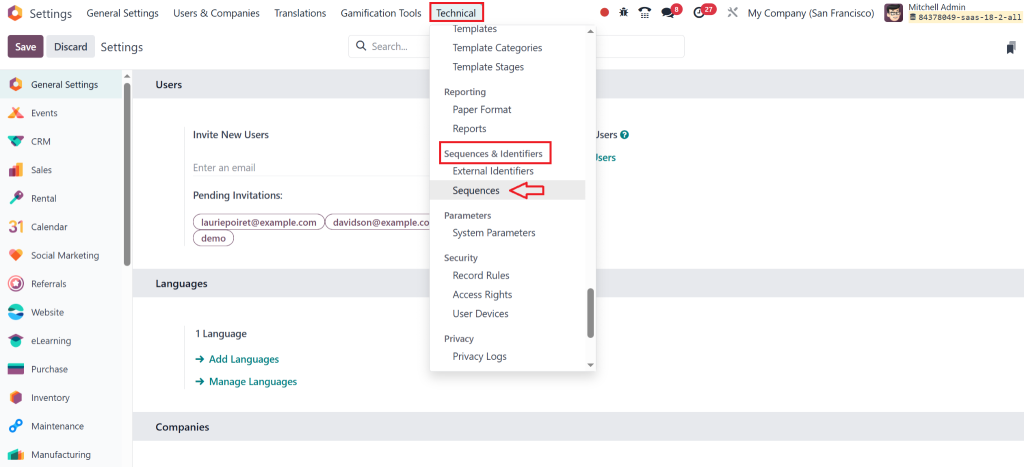
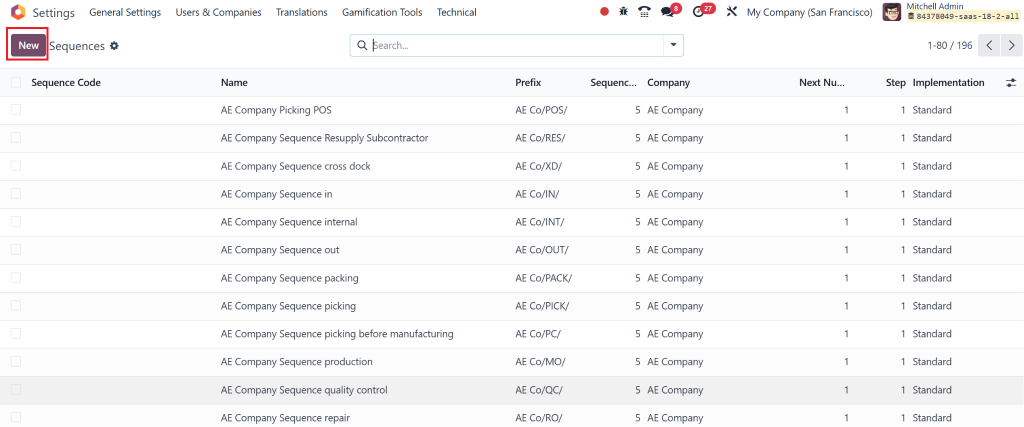
Navigate to: Technical > Sequences & Identifiers > Sequences
Click “Create” to define a new sequence for invoices
This area allows you to manage sequences for all documents within Odoo, not just invoices.
Step 3: Configure the Sequence Settings
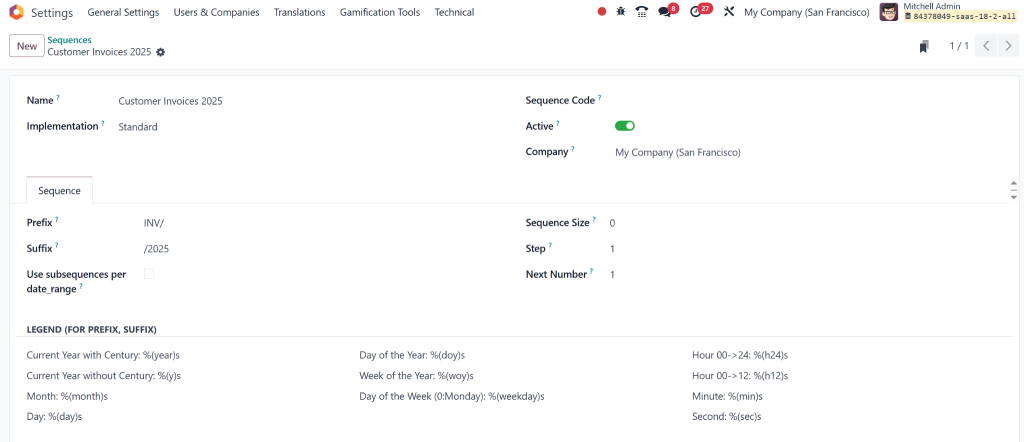
In the creation form, fill out the following:
Name: For internal identification (e.g., “Customer Invoices 2025”)
Prefix: To set how the sequence appears (e.g., “INV/2025/”)
Padding: Number of digits following the prefix (e.g., five results in “INV/2025/00001”)
Number Next Actual: Set the starting number (e.g., 1)
Implementation: Choose “Standard” for most use cases
Additional settings, such as date ranges and suffixes, can also be configured for greater control.
Step 4: Link the Sequence to a Journal
To apply this sequence to customer invoices:
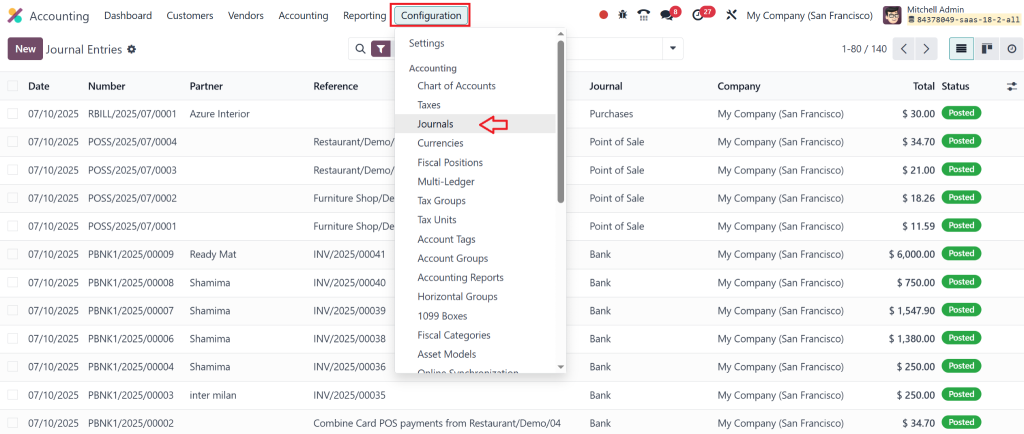
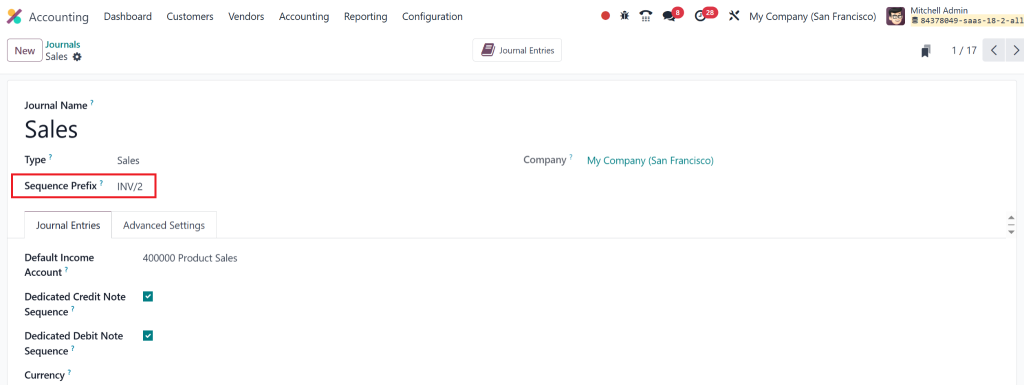
Go to Accounting > Configuration > Journals
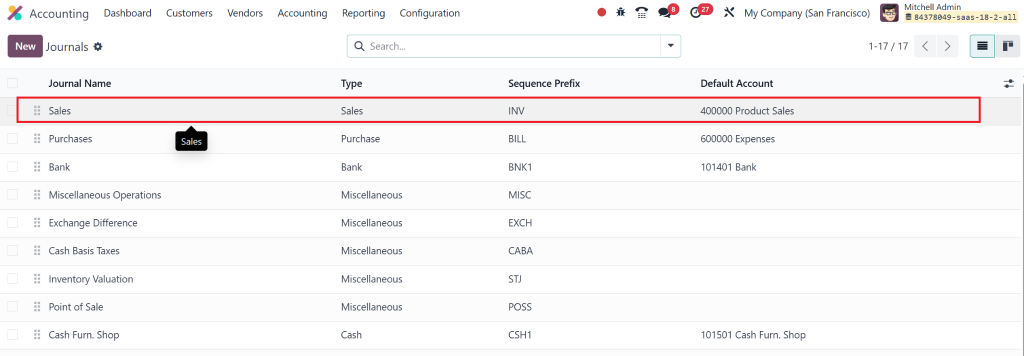
Open the desired journal (e.g., Sales Journal)
In the “Sequence” field, assign the sequence you just created
This connects the sequence logic to the financial documents generated in that journal.
Step 5: Validate and Test the Setup
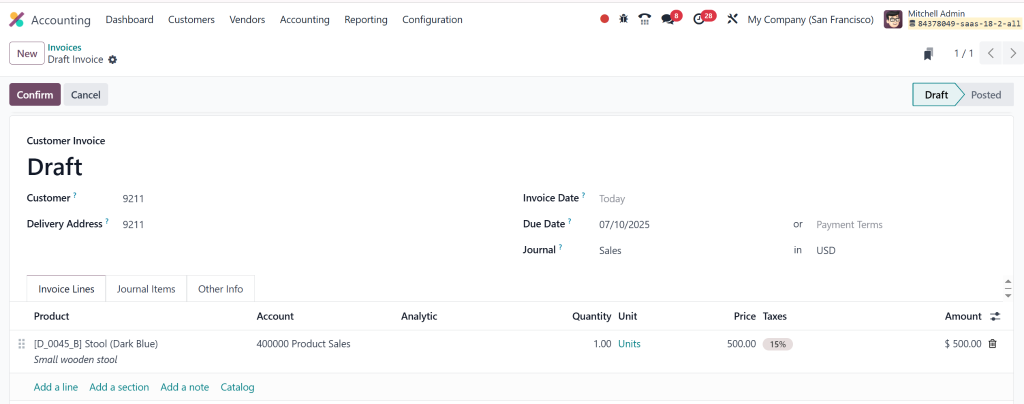
Create a test invoice in the customer invoices section:
Add customer and product details
Save and validate the invoice
Review the invoice number format
This step ensures the new configuration is working as expected.
Advanced Tips for Odoo 18 Document Sequence Configuration
Use Date-Based Prefixes and Suffixes
Including the year or month in your prefix (e.g., “INV/2025/” or “INV/07/2025/”) helps with historical tracking and segmentation.
Enable Dynamic Sequences by Fiscal Year
For businesses that want sequences to reset every year, Odoo supports setting up fiscal year-based sequences through date ranges.
Create Sequences for Other Document Types
Aside from invoices, sequences can also be configured for:
Credit Notes
Purchase Orders
Delivery Slips
Journal Entries
That creates a uniform structure across all documentation.
Restrict Sequence Modification
Once a sequence is actively used, avoid changing its configuration unless necessary. Adjusting live sequences may lead to duplicate numbers or audit discrepancies.
Key Configuration Parameters in Odoo 18 Accounting Sequence
To master the Odoo 18 accounting sequence configuration, it’s essential to understand each key field:
Prefix: Appears before the number (e.g., INV/2025/)
Padding: Total number of digits (e.g., 5 -> 00001)
Number Next: Defines the following number in the series
Implementation: Use “Standard” unless a custom module overrides it
Active: Toggle on/off to enable or disable sequence usage
Date Range: Optional field to create fiscal year-based ranges for sequence reset
Odoo’s Technical Capabilities for Better Invoice Management
With Odoo 18, the technical structure behind sequences is more robust and customizable. For advanced users or developers:
You can create XML records for sequences in custom modules
Use automated actions or server actions to manipulate sequences
Assign conditional logic to switch sequences based on customer type or region
These advanced techniques are beneficial for large businesses with complex workflows or multi-national operations.
Why Trust Netilligence with Your Odoo 18 Invoice Configuration?
At Netilligence, we bring both technical expertise and business acumen. As an official Odoo Partner, our team specialises in:
Customising invoice sequences based on regional regulations
Implementing best practices for Odoo 18 invoice sequence setup
Ensuring seamless integration across all modules, Accounting, Sales, Inventory
Offering tailored support, training, and documentation for end users
We help businesses not only implement Odoo but truly master it for growth and compliance.
Structure Your Finances with Confidence
Setting up the correct invoice sequence in Odoo 18 Accounting is crucial for maintaining clean financial records, ensuring regulatory compliance, and facilitating efficient internal operations. Odoo’s flexibility in sequence management allows businesses to define logical, scalable, and automated numbering strategies.
By following the step-by-step configuration process and applying best practices outlined here, you can avoid common pitfalls and future-proof your accounting setup.
Let Netilligence help you reveal the full potential of Odoo 18 Accounting sequence configuration, from implementation to optimisation.
Hi, I'm Nabia, an Odoo ERP functional & technical content writer. I specialize in blogs, social media content, ad copy, landing pages, service pages, and email campaigns.
We use cookies to ensure that we give you the best experience on our website. If you continue to use this site we will assume that you are happy with it.