Odoo 18 makes inventory management simple! Managed correctly, managing stock levels efficiently is no small task. Odoo’s Reordering Rules provide an efficient means of maintaining equilibrium for inventory levels to prevent running out or overstocking. Doesn’t that sound ideal?
Reordering Rules in Odoo provide an automatic solution to replenish stock when it begins running low, eliminating human error and increasing efficiency in inventory management. By setting minimum stock levels and reorder points, this feature helps reorganize day-to-day operations while improving inventory optimization and updating inventory management processes.
So, whether you’re a small medium or a large enterprise, understanding and utilizing Odoo reordering rules is crucial for better inventory management.
Let’s read its importance and how this feature works.
Why Are Reordering Rules in Odoo 18 Important for Your Business?
As it stands, manually tracking stock can be both time-consuming and risky. It could leave you without enough stock at critical moments or order too much at once, harming cash flow and customer satisfaction. That is where Odoo 18 reordering rules come in to help.
Imagine instead of manually monitoring stock levels or remembering when to reorder products, Odoo automatically places orders based on set parameters. Not only will that save time, but it will also help manage inventory more effectively, cutting operational costs while assuring customers their products will always be available in stock.
Here’s why reordering rules can benefit your business:
Odoo 18 Inventory Automation:
The system takes over once you set up the rules. It’s like having an employee dedicated to ensuring your stock never runs out.
Odoo 18 Automatic Replenishment:
The system generates purchase orders automatically whenever your stock reaches a predetermined reorder point.
Odoo 18 Inventory Optimization:
With proper setup, Odoo ensures you maintain just the right amount of stock, optimizing storage space and capital.
Setting Up Reordering Rules in Odoo 18: The Easy Way
It’s much simpler than you think, and I’ll walk you through it by step.
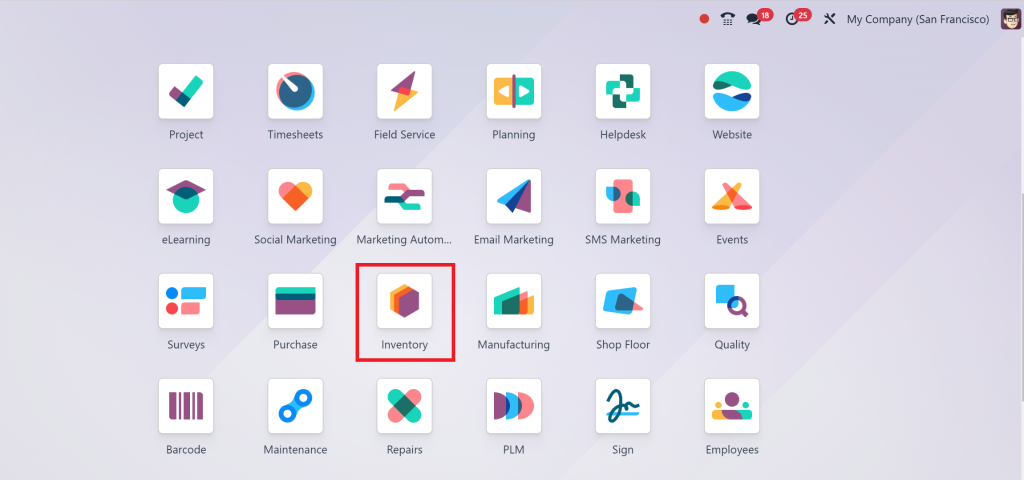
Step 1: Access the Inventory Module
First things first: Go to the Inventory Module in Odoo
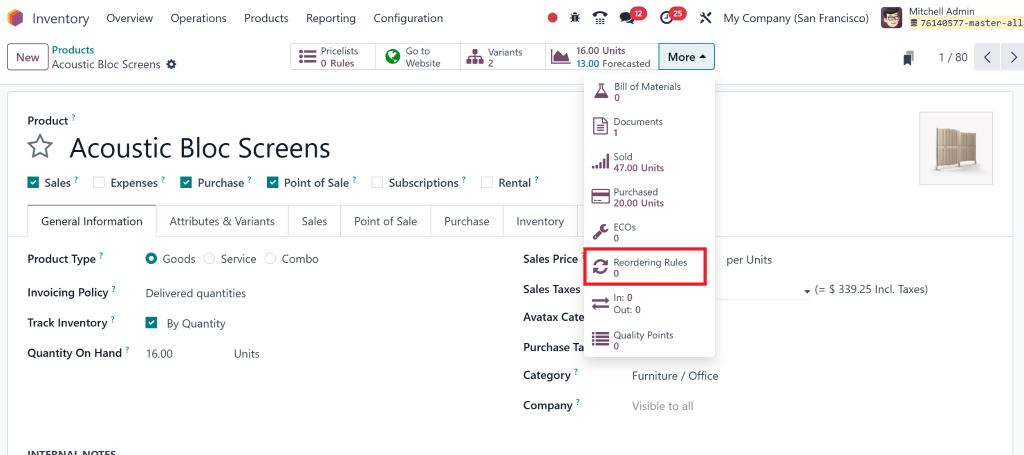
Once there, look for the “Reordering Rules” option under the Product. That is where all the work happens.
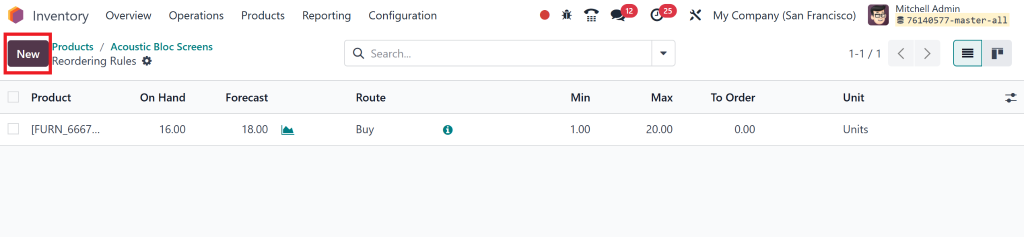
Step 2: Create a New Reordering Rule
Click on the “Create” button to set up a new rule.
You’ll need to fill in key details about the product for which you’re creating the rule. Here’s what you’ll define:
Product Name:
Write the name of the item or product.
Warehouse:
Choose the go down or warehouse where the rule applies.
Minimum Stock Level:
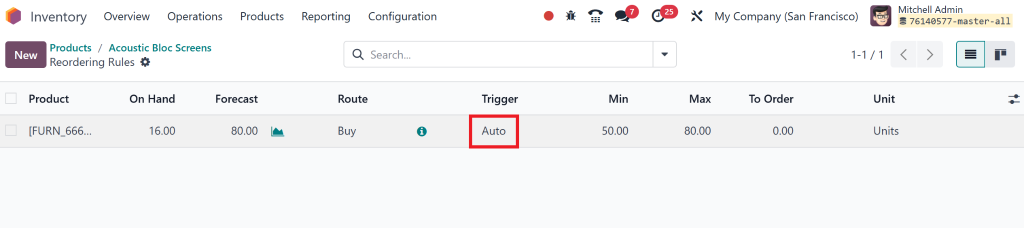
Think of it as your safety net. That is the minimum number of units you want in stock before triggering a restock.
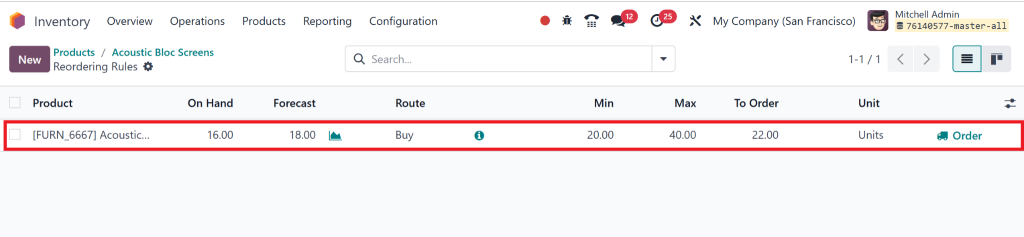
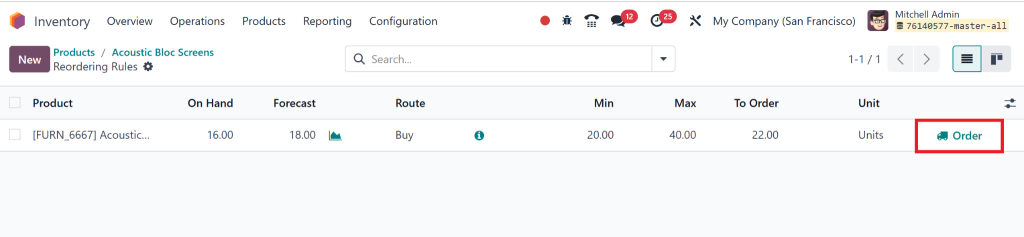
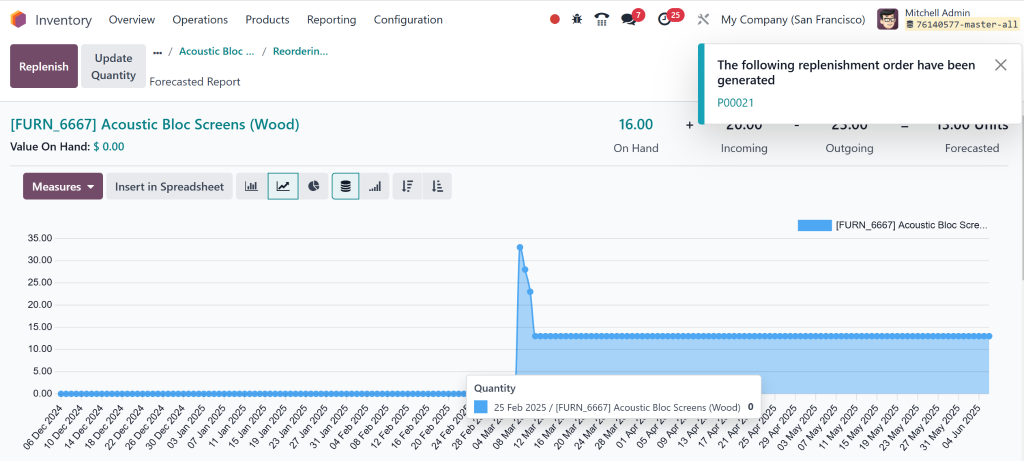
With this on hand, we have 16, and the forecasted amount is 18, and the maximum we need is 40; that’s why we have to order 22 more.
Step 3: Set Reorder Points
Next, you’ll set your Reorder Points.
That tells Odoo when it’s time to reorder. For instance, the system automatically generates a purchase order for more items if your reorder point is 10 and your stock level drops to 10 or lower.
Step 4: Lead Time and Odoo 18 Minimum Stock Rules
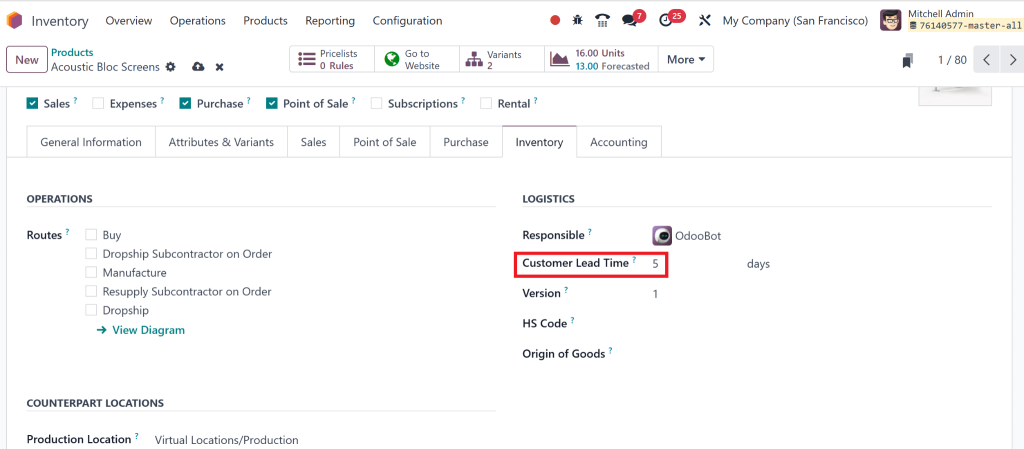
Then specify Lead Time (how long a supplier takes to deliver the product) and Maximum Stock (the highest level of stock you want to keep). These factors are essential for balancing demand and supply.
Step 5: Activate the Rule
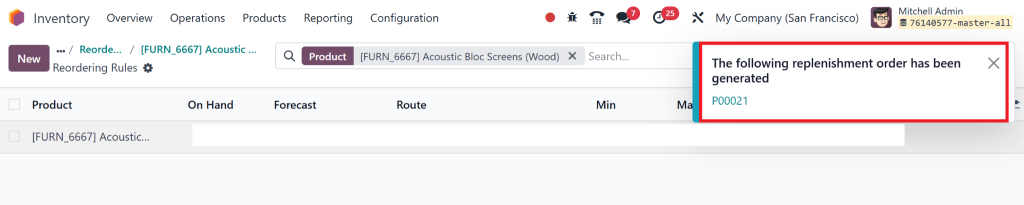
After everything’s set up, hit save and activate the rule. You’re done! Odoo will now track the inventory and place orders automatically once stock levels reach the minimum threshold.
How Does Odoo 18 Inventory Automation Benefit You?
At this point, you might wonder, “What makes this so important?” Let’s elaborate on why Odoo inventory automation and reordering rules are such a game-changer for businesses of all sizes.
1. Save Time with Odoo 18 Stock Replenishment Settings
The days are gone when you must manually check stock levels, create purchase orders, and chase suppliers. Odoo automatic replenishment does all this for you, saving you precious time that can be spent on other business areas
2. Never Run Out of Stock Again
Running out of stock is inefficient, especially when trying to meet customer demand. Setting minimum stock rules in Odoo ensures that stock is automatically replenished before you hit those critical low points. Your business can now function smoothly without hiccups.
3. Cut Costs and Improve Efficiency
One of the primary key benefits of Odoo is inventory best utilization, which reduces waste. By preventing understocking and overstocking, you can reduce markdowns on unsold products, save on storage costs, and improve your cash flow.
Advanced Tips to Maximize Reordering Rules in Odoo 18
Okay, now that you have the basics down, what if you want to take things to the next level? Here are a few advanced tips to help you make the most of Odoo reordering rules.
1. Set Up Separate Rules for Multiple Warehouses
If you manage inventory in multiple warehouses, you can set up individual reordering rules for each. That helps you manage stock levels efficiently at each location. For example, your warehouse in New York may need to reorder a product more frequently than your warehouse in California.
2. Use Multiple Reorder Points for Different Products
Not all products sell at the same rate, so don’t treat them the same in your reordering rules. Set a lower reorder point for fast-moving items so the system can place orders sooner. For slower-moving items, set a higher reorder point to avoid overstocking.
3. Check Your Reordering Rules:
You must periodically review or check your Odoo reordering rules to ensure they match your company’s current needs. For example, if a product suddenly becomes a best-seller, you should adjust the reorder point to keep up with demand.
4. Utilize Odoo 18 Reporting Features
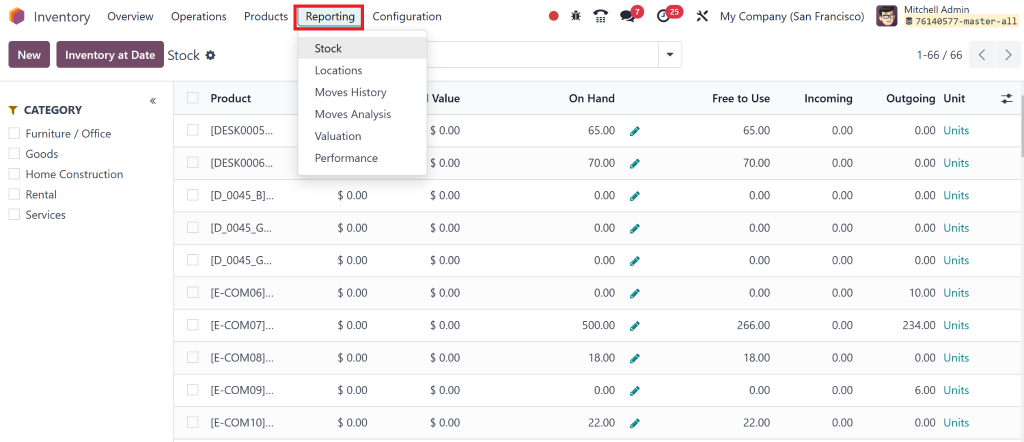
Odoo has strong reporting tools that allow you to track the performance of your reordering rules. Check the reports to see if your rules are working effectively or if adjustments need to be made.
The Key to Efficient Odoo 18 Inventory Management
By now, you should clearly understand how Reordering Rules in Odoo work and why they are essential for modernizing inventory management. Whether you’re looking to automate your Odoo inventory management, reduce human error, or optimize stock levels, these rules are designed to make your life easier.
With Odoo automatic replenishment, inventory optimization, and minimum stock rules, you can ensure that your inventory is always at the right level – without overstocking or running out of stock.
If you’re ready to start using Odoo reordering rules or need help configuring them for your business, please get in touch with us. Let us help you unlock the full potential of your inventory system!
Hi, I'm Nabia, an Odoo ERP functional & technical content writer. I specialize in blogs, social media content, ad copy, landing pages, service pages, and email campaigns.
We use cookies to ensure that we give you the best experience on our website. If you continue to use this site we will assume that you are happy with it.