Lead scoring in Odoo 18 CRM allows businesses to prioritize leads based on engagement, behavior, and potential to convert. By implementing a well-configured lead scoring system, you can guide your sales team toward high-value prospects, streamlining efforts and boosting conversion rates. This powerful tool enables automatic follow-ups, effective resource allocation, and sales pipeline optimization—essentially enhancing your sales process for maximum impact.
Why You Can't Ignore Lead Scoring in Odoo 18 CRM
Lead scoring is no longer a “nice-to-have”; it’s a must for businesses that want to stay ahead of the competition. With Odoo 18 lead scoring, your sales team can quickly identify which leads are more likely to convert and focus their energy on those prospects. A solid lead scoring system reduces wasted time on low-priority leads and helps sales reps build better relationships with those who are ready to buy.
According to research, companies with an effective lead scoring system see a 77% increase in lead generation ROI. This highlights the effectiveness of focusing efforts on high-potential leads.
Getting Started with Odoo 18 Lead Scoring Configuration
Now that we understand the importance, let’s dive into the process of setting up Odoo 18 CRM lead scoring configuration.
Step 1: Define the Key Criteria for Scoring Your Leads
First, determine what factors should influence your lead scores. Common criteria include:
- Lead engagement: How many emails they open, links they click, or pages they visit.
- Lead source: Whether they came through a marketing campaign, direct inquiry, or referral.
- Business relevance: Company size, industry, or geographic location.
- Behavioral signals: Actions like downloading content or requesting a demo.
By identifying these criteria, you can then assign points to each factor, allowing Odoo 18 to calculate a final score that reflects a lead’s likelihood to convert.
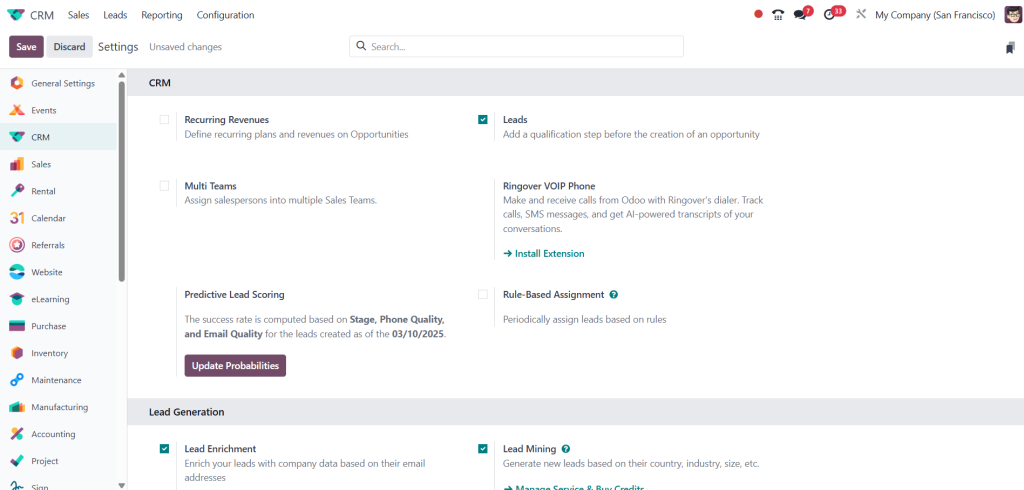
Step 2: Assign Points Based on Lead Interaction
For each interaction or lead attribute, assign points. For example:
- Email opened: +10 points
- Website visit: +15 points
- Lead from a marketing campaign: +20 points
- Referral lead: +25 points
These points will accumulate, giving you a clear view of how engaged and valuable each lead is.
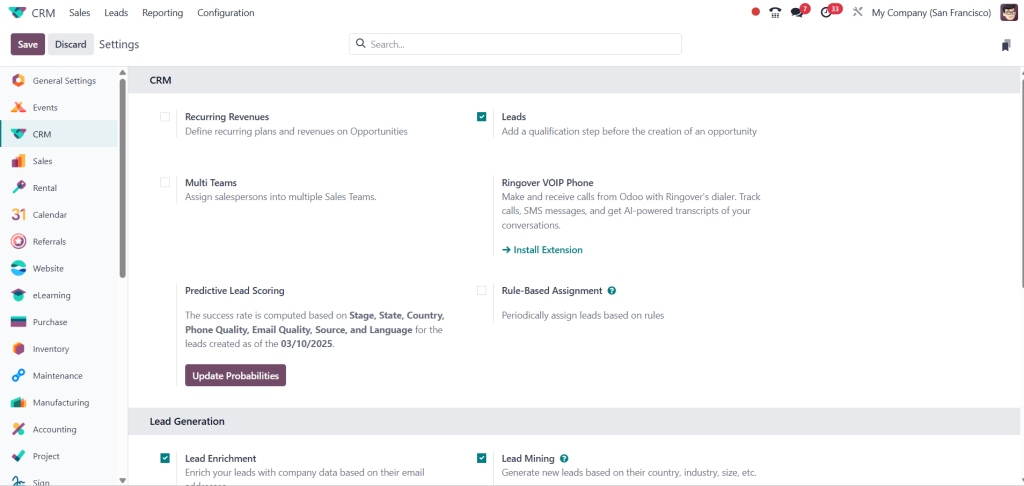
Step 3: Automate Lead Scoring with Odoo 18 CRM
Once the points system is configured, it’s time to automate the lead scoring process. You can create automatic actions for:
- Lead Assignment: High-score leads can be automatically assigned to the most experienced sales representatives.
- Follow-up: Trigger automatic follow-up emails or task creation for leads with the highest scores.
This automation boosts efficiency by ensuring that leads are followed up promptly based on their scoring, improving the chance of conversion.
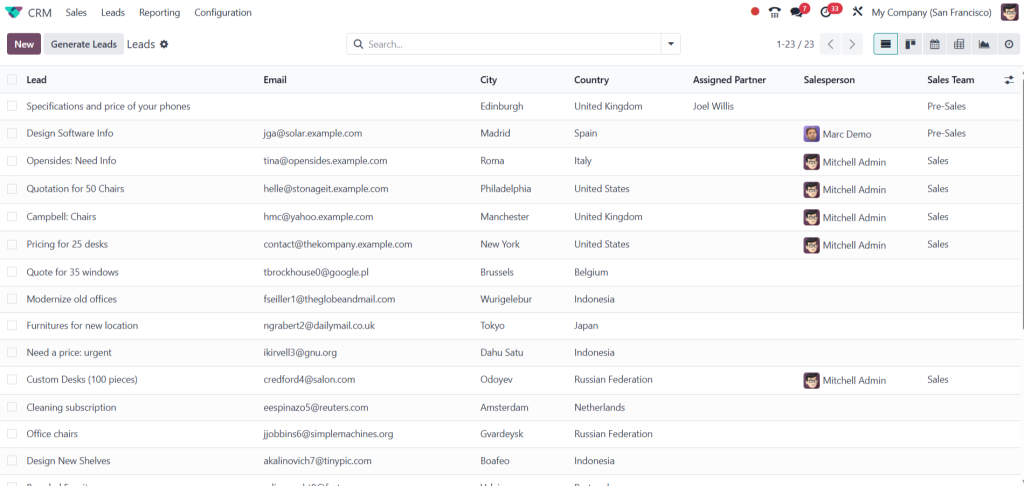
Predictive Lead Scoring: Let Odoo 18 CRM Do the Heavy Lifting
Odoo 18 predictive lead scoring takes things to the next level by using AI to forecast which leads are most likely to convert. It analyzes historical data, previous interactions, and patterns to provide an even more precise score.
Why You Should Use Odoo 18 Predictive Lead Scoring:
- Accurate Predictions: AI-driven predictions reduce guesswork and prioritize leads based on data patterns.
- Increased Conversions: Helps sales reps focus on high-priority leads that are more likely to turn into paying customers.
- Proactive Approach: Predictive scoring helps businesses identify warm leads early, ensuring timely follow-ups.
This feature, powered by machine learning, automates the decision-making process and allows your team to stay ahead of the game.
Supercharge Your Sales Pipeline with Odoo 18 CRM Automation
One of the key advantages of Odoo 18 CRM lead scoring is its seamless automation capabilities. Here’s how you can leverage automation for maximum results:
- Automatic Lead Assignment: Based on score, high-value leads can be assigned to specific sales reps.
- Lead Nurturing: Low-priority leads can be automatically added to nurturing campaigns, allowing you to engage them over time without manual effort.
- Task Creation: For leads that are nearing conversion, Odoo can automatically create follow-up tasks or reminders for your sales team.
Odoo 18 CRM’s lead scoring automation ensures that every lead is handled efficiently, eliminating the need for manual processes.
Best Practices for Odoo 18 CRM Lead Scoring Success
To get the most out of Odoo 18 lead scoring, consider these best practices:
1. Align Your Lead Scoring with the Sales Funnel
Make sure your lead scoring criteria align with your sales stages. A lead with a high score in the awareness stage should be treated differently than one nearing the decision-making stage.
2. Continuously Refine Your Lead Scoring System
As you analyze results and conversion patterns, update your lead scoring rules accordingly. This will ensure you remain aligned with changing customer behaviors and business goals.
3. Integrate with Marketing Campaigns
Odoo 18 CRM can be integrated with marketing tools to sync lead scores with campaigns, providing a cohesive approach for nurturing and converting leads.
4. Train Your Sales Team to Interpret Lead Scores
Sales reps need to understand how to use lead scores to prioritize follow-ups effectively. Providing training ensures that they make the most of the data at their disposal.
5. Use Predictive Lead Scoring for Enhanced Accuracy
Let predictive lead scoring guide your decisions. It uses AI to continuously improve scoring accuracy, ensuring you stay ahead of the curve.