

When you review your accounts, you expect everything to align. But the moment you compare your credit card statement with your system, small gaps start to appear. A few transactions look unfamiliar, some entries seem missing, and suddenly the numbers don’t feel reliable.
This situation is quite common, especially when there isn’t a clear process in place to manage and reconcile credit card transactions in Odoo 19. The system itself is structured, but if entries are recorded without a consistent approach, it becomes difficult to understand what is actually happening in your accounts.
In this guide, I will walk you through how to manage and reconcile credit card transactions in Odoo 19 in a way that keeps your records accurate and easy to follow. You will also see how to reconcile credit card payments in Odoo 19 works in practice, so that your statements and system stay aligned without unnecessary effort.
Odoo 19 Credit Card Journal Setup for Accurate Tracking
A well-configured system always starts with the right setup. The same applies to your Odoo 19 credit card journal setup.
The credit card journal acts as a dedicated space where all card-related transactions are recorded. It is usually created as a bank-type journal, but it represents a liability, since the amount spent through the card is payable to the bank.
When the Odoo 19 credit card journal setup is done correctly, every transaction has a clear place in the system. This reduces confusion later, especially during reconciliation. Without this structure, even correctly recorded expenses may not reflect properly in reports.
Taking a few minutes to configure the journal properly saves a significant amount of time when reviewing accounts later. The first step is to go to: Accounting → Configuration → Journals → New.
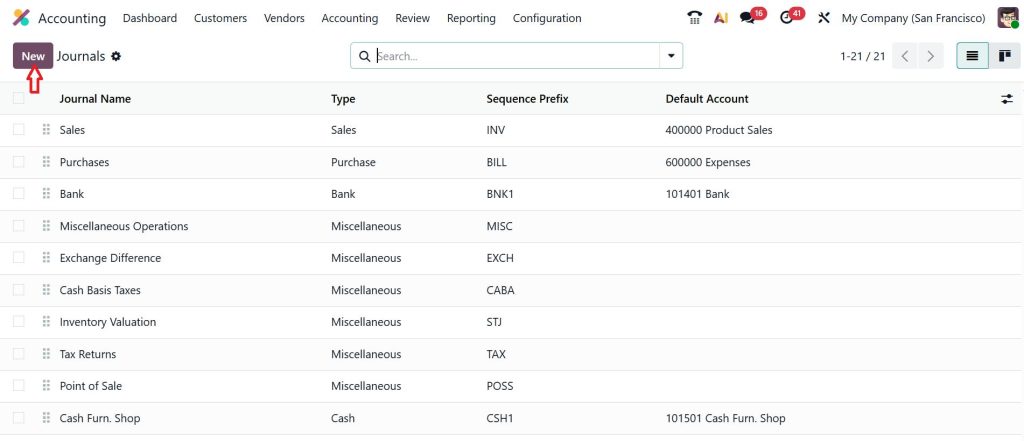
Now configure:
Journal Name: Company Credit Card
Type: Bank
Account: Credit Card Liability Account
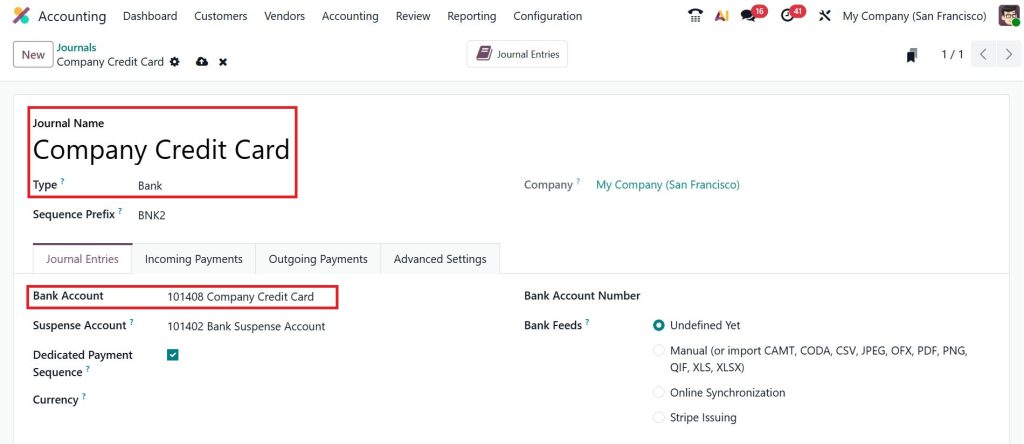
This is your Odoo 19 credit card journal setup, and it’s important because:
- It tracks what you owe to the bank
- It records all credit card transactions in one place
Now, configure Default Accounts and make sure:
- Outstanding payments account is set
- Suspense account is properly configured
This helps during reconciliation and avoids mismatches later.
Odoo 19 Accounting Credit Card Expense Recording with Proper Structure
Recording expenses correctly is one of the most important parts of managing credit cards. In Odoo 19, each transaction should reflect both the nature of the expense and the source of payment. When a credit card is used, the expense should be linked to the credit card journal rather than a bank account.
This ensures that your expenses are recorded once and remain connected to the outstanding balance on the card. If expenses are recorded inconsistently, it becomes difficult to match them with statement entries later.
A structured approach to Odoo 19 accounting credit card expense recording not only improves accuracy but also makes your financial reports more meaningful. You can clearly see where money is being spent without needing to revisit entries again and again. Now let’s talk about recording expenses.
Method 1 – Record Expenses Manually
Go to: Accounting → Vendors → Bills → New.
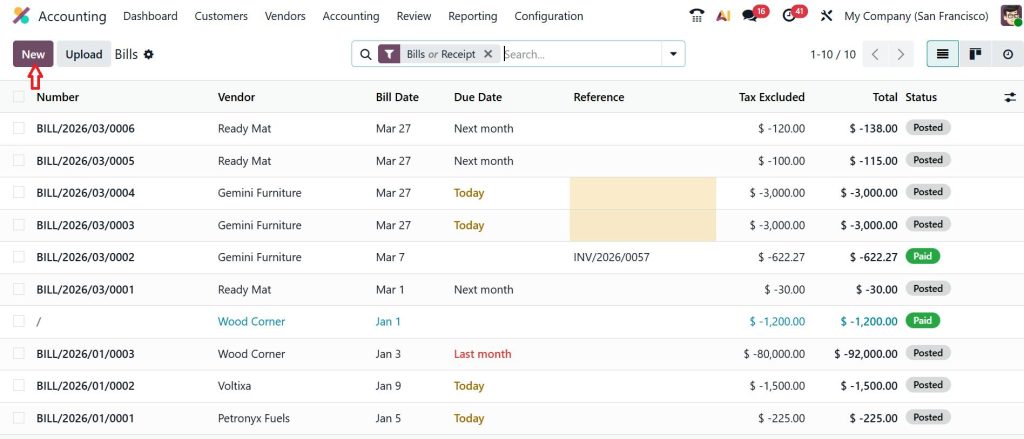
Add:
- Vendor name
- Expense account
- Amount
- Payment method (Credit Card Journal)
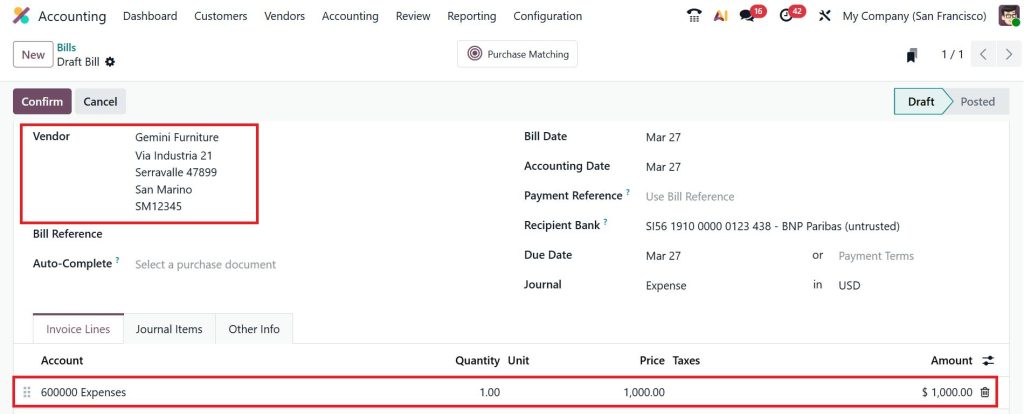
This is a basic way of handling Odoo 19 accounting credit card expense recording.
Method 2 – Use Expense Module (Recommended)
If your team uses company cards:
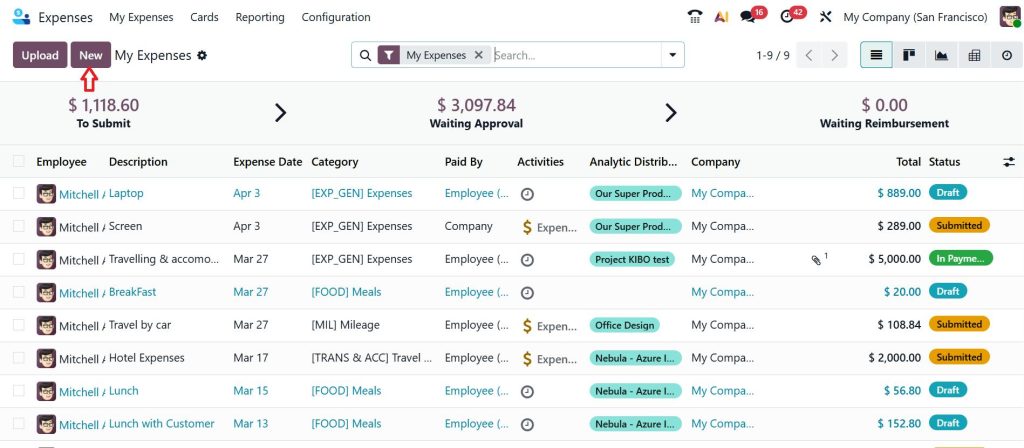
Go to: Expenses → Create a New Expense
Add:
- Employee name
- Expense category
- Attach receipt
- Select Paid by Company (Credit Card)
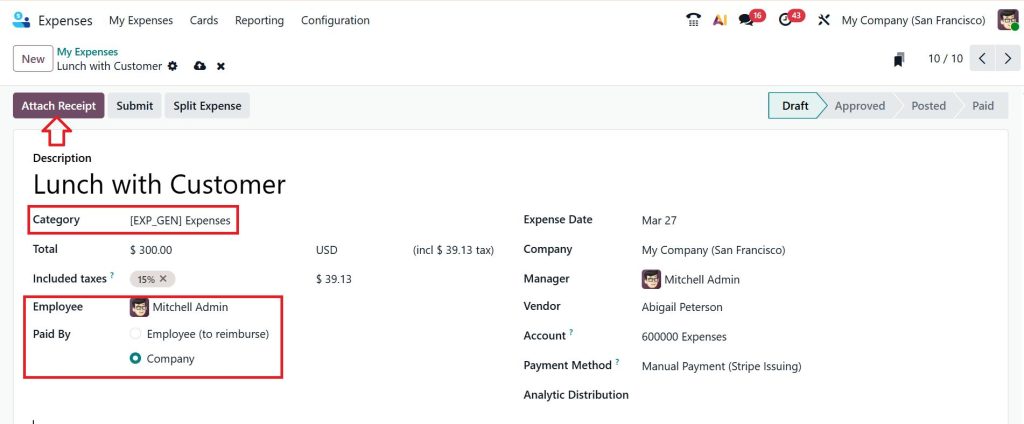
This method:
- Improves tracking
- Reduces errors
- Keeps records clean
Internal Transfer Bank to Credit Card Odoo 19 for Payment Recording
Paying a credit card bill is often misunderstood in accounting records. The payment does not create a new expense. Instead, it settles the liability that was already recorded when the card was used. In Odoo, this is handled through an internal transfer bank to a credit card in Odoo 19.
This transfer moves the balance from your bank account to the credit card journal, reducing the outstanding amount. Recording it this way keeps your expenses accurate and prevents duplication.
When the internal transfer bank to credit card Odoo 19 is recorded properly, your financial data remains clean, and your reports reflect the true position of your business. When you pay your credit card bill, it’s not an expense again; it’s a payment.
How to Record Internal Transfer
Go to: Accounting → Payments → New.
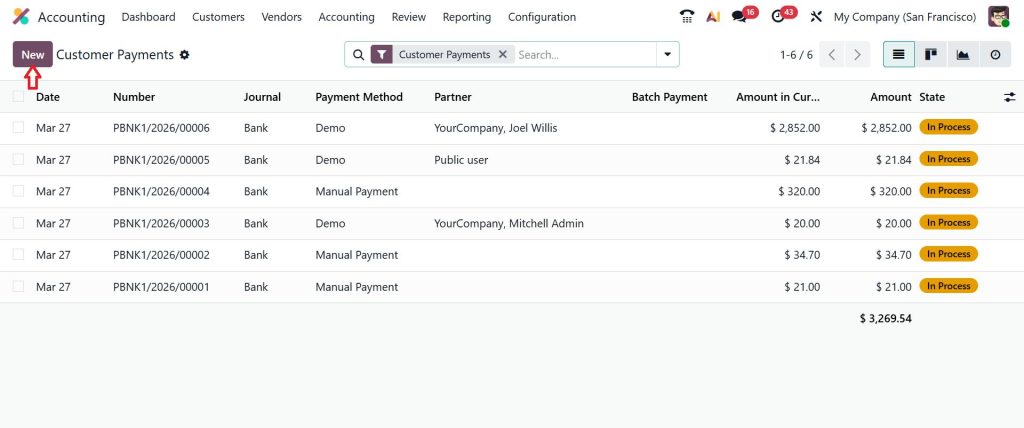
Set:
- Payment Type
- Bank Account
- Journal
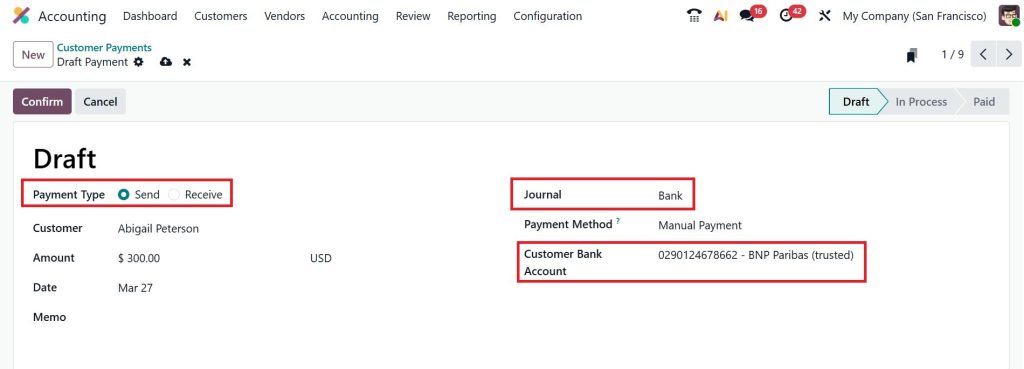
This process is called internal transfer from bank to credit card in Odoo 19.
Why this matters:
- Avoids double-counting expenses
- Keeps liabilities accurate
- Makes reconciliation smooth
Credit Card Reconciliation Step by Step Odoo 19 for Accurate Matching
Reconciliation is where everything comes together. The goal of the credit card reconciliation step-by-step Odoo 19 is to ensure that every transaction in your statement exists in your system and matches correctly.
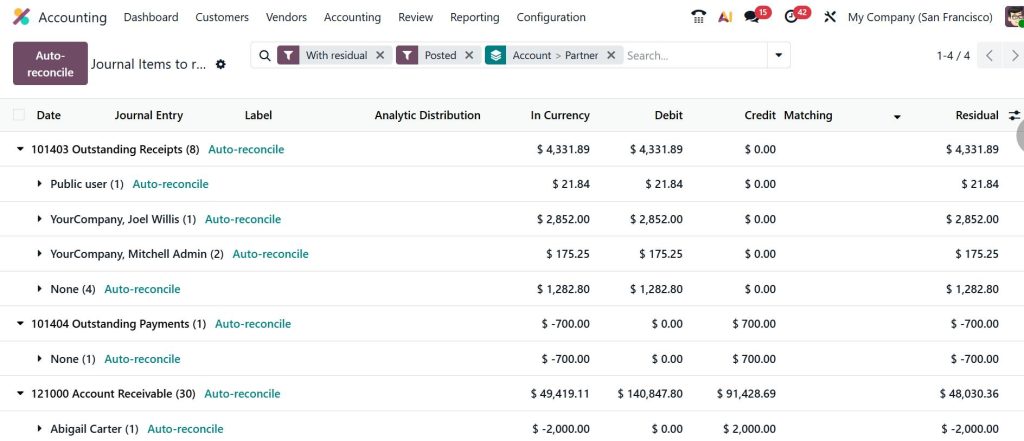
The process begins by importing or entering your credit card statement into Odoo. Once the transactions are available, the system attempts to match them with existing records. Transactions that were recorded properly earlier are usually matched automatically.
For entries that do not match, a quick review helps identify whether the issue is related to missing entries, incorrect amounts, or timing differences. Once all transactions are aligned, the reconciliation can be validated.
Following the credit card reconciliation step by step, Odoo 19’s approach regularly keeps your records up to date and avoids last-minute corrections.
How to Reconcile Credit Card Payments Odoo 19 Without Errors
Credit card payments require a clear connection between your bank and credit card records. Understanding how to reconcile credit card payments in Odoo 19 becomes straightforward when payments are recorded as internal transfers. During reconciliation, the payment appearing in the bank statement is matched with the corresponding transfer entry.
This step ensures that the payment is correctly reflected in both accounts without affecting expense totals. When handled consistently, it removes confusion and keeps your balances accurate.
Best Practices for Credit Card Management Odoo 19 for Better Control
Consistency plays a major role in maintaining accurate financial records. Following a few simple best practices for credit card management, Odoo 19 can make a noticeable difference. Recording expenses at the time they occur helps avoid missing details later. Regular reconciliation, even on a weekly basis, keeps the process manageable and reduces the risk of errors.
It is also important to ensure that all users follow the same method for recording transactions. A consistent approach across the team prevents mismatches and makes reporting more reliable.
By applying these best practices for credit card management in Odoo 19, you create a system that is easier to maintain and review.
How Everything Connects When You Manage and Reconcile Credit Card Transactions in Odoo 19 Properly
You set up your credit card journal. Then you record each expense correctly. After that, you pay your credit card bill using an internal transfer. Finally, you reconcile your transactions to make sure everything matches. This is the full flow of how you manage and reconcile credit card transactions in Odoo 19.
There’s no need to overcomplicate it. Each step has a clear purpose. Once you follow the flow properly, everything starts to make sense. And the next time you open your system and compare it with your statement, you won’t feel confused. You’ll know exactly where everything is coming from.
Keep Your Credit Card Records Accurate in Odoo 19
Managing credit card transactions doesn’t have to feel complicated when the process is clear from the start. Once you follow the right structure, your entries stay organized, your balances make sense, and your reconciliation becomes much easier to handle.
If you are still facing mismatches or feel unsure about your current setup, it’s a good time to review your process and fix the gaps before they grow further. A small correction today can save you hours later.
If you want to set up your system properly or need guidance on managing your accounting in Odoo 19, the team at Netilligence is here to help.
Reach out to us and let’s make your accounting simple, accurate, and easy to manage.




