


Why Businesses Need to Automate Lead Assignment in Odoo 19 CRM
If you are working with a sales team, you already know how quickly leads start piling up. One lead comes from your website, another from email, a few from social media, and some from marketing campaigns. Now, suppose you have to manually check every lead and decide which salesperson should handle it. This is exactly where many businesses start facing delays.
When companies don’t automate lead assignment in Odoo 19 CRM, sales teams often waste time deciding who should handle which lead. Sometimes one salesperson receives too many leads while another receives very few. Sometimes a good lead sits in the system for hours before someone even notices it.
This is why many companies are now choosing to automate lead assignment in Odoo 19 CRM. When the process becomes automatic, every lead goes directly to the right salesperson without waiting. Your team responds faster, your leads stay organized, and your sales pipeline becomes easier to manage.
In this blog, I will explain how to assign leads in Odoo 19 CRM automation, how Odoo CRM lead distribution rules work, and how businesses can use auto lead assignment in Odoo 19 to make their CRM workflow easier.
The Real Problem Before Auto Lead Assignment in Odoo 19
Before companies start using auto lead assignment in Odoo 19, many of them rely on manual lead management. At first, it may feel manageable. A small business may receive only a few leads every day, and someone from the team simply assigns them.
But as the business grows, the number of leads increases. Suddenly, your CRM starts filling up with new contacts every day. Someone has to check each lead, decide which salesperson should take it, and assign it manually.
This process slows things down. A lead that arrives in the morning might not get assigned untilthe afternoon. By that time, the customer may already be talking to another company.
When businesses start using Odoo CRM lead distribution rules, this problem starts disappearing. The system itself decides where the lead should go.
Understanding Odoo 19 CRM Rule Based Assignment
One of the most useful features inside Odoo CRM is Odoo 19 CRM rule-based assignment. Instead of manually selecting a salesperson, you create rules that decide how leads should be distributed. Think of it like giving instructions to your CRM.
For example, you might say:
- If the lead comes from the UAE → send it to the UAE sales team.
- If the lead asks about ERP services → send it to the ERP specialist.
- If the lead comes from a marketing campaign → send it to the inside sales team.
This is exactly how Odoo 19 automatic lead assignment rules work. The system reads the information inside the lead and then checks which rule matches it. Once it finds the right rule, the lead is automatically assigned. This is one of the easiest ways to automate lead assignment in Odoo 19 CRM.
How Odoo CRM Lead Distribution Rules Keep Sales Teams Organized
Now imagine your company receives 100 leads every week. Without proper structure, some salespeople might get overloaded while others wait for new opportunities. This is where Odoo CRM lead distribution rules become very helpful.
These rules help distribute leads based on specific conditions. Businesses can create rules based on:
- Location of the customer
- Type of product or service
- Lead source
- Industry
- Sales team specialization
When companies apply Odoo CRM lead distribution rules, the CRM automatically sends leads to the right team member. This keeps the sales process organized and ensures that each lead reaches someone who understands that customer’s needs.
How Odoo 19 Automatic Lead Assignment Rules Work
Once you start using Odoo 19’s automatic lead assignment rules, the entire lead management process becomes much easier. Whenever a new lead enters the system, Odoo checks the lead information. It looks at details like country, product interest, and lead source. Then the system checks which rule applies to that lead. If the lead matches a specific rule, it gets assigned immediately.
For example, if someone fills out a website form asking about Odoo implementation services, the system can automatically assign that lead to the ERP sales team. This process happens within seconds. That is why many businesses choose to automate lead assignments in Odoo 19 CRM.
Odoo 19 CRM Lead Assignment Round Robin for Fair Distribution
Sometimes companies don’t want to assign leads based on rules. Instead, they simply want each salesperson to receive an equal number of leads. This is where Odoo 19 CRM lead assignment round robin becomes useful. Round robin means leads are distributed one by one to different salespeople in a sequence.
For example, if you have three sales representatives, the first lead goes to salesperson A, the second to salesperson B, the third to salesperson C, and the fourth returns to salesperson A again. This cycle continues automatically.
Using Odoo 19 CRM lead assignment round robin, businesses ensure that every salesperson gets a fair share of leads. This method works especially well for companies that receive many inbound leads from websites or marketing campaigns.
How to Assign Leads in Odoo 19 CRM Automation Step by Step
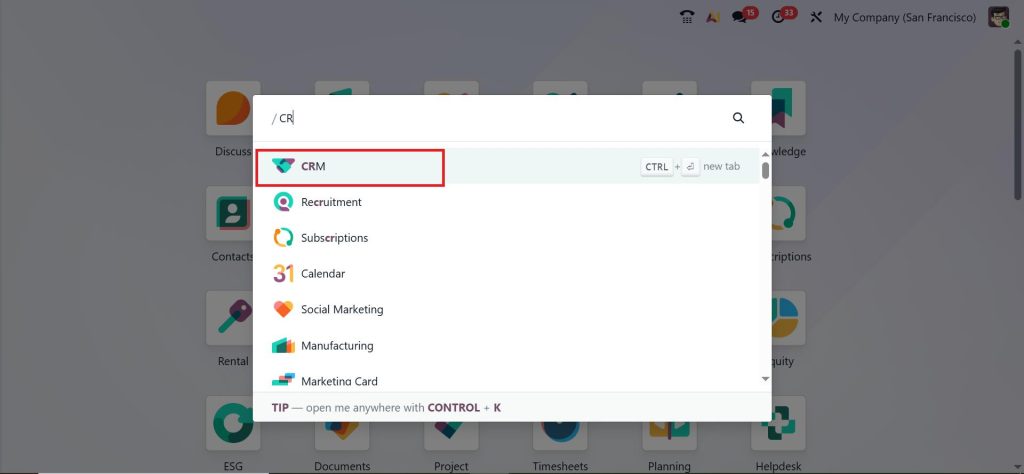
Automating lead assignment helps your business distribute incoming leads automatically to the right salesperson or the right sales team. So, this ensures that leads are handled quickly and efficiently without manual work. This is a good feature that you can enable under the CRM module. Let’s see how we can simply do that with that. First, open the CRM module.
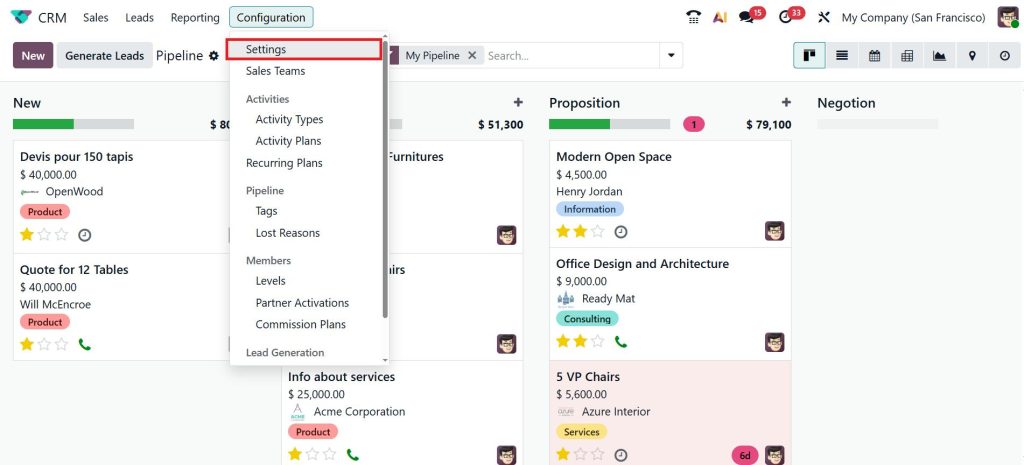
Once you open the CRM module, you can see the CRM pipeline where all leads and opportunities are managed to automate the lead assignmen,t we need to configure a particular option under the configuration settings. Go to the Configuration > Settings.
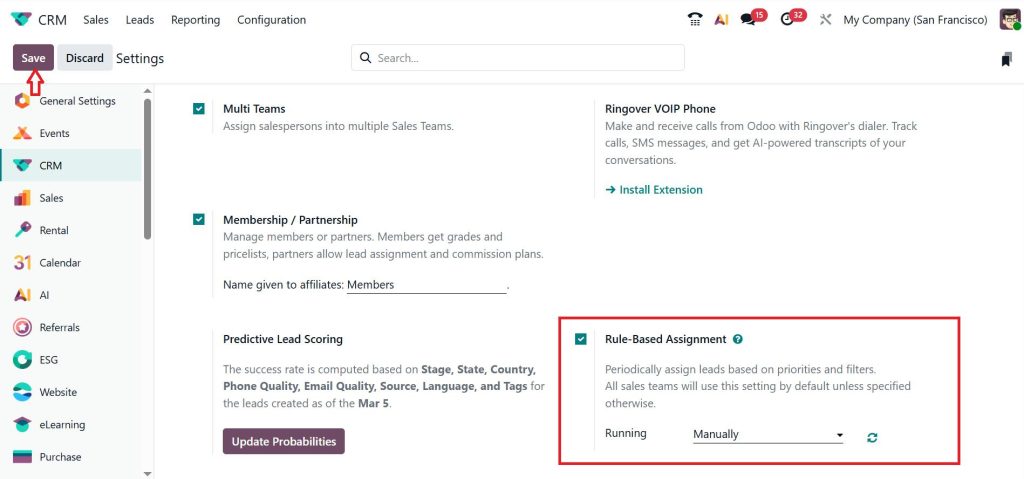
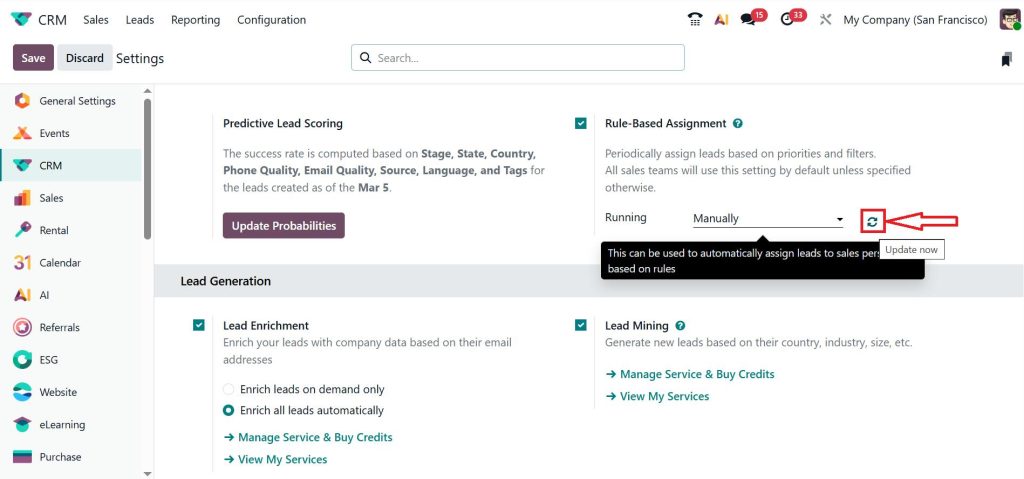
Under the CRM section you can see Rule-Based Assignment. This can be used to automatically assign leads to a salesperson based on a rule. Enable this option and click Save. You can see it is manually which means if you are setting up any rule under a particular sales team and it is assigning to a salesperson.
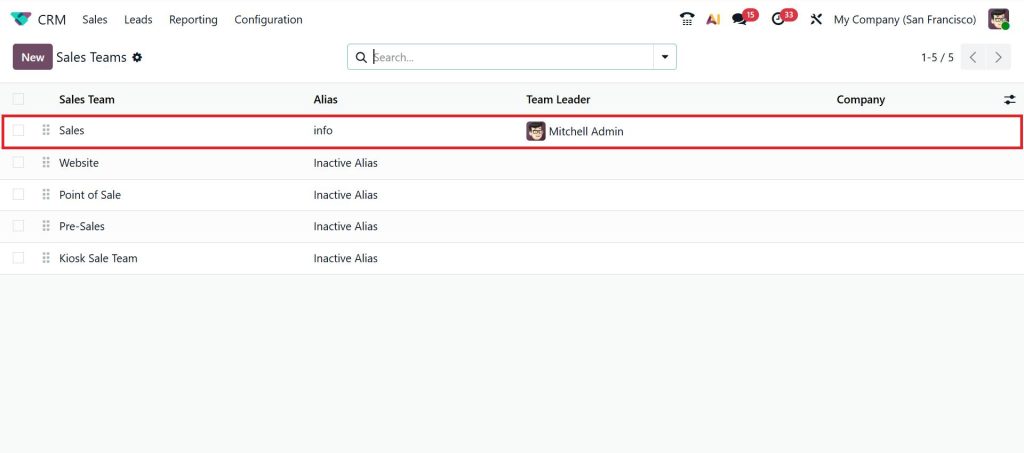
Now, go to the Configuration > Sales Team.
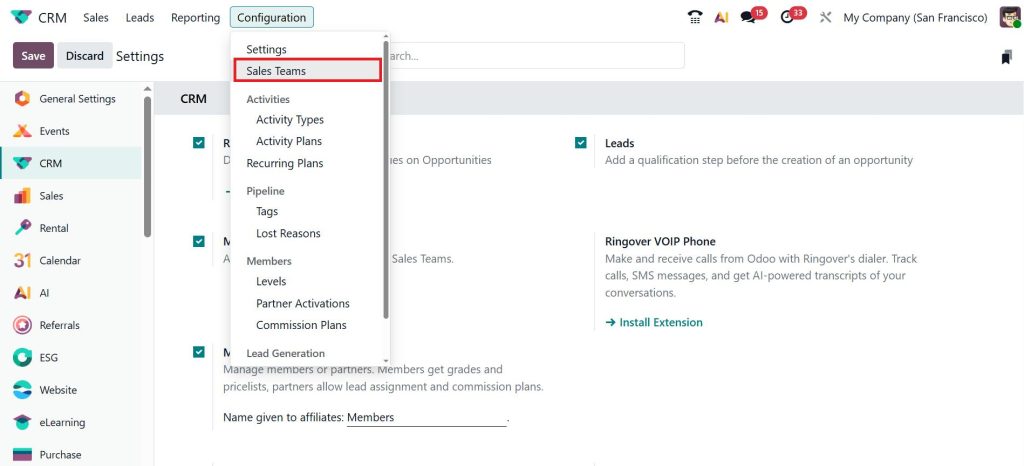
Here, I am just choosing a Sales team.
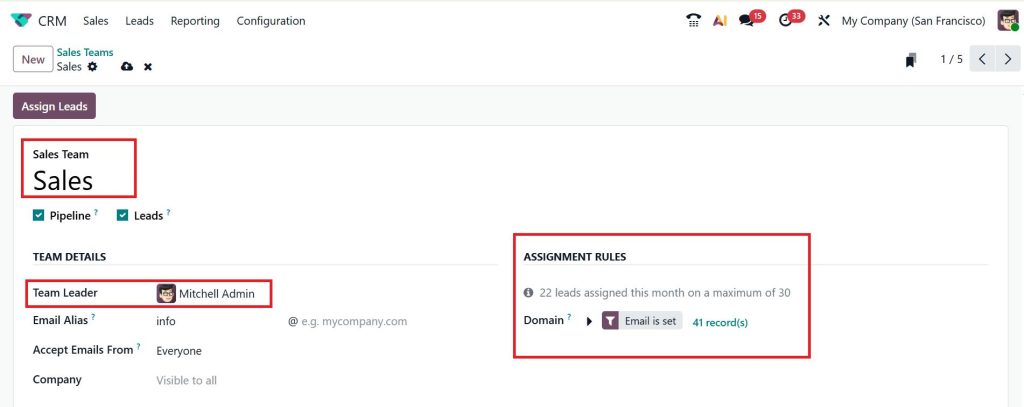
Now, you can see the sales team’s name, team leader and Assignment Rules. We set up a domain and provide the rule under that domain.
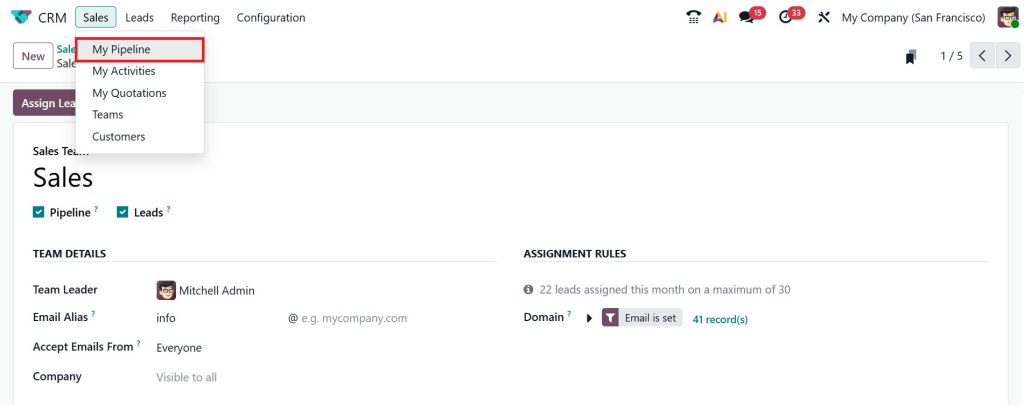
Let’s move to the Sales > My Pipeline.
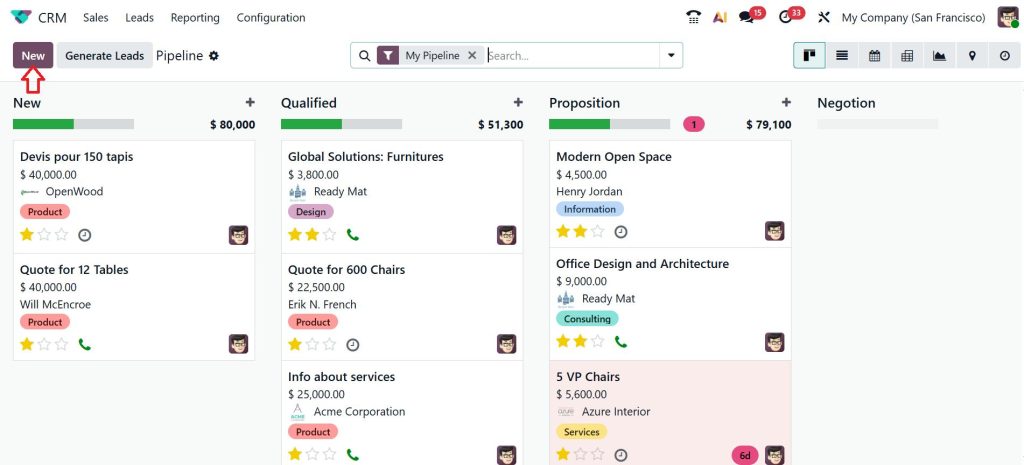
Click New and create a new lead.
Provide the contact name, opportunity, expected revenue and click Edit.
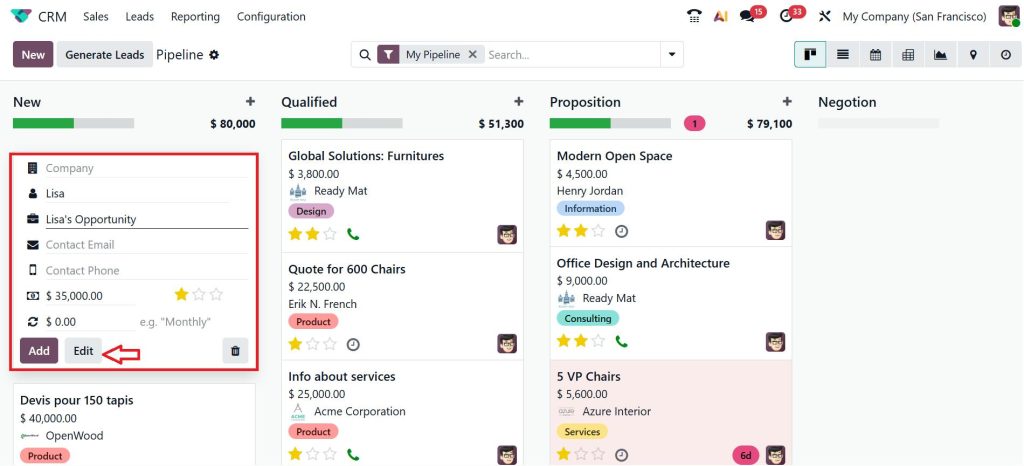
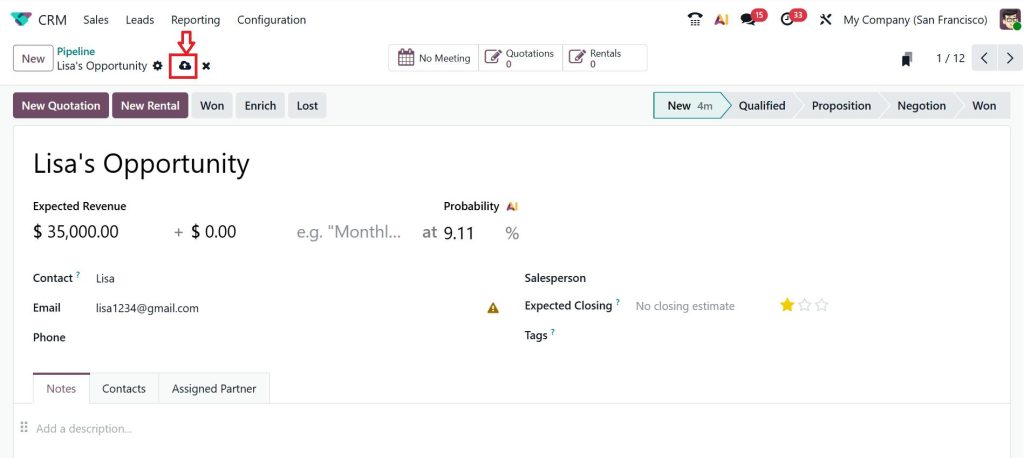
Give Lisa’s email address and click save. After saving it, you can see the salesperson is not yet ready, and I’m putting this in the qualified stage.
Let’s move to the Configuration > Settings. Under the settings, we need to run the Update Now option.
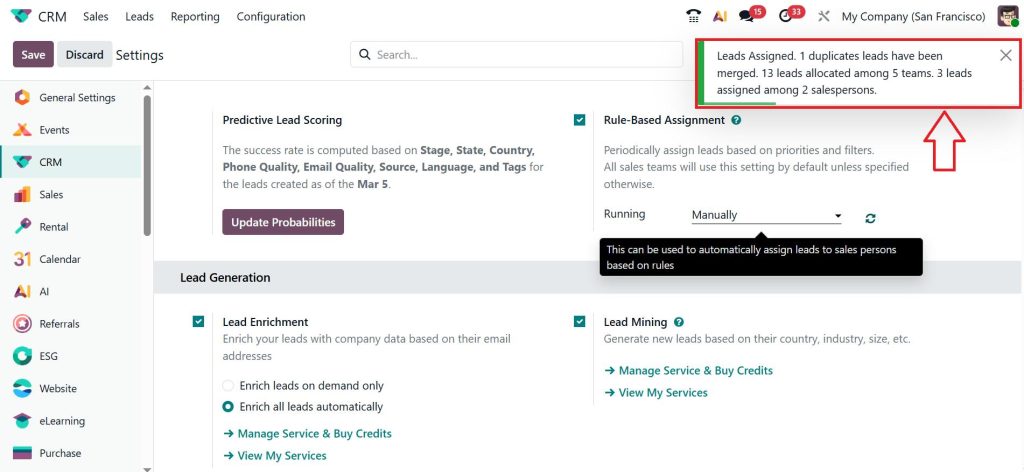
After running this, you can see a pop-up message.
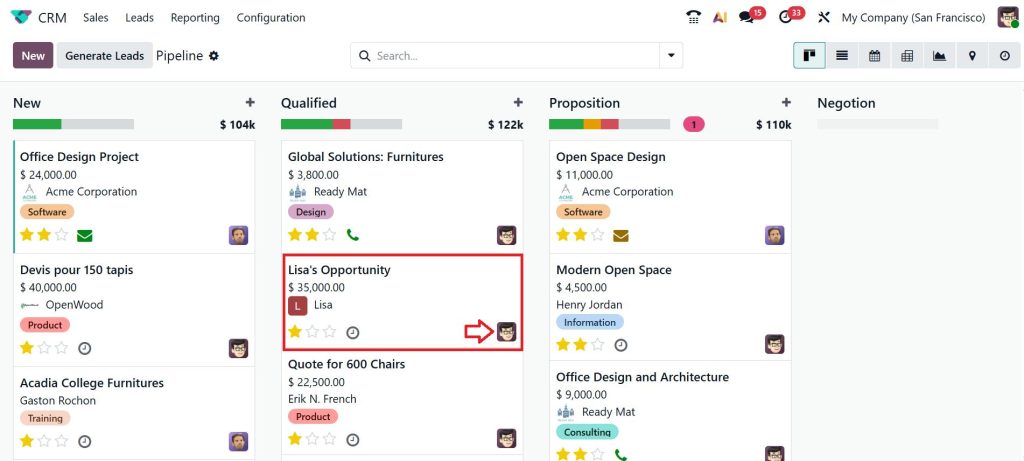
If you go to the Sales > My Pipeline, you can see Lisa’s opportunity assigned to the Mitchell Admin.
Why Businesses Prefer Auto Lead Assignment in Odoo 19
Companies that start using auto lead assignment in Odoo 19 quickly notice a difference in their sales workflow.
First, leads are assigned immediately. This allows sales teams to respond faster.
Second, the workload becomes balanced. When using Odoo 19 CRM lead assignment round robin, each salesperson receives leads in sequence.
Third, the sales manager no longer needs to spend time distributing leads manually.
Fourth, the CRM pipeline becomes easier to track because every lead already has a responsible salesperson.
This is why many growing companies decide to automate lead assignment in Odoo 19 CRM as soon as their lead volume increases.
Common Mistakes When Setting Odoo CRM Lead Distribution Rules
Even though Odoo CRM lead distribution rules are very helpful, some companies make mistakes while setting them up. One common mistake is creating too many rules. When there are too many conditions, the system may take longer to process leads or rules may overlap.
Another mistake is forgetting to update rules when sales teams change. If a salesperson leaves the company but still exists inside the rules, leads may be assigned incorrectly.
Some companies also forget to test their Odoo 19 automatic lead assignment rules before activating them. Testing helps confirm that the system distributes leads correctly. When businesses understand how to assign leads in Odoo 19 CRM automation, they can avoid these problems easily.
Why Sales Teams Appreciate Odoo 19 CRM Lead Assignment Round Robin
Sales teams often feel frustrated when lead distribution is not balanced. Some members may receive many opportunities while others receive very few. When companies use Odoo 19 CRM lead assignment round robin, this situation improves.
Each salesperson receives leads in rotation, which keeps the distribution fair. This also creates healthy motivation among the team because everyone receives a similar number of opportunities.
For businesses that receive large numbers of leads every day, Odoo 19 CRM lead assignment round robin becomes a very practical way to manage sales activities.
Why Automating Lead Assignment in Odoo 19 CRM Makes Sales Work Easier
When businesses finally automate lead assignment in Odoo 19 CRM, many daily CRM tasks become easier. Sales managers no longer need to monitor incoming leads every hour. The system handles distribution automatically.
Sales representatives also know exactly which leads belong to them. This reduces confusion and helps them focus on contacting potential customers. Most importantly, leads receive faster responses. When a customer sends an inquiry and receives a quick reply, the chances of converting that lead into a customer increase.
This is why more businesses are now using Odoo 19 CRM rule based assignment, Odoo CRM lead distribution rules, and auto lead assignment in Odoo 19.
Make Your Sales Process Faster with Odoo 19 CRM Lead Automation
If your business receives customer inquiries regularly, managing them manually will eventually slow down your sales process. When leads wait in the CRM before getting assigned, the chances of losing that opportunity increase. This is why many companies decide to automate lead assignment in Odoo 19 CRM so that every lead immediately reaches the right salesperson.
By using Odoo 19 CRM rule based assignment, businesses can send leads directly to the most suitable sales representative. With properly configured Odoo CRM lead distribution rules, companies keep their pipeline organized and avoid confusion within the sales team. And when businesses use Odoo 19 CRM lead assignment round robin, every salesperson receives leads fairly without anyone feeling overloaded.
Understanding how to assign leads in Odoo 19 CRM automation helps companies reduce manual work and improve response time. When the CRM automatically manages lead distribution, sales teams can focus more on talking to potential customers and closing deals.
If your business is planning to implement auto lead assignment in Odoo 19 or wants to improve its CRM workflow, the experts at Netilligence can help you configure the right Odoo 19 automatic lead assignment rules for your sales process.
Contact our team today and see how Odoo CRM automation can help you manage leads more efficiently.




