How to Manage Bank Feeds and Bank Statements in the Odoo 18 Accounting?
Bank Feeds and Bank Statements in Odoo 18
Managing bank feeds and statements is fundamental to keeping your business’s finances in check. Between misrepresenting bank feeds, reconciling statements, and keeping your books accurate, it’s easy to get overwhelmed. But what if I told you there’s a way to make this process manageable and downright easy? Enter Odoo 18 accounting.
With Odoo 18 bank feeds, you can automate bank synchronization, import statements effortlessly, and reconcile transactions with just a few clicks. Whether you’re a small business owner or a financial pro, this guide will show you how to fully utilize Odoo 18’s features to streamline your financial management.
By the end of this article, you’ll learn:
How to set up and manage Odoo 18 bank feeds.
Steps to import bank statements into Odoo 18.
Tips for reconciling bank transactions efficiently.
Best practices for Odoo 18 bank statement management.
Ready to turn your financial problems into clarity?
Why Odoo 18 Accounting Bank Synchronization Matter
Before this, let’s discuss why managing Odoo 18 bank feeds and bank statements is essential.
Imagine this: You’re running a business, and your bank account is a hub of activity. Payments are coming in, expenses are going out, and you’re trying to keep track of everything. Without proper bank statement management, it’s easy to lose track of transactions, miss discrepancies, or even overlook cash flow issues.
Here’s why Odoo 18 bank feeds are an innovation:
Real-Time Updates: Bank feeds provide up-to-date transaction information, so you’re always in the know.
Automation: Say goodbye to manual data entry. Odoo 18 automates bank synchronization, saving you time and reducing errors.
Accuracy: Proper reconciliation ensures your books are always accurate, giving you peace of mind.
Better Decision-Making: With timely financial insights, you can make smarter decisions for your business.
In short, Odoo 18 bank feeds and bank statements are necessary for any business looking to stay on top of its finances.
Step 1: Setting Up Bank Feeds in Odoo 18
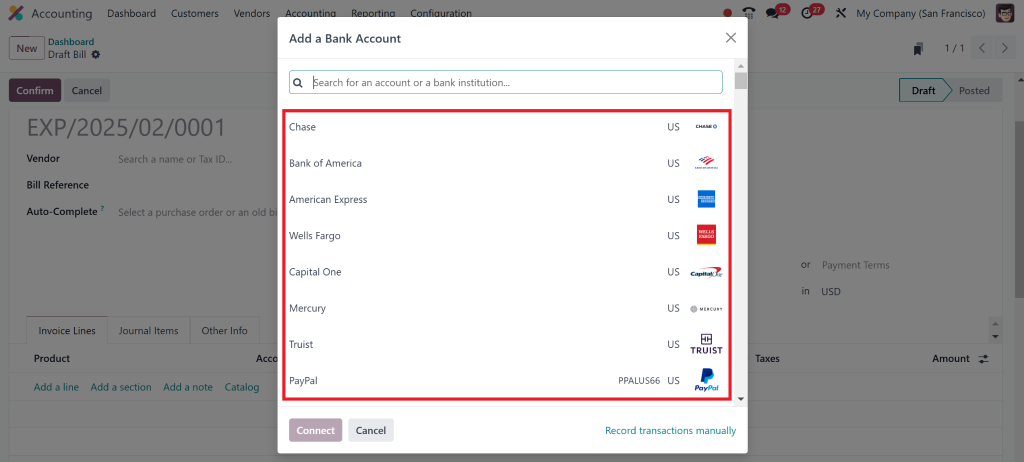
The first step to managing your bank transactions is setting up Odoo 18 bank feeds. This feature lets you connect your bank accounts directly to Odoo 18, enabling automatic synchronization of transactions.
How to Set Up Bank Feeds:
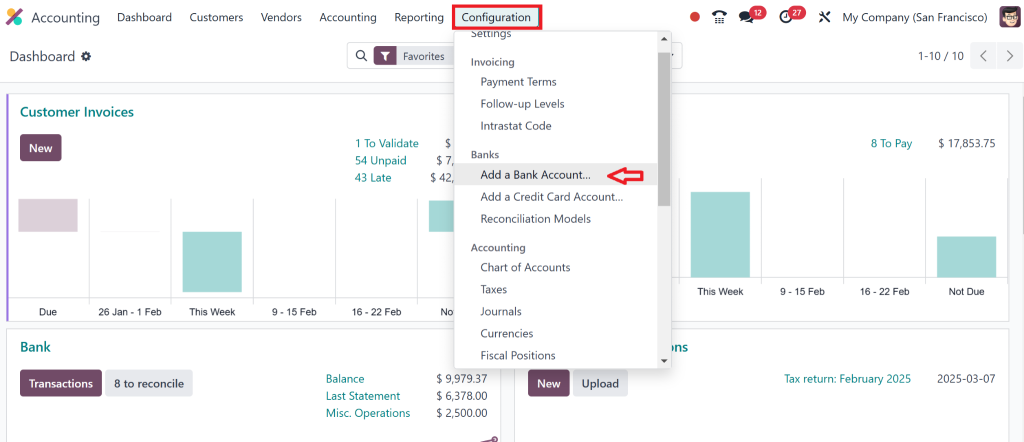
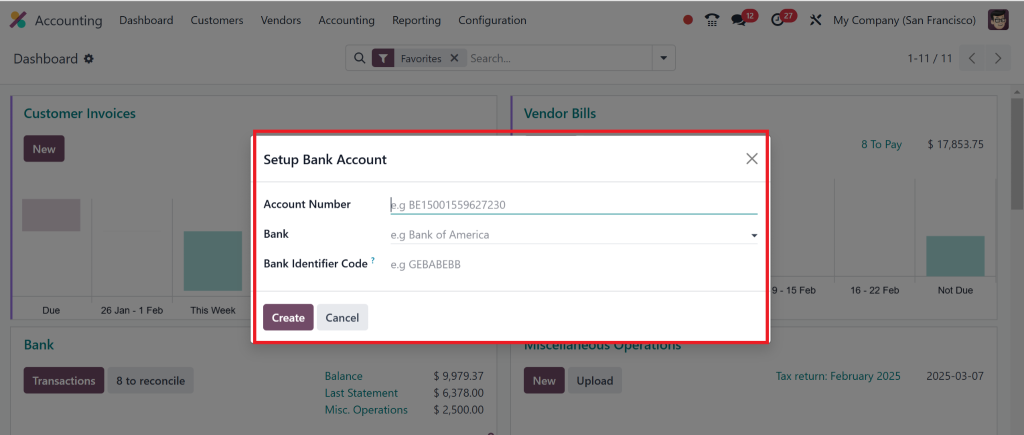
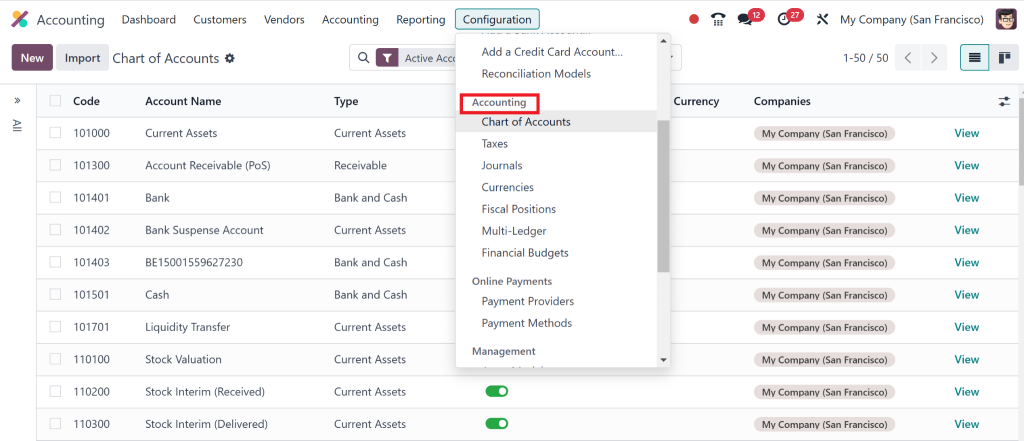
Go to Accounting > Configuration > Banks > Bank Accounts.
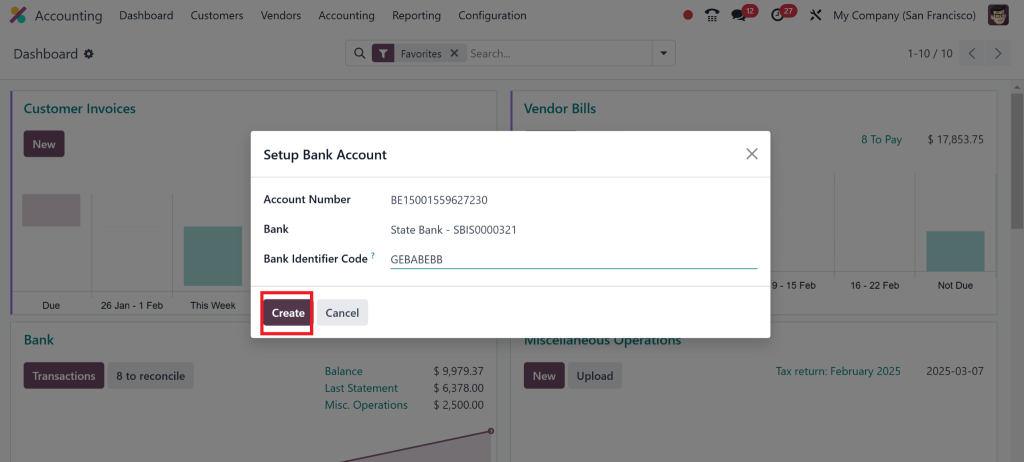
Click on Create to add a new bank account.
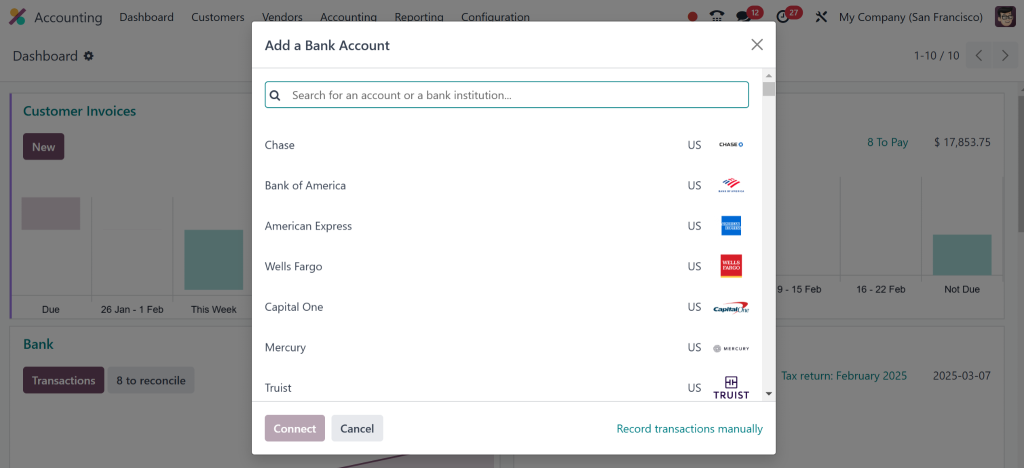
Enter your bank details, including the number of accounts and bank name.
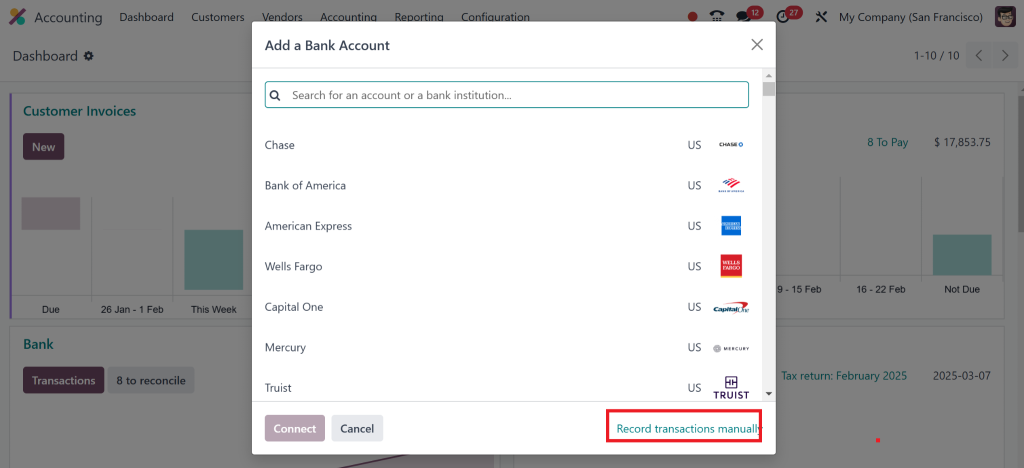
Enable Bank Feeds and connect your bank account using the provided credentials.
Pro Tip:
You can still use manual imports or third-party connectors if your bank isn’t listed.
Step 2: Odoo 18 Import Bank Statements
If your bank doesn’t support direct feeds, don’t worry – you can still manually import bank statements into Odoo 18. This process is straightforward and ensures all your transactions are recorded accurately.
How to Import Bank Statements:
Go to Accounting > Bank Statements.
Click on Import and select the bank statement file (usually in CSV or OFX format).
Map the columns in your file to the corresponding fields in Odoo 18.
Review the imported transactions and click Validate.
Fun Fact:
Odoo 18 implementation supports multiple file formats, making it easy to work with different banks.
Step 3: Odoo 18 Reconcile Bank Transactions
The next step is reconciling bank transactions once your bank statements are imported or synchronized. This process ensures that records match your bank’s records, eliminating discrepancies.
How to Reconcile Transactions:
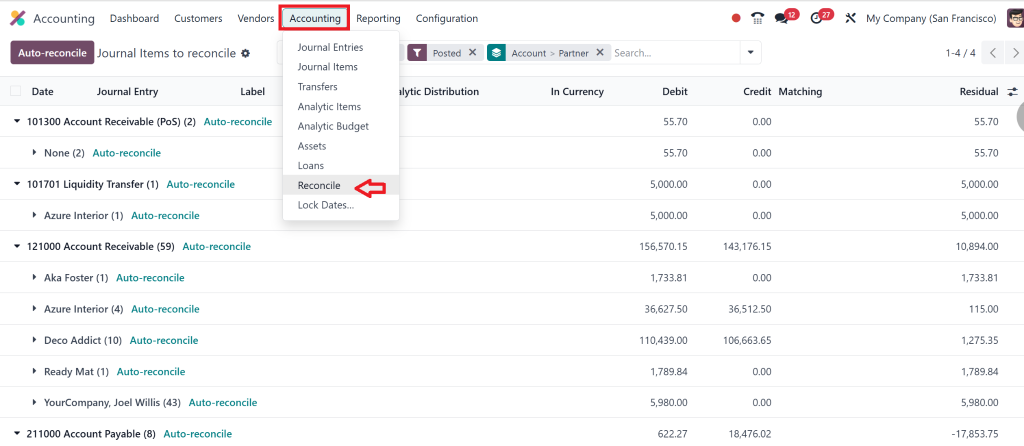
Go to Accounting > Bank Reconciliation.
2. Choose the account you want to reconcile.
3. Match the transactions in Odoo 18 with those in your bank statement.
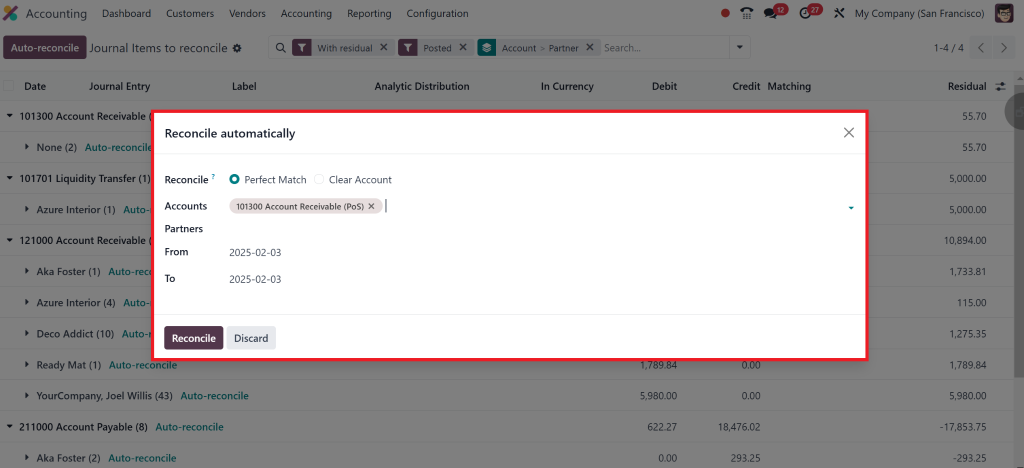
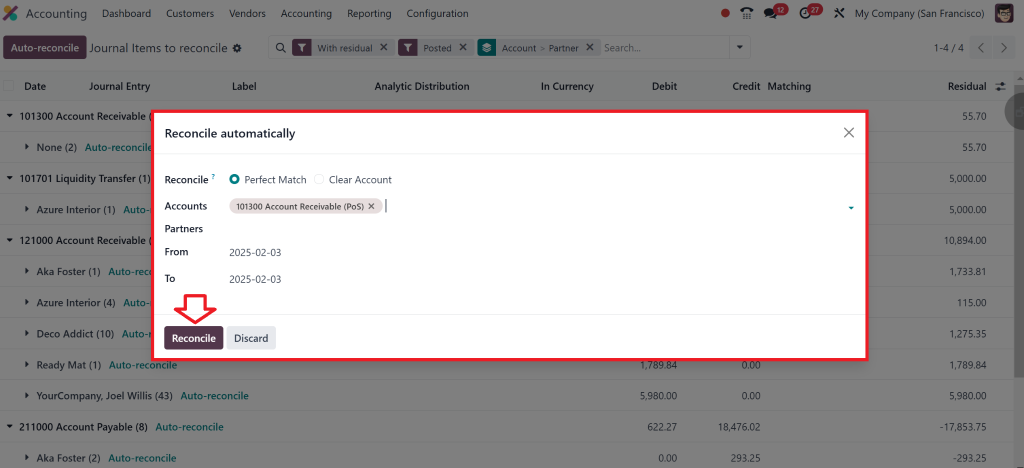
4. Use the Reconcile button to confirm matched transactions.
Step 4: Automating Bank Synchronization in Odoo 18
One of the standout features of Odoo 18 accounting is its ability to automate bank synchronization. That means your bank transactions are updated quickly, without manual intervention.
How to Automate Bank Sync:
Go to Accounting > Configuration > Bank Accounts.
Select the bank account you want to automate.
3. Enable Automatic Synchronization and set the frequency (daily, weekly, etc.).
4. Save your settings and let Odoo 18 do the rest.
Best Practices for Odoo 18 Bank Statement Management
To make the most of Odoo 18 bank feeds and bank statements, follow these best practices:
Regular Reconciliation:
Reconcile your bank transactions weekly to avoid backlogs.
Use Automation Wisely:
Automate repetitive tasks like synchronization and reconciliation to save time.
Monitor for Errors:
Review your bank feeds and statements regularly for discrepancies or errors.
Train Your Team:
Ensure your crew knows Odoo 18’s bank management features to maximize efficiency.
Backup Data Regularly:
Back up your data within Odoo to prevent loss during unexpected events.
Odoo 18 Bank Reconciliation Process Common Challenges
While Odoo 18 bank feeds and bank statement management are incredibly useful, you might encounter a few challenges. Here’s how to tackle them:
Unsupported Banks:
Use manual imports or third-party connectors if your bank doesn’t support direct feeds.
Data Mismatches:
Double-check your mappings when importing bank statements to avoid errors.
Reconciliation Errors:
Use Odoo 18’s AI-powered reconciliation tool to identify and resolve mismatches quickly.
Bank Feeds Not Syncing:
Ensure your bank credentials are correct and your account is active. Check for updates in the Odoo system or plugins.
Missing Transactions:
Verify that your synchronization frequency is set correctly. If necessary, manually sync your account.
H2: Odoo 18 Financial Management
Odoo 18 makes financial management easy and efficient. It automates invoicing, payments, and bank reconciliations, saving time and reducing errors. You can generate real-time reports like balance sheets and profit/loss statements and manage expenses. Odoo also helps with tax calculations, multi-currency support, and budgeting, so you stay on top of finances without the hassle. With integrations to payment gateways, processing transactions becomes a breeze. In short, Odoo 18 simplifies your financial tasks, helping you focus on what matters most – growing your business.
Facilitate Your Financial Management with Odoo 18 Bank Feeds
Managing Odoo 18 bank feeds and bank statements doesn’t have to be a headache. With the right setup and practices, you can automate your financial processes, save time, and ensure accuracy.
Whether setting up bank feeds, importing statements, or reconciling transactions, Odoo 18 makes it easy to stay on top of your finances. Ready to take your financial management to the next level? Let Netilligence help you get the most out of Odoo 18!
Hi, I'm Nabia, an Odoo ERP functional & technical content writer. I specialize in blogs, social media content, ad copy, landing pages, service pages, and email campaigns.
We use cookies to ensure that we give you the best experience on our website. If you continue to use this site we will assume that you are happy with it.