How to Manage Purchase Order Approvals in Odoo 18?
Managing purchase order approvals in Odoo 18 effectively is essential for any business aiming to rationalize its procurement process. With the latest Odoo 18, businesses can leverage advanced tools to efficiently manage purchase orders and ensure smooth workflows. The Odoo 18 purchase order approvals feature provides flexibility and control, enabling businesses to maintain transparency while accelerating decision-making. In this blog, we will explore purchase order management in Odoo, understand how to approve purchase orders in Odoo, and highlight the key aspects of the Odoo 18 purchase workflow.
Simplify Your Approval Process Like Never Before
Have you ever felt stuck juggling endless purchase approvals, wondering if there’s a simpler way? What if managing them could be as easy as clicking a button? That’s exactly what Odoo 18 offers: an effortless way to take control of your purchase approvals and keep things moving smoothly.
Forget the stress of chasing approvals or losing track of paperwork. With Odoo 18, you’ll find innovative tools, user-friendly features, and workflows designed to save you time and energy. Curious to know how it all works? Keep reading, and you’ll discover how to transform your approval process into something simple, efficient, and enjoyable!
Why is Purchase Order Management Crucial?
Efficient purchase order management is pivotal for maintaining a modernized procurement process. Here’s why:
Cost Management: Avoid over-purchasing and manage budgets effectively.
Improved Accuracy: Reduce errors in vendor management and inventory control.
Compliance: Ensure all purchases are approved as per organizational policies.
With Odoo 18, you can automate these tasks, ensuring error-free and compliant purchase order management.
Key Features of the Odoo 18 Purchase Module
The Odoo 18 purchase module features are designed to simplify the approval workflow and enhance user experience. These features ensure that businesses can maintain control and transparency throughout procurement.
Efficient Purchase Workflow
One of the most significant aspects of the Odoo 18 purchase workflow is its ability to create a smooth process from order creation to approval. Key workflow features include:
Approval Rules: Define approval rules based on specific parameters such as purchase amount, product type, or vendor category. This ensures that only authorized personnel can approve significant expenditures.
Automated Notifications: Send automated email and dashboard notifications to keep approvers informed about pending purchase orders and ensure no delays in approvals.
Customizable Steps: You can modify the workflow to align with your organizational structure and add as many approval layers as necessary.
Real-Time Insights
Odoo 18 provides real-time data to keep all stakeholders informed and aligned. This includes:
Reporting Tools: Generate detailed reports on purchase orders to understand patterns, monitor efficiency, and identify bottlenecks.
Analytics Dashboard: A visual overview of pending, approved, and rejected purchase orders for better decision-making.
Audit Trails: Comprehensive logs that track every action taken on a purchase order for complete transparency.
Integration Capabilities
The Odoo 18 purchase module features robust integration capabilities, enabling businesses to connect procurement with other critical functions:
Vendor Management: Maintain a centralized database of all vendor information, including performance metrics and contact details.
Inventory Module Sync: Automatically update inventory levels once a purchase order is approved and fulfilled, ensuring accurate stock management.
Accounting Integration: Generate invoices directly from approved purchase orders and track payments flawlessly.
User-Friendly Interface
A significant highlight of Odoo 18 is its intuitive and user-friendly design.
Drag-and-Drop Tools: Create workflows with minimal effort and no technical expertise.
Mobile Accessibility: Approve or manage purchase orders anytime, anywhere, using Odoo’s mobile application.
Role-Based Access: Assign specific roles and permissions to ensure secure data handling.
Step-by-Step Guide: How to Manage Purchase Order Approvals in Odoo 18
Let’s dive into the practical steps to effectively manage purchase order approvals in Odoo 18. Whether you’re a small business or a large enterprise, these steps will help you leverage the platform’s full potential. To start using the purchase approvals feature, follow these steps:
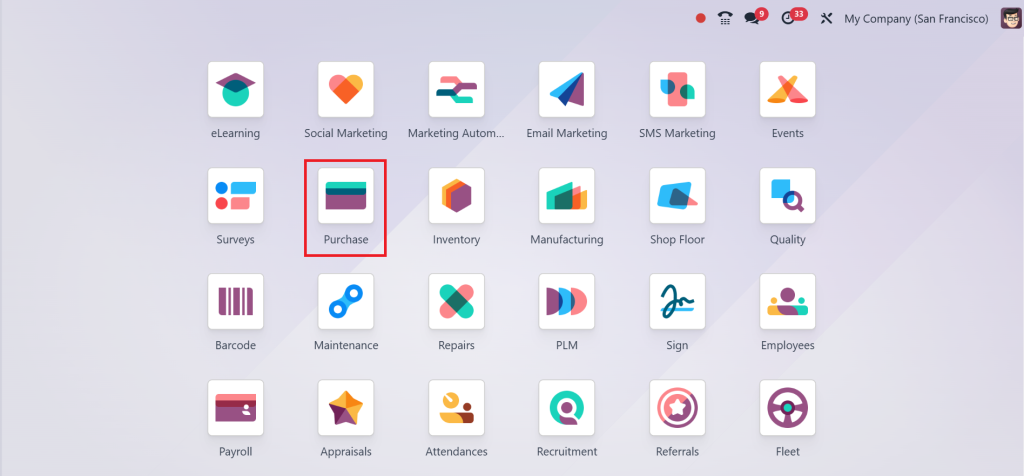
Direct to the Purchase Module in your Odoo dashboard.
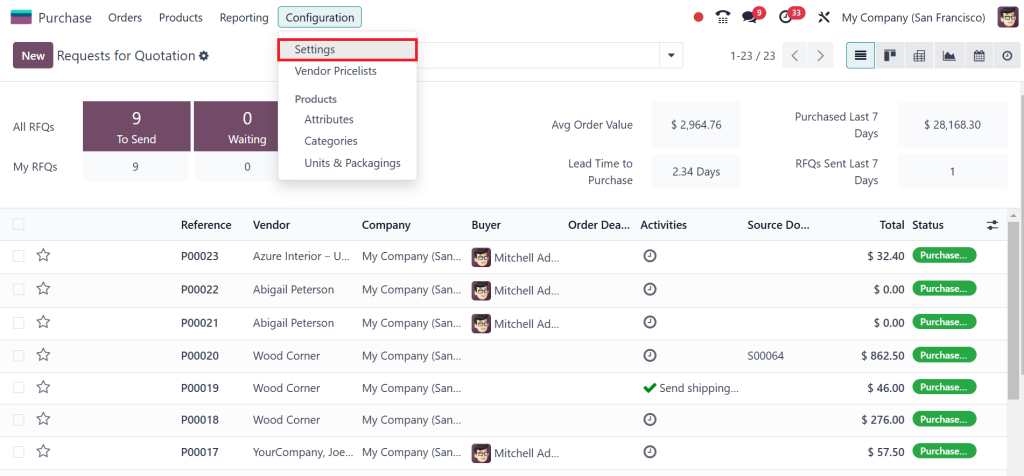
Click on Configuration > Settings.
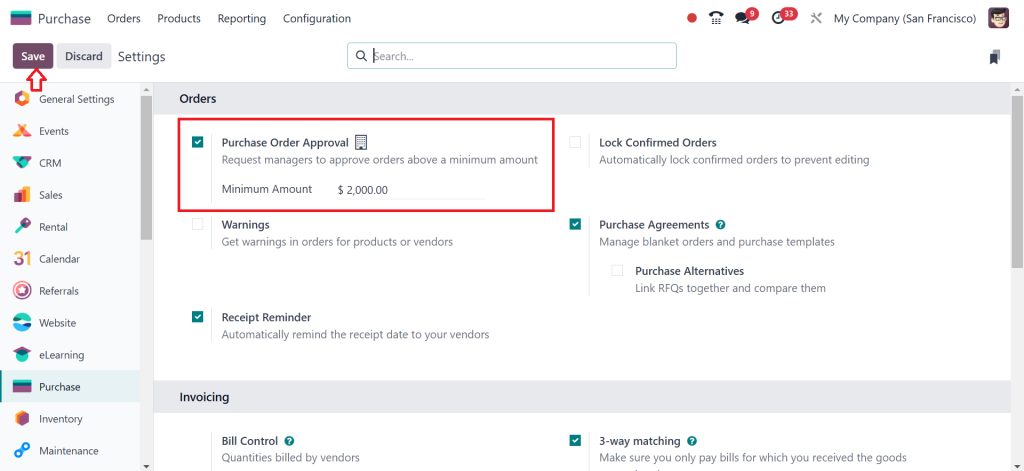
In the settings menu, enable the Purchase Order Approval option. So, in a brief summary, what is purchase order approval? Basically, you set a minimum amount as a limit, and whenever an order comes above the limit, it requires the manager’s approval. So, I am setting the limit as $2000, as shown in the screenshot below. Save your settings to activate the approval workflow.
By customizing these settings, you can ensure that every purchase order follows a structured approval process.
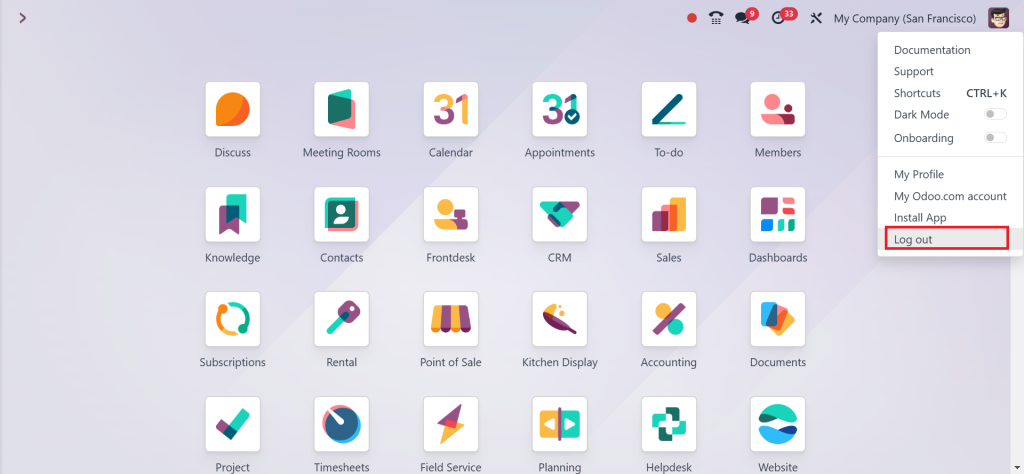
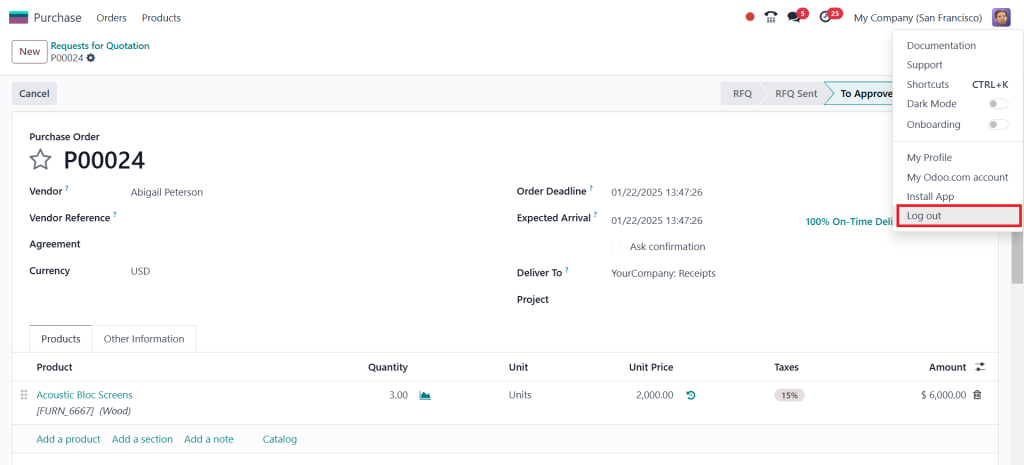
As we all know, this account has been logged in as admin so that I will log out.
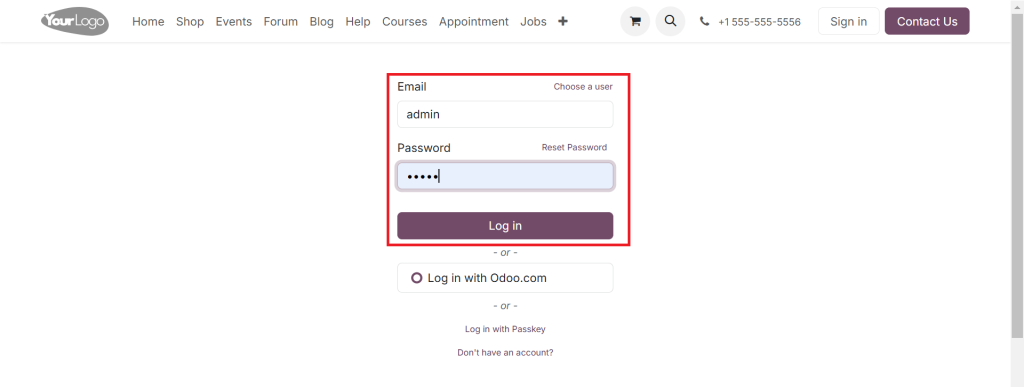
And login as the User.
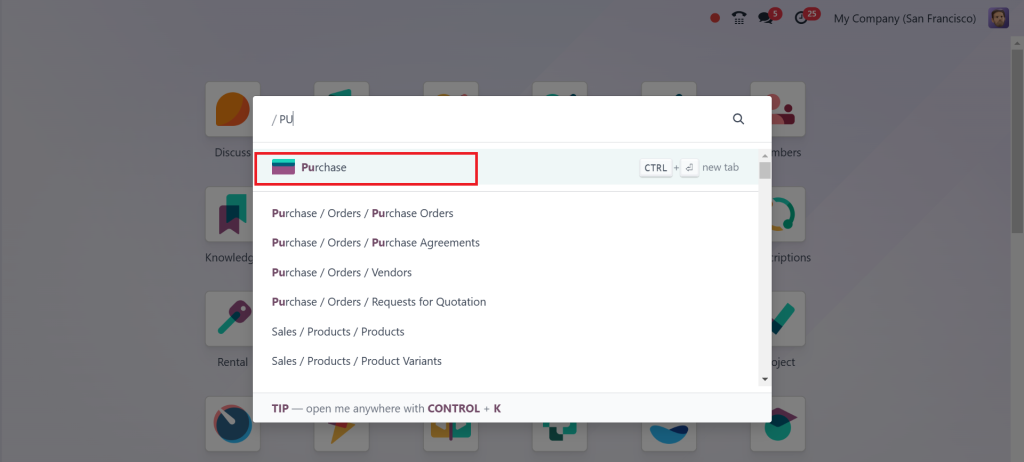
Go to the Purchase App.
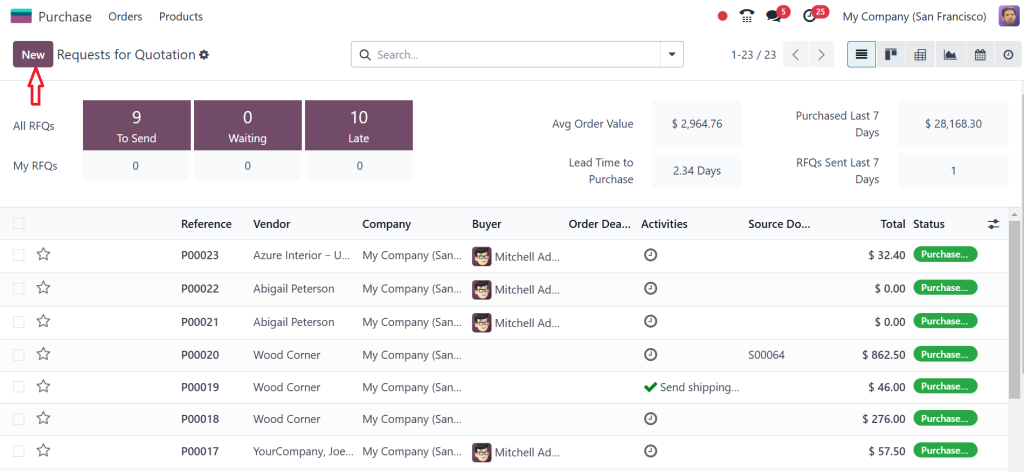
Create a new RFQ.
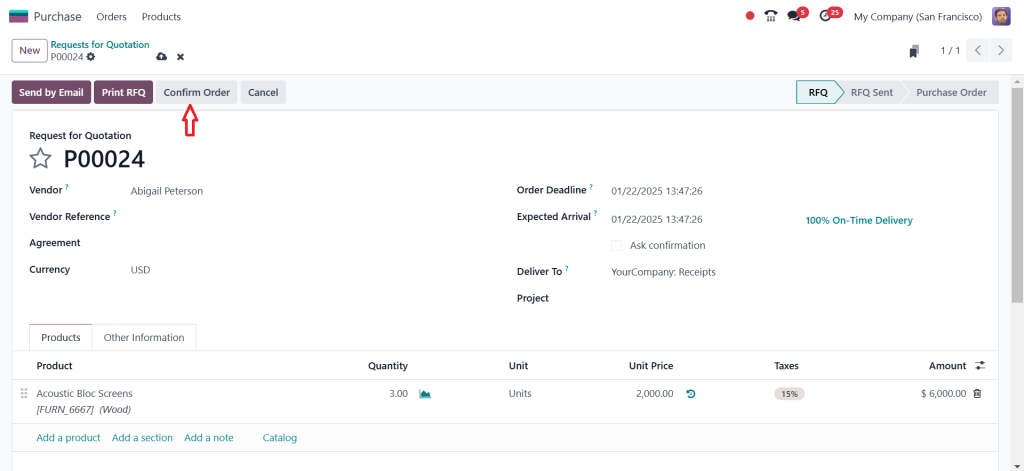
Choose the Vendor, add a product and unit price, and click on Confirm Order.
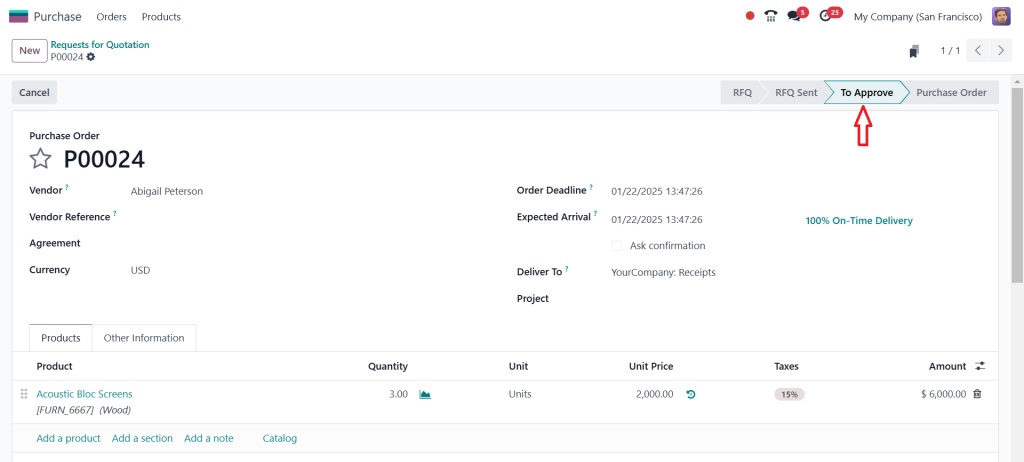
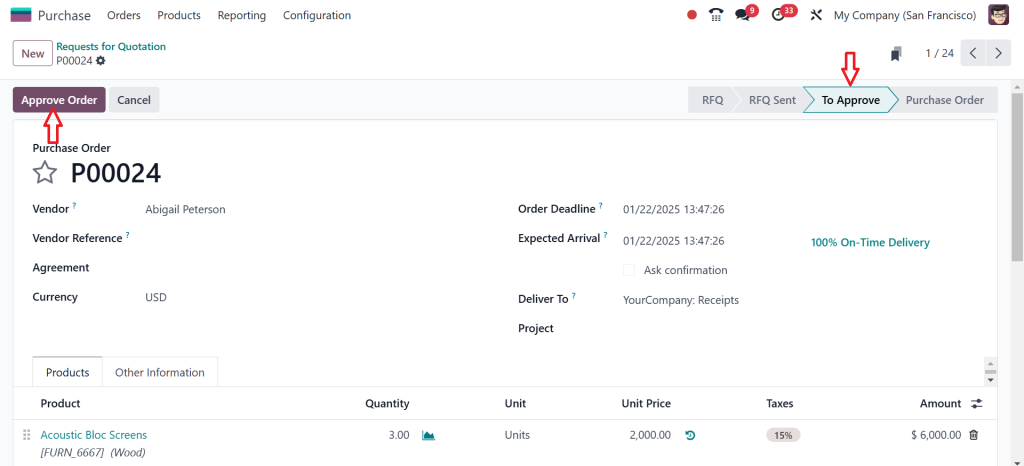
The order is confirmed, but it is not yet a purchase order; what it shows is to approve. Why has that come? The total amount is $6000, and we set the limit as $2000. So, this amount is above the limit we set, so the manager has to approve it. We only need to remember the purchase order number, which is P00024.
Then, I am going to log out as the User.
And again, login as the Admin.
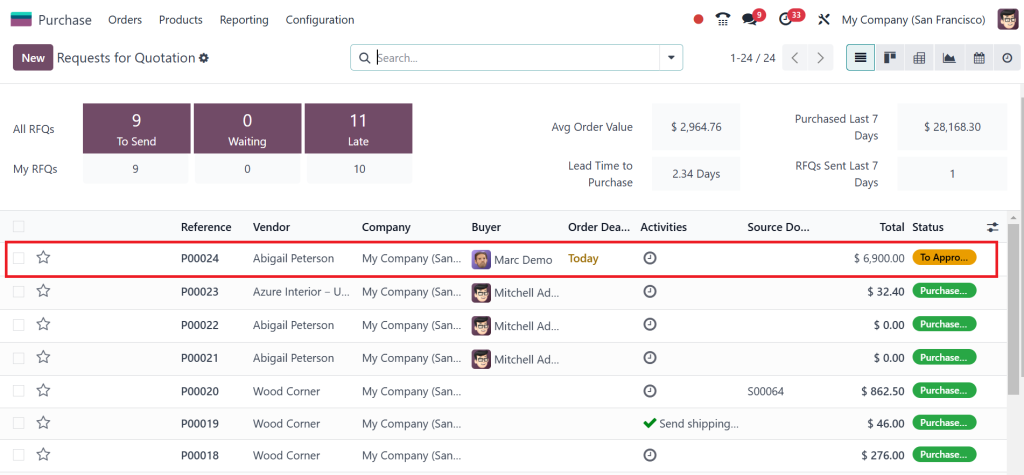
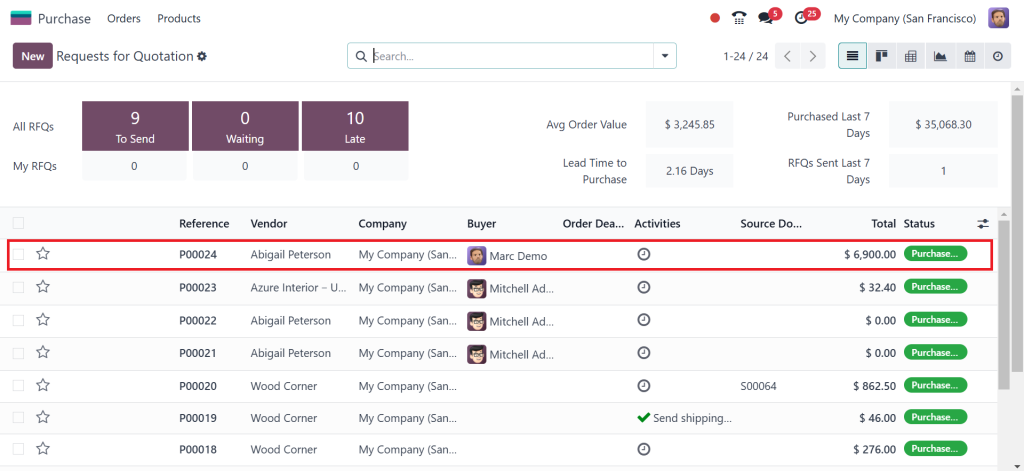
Then, go directly to the Purchase Module. Now, you can see in the screenshot below P00024, the one created by Mark Demo/Demo. If you look at the status, it is in the approval stage.
After opening that, you can also see it’s in an approved state. Only if you approve the order will it turn into a Purchase Order, so just click on Approve Order.
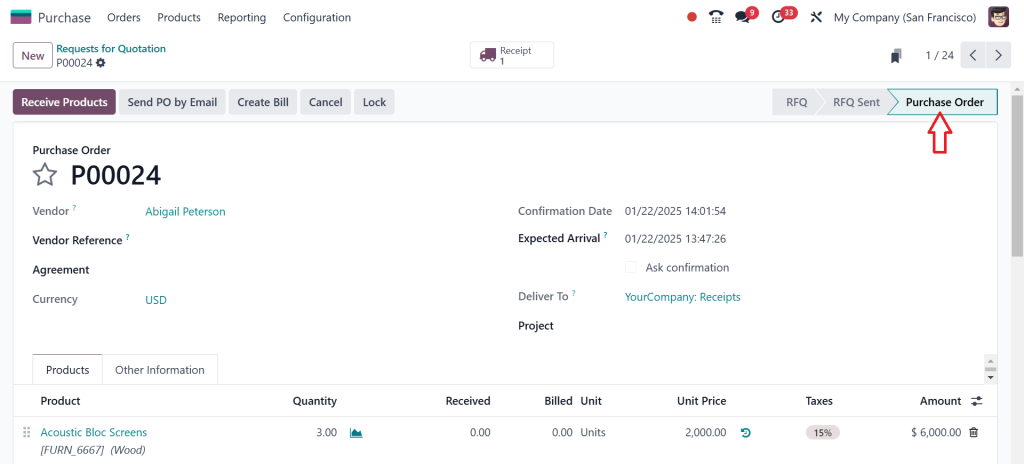
Now, this is in the Purchase Order Stage.
If you go to the User Demo account and check, it will be in the purchase order because the admin approved it. So, let’s log out as admin and again log in as User Demo. Then, simply open the Purchase Module, and as you can see in the screenshot below, it’s green now.
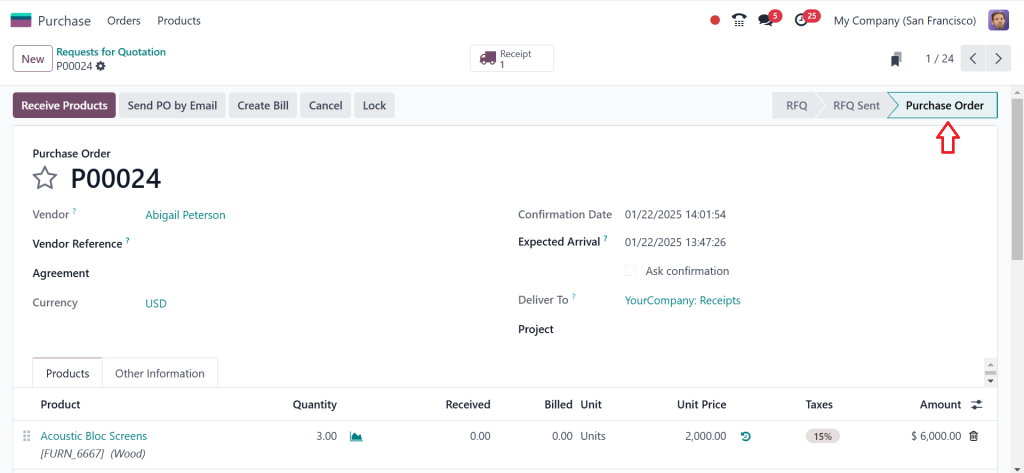
Open it, and you will see it’s in the Purchase Order Stage.
So, that’s how you can simply manage purchase order approvals in Odoo 18.
Real-World Examples of Odoo 18 in Action
Example 1: A Retail Chain
A large retail chain implemented Odoo 18 purchase order approvals to rationalize its procurement process. The company reduced purchase order delays by 40% by customizing approval workflows, enabling faster restocking and improved customer satisfaction.
Example 2: A Manufacturing Firm
A mid-sized manufacturing firm used Odoo 18 to integrate purchase approvals with its inventory and accounting modules. This led to unified operations, improved vendor relationships, and a 25% reduction in administrative overhead.
Example 3: A Technology Start-Up
A growing tech start-up adopted Odoo 18 purchase module features to manage its procurement activities. With automated notifications and real-time analytics, the company maintained better control over its expenditures and scaled its operations efficiently.
Benefits of Using Odoo 18 for Purchase Order Approvals
Implementing Odoo 18 purchase order approvals offers a multitude of benefits for businesses of all sizes:
Enhanced Efficiency
Automating the Odoo 18 purchase workflow significantly reduces manual tasks, enabling faster approvals and order processing. This allows businesses to focus on strategic activities rather than administrative tasks.
Improved Transparency
The ability to track every action taken on a purchase order ensures complete transparency. Stakeholders can easily view the status, history, and any comments or feedback associated with the order.
Scalability for Growing Businesses
Odoo 18’s modular design makes it adaptable for businesses at every growth stage. Whether you need a simple approval system or a complex multi-layered workflow, Odoo has the flexibility to scale.
Compliance with Policies
By defining approval rules and thresholds, businesses can ensure strict adherence to organizational policies. This reduces the risk of unauthorized spending and maintains accountability.
Cost Optimization
Efficient procurement processes lead to better vendor negotiations, bulk purchase discounts, and reduced administrative overheads. With Odoo 18, businesses can achieve significant cost savings.
Real-Time Collaboration
Odoo 18’s integration capabilities facilitate unified collaboration between departments such as procurement, finance, and inventory. This ensures that everyone is on the same page and eliminates communication gaps.
Transform Your Procurement Today
Mastering how to manage purchase order approvals in Odoo 18 is a game-changer for businesses seeking to rationalize their procurement processes. The advanced features of the Odoo 18 purchase module empower users to handle approvals easily, ensuring efficiency, transparency, and compliance. By leveraging the Odoo 18 purchase workflow, businesses can optimize operations, enhance collaboration, and drive better decision-making.
Take the next step towards transforming your procurement process. Explore Odoo 18 today and reveal unparalleled efficiency and control. Contact Netilligence for personalized consultation and implementation assistance.
Hi, I'm Ilsa Shabbir, an Odoo ERP content writer specializing in functional blogs on Odoo modules. I simplify complex Odoo features, creating clear and engaging content to help businesses understand and optimize their ERP solutions.
We use cookies to ensure that we give you the best experience on our website. If you continue to use this site we will assume that you are happy with it.