How to Manage Repair Orders in Odoo 18 Repairs App?
Why the Odoo 18 Repairs App is Essential for Modern Repair Management
Odoo 18 Repairs app: Regarding repair management, businesses today require innovative, reliable tools that streamline operations, minimise errors, and ensure customer satisfaction. Enter the Odoo 18 Repairs app, a powerful solution designed to automate and simplify the management of repair tasks. Whether you’re managing warranty repairs, tracking service history, or processing customer returns, the Odoo 18 Repairs app offers a centralised system that ensures everything runs smoothly.
With the Odoo Repairs app, you can easily create, manage, and track repair orders, saving time and improving accuracy. From setting up the repair process to handling customer approvals and invoicing, Odoo provides a complete repair workflow that integrates seamlessly with other Odoo modules.
If you’re new to the platform or looking for a more efficient way to manage repair orders in Odoo, this comprehensive guide will provide everything you need.
In this blog, we’ll explore:
How to create and manage Odoo 18 repair orders
The complete Odoo repair process in detail
Handling Odoo 18 warranty repairs
Tips for using the Odoo 18 Repairs app more effectively
A simple Odoo repair order tutorial for beginners
Understanding the Odoo 18 Repairs App Interface
The Odoo 18 Repairs app has a clean, effective and user-friendly interface that makes navigation easy, even for first-time users. Once installed, the Repairs app integrates into your dashboard, offering immediate access to repair tickets, product details, invoicing, and customer communications.
Key Elements of the Interface
Repair Orders: This is where all repair jobs are tracked.
Products: View and manage products that are undergoing or have undergone repair.
Warranty Details: Attach and monitor warranties associated with specific repair items.
Stages: Customize repair stages like “To Repair”, “Under Repair”, and “Repaired”.
How to Create and Manage Repair Orders Odoo 18
Let’s break down the step-by-step process for managing repair orders in Odoo 18.
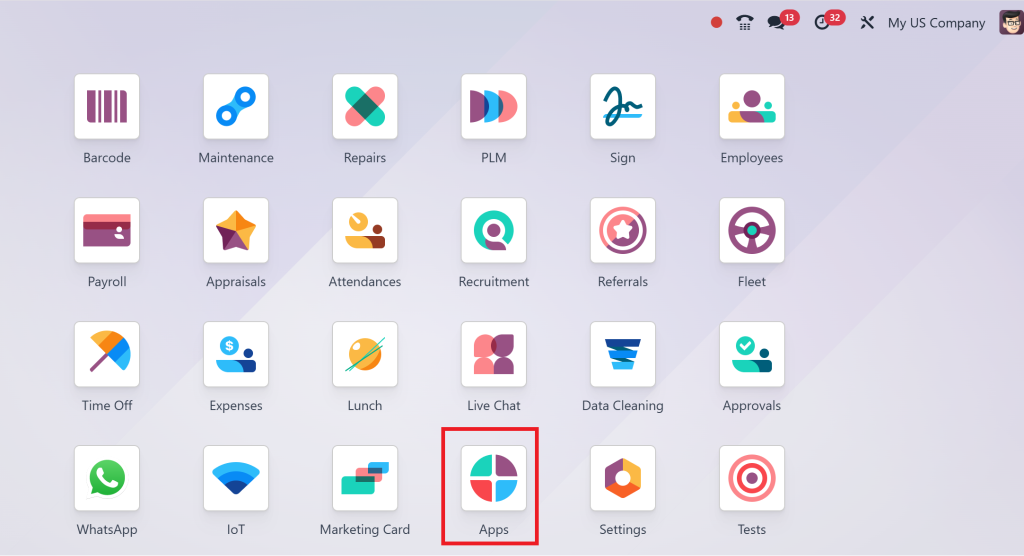
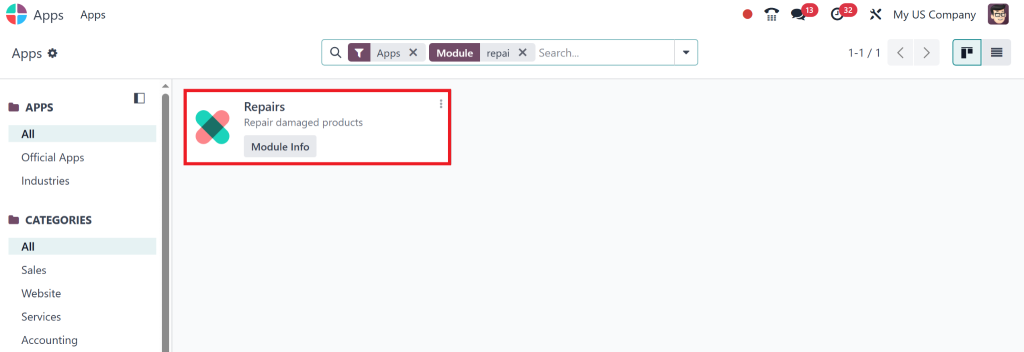
Step 1 – Installing the Repairs App
Go to Apps in Odoo.
Search for “Repairs”.
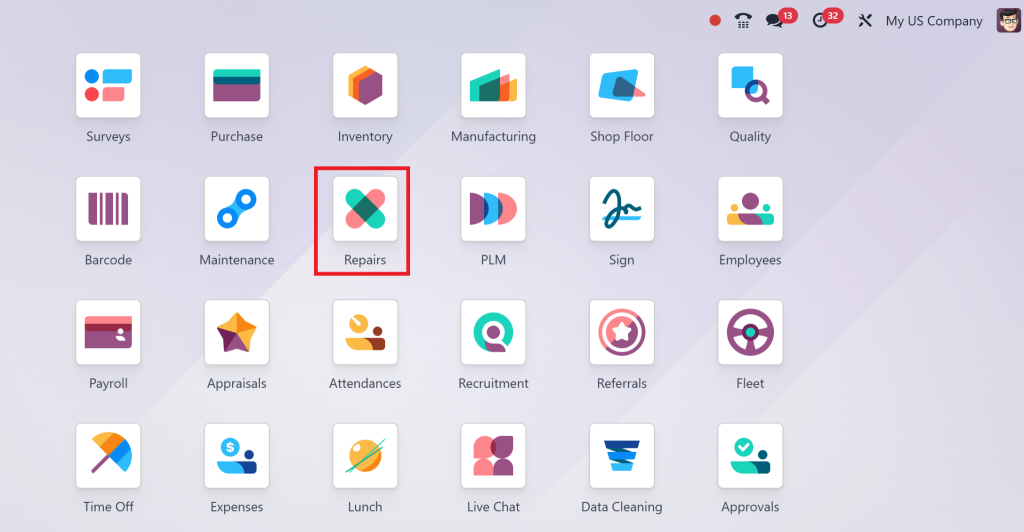
Once installed, you’ll see a new module named Repairs on your dashboard.
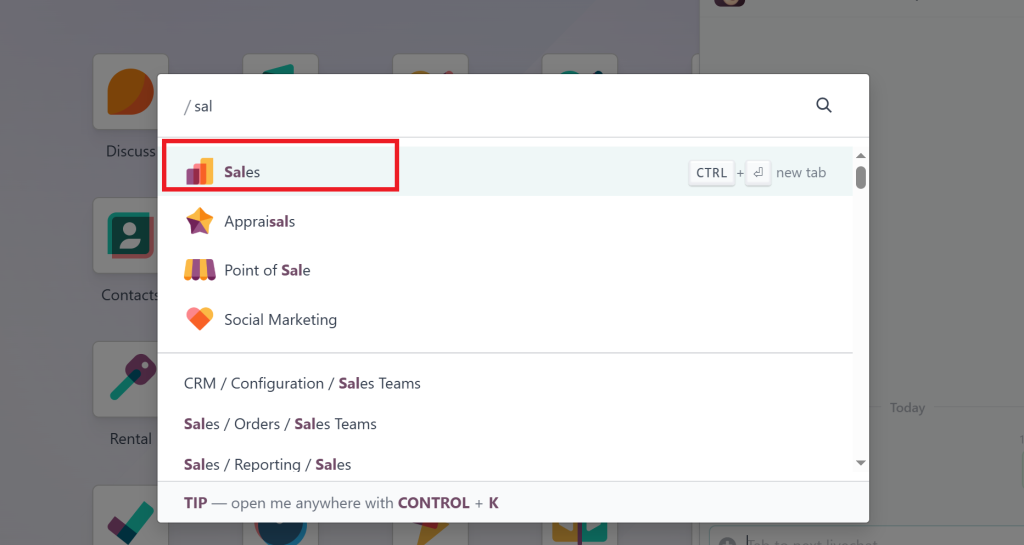
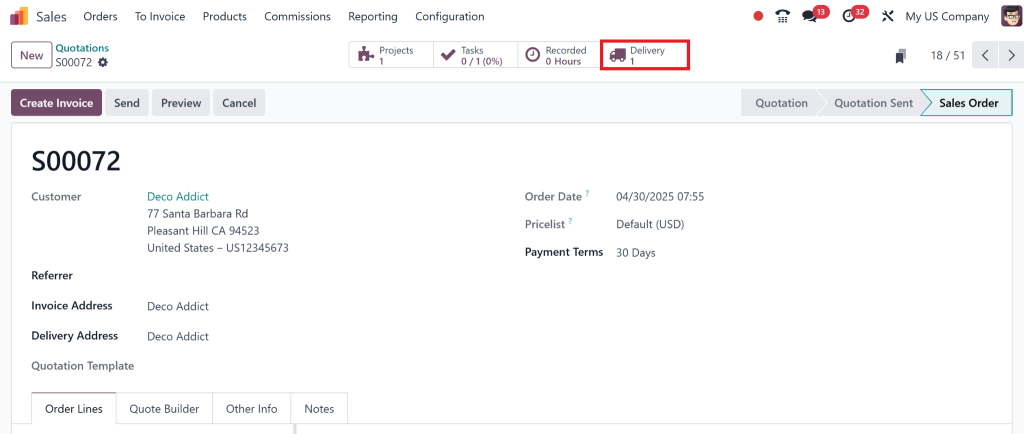
Select the sales order and click on the delivery smart button over it.
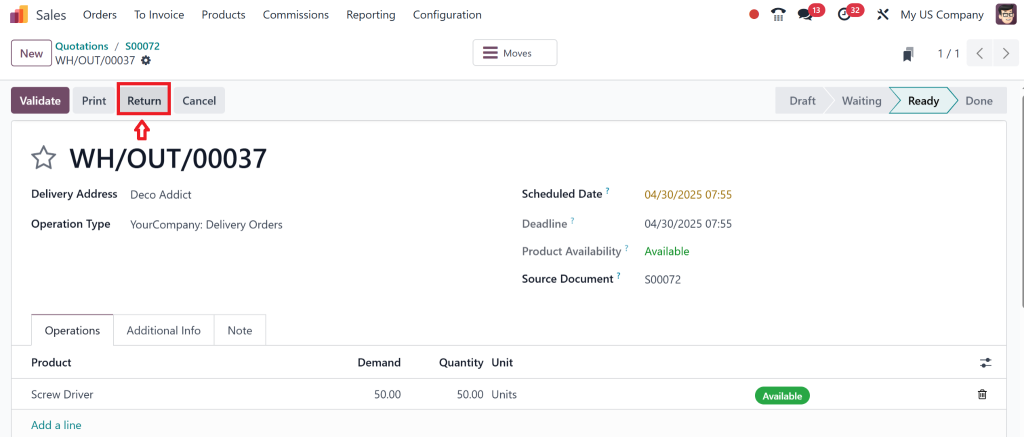
Here, click on Return.
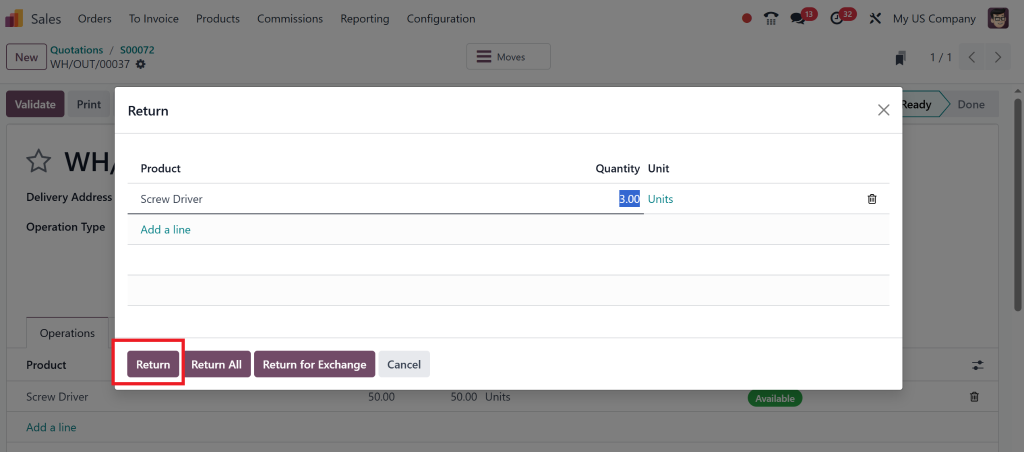
Select the quantity and click on the return button.
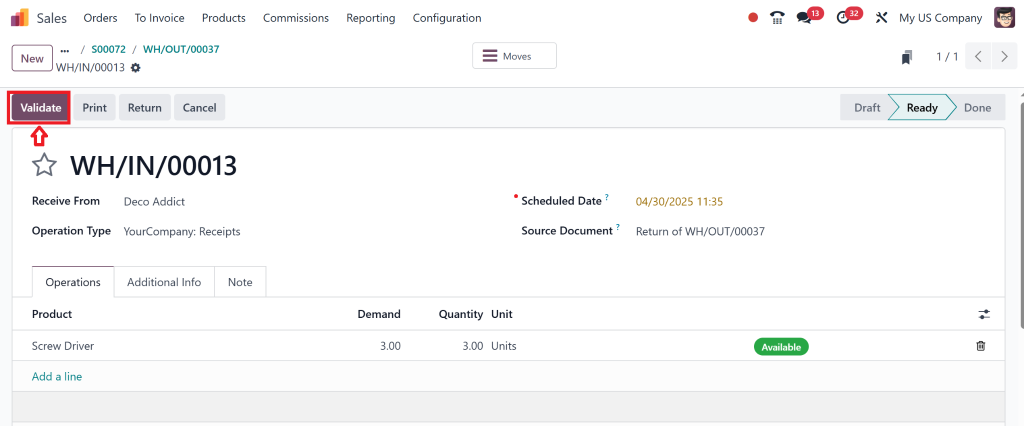
Then, validate the return order.
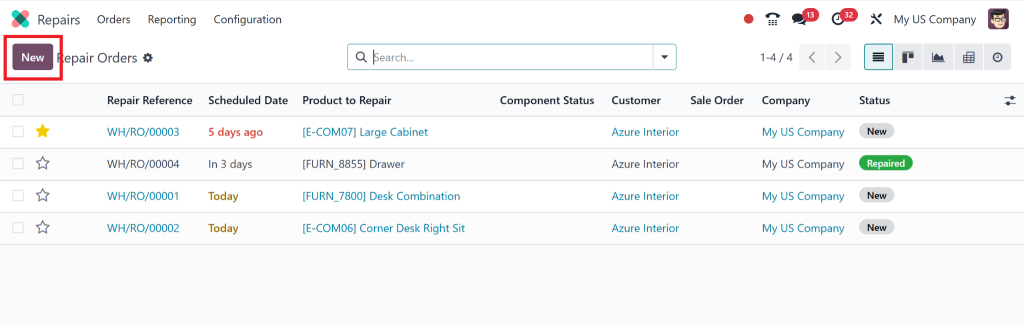
Direct to Repairs and check for that return order.
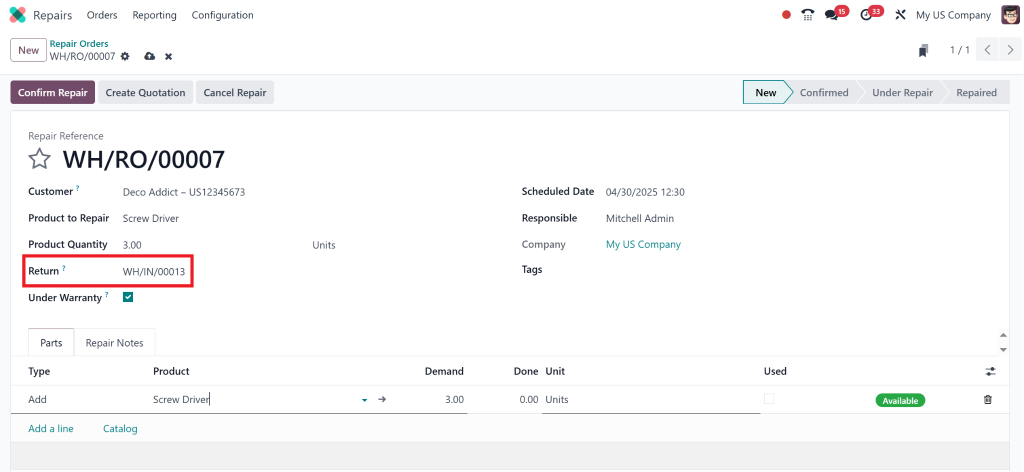
Fill in the customer details.
Select the product that needs repair.
Mention the quantity, repair type (internal or external), and warranty status.
You can also add extra parts or services if required.
This setup ensures that you capture all the necessary information for a successful repair job.
Step 3 – Managing the Repair Process
Once a repair order is created, you can take actions like:
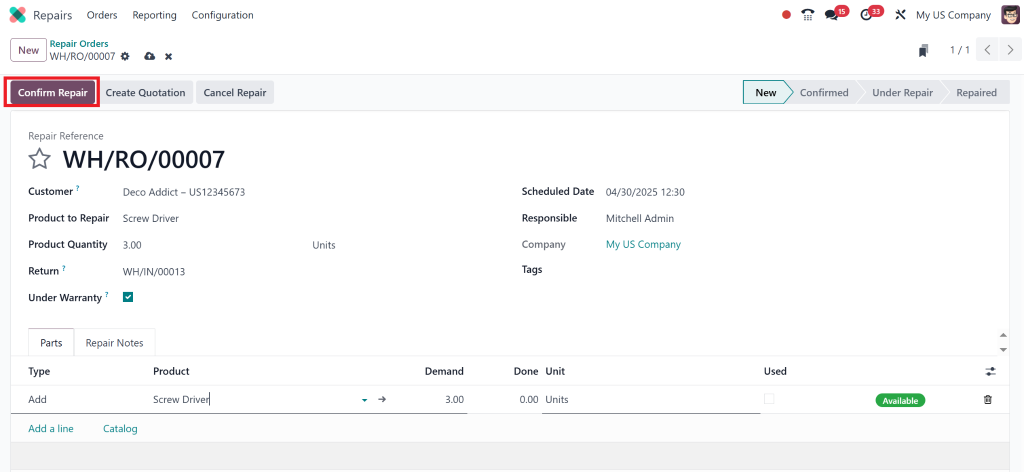
Confirm Repair: Moves the order to an active status.
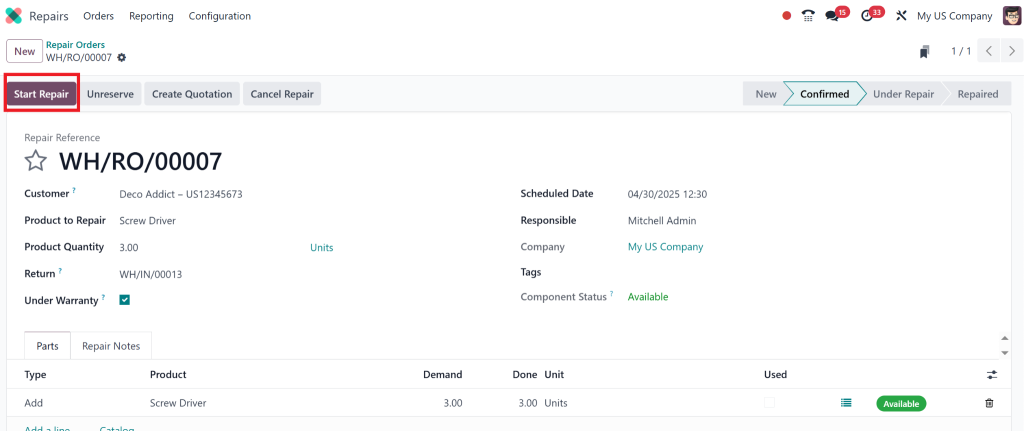
Start Repair: Tracks when the work begins.
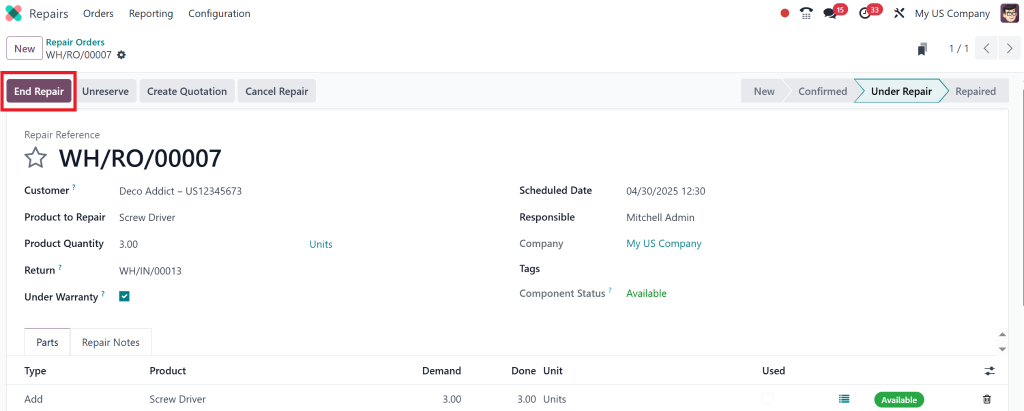
End Repair: Marks the job as complete.
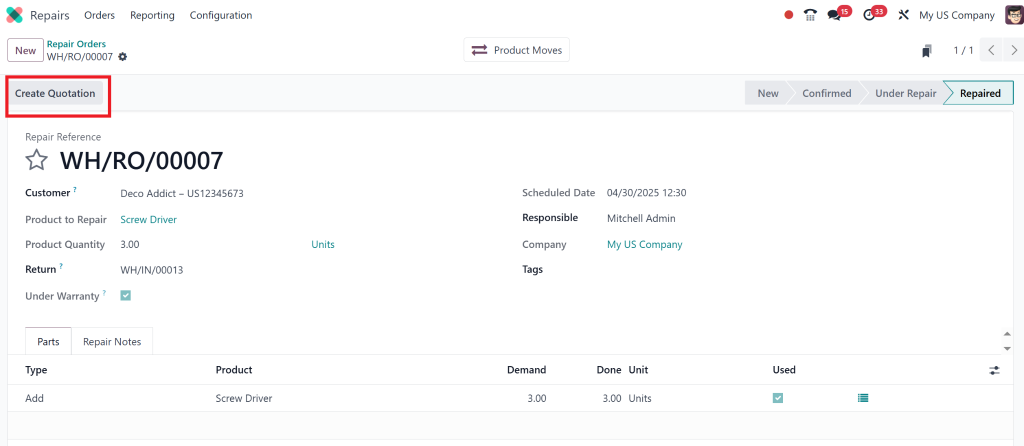
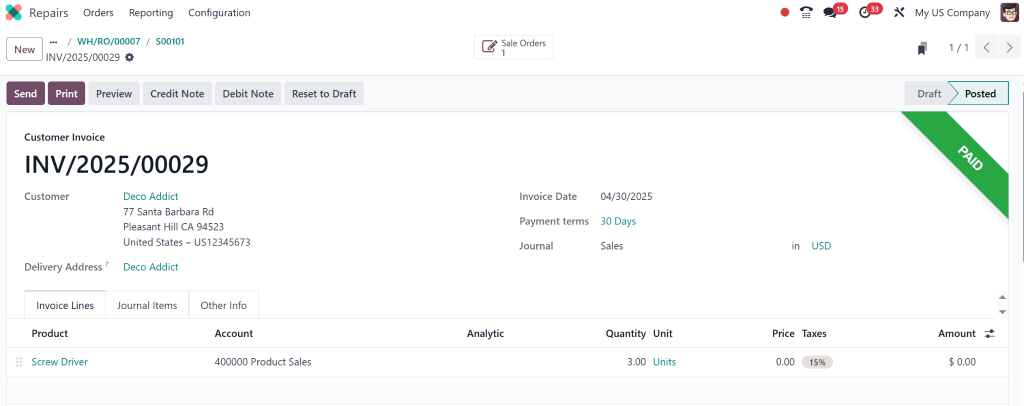
Invoice Repair: Automatically generate an invoice once repairs are done.
The Odoo 18 Repairs app ensures each action is logged for full traceability.
If we again want to check their status in the sales module then we can go towards our sales order and click on delivery smart tab and check its status will be marked as doen.
The Complete Odoo Repair Process – Explained
The Odoo repair process is designed for operational clarity and speed. Here’s how it works in practice:
Order Creation: You log the issue and record the customer and product information.
Diagnosis: Add any necessary notes or actions.
Work Order: Assign repair tasks to your team.
Approval: If necessary, obtain customer approval before commencing work.
Execution: Your technician performs the repair.
Quality Check: Optional, but recommended for quality control (QC) teams.
Closure: Mark repair as complete and trigger invoicing.
This process flow ensures that internal teams and customers remain informed and aligned at every stage.
Handling Warranty Repairs with the Odoo 18 Repairs App
Warranty management can often complicate repair workflows, but not with the Odoo Repairs app.
Here’s how you can handle Odoo 18 warranty repairs:
Attaching Warranty Information
Select whether the product is still under warranty when creating the repair order. If yes, you can:
Bypass invoicing for repairs covered under warranty.
Add detailed notes on warranty terms.
Track the number of warranty claims per product.
Automatic Warranty Validation
The app can also automatically check warranty dates based on the date of product delivery. That saves time and reduces the chance of human error.
Odoo Repair Order Tutorial for New Users
If you’re starting, this Odoo repair order tutorial is for you. Let’s walk through a real-world example.
Scenario: A customer returns a smartphone with a faulty screen.
Go to Repairs > Create.
Select the customer and product.
Add a note: “Screen flickering issue”.
Check if the warranty is active.
Add a repair line for “Screen Replacement”.
Confirm and start the repair.
After completion, invoice the customer (if the item is out of warranty).
This hands-on tutorial demonstrates how easily you can manage a repair case using the Odoo 18 Repairs app.
Benefits of Using the Odoo 18 Repairs App for Your Business
Integrating the Odoo Repairs app into your operations offers multiple business advantages:
Centralized Repair Management
You no longer need spreadsheets or third-party apps. All your repair data lives in one place.
Improved Customer Satisfaction
Transparent workflows and faster service mean happier customers. You can even email repair updates directly from Odoo.
Smart Invoicing and Accounting
Since Odoo integrates with its accounting module, invoices are generated and tracked automatically.
Scalable for Large Teams
The app is scalable from startups to enterprises. You can assign roles, track teams, and generate performance reports.
Best Practices for Odoo 18 Repair Management
Want to get the most out of your Odoo 18 repair management setup? Here are some tips:
Use Custom Stages: Add statuses like “Waiting for Parts” or “QC Pending”.
Set Up Alerts: Use automated email templates to notify customers.
Integrate Inventory: Automatically track parts used in repairs.
Enable Serial Number Tracking: This feature is particularly useful for the electronics and automotive industries.
These practices help update the entire lifecycle of Odoo 18 repair orders.
Why Netilligence Recommends the Odoo Repairs App
Managing repairs doesn’t have to be chaotic. With the Odoo 18 Repairs app, your business can centralize operations, deliver better service, and simplify the repair lifecycle – from customer complaints to job completion.
At Netilligence, we specialize in customizing and deploying Odoo ERP solutions for service-based businesses. Whether you need help with Odoo 18 repair management, training your staff, or integrating with inventory and invoicing – our team is here to help.
Ready to streamline your repair process with Odoo?
Contact Netilligence today for a free consultation.
Hi, I'm Nabia, an Odoo ERP functional & technical content writer. I specialize in blogs, social media content, ad copy, landing pages, service pages, and email campaigns.
We use cookies to ensure that we give you the best experience on our website. If you continue to use this site we will assume that you are happy with it.