How to Set Up and Track Subcontracting Processes in Odoo 18?
Introduction to Odoo 18 Subcontracting Setup
Subcontracting isn’t just about outsourcing tasks; mastering efficiency, leveraging partnerships, and maintaining complete control over your production chain. With Odoo 18 subcontracting setup, you gain a powerhouse of tools to simplify your operations like never before.
Imagine your business is thriving, but managing subcontractors feels like juggling flaming torches while riding a unicycle. Sound familiar? Don’t worry; the Odoo 18 subcontracting setup is here to extinguish the chaos and put you back in control.
Subcontracting processes in Odoo 18 can be a double-edged sword. While it allows you to scale operations and specialize, it often brings a maze of processes. That’s where the Odoo subcontracting module steps in, offering tools to simplify workflows, manage vendors, and optimize production timelines.
Ready to dive in? Let’s subcontract your business’s superpower.
What is Subcontracting in Odoo 18?
Subcontracting involves outsourcing specific production tasks to external vendors while maintaining control and visibility. The subcontracting module in Odoo enables businesses to manage these processes effectively, ensuring smooth integration between internal and external operations.
Key features include:
Efficient setup and tracking of subcontracting processes.
Dropship subcontractor Odoo 18 functionality for direct shipping from vendors.
Customizable workflows to fit your business needs.
Setting Up Subcontracting in Odoo 18
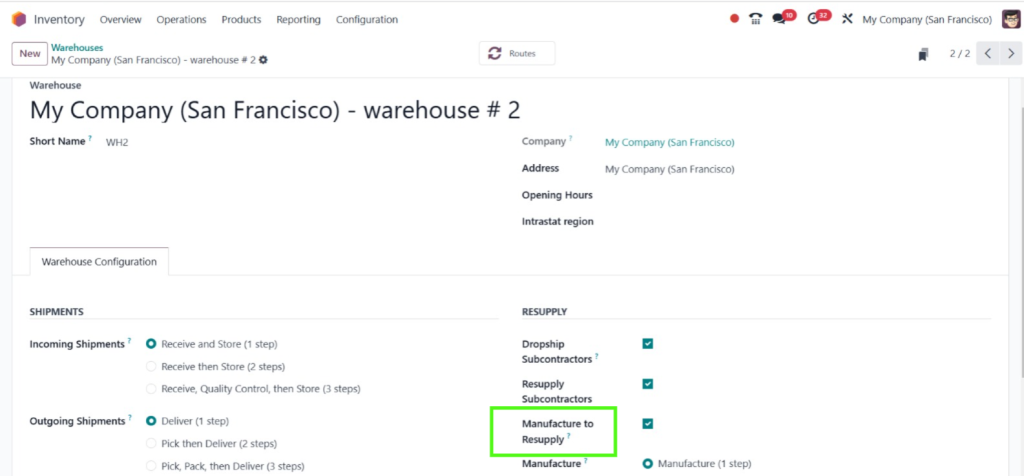
Step 1: Enable Manufacture to Resupply
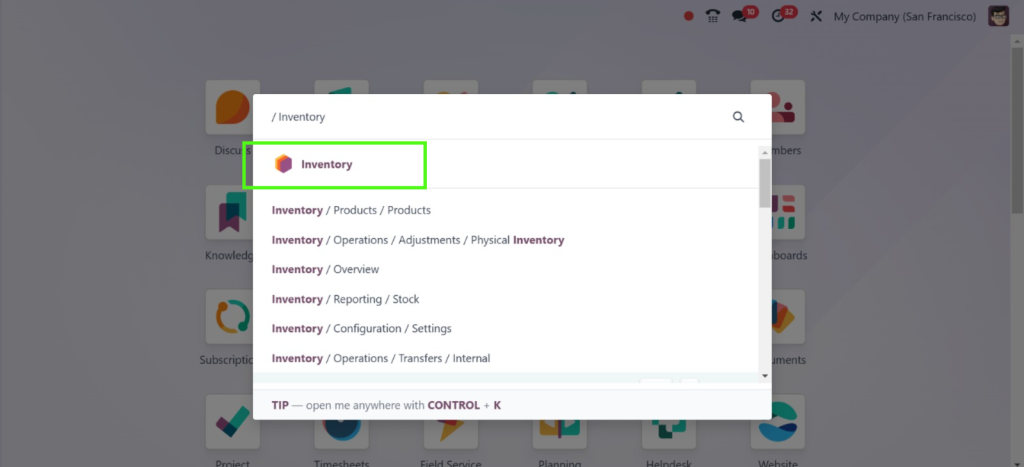
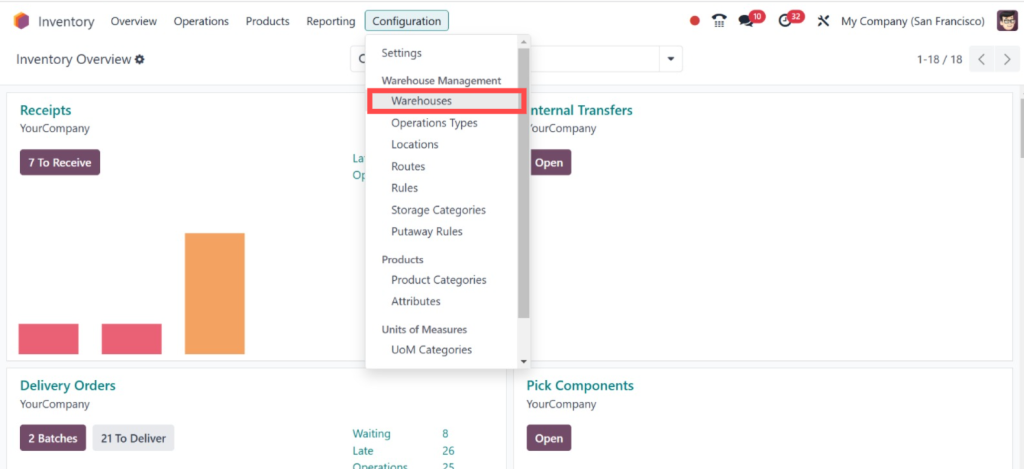
To manage the subcontracting in the Odoo 18 manufacturing module, we must first enable “Manufacture to Resupply” from the warehouses. Open inventory app from your Odoo dashboard.
Direct to Configuration > Warehouses.
So, we have enabled that feature here.
Step 2: Odoo Subcontractor Configuration
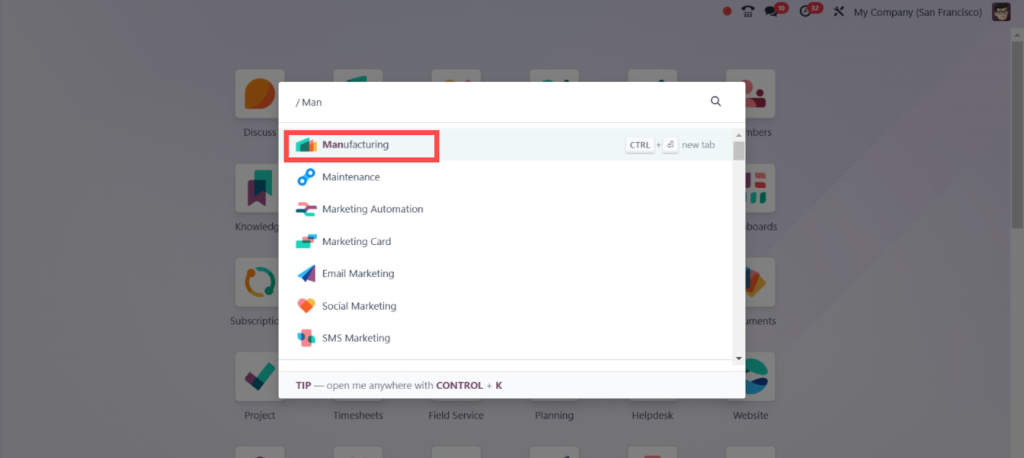
Direct into the Manufacturing Module.
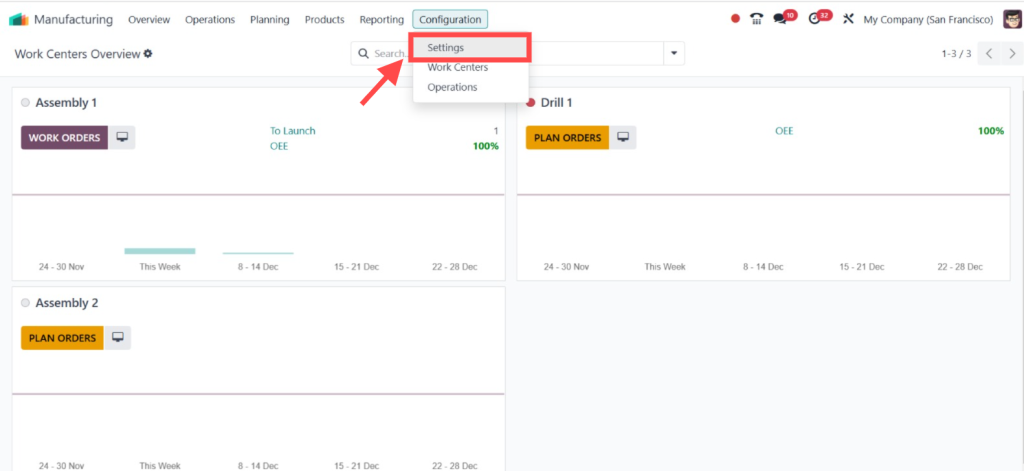
Then, Configuration > Settings.
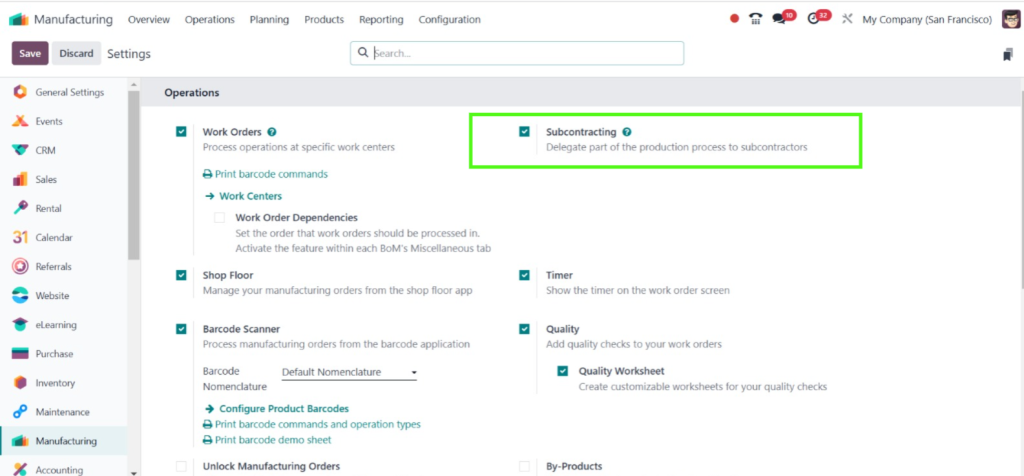
Tick the checkbox under the operation heading to save the changes.
Step 3: Components Required for Manufacturing
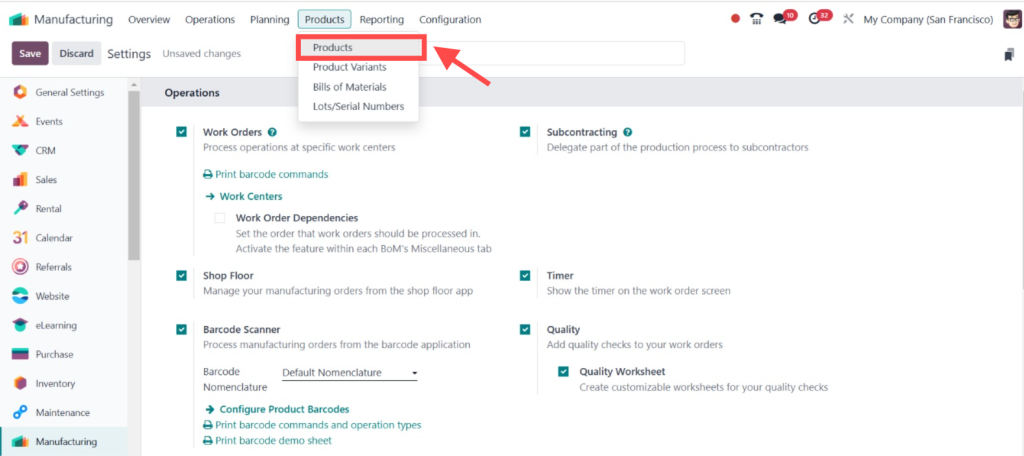
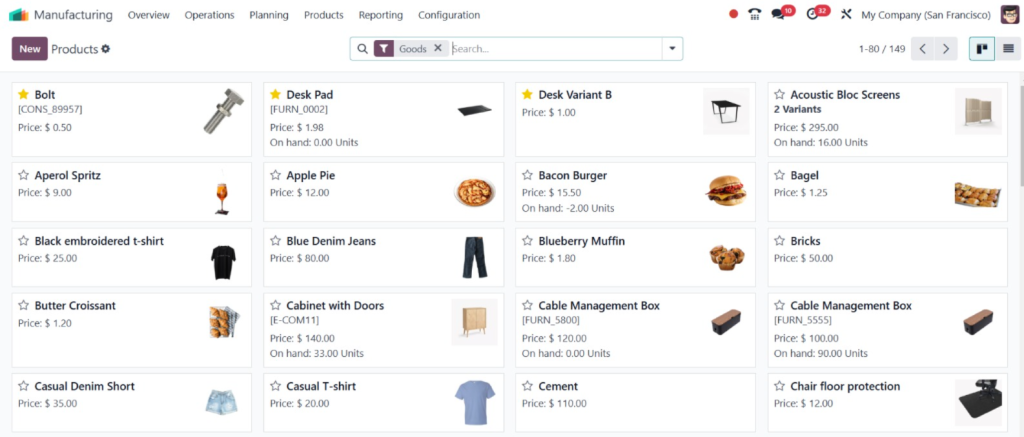
Now, let’s move on to the products and see the components required for manufacturing the product ‘‘Desk’’.
Here, you can see all the products.
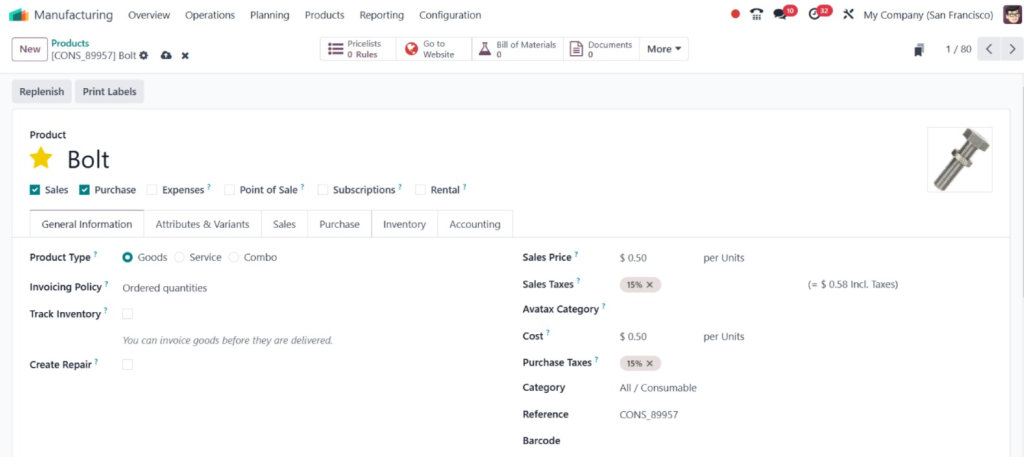
So, here you can find the product, ”Bolt,’’ one of the components used.
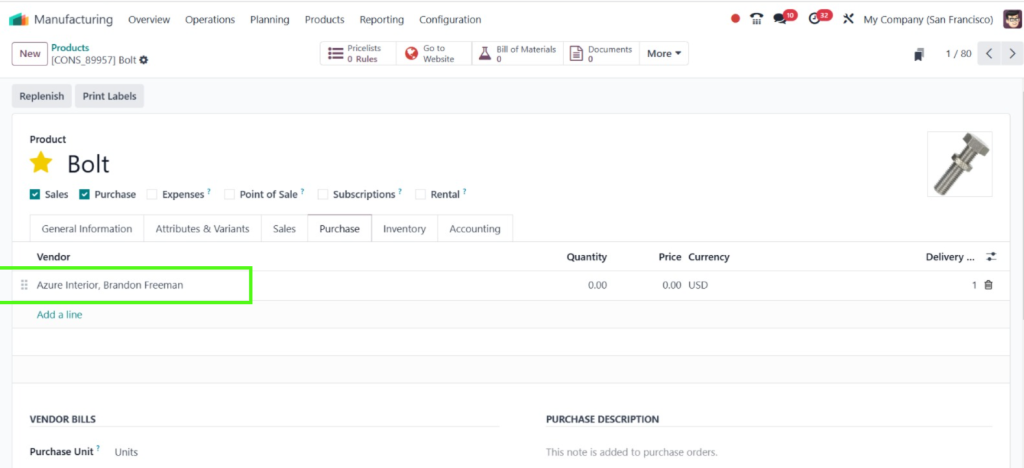
Then, you can designate the subcontractor as ‘‘Azur Interior’’.
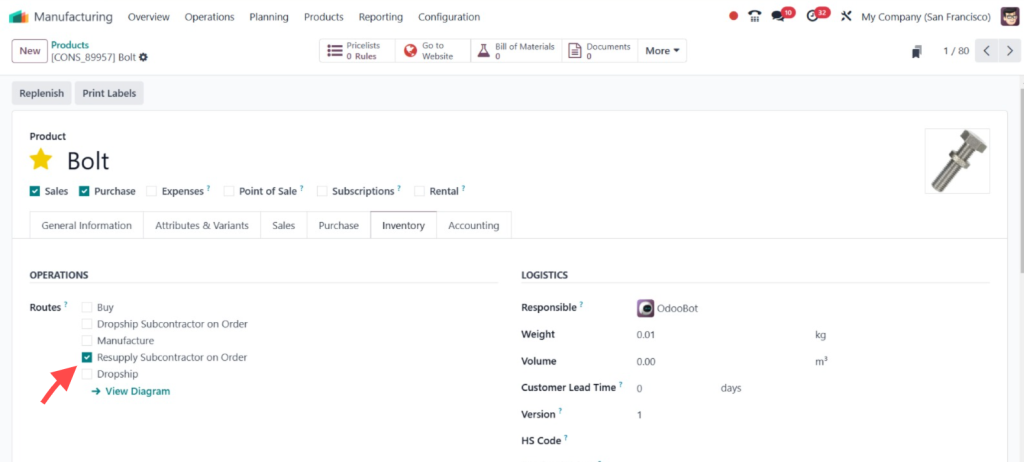
We have to set the root as ‘‘Resupply Subcontractor on Order’’, which we must also set in all other components.
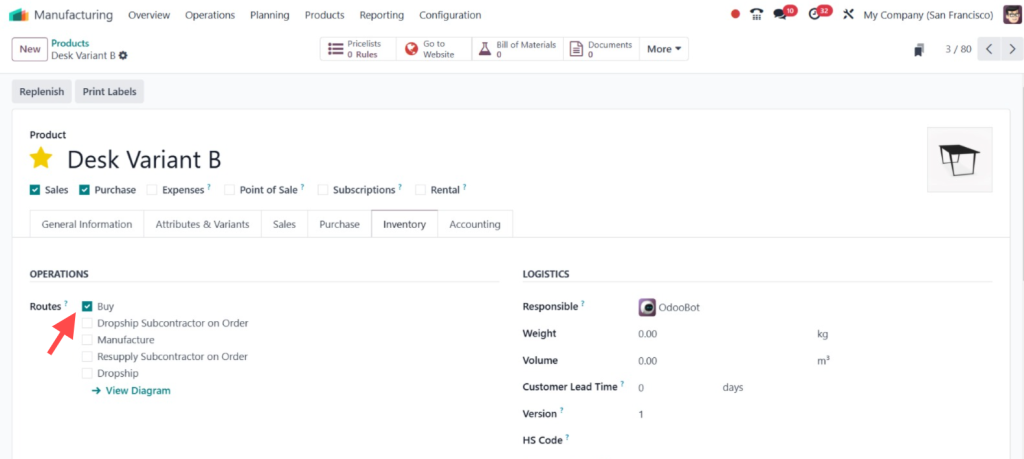
Later on, let’s move on to the product ‘‘Desk’’; here you can see the root is just ‘‘Buy’’.
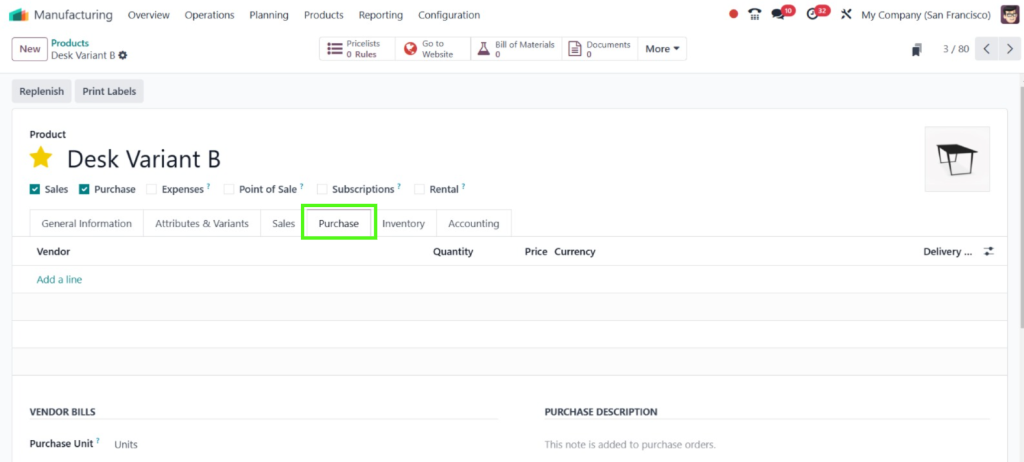
Setting the vendor over here under the ‘‘Purchase’’ tab is unnecessary.
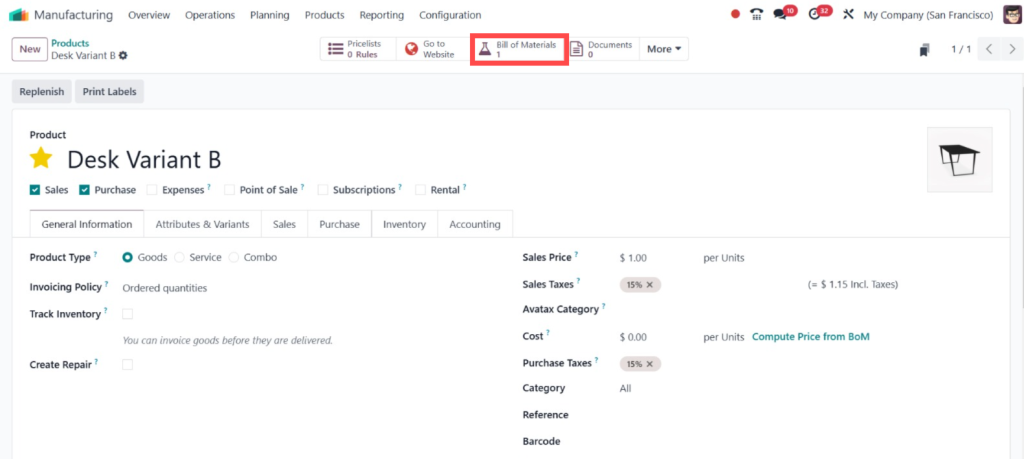
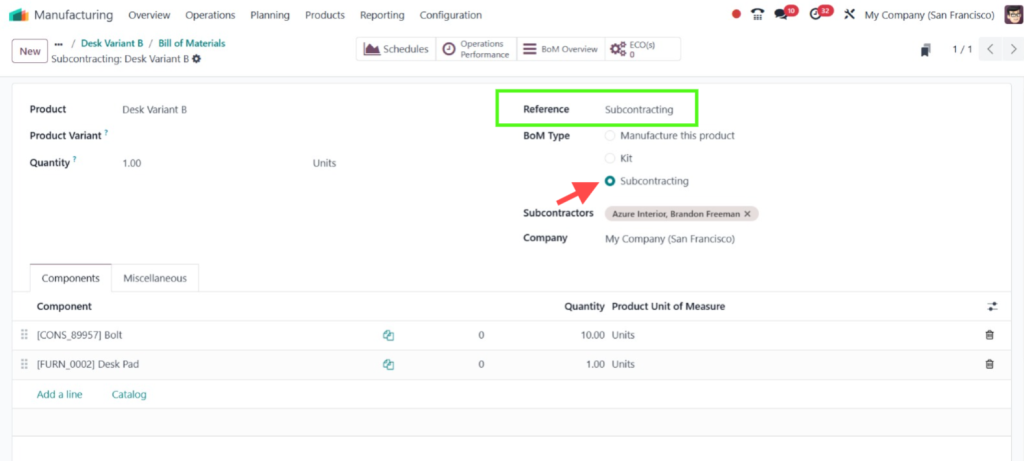
Now, let’s move on to the BOM of this product, which is the bill for the materials.
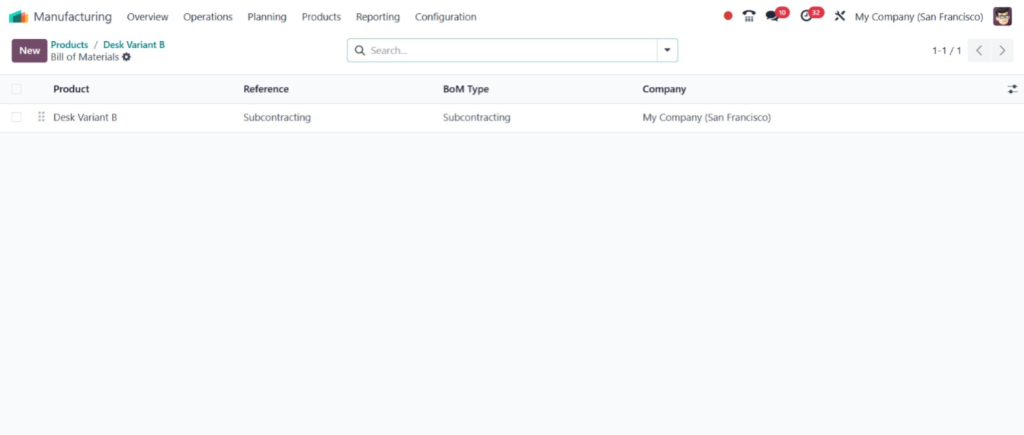
So here you can find the BOM, which is ‘‘Subcontracting’’.
You can just provide the ‘‘Reference’’ as ‘‘Subcontracting’’. To manage the subcontracting, you have to set the type as ‘‘Subcontracting’’, where you have to set the subcontractors. You can find the details over here. So, we just require 10 quantities of Bolts to subcontract the item and 1 Desk Pad. Then, you can save the changes you have made.
Step 4: Access to the Purchase Module
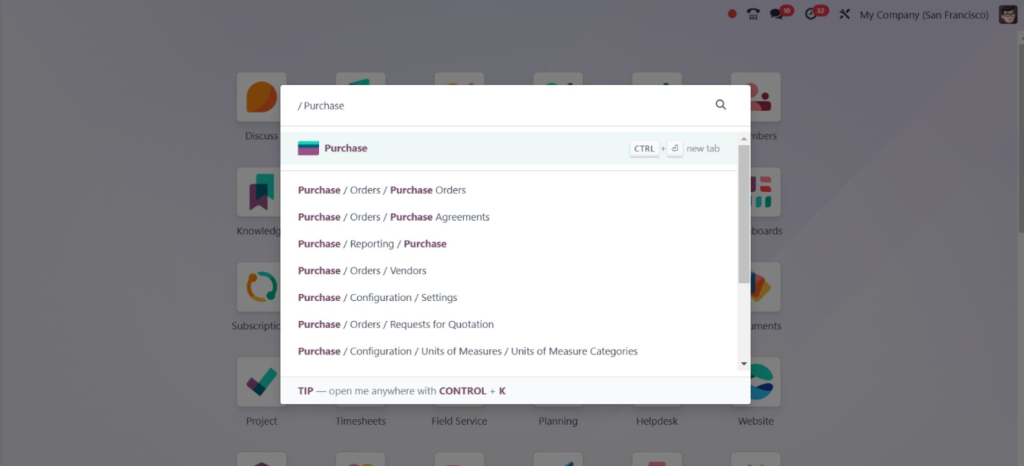
Let’s move on to the ‘‘Purchase Module’’ to purchase the item.
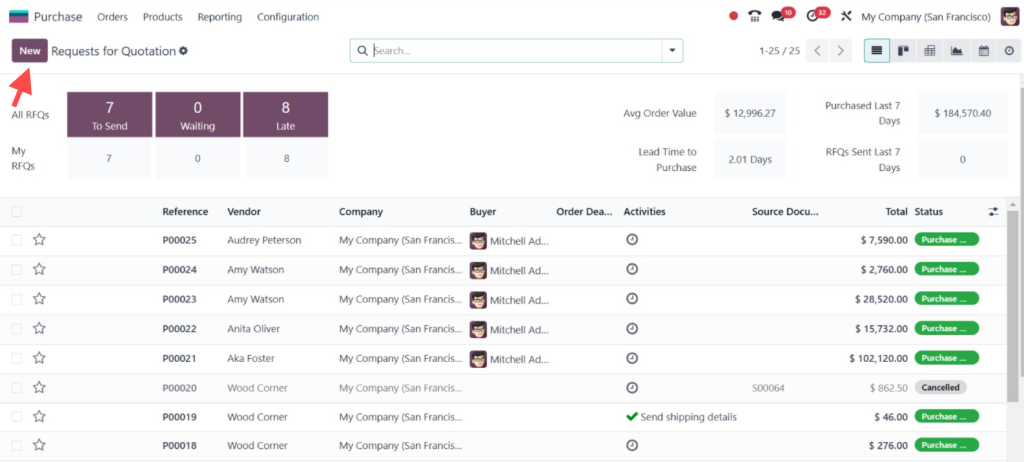
So, as we just try to purchase the item, click ‘‘New’’.
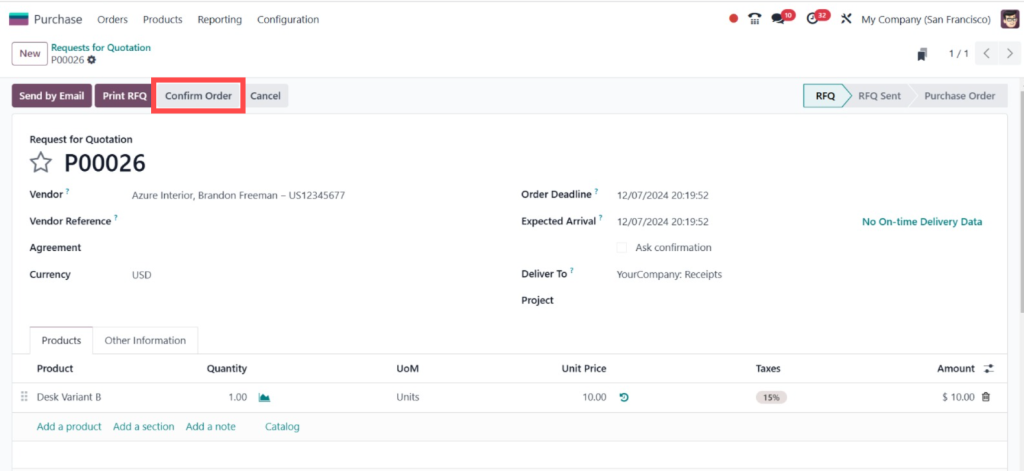
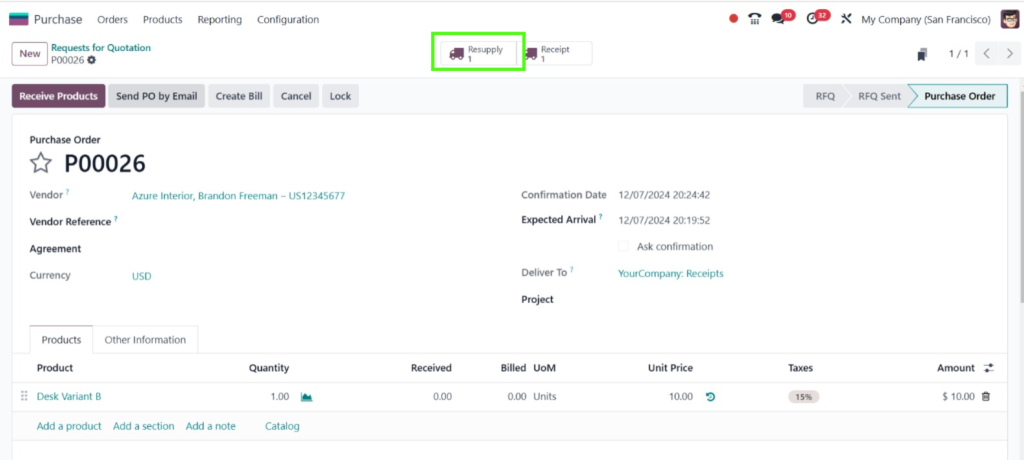
Here, you can see that first, we must subcontract all these components from the manufacturer. Now, let’s add the vendor, Azure Interior, Brandon Freeman. Then, you can choose the product, Desk Variant B. Save the changes and click on “Confirm Order.”
Here, you can see that you will get an additional bright button called “Resupply.” So, before purchasing the product “Desk,” we have to resupply the components.
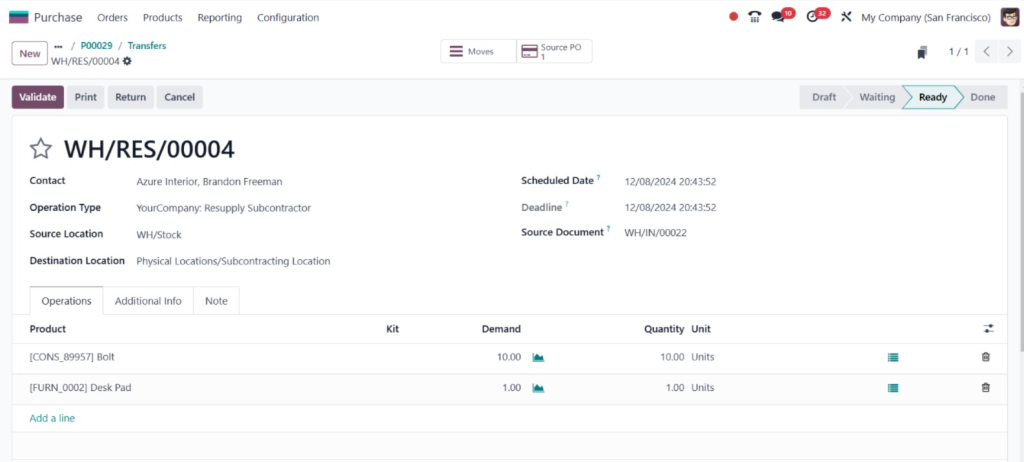
Here, you can see all the components we will subcontract to the subcontractor. Click on “Validate.”
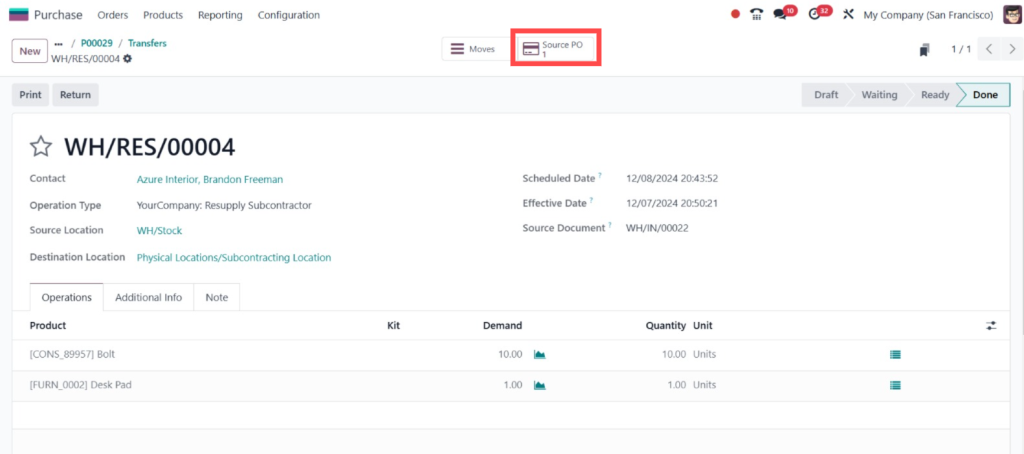
If you want to view the source purchase order, you can also find that; you just need to click on the ‘‘Source PO’’ button.
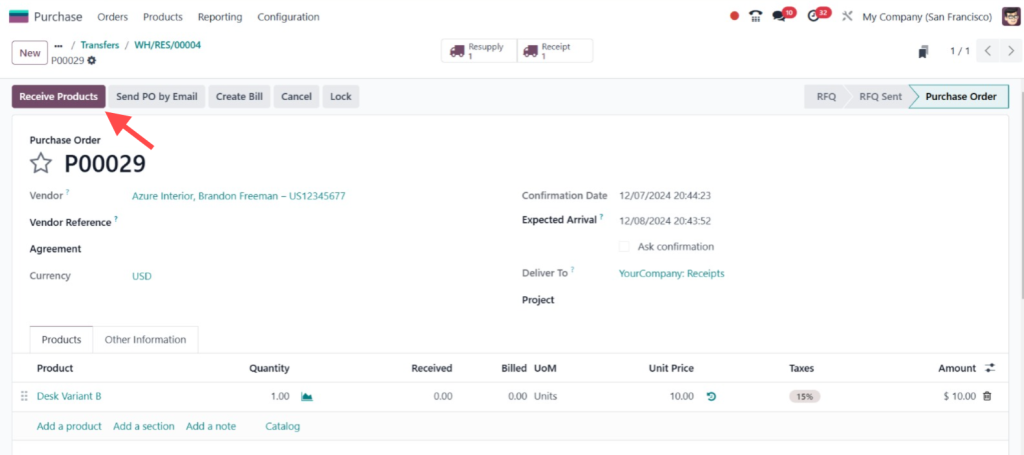
This shows the source, and now we can receive the item. To receive the item in stock, click on “Receive Products.”
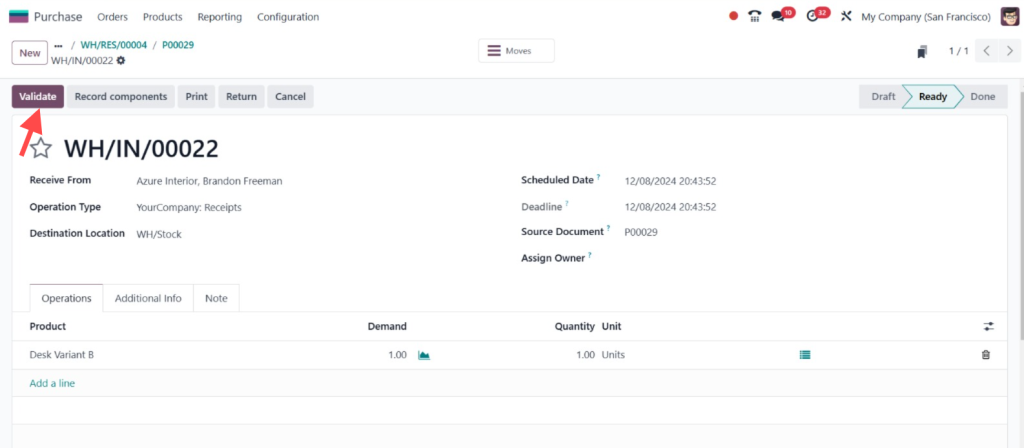
And then click on the ‘‘Validate’’.
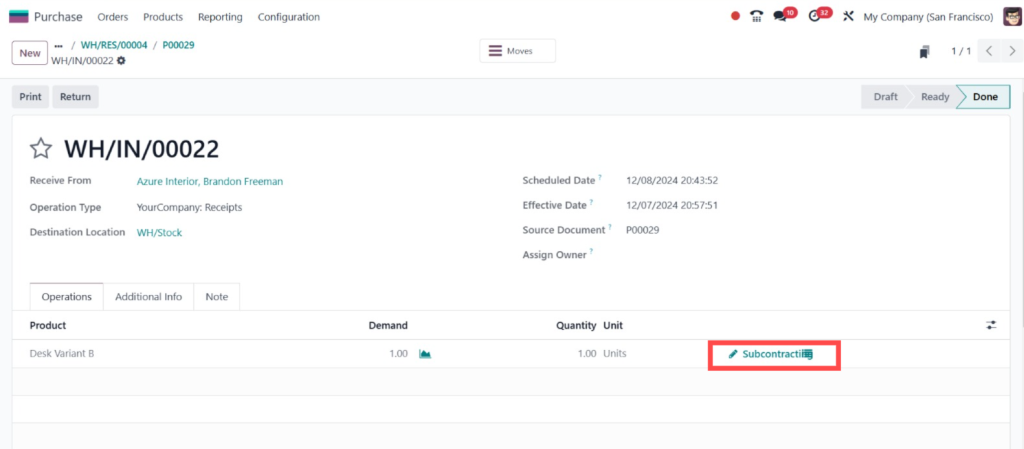
Then, you will see that we have added the product in stock. Now, under the ‘‘Subcontracting’’ here.
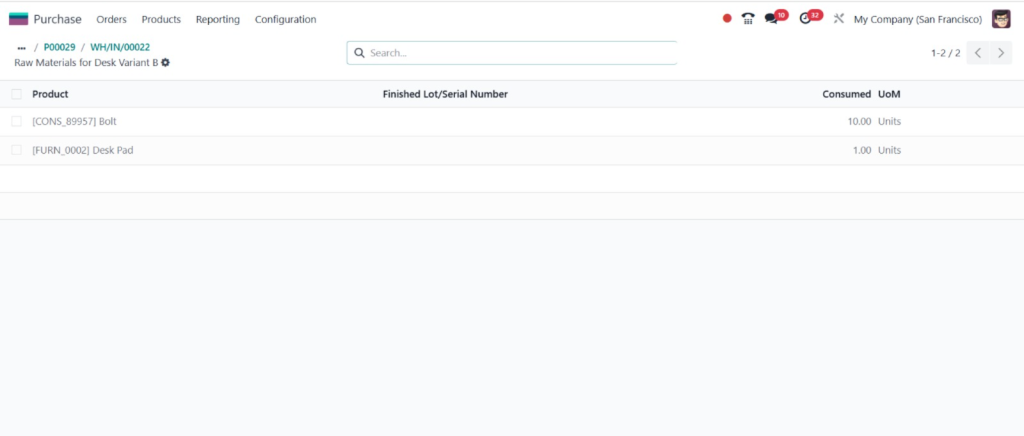
You can see all the components that are subcontracted and the number of quantities that are used.
That’s all for dealing with subcontracting, which is the basics of subcontracting in the Odoo 18 manufacturing module.
Understanding the Odoo 18 Subcontracting Workflow
The Odoo 18 subcontracting workflow simplifies the flow of materials and products between your business and subcontractors.
Key Steps in the Workflow
Procurement Order Creation: When a product requiring subcontracting is ordered, Odoo automatically generates a purchase order for the subcontractor.
Component Transfer: Components needed for production are sent to the subcontractor.
Subcontractor Production: The subcontractor assembles or manufactures the product.
Product Receipt: Finished products are received in your inventory, completing the workflow.
By following this process, businesses can track subcontracting in Odoo flawlessly.
Tracking Subcontracting Processes in Odoo 18
Tracking subcontracting activities is crucial for maintaining transparency and efficiency. Odoo 18 provides tools to monitor every stage of the process.
Monitor Inventory Movements
Track inventory transfers to and from subcontractors using the Inventory Module. This ensures you have visibility over component usage and finished goods received.
Use Work Orders
Leverage Work Orders to monitor subcontractor progress. Each stage of production can be tracked and updated in real-time.
Generate Reports
Generate subcontracting reports from the Reporting Module to analyze performance, identify bottlenecks, and optimize workflows.
These features make it easy to track subcontracting in Odoo, ensuring your operations remain on schedule.
Using Dropship Subcontractor Odoo 18
Drop-shipping is a valuable feature in subcontracting. It allows products to be shipped directly from subcontractors to customers. The dropship subcontractor Odoo 18 functionality eliminates the need for intermediary steps, reducing lead times and costs.
Ensure product configurations and vendor information are up-to-date to avoid errors during the subcontracting process.
Automate Workflows
Use automation features in Odoo to reduce manual effort and minimize errors in procurement and production.
Conduct Periodic Audits
Regularly review subcontracting reports to identify inefficiencies and improve operations.
Benefits of Subcontracting in Odoo 18
Using Odoo 18 for subcontracting offers numerous benefits:
Rationalized workflows save time and reduce operational overhead.
Real-time tracking ensures transparency at every step.
The system adapts to growing subcontracting needs.
By leveraging the Odoo 18 subcontracting setup, businesses can enhance their operational efficiency and stay competitive.
Common Challenges and Solutions in Odoo 18 Subcontracting
Even with a robust system, challenges can arise during subcontracting. Here’s how to address them:
Inventory Shortages
Ensure sufficient component stock by using Odoo’s Reordering Rules.
Delays in Production
Monitor subcontractor performance through regular updates and work orders.
Data Discrepancies
Maintain accurate records and conduct frequent reconciliations using the subcontracting module in Odoo.
Rationalise Your Operations with Odoo 18 Subcontracting
The Odoo 18 subcontracting setup provides a powerful and flexible solution for businesses relying on third-party vendors. Companies can ensure smooth and efficient operations by configuring subcontractors, optimizing workflows, and leveraging tools like dropship subcontractor Odoo 18.
Whether you’re just starting with subcontracting or looking to enhance your existing processes, following this Odoo subcontracting process guide will help you quickly achieve your goals. With real-time tracking and comprehensive reporting, Odoo 18 empowers businesses to stay ahead in a competitive landscape.
Hi, I'm Ilsa Shabbir, an Odoo ERP content writer specializing in functional blogs on Odoo modules. I simplify complex Odoo features, creating clear and engaging content to help businesses understand and optimize their ERP solutions.
We use cookies to ensure that we give you the best experience on our website. If you continue to use this site we will assume that you are happy with it.