

Understanding Customer relationship management is crucial for any business aiming to refine its sales strategy and thinking why opportunities are lost. The Odoo 18 CRM Module lost reasons feature is an essential tool that allows organizations to analyze and categorize the reasons behind lost opportunities. By effectively utilizing this functionality, businesses can gain insights into their sales processes, identify areas for improvement, and ultimately enhance their conversion rates. This comprehensive guide will walk you through the steps to configure lost reasons in Odoo 18 CRM module, ensuring you can effectively manage and analyze lost opportunities.
Understanding Lost Reasons in Odoo 18 CRM module
What Are Lost Reasons?
Lost reasons are categories that explain why potential sales opportunities did not convert into successful transactions. In the Odoo 18 CRM module, these reasons can be customized to reflect your business’s unique challenges and scenarios. By defining and analyzing these reasons, businesses can develop strategies to mitigate future losses and improve overall sales performance.
Why Configure Lost Reasons?
Configuring lost reasons in Odoo 18 CRM module is vital for several reasons:
- Enhanced Analysis: Understanding the reasons behind lost opportunities allows businesses to analyze patterns and trends.
- Improved Sales Strategies: Businesses can adjust their sales techniques and approaches by identifying recurring issues.
- Data-Driven Decisions: With detailed insights, organizations can make informed decisions that enhance overall business performance.
Setting Up Lost Reasons in Odoo 18 CRM
Step 1: Accessing the CRM Module
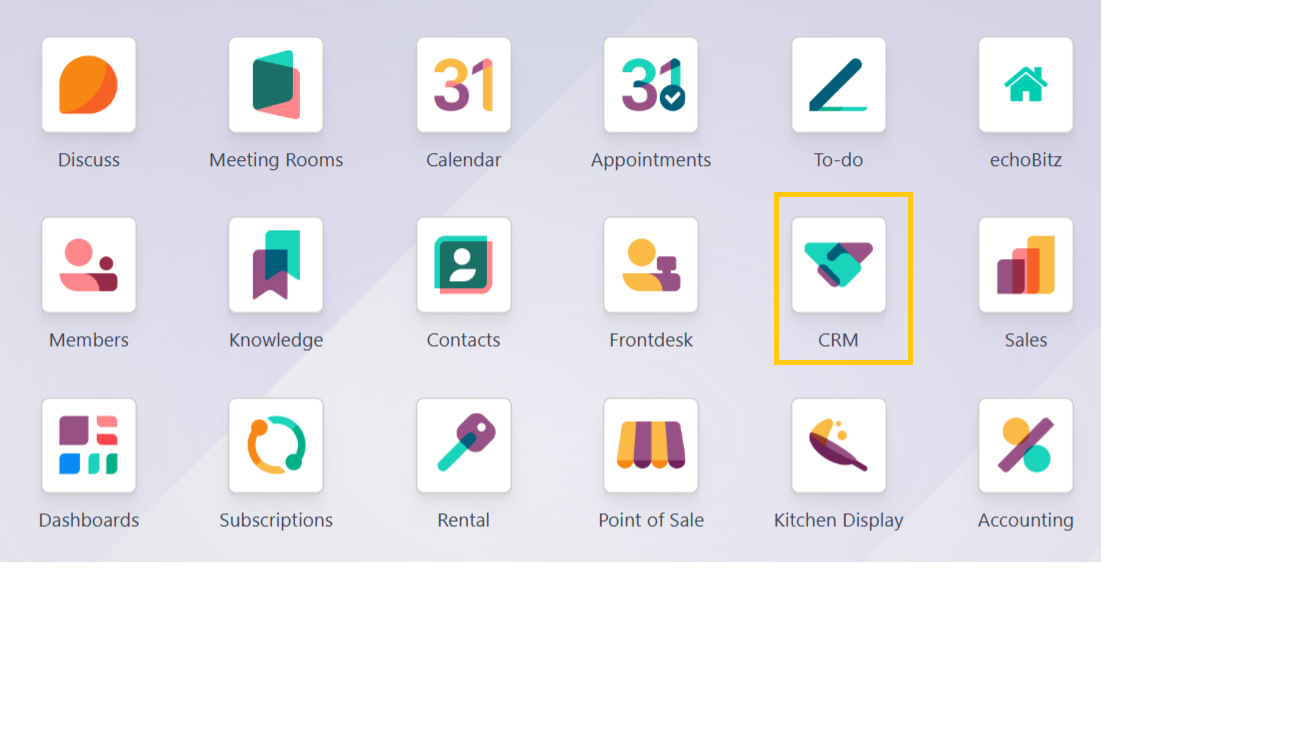
To set up lost reasons in Odoo 18 CRM module, log in to your Odoo account and navigate to the CRM module. This is where you will find all the functionalities related to managing customer relationships and sales opportunities.
Step 2: Navigating to Configuration Settings
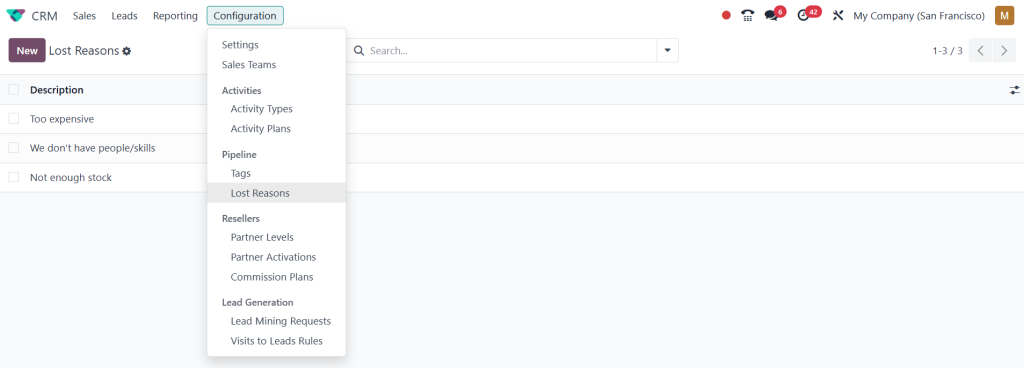
Once in the CRM module, locate the configuration settings. This can typically be found in the top menu under Configuration. Click on this option to access the settings where you can customize various aspects of your CRM.
Step 3: Adding Lost Reasons
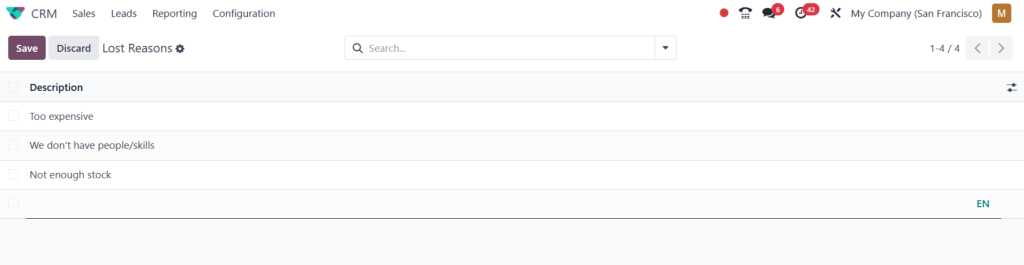
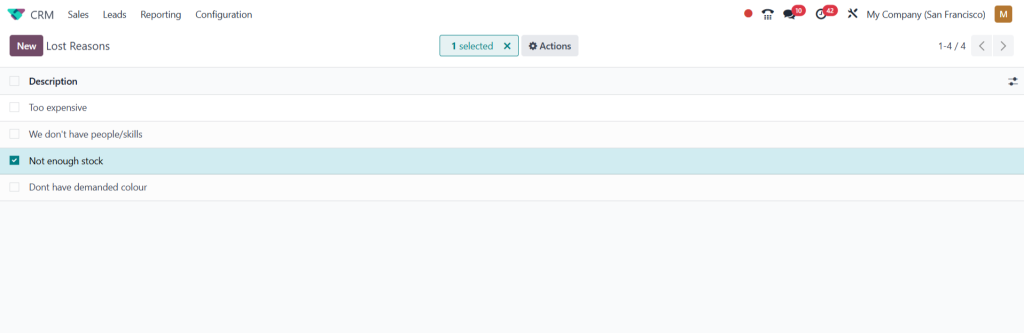
Within the configuration settings, you will find an option labeled Lost Reasons. Click on this to open the lost reasons management interface. You can add new reasons by clicking the “Create” button here.
Step 4: Defining New Lost Reasons
When creating a new lost reason, you must provide a name and a description. Ensure the name is clear and concise, as this will help your sales team quickly understand the reason when analyzing lost opportunities. For example, you might include reasons such as Price Too High,Competitor Offer, or Lack of Features.
Step 5: Saving Changes
After defining the lost reasons, click the “Save” button to ensure your changes are applied. You can repeat this process to add multiple reasons, tailoring them to your business’s needs.
Managing Lost Reasons in Odoo 18 CRM
Analyzing Lost Opportunities
Once you have configured the lost reasons, it is essential to analyze the data associated with lost opportunities regularly. Odoo 18 CRM provides various reporting tools that allow you to visualize and interpret this information effectively.
Generating Reports
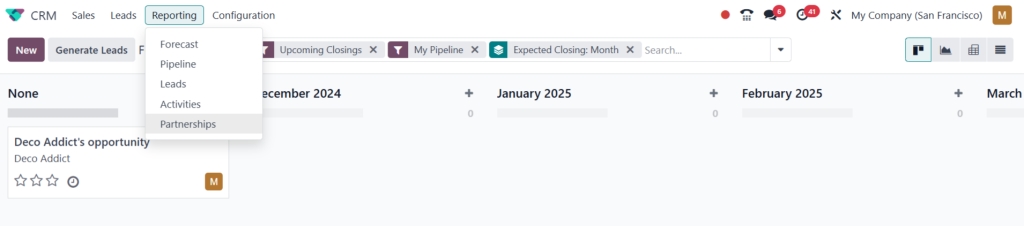
Navigate to the “Reporting” section within the CRM module to generate reports on lost opportunities. Here, you can filter opportunities by their lost reasons, providing valuable insights into which areas require attention and improvement.
Best Practices for Managing Lost Reasons
Regular Updates
As your business evolves, so too should your lost reasons. Regularly review and update these reasons to remain relevant and reflect your current market conditions.
Training Your Sales Team
Ensure that your sales team is well-versed in using the lost reasons feature. Provide training sessions that emphasize the importance of accurately recording lost opportunities and the reasons behind them.
Utilizing Feedback
Encourage your sales team to provide Feedback on the reasons. This collaborative approach can identify new reasons that may have not been considered initially.
Effectively managing Odoo 18 CRM lost reasons is a pivotal
Aspects of optimizing your sales strategy,Businesses can significantly enhance their understanding of the sales process by configuring lost reasons, analyzing lost opportunities, and implementing best practices. This proactive approach helps identify areas for improvement and fosters a culture of continuous learning and adaptation within the organization.




