How to Set Up Consignment Operations in Odoo 18 Inventory?
The Influence of Consignment Operations in Odoo 18 Inventory
Consignment Operations in Odoo 18 Inventory are an innovation for businesses looking to improve their cash flow and minimise risks. With Odoo 18 consignment operations, companies can manage stock that belongs to suppliers but is stored in their warehouse until sold. This sounds like a smart deal: You don’t own the products until they’re sold, yet you can display and sell them.
In this blog, we’ll walk you through setting up Odoo 18 consignment inventory and using its consignment management features to reorganise your operations. By the end of this guide, you’ll know exactly how to configure and use Odoo 18 consignment operations for greater efficiency, lower risks, and better stock control.
What Exactly Are Odoo 18 Consignment Operations?
Before we set up, let’s quickly explain the consignment inventory in Odoo. Consignment inventory is stock that a supplier sends to a business but doesn’t technically belong to the company until sold. This arrangement benefits both parties: Businesses can sell products without buying them upfront, while suppliers keep control until the products move off the shelves.
With Odoo consignment stock management, the process becomes a lot easier. You can track stock, record sales, and even handle supplier payments without worrying about errors or complicated manual processes.
Why Should You Use Odoo 18 Consignment Feature?
Odoo consignment feature offers numerous advantages to businesses, including:
Cash Flow Optimization:
No need to pay for products upfront, improving liquidity.
Accurate Stock Tracking:
Easily track consignment stock levels in real time.
Sell products before committing to purchases, reducing inventory holding costs.
Supplier Relationship Management:
Strengthen supplier partnerships by offering a mutually beneficial consignment model.
With Odoo consignment management, you can access powerful features like automatic stock updates, real-time tracking, and insightful reporting, all of which make managing consignment goods simple and efficient
Odoo 18 consignment setup
Now that you understand the basics let’s get into the setup. Here’s how to set up consignment operations in Odoo Inventory and manage consignment stock like a professional.
1. Odoo 18 consignment configuration
The first step in setting up Odoo 18 consignment inventory is to create a specific product category dedicated to consignment goods. That helps you keep track of consignment stock separately from regular inventory.
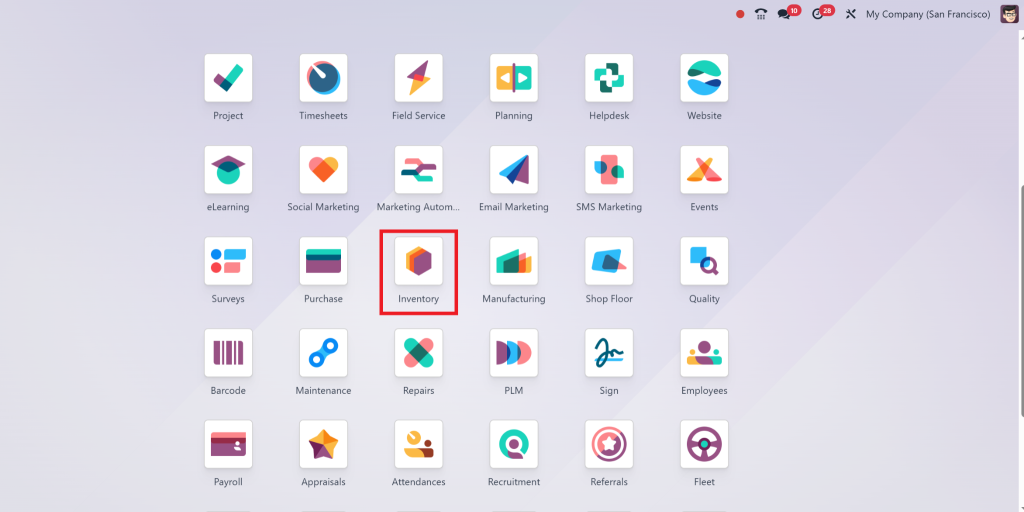
Go to Inventory Module
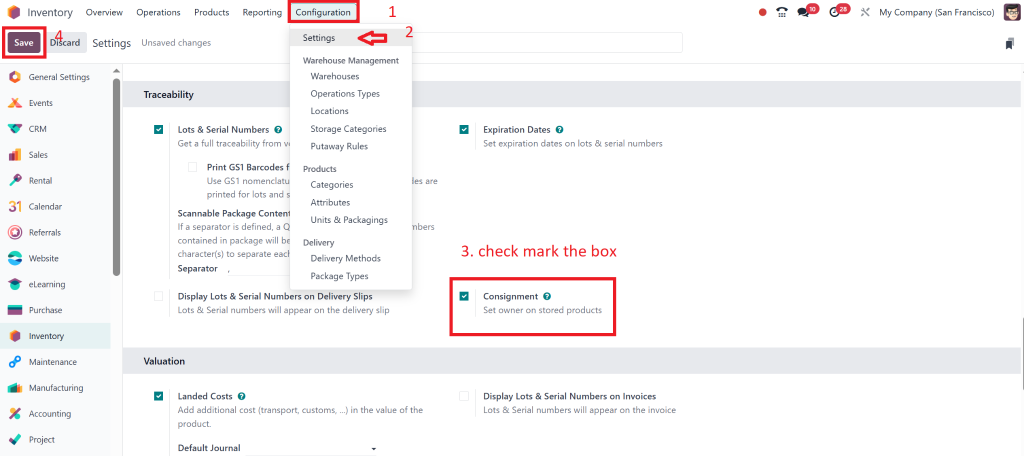
From there go to Configuration > settings and enable the “Consignment”& save the settings.
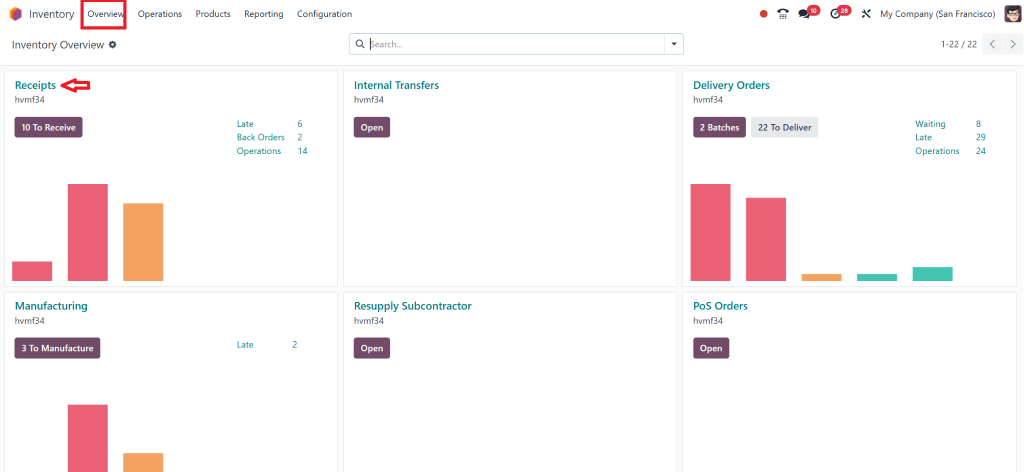
Then, go to Overview and you can see the “Receipts” option there.
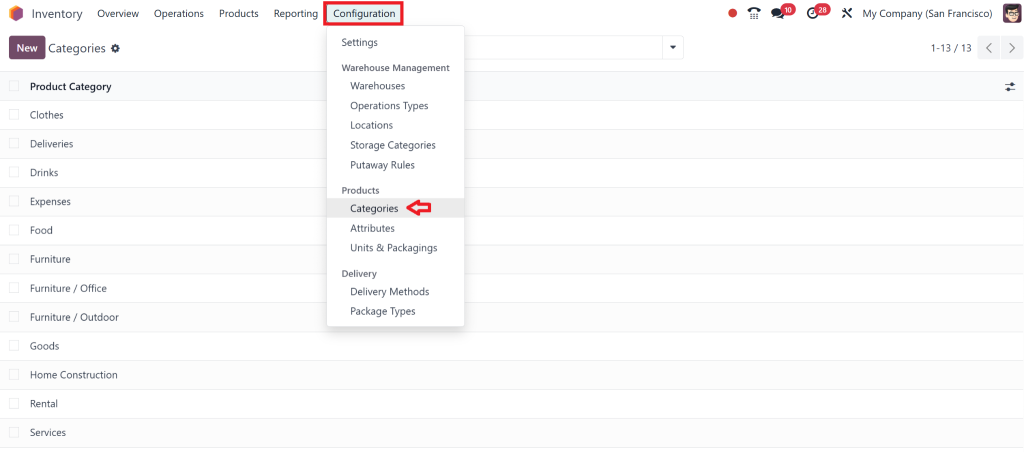
Then, go to Configuration > Product Categories.
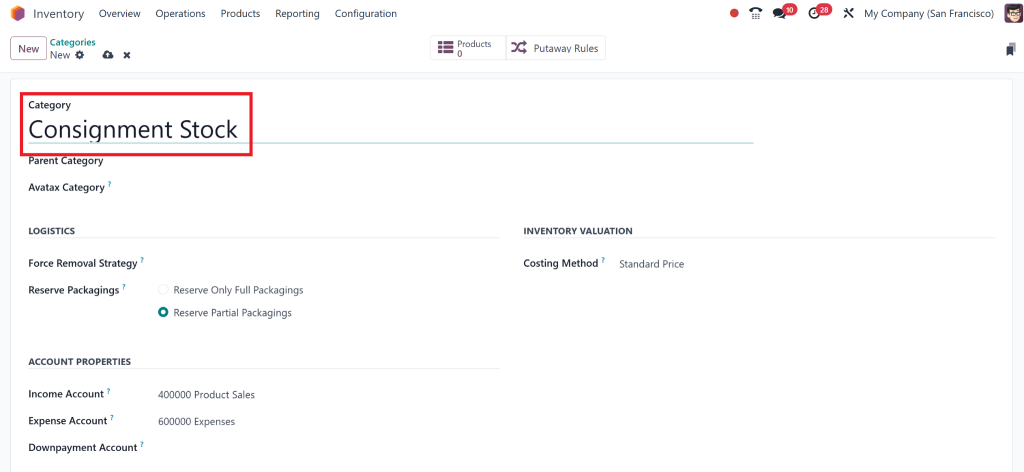
Create a new category for consignment goods (e.g., “Consignment Stock”).
This simple step ensures all consignment items are classified correctly for better organisation and easier tracking.
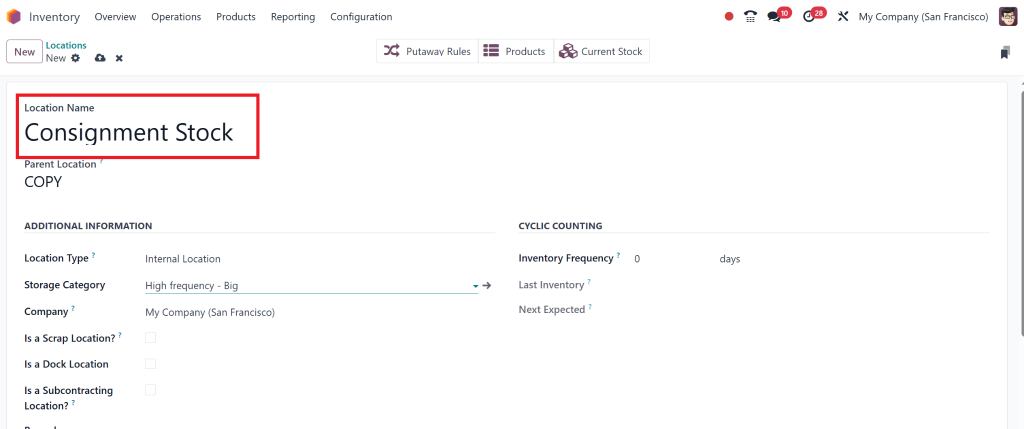
2. Create a Consignment Location
Next, you need to define where your warehouse will store consignment stock. Creating a separate location for consignment inventory ensures it is easily distinguishable from regular stock.
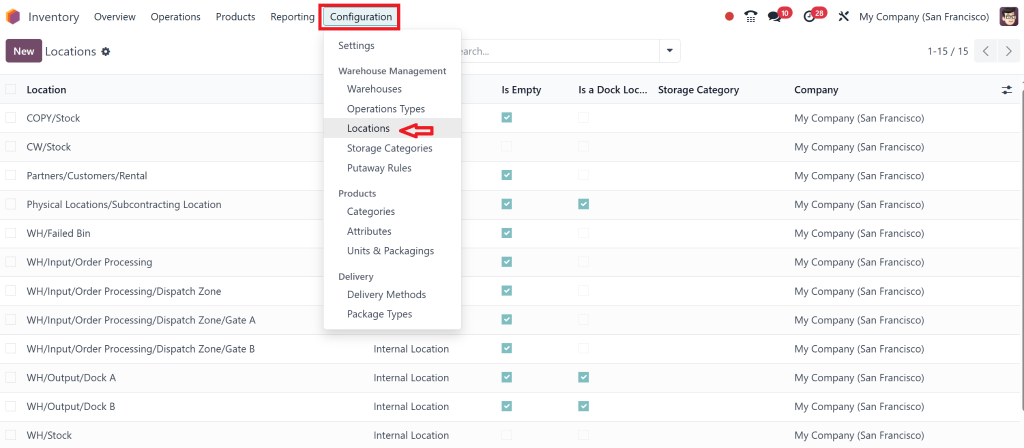
Go to Inventory > Configuration > Locations.
Add a new location called “Consignment Stock.”
When you receive consignment goods, you can move them to this location within your warehouse, keeping your inventory clean and easy to manage
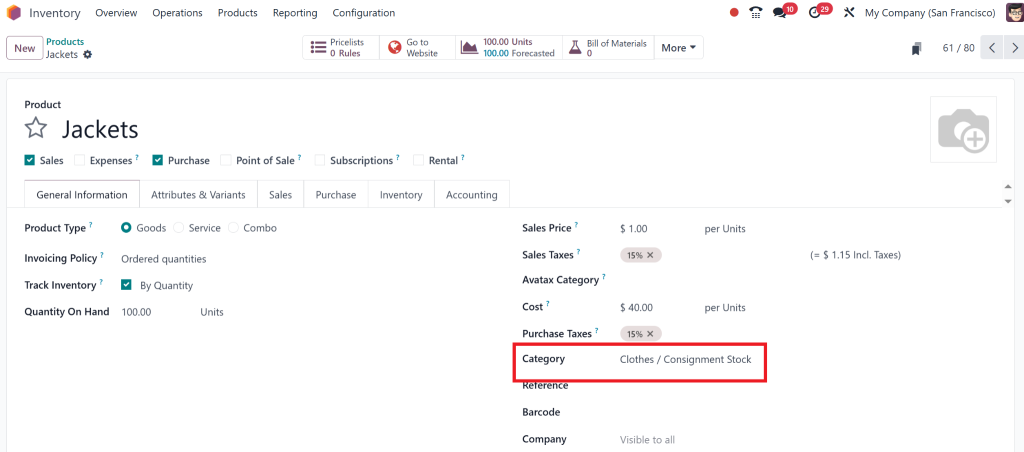
3. Assign Consignment Products to the Right Category and Location
You can assign consignment products to each area once your categories and locations are set up.
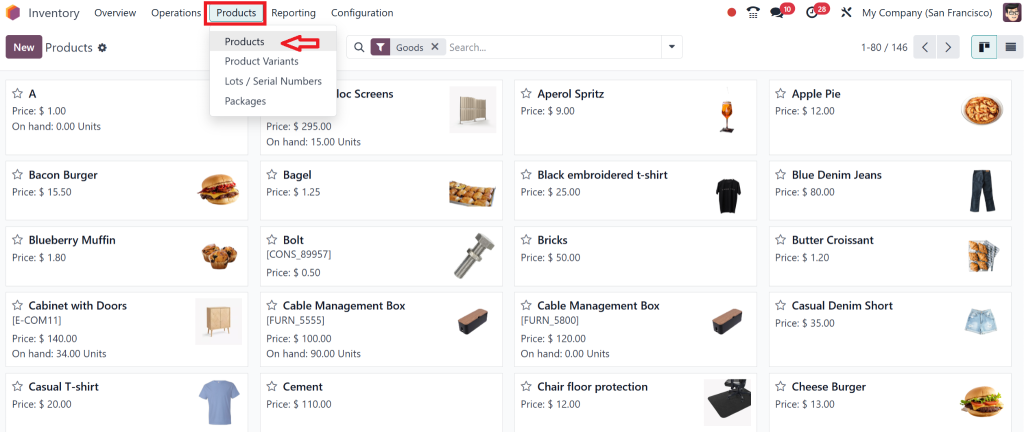
Go to Inventory > Products > Products.
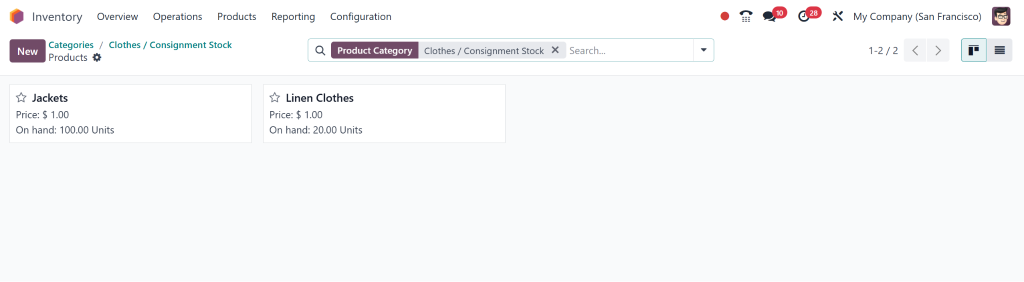
Select the consignment category and location for each product sold on consignment.
That means all consignment items are stored in the correct location and easily identifiable as consignment stock.
4. Set Up Consignment Suppliers in Odoo 18
To manage consignment operations, you must also define suppliers who will provide consignment stock. The right supplier information is crucial for tracking inventory, purchases, and payments.
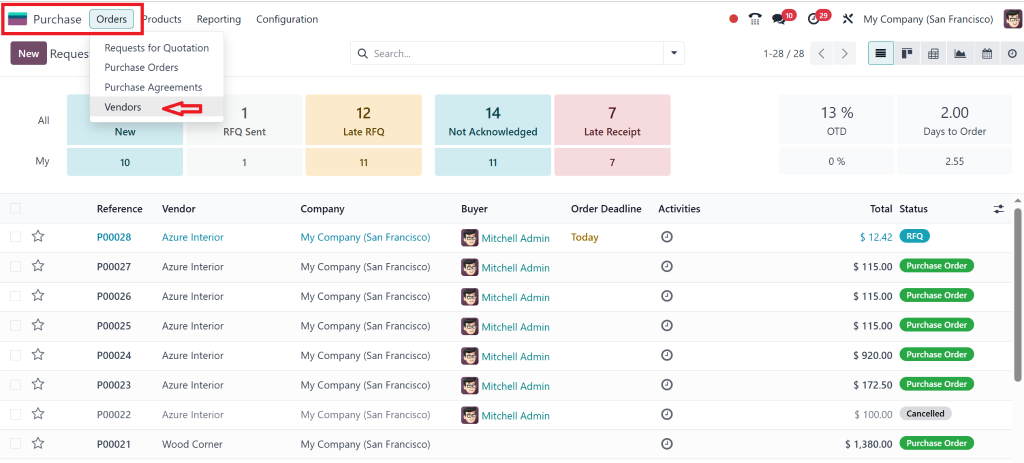
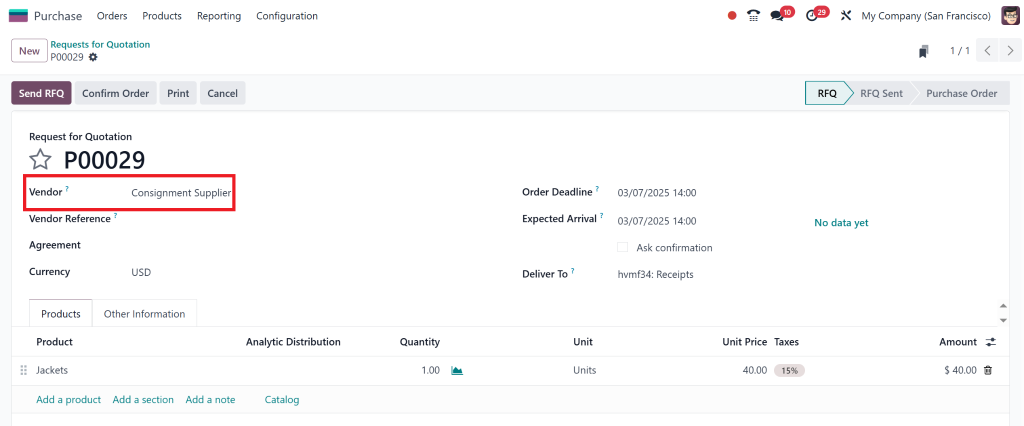
Go to Purchases > Order > Vendors
Add a new vendor and mark them as a consignment supplier.
Don’t forget to enter payment terms and any other consignment-specific details.
This step makes managing and tracking your consignment relationships easy, ensuring smooth stock management and financial tracking.
5. Odoo 18 Consignment Management
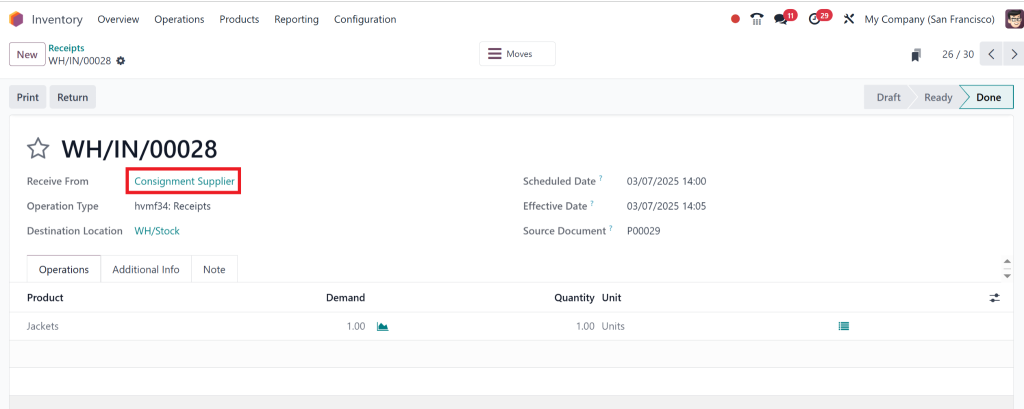
When you receive consignment goods, you must create stock moves to track their movement in the system. This helps you monitor inventory levels and ensures accurate reporting.
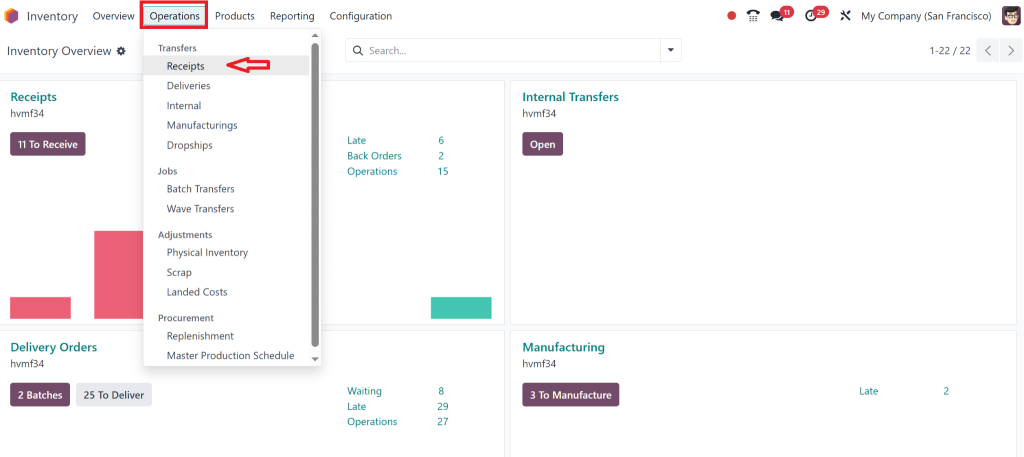
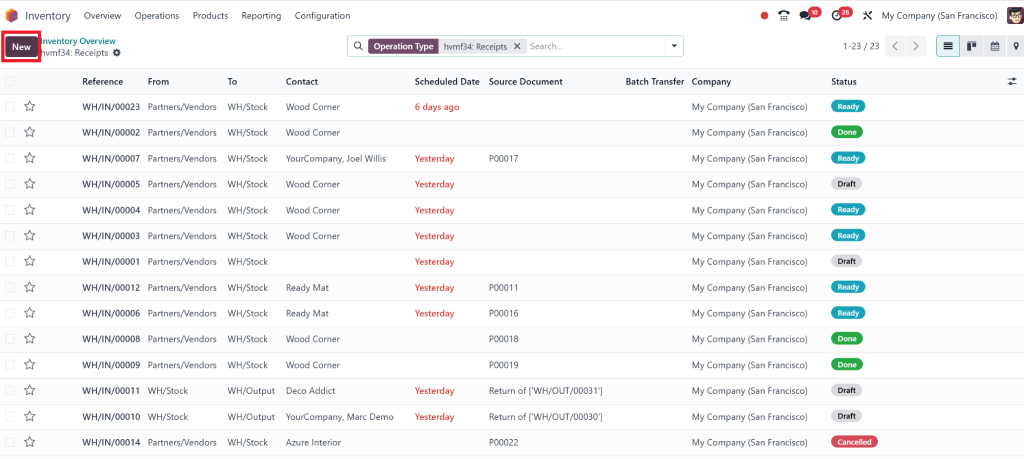
Go to Inventory > Operations > Transfers.
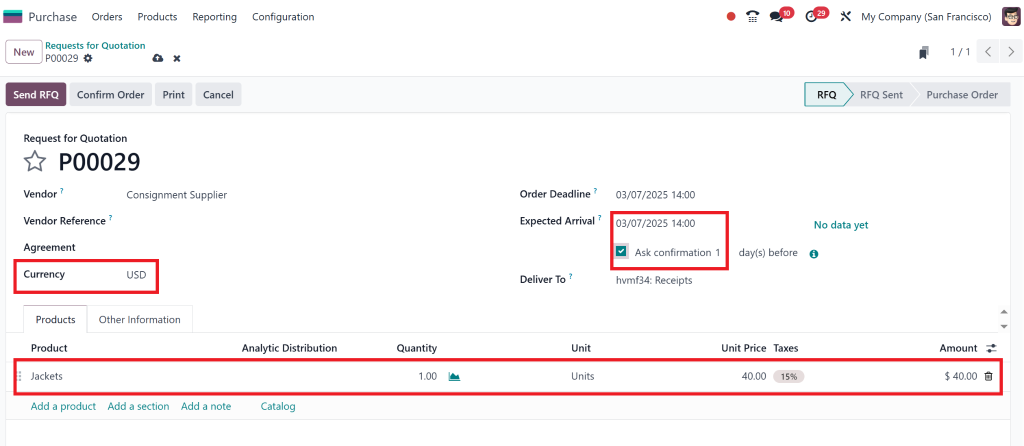
Create a new transfer for consignment stock from the supplier to your warehouse.
This move will ensure that your consignment stock is properly recorded and available for sale.
How to Sell Consignment Products Using Odoo 18
You can sell consignment items once your Odoo consignment inventory is set up. The best part? Odoo automates much of the process, so it’s all logged correctly once a sale happens.
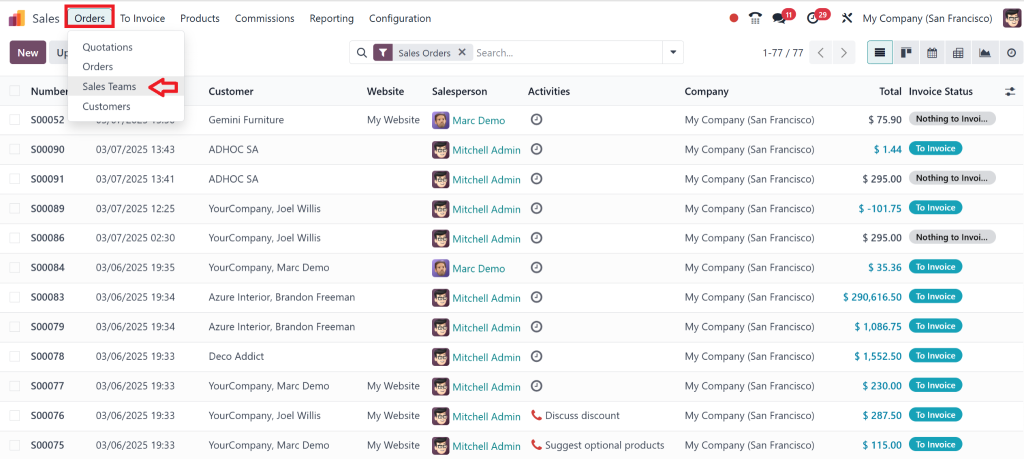
1. Create Sales Orders for Consignment Products
Go to Sales > Orders > Sales Orders.
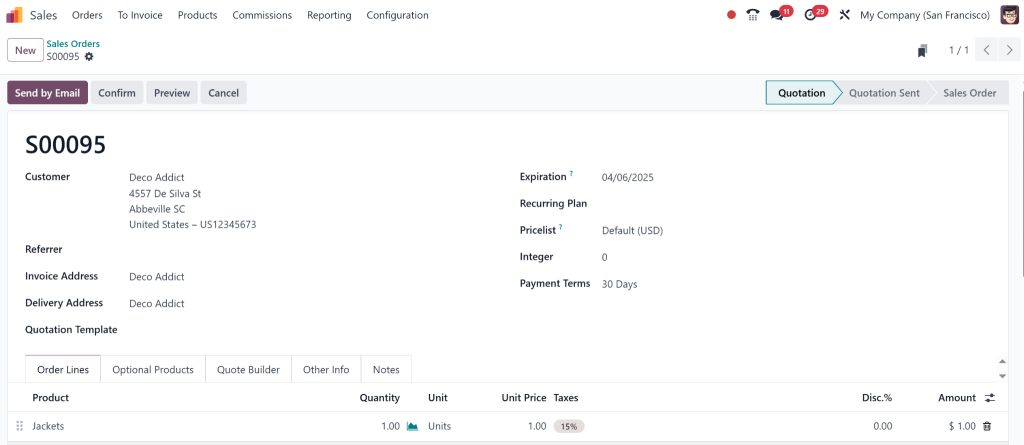
When a customer orders consignment products, you must create a sales order.
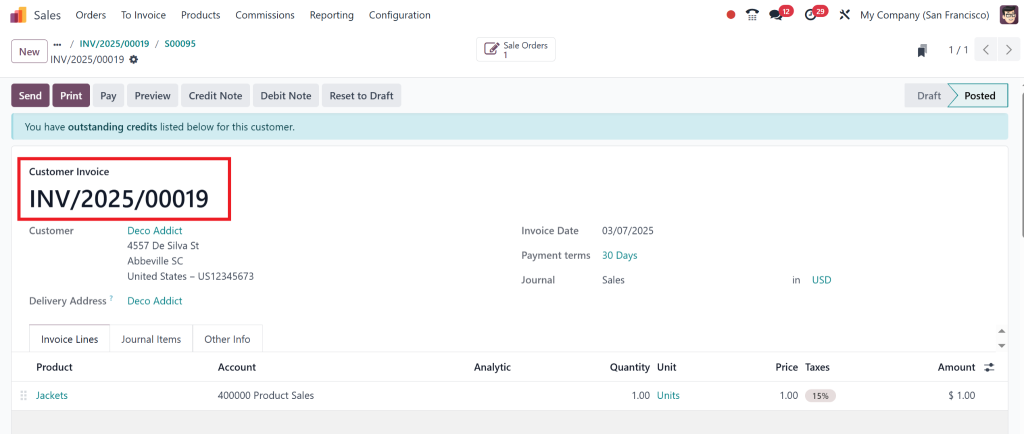
Odoo will automatically adjust the consignment stock and generate an invoice for the sale.
2. Update Supplier Payments
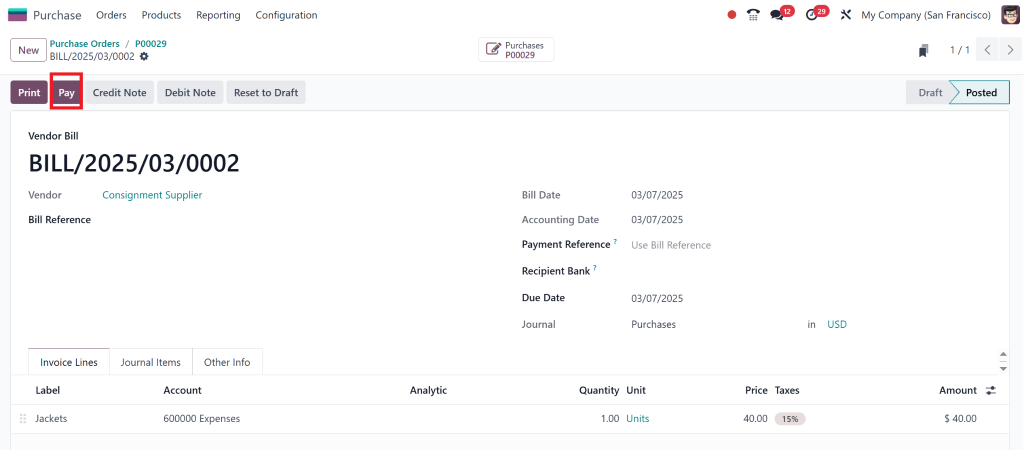
Once the consignment product is sold, it’s time to handle payments to the supplier. Odoo can automate this process by creating supplier bills and tracking payments, ensuring you pay the supplier only for the products you’ve sold.
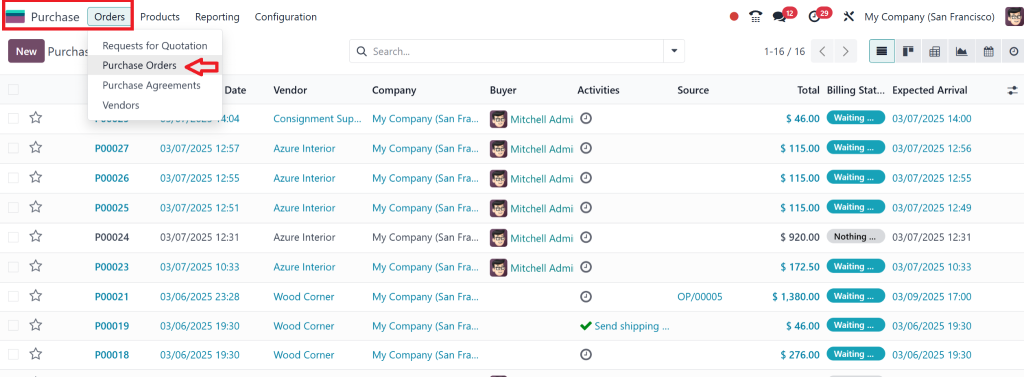
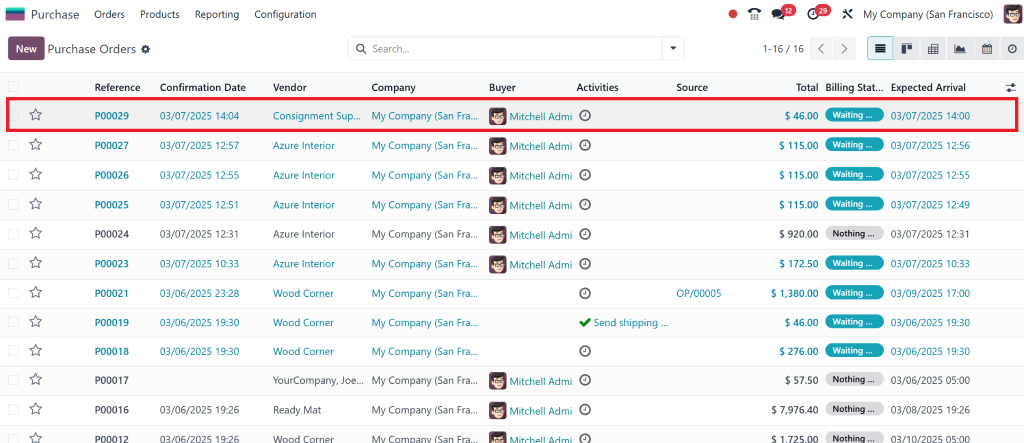
Go to Purchases > Bills to create and track payments
Odoo allows you to manage consignment supplier payments easily and without any hassle.
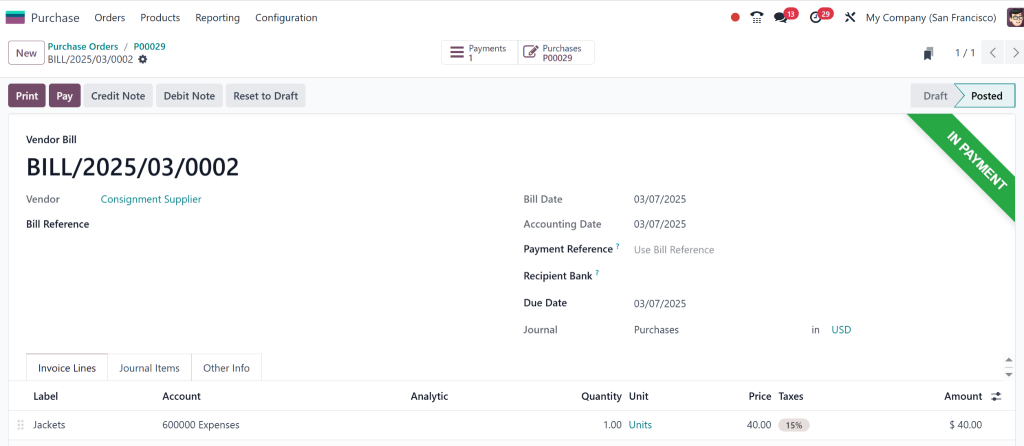
As you see the bill is being created, then, click on pay.
Done.
Reporting: Keeping Track of Your Consignment Inventory
While Odoo consignment operations can be easily set up, there are some best practices to ensure you get the most out of the system:
Regular Stock Audits:
Even though Odoo tracks your consignment stock automatically, it’s a good idea to perform regular stock audits to ensure everything matches up.
Clear Communication with Suppliers:
Ensure your suppliers know how you handle their consignment goods and inform them about stock levels and sales.
Stay on Top of Sales Orders.
Consignment goods are only paid for when sold, so monitor sales trends to avoid running out of stock or over-ordering.
Odoo 18 consignment stock management, cash flow, and supplier relationships
Setting up consignment operations in Odoo 18 inventory can dramatically improve your stock management, cash flow, and supplier relationships. With Odoo consignment inventory tools, you can easily track products, record sales, and automate payments. And the best part? Thanks to the smooth integration of Odoo’s modules, you’ll do it all with minimal effort.
Following the steps in this guide ensures that your consignment inventory is fully optimised. This allows you to focus on improving your business and building stronger partnerships with your suppliers.
Hi, I'm Nabia, an Odoo ERP functional & technical content writer. I specialize in blogs, social media content, ad copy, landing pages, service pages, and email campaigns.
We use cookies to ensure that we give you the best experience on our website. If you continue to use this site we will assume that you are happy with it.